

Upgrading To Fiber Internet Offers Faster Speeds, Better Reliability, And A More Energy-Efficient Connection For Your Home
Key Takeaways
- Fiber internet uses light signals through glass strands to deliver faster and more reliable speeds than traditional copper cables.
- It is a highly energy-efficient utility choice, requiring less power to transmit data over long distances and potentially generating a smaller carbon footprint.
- Checking the availability at your new address early ensures you can schedule installation and avoid moving-day connectivity gaps.
If you are wondering exactly what fiber internet is, it is an advanced broadband connection that transmits data as light signals through incredibly thin strands of glass or plastic. Unlike older copper wiring, this modern technology delivers ultra-fast, symmetrical upload and download speeds with virtually no lag. Setting up a new home means making countless decisions, and securing a reliable digital connection is often a top priority. Whether you work remotely, stream your favorite shows in high definition, or run a complex network of smart home devices, we put together this guide to explain how fiber-optic technology works, how it stacks up against alternatives, and what you need to know to secure the best possible provider for your household.
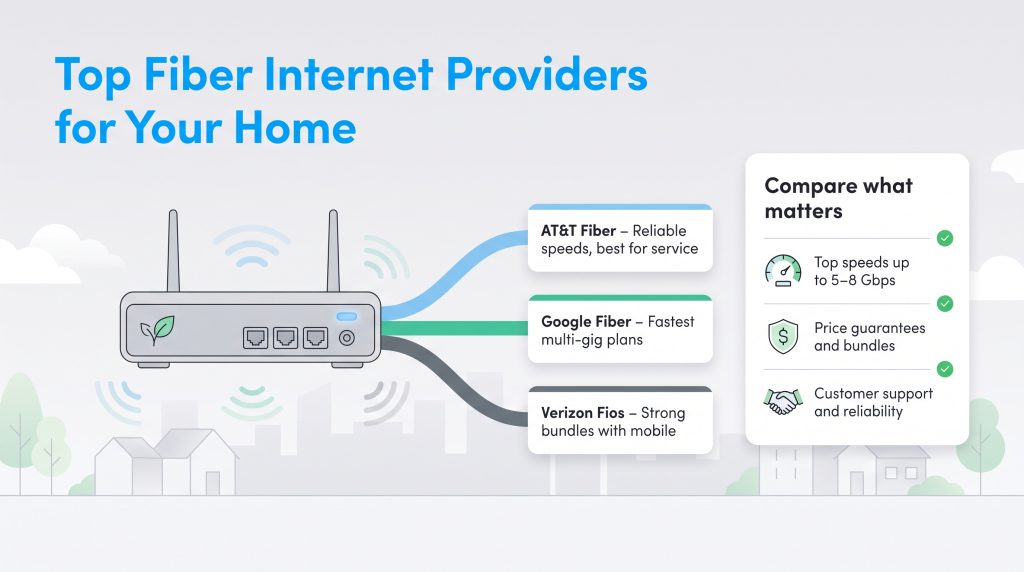
Top Fiber Internet Providers At A Glance

- 5 Gbps
- Fiber
- Unlimited
- $35.00/mo

- 5 Gbps
- Fiber
- Unlimited
- $30.00/mo

- 7 Gbps
- Fiber
- Unlimited
- $29.99/mo

- 8 Gbps
- Fiber
- Unlimited
- $30.00/mo

- 8 Gbps
- Fiber
- Unlimited
- $70.00/mo
*Not all internet providers and speeds available in all areas.
The telecommunications landscape evolves rapidly, and the top fiber internet providers have dramatically expanded their coverage maps while pushing the physical boundaries of what home networks can achieve. Before diving into the specifics of each major company, review this quick reference guide to see how the industry’s heavy hitters compare when it comes to standard starting rates, extreme multi-gigabit speeds, and data allowances.
| Provider | Starting Price | Max Download | Max Upload | Data Caps |
|---|---|---|---|---|
| AT&T Fiber | $55.00/mo. | 5,000 Mbps | 5,000 Mbps | None |
| Google Fiber | $70.00/mo. | 8,000 Mbps | 8,000 Mbps | None |
| Verizon Fios | $49.99/mo. | 2,300 Mbps | 2,300 Mbps | None |
| Quantum Fiber | $50.00/mo. | 8,000 Mbps | 8,000 Mbps | None |
| Frontier Fiber | $44.99/mo. | 5,000 Mbps | 5,000 Mbps | None |
When evaluating your local options, it helps to identify which provider aligns best with your specific household priorities. Some families prefer strict budget guarantees, while others prioritize absolute raw bandwidth. Here is how the top companies differentiate themselves in the 2026 market.
AT&T Fiber
Unique Selling Proposition: Best for Customer Service
- Pros: Consistently ranks at the very top of national customer satisfaction surveys; offers reliable symmetrical speeds up to 5 Gig; includes straightforward pricing with no annual contracts; enforces zero data caps.
- Cons: Availability is still spotty in highly rural areas; base pricing can be slightly higher than budget competitors.
Google Fiber (GFiber)
Unique Selling Proposition: Best for Multi-Gig Speeds
- Pros: A true pioneer of the multi-gig movement, offering breathtaking top-tier plans reaching 8 Gig; highly transparent billing; provides massive bandwidth for complex smart homes and heavy content creators.
- Cons: Extremely limited geographic availability; the base tier starts at a higher price point ($70) compared to industry averages.
Verizon Fios
Unique Selling Proposition: Best for Bundled Savings
- Pros: Unlocks massive monthly discounts if you already utilize Verizon for your cellular plan; features legendary network uptime across the East Coast; excellent promotional perks for new sign-ups.
- Cons: Footprint is heavily confined to the northeastern United States; top speed caps out slightly lower than competitors pushing 5 to 8 Gig plans.
Quantum Fiber
Unique Selling Proposition: Best for Price for Life Guarantees
- Pros: Backed by Lumen Technologies; frequently runs compelling “Price for Life” promotions that entirely eliminate unexpected rate hikes; fast expansion into new metropolitan markets; robust 8 Gig top tier.
- Cons: Customer service metrics trail slightly behind AT&T and Verizon; promotional offers vary drastically by exact zip code.
Frontier Fiber
Unique Selling Proposition: Best for Expanding Markets
- Pros: Aggressively upgrading old DSL lines to ultra-fast pure fiber; highly competitive starting prices; frequently bundles free, high-end whole-home mesh Wi-Fi routers into their premium packages.
- Cons: The company’s legacy DSL reputation still casts a shadow; wait times for professional installation can stretch out during aggressive neighborhood expansion periods.
Evaluating Customer Satisfaction And Reliability
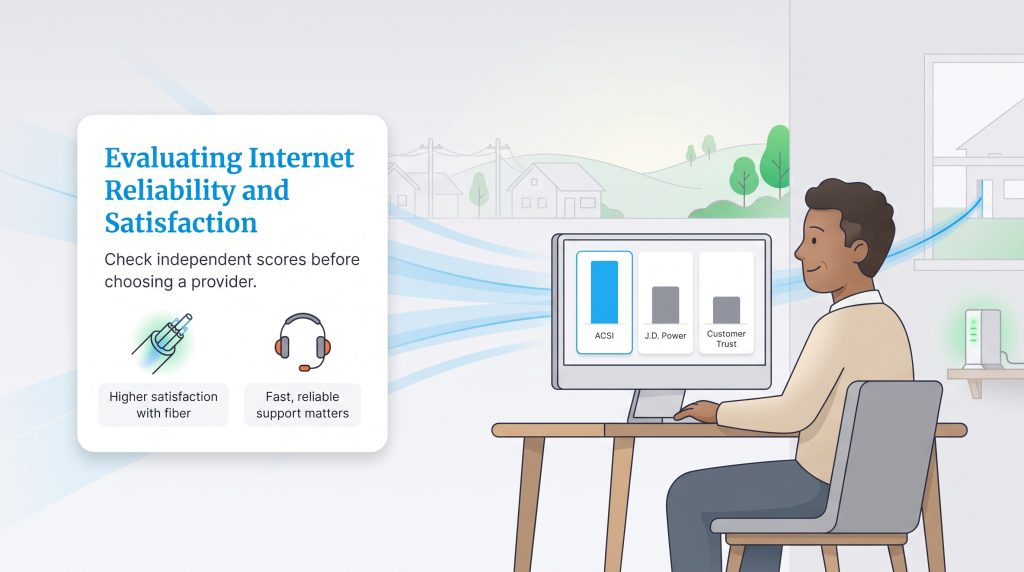
Finding a blazing-fast connection is only half the battle. If your provider leaves you on hold for hours during a neighborhood outage, those fast gigabit speeds will not feel like much of an upgrade. This makes evaluating third-party customer satisfaction metrics absolutely critical when shopping for your digital utilities. According to the latest data from the American Customer Satisfaction Index (ACSI) and ongoing J.D. Power studies, pure fiber internet consistently scores significantly higher than traditional cable across the board. This broad boost is primarily due to the natural physical reliability of glass optic lines, which inherently require less emergency maintenance.
Among the national heavyweights, AT&T Fiber and Verizon Fios routinely trade the number one and two spots for overall consumer trust. Both companies have invested heavily in streamlined billing portals, proactive network outage texting, and expanded technical support teams. Google Fiber also maintains a fiercely loyal customer base due to its simple, no-hidden-fee pricing structure. Conversely, providers actively transitioning away from legacy copper networks — such as Frontier and Quantum Fiber — are seeing their satisfaction scores climb rapidly year over year, though they are still working to match the premier support infrastructure of the legacy giants.
What Is Fiber Internet And How Does It Work?
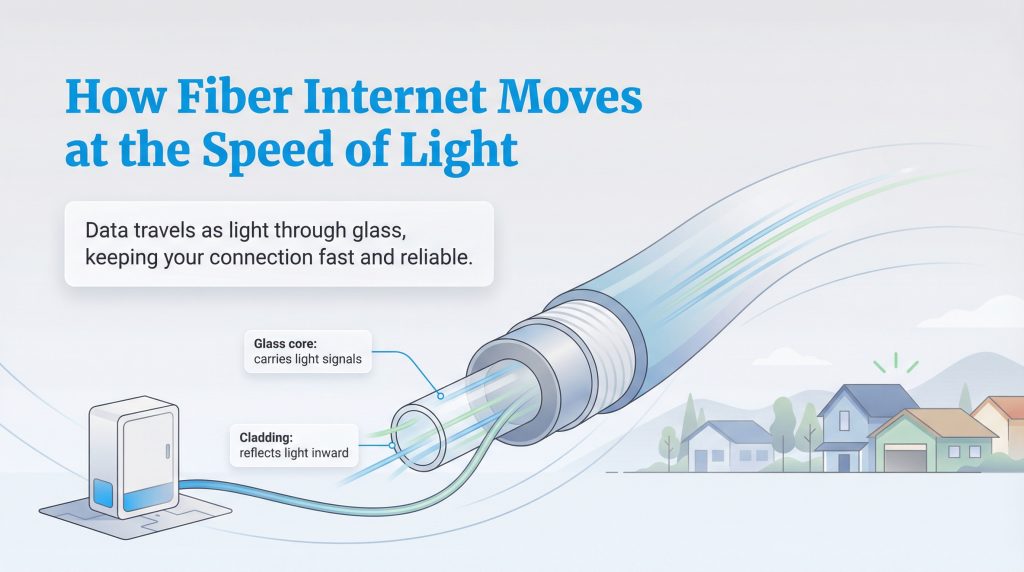
Unlike older technologies that rely on electrical signals pushed over heavy copper wire, this advanced broadband technology transmits data using rapid light pulses traveling through incredibly thin strands of pure glass or plastic. Because light moves swiftly and experiences minimal signal degradation over long distances, fiber provides a remarkably stable connection that simply cannot be matched by legacy utilities. The pure glass core is surrounded by a reflective outer cladding that actively bounces the light inward, maintaining near-perfect signal strength as your data travels across sprawling suburban neighborhoods and dense city grids.
One of the most noticeable daily benefits is that many fiber internet plans proudly offer symmetrical upload and download speeds. This means you can send giant 4K video files to a client or host high-definition virtual meetings just as effortlessly as you stream your favorite movies. In practical terms, latency or “ping” is the physical time it takes for a data packet to travel from your connected device to a server and back. Fiber keeps this delay incredibly low. Upgrading to real gigabit internet completely transforms how your household experiences the web, erasing frustrating bottlenecks when multiple family members try to get online at the exact same time.
The Last Mile: FTTH Vs. FTTN
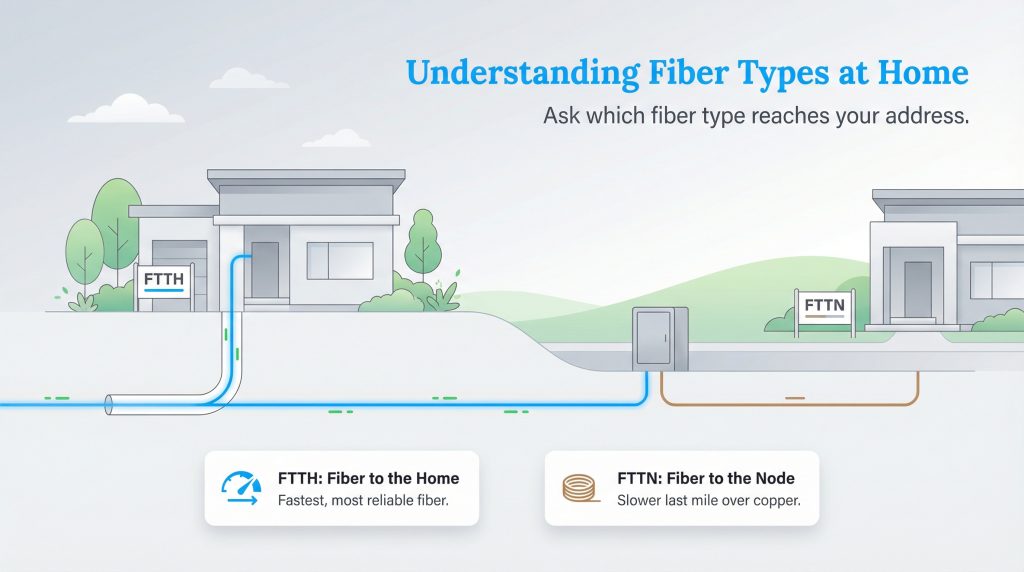
When shopping for a new utility plan, it is vital to understand that not all networks marketed with the word “fiber” are created equally. The physical architecture buried beneath your street dictates the final performance you experience inside your living room. To understand this, look at the telecommunications concept known as the “last mile.” The last mile is the final physical segment of a network that connects the broader regional infrastructure directly to your house. Historically, this final jump is where network speeds face their most severe bottleneck.
- Fiber to the Home (FTTH): The absolute gold standard for residential connectivity. In this setup, uninterrupted glass optical cables run from the street directly into a specialized terminal inside your residence. By completely bypassing old technology, FTTH ensures you receive the maximum speed, lowest latency, and most reliable signal the provider currently offers.
- Fiber to the Node (FTTN): A hybrid approach that only runs fiber lines to a shared neighborhood hub. From that specific node, the network relies on older copper or coaxial cables to bridge the final gap to your house. Because this critical segment utilizes slower, legacy copper technology, an FTTN network simply cannot deliver ultra-fast multi-gig speeds.
Always politely ask the customer service representative to clarify exactly which type of infrastructure reaches your exact address before you commit to a multi-year contract.
Fiber Vs. Cable Vs. DSL: Which Connection Is Best?
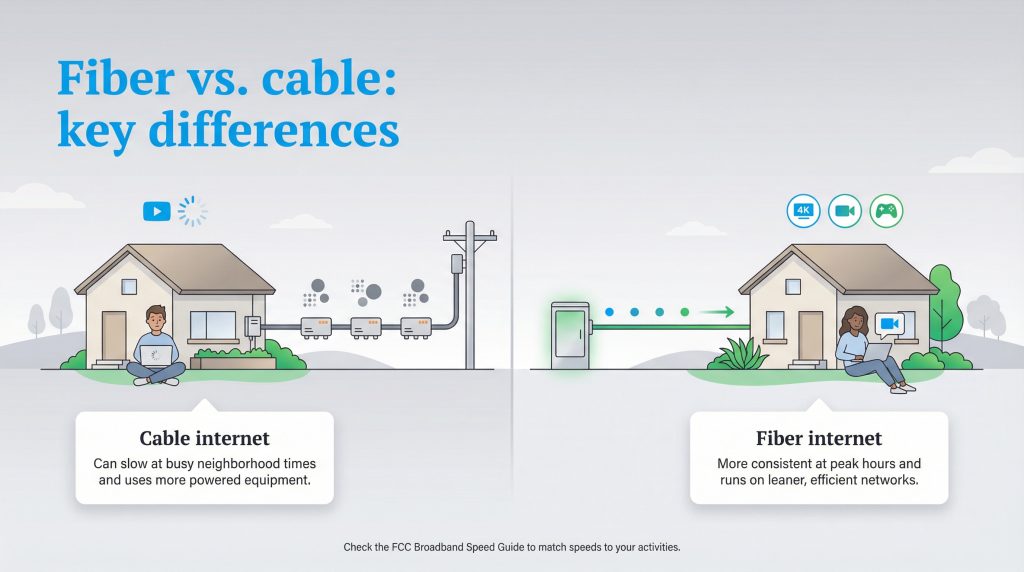
When comparing local utilities, you will likely weigh fiber vs. cable internet to see which seamlessly fits your daily routine and budget. Traditional cable internet relies heavily on heavy coaxial lines — the exact same copper wires historically used for cable television. Unfortunately, these shared networks are incredibly prone to severe congestion when your neighbors log on during peak evening hours. Fiber is significantly less susceptible to neighborhood slowdowns, ensuring your bandwidth remains entirely consistent even on a busy Friday night. It also stands up exceptionally well to severe weather because pure glass strands are entirely immune to electrical interference.
You must also understand how fiber stacks up against Digital Subscriber Line (DSL) internet, which remains surprisingly common in highly rural and sprawling suburban areas. DSL operates by sending basic data signals over standard telephone lines. While it was a revolutionary upgrade from dial-up decades ago, DSL is severely restricted by distance attenuation. Put simply, the farther your physical house is located from the provider’s central dispatch hub, the weaker and slower your signal becomes. Below is a breakdown to help you visualize why fiber optic networks easily outpace these older, copper-based setups.
| Feature | Fiber Internet | Cable Internet | DSL Internet |
|---|---|---|---|
| Core Technology | Light signals through glass | Radio frequencies over coaxial copper | Electrical signals over telephone lines |
| Top Download Speeds | Multi-gigabit (up to 8 Gbps) | Typically 1 Gbps to 2 Gbps | Typically maxes out at 25 to 100 Mbps |
| Upload Speeds | Symmetrical (Matches download) | Highly restricted (often 35 – 50 Mbps) | Extremely slow (often 1 – 10 Mbps) |
| Average Latency/Ping | Ultra-low (5-15 ms) | Moderate (20-40 ms) | High (40-80+ ms) |
| Reliability | Highly stable; immune to weather | Prone to peak-hour neighborhood congestion | Prone to severe weather interference |
| Distance Factor | Maintains speed over vast distances | Degrades over long physical runs | Speeds drop significantly farther from the hub |
To better understand how these distinct performance levels impact demanding daily activities like competitive online gaming, high-stakes virtual meetings, or 4K movie streaming, you can reference the FCC’s Broadband Speed Guide. Matching your network choice to your family’s actual digital habits is the best way to prevent frustrating connectivity drops.
Is 5G Home Internet A Better Alternative?
In recent years, the telecommunications market has seen a massive surge in 5G home internet. Instead of burying cables in your yard, this newer technology uses cellular towers to beam a high-speed data connection directly to a wireless receiver sitting on your windowsill. For renters, frequent movers, or homeowners stuck in areas where fiber providers refuse to expand, 5G is an incredibly attractive option. It is famous for its simple plug-and-play setup, often requiring absolutely no professional installation or drilling. However, convenience does not always equal top-tier performance.
While 5G networks can effortlessly handle casual web browsing and streaming a few shows in HD, they still fall noticeably short when compared side-by-side with a hardwired FTTH connection. Cellular signals are highly susceptible to physical obstructions like thick brick walls, dense tree cover, and heavy rainstorms. Furthermore, 5G latency fluctuates drastically based on how many cell phones are actively pinging the local tower, which can make real-time competitive gaming frustratingly inconsistent. If pure fiber internet is available at your address, it remains the undeniably superior choice for total speed stability and handling a multi-device smart home seamlessly.
How To Choose The Right Gigabit Internet Speeds
Internet service providers are always eager to upsell new customers into their most expensive, top-tier packages. While having the absolute fastest connection available sounds appealing, you might end up paying a hefty premium for extreme bandwidth your devices never actually utilize. Understanding your household’s digital consumption patterns helps you select the perfect tier, keeping your monthly utility bills easily manageable without sacrificing an ounce of real-world performance. Here is a breakdown of the most common fiber speed tiers and exactly who they serve best in 2026:
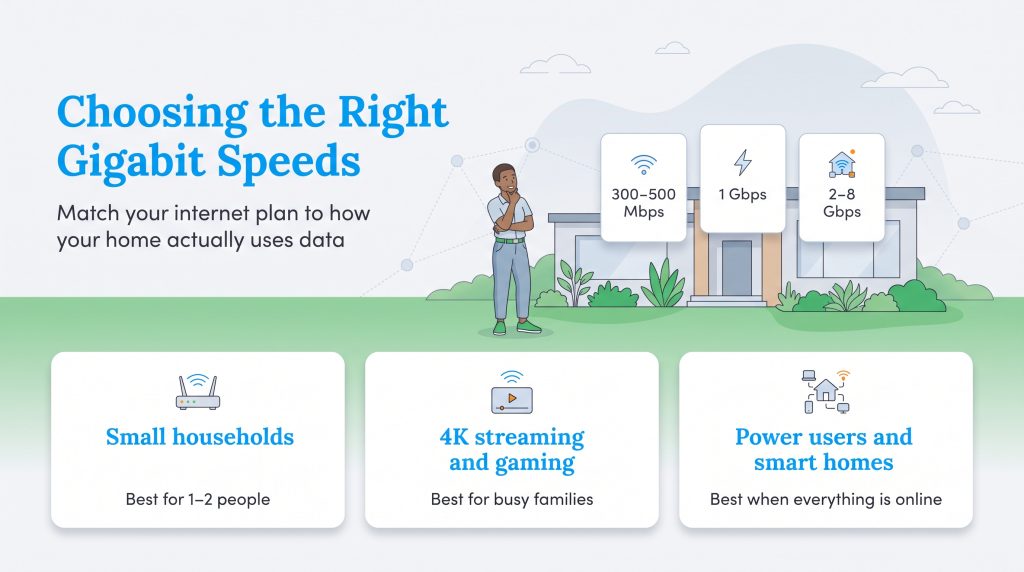
- 300 to 500 Mbps (Best for small households): This entry-level tier is incredibly robust on a pure fiber network. It provides more than enough overhead bandwidth for one or two people to stream high-definition movies, browse the web, and take vital Zoom calls simultaneously. If your home has only a handful of basic smart devices, this is easily the most cost-effective sweet spot on the market.
- 1 Gbps (Best for 4K streaming and active gamers): Gigabit internet speeds remain the standard benchmark for modern, heavily connected families. This tier effortlessly supports four or more users streaming 4K video on separate televisions while others play competitive multiplayer games. The extremely low latency ensures quick reaction times, while the high total capacity actively prevents any noticeable buffering during peak evening usage hours.
- 2 Gig to 8 Gig (Best for heavy content creators and complex smart homes): Multi-gigabit plans are generally overkill for the average consumer, but they are a massive asset for specific power users. If you frequently upload massive 8K video files to client servers, host private gaming lobbies, or operate a home with dozens of constantly syncing smart cameras, these ultra-fast tiers provide the vast necessary overhead to keep everything running flawlessly.
Hidden Costs And Budgeting For Fiber Plans
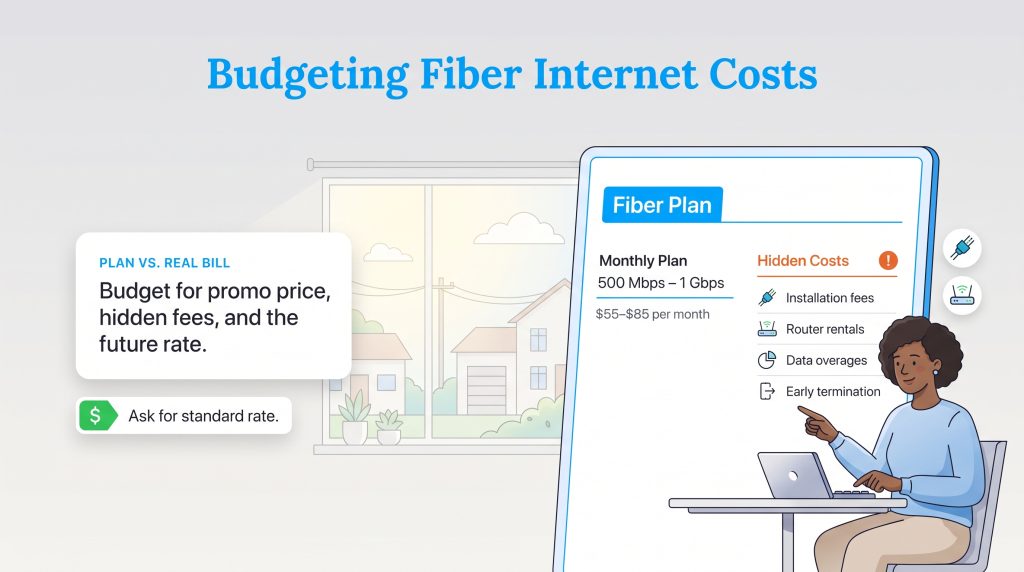
Budgeting for a new household utility involves looking closely at the fine print rather than just the flashy promotional price plastered on a direct mail flyer. The average cost of fiber internet has actually become highly competitive with traditional cable, largely because modern fiber networks require significantly less ongoing physical maintenance once the glass lines are safely in the ground. However, pricing structures vary wildly depending on your exact geographic location, the speed tier you select, and the provider actively operating in your zip code. To give you a realistic baseline for your monthly budget, we mapped out the average industry costs in 2026.
| Speed Tier | Average Monthly Cost | Best Use Case |
|---|---|---|
| 300 Mbps (Baseline) | $40 – $55 | Basic streaming and web browsing for small families. |
| 500 Mbps (Mid-Tier) | $55 – $65 | Multiple devices streaming simultaneously with frequent video calls. |
| 1 Gbps (Standard Gig) | $70 – $85 | Large households with active gamers and robust smart home networks. |
| 2 Gig to 8 Gig (Multi-Gig) | $100 – $150+ | Content creators and tech enthusiasts needing extreme bandwidth. |
When you sign your internet contract, you must carefully watch out for additional charges that can quickly inflate your first billing statement. Understanding these common hidden fees ensures you accurately forecast your total utility expenses before the technician ever arrives at your front door:
- Installation Costs: While many modern providers waive this fee during aggressive promotional periods, a professional installation can cost anywhere from $75 to $199 if the technician has to run a brand-new physical line from the street, bury the cable, and drill into your house.
- Monthly Router Rentals: ISPs frequently charge an extra $10 to $15 per month to rent their proprietary gateway equipment. Purchasing your own high-quality, fully compatible router can easily save you hundreds of dollars over the lifespan of your home network.
- Data Overages: Most top-tier fiber providers proudly offer completely unlimited data today, but some entry-level plans still quietly enforce strict data caps. Exceeding your monthly allotment can trigger automatic penalty fees, usually around $10 for every additional 50 GB of data you consume.
- Early Termination Fees: If you are a renter on a short-term lease, be cautious of multi-year agreements. Canceling your service before the contract officially expires can result in hefty cancellation penalties, sometimes totaling well over a hundred dollars.
Equipment Requirements: ONTs And Wi-Fi Routers
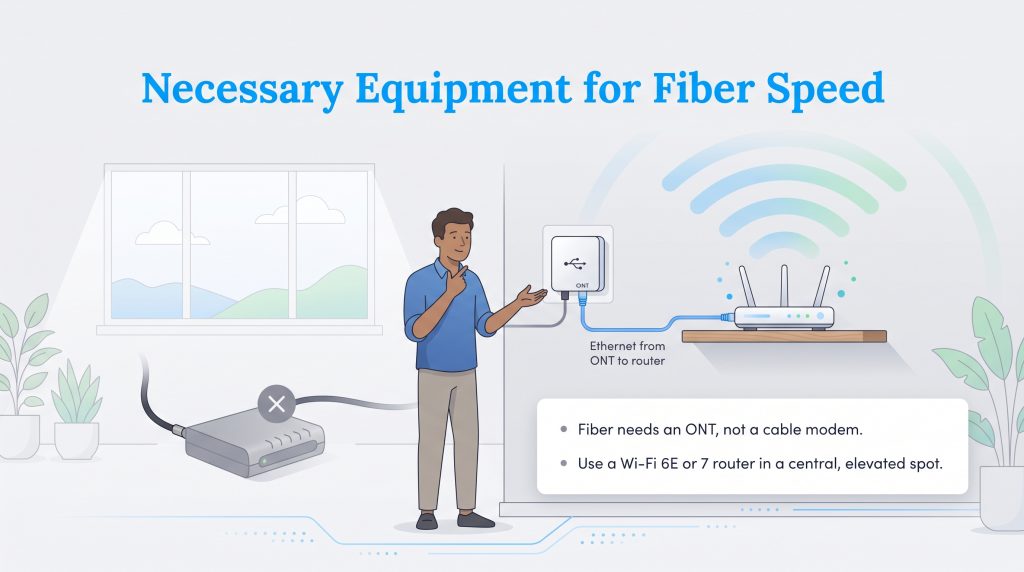
Securing a remarkably fast internet plan is only the very first piece of the connectivity puzzle; your physical home networking equipment must also be fully capable of processing those massive speeds. If you are officially switching from a traditional cable company to a cutting-edge fiber provider, you absolutely cannot use your old cable modem with your new service. A traditional modem is explicitly designed to translate electrical radio frequency signals from thick coaxial lines, a process completely incompatible with the advanced light-based signals utilized by pure fiber optic networks.
Instead of a standard modem, your new digital setup requires an Optical Network Terminal (ONT). The ONT is a highly specialized box installed directly onto your wall by the utility technician. It actively receives the incoming light signals from the exterior fiber cable and instantly translates them into a standard ethernet connection your consumer devices can understand. From the ONT, you simply run an ethernet cable directly into your wireless router to broadcast the Wi-Fi signal throughout your entire living space.
To fully utilize multi-gigabit connections without frustrating bottlenecks, you must upgrade your networking hardware to a highly capable Wi-Fi 6E or Wi-Fi 7 router. Older, outdated routers often throttle network performance dramatically, meaning you might pay a high premium for ultra-fast fiber but only experience a tiny fraction of the available bandwidth on your wireless devices. Once you transition to newer, much faster equipment, remember to responsibly discard your outdated technology. The EPA’s Electronics Donation and Recycling page offers excellent guidance on safely keeping electronic waste out of our local landfills.
Even the absolute highest-quality router will struggle to perform if it gets buried behind a large sectional couch or shoved into a cramped basement utility closet. Proper physical placement actively eliminates frustrating dead zones and keeps all your smart home devices communicating smoothly. In fact, optimizing your wireless network efficiently is just as important as managing energy-draining appliances when dialing in your new home’s overall operational performance. Always elevate the router high on a shelf and keep it far away from thick brick walls or heavy metal appliances for the absolute best uninterrupted broadcast range.
The Sustainable Choice: Environmental Benefits
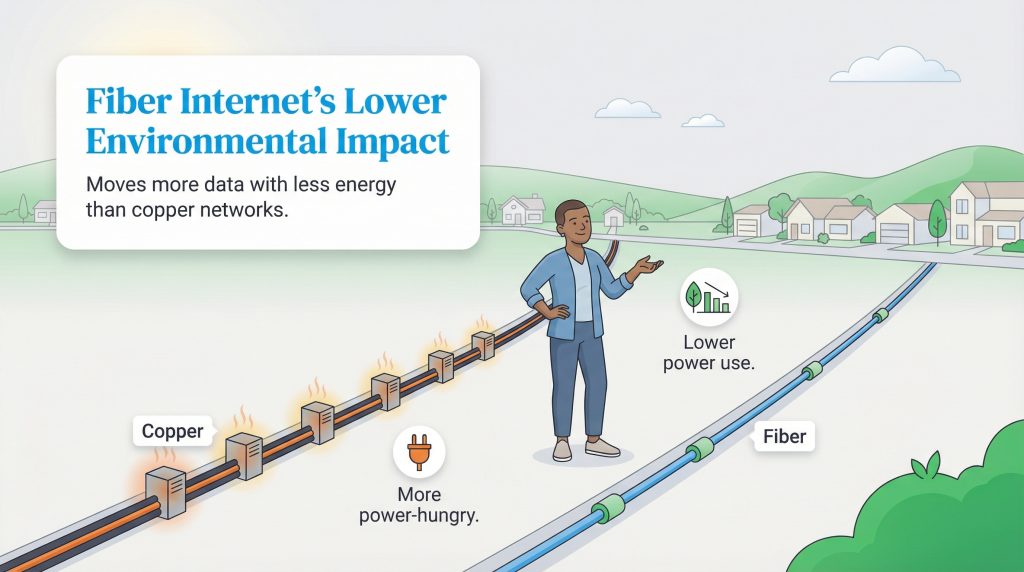
Making an environmentally mindful choice for your new home’s utility lineup goes well beyond simply adjusting the smart thermostat or actively monitoring your daily water usage. Because fiber networks gracefully move massive amounts of complex data using highly focused light signals with minimal natural degradation, they prove to be a remarkably energy-efficient utility choice. Traditional copper networks actively consume enormous amounts of electrical power just to forcibly push heavy radio frequency signals from one neighborhood node to the next.
Because light travels so incredibly efficiently through pure glass strands, internet service providers do not need to constantly install power-hungry signal amplifiers or robust cooling infrastructure every few miles to maintain the regional connection. This immense operational efficiency naturally translates into a noticeably smaller carbon footprint for the broader network as a whole. Fiber-optic lines remain passively efficient throughout their entire lifespan, demanding substantially less electricity to operate than their aging coaxial counterparts. Upgrading to an eco-conscious alternative like fiber is an effortless, completely passive way to modernize your digital life while remaining highly mindful of your family’s overall environmental impact.
How To Check Fiber Internet Availability By State
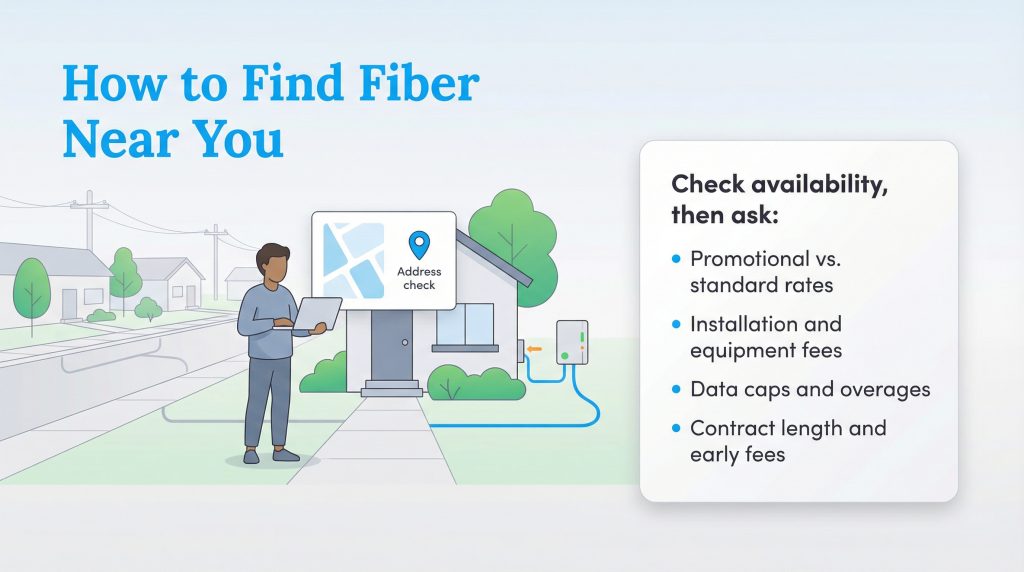
Moving into a fresh space presents the ideal opportunity to properly reevaluate your digital infrastructure. When you are actively managing your moving checklist, verifying your local network options early directly prevents a highly stressful gap in connectivity on move-in day. Because legally permitting and laying down new, complex underground infrastructure is incredibly expensive and time-consuming for providers, fiber internet availability is heavily dependent on your exact street address. To find the absolute right provider for your new home, simply follow these straightforward steps:
- Consult the FCC National Broadband Map: Before relying on generalized, wide-reaching provider advertising, thoroughly check the official FCC National Broadband Map. Enter your new address into the search bar to see a verified, highly accurate list of internet providers actively operating in your specific neighborhood.
- Search Provider Availability Tools: Once you positively identify the companies serving your local area, visit their official websites. Most major ISPs feature a dedicated, easy-to-use availability checker tool where you plug in your zip code and street address to firmly confirm if they offer pure FTTH connections to your specific building.
- Call Local ISPs Directly: Online service maps can occasionally lag slightly behind real-world physical construction. Calling the local dispatch office of a provider directly allows you to politely ask a representative about upcoming expansion plans. They can clearly confirm if your street is slated for a fiber rollout in the near future.
- Ask the Right Questions During Setup: Once you firmly confirm local availability, knowing how to choose an internet provider and successfully setting up your internet service requires careful, highly specific questioning. Ask the customer service representative about promotional versus standard rates, hidden installation costs, monthly router rental fees, and whether the plan strictly enforces restrictive data caps.
Ready To Find The Best Fiber Speeds In Your Neighborhood?
Check availability immediately! Enter your zip code into local search tools to instantly compare available gigabit plans, promotional pricing, and raw network availability right at your exact street address before scheduling an installation.
Because infrastructure expansion is an intense, ongoing process, pure network coverage varies drastically depending on exactly where you live. Review this snapshot of the top 10 most populated states to see how fiber expansion is currently progressing across the country.
| State | Estimated Fiber Coverage | Top Regional Providers |
|---|---|---|
| California | High | AT&T, Google Fiber, Frontier |
| Texas | High | AT&T, Frontier, Google Fiber |
| Florida | High | AT&T, Frontier, Quantum |
| New York | High | Verizon Fios |
| Pennsylvania | Medium | Verizon Fios, Windstream |
| Illinois | Medium | AT&T, Metronet |
| Ohio | Medium | AT&T, Frontier, Altafiber |
| Georgia | High | AT&T, Google Fiber |
| North Carolina | Medium | AT&T, Google Fiber, Lumos |
| Michigan | Medium | AT&T, Metronet |
Preparing For Installation Day
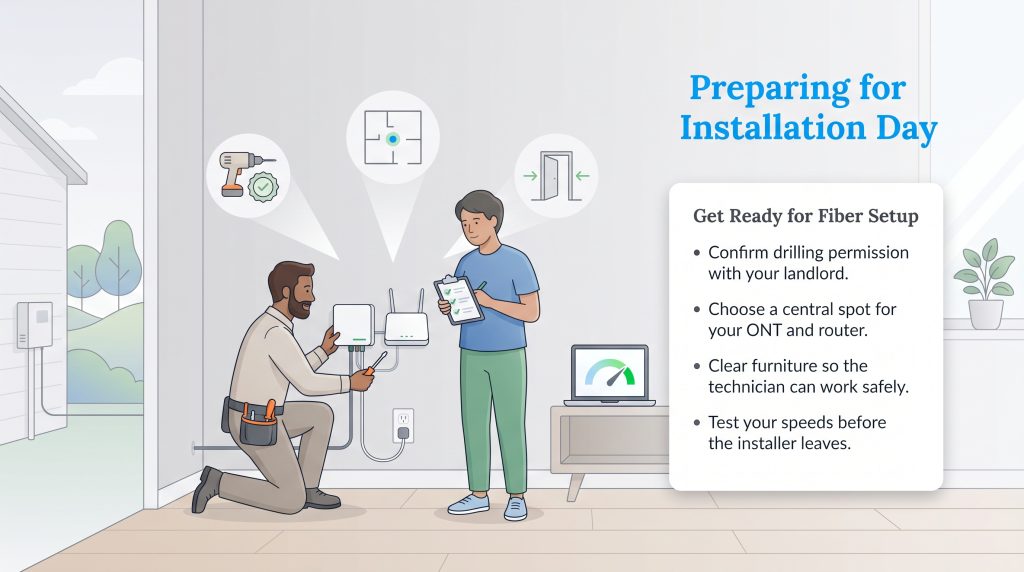
Transitioning to a new residence inevitably brings a wave of rapid-fire decisions, and aggressively choosing the right digital infrastructure absolutely sets the tone for your daily routine. By thoroughly researching your local internet providers, meticulously verifying the type of physical network present at your address, and deeply understanding exactly what speeds your household actually requires, you can confidently take total control of your home connectivity. If you have confirmed availability and scheduled a service appointment, ensuring a completely smooth setup process requires a little bit of advance preparation on your end. Follow this expanded checklist to guarantee your installation day is seamless:
- Secure Landlord Permission for Drilling: If your rental home has never historically had fiber service installed before, the technician will likely need to run a completely new physical line from the street and carefully drill a small hole through your exterior wall to feed the optical cable inside. If you actively rent your property, you absolutely must secure explicit written permission from your landlord or property management company before the technician ever arrives.
- Choose the Optimal Location for the ONT Box: The Optical Network Terminal is permanently mounted to a wall inside your home, usually near an existing electrical outlet since it requires constant, uninterrupted power to function properly. Decide on a central, easily accessible location on the main floor before the installer arrives. Doing this consciously helps you avoid having the unit tucked into a dense concrete basement corner that severely limits your Wi-Fi signal.
- Prepare the Physical Space: Utility technicians constantly run on incredibly tight daily schedules and simply cannot safely move heavy furniture for you. Clear a wide, highly safe path along the exterior of your house where the utility box is located, and ensure the interior wall where the ONT will be permanently mounted is completely clear of heavy bookshelves, bulky wooden desks, or large metal appliances.
- Verify Connection Speeds Before They Leave: Once the technician finishes running the lines and configuring the router, politely ask them to run a direct speed test from your new equipment. This actively guarantees you are receiving the gigabit speeds you are paying for before they pull out of your driveway.
Making The Final Call On Your Fiber Provider
Ultimately, making the transition to pure fiber internet is a forward-thinking, highly practical investment in the comfort, capability, and sustainability of your home. By deliberately leaning on a purely optical network rather than aging copper lines, you effortlessly future-proof your digital life. You guarantee you have the necessary bandwidth overhead to confidently handle tomorrow’s incredible smart home innovations while enjoying uninterrupted, blazing-fast stability today.
Frequently Asked Questions About Fiber Internet
What is fiber internet?
Is fiber internet better than Wi-Fi?
Do I need a special router for fiber internet?
Do I need a modem for fiber internet?
Is fiber internet actually faster than cable?
What are symmetrical internet speeds, and why do they matter?
What is the main downside of fiber optic internet?
How does a fiber optic terminal (ONT) differ from a standard modem?
Can I install fiber internet myself, or do I need a technician?
Why is fiber internet considered an eco-conscious alternative?
How much is the average fiber internet bill per month?
Is 1 gig fiber internet fast enough for gaming?
Is fiber internet available in apartments and rentals?
About the Author

David has been an integral part of some of the biggest utility sites on the internet, including InMyArea.com, HighSpeedInternet.com, BroadbandNow.com, and U.S. News. He brings over 15 years of experience writing about, compiling and analyzing utility data.

LaLeesha has a Masters degree in English and enjoys writing whenever she has the chance. She is passionate about gardening, reducing her carbon footprint, and protecting the environment. She also recently served as President of the Board for City Sprouts (a community garden).