

High Latency Causes Delays in Data Transmission, Resulting in Frozen Video Calls and Gaming Lag, Even if You Have a High-Bandwidth Internet Plan
Key Takeaways
- Latency is the time it takes for data to travel from your device to a server and back, often measured in milliseconds (ms).
- Bandwidth and latency are different, meaning you can have “fast” download speeds (bandwidth) but still experience lag if your network reaction time is high.
- Switching to fiber internet or using a wired Ethernet connection are the most effective ways to lower latency and improve smart home performance.
If you have ever watched your character glitch right before a major win or frozen mid-sentence on an important video call, you are probably asking yourself: what is latency? Simply put, latency is the total delay before a transfer of data begins following a network instruction. Many people assume their home connection is just too slow, but the real culprit behind these frustrating delays is often your network’s reaction time, not your overall download capacity. You might be paying for a premium internet plan, yet still experience noticeable lag throughout the day. While bandwidth determines how much data you can move at once, latency dictates how fast that data actually travels to its destination and back. In this comprehensive guide, we will help you diagnose packet loss and network jitter, and confidently troubleshoot your home setup so you can finally enjoy a seamless, highly responsive online experience.
What Is Network Latency?
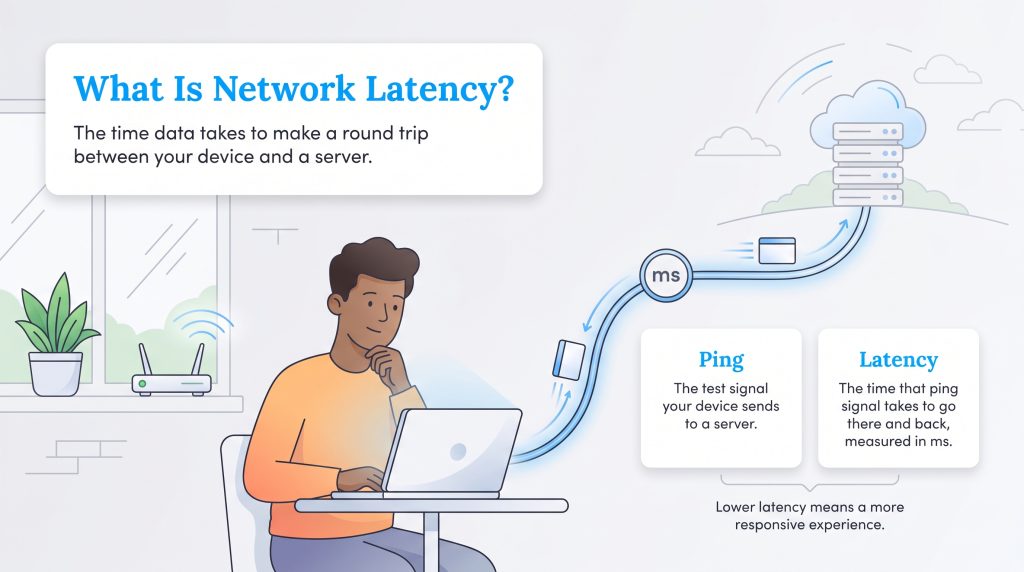
At its core, network latency is the reaction time of your internet connection. It is explicitly measured in milliseconds (ms) and tracks the round-trip time of data packets traveling from your device to a remote server and returning back to your screen. When you click a link, shoot a virtual opponent, or speak on a Zoom call, your device sends data into the network. Latency is the total delay you endure before that data successfully completes its journey and registers a response.
Imagine you are mailing a letter to a friend across the country. The time it takes for your letter to arrive in their mailbox, and for their written reply to be delivered back to your home, represents that round trip time. In the digital world, the “letter” is a packet of data sent rapidly across copper cables, wireless signals, and routers. If that trip takes too long, you experience a noticeable delay on your screen. In a modern, automated smart home, this level of responsiveness is everything. If you have high internet latency, your smart video doorbell might take entirely too long to notify you that a delivery driver is at the door, or your smart lights might hesitate awkwardly before turning on.
Ping vs. Latency: What’s the Difference?
People often confuse ping and latency, but understanding the subtle technical difference between ping vs latency can help you accurately troubleshoot your connection. A ping is the actual signal or message sent from your device to a remote server to test the network. Conversely, latency is the physical amount of time it takes for that signal to reach its destination and return to your device. Simply put, you send a ping to find out what your latency is.
What Is a Good Latency Speed?
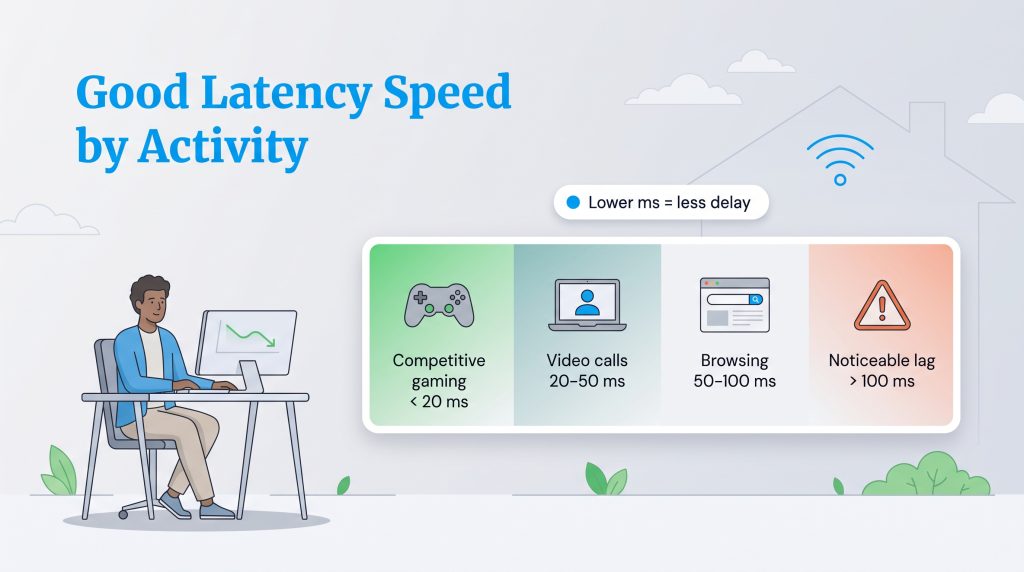
When trying to figure out what a good latency speed actually is, the answer completely depends on your daily online activities. For sending a simple email or reading a news article, you probably will not notice a slight delay operating in the background. However, for real-time tasks, every single millisecond matters. If you are wondering what does low latency mean for your household’s performance, use this breakdown to benchmark your connection:
- Competitive Gaming (< 20 ms): If you are playing fast-paced multiplayer games, you want your connection to be as responsive as physically possible. Anything below 20 ms is exceptional, ensuring hit registration and real-time reactions are instantaneous.
- Smooth Video Calls (20–50 ms): This is the sweet spot for most households. A ping in this range is perfectly fine for remote work, standard gaming, and general streaming without noticeable lag or voice overlap during meetings.
- General Browsing (50–100 ms): For general web browsing, watching Netflix, or participating in casual calls, anything under 100 ms provides an acceptable experience, though you might notice a very slight delay during complex interactions.
- Noticeable Lag (> 100 ms): Once your ping consistently spikes above 100 ms, you will likely experience frustrating lag, severe rubber-banding in video games, and frozen or pixelated screens on video calls.
Latency vs. Bandwidth: Understanding the Difference
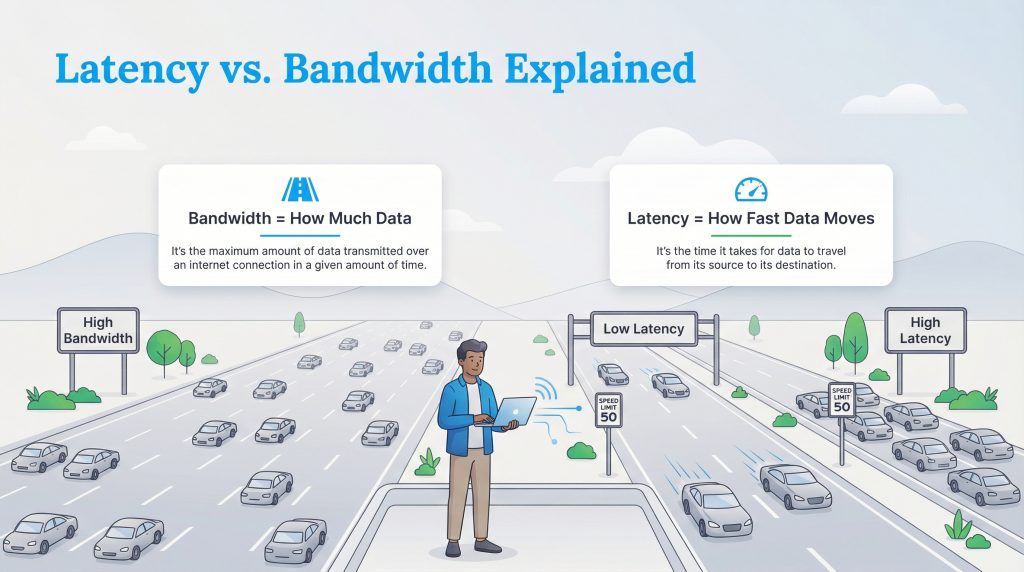
Confusion between networking terms is incredibly common, but untangling them is key to fixing your internet woes. People frequently mix up latency vs bandwidth, but they represent entirely different aspects of your home network’s overall performance. The best way to visualize how these elements work together is to think of a home’s plumbing system: bandwidth is the width of the pipe, representing data capacity, while latency is the speed of the water, representing your data delay.
Let’s break down these essential networking terms so you know exactly what is happening behind the scenes when your internet connection starts buffering:
| Term | Definition | Measurement Unit | Real-World Analogy |
|---|---|---|---|
| Latency | The total time it takes for a data packet to travel to a server and return. | Milliseconds (ms) | The speed of the water traveling through a pipe. |
| Ping | The signal sent out to measure your network’s latency. | Milliseconds (ms) | A radar gun checking how fast the water is moving. |
| Bandwidth | The maximum theoretical capacity of data your connection can handle at once. | Megabits per second (Mbps) | The width of the pipe. |
| Throughput | The actual, real-world amount of data successfully transmitted over your network. | Megabits per second (Mbps) | The volume of water that successfully comes out of the faucet without leaking. |
You can install the widest, most expensive pipe in the world, but if the water pressure is agonizingly slow, your experience will feel equally sluggish. This is exactly why you can pay for an expensive gigabit connection and still struggle with stuttering on Zoom calls. Bandwidth simply gives you raw data capacity, but latency gives you true responsiveness.
Learn more about What a Good Internet Speed Is
Common Causes of Network Latency
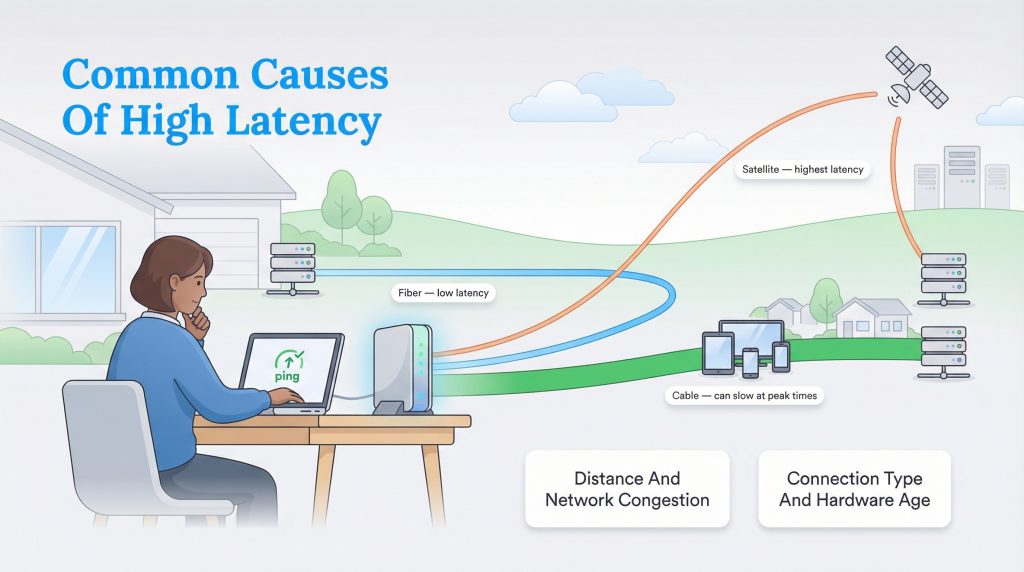
If your internet connection feels sluggish, several distinct factors could be slowing down your data’s journey. Knowing what causes network latency is the first step toward effectively fixing it. Here are the primary culprits that contribute to high network lag in a residential home:
- Physical distance to servers: The geographical distance between your home and the server you are connecting to matters immensely. Connecting to a game server located in Europe from the United States will always result in a much higher delay than connecting to a server based in your own state.
- Outdated router hardware: Old, degraded equipment can quietly cripple your network. If your modem or router is several years old, it may lack the basic processing power needed to handle modern data speeds efficiently, adding unnecessary delay to every single request.
- Network congestion: If three family members are streaming 4K video while you try to play an online game, your router might struggle to process all that data simultaneously. This bottleneck forces data packets to wait in line, causing a severe drop in responsiveness.
- Inferior connection types: How your internet is delivered to your home sets a hard limit on your network performance. For example, a satellite connection requires data to travel tens of thousands of miles into space and back, creating unavoidable lag, whereas modern fiber internet plans process signals via light for near-instantaneous transfers.
How Connection Types Impact Latency
When selecting a service plan for your home, remember that fiber internet naturally provides some of the lowest and most consistent speeds available on the market today, vastly outperforming cable, 5G home internet, and older satellite alternatives. Upgrading to a modern connection type is often the most effective way to eliminate network delay entirely.
How to Measure Latency
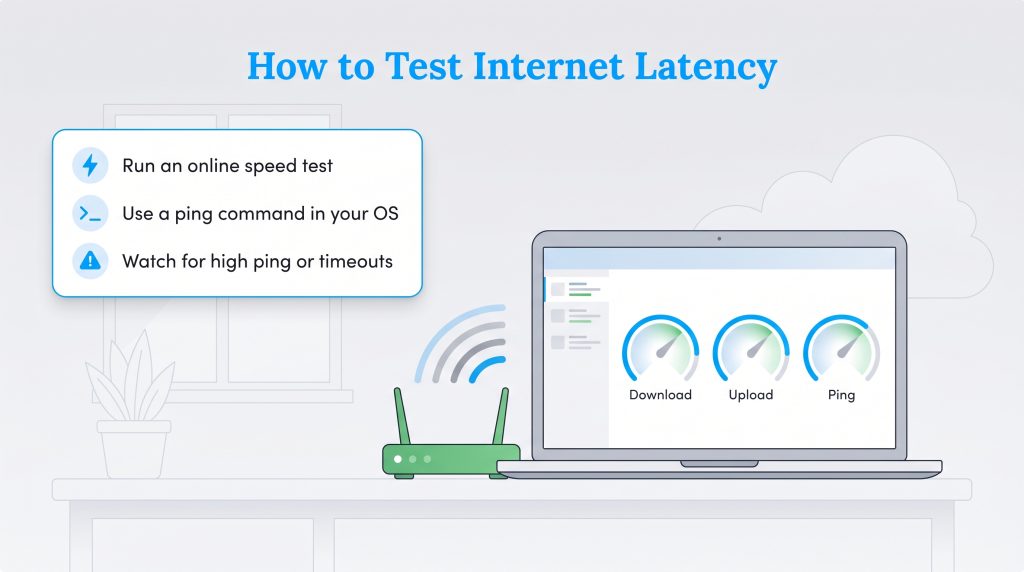
Before you start rewiring your home or buying expensive new equipment, you need to know how to measure your network accurately. Executing a network latency test empowers you to diagnose problems independently and verify if you are actually getting the speeds you pay for every month. Here are step-by-step instructions to test your connection:
- Use a free online speed tool: The absolute easiest method to get a quick snapshot of your network is to run a free, web-based speed test on your computer or smartphone. Tools like Speedtest by Ookla or Fast.com will automatically measure your download speed, upload speed, and ping in just a few seconds.
- Open your local command prompt or terminal: If you want a more precise, continuous measurement, use your computer’s built-in tools. For Windows users, click the Start menu, search for “cmd,” and open the “Command Prompt.” For Mac users, press Command + Space, search for “Terminal,” and open the application.
- Execute the manual ping command: Inside the black command window, type
ping google.com(or another reliable, high-traffic website address) and press the Enter key. - Analyze the diagnostic results: Watch as your computer sends out multiple data packets. Look closely at the “time=” measurement displayed in milliseconds (ms). If your round-trip time consistently spikes above 100 ms, or if you repeatedly see “Request timed out,” you have successfully confirmed a severe network latency or jitter issue.
How to Fix High Latency and Reduce Lag
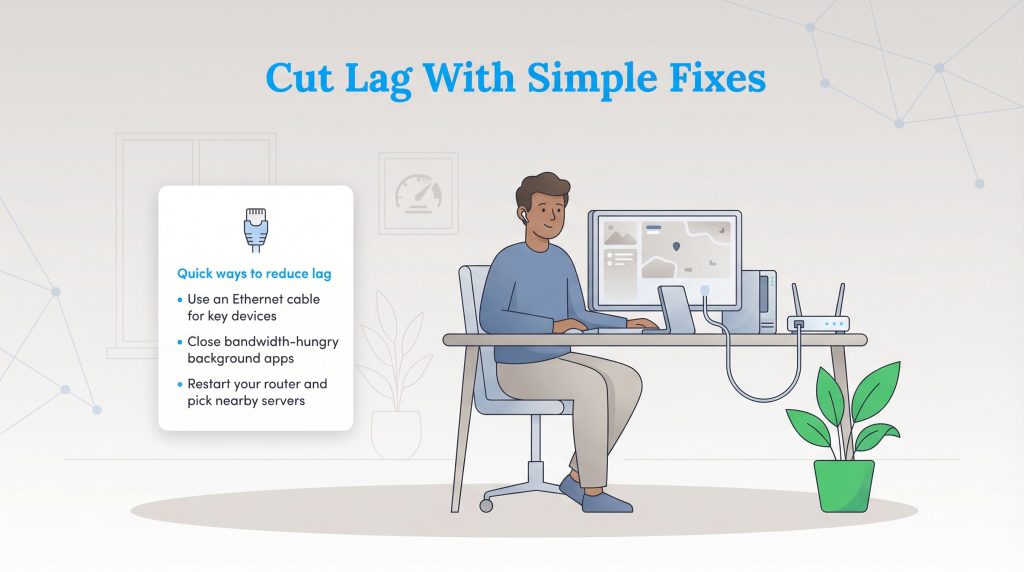
If you are tired of dealing with constant connectivity issues, take action. You can optimize your home network with a few strategic adjustments before deciding to switch providers entirely. Here is a step-by-step checklist detailing how to fix high latency and reduce internet latency today:
- Connect via an Ethernet cable: Wi-Fi is incredibly convenient, but it is highly prone to invisible interference from thick walls, large appliances, and your neighbor’s wireless signals. Instruct your household to hardwire primary computers or gaming consoles directly to the router using an Ethernet cable to eliminate wireless interference and stabilize your connection instantly.
- Close bandwidth-heavy background applications: Check what is running on your network. Close heavy background programs like cloud backups, file syncing services, or large automatic software updates that might be hogging your connection and causing severe network congestion.
- Update your network adapter drivers: Outdated software slows down how efficiently your devices process data packets. Update the drivers on your computer’s network adapter, and log into your router’s administrative dashboard to install any available firmware updates.
- Optimize your wireless router placement: If you absolutely must use Wi-Fi, reduce the physical distance between your primary device and the router. Move your router out of the closet and into a central, elevated room to drastically improve signal strength and lower your ping.
- Configure Quality of Service (QoS) settings: Log into your router settings and enable the Quality of Service (QoS) feature. Assign high priority to specific devices or applications — like your gaming console or remote work laptop — ensuring they get first access to the available bandwidth over less critical smart home devices.
If you have aggressively implemented all these steps and still experience high lag on a daily basis, it might be time to upgrade your plan.
🌱 Eco Edge: Fiber internet is not only the fastest option for low latency; it is also an environmentally mindful choice. Fiber networks are typically more energy-efficient than legacy copper networks, using significantly less electricity to transmit data over long distances.
For more detailed information on broadband performance and what you should legally expect from your service provider, you can review minimum download speed guidelines.
Preparing Your Home for a Low-Latency Network
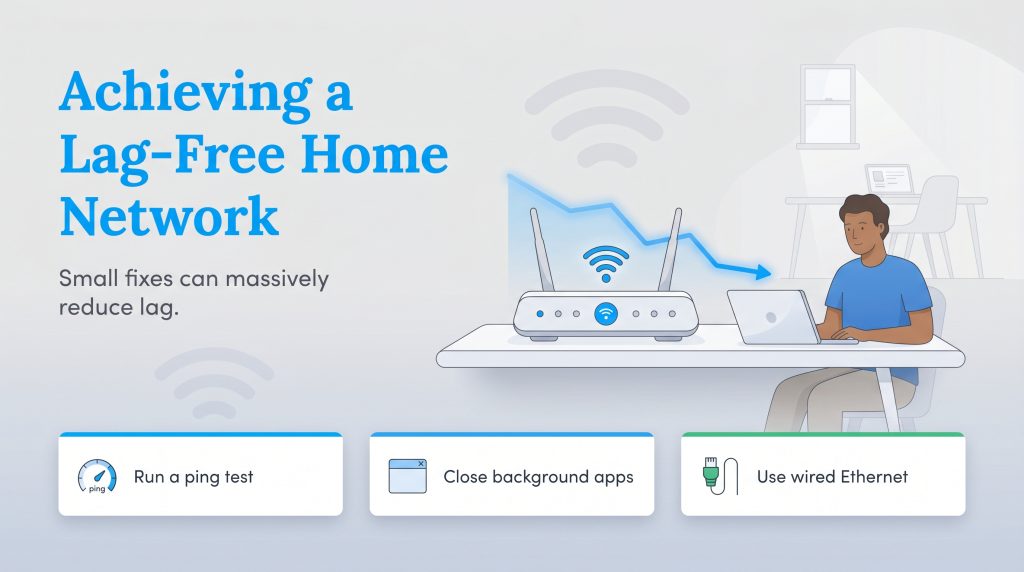
While a blazing-fast download speed looks incredibly impressive on paper, it isn’t the only metric that matters for a happy, connected home. Understanding the nuances of latency gives you the power to troubleshoot exactly why your video calls are choppy or why your smart home devices feel frustratingly slow to respond. Before you commit to a more expensive monthly bill, take a few minutes to measure your ping, shut down those demanding background apps, and hardwire your primary devices. Small, strategic adjustments are often all it takes to banish the lag and lock in a smooth, reliable online experience.
Frequently Asked Questions About Internet Latency
What is the difference between latency and ping?
How do I check my internet latency?
Why is my latency so high with good internet speed?
Does Wi-Fi increase latency compared to Ethernet?
How does high latency affect online gaming?
Can a Wi-Fi extender fix latency?
Why is my latency high at night?
How do I lower latency on a Wi-Fi connection?
About the Author

David has been an integral part of some of the biggest utility sites on the internet, including InMyArea.com, HighSpeedInternet.com, BroadbandNow.com, and U.S. News. He brings over 15 years of experience writing about, compiling and analyzing utility data.

LaLeesha has a Masters degree in English and enjoys writing whenever she has the chance. She is passionate about gardening, reducing her carbon footprint, and protecting the environment. She also recently served as President of the Board for City Sprouts (a community garden).