

Understanding megabits per second helps you pick the perfect internet plan for your new home without overpaying for speed you don’t need.
Key Takeaways
- Mbps stands for megabits per second, serving as the standard measurement for the speed at which data travels to and from your connected devices.
- Don’t confuse Mbps with MBps, because connection speeds are measured in bits, while individual file sizes are generally measured in bytes.
- Most standard households require roughly 25 to 40 Mbps per person, though this number scales depending on how many devices stream or game simultaneously.
When shopping for an internet plan, you might find yourself wondering, what is Mbps? Mbps stands for megabits per second, which is the standard measurement for how fast data travels to and from your connected devices. Moving into a new home involves setting up various utilities, and choosing a network package often feels overwhelming due to technical jargon and tiered pricing. It can be tempting to simply pick the most expensive option, but that frequently leads to wasted money on capacity you never utilize. We are here to break down exactly what you need to know about your home network so you can calculate your true bandwidth requirements, connect with confidence, and avoid frustrating buffering during your favorite shows.
The Meaning of Mbps Explained
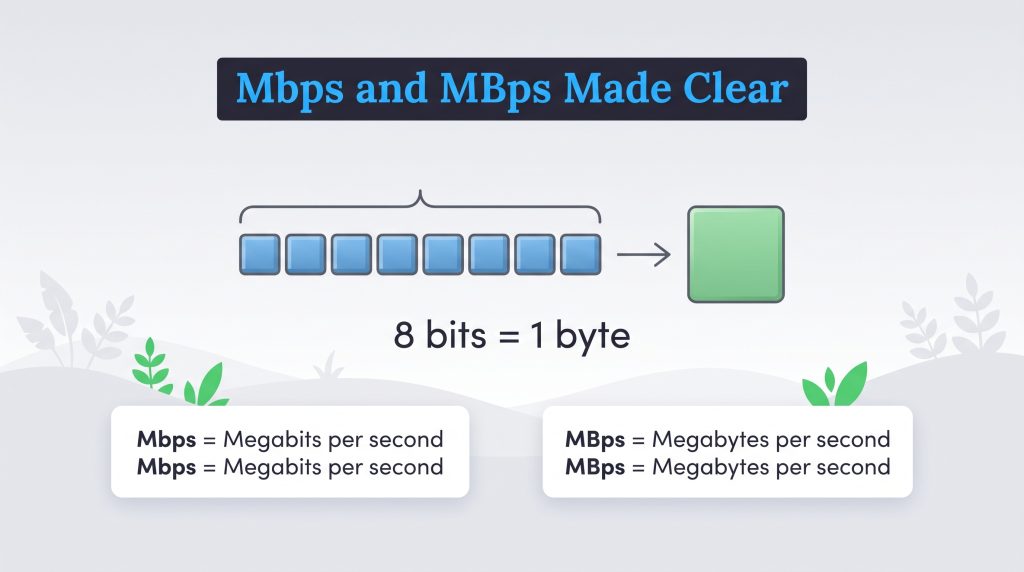
When evaluating different service plans, understanding the meaning of Mbps is your first step toward getting exactly what your household needs. The acronym breaks down mathematically: the prefix “mega” means one million, and a “bit” is the smallest data unit used in modern computing. The “ps” simply translates to “per second.” Therefore, when an internet service provider advertises a 300 Mbps plan, it means your connection can transfer up to 300 million bits of data every single second.
To easily visualize how bandwidth and internet speed work together without getting bogged down in networking terminology, think of your home network as a water pipe. The bandwidth is the physical width of the pipe itself, and your internet speed represents how fast the water actually flows through it. A higher Mbps plan widens the pipe and increases water pressure, allowing you to seamlessly stream movies and play games without a drop in performance. A lower Mbps plan is like a narrow garden hose — perfectly fine for watering a single plant or checking emails, but easily overwhelmed if too many devices try to pull water at once.
Mbps vs. MBps: Spot the Difference
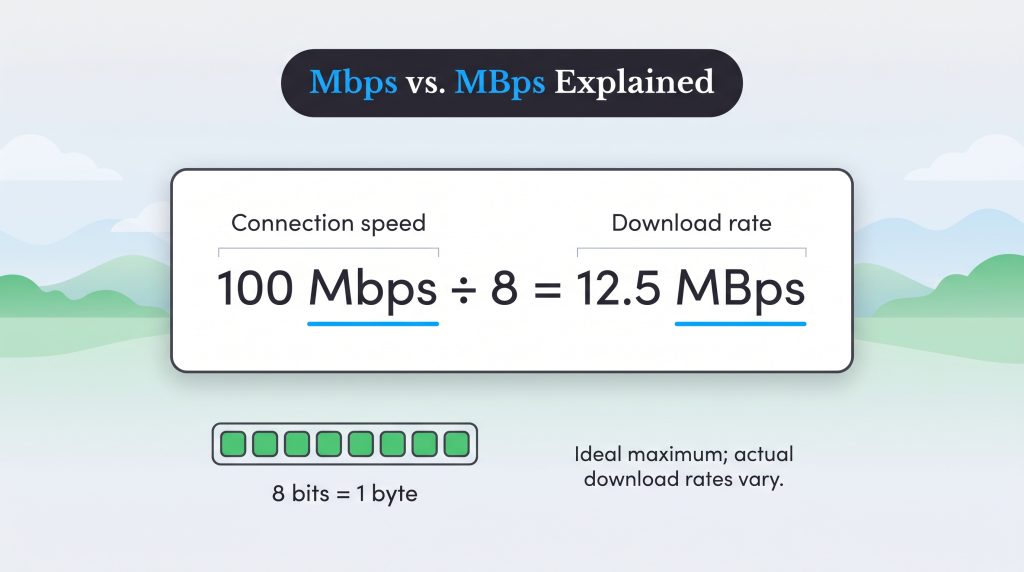
One of the most common sources of confusion when shopping for internet is the crucial distinction between Mbps vs. MBps. While the abbreviations look nearly identical at first glance, that single capitalized letter dramatically changes what you are actually measuring.
The capitalization rule is straightforward: a lowercase “b” stands for bits, which is used to measure overall connection speed. An uppercase “B” stands for bytes, which is used to measure individual file sizes and storage capacity. Because eight bits equal one byte, the connection speed advertised by your utility provider is actually one-eighth of what you might expect if you were directly matching it to a file size. If you purchase a 100 Mbps internet plan, dividing that number by eight reveals that your maximum actual download rate is 12.5 megabytes (MBps) per second.
Understanding this mathematical conversion prevents frustration when downloading large files. Here is a look at real-world download times on a standard 100 Mbps internet connection:
- Downloading a 5 GB movie: It will take roughly 7 minutes to download, not 50 seconds.
- Updating a 20 GB video game: This major software update will take about 27 minutes to finish.
- Saving a 500 MB backup: Transferring this photo album takes less than a minute.
| Factor | Mbps (Megabits per second) | MBps (Megabytes per second) |
|---|---|---|
| Capitalization | Lowercase “b” | Uppercase “B” |
| Primary Use | Measuring internet connection speeds | Measuring file sizes and storage capacity |
| Data Size | 1 million bits | 8 million bits (1 million bytes) |
Download Speed vs. Upload Speed: Which Matters Most?
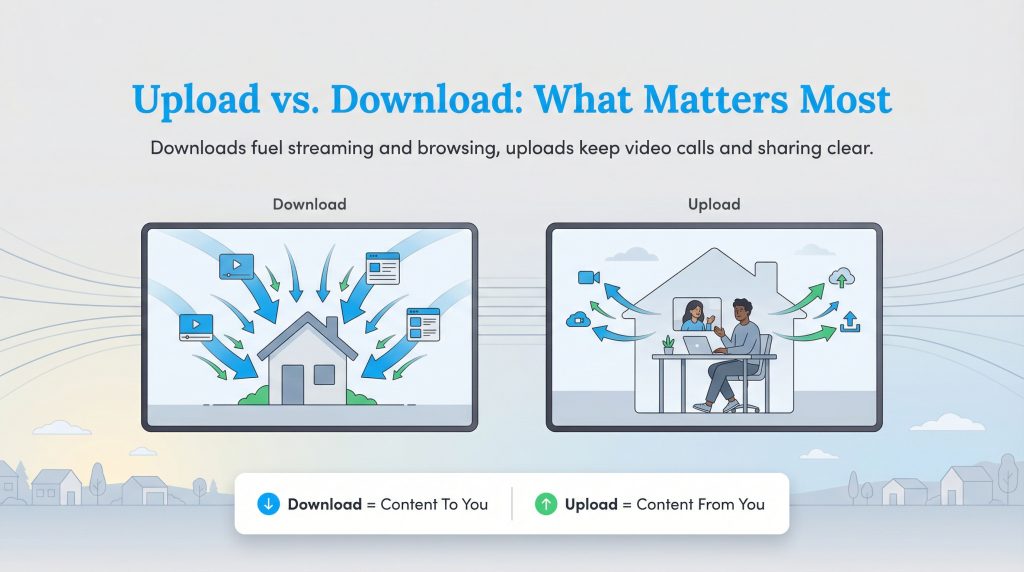
When you review an internet package, you will usually see two numbers displayed together, such as “300/10 Mbps.” Understanding your download vs. upload speed is important because most residential cable and DSL plans are asymmetrical. Providers heavily prioritize download capability because that is the direction the average consumer utilizes most frequently, leaving a much smaller slice of bandwidth for uploading data.
Download speed determines how fast you pull data from the web directly to your devices. This metric dictates how quickly a website loads on your smartphone and how smoothly a movie buffers on your television. Daily household activities that rely heavily on robust download speeds include:
- Streaming high-definition video on platforms like Netflix or Hulu
- Scrolling through image-heavy social media feeds
- Downloading background software updates for computers and phones
- Listening to high-fidelity music on Spotify
Upload speed dictates how fast your device sends data out to the internet. While traditionally less utilized by casual web browsers, reliable upload speeds are now essential for modern digital habits. Daily activities that rely heavily on upload speeds include:
- Presenting your screen on HD Zoom or Microsoft Teams calls
- Backing up large photo and video albums to cloud storage
- Live streaming gameplay on platforms like Twitch or YouTube
- Sending large email attachments to coworkers or clients
How Many Mbps Do You Really Need?
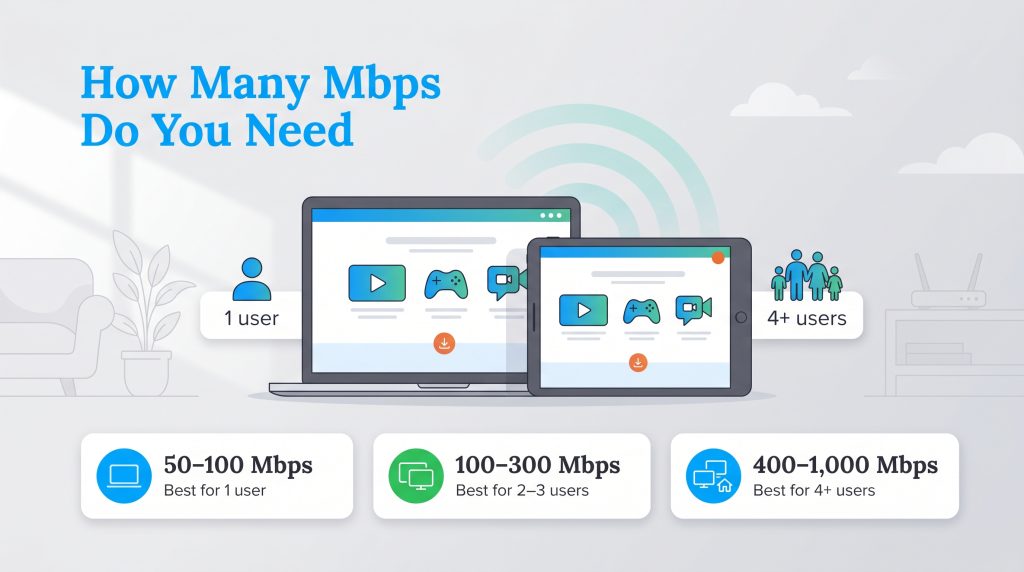
Choosing the right plan is entirely about finding the sweet spot between optimal network performance and your monthly budget. You want enough speed to handle your household’s peak usage times without paying for excess capacity you rarely touch. Plus, lower-tier network equipment often consumes slightly less power, making right-sizing your plan an environmentally mindful choice that simultaneously saves you money month after month.
When trying to determine exactly how many Mbps you need, it is easiest to calculate your requirement based on specific daily activities. Use this speed requirements table to map out a baseline for your family’s digital routine:
| Household Activity | Minimum Mbps Required |
|---|---|
| Basic web browsing and email | 3 Mbps |
| High-definition (HD) video streaming | 5 Mbps |
| Competitive online gaming | 10 to 25 Mbps |
| Ultra-HD (4K) video streaming | 25 Mbps |
Recommended Mbps for Streaming
One of the largest continuous drains on household bandwidth is streaming entertainment. The crisp visual quality you see on the screen depends entirely on the video bit rate. Higher resolutions require significantly more data to maintain a clear picture. While you only need around 5 Mbps for standard HD streaming, making the jump to 4K resolution requires a minimum of 25 Mbps. Because these bit rates apply per single active device, a household with three televisions simultaneously streaming 4K video will consume up to 75 Mbps of continuous bandwidth just for nighttime entertainment.
For more specific guidelines on navigating provider options, reference the minimum download speed recommendations provided by the FCC, or explore our guide on what is a good internet speed for rural connectivity.
Recommended Mbps for Online Gaming
Competitive online gaming demands network consistency over sheer data volume. Most modern multiplayer games only require a modest 10 to 25 Mbps of download speed to play smoothly. However, gamers should prioritize plans that offer low latency (also known as ping) to prevent in-game lag or dropped connections. Additionally, if you frequently download massive game files — which can often exceed 100 GB in size — you will want a significantly faster connection simply to reduce your wait times.
Recommended Mbps for Working from Home
Working from home requires a highly balanced connection, especially regarding upload capabilities. We recommend a baseline of 50 to 100 Mbps of download speed per remote worker in the house. Crucially, you also need at least 10 to 20 Mbps of upload speed to ensure your video calls do not freeze or blur when screen sharing and presenting directly to your colleagues.
Moving Up: When to Upgrade from Mbps to Gbps
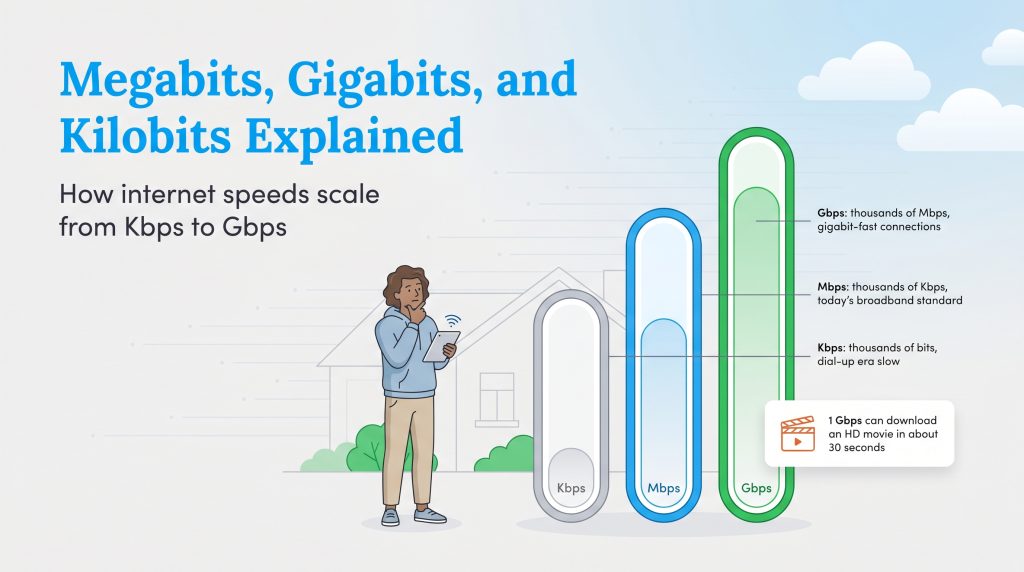
As smart home technology advances, you will likely notice utility providers shifting their marketing focus from Mbps to Gbps. Understanding the difference between Gbps vs. Mbps helps you confidently evaluate whether you actually need ultra-fast fiber connectivity in your new residence.
Gbps stands for gigabits per second. Since one gigabit equals 1,000 megabits, a 1 Gbps plan delivers a staggering 1,000 Mbps connection. While this premium tier offers incredible performance, it is often overkill for the average user checking emails or browsing social media. Consider upgrading to a gigabit connection in these three specific scenarios:
- Large, heavy-usage households: If you have four or more people living under one roof who are simultaneously streaming 4K video, attending virtual meetings, and playing competitive games, a Gbps plan prevents frustrating network bottlenecks.
- Frequent large file transfers: Creative professionals who regularly upload and download massive video edits, 3D renders, or raw photo galleries will save hours of valuable transfer time each week.
- Extensive smart home integrations: Homes operating dozens of high-definition security cameras, smart thermostats, connected appliances, and voice assistants benefit heavily from the expansive bandwidth overhead that gigabit internet provides.
How to Test Your Current Mbps
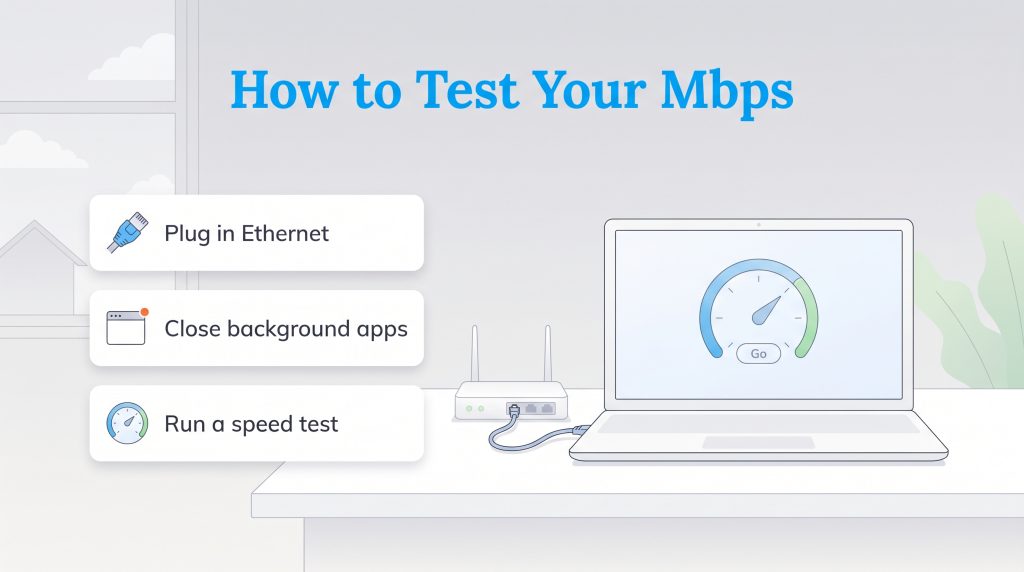
If you suspect you aren’t getting the speeds you pay for, auditing your provider is the smartest move you can make. Knowing how to measure your network gives you immediate insight into your true performance. For the most accurate baseline result, bypass your Wi-Fi entirely and connect your laptop directly to your router using a physical Ethernet cable. Next, close background applications like streaming services and pause updates. Finally, run a diagnostic on a free testing website like Speedtest.net or Measurement Lab to see your current speed.
Diagnosing Slow Wi-Fi Speeds
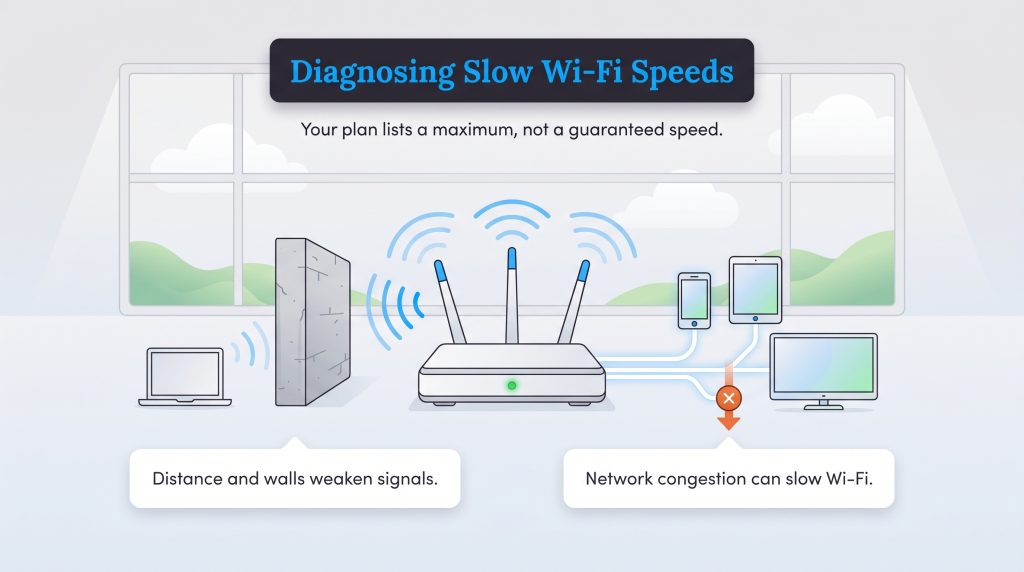
It is critical to remember that the Mbps listed on your monthly bill is a maximum theoretical speed, not a guaranteed baseline you will experience around the clock. If your wireless performance struggles despite paying for a high-tier package, physical distance, dense concrete walls, an outdated router, or severe neighborhood network congestion are likely creating the bottleneck. Addressing these interferences can significantly improve your signal stability.
Choosing the Perfect Internet Plan for Your Home
Ultimately, Mbps serves as the digital fuel that powers your connected life. The overarching goal isn’t to buy the most fuel possible, but to secure exactly enough capacity to stream, work, and game without stalling out. Now that you understand the difference between bits and bytes, how asymmetrical speeds operate, and the specific bandwidth requirements for your daily habits, you are fully equipped to make a cost-effective choice.
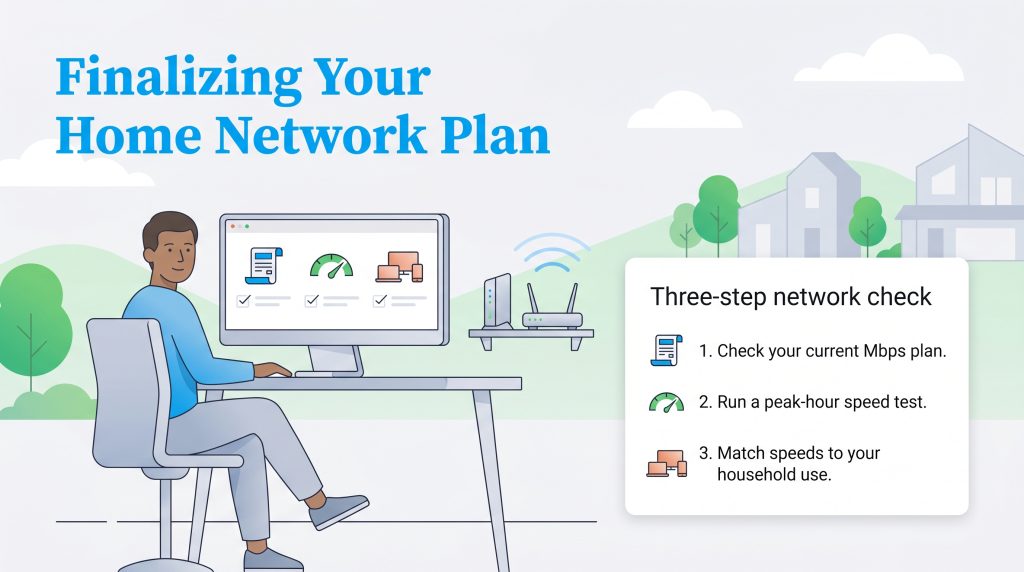
If you are ready to evaluate your current setup, use this quick checklist to finalize your plan:
- Check your current tier: Log into your provider’s portal to confirm how many Mbps you currently pay for.
- Run a peak-hour test: Perform a speed test around 8:00 p.m. to see what speeds you actually receive when network congestion is highest in your neighborhood.
- Evaluate your habits: Compare your results against your household size. If you pay for Gigabit speeds but only check email, downgrading will easily save you money.
If you are consistently hitting your bandwidth limit or simply ready to upgrade your utility setup, you can easily browse internet providers or learn how to choose an internet provider to explore the modern speed tiers available at your specific address.
Frequently Asked Questions About Internet Speeds
Is 100 Mbps fast enough for a family of four?
How can I test my current Mbps speed?
Learn more about understanding your speed test results.
Is 100 Mbps fast enough for working from home?
What is the difference between bandwidth and internet speed?
Why am I not getting the Mbps advertised by my provider?
Is 100 Mbps fast enough for Netflix?
What is a good upload speed?
How many Mbps do you need for gaming?
Is 1000 Mbps the same as 1 Gbps?
Why does my computer show MBps when downloading a file?
Does 5G home internet have good Mbps?
About the Author

David has been an integral part of some of the biggest utility sites on the internet, including InMyArea.com, HighSpeedInternet.com, BroadbandNow.com, and U.S. News. He brings over 15 years of experience writing about, compiling and analyzing utility data.

LaLeesha has a Masters degree in English and enjoys writing whenever she has the chance. She is passionate about gardening, reducing her carbon footprint, and protecting the environment. She also recently served as President of the Board for City Sprouts (a community garden).