

Key Takeaways
- 5G home internet offers fast, reliable speeds with simple plug-and-play installation, requiring no technician or messy wiring to get online.
- It’s an excellent option for renters and frequent movers who want portable, high-speed internet without signing long-term contracts.
- While it is a solid alternative in many urban and suburban areas, your actual performance and speed will heavily depend on your location and proximity to nearby 5G towers.
If you are tired of negotiating with traditional cable companies or waiting around for installation technicians, switching to 5G home internet might be exactly what you need. Tapping into the same cellular networks that power your smartphone, these modern fixed wireless services offer a plug-and-play solution that brings fast, reliable, and affordable broadband directly into your living room. With starting prices typically ranging from $35 to $60 per month, it is an incredibly accessible option for many households. We have reviewed the top providers of 2026 to help you compare speeds, pricing, and availability so you can choose the perfect, eco-conscious plan for your unique digital lifestyle.
Popular 5G Home Internet Providers

- 300 Mbps
- 5G
- Unlimited
- $35.00/mo

- 498 Mbps
- 5G
- 1.2 TB
- $35.00/mo

- 300 Mbps
- 5G
- Unlimited
- $40.00/mo

- 415 Mbps
- 5G
- 1 TB
- $30.00/mo
*Not all internet providers and speeds available in all areas.
What Is 5G Home Internet?
Often referred to as fixed wireless internet in the telecommunications industry, 5G home internet is a modern broadband connection that uses a stationary indoor receiver to pull a cellular signal from a nearby tower, bypassing the need for underground cables. Rather than routing physical wires to your house, this environmentally mindful choice utilizes cutting-edge cellular technology to establish a dedicated network inside your residence.
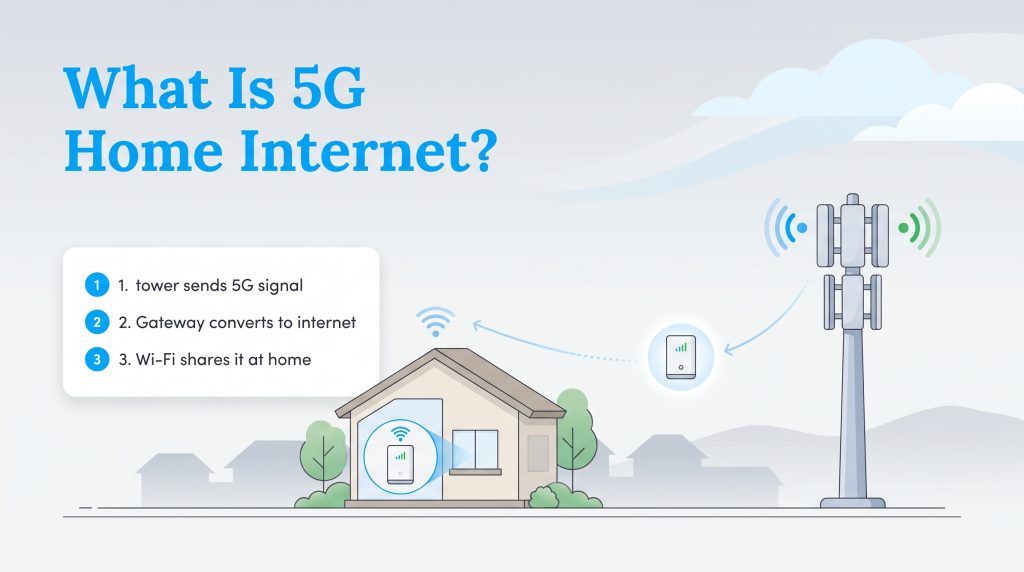
This streamlined approach fundamentally differs from traditional wired internet connections in three key ways:
- No physical cable trenching: It completely eliminates the need for digging up yards or pulling lines through your walls, making it an eco-conscious choice that prevents local habitat disruption.
- DIY self-installation: You skip the dreaded multi-hour technician appointment and simply plug the provided gateway router into a standard wall outlet yourself.
- Tower proximity reliance: Because it utilizes millimeter-wave and mid-band radio frequencies, your performance heavily depends on local tower capacity, and the fastest mmWave specifically has a much shorter range than wired alternatives.
Compare the Top 3 5G Home Internet Providers
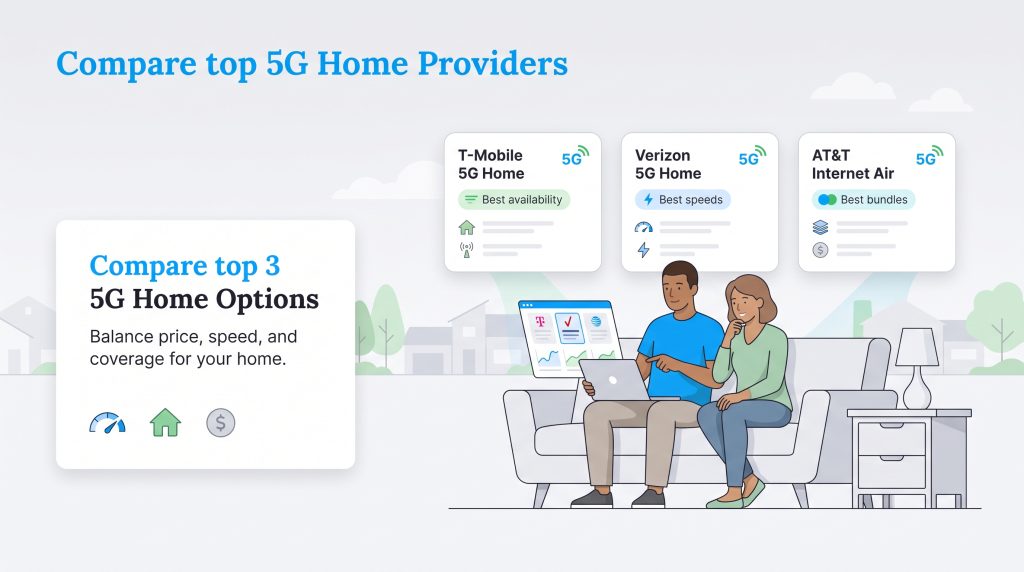
The fixed wireless market has exploded over the last few years, with major cellular carriers aggressively expanding their residential offerings. Finding the absolute best provider comes down to balancing your household’s bandwidth needs with the local network coverage available in your neighborhood. To help you match with the right service, we have compared the top three providers based on starting prices, speed ranges, and contract requirements.
| Provider | Starting Price | Speed Range | Data Caps | Contracts |
|---|---|---|---|---|
| T-Mobile 5G Home | $50/month | 72–245 Mbps | None | None |
| Verizon 5G Home | $50/month | 85–1,000 Mbps | None | None |
| AT&T Internet Air | $60/month | 75–225 Mbps | None | None |
T-Mobile 5G Home Internet (Best Availability)
Thanks to its massive nationwide rollout of mid-band spectrum, T-Mobile 5G Home Internet currently boasts the largest fixed wireless footprint in the country. It is a phenomenal, accessible option for city dwellers and rural households alike. The standard plan is straightforward at $50 per month when you enable their $5 AutoPay discount. However, existing mobile customers on premium voice lines can bundle their home internet for as low as $40 per month. With average download speeds ranging between 72 and 245 Mbps, the connection easily handles multiple 4K streams at once.
- Pros: Unmatched nationwide availability, excellent bundle discounts, includes a 15-day risk-free test drive.
- Cons: Speeds can occasionally fluctuate during peak evening hours, lacking a multi-gigabit tier.
Verizon 5G Home Internet (Best Overall Speeds)
Leveraging its extensive millimeter-wave network, Verizon 5G Home continues to dominate the premium fixed wireless market. If you live in a qualifying urban zone, you can expect average speeds between 300 Mbps and 1 Gbps — rivaling many modern fiber connections. Standalone service begins at $50 per month (which includes a $10 AutoPay discount when using a bank account or debit card). If you are an existing mobile customer on a premium unlimited plan, you can slash that monthly price down to an incredibly competitive $35 per month.
- Pros: Outstanding maximum speeds, price guarantee for up to five years, deeply discounted mobile bundles.
- Cons: The fastest millimeter-wave speeds are heavily restricted to dense urban environments.
AT&T Internet Air (Best for Bundles)
Rapidly expanding into a robust residential competitor, AT&T Air provides a highly stable connection perfect for standard streaming, remote work, and casual web browsing. The standalone pricing is currently set at $60 per month after signing up for paperless billing and AutoPay. However, the true value unlocks if you are an eligible AT&T wireless customer, which drops the monthly home internet price down to just $35 per month. With average speeds ranging from 75 to 225 Mbps, the user-friendly All-Fi Hub makes managing your smart home network an absolute breeze.
- Pros: Incredibly intuitive gateway equipment, massive savings for current mobile subscribers.
- Cons: Higher standalone starting price compared to competitors, lower top-end maximum speeds.
If you are interested in exploring smaller prepaid alternatives, you might also compare T-Mobile Home Internet vs. Mint Mobile Home Internet. Mint Mobile utilizes the exact same broad network but requires you to pay upfront in multi-month increments to secure a lower effective monthly rate.
5G Home Internet Versus Fiber and Cable
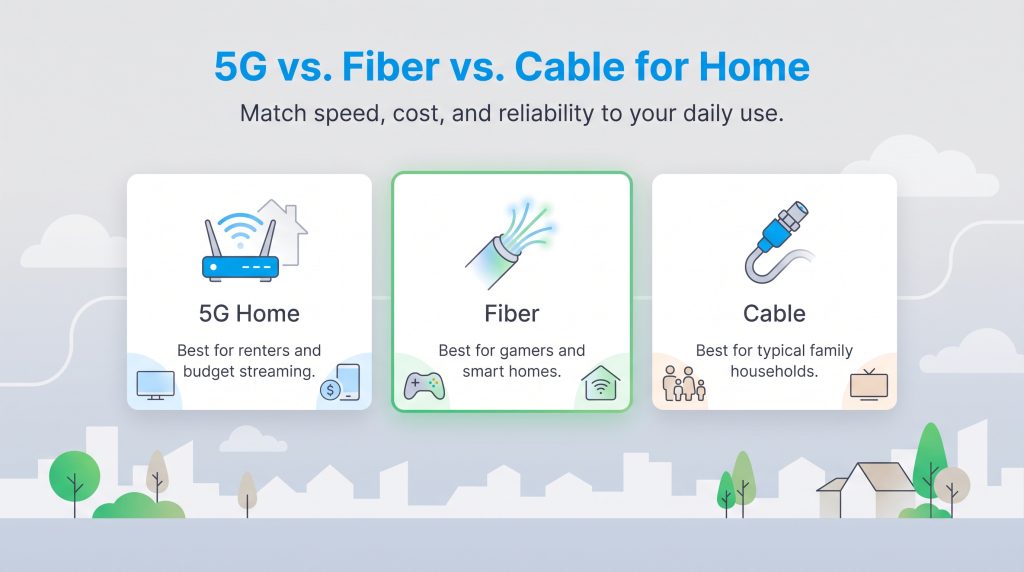
When deciding on a new residential network, it immensely helps to weigh 5G against traditional wired broadband. Here is a side-by-side look at how the different connection types compare:
- Fiber Optic: Fiber internet delivers ultra-low latency (under 10 milliseconds) and massive bandwidth capacity. Because it avoids wireless interference entirely, it is the absolute best choice for competitive gaming, sprawling smart homes, and households with multiple heavy streamers.
- 5G Home Internet: 5G is vastly superior for price transparency, easy DIY setup, and serving budget-conscious renters. While it offers impressive download rates, it relies on over-the-air radio waves, resulting in slightly higher latency (averaging 30 to 50 milliseconds). This means you might notice minor lag during fast-paced multiplayer video games.
- Cable Internet: When comparing cable vs. 5G home internet, standard cable sits firmly in the middle. It offers great speeds for typical families but is often bogged down by strict data caps, expensive annual contracts, and neighborhood congestion during peak hours.
- Satellite Internet: For rural users, modern 5G low-band connections are now consistently outperforming legacy satellite internet in both speed, latency, and overall cost.
Real-World Speeds Versus Advertised Speeds
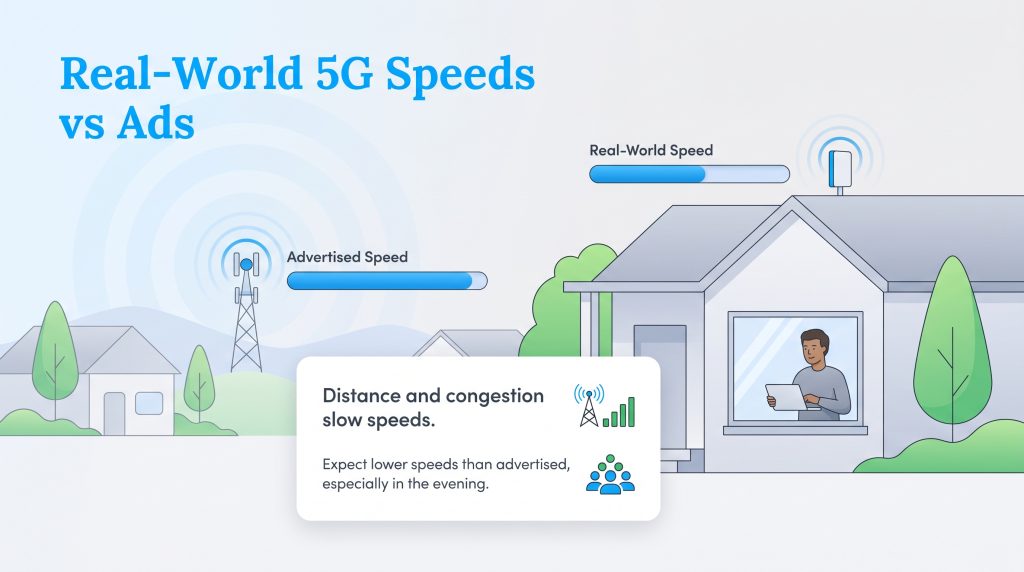
While maximum advertised speeds look impressive on paper, remember that your real-world fixed wireless speeds will always be heavily influenced by how far your home sits from the nearest cell tower. If the local network gets congested during the evening, your speeds may temporarily dip as smartphone users are prioritized.
How to Check 5G Home Internet Availability in Your Area
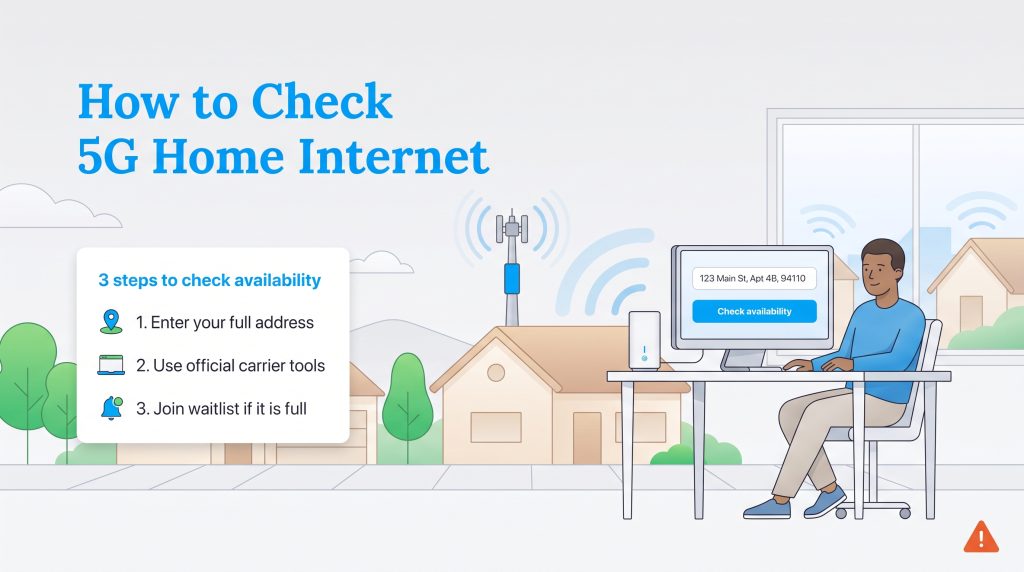
Determining your 5G availability is not as simple as checking a general neighborhood coverage map. Providers strictly limit the number of residential gateways allowed to connect to a single neighborhood tower at one time. This careful management prevents local network congestion and ensures everyone receives stable speeds.
Because of these strict capacity limits, it is critical that you verify availability using your exact residential address — a ZIP code alone will not yield accurate results. You can check your specific eligibility directly through the provider portals by visiting the official websites for Verizon, T-Mobile, or AT&T.
[zip_code_checker placeholder=”Enter your ZIP code to check local availability”]
Equipment and Setup: Installing Your 5G Wi-Fi Gateway
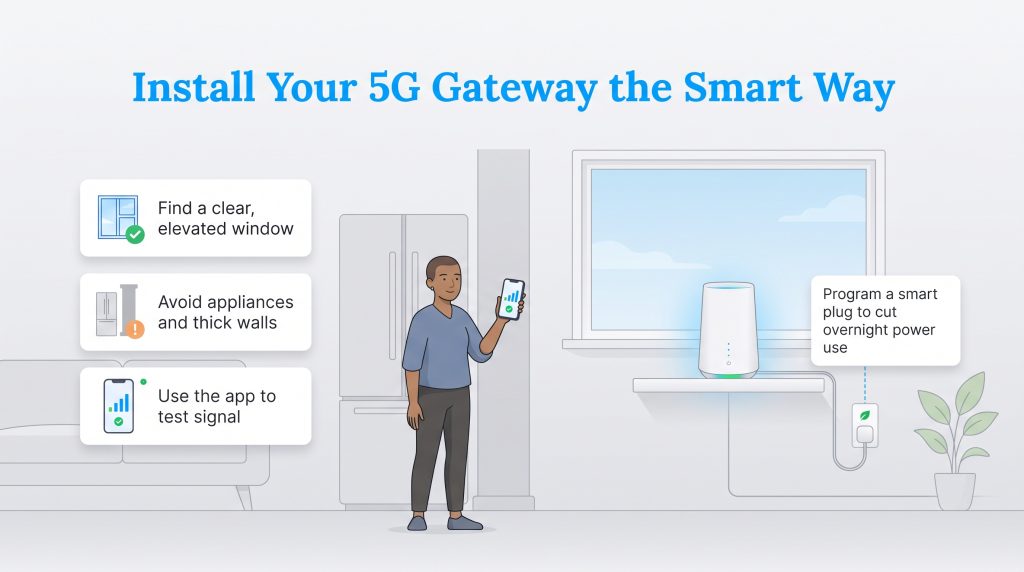
One of the major selling points of fixed wireless is the stress-free DIY setup process. Once your chosen provider ships the sleek gateway directly to your front door, the entire installation is in your hands. This streamlined approach minimizes the heavy infrastructure overhead associated with wired internet, successfully reducing residential e-waste in your community.
Follow this actionable three-step checklist for standard plug-and-play installation:
- Find a clear, elevated window: Place the gateway as close as possible to a window facing your provider’s nearest cell tower. Keep the router off the floor to help the radio signals effortlessly bypass heavy furniture and foot traffic.
- Avoid physical interference: Position the gateway far away from large metal kitchen appliances or dense load-bearing pillars, as these materials will severely disrupt and scatter cellular frequencies.
- Use the provider app: Boot up your provider’s dedicated smartphone application and follow the simple on-screen prompts. Use the built-in signal testing tool to slowly rotate the gateway until you lock onto the strongest possible connection.
Many modern broadband gateways draw power continuously, generating unnecessary ambient heat even when your family is asleep. By plugging your new 5G router into a programmable smart plug, you can set it to automatically power down during the dead of night. This simple habit extends the overall lifespan of your equipment and reduces passive “vampire” power consumption, establishing a significantly more environmentally mindful choice for your connected home.
Deciding if 5G Home Internet Is Right for You
If you are a renter, a highly budget-conscious user, or someone actively looking to cut the cord from an overpriced legacy cable company, switching to 5G home internet is a decisive and cost-effective upgrade. The plug-and-play simplicity, transparent pricing structure, and generous cellular bundle discounts make it a highly practical alternative for everyday web browsing and streaming. However, if your household relies on lightning-fast competitive gaming or runs intensive smart home automations, investing in a dedicated fiber-optic connection is still your safest bet for uninterrupted, ultra-low latency performance.
Frequently Asked Questions About 5G Home Internet
How fast is 5G home internet, and is it reliable?
How does 5G home internet compare to cable or fiber?
What equipment is needed for 5G home internet?
Is 5G home internet good for gaming?
Do I need a technician to install a 5G Wi-Fi gateway?
Does 5G home internet have data caps?
How do I check the 5G home internet availability map for my area?
What is the difference between a 5G mobile hotspot and a 5G home internet gateway?
About the Author

David has been an integral part of some of the biggest utility sites on the internet, including InMyArea.com, HighSpeedInternet.com, BroadbandNow.com, and U.S. News. He brings over 15 years of experience writing about, compiling and analyzing utility data.

LaLeesha has a Masters degree in English and enjoys writing whenever she has the chance. She is passionate about gardening, reducing her carbon footprint, and protecting the environment. She also recently served as President of the Board for City Sprouts (a community garden).