Is AT&T Internet Right For Your Home?

Discover if AT&T Internet is the right choice for your home with our deep dive into plans, pricing, real-world speeds, and coverage availability.

Key Takeaways
- AT&T Fiber offers symmetrical speeds up to 5 Gbps with no data caps or annual contracts, giving you premium reliability.
- AT&T Internet Air provides flexible 5G connectivity with an easy plug-and-play setup for homes outside the fiber network footprint.
- Bundling internet with AT&T Wireless is one of the most effective ways to lower your monthly bill, saving you up to 20%.
AT&T isn’t just your grandma’s telephone company anymore. They’ve evolved into a connectivity powerhouse, especially renowned for their fiber-optic network, which consistently dominates speed tests and customer satisfaction rankings. In fact, AT&T Fiber was named the fastest ISP of 2025 by Ookla and tied for best provider nationwide with Verizon Fios. We appreciate how they focus on transparent pricing (meaning no sneaky rate hikes after 12 months), 99% network reliability, and bundling perks that make their services affordable and flexible. Plus, their customer support shines in the South and North Central U.S., earning top marks from J.D. Power.
Pros and Cons of AT&T Internet
Before diving into the detailed AT&T internet prices and plan structures, here is a quick overview of where this provider excels and where it might fall short depending on your location. Knowing these advantages and disadvantages can help you decide if AT&T Internet matches your household needs and budget.
| Pros | Cons |
|---|---|
| ✅ AT&T Fiber delivers ultra-fast, symmetrical speeds | ❌ AT&T Fiber is not yet available in all neighborhoods |
| ✅ AT&T Internet Air offers seamless, no-drill installation | ❌ AT&T Internet Air speeds fluctuate based on 5G signal strength |
| ✅ No annual contracts or data caps on fiber and 5G plans | ❌ Professional installation may be required for new fiber setups |
| ✅ Excellent bundling discounts if you use AT&T Wireless | ❌ Higher starting prices compared to some budget competitors |
| ✅ Strong promotional rewards and advanced equipment included | ❌ Legacy DSL plans are outdated and retired for new sign-ups |
| ✅ Generous low-income and community support programs | ❌ Customer service wait times can occasionally be lengthy |
Why Choose (or Skip) AT&T Internet
Shopping for home broadband shouldn’t feel like solving a complex puzzle. Whether you’re moving into a new place or ditching a frustrating cable company, weighing how AT&T’s strengths align with your daily routine makes the decision easy. Here is a transparent look at why you should sign up — or why you might want to keep shopping.
Why You Should Choose AT&T
- Symmetrical Upload Speeds: Unlike traditional cable providers that bottleneck your uploads, AT&T Fiber gives you equal upload and download speeds for crystal-clear video calls and instant cloud backups.
- Zero Data Caps: Every modern AT&T plan includes truly unlimited data, so your family can stream 4K video and download massive game updates without dreading surprise overage fees.
- No Annual Contracts: You never have to sign a restrictive term agreement, giving you the freedom to change plans or cancel service without paying early termination penalties.
- Major Wireless Bundle Savings: Pairing your home broadband with an eligible AT&T cell phone plan knocks 20% off your internet bill every single month.
Why You Might Skip AT&T
- Limited Street-Level Fiber Availability: Even if AT&T operates in your city, their direct fiber-optic lines haven’t reached every neighborhood or apartment building yet.
- Variable 5G Speeds for Gamers: If your address only qualifies for AT&T Internet Air, fluctuating wireless ping and peak-hour tower congestion can frustrate competitive online gamers.
- Higher Standalone Entry Prices: At $50 to $55 per month without a mobile bundle, AT&T’s starting rates cost more upfront than the $20 to $30 introductory teaser rates offered by budget cable companies.
Who AT&T Internet Is Best For:
- Best for Remote Workers and Creators: Symmetrical fiber bandwidth and low latency let you upload massive video files, host lag-free Zoom meetings, and back up work servers in seconds.
- Best for AT&T Mobile Subscribers: Existing wireless customers unlock permanent 20% discounts and automatic cellular backup connectivity that keeps your home online during fiber outages.
- Best for Cord-Cutters: Unlimited data allowances and included Wi-Fi 6 equipment make it effortless to run multiple smart TVs and streaming sticks across your entire house.
AT&T Internet Plans and Pricing Breakdown
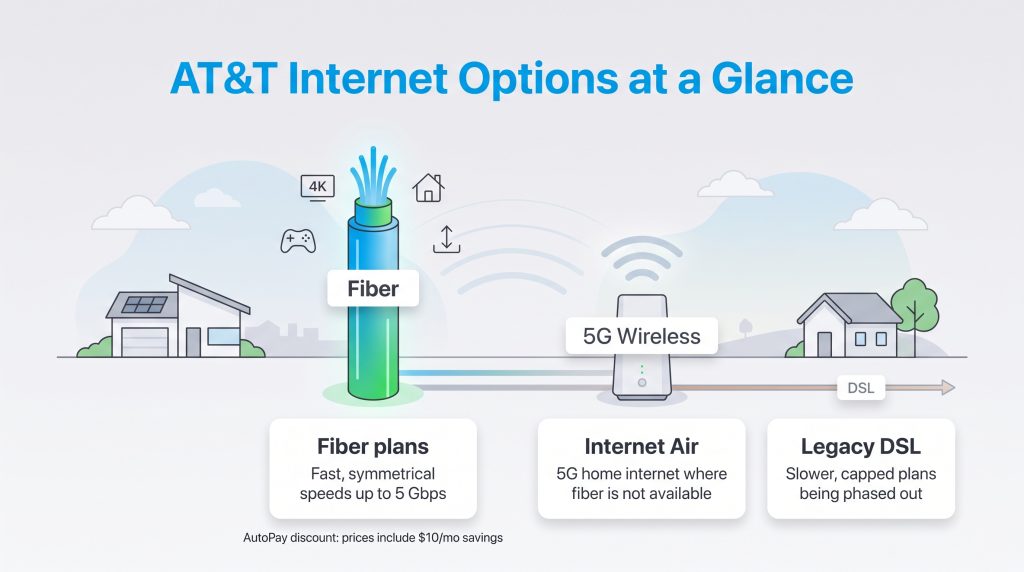
AT&T has streamlined its residential portfolio into four core fiber tiers and one flexible 5G home internet plan, officially retiring its older 100 Mbps and 2 Gbps options. Keep in mind that all advertised AT&T internet prices include an AutoPay and paperless billing discount ($10 per month on Fiber plans and $5 per month on Internet Air) when connected to an eligible bank account or debit card. Below is a full comparison of standalone monthly rates versus what you’ll pay when bundling with an eligible AT&T Wireless plan.
| Plan Name | Price | Download Speeds | Connection Type | |
|---|---|---|---|---|
| Internet 100 | $60 /month | Up to 100 Mbps | DSL | Check Availability |
| Internet 300 | $50 /month | Up to 300 Mbps | Fiber | Check Availability |
| Internet Air | $40 /month | Up to 300 Mbps | 5G | Check Availability |
| Internet 500 | $60 /month | Up to 500 Mbps | Fiber | Check Availability |
| Fiber 1 Gig | $70 /month | Up to 1000 Mbps | Fiber | Check Availability |
| Fiber 5 Gig | $110 /month | Up to 5 Gbps | Fiber | Check Availability |
| Plan Name | Standalone Monthly Price (with AutoPay) | Bundled Monthly Price (with AT&T Wireless) | Download Speeds | Upload Speeds | Connection Type |
|---|---|---|---|---|---|
| Internet 300 | $50/mo | $35/mo | 300 Mbps | 300 Mbps symmetrical | 100% Fiber-Optic |
| Internet 500 | $65/mo | $50/mo | 500 Mbps | 500 Mbps symmetrical | 100% Fiber-Optic |
| 1 Gig Internet 1000 | $80/mo | $60/mo | 1,000 Mbps | 1,000 Mbps symmetrical | 100% Fiber-Optic |
| 5 Gig Internet 5000 | $125/mo | $100/mo | 5 Gbps (4.7 Gbps wired max) | 5 Gbps symmetrical (4.7 Gbps wired max) | 100% Fiber-Optic |
| AT&T Internet Air | $55/mo ($60/mo minus $5 AutoPay) | $40–$47/mo | 90–300 Mbps | 10–30 Mbps | 5G Fixed Wireless |
*Pricing and speeds may vary by location. Plus taxes and fees.
AT&T Fiber Plans (300 Mbps to 5 Gbps)
If your home is wired for AT&T Fiber, you have access to some of the fastest and most reliable residential broadband in America. For most households, Internet 300 ($50 per month standalone, or $35 per month bundled) hits the sweet spot, easily supporting multiple 4K streams, smart home cameras, and work-from-home video calls. Larger families with heavy device usage can step up to Internet 500 ($65 per month standalone) or 1 Gig Internet 1000 ($80 per month standalone) for virtually instantaneous downloads. For power users, content creators, and smart homes packed with dozens of connected devices, 5 Gig Internet 5000 ($125 per month standalone, or $100 per month bundled) delivers up to 4.7 Gbps of wired symmetrical bandwidth without breaking a sweat.
AT&T Internet Air (5G Home Internet)
Designed for neighborhoods where fiber cables haven’t been buried yet, AT&T Internet Air delivers home Wi-Fi over AT&T’s expansive 5G wireless network. It costs $55 per month standalone ($60 base rate minus a $5 AutoPay discount) or drops to between $40 and $47 per month when bundled with an eligible AT&T mobile line. Download speeds typically range from 90 to 300 Mbps with upload speeds between 10 and 30 Mbps. While it doesn’t match the symmetrical punch of fiber, it requires zero technician visits, has no data caps, and easily outperforms legacy rural satellite or copper connections.
Legacy Copper / IPBB Plans (Retired)
If you’re searching for old-school AT&T DSL or IP Broadband (IPBB) plans like Internet 100, you won’t find them on the menu anymore. AT&T has officially retired new residential sign-ups for copper-based internet plans across its footprint. Instead, the company is transitioning existing copper customers over to modern AT&T Fiber or 5G Internet Air to provide faster speeds, better energy efficiency, and lower maintenance costs.
AT&T Internet Deals, Discounts, and Ways to Save
You rarely have to pay full sticker price when signing up for new internet service. AT&T runs aggressive online promotions throughout the year that reward you with prepaid cash cards, streaming trials, and steep monthly bill credits. Taking advantage of current AT&T internet deals is the smartest way to offset your setup costs and lock in long-term household savings:
- AT&T Visa Reward Cards: New residential customers who order 1 Gig or 5 Gig Fiber online frequently qualify for a $100 to $200 AT&T Visa Reward Card. Once your service is installed and active, you’ll receive an email or letter with instructions to claim your reward through the online AT&T Reward Center within a strict 75-day redemption window.
- Streaming Perks: Ordering 1 Gig or higher fiber tiers often unlocks rotating entertainment tie-ins, such as three months of YouTube TV included at no extra charge, alongside easy billing integration for live TV and streaming apps.
- Senior 55+ Bundle: Qualifying seniors aged 55 and older (primarily begun in Florida and select markets) can grab a specialized $99 per month bundle that combines two unlimited AT&T mobile lines with high-speed AT&T Fiber home internet on one simple bill.
AT&T Wireless Bundling Perks (20% Off & Free Internet Backup)
The single best way to slash your monthly broadband bill is through an AT&T wireless and internet bundle. When you combine an eligible unlimited AT&T Wireless cell phone plan with either AT&T Fiber or AT&T Internet Air, you trigger a permanent 20% convergence discount on your internet service, saving you up to $420 a year depending on your tier. Even better, bundling unlocks Free AT&T Internet Backup. If a storm or construction crew accidentally severs your neighborhood fiber line, the Smart Home Manager app and your BGW320 gateway automatically switch your home Wi-Fi over to AT&T’s nationwide cellular network so your family never loses connectivity.
💸 Money-Saver: If you already pay for AT&T cell phone service, adding Internet 300 Fiber costs just $35 per month after the bundle discount and AutoPay — making it cheaper than almost any basic cable plan on the market.
Access From AT&T (Low-Income Internet)
For families managing a tight budget, the Access from AT&T program provides a highly affordable pathway to high-speed connectivity. This specialized low-income internet tier costs a flat rate of $30 per month for symmetrical speeds up to 100 Mbps (where fiber is available) and includes completely free installation and Wi-Fi equipment, ensuring there are no barriers to getting online. To qualify, at least one resident in your household must currently participate in an eligible government assistance program — including the Supplemental Nutrition Assistance Program (SNAP), the National School Lunch Program (NSLP), or Supplemental Security Income (SSI) for California residents — or have a household income at or below 200% of the Federal Poverty Guidelines. Applying is simple: just visit the official AT&T Access portal online, upload digital proof of your program participation, and schedule your fast setup once approved.
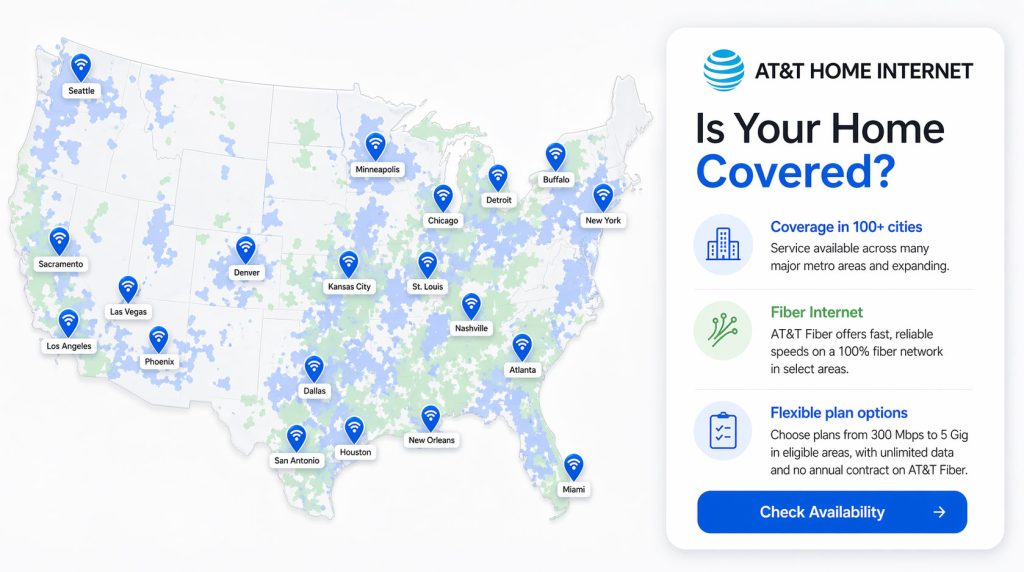
AT&T Availability and Coverage Map
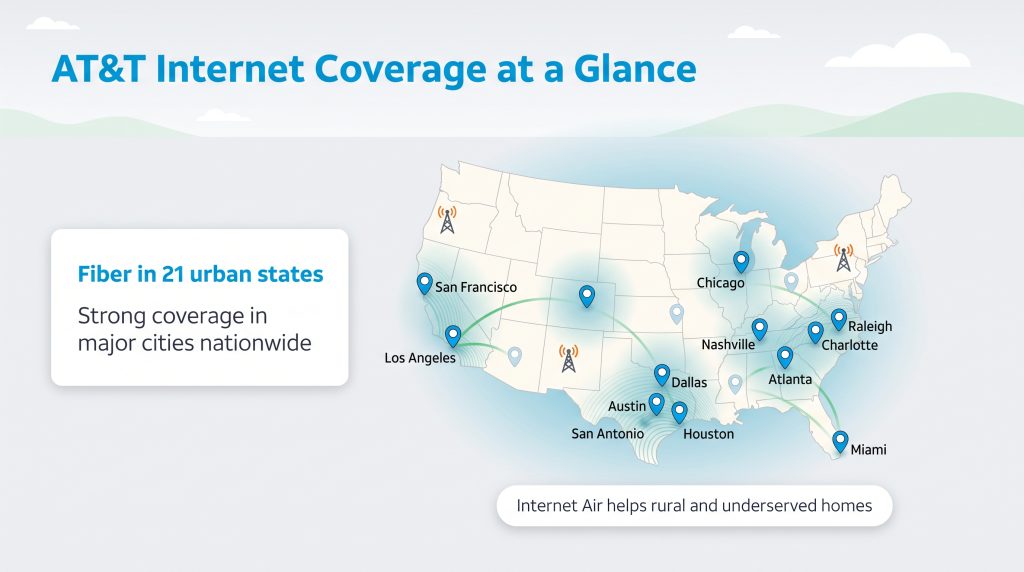
Wondering if your address falls within the AT&T internet availability footprint? While AT&T’s traditional wireline internet (AT&T Fiber) operates primarily across a 21-state footprint in the South, Midwest, and West Coast, the rollout of AT&T Internet Air expands home broadband availability into 32+ states where AT&T owns strong 5G wireless spectrum. The company’s reach continues to grow rapidly in new metro zones, with billions of dollars poured into sustainable infrastructure upgrades every year to expand their energy-efficient fiber-optic footprint.
Major cities with robust AT&T Fiber availability include:
- Atlanta, GA
- Austin, TX
- Charlotte, NC
- Chicago, IL
- Dallas, TX
- Houston, TX
- Los Angeles, CA
- Miami, FL
- Nashville, TN
- Raleigh, NC
- San Antonio, TX
- San Francisco, CA
Even if you live just outside these major metropolitan hubs, AT&T Internet Air is actively bridging the digital divide. By utilizing modern cellular towers, it brings fixed wireless AT&T Internet Air to rural and underserved suburban communities nationwide.
Network Information, Reliability, and Real-World Speeds
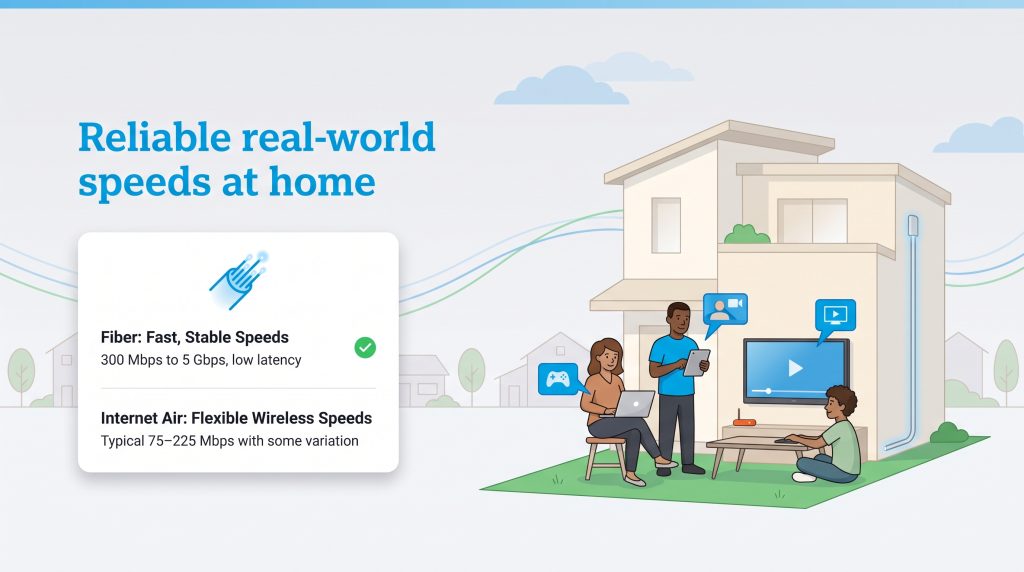
Speed on a marketing brochure is one thing, but how does the AT&T network perform when your entire family is streaming, downloading massive files, and video conferencing at the exact same time? Real-world testing across the country shows that AT&T consistently delivers a premium, high-performance internet experience, particularly if you have access to their direct fiber-to-the-premises (FTTP) network.
With AT&T Fiber plans ranging from a sturdy 300 Mbps to a staggering 5 Gbps, users report ultra-low latency hovering around an impressive 17 to 25 milliseconds. That responsiveness makes it an absolute dream for competitive online gamers and remote workers who rely on real-time video calls without awkward lag. Furthermore, AT&T Fiber boasts a phenomenal 99% network uptime, ensuring you stay securely connected during peak evening hours when neighborhood congestion usually slows down traditional shared cable internet lines.
On the wireless side, AT&T Internet Air holds its own nicely for everyday web browsing, work emails, and high-definition streaming. However, because it relies on overlapping cell towers rather than a dedicated physical line to your home, speeds can naturally fluctuate depending on your proximity to the nearest tower and overall cellular traffic in your ZIP code. Most households experience reliable real-world download speeds between 90 Mbps and 300 Mbps during regular daily use.
Fees, Contracts, and America’s Best Guarantee
One of the most frustrating parts of shopping for a new internet service provider is uncovering surprise fees after you’ve already committed to a plan. Fortunately, AT&T internet pricing is refreshingly transparent compared to legacy cable competitors. Here is a detailed breakdown of the guarantees, fee rules, and contract terms you should know before signing up:
- America’s Best Guarantee: AT&T backs its service with a formal pledge centering on transparent pricing with zero surprise rate hikes at the 12-month mark, dependable network connectivity, and prompt customer support. What you see on your first bill is the standard rate you’ll continue to pay.
- No Annual Contracts or Data Caps: Neither AT&T Fiber nor Internet Air requires a long-term commitment, and both provide unlimited monthly data. You can cancel anytime without early termination fees and stream freely without overage penalties.
- Monthly State Cost Recovery Charge: While AT&T avoids bogus administrative fees in most states, residents living in Ohio, Nevada, and Texas will see a mandatory Monthly State Cost Recovery Charge (typically a few dollars) added to their bill to offset state-level franchise and regulatory taxes.
- AT&T HomeTech Protection: For an optional $25 per month, you can add comprehensive coverage that provides repairs, replacements, and 24/7 technical support for eligible home electronics like laptops, smart TVs, and tablets.
- Equipment Non-Return Fees: If you cancel your service, you must return your leased Wi-Fi gateway and any extenders within 21 days to avoid an unreturned equipment fee of up to $150 per device.
- 14-Day Satisfaction Guarantee & Late Fees: If you cancel within your first 14 days, AT&T waives your first month of service and activation fees once hardware is returned. Missing a regular billing cycle typically triggers a late payment charge of around $9.25.
🚩 Heads Up: To get the full $10/month AutoPay and paperless billing discount on AT&T Fiber (or $5/month on Internet Air), you must link a bank account or debit card. Paying with a credit card reduces or eliminates your monthly AutoPay discount!
Installation, Equipment, and the Smart Home Manager App
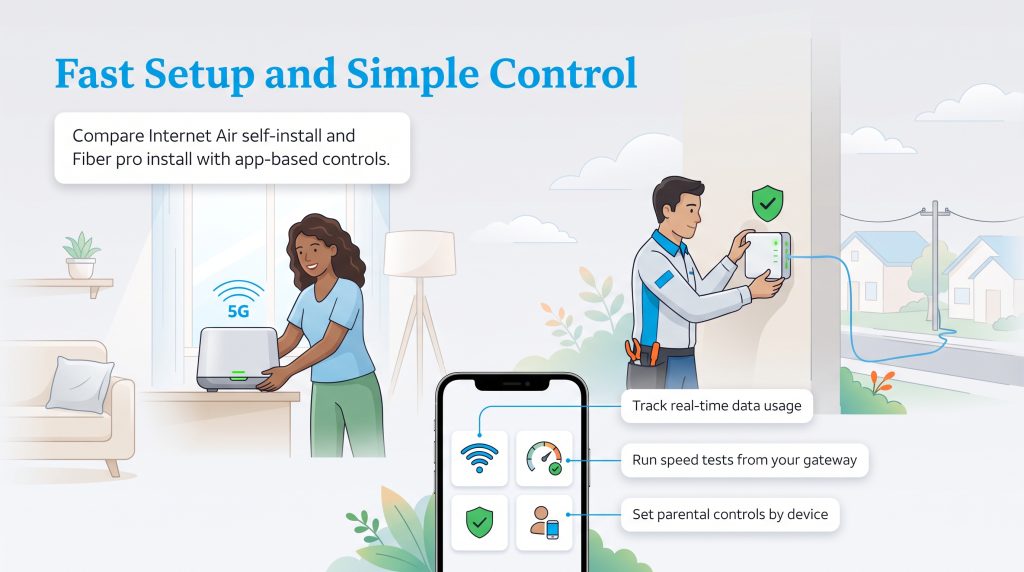
Setting up your AT&T home internet is a tailored experience depending on the connection type you choose. If you order AT&T Internet Air, the process uses a fast, plug-and-play self-installation model. Because it runs on 5G cellular signals rather than underground lines, you can get your household online in minutes without waiting around for a technician window.
Here is the simple three-step self-installation workflow for Internet Air:
- Unbox and Position: Take your new AT&T All-Fi Hub out of the box and place it near a window on an upper floor or elevated shelf to capture the strongest 5G cellular reception.
- Plug It In: Connect the power cord to a standard wall outlet and follow the guided prompts in the AT&T Smart Home Manager app until the LED indicator lights confirm a strong signal.
- Scan to Connect: Use your smartphone’s camera to scan the QR code on the back of the hub, automatically linking your devices to your new Wi-Fi network.
In contrast, AT&T Fiber requires a professional installation if your residence hasn’t previously been wired for fiber service. A certified technician will run a fiber-optic line from the street to an Optical Network Terminal (ONT) inside your home — a process that takes about two to four hours and occasionally carries a $99 setup fee (though online promotions frequently waive it). Every plan includes AT&T All-Fi at no extra monthly rental charge, featuring a powerful Wi-Fi 6 gateway (such as the BGW320) and built-in AT&T ActiveArmor internet security to block malicious network traffic. If you live in a sprawling multi-story house with dead zones, you can upgrade to All-Fi Pro (typically $10 to $25 per month) for advanced Wi-Fi 7 equipment and mesh extenders — though customers on the top-tier 5 Gbps Fiber plan receive up to five AT&T Smart Wi-Fi Extenders at no extra monthly cost if needed for whole-home coverage.
Once your hardware is running, managing your daily network activity is effortless with the AT&T Smart Home Manager app. Acting like a pocket IT department, the app lets you check real-time device usage, create guest Wi-Fi passwords, run direct speed tests to your gateway, set parental screen-time limits, and remotely reboot your equipment if your connection ever feels sluggish.
Customer Service and What People Are Saying
When analyzing national customer satisfaction surveys and everyday user reviews, a clear divide emerges between AT&T’s fiber-optic network and its older or wireless services. According to both the American Customer Satisfaction Index (ACSI) and J.D. Power, AT&T Fiber ranks #1 in customer satisfaction among fiber ISPs, dominating regional studies in the South and North Central U.S. for network reliability, speed consistency, and transparent billing.
Community feedback on forums like Reddit’s r/ATTFiber echoes those accolades, with subscribers praising how their symmetrical speeds never dip during busy weeknights. However, browsing threads on r/ATT and state consumer complaint boards reveals valid frustrations in two areas: billing disputes from longtime customers stuck on legacy copper/DSL lines, and evening speed slowdowns on AT&T Internet Air. While most AT&T Internet Air reviews praise the effortless setup and low price, rural users note that when local cell towers get congested between 7:00 p.m. and 10:00 p.m., latency spikes can cause buffering or gaming lag.
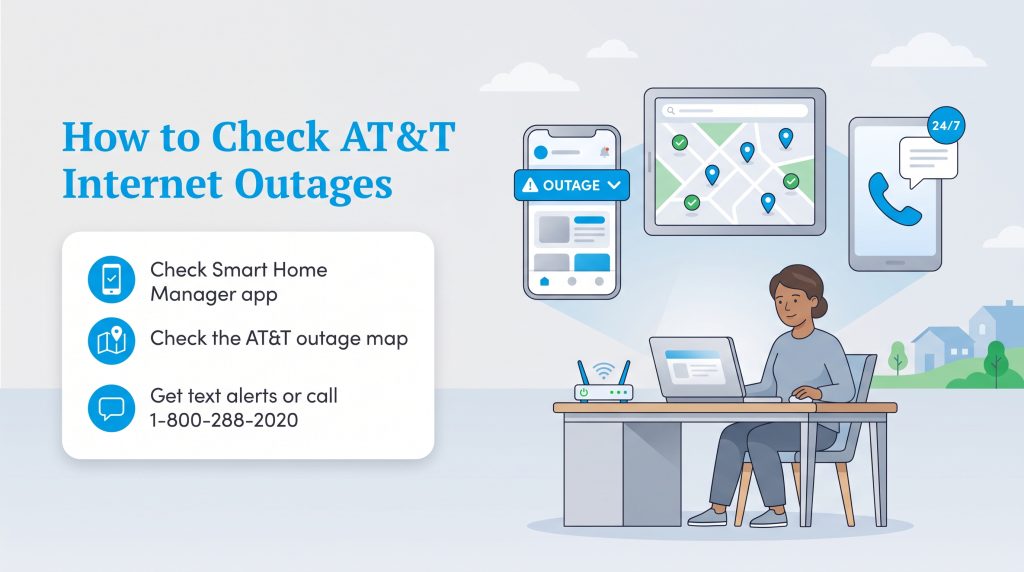
If you ever need a hand troubleshooting your hardware or sorting out a bill, you can reach AT&T internet customer service directly by calling 1-800-288-2020 or using the live chat inside the Smart Home Manager app. Dedicated technical support representatives are on call 24/7 to resolve connectivity issues, while billing and account management teams operate Monday through Friday from 8:00 a.m. to 7:00 p.m. local time, and Saturdays from 8:00 a.m. to 5:00 p.m.
AT&T Internet vs Top Competitors
Shopping for home broadband rarely happens in a vacuum. Chances are, you are weighing AT&T Fiber vs cable giants that dominate your local region. Here is how AT&T stacks up head-to-head against two of its largest national cable competitors: Xfinity and Spectrum.
| Provider | Starting Price | Data Caps | Connection Type |
|---|---|---|---|
| AT&T Fiber | $50.00/mo ($35/mo bundled) | None | 100% Fiber-Optic |
| Xfinity | $20.00/mo – $35.00/mo* | 1.2 TB (on most plans) | Cable (Coaxial) & Partial Fiber |
| Spectrum | $49.99/mo – $50.00/mo* | None | Cable (Coaxial) & Partial Fiber |
*Starting promotional prices for competitors. Cable rates typically increase after 12–24 months.
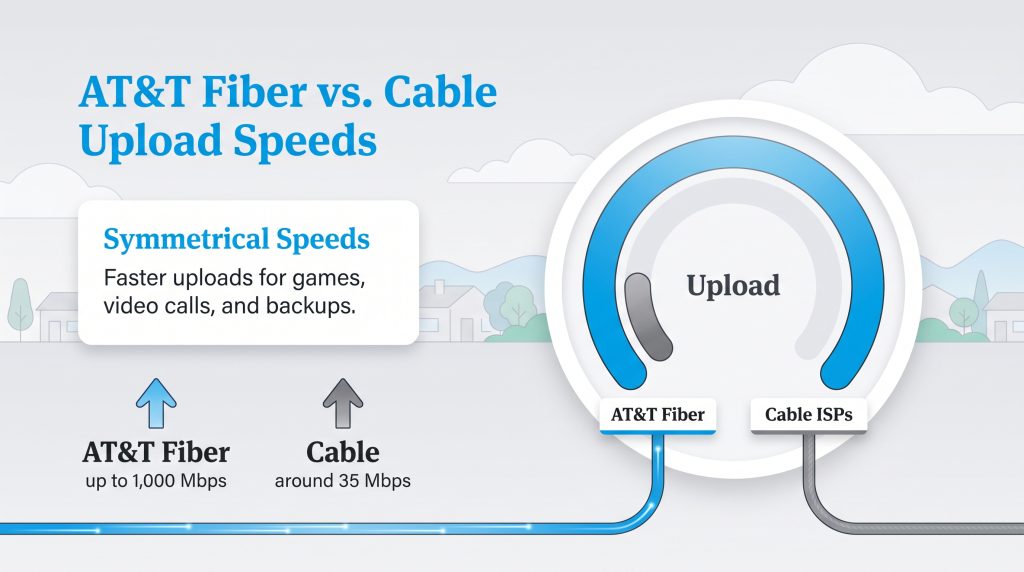
The single biggest advantage AT&T holds over legacy cable competitors is its symmetrical upload bandwidth. Because traditional cable providers like Xfinity and Spectrum rely on coaxial lines originally engineered to broadcast one-way television signals, their networks severely restrict upload speeds — often pairing a 1,000 Mbps download tier with a sluggish 35 Mbps upload limit. AT&T Fiber delivers an equal, dedicated line right to your home: if you pay for 1,000 Mbps down, you get 1,000 Mbps up. Plus, while cable companies love to hike your monthly rate by $20 to $30 once your first-year promo expires, AT&T’s standard pricing remains steady year after year.
Top AT&T Comparisons
For more detailed, head-to-head matchups, check out our full comparison guides below:
Sustainability and Green Energy Initiatives
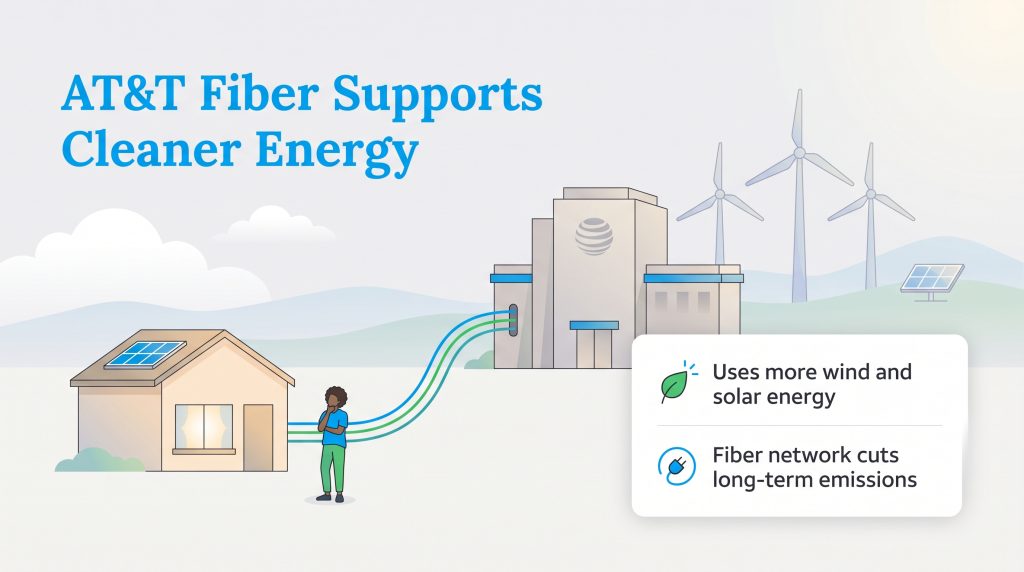
For readers looking for an environmentally mindful choice when setting up their essential home utilities, AT&T stands out with verifiable, hard-hitting sustainability metrics. The company has committed to achieving carbon neutrality across its global operations by 2035 and launched its ambitious Gigaton Pathways initiative, which aims to help business and residential customers collectively reduce a gigaton (one billion metric tons) of greenhouse gas emissions by 2035 through smart connectivity and cloud solutions.
In the EPA Green Power Partnership National Top 100, AT&T ranks 6th in annual renewable energy use across the United States, backing over 3.2 million Renewable Energy Certificates (RECs) — enough clean wind and solar power to supply approximately 312,000 average American homes for a year. On the ground, AT&T has also deployed cleaner-burning Bloom Energy fuel cells across 34 corporate and network sites in California, Connecticut, New Jersey, and New York to reduce grid reliance.
Furthermore, replacing energy-hungry copper wires with passive fiber-optic cables and modernizing its wireless grid has slashed power demands. Through a $14 billion Open RAN and Cloud RAN network modernization partnership with Ericsson, AT&T achieved a 20% annual gain in network energy efficiency while decommissioning thousands of legacy copper facilities. Choosing AT&T Fiber gives your household an eco-conscious alternative that actively shrinks the carbon footprint of your daily digital life.
🌱 Eco Edge: Fiber-optic lines use light pulses instead of electrical currents to move data, consuming significantly less electricity per gigabyte than legacy coaxial cable or copper DSL networks.
Evaluating If AT&T Fits Your Household
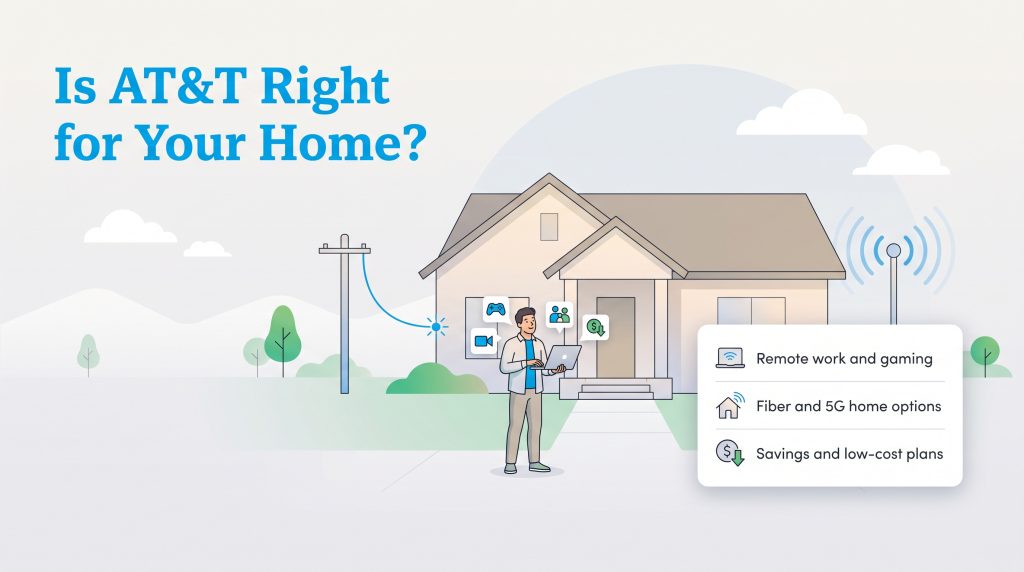
When it comes down to choosing a provider for your home, AT&T brings together unmatched fiber speeds, rock-solid reliability, and straightforward pricing in one compelling package. The absence of annual contracts, unlimited data across all modern plans, and included All-Fi equipment without pesky monthly rental fees make AT&T easy to recommend. If AT&T Fiber is available at your street address, it is hands-down one of the best broadband investments you can make — especially if you bundle with AT&T Wireless to drop your starting rate to just $35 per month. Even if you live outside the wired fiber footprint, AT&T Internet Air offers a dependable, commitment-free 5G alternative that gets your household online in minutes.
Frequently Asked Questions About AT&T Internet
How much does AT&T internet cost per month?
How much do you save by bundling AT&T Internet and Wireless?
Does AT&T still offer DSL internet or the 2 Gig Fiber plan?
What is AT&T Internet Backup and how does it work?
How do I claim my AT&T Visa Reward Card after signing up?
Do AT&T internet plans have data caps or contracts?
What’s the difference between AT&T Fiber and AT&T Internet Air?
Does AT&T charge monthly rental fees for the Wi-Fi gateway?
Is professional installation required for AT&T internet?
Offers may not be combined with certain other promotional offers on the same services and may be modified or discontinued at any time without notice. Other conditions may apply to all offers.
About the Author

LaLeesha has a Masters degree in English and enjoys writing whenever she has the chance. She is passionate about gardening, reducing her carbon footprint, and protecting the environment. She also recently served as President of the Board for City Sprouts (a community garden).