
Comparing Cox and AT&T Internet Plans Helps You Choose the Fastest, Most Reliable Connection for Your Specific Household Needs and Budget

- 5 Gbps
- Fiber
- Unlimited
- $50.00/mo

- 7 Gbps
- Cable & Fiber
- Unlimited
- $30.00/mo
*Not all internet providers and speeds available in all areas.
Key Takeaways
- AT&T Fiber offers symmetrical upload and download speeds, making it the superior choice for remote workers and heavy smart home users compared to Cox’s cable network.
- Cox provides wider availability in specific regions where AT&T Fiber hasn’t yet expanded, offering a highly reliable alternative to slower AT&T DSL connections.
- Avoiding hidden fees and data caps is significantly easier with AT&T’s fiber plans, while Cox customers must constantly monitor their monthly usage to prevent expensive overage charges.
Juggling moving boxes and address changes brings enough headaches without adding a confusing utility setup process to your plate. If you’re trying to compare Cox vs. AT&T, we are here to help you find the right fit for your new residence. Both companies deliver solid connectivity, but their network infrastructures differ significantly when it comes to raw performance and long-term value. If AT&T Fiber is available at your address, it is almost always the better pick for bandwidth and budget predictability. If AT&T only offers legacy DSL or slower copper service in your neighborhood, Cox instantly becomes the safer, faster choice. We want to break down the actual speeds, uncover the true long-term costs, and examine real-world reliability so you can make an informed, confident decision without falling for marketing jargon. Because internet availability can change from one side of the street to the other, always plug your exact service address into their portals instead of relying on generic ZIP code-level coverage maps.
The Scorecard: Cox vs. AT&T at a Glance
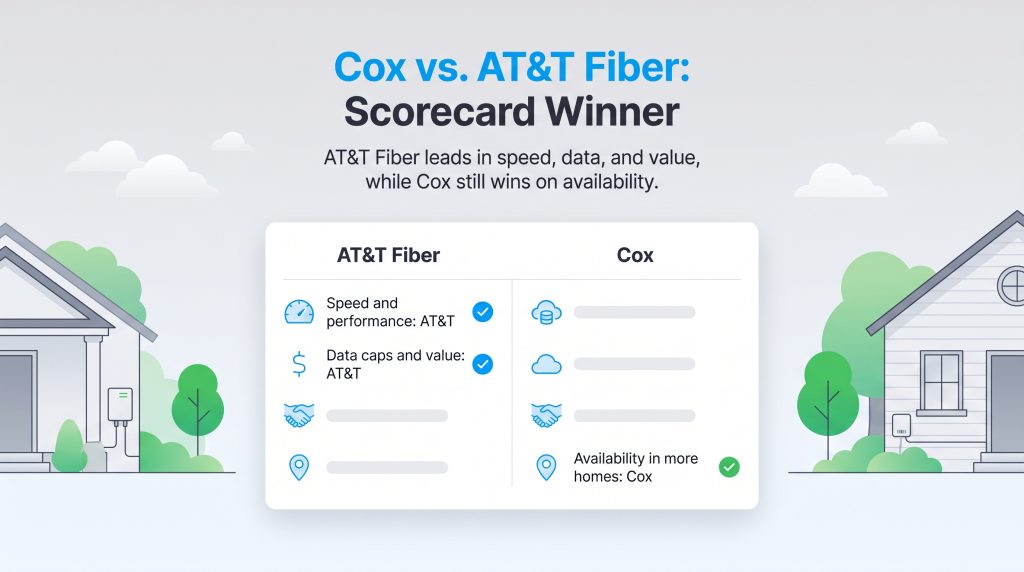
Evaluating AT&T internet vs. Cox internet requires looking beyond the flashy promotional billboards and diving into how their networks actually perform under heavy daily use. To give you absolute clarity, we evaluated both providers across the most critical household metrics. In a direct matchup where both companies offer their top-tier services, AT&T Fiber firmly takes the lead. AT&T leverages its rapidly expanding fiber-optic network to deliver incredibly fast upload speeds that legacy cable lines simply cannot match. Conversely, Cox primarily utilizes a widespread coaxial cable network. While cable remains highly reliable and incredibly fast on the download side, it traditionally struggles to match fiber’s upload performance and pricing transparency. Review the dimension-by-dimension scorecard below to see exactly which provider takes the crown in 2026.
| Comparison Dimension | The Winner | Why They Won |
|---|---|---|
| Speed and Performance | AT&T Fiber | AT&T delivers symmetrical speeds (up to 5,000 Mbps upload and download), massively outperforming Cox’s asymmetrical cable network uploads. |
| Monthly Pricing Value | AT&T Fiber | AT&T eliminated the steep second-year price hikes, offering flat, predictable rates. Cox raises prices significantly after your initial 12-month promotional period ends. |
| Data Caps | AT&T Fiber | All AT&T Fiber plans include unlimited data automatically. Cox enforces a strict 1.25 TB limit and charges steep overage fees. |
| Contract Terms | Tie | Neither AT&T nor Cox forces you into strict annual contracts for their standard residential plans, giving you the freedom to cancel without early termination penalties. |
| Widespread Availability | Cox | While AT&T’s fiber footprint is growing, Cox’s existing coaxial cable network covers millions more homes in its specific service regions. |
Plan prices, speeds, fees, and availability change often and can vary by address. The examples above are intended as a comparison starting point, not a guaranteed quote.
As the scorecard illustrates, AT&T Fiber wins head-to-head in nearly all essential categories. The only major exception occurs if you happen to live in an area where AT&T hasn’t buried fiber lines yet. If your only choice is AT&T DSL, Cox easily claims the victory due to its vastly superior speeds and stability.
📌 Quick Fact: Independent customer satisfaction studies often rate fiber internet providers highly, but scores vary by region and year. Check the latest J.D. Power or ACSI internet provider results before using customer satisfaction as a deciding factor.
Speeds and Network Reliability: Cable vs. Fiber
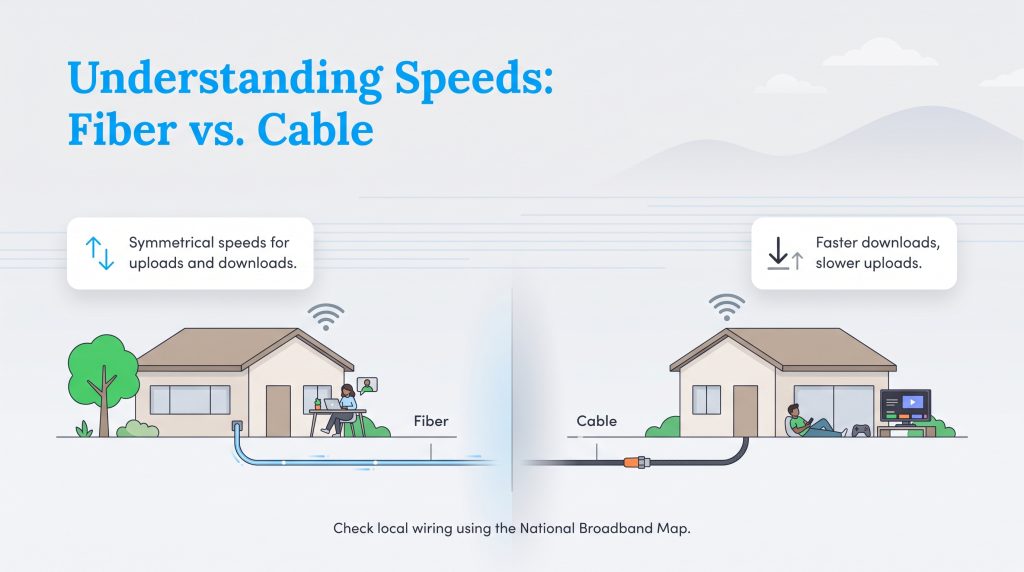
The underlying technology connecting your home strictly dictates the speed and stability you will experience during peak evening usage hours. When comparing Cox vs. AT&T Fiber, the primary technical distinction comes down to the physical wiring bridging your neighborhood to the broader internet. AT&T’s advanced fiber-optic network transmits data using microscopic pulses of light traveling through underground glass strands. This modern infrastructure delivers symmetrical speeds — meaning your upload speeds are just as fast as your download speeds. If you frequently jump on high-definition Zoom calls, upload massive video files for remote work, or sync substantial data to cloud backups, that symmetrical performance feels incredibly smooth. Fiber technology also boasts astonishing weather resilience, often providing 99.95%+ uptime because the lines are buried deep away from high winds and falling branches.
On the flip side, Cox relies heavily on a hybrid coaxial cable network. Cable internet leverages the older copper lines originally installed for television services. While Cox provides excellent download speeds that effortlessly handle streaming Netflix in 4K and downloading massive PlayStation games, the upload speeds remain severely asymmetrical. You might pull data down at a blazing 1,000 Mbps, but you will only push data up at 35 Mbps to 100 Mbps. Additionally, coaxial networks are slightly more vulnerable to signal degradation, neighborhood network congestion, and storm-related power outages. We highly recommend verifying local infrastructure claims using the National Broadband Map to see precisely what wiring actually reaches your driveway.
Another major difference lies in ping time. Network latency measures how fast a single packet of data travels from your computer to the server and back. AT&T Fiber typically operates with an ultra-low latency between 5 and 12 milliseconds (ms). Cox’s cable network generally hovers between 15 and 25 ms. While everyday web browsers will never notice this millisecond difference, competitive gamers and day traders absolutely will.
AT&T DSL vs. Cox Cable: What if Fiber Isn’t Available?
We know that not every neighborhood across the country has been upgraded to newer fiber optics. If you happen to move into a community where AT&T only offers older digital subscriber line (DSL) services, the dynamic shifts entirely in Cox’s favor. When weighing AT&T DSL vs. Cox cable, Cox becomes the undisputed winner for almost all modern households. AT&T’s legacy DSL connections typically deliver speeds significantly lower than its fiber tiers — often capping out at 25 Mbps to 100 Mbps. Furthermore, DSL speeds heavily degrade the further your house sits from the provider’s central hub. Cox’s cable infrastructure maintains much higher gigabit-level speeds over longer distances, easily supporting a family full of active streamers and scrollers. Opting for Cox cable over AT&T’s legacy DSL provides the necessary bandwidth to keep your digital life running without constant buffering screens.
Pricing, Data Caps, and Hidden Fees
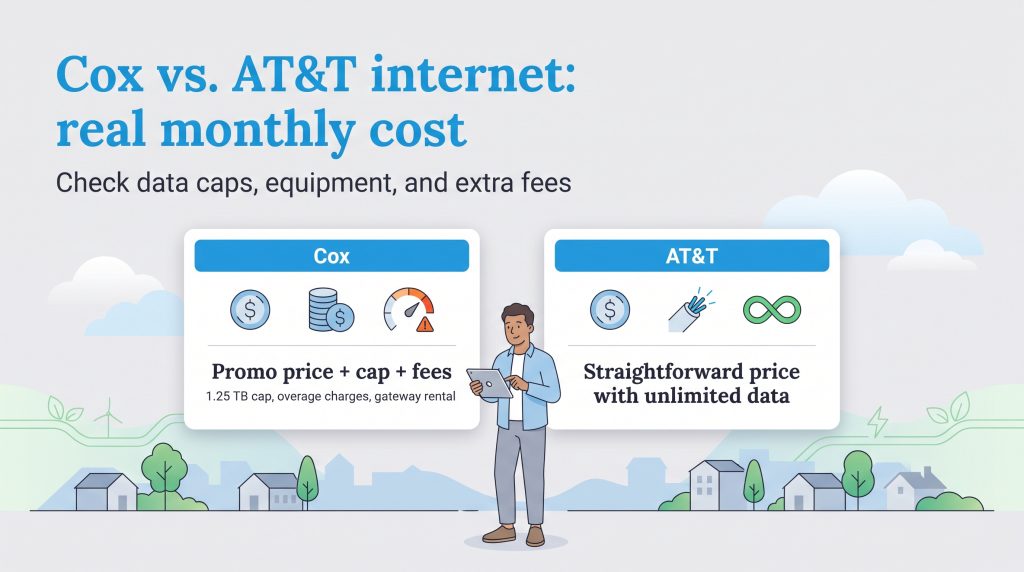
Pinning down the true cost of an internet plan involves looking far past the flashy introductory rates marketed on the homepage. Both providers reel you in with attractive promotional pricing, but reading the fine print is where the true value emerges. Prices and plan details are current as of 2026 and vary by address, so always confirm before finalizing your order.
AT&T generally features incredibly straightforward pricing on its fiber plans. The company made waves recently by removing the dreaded promotional cliff, meaning your monthly bill won’t suddenly skyrocket after your first year of service. The price you agree to is the price you pay, providing excellent budgeting stability. However, you should anticipate a potential one-time installation fee of around $99 if a technician needs to configure a brand new fiber port at your residence.
Cox structures its pricing tiers using a more traditional, promotional model. While Cox’s introductory rates look highly competitive, it is crucial to emphasize that Cox prices step up $20 to $30 after your first 12 months of service. You will also need to account for standard installation fees, though Cox occasionally waives these if you qualify for a self-installation kit.
AT&T Plans & Pricing
| Plan Name | Price | Download Speeds | Connection Type | |
|---|---|---|---|---|
| Internet 100 | $60 /month | Up to 100 Mbps | DSL | Check Availability |
| Internet 300 | $50 /month | Up to 300 Mbps | Fiber | Check Availability |
| Internet Air | $40 /month | Up to 300 Mbps | 5G | Check Availability |
| Internet 500 | $60 /month | Up to 500 Mbps | Fiber | Check Availability |
| Fiber 1 Gig | $70 /month | Up to 1000 Mbps | Fiber | Check Availability |
| Fiber 5 Gig | $110 /month | Up to 5 Gbps | Fiber | Check Availability |
Data usage constraints heavily impact your wallet if you run a busy digital household. When comparing Cox unlimited data vs. AT&T, the financial differences become glaring. AT&T Fiber plans generously include unlimited data right out of the box at absolutely no extra charge. You can stream 4K video all weekend, download massive software updates, and leave your smart home cameras running without a second thought.
Cox Plans & Pricing
| Plan Name | Price | Download Speeds | Connection Type | |
|---|---|---|---|---|
| Spectrum Internet 100 | $30 /month | Up to 100 Mbps | Cable | Check Availability |
| Spectrum Internet 500 | $40 /month | Up to 500 Mbps | Cable | Check Availability |
| Spectrum Internet 1 Gig | $60 /month | Up to 1000 Mbps | Cable | Check Availability |
| Spectrum Internet 2 Gig | $80 /month | Up to 2 Gbps | Cable | Check Availability |
| Spectrum Internet 7 Gig fiber internet | $140 /month | Up to 7 Gbps | Fiber | Check Availability |
Cox enforces a hard 1.25 terabyte (TB) data cap on most of its standard residential plans. While 1.25 TB sounds like a lot, a family of four can chew through that bandwidth surprisingly fast with regular streaming and online gaming. If you exceed that limit, you face steep overage charges — typically $10 for every additional 50 GB of data you consume. To avoid this anxiety, Cox charges an extra $50 per month to unlock unlimited data. This massive upcharge completely skews the baseline price comparison, making AT&T Fiber a significantly cheaper option for heavy internet users over the long haul.
💸 Money-Saver: Cox customers may be able to avoid modem rental fees by using compatible equipment, but AT&T Fiber customers generally use AT&T’s required gateway. You can still add your own router for better Wi-Fi coverage.
Equipment Setup: Cox Panoramic Wi-Fi vs. AT&T Gateway
Setting up your home network properly dictates whether you get full coverage in your basement or suffer through dead zones in your bedroom. Both ISPs provide custom-branded hardware, but their equipment rental policies affect your bottom line differently.
- The AT&T BGW320 Gateway: AT&T Fiber includes its advanced Wi-Fi 6 gateway in your monthly subscription price. There is no hidden rental fee itemized on your bill. This unit functions as both the fiber modem (ONT) and the wireless router, providing excellent whole-home coverage and modern security protocols.
- Cox Panoramic Wi-Fi: Cox pushes its Panoramic Wi-Fi gateway heavily during checkout, which typically costs an additional $13 to $15 per month to rent. While it provides strong performance and integrates neatly with the Cox app for easy network management, paying a monthly rental fee adds up to nearly $180 per year.
If you want to save money over the life of your Cox account, we highly recommend bypassing the panoramic rental fee entirely. You can purchase your own third-party DOCSIS 3.1 cable modem and a separate mesh Wi-Fi router. As long as the modem is officially compatible with the Cox network, this one-time hardware investment will pay for itself in less than a year.
Customer Service and Real-World Outages
Internet service providers are notorious for frustrating customer support, but parsing the data reveals a clear divide in how Cox and AT&T treat their user bases. When analyzing recent American Customer Satisfaction Index (ACSI) data, AT&T consistently scores in the low-to-mid 70s, making it one of the highest-rated major ISPs in the country. This higher score is largely driven by the rock-solid reliability of their fiber network, which generates far fewer tech support calls to begin with.
By contrast, Cox frequently lags behind in the low 60s. A quick scan of community forums and real-world sentiment reveals common complaints among Cox customers regarding frequent neighborhood signal drops and the frustrating requirement for daily modem reboots to clear network congestion. Because cable internet runs on a shared neighborhood node, peak evening hours can cause noticeable slowdowns, prompting more users to call customer support. Furthermore, Cox’s sharp second-year price hikes often result in contentious calls to their retention department, damaging overall customer trust. If prioritizing a smooth, low-maintenance relationship with your provider matters to you, AT&T’s transparent pricing and stable fiber lines offer a far superior customer experience.
AT&T Internet Air vs. Cox Cable
As cellular technology evolves rapidly, 5G home internet presents a compelling, modern alternative for renters and homeowners who hate dealing with wires. Pitting AT&T Internet Air vs. Cox highlights a massive shift in how we can approach home connectivity today. AT&T Internet Air leverages the company’s robust wireless 5G cellular network to deliver internet straight to a sleek, plug-and-play gateway sitting right on your desk. This completely bypasses the need for drilling holes, scheduling messy professional installations, or tracing ugly coaxial lines through your walls.
While this cellular alternative offers incredible convenience and easy self-setup, it behaves differently than a hardwired Cox cable connection. Cellular internet speeds will fluctuate based on local network congestion and your physical proximity to the nearest cell tower. A storm or a crowded neighborhood event can momentarily impact your speeds. Cox provides a dedicated physical wire directly into your home, ensuring your speeds remain much more stable during neighborhood rush hours. If you need absolute reliability and low latency for remote work or online gaming, a physical Cox cable connection edges out the 5G option. However, AT&T Internet Air remains a fantastic, low-hassle choice for temporary leases, RVs, or older apartments lacking modern wired infrastructure.
Which Network Is Best for Gaming and Smart Homes
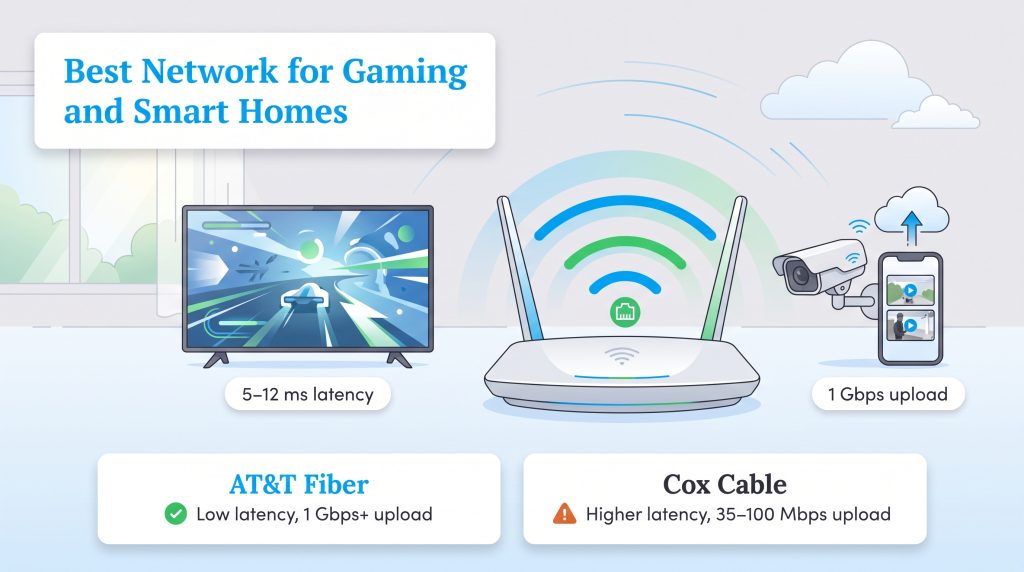
Modern homes run on highly demanding interconnected devices, requiring incredibly robust networks to function efficiently without lag. If you are serious about competitive online gaming or operate a house full of Wi-Fi-enabled security cameras, your network needs specific low latency and high upload bandwidth capabilities.
When it comes to gaming and high-end smart homes, AT&T Fiber absolutely crushes the competition. Because cloud IP cameras (like Ring or Nest) constantly upload live 1080p footage to remote servers, they chew through upload bandwidth rapidly. AT&T’s symmetrical 1 Gbps (or higher) upload speeds conquer this demand flawlessly. Furthermore, if you are livestreaming to Twitch or playing twitch-reaction shooters like Valorant or Call of Duty, AT&T’s incredibly low 5–12 ms latency ensures your competitive gaming lag is practically non-existent.
By comparison, Cox’s standard cable plans typically limit upload speeds to a modest 35 Mbps, with some newer DOCSIS 4.0 upgrades only pushing 100 Mbps. If multiple people in your house are trying to broadcast video or upload large files simultaneously, a Cox cable connection will bottleneck, resulting in dropped frames, buffering screens, and frustrating gaming lag. While Cox is perfectly adequate for standard streaming and web browsing, power users need the raw upload capacity that only fiber can provide.
🌱 Eco Edge: Choosing energy-efficient networking equipment can help reduce standby power use, especially because routers and modems run 24/7. Look for energy-saving options when setting up your home office or entertainment center.
How to Switch from Cox to AT&T
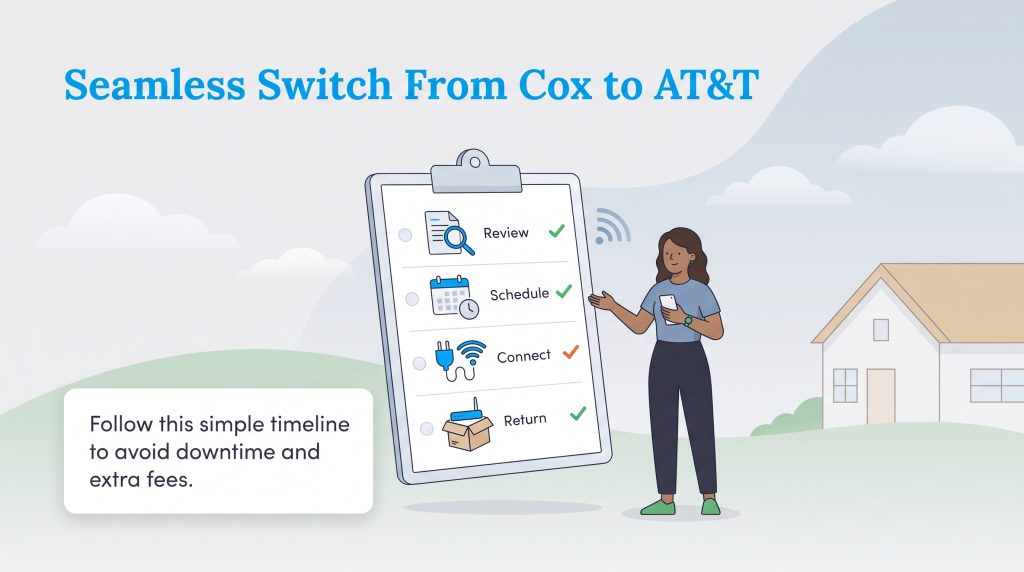
Switching from Cox to AT&T might feel a bit daunting, but a little strategic planning keeps you online without interruption and protects your wallet from double billing. Whether you’re upgrading your current residence to a new fiber plan or busy organizing your home move, navigating the transition smoothly prevents unexpected downtime. We recommend following this strict timeline to guarantee an effortless handoff between the two providers.
- Review your current agreement: Check your existing Cox statement for any unexpected early termination fees or remaining equipment balances before committing to a new AT&T service.
- Schedule the new installation first: Book your AT&T activation date at least one full week before you officially pull the plug on your old connection.
- Maintain a 48-hour overlap window: Keep both services actively running for 24 to 48 hours. If the AT&T technician encounters a complex wiring issue at the street level, your home stays comfortably online using Cox until the problem is solved.
- Return your leased equipment promptly: Gather your Cox modem, panoramic router, and power cables. We highly recommend returning them directly to an official retail store rather than mailing them. Hand them to an associate to secure a physical receipt, ensuring you completely avoid massive unreturned equipment fees.
Making the Right Choice for Your Home Network
Deciding between these two telecommunications giants ultimately comes down to exactly what type of infrastructure is buried outside your home and your tolerance for data caps. To cut through the confusion, we have distilled our extensive review into a definitive recommendation for your household.
- Choose AT&T Fiber immediately if it is available at your address. The combination of unlimited data, perfectly symmetrical gigabit speeds, transparent flat-rate pricing, and superior customer service makes AT&T Fiber an unbeatable value. It easily outclasses traditional cable internet for modern, device-heavy homes.
- Choose Cox only if your alternative is AT&T DSL or copper internet. If AT&T has not upgraded your neighborhood to fiber optics yet, do not settle for their slow legacy DSL speeds. In this specific scenario, Cox’s widespread cable network will deliver the fast, reliable downloads you need to keep your family streaming without buffering. Just be prepared to manage your data usage or budget an extra $50 a month for unlimited data.
Setting up utilities in a new space is always a delicate balancing act of performance and budget. By weighing your daily bandwidth usage against what is physically available in your neighborhood, you can secure a plan that powers your household efficiently. If you’re exploring other utility optimizations, check out our guide on how to save on your electric bill to keep your fully connected smart home as energy-efficient as possible. We hope you enjoy lightning-fast, uninterrupted connectivity as you settle comfortably into your new home.
Frequently Asked Questions About Cox vs. AT&T
These quick answers cover the most common questions people ask when comparing Cox and AT&T internet. Use them to narrow your choice before checking availability at your exact address.
Which provider has better customer service, Cox or AT&T?
AT&T generally provides significantly better customer service, largely thanks to the stability of its modern fiber network. According to independent industry data like the American Customer Satisfaction Index (ACSI), AT&T regularly scores in the low-to-mid 70s, making it a top-tier provider for reliability. Cox frequently struggles in the low 60s, driven by user frustrations over neighborhood signal drops, confusing second-year bill hikes, and the necessity to reboot modems to maintain stable connections.
Does AT&T or Cox require an annual contract?
Neither AT&T nor Cox requires you to sign a strict annual contract for their standard residential internet plans. Both providers offer month-to-month service agreements, meaning you can cancel or switch providers at any time without facing hefty early termination fees. This flexibility makes it much easier to test a service and walk away if it does not meet your household’s performance expectations.
Does AT&T provide free installation compared to Cox?
Installation fees vary widely based on your specific address and current promotions. AT&T typically charges a $99 professional installation fee if a technician needs to physically wire a new fiber optic line or install an optical network terminal (ONT) inside your home. However, AT&T frequently waives this fee if you order online. Cox also charges professional installation fees, but if your home is already wired for coaxial cable, Cox will often mail you a free self-installation kit instead.
Is AT&T or Cox better for gaming?
AT&T Fiber stands out as the absolutely superior choice for competitive gaming and Twitch streaming. The fiber-optic network delivers incredibly low latency (often between 5 and 12 milliseconds) alongside symmetrical upload speeds. This combination drastically minimizes lag, prevents annoying packet loss, and ensures your live streams broadcast smoothly in high definition without dropping frames or interrupting your fast-paced gameplay.
Does Cox or AT&T have better internet prices?
While both companies offer similar introductory promotional rates for the first year, AT&T generally provides significantly better long-term value. AT&T recently eliminated massive second-year price hikes, giving you a flat, predictable bill. Furthermore, because AT&T Fiber plans include unlimited data automatically at no extra cost, heavy internet users completely bypass the expensive data overage fees commonly associated with standard Cox cable plans.
Where can I check Cox vs. AT&T availability?
Service availability depends entirely on the physical wiring running through your specific neighborhood, which can change drastically from one street to the next. You can verify your exact coverage by plugging your address directly into both providers’ websites. For an unbiased look at your options, we highly recommend using the official FCC National Broadband Map to see detailed, confirmed municipal coverage for your exact home.
How hard is it to switch from Cox to AT&T?
Transitioning between providers is surprisingly easy if you coordinate the timing properly. Simply schedule your new AT&T installation date to occur before you officially call and cancel your existing Cox service. Maintaining a brief 48-hour overlap prevents any frustrating gaps in your home’s connectivity. Just remember to physically return your leased Cox equipment to a store and get a receipt to avoid unexpected billing charges.
Do I need to buy my own router for AT&T or Cox?
You do not have to buy one, as both providers offer hardware directly to you. AT&T includes its modern BGW320 gateway at no extra monthly charge for fiber plans. Cox offers its Panoramic Wi-Fi gateway, but it typically costs an extra $13 to $15 per month to rent. To avoid that monthly fee with Cox, you can easily purchase your own compatible DOCSIS 3.1 cable modem and Wi-Fi router to save money over time.
Is AT&T Internet Air better than Cox cable?
AT&T Internet Air is a 5G fixed wireless service, making it incredibly easy to install because it requires zero drilling or physical wiring in your walls. However, Cox cable generally provides much more stable, consistent internet speeds during peak evening hours since it relies on a hardwired coaxial connection rather than fluctuating cellular signals. If stability matters most, stick with Cox cable.
Does Cox have unlimited data?
Yes, Cox does offer an unlimited data option, but it typically costs an additional $50 per month on top of your standard internet plan base price. If you choose not to purchase the unlimited add-on, most residential Cox plans strictly cap your usage at 1.25 TB per month, and you will be charged heavily for every 50 GB you use over that limit.
Is Cox faster than AT&T if I can’t get fiber?
In almost all cases, yes. If your only option from AT&T is their legacy copper DSL connection, Cox’s modern cable internet network will provide significantly faster and much more reliable download speeds. DSL degrades over long distances, while Cox’s cable infrastructure maintains enough bandwidth to keep your family streaming, gaming, and browsing simultaneously without issue.
About the Author

David has been an integral part of some of the biggest utility sites on the internet, including InMyArea.com, HighSpeedInternet.com, BroadbandNow.com, and U.S. News. He brings over 15 years of experience writing about, compiling and analyzing utility data.