

DSL internet uses existing copper telephone wires to deliver always-on internet service, making it a practical option for many rural and older homes.
Key Takeaways
- DSL internet uses existing copper phone lines to deliver internet service, meaning availability is widespread even outside major cities.
- You usually don’t need an active landline telephone service to set up and use a modern DSL connection.
- While slower than fiber, DSL offers a dedicated local phone line, making it less likely to slow down due to neighborhood node congestion.
If you are moving into a home where fiber or cable access is not available, DSL internet (Digital Subscriber Line) offers a highly reliable broadband internet connection that delivers data through your existing copper phone lines without interrupting active landline calls. This widespread legacy technology remains a vital and practical option for many rural and older homes across the country that have not yet received modern infrastructure upgrades. By understanding exactly what DSL internet is, how the initial setup process works, and how its standard speeds compare against modern fiber networks, you can confidently choose the absolute best provider for your household’s daily digital needs.

- 5 Gbps
- Fiber
- Unlimited
- $35.00/mo

- 5 Gbps
- Fiber
- Unlimited
- $30.00/mo
- 940 Mbps
- DSL & Fiber
- 1 TB
- $50.00/mo
*Not all internet providers and speeds available in all areas.
How Does DSL Internet Work?
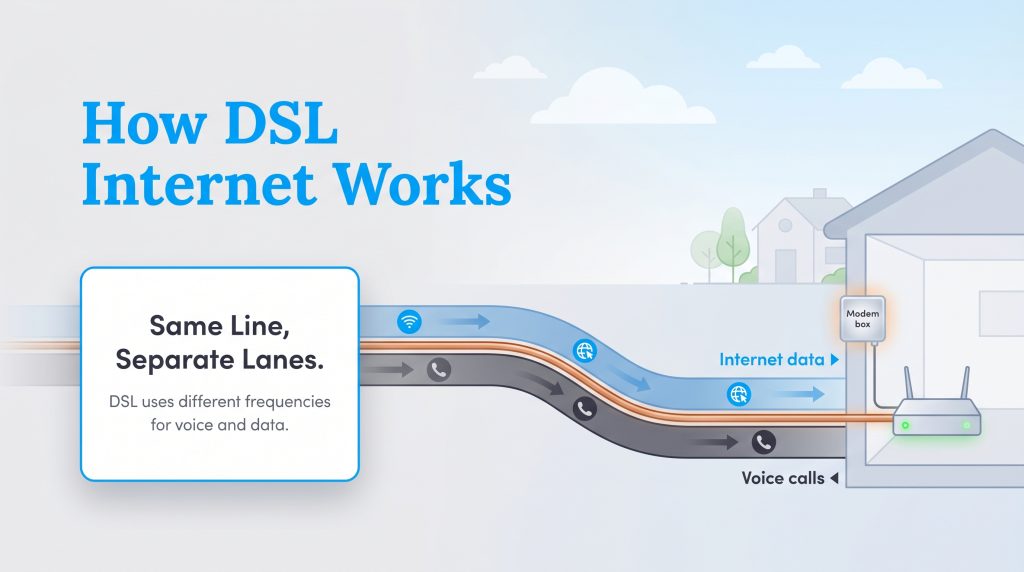
When searching for local utility providers in a new neighborhood, you probably find yourself wondering how does DSL work compared to the outdated technology of the past. Digital Subscriber Line technology effectively transforms the standard copper telephone wires already running into your house into a reliable digital highway for your family. Unlike old dial-up internet that forced voice calls and digital data to share the exact same lane — meaning you couldn’t use the internet and the phone at the same time — a modern DSL connection operates on entirely different frequencies. This clever separation creates a dedicated data lane, allowing you to seamlessly browse the web, stream music, and talk on the phone simultaneously without any static or interference.
Because copper wiring exists in almost every home built before the 21st century, this service is incredibly accessible for rural properties. Rather than getting bogged down in complex telecommunications jargon, you can easily understand your home network by tracking the journey of the signal from the provider directly to your living room:
- The broadband digital signal originates at your internet provider’s regional central hub.
- The data travels efficiently across local copper infrastructure until it hits a localized neighborhood routing node.
- The signal routes directly into your home using your dedicated, physical copper phone lines, bypassing the shared nodes that slow down cable internet.
- Your in-home modem receives this signal and translates the specific frequency into a usable internet connection for your Wi-Fi router, smartphones, and smart TVs.
What Equipment Do You Need for DSL?
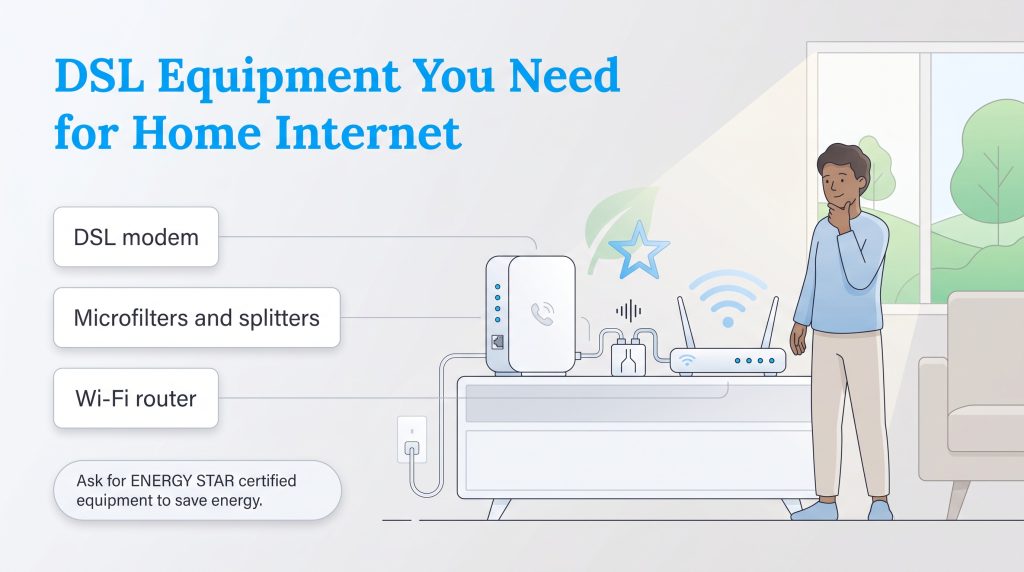
While establishing a new home network might sound heavily technical, getting your connection running requires only a few specific pieces of hardware. As you are setting up utilities before a move, taking a proactive approach to your physical equipment ensures a smooth, stress-free installation process. Most internet service providers will offer you the option to rent this hardware directly from them, though purchasing your own compatible equipment often saves you significant money over the lifespan of the device.
Here is the exact hardware you need to securely connect your home:
- A DSL modem: This crucial device plugs directly into your wall’s standard phone jack to receive and translate the incoming broadband signal. Without a compatible modem, your home cannot interpret the data coming from the provider.
- Microfilters and splitters: If you plan to maintain an active landline voice service in the home, you must plug these small adapters directly into your phone jacks. They successfully separate the voice and data signals to prevent static interference on your calls.
- A Wi-Fi router: This piece of equipment connects to your modem and broadcasts a wireless internet signal throughout your home so your smartphones, laptops, and tablets can seamlessly connect.
You can effortlessly minimize your digital footprint by rethinking how this hardware receives continuous power. When upgrading your setup, we highly suggest requesting ENERGY STAR certified networking equipment from your internet service provider to maximize efficiency. These devices use significantly less power during idle periods, saving you money on your monthly electric bill while keeping your carbon footprint in check.
Types of DSL: ADSL, SDSL, and VDSL
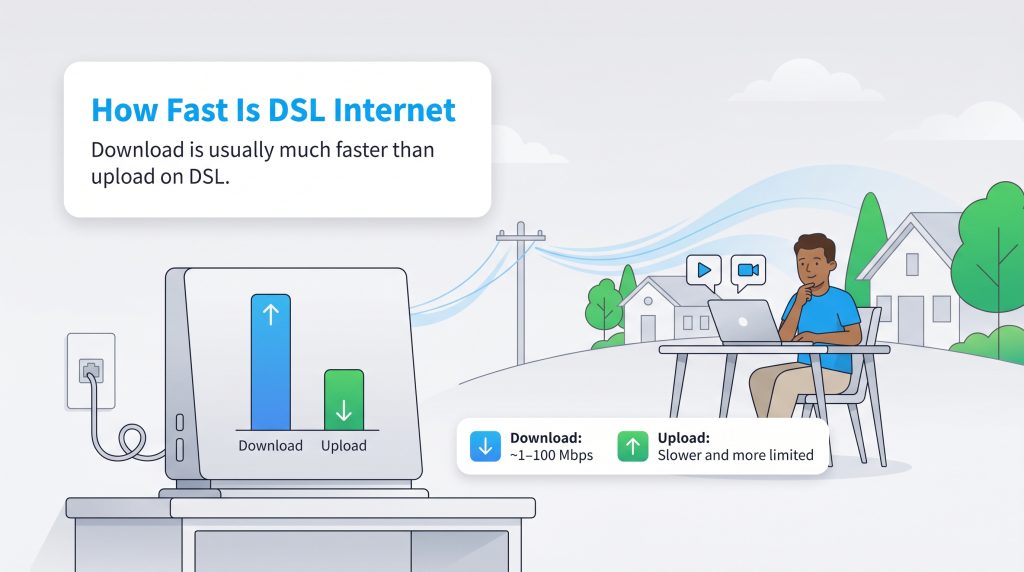
Not all broadband plans deliver the exact same digital experience, and understanding the nuances behind the technology helps manage your expectations. Asymmetric DSL (ADSL) stands as the most widespread industry standard for residential homes today. It earns the “asymmetric” label because providers intentionally configure the download speeds to be significantly faster than the available upload speeds. This setup heavily optimizes the network for common everyday household tasks like checking email, scrolling social media, and streaming television shows.
Symmetric DSL (SDSL) is another vital connection type that specifically caters to households with heavy uploading needs. Unlike its asymmetric counterpart, SDSL provides perfectly equal upload and download speeds. This balanced bandwidth makes SDSL an incredibly energy-saving option for remote workers who routinely need to upload massive files to company cloud servers, host high-definition video conferences, or stream live content without facing disruptive lag.
Very-high-bit-rate DSL (VDSL) represents a newer, significantly faster iteration of this foundational technology. VDSL achieves robust speeds by utilizing upgraded fiber-optic nodes positioned much closer to residential neighborhoods. By running fiber to the neighborhood node (FTTN), it drastically reduces the physical distance the signal must travel over traditional copper wires to reach your modem. While VDSL offers a massive performance boost, its availability remains mostly limited to suburban areas with recently modernized infrastructure. To see exactly how much speed your family’s daily activities require, we strongly recommend reviewing the FCC broadband speed guide or our comprehensive internet speed guide.
DSL vs. Cable vs. Fiber Internet
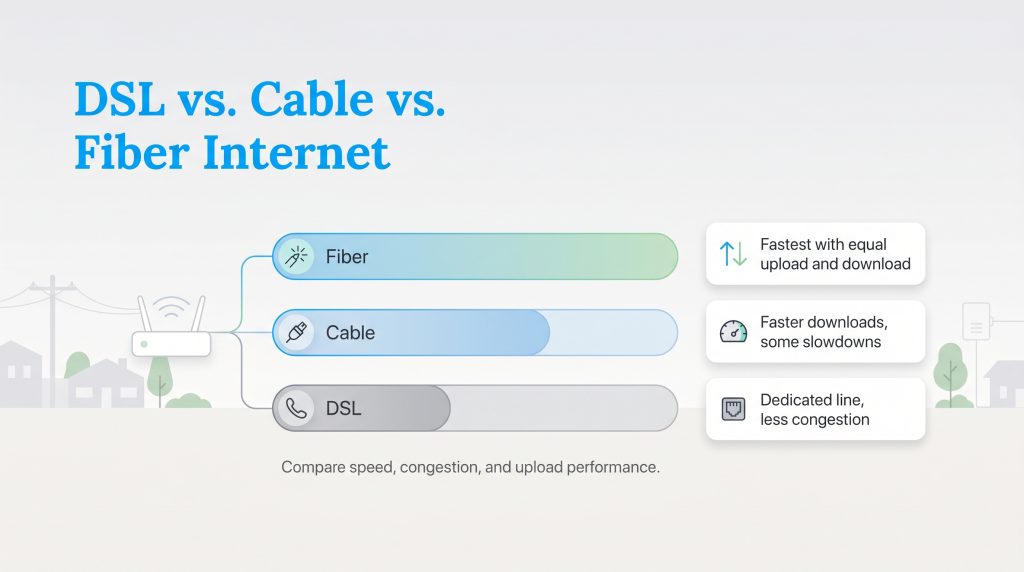
When deciding between local utility providers, carefully weighing DSL vs cable internet and DSL vs fiber internet ensures you invest in a monthly plan that comfortably supports your family’s lifestyle. Cable internet utilizes the same insulated coaxial lines that deliver television services, offering much higher bandwidth capacities than standard phone wires, though it frequently suffers from neighborhood congestion during peak evening hours. Fiber technology entirely bypasses metal wiring by transmitting data via light signals over thin glass strands, delivering unparalleled, symmetrical speeds that completely outpace both cable and copper infrastructure.
To help you visualize how these popular broadband services stack up against one another in today’s digital landscape, we have broken down the core metrics below, including modern 5G alternatives.
| Metric | DSL Internet | Cable Internet | Fiber Internet | 5G Home Internet |
|---|---|---|---|---|
| Max Download Speed | Up to 100 Mbps | Up to 1,200 Mbps | Up to 5,000+ Mbps | Up to 1,000 Mbps |
| Max Upload Speed | Up to 20 Mbps | Up to 50 Mbps | Up to 5,000+ Mbps | Up to 100 Mbps |
| Average Latency | 30–70 ms | 20–40 ms | 5–15 ms | 30–50 ms |
| Average Monthly Cost | $40 – $65 | $50 – $80 | $60 – $100 | $50 – $70 |
Top DSL Internet Providers in 2026
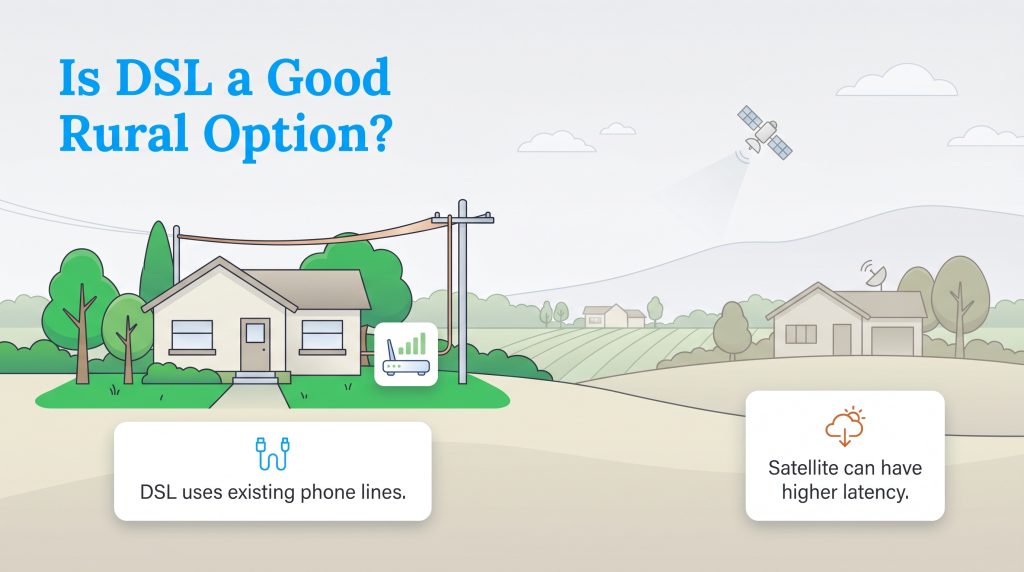
Finding viable rural internet options often feels deeply frustrating, but major telecommunication companies still operate expansive copper networks that reach far beyond densely populated city limits. Building brand-new fiber-optic grids costs providers thousands of dollars per mile, meaning many isolated rural neighborhoods simply never receive those costly infrastructure upgrades. Because copper phone infrastructure already exists in these communities, active DSL internet providers can instantly connect homes that lack access to modern wired alternatives.
If you are actively shopping for a dependable home network, here are the top internet providers currently operating copper wire plans across the United States in 2026:
- CenturyLink: Offers widespread availability across the country, featuring simplified flat-rate plans starting around $55 per month. Customers do not have to worry about data caps, and maximum speeds can reach up to 100 Mbps in optimal locations.
- Frontier: Provides robust service in select rural and suburban regions. Their plans generally range between $50 and $60 per month with peak speeds topping out at 115 Mbps. Frontier is especially popular because they frequently do not require long-term annual contracts.
- Kinetic by Windstream: Delivers incredibly budget-friendly rural coverage starting at roughly $40 per month. Kinetic focuses heavily on keeping prices low for underserved communities, offering speeds up to 100 Mbps where the local infrastructure permits.
- EarthLink: Functions primarily as an expansive reseller utilizing existing telecom networks, meaning they can provide service almost anywhere a copper line exists. They offer plans near $60 per month with highly rated customer service and speeds up to 100 Mbps.
Pros and Cons of a DSL Connection
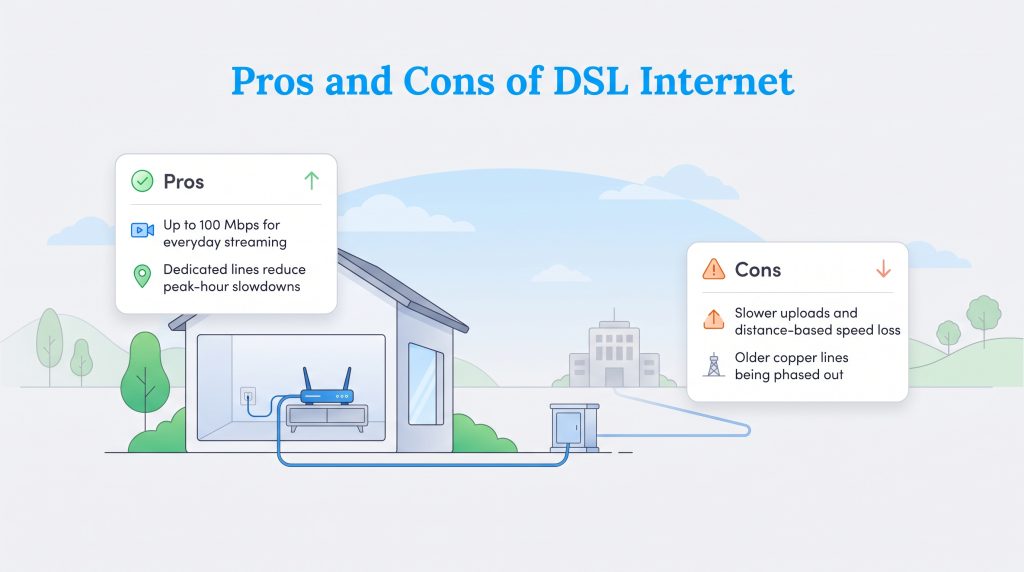
Before committing to a long-term contract or purchasing expensive new networking hardware, balancing the specific advantages and limitations of your local infrastructure helps you make an informed decision. While it might not win bandwidth speed awards against modern fiber optics, this connection type offers unique, highly practical benefits for specific households that just need standard internet access.
Pros
- Speeds reach up to 100 Mbps, comfortably supporting high-definition video streaming, basic online gaming, and smooth web browsing.
- Dedicated local bandwidth lines mean you rarely experience the frustrating peak-hour slowdowns and congestion commonly found on shared neighborhood cable networks.
- Widespread infrastructure availability makes it a highly accessible, easy-to-install choice for isolated rural homes and older historic properties.
- Standalone naked DSL options allow you to flexibly pay only for internet access without requiring an unnecessary monthly landline voice subscription.
Cons
- Upload speeds are significantly slower than download speeds on standard ADSL lines, which frequently causes frustrating lag during video calls or massive cloud uploads.
- The physical distance from the provider’s central hub dramatically degrades your overall speed and long-term reliability.
- Delivers noticeably slower overall performance when directly compared against modern cable or fiber-optic broadband alternatives.
- Legacy copper infrastructure is actively being phased out and neglected by telecom giants across major metropolitan areas as they transition to newer tech.
Is DSL Internet Being Phased Out?
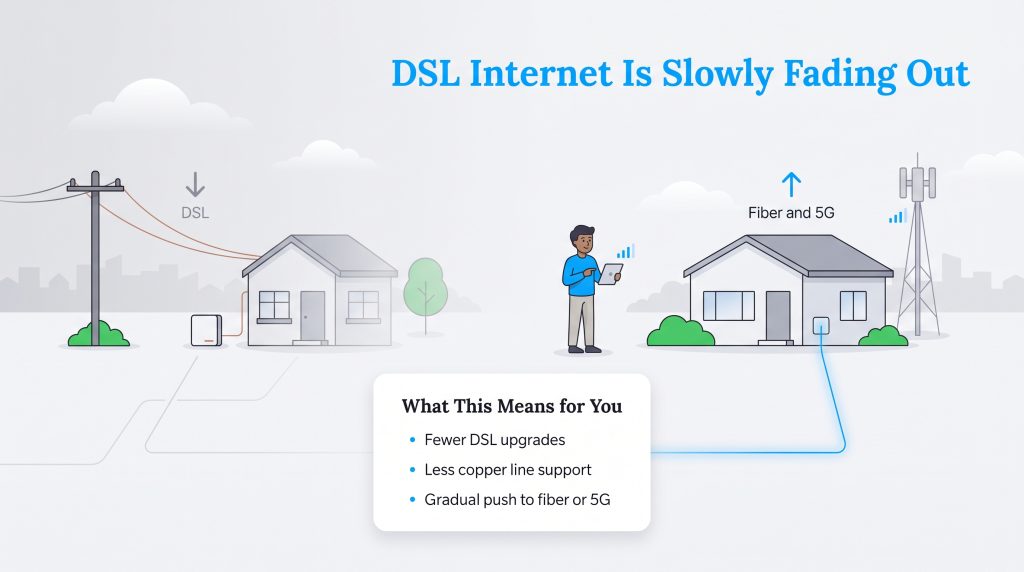
As digital technology inevitably sprints forward, the nationwide telecommunications industry is orchestrating a massive, widespread shift away from legacy copper wire networks. Major utility corporations are currently heavily investing billions of dollars into expansive fiber-optic grids and robust 5G Home Internet towers. Because maintaining aging, weather-beaten copper infrastructure is incredibly expensive and increasingly inefficient for companies, providers are aggressively transitioning their focus toward these modern, high-speed alternatives.
This massive industry evolution means that while existing copper networks remain functional today, their long-term future is undeniably limited. In fact, AT&T officially stopped accepting new DSL internet applications in October 2020, and the telecom giant aims to reduce its copper network footprint by 50% before the end of 2026. If you currently rely heavily on this legacy technology, you will not lose your service overnight, but you should anticipate far fewer upgrade options, reduced customer support for copper lines, and a gradual push toward wireless or fiber alternatives over the next several years.
Top Alternatives to DSL Internet
If your local telecommunications provider is actively sunsetting their copper wire networks, you will eventually need to upgrade to a more modern infrastructure. Fortunately, the broadband industry has innovated significantly over the last few years, bringing fast and reliable connections to areas that were previously left behind by fiber expansions. Here are the top alternatives you should consider when making the switch:
- 5G Home Internet: 5G Home Internet utilizes advanced cellular towers to broadcast high-speed data directly to a stationary receiver inside your house. This wireless connection delivers fiber-like speeds without the need to run messy underground cables through your yard. It is an incredibly viable replacement for legacy users because widespread cell tower expansion now reaches many rural and suburban communities that copper wire networks previously dominated.
- Fixed Wireless: Fixed wireless internet transmits data via radio waves from a local provider’s broadcast tower directly to a small antenna mounted on your roof. It bypasses the need for physical underground infrastructure entirely while maintaining a steady, low-latency, line-of-sight connection. This technology serves as an excellent DSL alternative because local fixed wireless providers specifically design their networks to bridge the connectivity gap in heavily isolated rural markets.
- LEO Satellite (e.g., Starlink): Low Earth Orbit (LEO) satellite internet bounces digital signals between a specialized dish at your home and a vast constellation of satellites positioned relatively close to the planet’s surface. Unlike traditional geostationary satellite services of the past, LEO technology drastically reduces lag and successfully supports high bandwidths. It represents the ultimate replacement for remote households because it completely eliminates geographic restrictions, guaranteeing high-speed access anywhere with a clear view of the sky.
Preparing for Your Network Upgrade
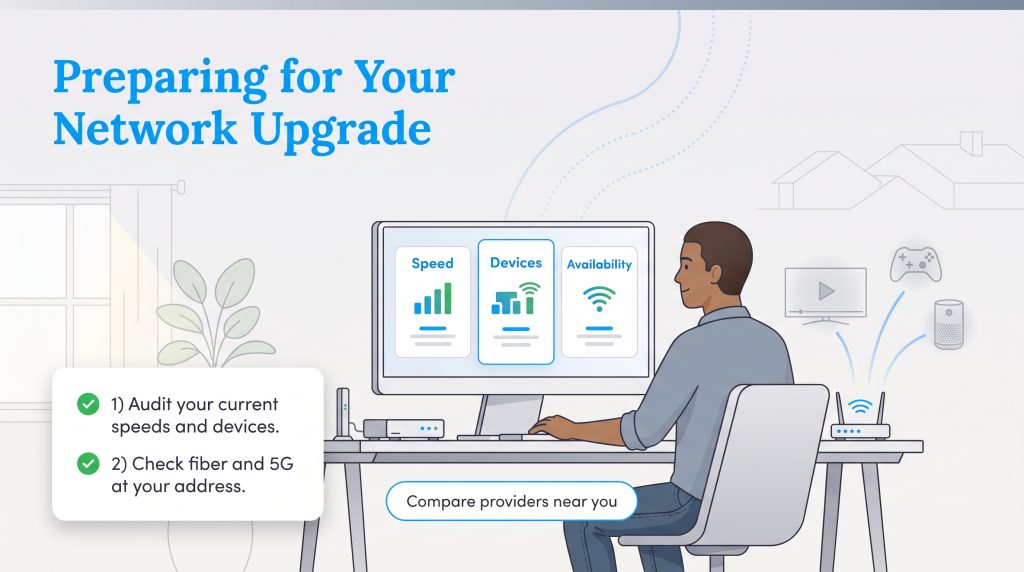
Before making a final decision on your next internet service provider, it is absolutely essential to run a quick audit of your family’s current daily speeds and usage habits. Track how many smart devices run simultaneously during your peak evening hours, and take note of whether activities like streaming or competitive online gaming suffer from frustrating lag. This practical assessment prevents you from overpaying for a premium gigabit tier you do not need, while ensuring you do not lock yourself into a restrictive plan that cannot handle your daily digital load.
Once you understand your household’s baseline needs, always check your exact ZIP code for newly installed fiber-optic or 5G availability before blindly settling for legacy copper lines. Because the telecommunications industry evolves rapidly, a faster, more eco-conscious alternative may have expanded into your neighborhood just within the last few months. If you are still weighing your utility choices for a remote or older property, you can always explore other home internet options to see exactly what broadband technology aligns best with your location and monthly budget.
Taking the proactive step to compare current local plans ensures you secure the most reliable and affordable connection available today. Use our quick comparison tool below to see precisely which top-rated broadband providers actively service your address.
Frequently Asked Questions About DSL Internet
What is the difference between DSL and dial-up?
Do I need an active landline phone service to get DSL internet?
Is DSL better than Wi-Fi?
What is a good DSL speed?
Can I install a DSL modem myself?
Why are internet providers phasing out DSL?
Is DSL internet fast enough for streaming Netflix and gaming?
Does weather affect DSL internet performance?
Why does my DSL internet speed drop the farther I live from the provider?
About the Author

David has been an integral part of some of the biggest utility sites on the internet, including InMyArea.com, HighSpeedInternet.com, BroadbandNow.com, and U.S. News. He brings over 15 years of experience writing about, compiling and analyzing utility data.

LaLeesha has a Masters degree in English and enjoys writing whenever she has the chance. She is passionate about gardening, reducing her carbon footprint, and protecting the environment. She also recently served as President of the Board for City Sprouts (a community garden).