

Understanding the Differences in Speed, Reliability, and Sustainability to Make the Smartest Choice for Your Household
Key Takeaways
- Fiber internet offers symmetrical speeds, making it the superior choice for remote work, gaming, and large file uploads.
- Cable internet is widely available and often utilizes existing connections, making it a convenient option for renters or homes without modern fiber infrastructure.
- Fiber is the more sustainable option, utilizing passive optical networks that consume significantly less energy than traditional copper-based cable networks.
Moving into a new home brings plenty of critical decisions, and decoding the technical jargon of internet service providers shouldn’t be the hardest one you have to make. When comparing cable vs fiber internet, the reality is that fiber consistently delivers superior speed with matching uploads and downloads, long-term reliability through glass strands immune to weather, and enhanced security. Cable often wins out for widespread availability, cheaper starting promotional rates, and accessible self-installation. Although fiber internet leads the pack in nearly every major performance metric — offering the seamless bandwidth necessary for modern households — cable internet continues to serve as a highly dependable workhorse in areas still waiting on infrastructure upgrades. We want to help you cut through the confusion, so let’s break down the exact differences in equipment, monthly costs, and network performance to ensure you choose the best high-speed internet option for your budget and lifestyle.

- Fios Home Internet starts as low as $20/mo. Terms apply.
- Free NFL Sunday Ticket from YouTube
- Fiber speeds up to 2.3 Gbps
- Modem w/ WiFi included.

The Short Answer: Fiber Versus Cable at a Glance
If you are standing in your new living room trying to decide which utility service to activate today, the choice generally comes down to how your household uses the web. Fiber internet is the undisputed champion of performance. By transmitting data using pulses of light, it delivers incredibly fast speeds, low lag times, and rock-solid reliability that effortlessly handles multiple smart TVs, gaming consoles, and work laptops running simultaneously.
However, fiber networks require providers to dig up streets and lay brand-new physical infrastructure, which means it isn’t available everywhere yet. Cable internet, on the other hand, utilizes the same coaxial wiring that has powered traditional cable television for decades. It is widely available, generally fast enough for standard high-definition streaming, and incredibly easy to set up if your home already has active coaxial wall jacks. If fiber is available at your address, it is almost always the smarter long-term investment. If not, cable remains a highly capable alternative.
How Cable Internet Works Using Coaxial Technology
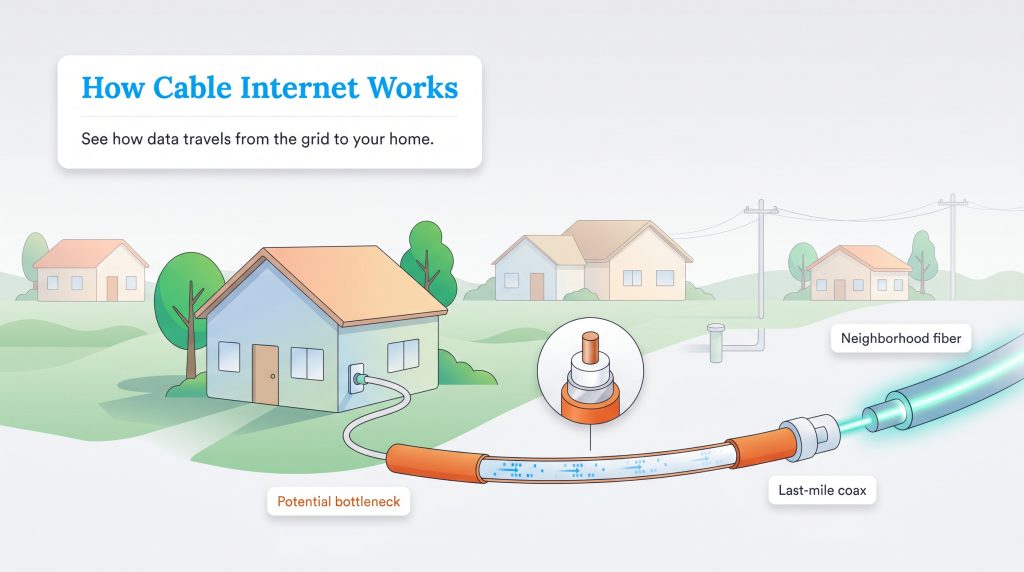
To understand how your digital data actually travels, you first need to look at the underground network powering your neighborhood. Cable internet operates by sending radio frequency electrical signals over coaxial cable — the exact same copper-based wiring originally designed to deliver live television into American homes. The primary difference between fiber and coaxial cable boils down to the physical material moving the data. While copper is highly conductive and proven technology, it creates natural electrical resistance that causes signals to degrade over longer geographical distances.
Most major internet providers currently use a hybrid system. They push data through high-speed fiber optic lines to a central neighborhood hub, but then switch over to traditional coaxial cables for that “last mile” into your specific house. This final switch to copper is where bottlenecks typically happen. Even so, modern cable networks utilize an advanced protocol called DOCSIS (Data Over Cable Service Interface Specification), which has allowed providers to push impressive download speeds ranging from basic 10 Mbps tiers all the way up to lightning-fast 2 Gbps packages.
Pros and Cons of Cable Internet
- Pro: Extensive nationwide coverage makes it highly accessible for suburban and rural communities.
- Pro: Easy plug-and-play installation for homes already wired with coaxial wall jacks.
- Pro: Frequent discount opportunities when bundling with traditional television or landline service.
- Con: Upload speeds are drastically slower and disproportionate to download speeds.
- Con: Shared neighborhood network nodes can cause frustrating slowdowns during peak evening hours.
- Con: Copper wiring is physically susceptible to outside electromagnetic interference and corrosion.
How Fiber Optic Internet Works Using Light Pulses
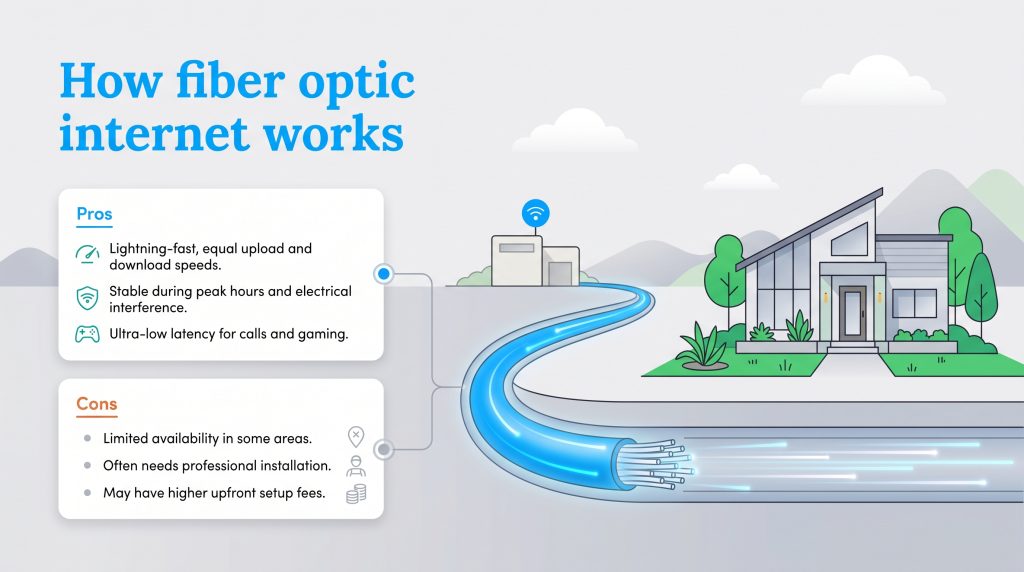
Fiber internet represents a massive technological leap that completely changes the rules of household connectivity. Instead of relying on standard copper wire and electricity, this advanced network transmits your data as rapid pulses of light sent through incredibly thin, flexible glass strands. Because light travels with virtually zero physical resistance, fiber optic signals can cover vast distances without losing an ounce of speed, quality, or data integrity.
When you hear internet providers like Google Fiber advertise a true “Fiber-to-the-Home” (FTTH) connection, it means a premium glass line runs directly from the provider’s central hub straight to your living room. This dedicated line guarantees seamless bandwidth, ensuring your home network is completely insulated from whatever data-heavy activities your neighbors might be doing online.
Pros and Cons of Fiber Optic Internet
- Pro: Lightning-fast, perfectly equal upload and download speeds.
- Pro: Entirely immune to peak-hour network congestion and external electrical interference.
- Pro: Ultra-low latency that provides an incredibly seamless experience for video calls and competitive gaming.
- Con: Fiber internet availability remains geographically limited to expanding infrastructure zones.
- Con: Upgrading a home for the first time often requires a professional technician to drill holes and run new lines.
- Con: Base-tier plans occasionally carry slightly higher upfront installation fees depending on the provider.
Head-to-Head Comparison of Cable Versus Fiber
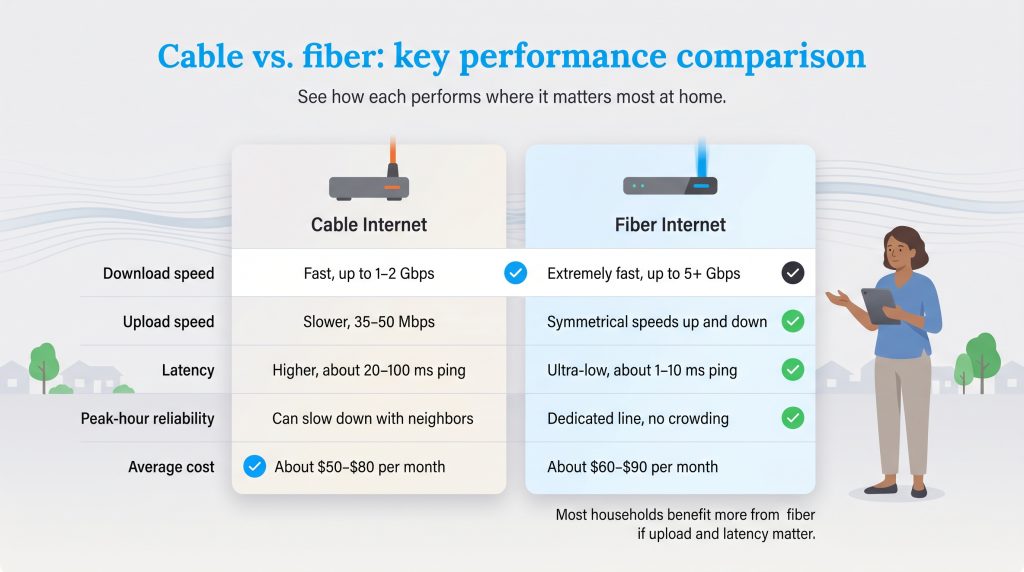
Comparing these two heavyweights requires looking closely at how each service performs under everyday household stress. To help you capture the full picture and confidently navigate your utility options, we have built a comprehensive breakdown detailing how the two technologies stack up across the most essential categories.
| Feature | Cable Internet | Fiber Internet | Winner |
|---|---|---|---|
| Download Speed | Fast (up to 1-2 Gbps) | Extremely fast (up to 5+ Gbps) | Tie (for most users) |
| Upload Speed | Slower (capped at 35-50 Mbps) | Symmetrical (matches download speed) | Fiber Internet |
| Latency | Higher (20–100ms ping) | Ultra-low (1–10ms ping) | Fiber Internet |
| Reliability during peak hours | Susceptible to neighborhood congestion | Dedicated line with no slowdowns | Fiber Internet |
| Security | Vulnerable to physical interception | Highly secure; detects line breaches | Fiber Internet |
| Equipment Needed | Standard cable modem and router | Optical Network Terminal (ONT) and router | Tie |
| Average Lifespan | Shorter (copper corrodes over time) | Decades (glass is highly durable) | Fiber Internet |
| Average Cost | $50–$80/mo (often bundled) | $60–$90/mo (stable flat rates) | Cable (for budget tiers) |
Evaluating Download and Upload Speeds
When reviewing potential internet plans, you typically see one flashy number heavily advertised in large font: the download speed. On paper, cable internet looks highly competitive because major providers now routinely offer 1 Gig (1,000 Mbps) download packages. If your household primarily spends time streaming movies on Netflix or endlessly scrolling through social media, you might not notice a massive day-to-day difference between the two connection types.
However, the massive performance gap becomes glaringly obvious when evaluating symmetrical download and upload speeds. Cable internet is inherently asymmetric, meaning its upload bandwidth is drastically lower — often strictly capped at a mere 20 to 50 Mbps. Because copper wires have limited bandwidth capability, providers have to dedicate the vast majority of the line’s frequency space to pulling data down, leaving very little room to push data out.
Fiber, on the other hand, delivers perfectly symmetrical bandwidth. If you pay for a 1 Gig fiber plan, you get a full 1,000 Mbps for both downloading and uploading. Having robust upload speeds for remote work is no longer just a luxury; it is an absolute professional necessity. When you try to host a high-definition Zoom call while actively syncing large graphic files to a cloud server, a cable connection will frequently stutter and freeze. Fiber’s symmetrical power ensures your outgoing data flows just as flawlessly as your incoming media.
Network Latency and Gaming Performance
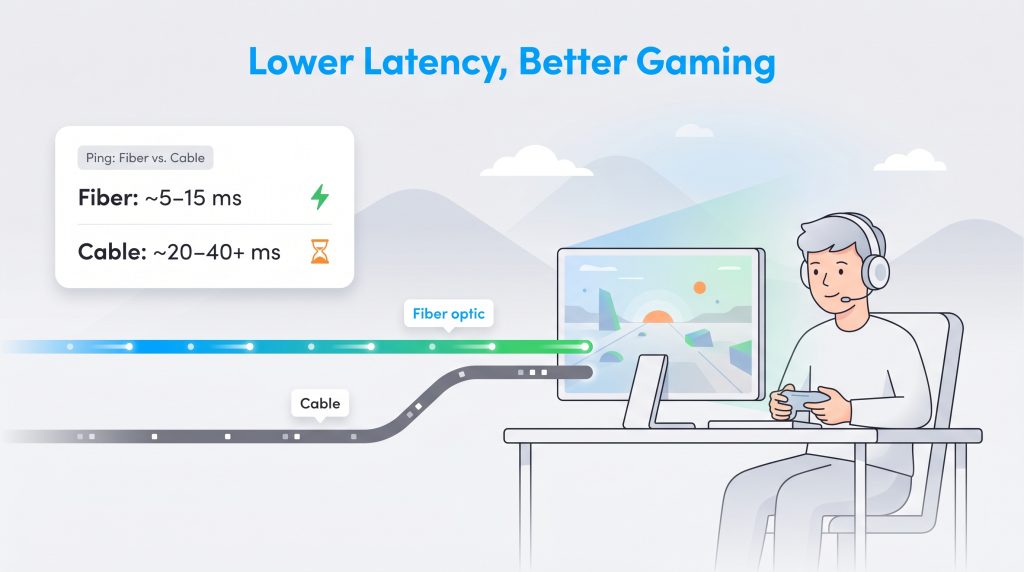
Network latency, commonly referred to as “ping,” is another critical metric you cannot afford to ignore, especially if you have dedicated gamers under your roof. Latency measures the precise milliseconds it takes for a single data packet to travel from your computer to a remote provider server and back again. If you frequently wonder, “Is fiber internet better for gaming?” the answer is a resounding yes.
Because fiber optics transmit data using the literal speed of light, its latency is incredibly low (often under 10 milliseconds). Cable relies on electrical resistance across miles of neighborhood copper, which naturally introduces tiny delays. While a 50-millisecond delay might not sound like much, it translates to frustrating lag and missed inputs during highly competitive online matches.
Furthermore, ultra-low latency makes fiber the absolute best internet for smart homes. Modern homes often run 30 or more connected internet of things (IoT) devices simultaneously — including smart thermostats, security cameras, automated locks, and voice assistants. When dozens of devices constantly ping remote servers for minor updates all day long, an electrical cable connection can create a queuing delay. Fiber handles this massive traffic volume flawlessly, ensuring your smart home commands execute instantly without any annoying hesitation.
Equipment Differences Between Cable Modems and Optical Network Terminals
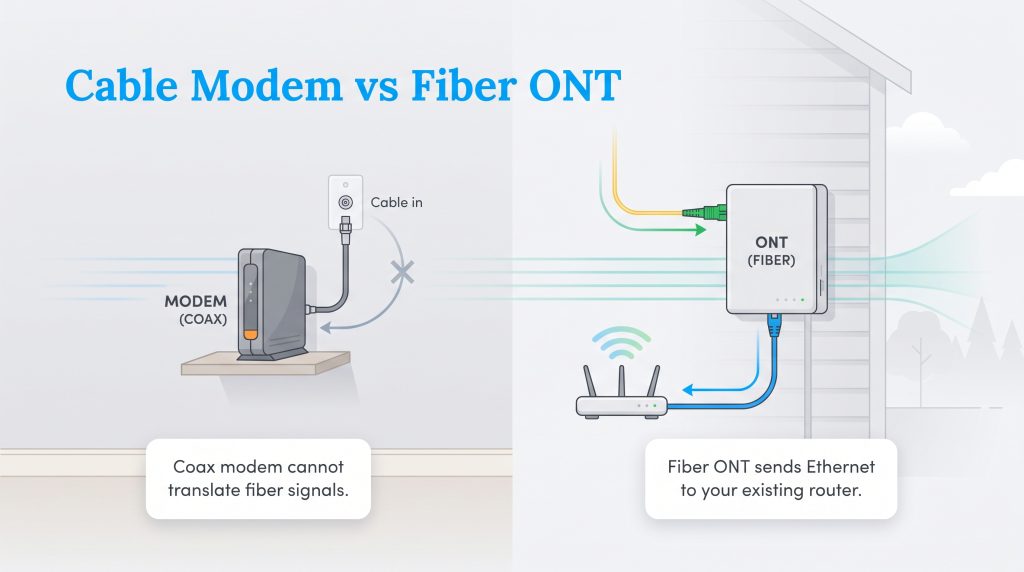
If you are moving from an apartment with standard cable into a home equipped with premium fiber, you need to understand that your old hardware won’t make the transition. To connect to a legacy cable network, you utilize a standard cable modem. This device takes the radio frequency signals traveling through your wall’s coaxial jack and translates them into a digital format your personal computer can read.
When looking at an optical network terminal (ONT) vs cable modem, the core functionality shifts entirely. Because fiber transmits raw light pulses rather than electrical frequencies, a traditional modem is completely useless. Instead, your internet provider will install an ONT — a specialized box usually mounted on the side of your house or inside your garage — that specifically translates incoming light signals into standard electrical data. Once the ONT decodes the light, it sends the connection into your home via an Ethernet cable, which you then plug into a Wi-Fi router to broadcast your local network.
Do not throw away your existing high-quality Wi-Fi router when making the switch to fiber! While you cannot use your old cable modem, your standalone Wi-Fi router will work perfectly fine when plugged directly into the provider’s newly installed Optical Network Terminal.
Reliability and Weather Resistance
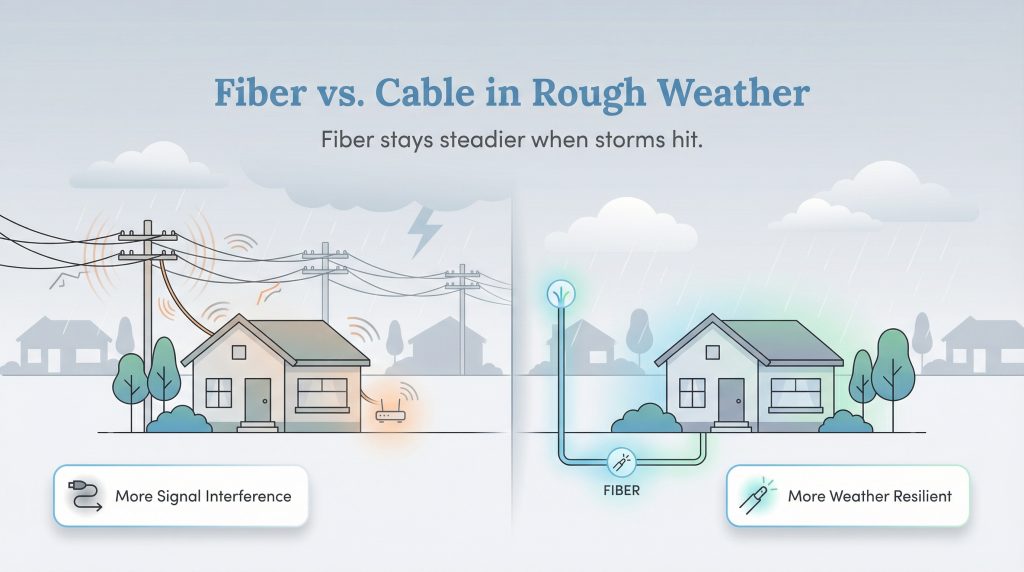
Your network’s physical resilience plays a massive role in keeping your family online during the times you need connectivity the most. Copper coaxial cables are highly susceptible to electromagnetic interference from nearby heavy machinery, local power lines, and even severe summer thunderstorms. In stark contrast, fiber internet reliability during bad weather is nearly flawless. Because glass strands do not conduct electricity, they are completely immune to electrical interference and lightning disruptions.
We also need to consider the physical lifespan and geographic signal distance of the network. Copper naturally degrades and oxidizes over time, especially when exposed to fluctuating moisture and harsh weather elements. Furthermore, electrical signals weaken over long distances, requiring providers to install power-hungry network amplifiers every few thousand feet to keep the signal alive. Fiber glass strands, however, can easily last for decades without deteriorating and can transmit perfect data packets over miles of terrain with zero measurable degradation.
If fiber hasn’t reached your neighborhood yet and you are stuck gaming or working on a legacy cable connection, always use a high-quality Ethernet cable to hardwire your most important devices directly to the router. This simple step drastically reduces wireless interference and stabilizes your latency.
Security and Data Protection
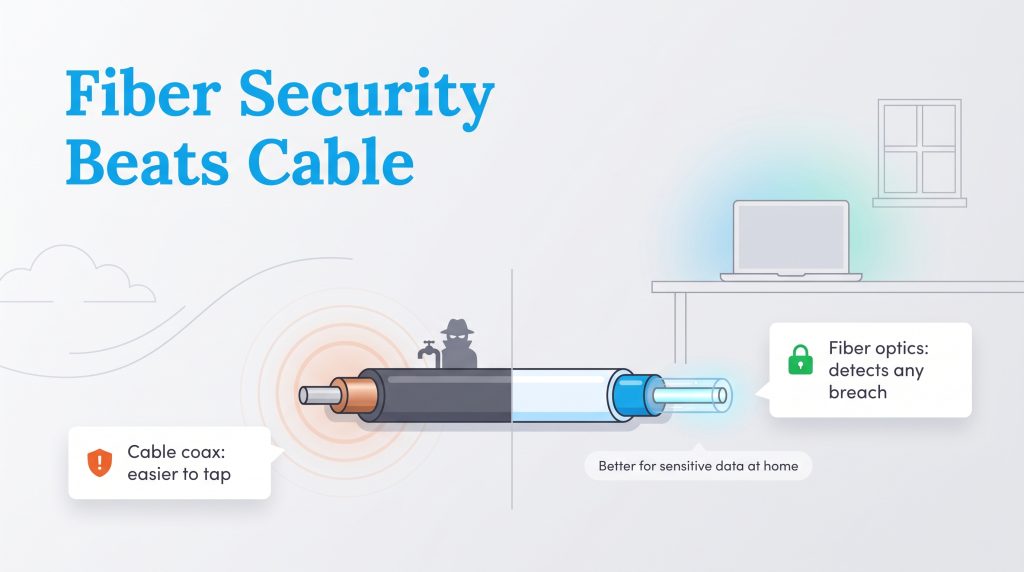
An often-overlooked advantage when comparing these two broadbands is data security. Because legacy coaxial cables rely on electricity and emit mild electromagnetic radiation, they can technically be tapped by bad actors. With the right hardware, someone can physically splice into a neighborhood copper line or use packet-sniffing tools to intercept the electronic data moving across the shared local network.
Fiber optics offer a fundamentally superior level of physical protection. Your personal data travels as light strictly contained within a highly reflective glass cladding. If a hacker attempts to physically splice or compromise the cable, the light instantly leaks out, and the signal completely drops. The network system immediately detects the breach and pinpoints the exact location of the damage, making fiber infinitely more secure for individuals managing sensitive financial or corporate data from their home office.
Cost Comparison and Hidden Fees
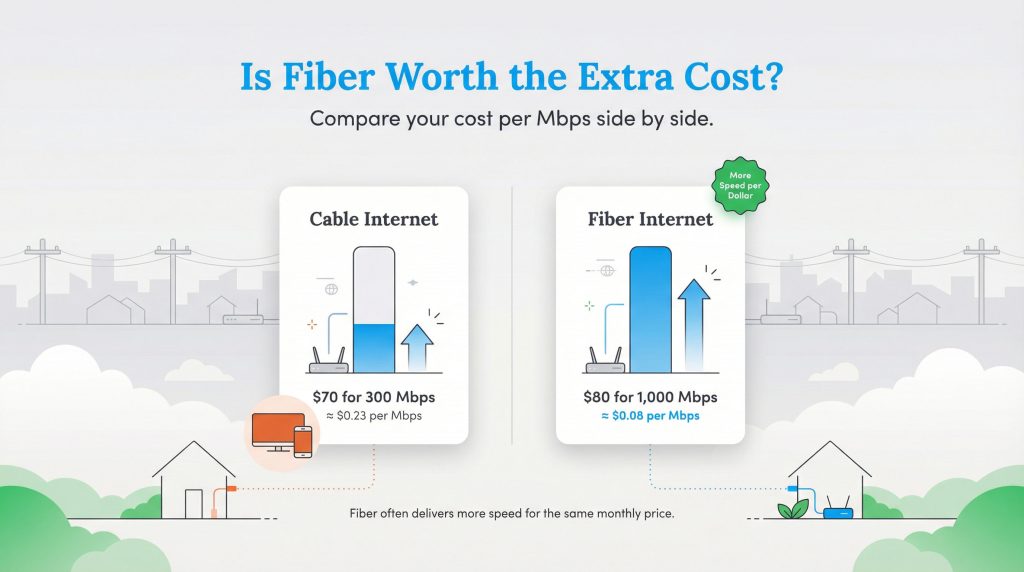
When comparing fiber optic vs cable internet cost, you have to look beyond the initial promotional rate to determine the true value. Historically, optical network access was viewed as a highly expensive luxury product reserved for elite corporate offices. However, as infrastructure rapidly expands nationwide, market pricing has become aggressively competitive. Standard cable plans generally start around $50 to $80 per month, while base-tier fiber plans typically range between $60 and $90 per month.
When you calculate your exact price-per-Mbps — dividing your monthly bill by the actual bandwidth speed you receive — fiber provides significantly more long-term bang for your buck. However, you must carefully factor in the hidden fees that providers casually bury in the fine print:
- Equipment Rental Fees: Many internet service providers charge an extra $10 to $15 monthly fee to rent their proprietary modem or ONT combo gateways. Purchasing your own compatible router can eliminate part of this cost over time.
- Installation Charges: Upgrading to a brand-new fiber connection occasionally requires a one-time professional installation fee (ranging from $50 to $100), whereas cable often supports free DIY self-installation since the wiring already exists.
- Data Overage Caps: Some major cable providers still enforce restrictive monthly data caps, charging steep penalties if your household streams too much content. Most modern fiber plans offer truly unlimited data without any arbitrary ceilings.
Availability and Installation Logistics
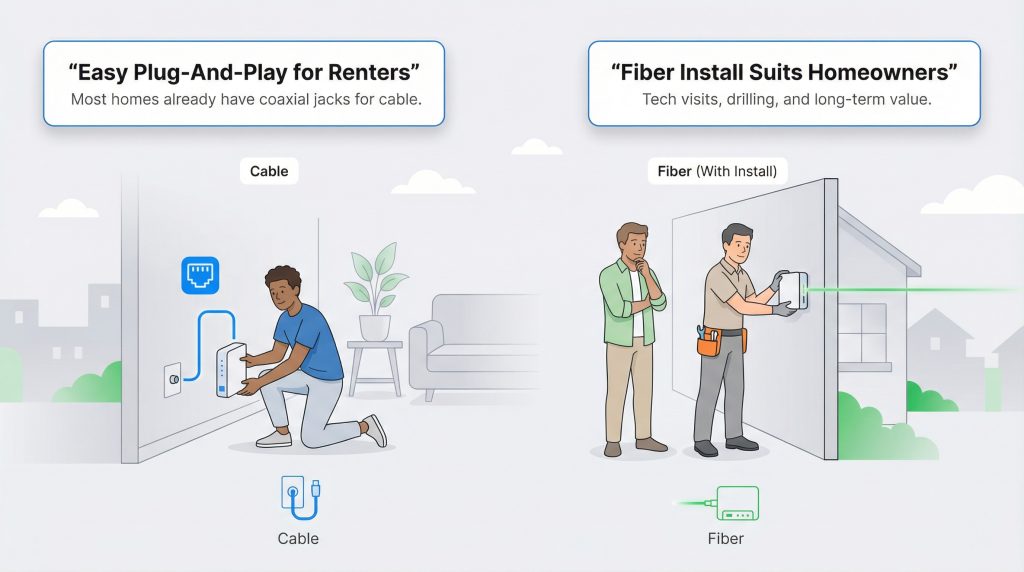
When it comes to pure availability, legacy cable holds a massive geographical advantage. Because coaxial wall jacks have been a standard feature in American housing construction for over forty years, the vast majority of rental properties and single-family homes are pre-wired for immediate service. Current estimates show that cable broadband is available to roughly 82% of households across the United States.
Conversely, fiber to the home (FTTH) availability is growing rapidly but still faces significant physical hurdles, currently reaching approximately 43% of national households. Providers strategically prioritize densely populated urban and suburban areas where they can connect the highest number of paying customers per mile of expensive new cable laid. If you live in an aging suburban development or a rural area, standard cable is highly likely your strongest option while you patiently wait for future optical expansion to reach your street.
The Environmental Impact of Your Internet Choice
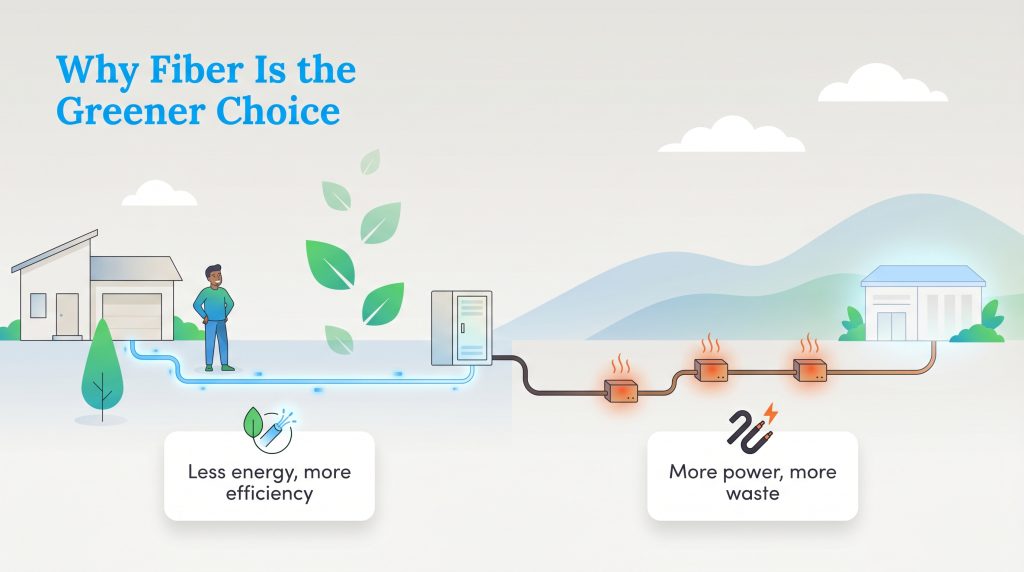
At UtilitiesForMyHome.com, we firmly believe in prioritizing the environmentally mindful choice whenever possible. When analyzing overall utility impact, fiber is undeniably the most eco-conscious alternative on the market. This highly energy-saving option relies on Passive Optical Networks (PON). These advanced physical systems use unpowered optical splitters to direct your web traffic, which drastically reduces the raw electricity required to transmit data over long distances.
In contrast, legacy copper coaxial networks require massive, power-hungry electrical amplifiers and repeaters to keep signals from degrading before they successfully reach your house. Furthermore, because glass fibers do not conduct heavy electrical currents, they generate far less ambient heat during heavy data loads. This unique property directly minimizes the broader utility industry’s reliance on massive, energy-draining cooling systems at local data processing centers.
Finally, we have to look at the massive reduction in physical e-waste. Glass strands feature a significantly longer lifespan than degradable copper, which frequently corrodes from natural moisture and harsh weather exposure. By actively choosing a fiber provider when moving into your new home, you are supporting a sustainable, lower-impact utility grid that helps heavily reduce the continuous manufacturing and disposal of outdated copper materials.
Selecting the Best Internet Connection for Your New Home
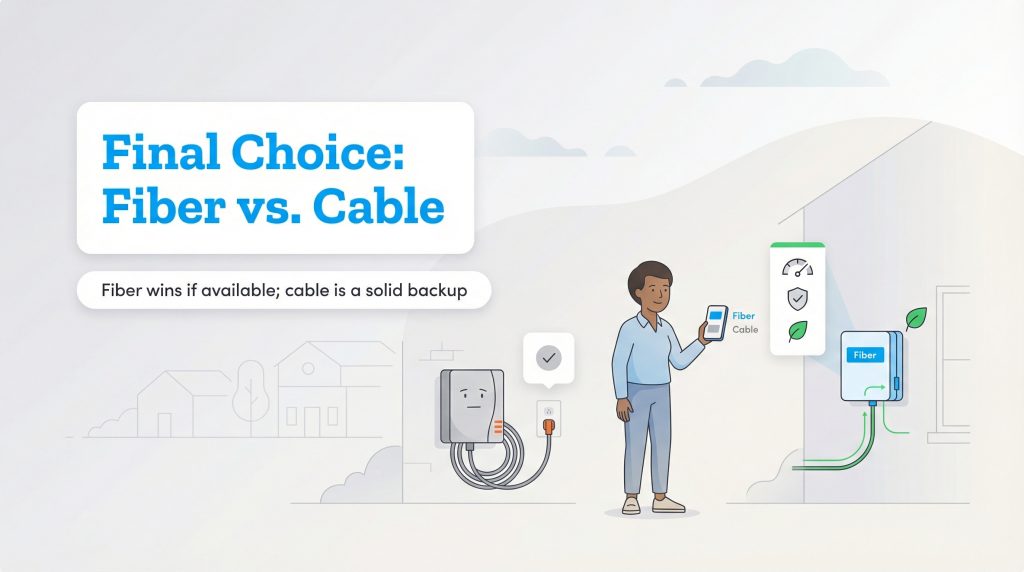
Upgrading your internet access is a major decision when moving, but finding the right fit doesn’t have to be overwhelming. If you have the luxury of accessing both networks at your new address, fiber is the undisputed champion for pure speed, flawless symmetry, and long-term future-proofing. However, cable is a reliable workhorse that easily supports the daily digital tasks of millions of modern households.
Here is exactly how to confidently decide which broadband connection makes the most sense for your lifestyle:
- Choose Cable Internet if you are: A budget-conscious renter looking for easy, plug-and-play self-installation, a rural resident without access to modern infrastructure, or a household wanting to easily bundle traditional live television and landline phone services into one bill.
- Choose Fiber Internet if you are: A remote worker heavily relying on seamless video calls and large file transfers, a competitive gamer demanding ultra-low latency, or an eco-conscious homeowner seeking the most sustainable and secure utility option available.
Before you officially lock into a multi-year utility contract with any provider, use this simple 3-step checklist to verify your home installation options:
- Check local availability carefully: Type your exact new address into your state’s broadband mapping tool or the official FCC National Broadband Map to confirm which exact providers service your specific street block.
- Compare promotional rates vs. standard rates: Always read the fine print to see precisely what your monthly bill will jump to after the introductory 12-month honeymoon period expires.
- Evaluate your true household usage: Take time to tally up the number of smart home devices, gaming consoles, and 4K streaming TVs running simultaneously. This helps determine the true bandwidth tier you actually need, preventing you from overpaying for speeds you will never utilize.
Frequently Asked Questions About Cable Versus Fiber Internet
Is fiber internet always faster than cable?
Not necessarily in terms of raw downloading power. Premium cable packages can easily offer download speeds up to 1 Gig or more, which heavily rivals many standard fiber plans. However, fiber is vastly superior when it comes to upload speeds and offers far lower latency, making the connection feel noticeably smoother and more responsive overall.
Do I need a special router for fiber internet?
Yes and no. You cannot use a traditional coaxial cable modem with a brand-new fiber connection. Instead, your internet provider will professionally install an Optical Network Terminal (ONT) to translate the raw light signals. However, once the ONT is installed, you can usually plug any modern, high-quality Wi-Fi router directly into it via a standard Ethernet cable to successfully broadcast your home network.
Can I use my existing router with a new fiber internet connection?
In most scenarios, yes. As long as your existing Wi-Fi router has a standard WAN Ethernet port on the back, you can plug it directly into the newly installed Optical Network Terminal (ONT). However, if your old router is extremely outdated, it might not be capable of properly broadcasting the faster gigabit speeds your new fiber plan provides, which means it might be time for an hardware upgrade.
Why are upload speeds faster on fiber than on cable?
Upload speeds are significantly faster on fiber because the modern technology naturally provides symmetrical bandwidth. Cable internet is inherently asymmetric; providers are forced to allocate the vast majority of the copper wire’s limited frequency spectrum exclusively to downloading, leaving very little room for uploading. Fiber’s massive bandwidth capacity allows for perfect, equal distribution.
Why is fiber internet not available in my area?
Fiber requires utility companies to lay entirely new physical infrastructure, which involves highly expensive street digging, permitting, and construction. Providers logically prioritize dense urban and expanding suburban areas where they can reach the maximum amount of paying customers with less digging. This means many older neighborhoods and rural districts must rely on reliable cable options while waiting for national optical expansion.
Is fiber internet better for gaming?
Yes, fiber internet is categorically better for gaming. Fiber optics transmit data at the speed of light, resulting in ultra-low latency (or ping) compared to the electrical resistance found in copper cable. This lower latency ensures instant input responses during competitive multiplayer matches, effectively eliminating the frustrating lag that frequently plagues standard cable connections.
Why is my cable internet slower at night?
If your speeds drop significantly between 7:00 p.m. and 11:00 p.m., you are likely experiencing cable internet peak hour network congestion. Because traditional cable infrastructure relies on shared neighborhood network nodes, your overall bandwidth naturally throttles down when all of your neighbors get home from work and start streaming movies at the exact same time. Fiber provides a dedicated line directly to your home, entirely bypassing this shared neighborhood congestion issue.
Does fiber internet increase home value?
It certainly can. Access to high-speed fiber internet is increasingly viewed as a highly necessary foundational utility for younger homebuyers, especially with the permanent rise of hybrid and remote work. Real estate professionals across the country consistently note that homes fully wired for modern broadband often see higher demand and slightly higher valuations compared to homes with strictly limited connectivity options.
Does bad weather affect cable or fiber optic internet connections?
Cable is significantly more susceptible to extreme weather interference. Copper coaxial lines can heavily suffer from electromagnetic disruption during severe thunderstorms and will easily corrode over time if exposed to ambient moisture. Because modern fiber lines are constructed out of durable glass and utilize light signals, they are entirely immune to electrical interference, making them vastly more reliable during seasonal weather events.
About the Author

David has been an integral part of some of the biggest utility sites on the internet, including InMyArea.com, HighSpeedInternet.com, BroadbandNow.com, and U.S. News. He brings over 15 years of experience writing about, compiling and analyzing utility data.

LaLeesha has a Masters degree in English and enjoys writing whenever she has the chance. She is passionate about gardening, reducing her carbon footprint, and protecting the environment. She also recently served as President of the Board for City Sprouts (a community garden).