
Understanding the Difference Between How Fast You Pull Data In and How Fast You Push It Out Is the Key to Choosing the Right Internet Plan for Your Home
Key Takeaways
- Download speed determines how fast you consume content like streaming movies, while upload speed handles sending data for video calls and gaming.
- Most cable plans offer asymmetrical speeds where download is significantly faster than upload, whereas fiber internet often provides symmetrical speeds.
- A “good” internet speed depends on your usage, but most modern households aim for at least 100 Mbps download and 20 Mbps upload.
Ever stared at an internet plan wondering what “300/10 Mbps” actually means for your daily life? You aren’t alone, as navigating the technical jargon of service providers can feel like learning an entirely new language. When you are setting up utilities in a new home, you simply want to watch Netflix without buffering or join a professional video call without your face freezing mid-sentence. Whether you are dealing with asymmetrical internet plans from a traditional cable company or exploring modern fiber options, we are here to decode the core difference between download vs. upload speed. Our goal is to help you determine exactly how much bandwidth you need so you don’t overpay for capacity you’ll never use or find yourself stuck with a connection that continually drops during crucial moments.

- Fios Home Internet starts as low as $20/mo. Terms apply.
- Free NFL Sunday Ticket from YouTube
- Fiber speeds up to 2.3 Gbps
- Modem w/ WiFi included.

Download vs. Upload Speed: What’s the Difference?
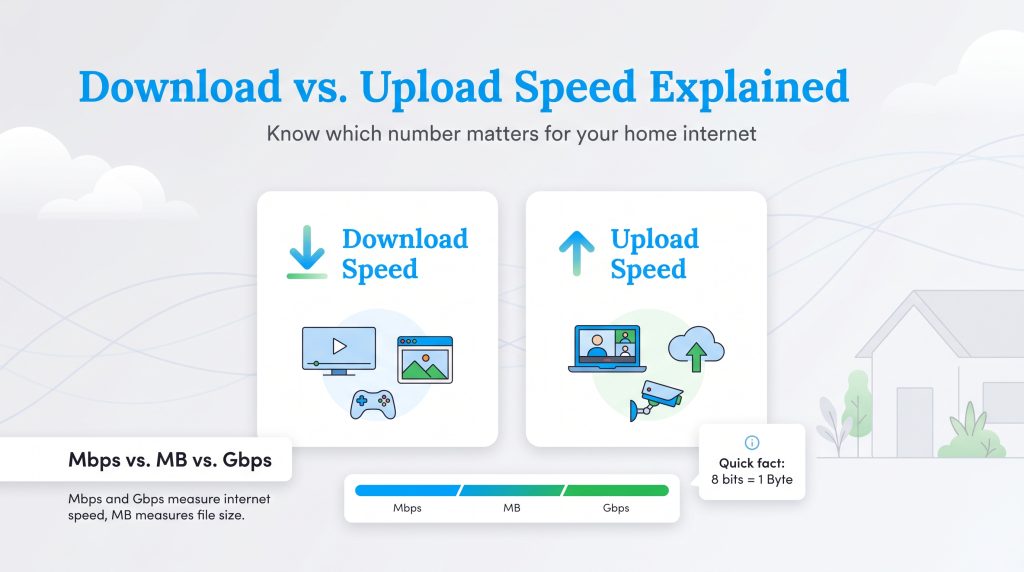
To pick the perfect plan for your new place, you first need to distinguish between the two main types of data transfer. While most internet service providers market their packages using only the flashy download number, understanding both metrics is the absolute secret to building a reliable home network.
What Is Download Speed?
Download speed refers to how quickly your internet connection retrieves data from the web and pulls it down to your personal device. You rely on this inbound bandwidth for almost everything you passively do online, such as delivering media directly to your smart TV or smartphone. Common activities that rely strictly on your download speed include:
- Streaming pristine 4K movies on Netflix, Hulu, or Disney+.
- Loading image-heavy webpages or casually scrolling through social media feeds.
- Downloading massive video game files and frequent software updates to your console.
What Is Upload Speed?
Upload speed is the exact opposite metric, measuring how fast your network can send data out from your home back into the broader internet. While shoppers historically only scrutinized download numbers, robust upload capacity has quietly become the unsung hero of the modern work-from-home era and the backbone of smart home connectivity. Common activities that rely heavily on your upload speed include:
- Presenting to your colleagues on Zoom or Microsoft Teams without your screen freezing.
- Backing up massive family photo folders or critical work files to cloud storage.
- Pushing continuous live security footage from your smart cameras directly to your phone.
- Broadcasting live video feeds or posting high-resolution content to social media platforms.
Mbps vs. MB vs. Gbps: Decoding Speed Metrics
When you are trying to calculate how long a specific file will take to transfer, it is critical to understand the units of measurement. Internet speeds are historically measured in Mbps (Megabits per second), while file sizes saved on your hard drive are measured in MB (Megabytes). These two acronyms look nearly identical, but they mean very different things.
Furthermore, as modern fiber optic networks expand globally, providers have aggressively started marketing plans using Gbps (Gigabits per second). Gbps simply represents a massive, next-generation step up in bandwidth capacity. To easily convert the numbers your provider advertises, use this straightforward guide:
- 1,000 Mbps is equal to 1 Gbps (One Gigabit per second).
- 500 Mbps is equal to 0.5 Gbps (Half a Gigabit per second).
- 2,000 Mbps is equal to 2 Gbps (Two Gigabits per second).
📌 Quick Fact: There are 8 bits in 1 Byte. This means a 100 Mbps connection does not download 100 Megabytes in one single second. In perfect network conditions, it would actually take about 8 seconds to download a 100 MB file.
Symmetrical vs. Asymmetrical Internet
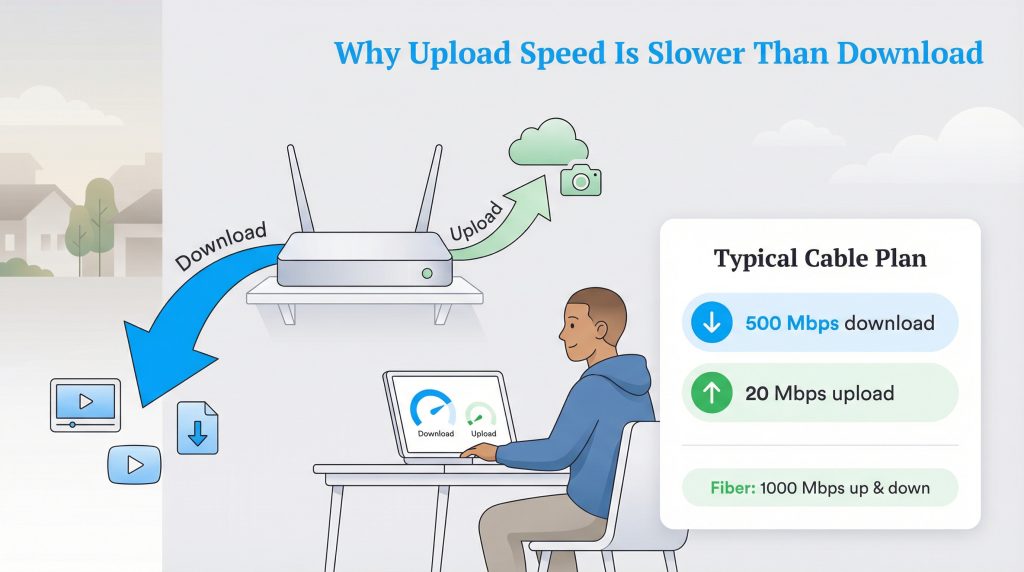
If you look at a typical plan from a major internet provider, you might notice a massive gap between the two numbers, such as 500 Mbps download but only 20 Mbps upload. This frustrating disparity is exactly what the telecommunications industry calls asymmetrical internet.
Historically, early internet usage was highly passive. People spent the vast majority of their time consuming content rather than actively creating or broadcasting it. Consequently, telecommunications companies engineered their copper and coaxial networks to prioritize the “download lanes” to accommodate this specific flow of traffic. The physical wiring simply couldn’t handle massive two-way data streams, creating an asymmetrical bottleneck where high download speeds are paired with severely limited upload capabilities. Today, this legacy infrastructure actively restricts remote workers who desperately need robust upload speeds for video calls and large file transfers.
The Best Connection Type for Your Home
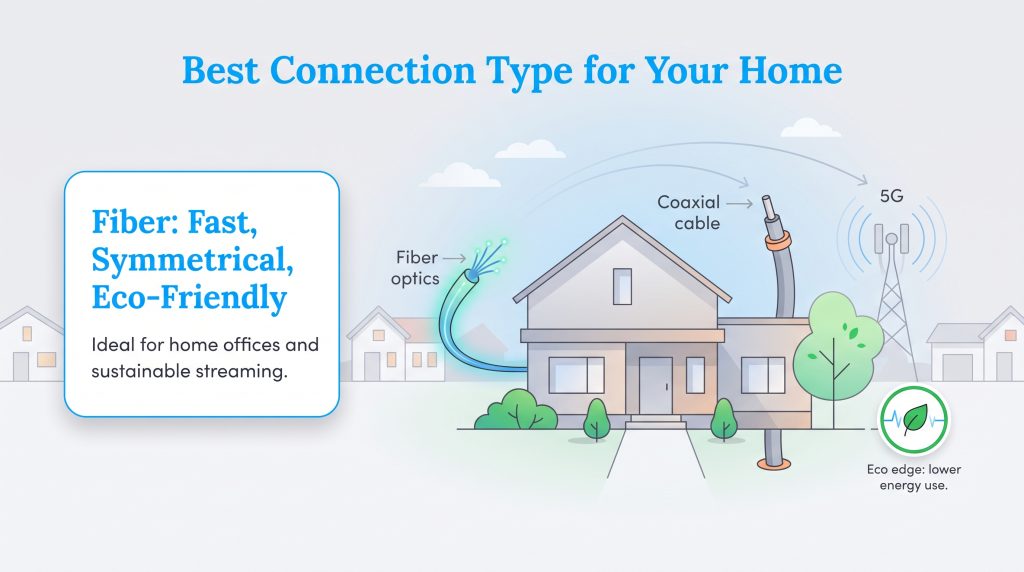
Not all internet connections are built the same, and the type of technology wired directly to your neighborhood will ultimately dictate the maximum speeds available to you. Understanding the core capabilities across various networks is essential for setting realistic performance expectations.
If you require symmetrical speeds to run a home office seamlessly, you must confidently choose fiber optic internet. Fiber relies on incredibly thin strands of glass to transmit data using light pulses, giving it a massive bandwidth capacity that effortlessly handles heavy two-way traffic. Furthermore, fiber networks consume significantly less power to transmit data over long distances compared to traditional copper wiring, making it the premier eco-conscious alternative for a modern home.
Cable internet remains the most widely available option in the United States, offering fantastic download speeds that max out around 1,000 Mbps. However, its restrictive upload capacity often fails to meet modern demands. Alternatively, 5G Home Internet has rapidly emerged as a popular wireless option, relying on local cellular towers to deliver respectable speeds without requiring intrusive underground home installations.
🌱 Eco Edge: Because fiber networks transmit data using light pulses rather than electricity, they generate less heat and require less mechanical cooling at data centers, making them an environmentally mindful choice.
How Much Speed Do You Actually Need?
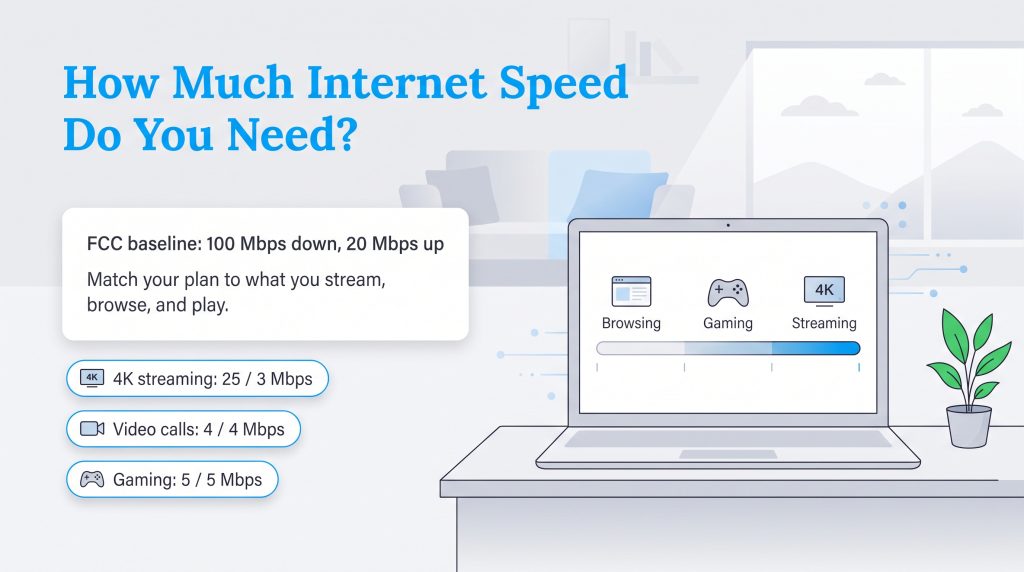
When you sit down to determine your internet speed requirements, a “good” speed is entirely relative to exactly what you do online. Exorbitant numbers look impressive on a billboard advertisement, but you certainly do not need top-tier gigabit performance if your daily routine primarily involves answering emails. To keep up with modern demands, the Federal Communications Commission (FCC) officially updated its standard broadband definition, stating that a reliable connection must provide at least 100 Mbps download and 20 Mbps upload.
To answer the common question of what is a good download and upload speed for your specific home, you must look at the specific applications your household relies on every single day. We compiled the baseline minimum speed requirements by activity to help you accurately benchmark your needs:
| Activity | Minimum Download Speed | Minimum Upload Speed |
|---|---|---|
| Streaming 4K Video | 25 Mbps | 3 Mbps |
| Zoom Video Calls (Group HD) | 4 Mbps | 4 Mbps |
| Online Multiplayer Gaming | 5 Mbps | 5 Mbps |
| Basic Web Browsing | 3 Mbps | 1 Mbps |
Deciding on the Right Internet Tier
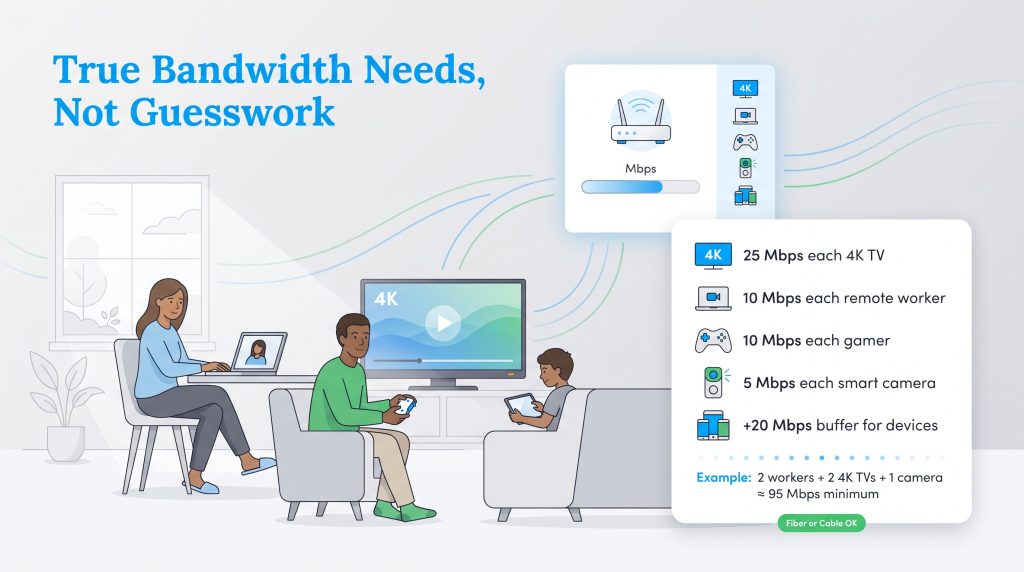
To actively prevent overpaying on your monthly utility bill, carefully align your internet plan to your specific household size and daily habits. Instead of guessing, find where your lifestyle fits within these three distinct homeowner profiles to select the exact bandwidth tier you require:
- The Basic Browser: If you live alone, casually scroll through social media, and only occasionally stream a movie in standard definition, you do not need gigabit speeds. You should comfortably purchase a tier offering 50 to 100 Mbps for your download speed and 5 to 10 Mbps for your upload speed. This cost-effective range effortlessly handles your routine without wasting money on unused capacity.
- The Heavy Streamer: For households with multiple people who love to binge-watch 4K content or play competitive video games simultaneously, download bandwidth is king. Target a plan providing between 300 to 500 Mbps download speed. Because multiplayer gaming only requires minimal outbound data, an upload speed for streaming around 15 to 20 Mbps will keep your connection reliable and lag-free.
- The Remote Work Family: When two adults are working from home, hosting virtual meetings, and pushing large presentation files, robust upload capacity becomes critical. You should actively seek out a symmetrical fiber plan offering at least 500 Mbps for both download and upload speeds. This ensures your video calls never freeze and your screen sharing remains perfectly crisp.
💸 Money-Saver: Rental fees for provider-issued modems and routers can easily add up to over $150 a year. Buying your own equipment pays for itself very quickly. Just make sure the modem you purchase is explicitly compatible with your chosen provider and officially rated to handle your plan’s maximum speeds.
Latency vs. Speed: The Hidden Performance Factor
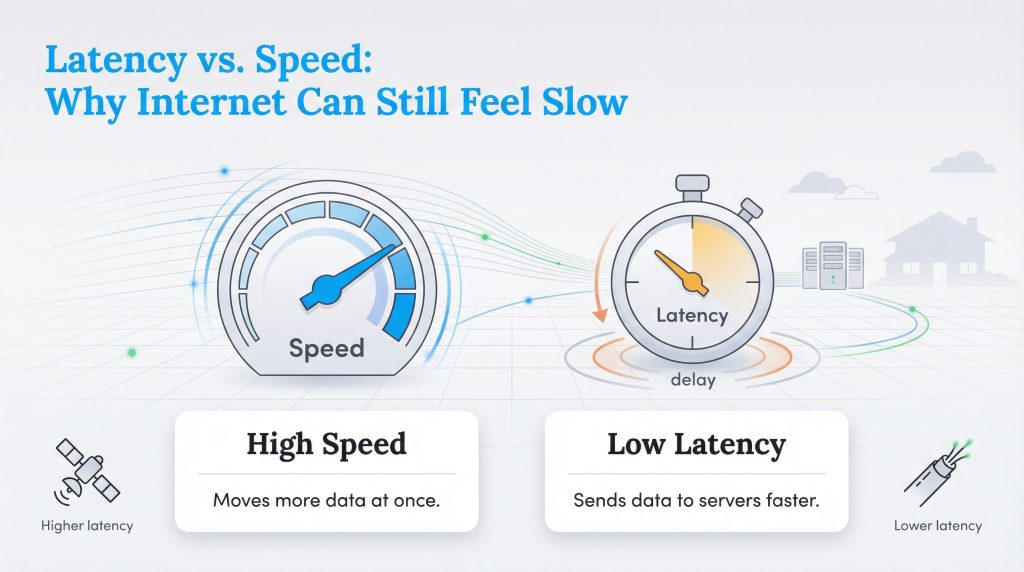
Sometimes you might pay for a blazingly fast plan, but your internet still inexplicably feels sluggish. This frustrating phenomenon is almost always due to latency. While your download speed measures exactly how much data can move through your connection all at once, latency measures exactly how fast a single, tiny piece of data travels from your computer to a distant server and back. High latency directly causes that awkward delay in virtual meetings and results in noticeable lag during online gaming, making low-latency fiber networks the undisputed champion for real-time digital activities.
How to Check Your Current Speeds
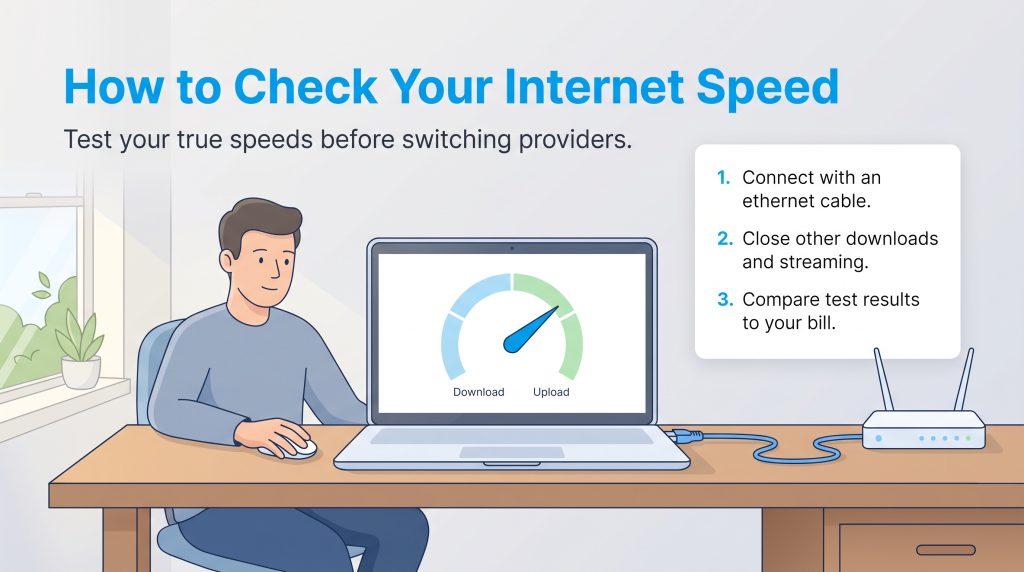
Before you start shopping around for a new provider, you must figure out how to test internet speed accurately on your existing network. This quick diagnostic check ensures you are actually receiving the bandwidth you pay for every month. Follow these three imperative steps to test your connection:
- Connect via an ethernet cable: For the most accurate reading possible, plug your laptop or desktop directly into the back of your router using a physical ethernet cord. This immediately eliminates unpredictable Wi-Fi interference that can artificially lower your results.
- Pause all background downloads: Ensure no one else in the house is streaming movies, and temporarily pause any heavy cloud backups or game updates running in the background. You need a completely clear network to measure your maximum overall capacity.
- Compare the final results to your internet bill: Navigate to a free online speed test, run the diagnostic, and check the final download and upload numbers. Pull up your recent utility statement and compare the test results to your advertised plan tier to guarantee you aren’t being shortchanged by your provider.
How to Troubleshoot Slow Upload Speeds
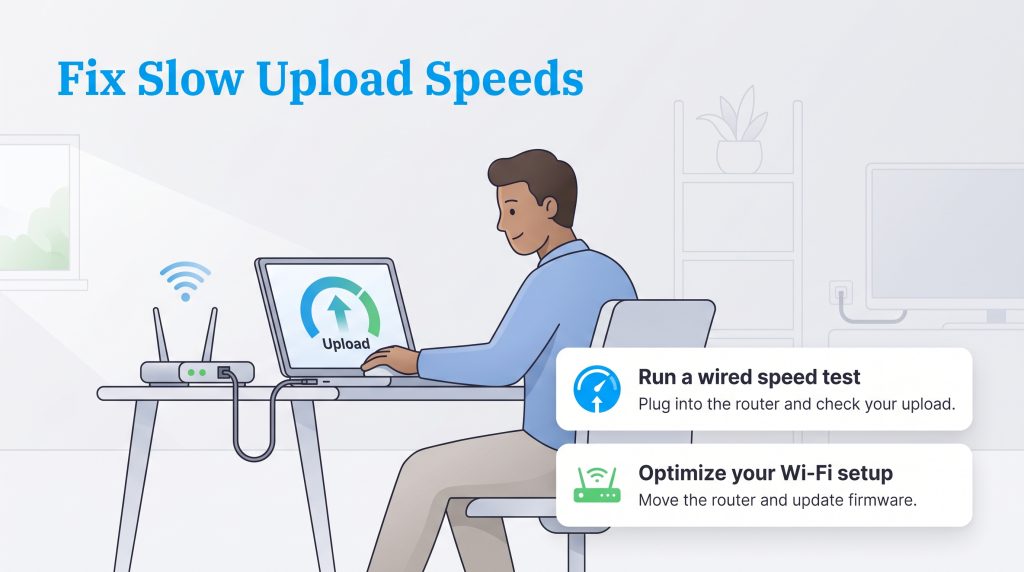
If your recent speed test results are significantly lower than expected, or you frequently ask yourself why is my upload speed so slow, you must confidently troubleshoot your slow internet. Relocate your wireless router to a highly central, elevated, and open location in your home, keeping it far away from thick masonry walls that inherently block Wi-Fi signals.
Additionally, hardwire stationary devices like smart TVs and gaming consoles to free up valuable Wi-Fi spectrum for your roaming smartphones and tablets. If your phones automatically back up massive photo albums during the day, they will monopolize your upload capacity, so adjust your device settings to exclusively run these demanding backups overnight. If you are relocating to a massive metro area like Houston, securing the absolute best infrastructure for your home office setup before you sign a lease remains paramount.
Securing the Right Internet Plan for Your Home
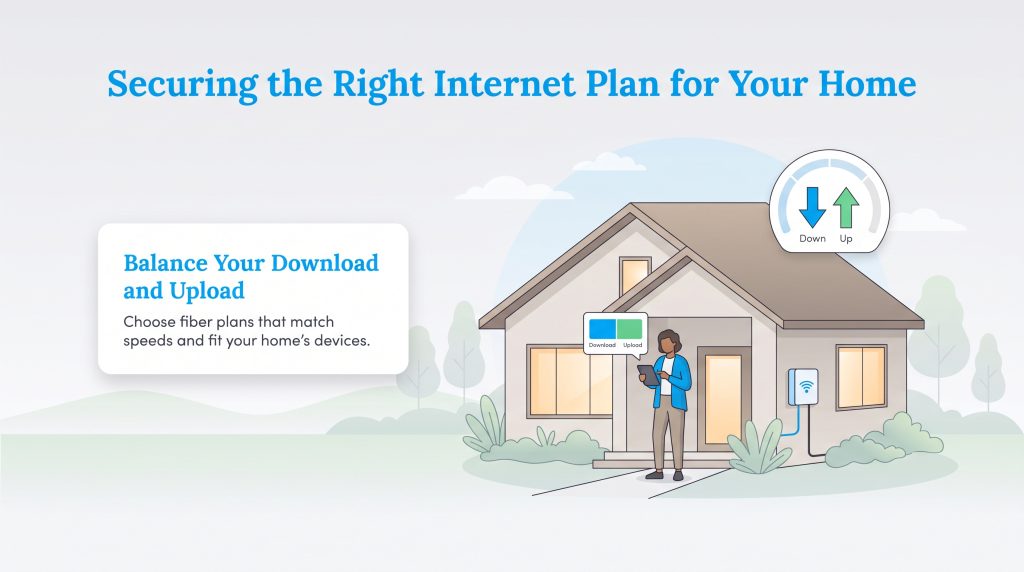
While an enormous download speed number is practically guaranteed to grab the headlines in glossy provider advertisements, a robust upload speed truly remains the unsung hero of a functional, frustration-free digital home. Before you lock yourself into a multi-year contract, take a realistic, honest inventory of the connected devices currently operating under your roof and calculate your true bandwidth requirements.
Striking the perfect balance between your download and upload capabilities means you can stop worrying about frustrating buffering icons and confidently start enjoying a seamless, hyper-connected home experience. Whenever it is available at your address, fiber internet remains the undeniable gold standard, offering matching symmetrical speeds that keep your connection incredibly fast, remarkably reliable, and proudly energy-efficient. By prioritizing modern hardware and demanding transparent upload minimums from your provider, you protect your digital lifestyle for years to come.
Frequently Asked Questions About Internet Speeds
What is a good download and upload speed?
The Federal Communications Commission (FCC) defines standard broadband as at least 100 Mbps download and 20 Mbps upload. A truly “good” speed entirely depends on your daily habits. For casual browsing, 50 Mbps is plenty. However, families with multiple 4K streams and remote workers should aim for 300 to 500 Mbps download speeds and at least 20 Mbps upload speeds.
What is the difference between download and upload speed?
Download speed is the exact rate at which you pull data from the internet directly to your personal device, like when you are actively watching a streaming video or loading a complex webpage. Conversely, upload speed is the rate at which you send data from your device outward to the internet, such as when you post a video to social media or broadcast your webcam feed. Passive home activities heavily rely on download speed, but interactive activities like remote video calling require excellent upload speed.
Why is my upload speed so much slower than my download speed?
This speed disparity is mostly due to the structural, technical limitations of traditional copper and coaxial cable networks, which were originally built decades ago to prioritize incoming TV signals and massive data downloads. Internet Service Providers (ISPs) purposely allocate far more bandwidth to their download channels. Fiber optic networks, however, typically do not share this physical limitation and confidently offer symmetrical, matching speeds.
Does upload speed matter for online gaming?
Yes, but surprisingly not as much as download speed. For standard multiplayer gaming, you only need an upload speed for gaming of about 3 to 5 Mbps to communicate smoothly with the game servers. However, you must prioritize a low-latency connection to prevent lag. If you intend to live stream your console gameplay on Twitch or YouTube, your upload demands skyrocket, requiring at least 10 to 15 Mbps of dedicated upload bandwidth.
Why is my internet fast but my video calls keep freezing?
If speed tests repeatedly show great download numbers but your Zoom or Microsoft Teams calls constantly freeze, you likely suffer from insufficient upload speed or noticeably high latency. Video conferencing requires a strong, consistent outgoing data stream. If multiple people in your home are using the internet simultaneously or a smartphone is silently backing up files to the cloud, it can quickly choke your upload bandwidth and cause your live video feed to severely stutter.
Does a Wi-Fi extender improve my upload speed?
No, a Wi-Fi extender will not fundamentally improve your core upload speed. An extender merely takes your existing wireless signal and pushes it further across your house to help eliminate frustrating dead zones. If your internet service provider physically caps your upload capacity at a maximum of 10 Mbps at the modem level, no extender or mesh network can magically increase that hard limit.
What is a good internet speed for working from home?
We generally recommend securing at least 50 to 100 Mbps of download speed and an absolute minimum of 10 Mbps of upload speed per person actively working from your home network. This wonderfully healthy allocation ensures you can effortlessly handle high-quality video conferencing platforms, large corporate file transfers, and demanding cloud-based applications simultaneously without running into frustrating digital traffic jams.
Do I need symmetrical internet speeds for working from home?
While not strictly mandatory to function, symmetrical speeds (which are primarily offered by advanced fiber internet providers) are incredibly beneficial for a remote work lifestyle. Having equal upload and download speeds ensures that pushing large presentation files to the cloud or hosting multi-person HD video calls doesn’t immediately throttle and slow down the rest of your home network, providing a beautifully smooth experience for every single user in the house.
About the Author

David has been an integral part of some of the biggest utility sites on the internet, including InMyArea.com, HighSpeedInternet.com, BroadbandNow.com, and U.S. News. He brings over 15 years of experience writing about, compiling and analyzing utility data.