

Finding The Right Internet Speed Depends On Your Actual Household Activities, Not Just The Biggest Number A Provider Tries To Sell You
Key Takeaways
- A baseline of 100 Mbps download and 20 Mbps upload is the minimum, but 200 Mbps is the recommended sweet spot for a modern home.
- Matching your internet plan to your lifestyle prevents you from overpaying for unnecessary bandwidth, like expensive Gigabit plans you might not use.
- Multiple smart home devices rely on shared upload capacity, making router placement and plan sizing critical for an eco-conscious household.
Wondering what is a good internet speed for your new home? For most standard households, a good download speed sits at a minimum of 100 Mbps, while a good upload speed should be at least 10 Mbps to keep video calls and smart devices running smoothly. Internet service providers love to push lightning-fast, premium-priced packages, but securing a reliable connection doesn’t mean you have to sign up for their priciest tier. By looking past the marketing jargon and evaluating your actual daily usage, you can lock in a Wi-Fi plan that keeps your remote office, 4K streaming platforms, and eco-conscious smart home appliances functioning flawlessly without overpaying.
How Many Mbps Do I Need?
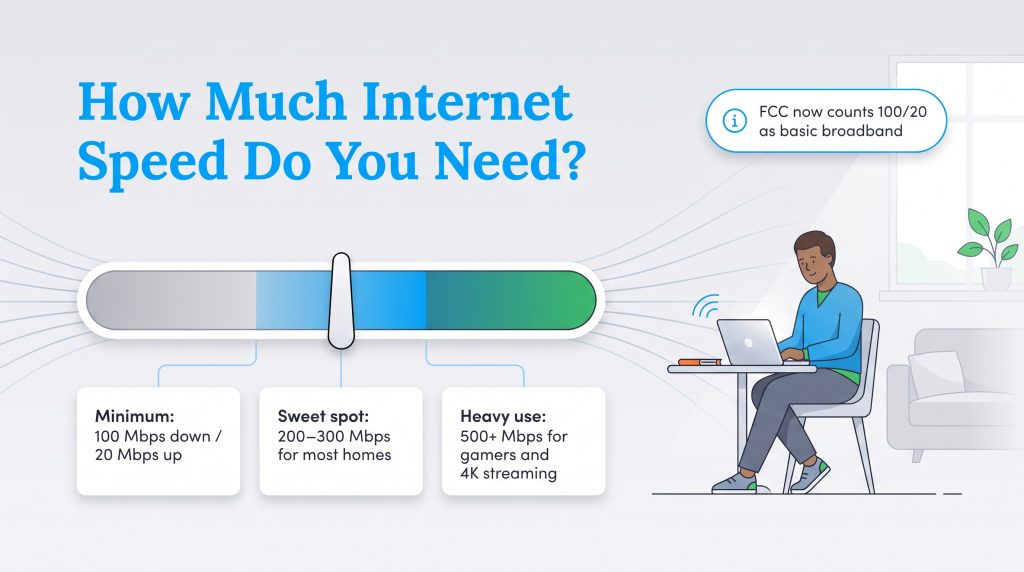
Figuring out exactly how many mbps do I need does not require a degree in computer science. Because bandwidth is shared across your entire network, your required capacity compounds with every active device you connect. To easily visualize how much internet speed you really need and secure a smooth connection without overpaying for excessive capacity, match your household to one of these three distinct user tiers:
- Light Users (50 to 100 Mbps): This tier is perfect for a single individual or a couple with relatively basic connectivity needs. A standard 100 Mbps download speed is plenty for checking emails, scrolling social media feeds, and operating one or two basic smart home speakers.
- Medium Users (200 to 500 Mbps): The recommended sweet spot for a modern home. This is the ideal internet speed for a family of three or four hosting daily video conferences, simultaneously streaming ultra-high-definition television shows, and maintaining an eco-conscious smart home ecosystem.
- Heavy Users (500+ Mbps): The heavy-duty option is reserved for high-demand households full of competitive gamers, heavy 4K streamers, and permanent remote workers who need massive bandwidth pipes to transfer huge files rapidly.
📌 Quick Fact: The Federal Communications Commission recently updated its benchmark, raising the national standard for basic broadband to at least 100 Mbps download and 20 Mbps upload to better reflect modern digital needs.
Download Speed Vs Upload Speed What Is The Difference?
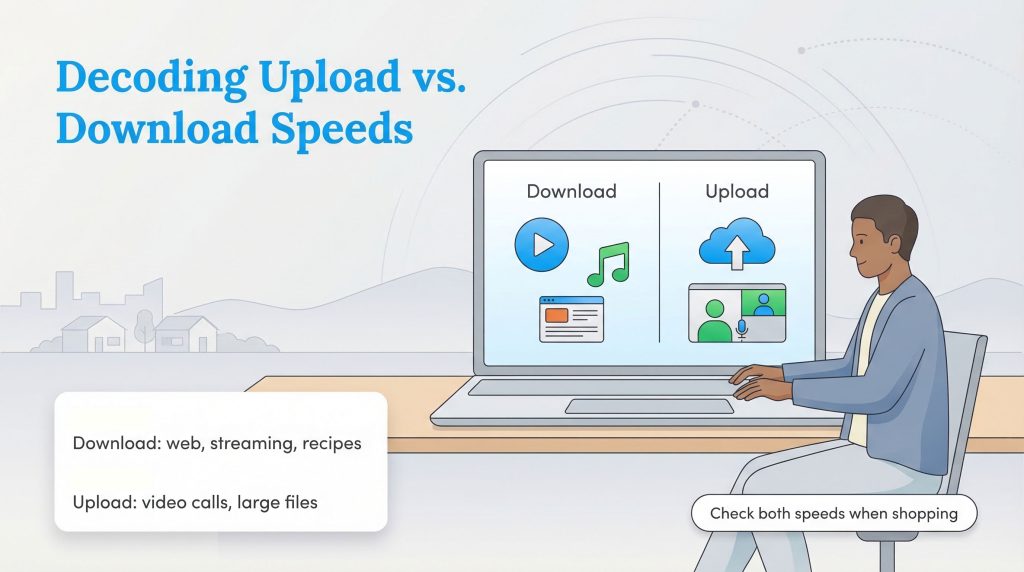
Internet service providers throw a lot of acronyms around, making it tough to figure out what you are actually buying. Megabits per second, or Mbps, is the standard measurement for how much data moves across your connection every second. To understand what is a good upload and download speed, you have to separate how data actually travels across your network. When you start comparing different home internet services, ensuring your provider delivers strong performance across these specific metrics guarantees your new connection won’t bottleneck your productivity:
- Download Speed: This dictates how fast information travels from the web down to your device. You rely heavily on this capability when pulling up a recipe, downloading a movie, or streaming music. Most standard internet plans heavily prioritize downloading power.
- Upload Speed: This handles the exact opposite journey, pushing data from your computer out into the internet. You use upload bandwidth when attaching a large presentation to a shared work drive, posting a high-resolution photo, or speaking clearly on a video call without freezing.
- Latency (Ping): This refers to the brief fraction of a second it takes for your device to send a signal to a server and receive a response back. Good ping is essential because high latency results in frustrating delays during competitive gaming or awkward overlapping conversations during a video conference.
Recommended Internet Speeds By Activity
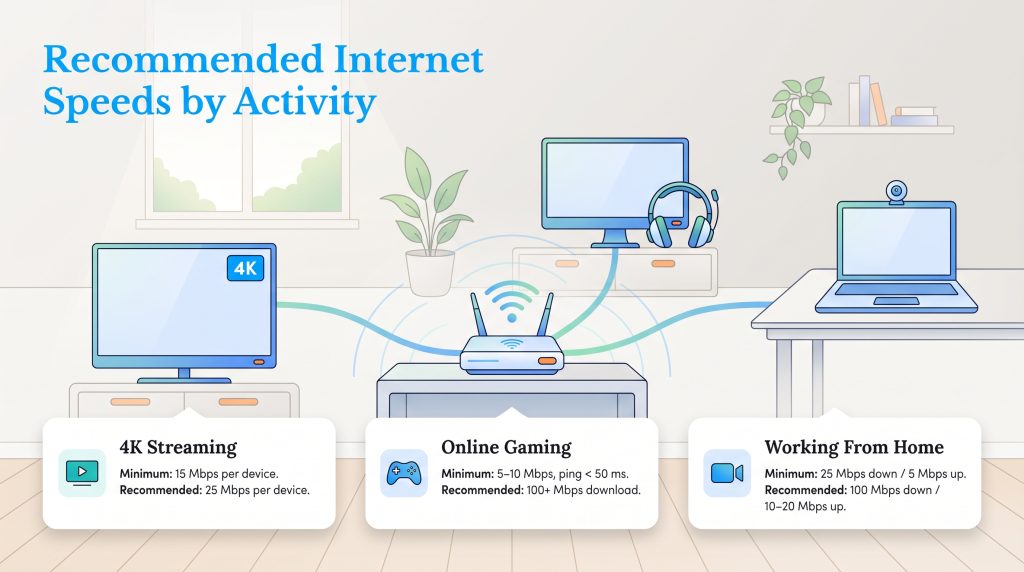
Different applications require vastly different amounts of bandwidth to function properly. One of the easiest ways to stop guessing and figure out exactly how much internet speed you need is to look at your family’s most common daily tasks.
Best Internet Speed For Streaming 4K
Video streaming usually adapts to your available speed, but to prevent the video from pausing to buffer, you need a dedicated pipeline. Platform guidelines state that Netflix officially recommend 15 Mbps for a single 4K stream, but budgeting 25 Mbps per screen is much safer if other people in the house are online.
- Minimum Required: 15 Mbps per device
- Recommended Speed: 25 Mbps per device
Best Internet Speed For Gaming
A good internet speed for gaming relies just as much on low latency as it does on raw download power. A stable connection ensures your controller inputs register instantly on the multiplayer server.
- Minimum Required: 5 to 10 Mbps download (with ping under 50 milliseconds)
- Recommended Speed: 100+ Mbps (to download massive game updates and patches quickly)
Best Internet Speed For Working From Home
Your work from home internet speed requirements depend heavily on how much time you spend on camera. Video conferencing demands strong, symmetrical performance so your co-workers can hear and see you clearly.
- Minimum Required: 25 Mbps download and 5 Mbps upload
- Recommended Speed: 100 Mbps download and 10 to 20 Mbps upload
Mbps Vs Gbps Explained
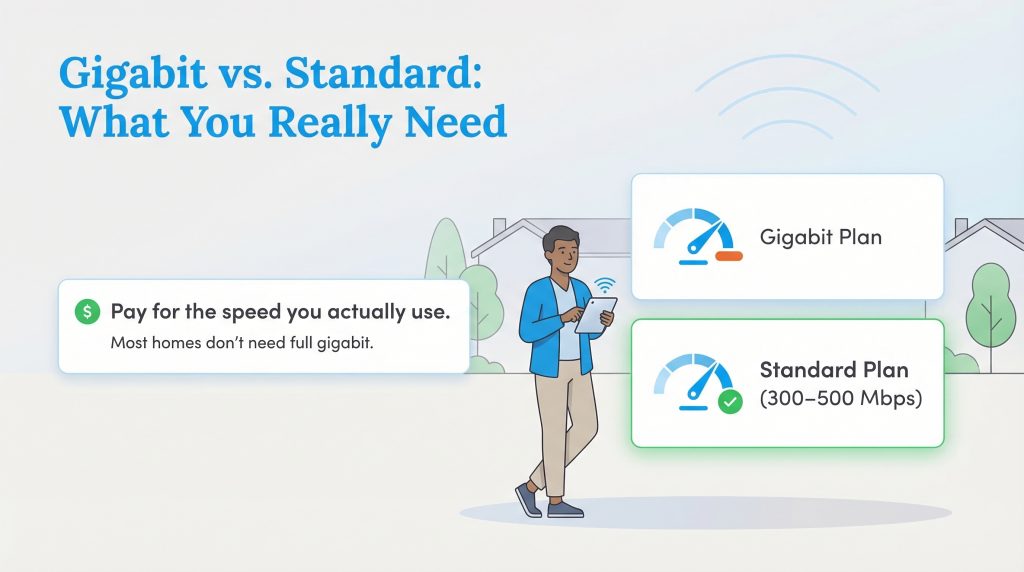
As you shop for plans, you will notice speeds listed in either Mbps or Gbps. Simply put, 1,000 Megabits per second (Mbps) equals 1 Gigabit per second (Gbps). Internet providers aggressively push their ultra-fast Gigabit packages during the sign-up process. While a massive connection sounds incredibly impressive, the vast majority of households simply do not need that much capacity. Treating your internet speed choice exactly like lowering your monthly utility costs ensures you only pay for exactly what you consume, ultimately lowering your internet bill.
🚩 Heads Up: Wondering who actually needs Gigabit internet? A 1 Gbps plan is best suited for power users, content creators uploading massive video files, and large smart homes where five or more people are actively streaming 4K video or gaming at the exact same time.
How Household Size Impacts Your Internet Connection
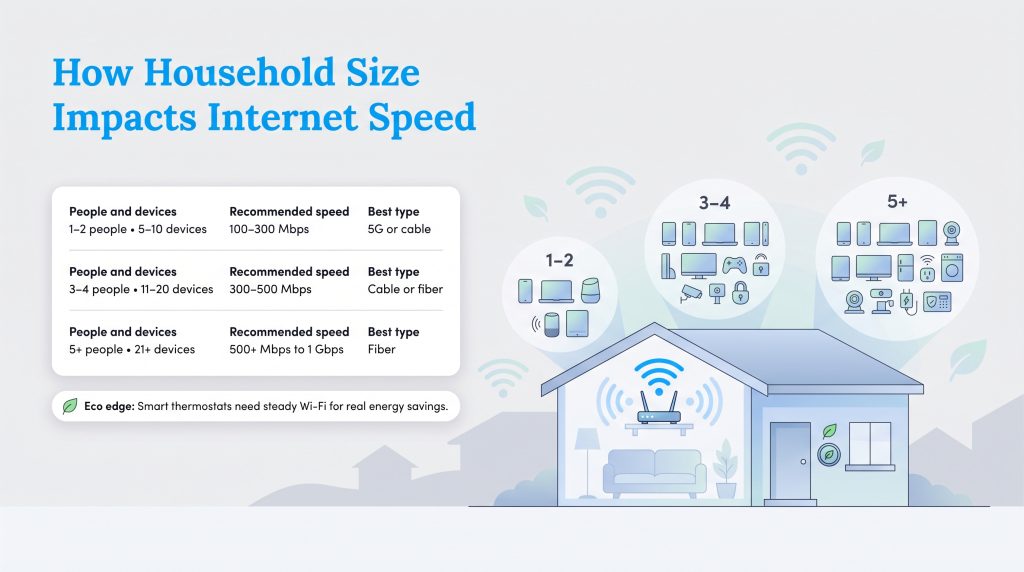
Modern conveniences offer incredible control over our living spaces, but they also introduce a hidden strain on our routers. When calculating a good internet speed for a high-tech setup, you must account for all the people and devices actively communicating with the cloud behind the scenes. Security cameras, automated locks, and smart appliances constantly draw background data to install firmware updates and maintain their connection to your mobile apps. The table below maps out how your household size directly influences your bandwidth requirements and the optimal connection type, whether you are comparing fiber vs cable internet or modern 5G.
| Household Size | Total Recommended Mbps | Common Device Counts | Best Internet Type |
|---|---|---|---|
| 1–2 People | 100–300 Mbps | 5–10 Devices | 5G or Cable |
| 3–4 People | 300–500 Mbps | 11–20 Devices | Cable or Fiber |
| 5+ People | 500+ Mbps to 1 Gbps | 21+ Devices | Fiber |
🌱 Eco Edge: Installing an ENERGY STAR-certified smart thermostat is a fantastic, environmentally mindful choice that lowers your carbon footprint. However, to maximize those efficiency benefits, the thermostat requires a reliable, continuous Wi-Fi foundation to pull local weather data and adjust temperatures based on your real-time location.
Factors That Slow Down Your Wi-Fi
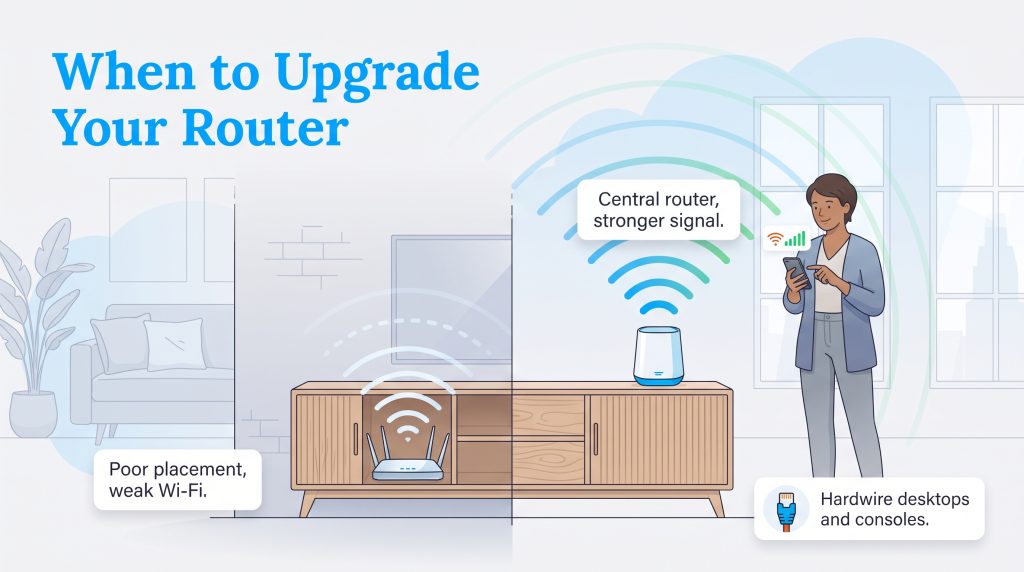
Many people confuse their internet plan with their wireless network, assuming that paying for a higher speed tier will automatically cure their buffering woes. However, upgrading your internet package will not solve your connectivity issues if your home environment is the actual bottleneck. Knowing what slows down Wi-Fi can save you hundreds of dollars in unnecessary upgrades. Watch out for these common culprits:
- Poor Router Placement: If your router is hidden inside a wooden media console or blocked by thick brick walls, your signal will degrade rapidly. The Fix: Move your router to a central, elevated location to eliminate dead zones.
- Network Congestion: Too many devices fighting for the same wireless channel can create a digital traffic jam during peak evening hours. The Fix: Hardwire stationary devices like desktop computers or gaming consoles directly to the router using an Ethernet cable to free up valuable wireless bandwidth.
- Outdated Hardware: A router that is more than four years old will struggle to broadcast higher speeds, even if you pay for a premium fiber connection. The Fix: Upgrade to a modern mesh Wi-Fi system to blanket your entire property with a strong, efficient signal.
How To Test Your Internet Speed
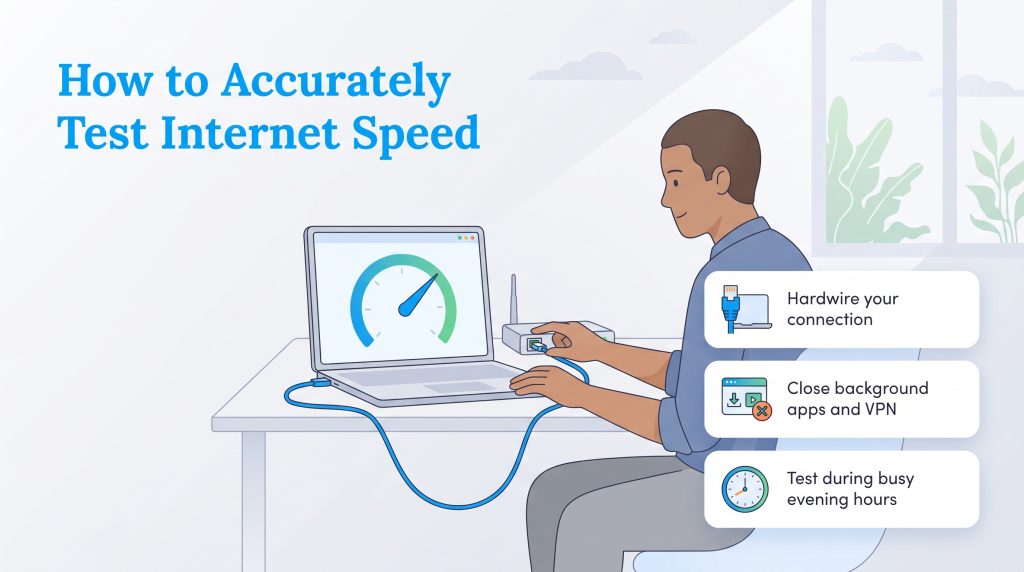
Before you commit to upgrading your plan, you need to verify if you are actually receiving the speeds you already pay for. Internet providers often advertise “up to” certain speeds, but real-world performance frequently falls short due to neighborhood network congestion. Taking a few minutes to run an accurate speed test gives you the baseline data you need to make an informed decision. For the most precise results, follow these steps:
- Hardwire your connection: Bypass your Wi-Fi entirely by plugging a laptop directly into your router using an Ethernet cable. Wireless tests are prone to interference from thick walls and nearby electronics.
- Close all background applications: Pause any active downloads, close out of all background browser tabs, and turn off your VPN. You want the test to measure your network’s full capacity without anything siphoning off data.
- Disconnect other active devices: Temporarily disconnect smart TVs and gaming consoles from the network to ensure they aren’t pulling hidden updates during the test, which would artificially lower your final reading.
Choosing The Right Internet Plan For Your Home
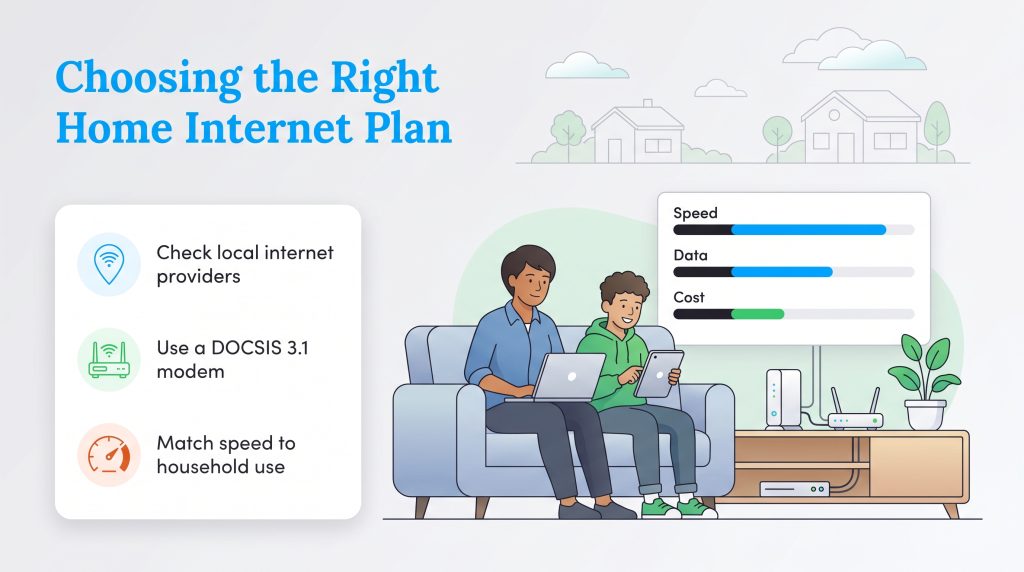
Settling into a new home is stressful enough without worrying about dropped video calls or endlessly buffering movies. We know that navigating the world of megabits can feel overwhelming, but securing the perfect setup simply comes down to evaluating your current internet bill against the speeds you actually receive. If your recent speed test shows you are getting significantly less bandwidth than you pay for, it is time to troubleshoot your router or contact your service provider directly.
When you are ready to make a change, always check local internet providers to see which connection types service your specific neighborhood. By taking action early, purchasing your own compatible equipment, and matching your bandwidth to your household size, you can establish a robust network that keeps your entire family happily connected.
Frequently Asked Questions About Internet Speeds
Is 300 Mbps fast enough for a family of four?
What is the difference between Wi-Fi speed and internet speed?
How do I know if my internet provider is throttling my speed?
What is a good download speed for gaming?
Is 100 Mbps fast enough for gaming?
Why is my internet slower than what I pay for?
Is 500 Mbps a good internet speed?
What is considered a good internet speed for a typical home?
Is 100 Mbps fast enough for working from home?
What is a good Wi-Fi speed for a smart home?
How much internet speed do I need to stream 4K video?
Does a smart TV slow down the Wi-Fi for other devices?
Does my router affect my internet speed?
Is an internet speed calculator accurate for predicting my needs?
About the Author

David has been an integral part of some of the biggest utility sites on the internet, including InMyArea.com, HighSpeedInternet.com, BroadbandNow.com, and U.S. News. He brings over 15 years of experience writing about, compiling and analyzing utility data.

LaLeesha has a Masters degree in English and enjoys writing whenever she has the chance. She is passionate about gardening, reducing her carbon footprint, and protecting the environment. She also recently served as President of the Board for City Sprouts (a community garden).