


How To Reduce Your Monthly Energy Bills With A Smart Thermostat
Key Takeaways
- Smart thermostats save energy and money by learning your daily schedule and adjusting temperatures automatically to reduce wasteful heating and cooling.
- They offer ultimate remote control via smartphone apps, so you can effortlessly adjust your home’s temperature from anywhere in the world.
- HVAC and wiring compatibility matter, so always check if your system supports models from Ecobee, Google Nest, or Amazon before purchasing to avoid setup headaches.
Finding the best smart thermostat 2026 has to offer is one of the most effective ways to combat rising electricity and natural gas costs while dramatically upgrading your everyday home comfort. With utility rates continuing to fluctuate, replacing your outdated manual dial with an intelligent climate controller helps you automate efficiency and save money on your utility bills. In our comprehensive breakdown of this year’s top models, we focused heavily on verifiable energy savings, ease of DIY installation, and seamless smart home ecosystem integration to ensure you make the right long-term investment for your property.
Why Upgrade To A Smart Thermostat In 2026?
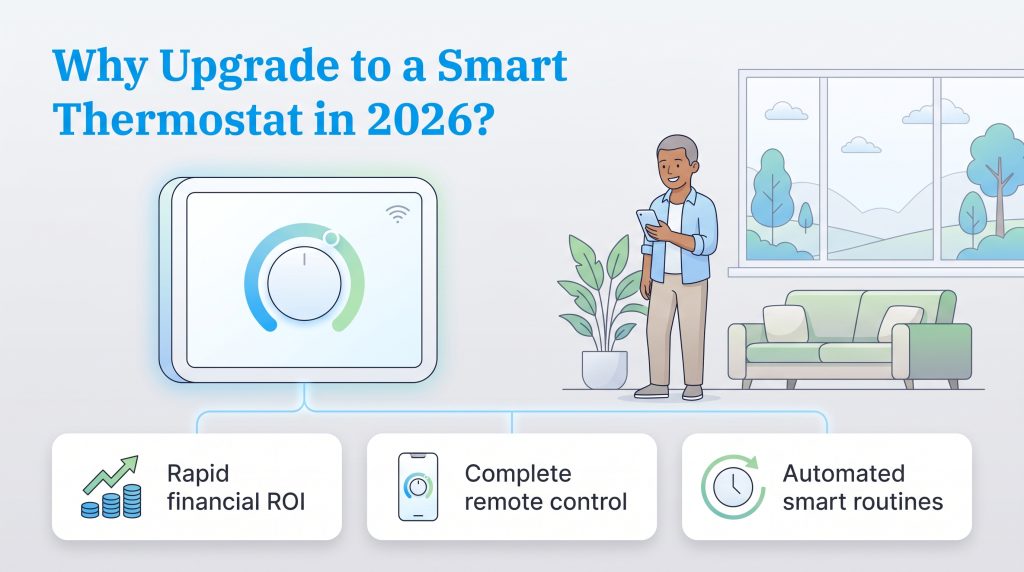
If you are still adjusting your temperature manually before leaving for work or heading to bed, you are likely overpaying on your monthly utility bills. Modernizing your home with top wifi thermostats for home use puts your energy management on autopilot. These smart devices act as the brain of your HVAC system, ensuring you never waste money conditioning an empty house.
Here are the biggest everyday benefits of switching to energy saving smart home devices this year:
- Rapid financial ROI: By optimizing your daily heating and cooling cycles, these devices routinely pay for themselves within the first one to two years through substantially lower utility statements.
- Complete remote control: Whether you are stuck at the office or returning early from a vacation, you can effortlessly tweak your indoor climate from your smartphone before you walk through the front door.
- Automated smart routines: Advanced learning algorithms track your typical habits, sleep schedules, and occupancy patterns to intuitively balance your indoor temperature without you ever lifting a finger.
Best Smart Thermostats At A Glance Comparison Table
We know your time is highly valuable when navigating the complexities of setting up a new home. Use this quick comparison table to see how our top 2026 models stack up against each other. We highlighted their price points, crucial wiring requirements, smart hub capabilities, and specific use cases to help you make a fast, informed decision.
| Product Name | Estimated Price | C-Wire Required | Smart Hub Compatibility | Best For Category |
|---|---|---|---|---|
| Ecobee Smart Thermostat Premium | ~$244.99 | Yes (Adapter Included) | Alexa, Apple HomeKit, Google Home, Matter | Best Overall |
| Google Nest Learning Thermostat (4th Gen) | ~$129.98 | Recommended (Adapter available) | Google Home, Matter | Best for Google Ecosystem |
| Amazon Smart Thermostat | ~$56.99 | Yes | Amazon Alexa | Best Budget Option |
| Honeywell Home T9 | ~$279.99 | Yes (Adapter Included) | Alexa, Google Home | Best for Remote Rooms |
| Sensi Touch 2 | ~$189.52 | No | Alexa, Apple HomeKit, Google Home | Best Touchscreen |
Top Smart Thermostats Of 2026 Categorized Reviews
Not every home has the same heating layout, and not every user prefers the same digital ecosystem. To help you navigate the busy marketplace, we broke down our favorite devices into clear, highly specific categories. Whether you need a premium all-in-one hub or a deeply affordable money-saver, here are the absolute best climate controllers available right now.
1. Best Overall Ecobee Smart Thermostat Premium
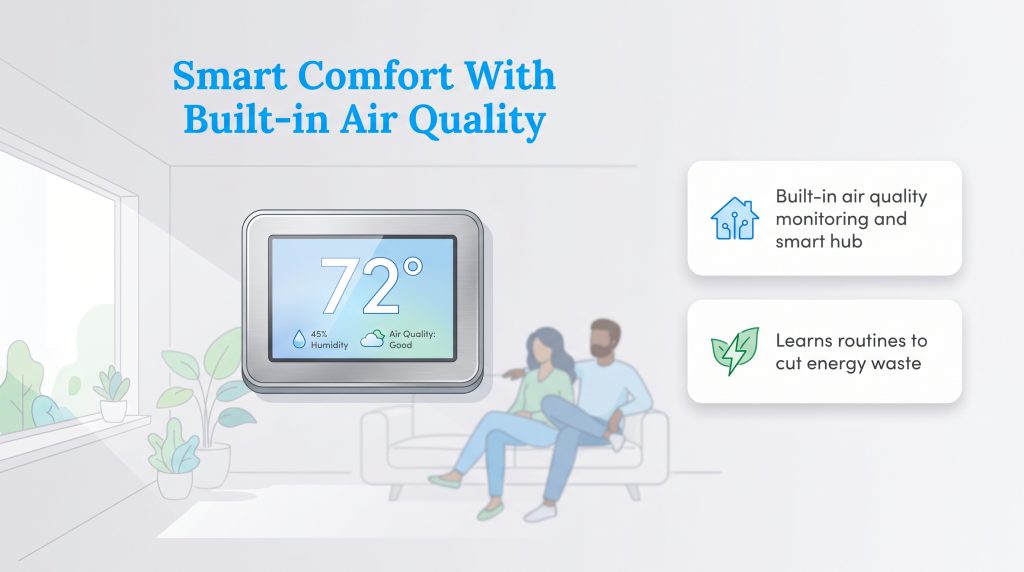
When it comes to delivering a flawless blend of style, functionality, and whole-home comfort, the Ecobee Smart Thermostat Premium easily takes our top spot. This highly-rated model features a stunning zinc body and a vibrant touchscreen that looks fantastic on any modern wall. What truly sets it apart is the inclusion of an external SmartSensor and a built-in indoor air quality monitor that actively tracks humidity, VOCs, and carbon dioxide levels in your living space.
The Ecobee Premium acts as a high-end Matter compatible hub and features an embedded smart speaker. This means you can use Siri or Alexa directly through the thermostat itself to check the weather, set a cooking timer, or adjust the climate without pulling out your phone. Its proprietary Eco+ software actively learns your daily routine to automatically maximize energy savings behind the scenes.
- Pros: Features a built-in air quality monitor, functions as a standalone smart speaker, and includes a remote occupancy sensor in the box.
- Cons: Carries a steeper premium price tag, and the advanced interface has a slightly steeper learning curve for non-tech-savvy users.
Buy it if: You want a feature-packed, premium centerpiece that actively improves your indoor air quality and integrates perfectly with Apple HomeKit.
Skip it if: You are shopping on a strict budget and simply want basic remote scheduling.
2. Best For Google Ecosystem Google Nest Learning Thermostat
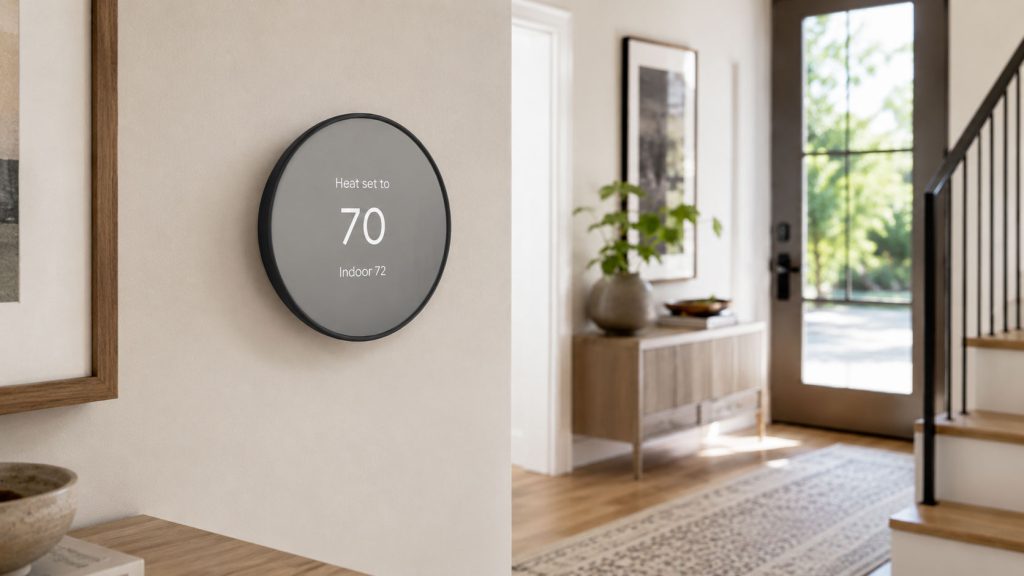
If you prefer a set-it-and-forget-it approach to your utility management, the Google Nest Learning Thermostat is a genuine technological marvel. The newest 4th generation boasts a significantly larger, borderless domed glass display that beautifully modernizes your hallway aesthetic. More importantly, it relies on Google’s powerful AI to create a completely hands-off climate experience.
This flagship model continuously tracks when you wake up, leave for work, and return home, dynamically programming itself to match your real-world lifestyle. The revamped Adaptive Eco scheduling minimizes energy waste the second it detects an empty house. Google also finally includes a remote temperature sensor directly in the box for the 4th generation, ensuring your primary bedroom or home office stays perfectly comfortable.
- Pros: Unrivaled AI learning capabilities, gorgeous borderless glass design, and seamless native integration with Google Home and Matter.
- Cons: The predictive learning algorithm can occasionally make unwanted adjustments during the initial training week.
Buy it if: You want the most intelligent, hands-off climate automation available and frequently rely on Google Assistant.
Skip it if: You prefer strict, manual control over every single temperature swing throughout the day.
3. Best Budget Option Amazon Smart Thermostat
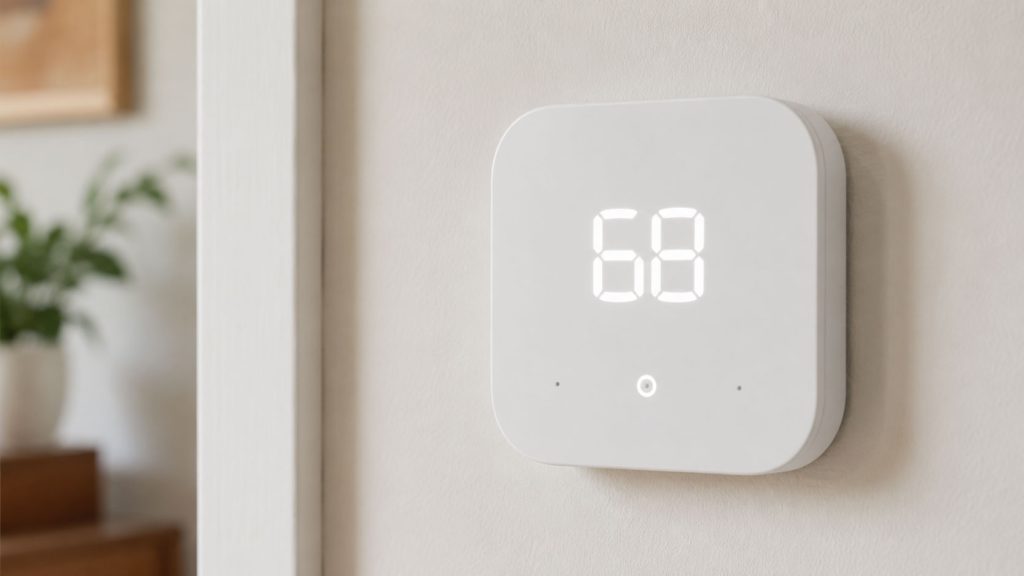
You definitely do not need to spend hundreds of dollars to make your residence more environmentally friendly. The Amazon Smart Thermostat is our undisputed pick for the best budget smart thermostat on the market today. Built in direct collaboration with Honeywell Home’s decades of HVAC experience, this sleek and minimalistic device covers all the essential bases without breaking the bank.
It stands out as a phenomenal smart thermostat for Alexa power users. By leveraging a unique feature called Alexa Hunches, the system can intuitively guess when you have left the house or gone to sleep, automatically tweaking the climate to conserve grid energy. The companion app tracks your daily consumption on a clean dashboard, helping you pinpoint new ways to reduce waste and lower your bills.
- Pros: Incredibly affordable entry price, flawless native Alexa integration, and reliable automated away modes.
- Cons: Lacks a touchscreen display, does not support remote room sensors, and offers zero native support for Apple HomeKit or Google Home.
Buy it if: You want guaranteed utility savings for under $100 and already use Echo speakers throughout your house.
Skip it if: You have a large, multi-story home that suffers from uneven hot and cold spots requiring remote sensor correction.
4. Best For Remote Rooms Honeywell Home T9
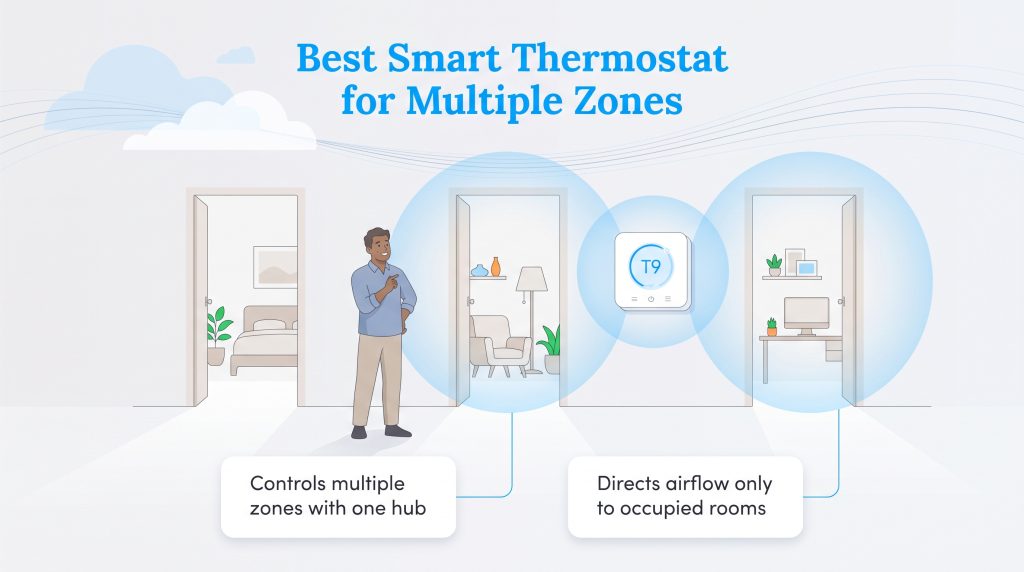
If you are trying to find a reliable multi-zone smart thermostat solution, the Honeywell Home T9 is incredibly effective at eliminating uncomfortable hot and cold pockets. Older homes and large multi-story properties often suffer from terrible airflow distribution. The T9 directly attacks this problem by pairing with up to 20 incredibly sensitive smart room sensors.
These wireless sensors detect active human occupancy and track exact temperatures in remote spaces. The main console then averages the data or prioritizes specific rooms to guarantee comfort exactly where you are sitting, rather than relying solely on the temperature in your empty hallway. It boasts dual-band Wi-Fi for rock-solid connectivity and an easy-to-read, uncluttered digital display.
- Pros: Outstanding remote sensor range (up to 200 feet), phenomenal multi-room averaging, and a very straightforward companion app.
- Cons: The physical design is somewhat bulky compared to sleeker modern competitors, and it lacks cutting-edge Matter support.
Buy it if: You live in a multi-story home and are desperate to balance out frustrating temperature inconsistencies between floors.
Skip it if: You live in a smaller apartment where remote room sensing provides minimal tangible benefits.
5. Best Touchscreen Sensi Touch 2
For homeowners who appreciate a crisp, highly responsive visual interface, the Sensi Touch 2 completely hits the mark. The massive glass color touchscreen makes manual temperature adjustments, schedule viewing, and menu navigation an absolute breeze without ever needing to pull your phone out of your pocket. It is also famously known for its painless, highly accessible DIY installation process that usually takes less than 30 minutes.
Sensi places a uniquely strong emphasis on user privacy, promising never to sell your personal energy data to third-party advertisers. From a sustainability standpoint, it utilizes highly accurate smartphone geofencing to determine when you leave your neighborhood, instantly throttling your HVAC system down to save power. This guarantees an eco-friendly mode while you travel, making it a perfect addition to your holiday safety tips for a smart and secure home.
- Pros: Beautifully vibrant and responsive touchscreen, zero C-wire requirements for most basic heating/cooling systems, and incredibly strong data privacy policies.
- Cons: Lacks complex machine learning algorithms, relying instead on manual scheduling and rigid geofencing.
Buy it if: You want a massive, easy-to-read touchscreen interface and appreciate straightforward DIY installations.
Skip it if: You want your climate system to magically learn your nuanced behaviors without any manual input.
Key Features To Consider Before Buying
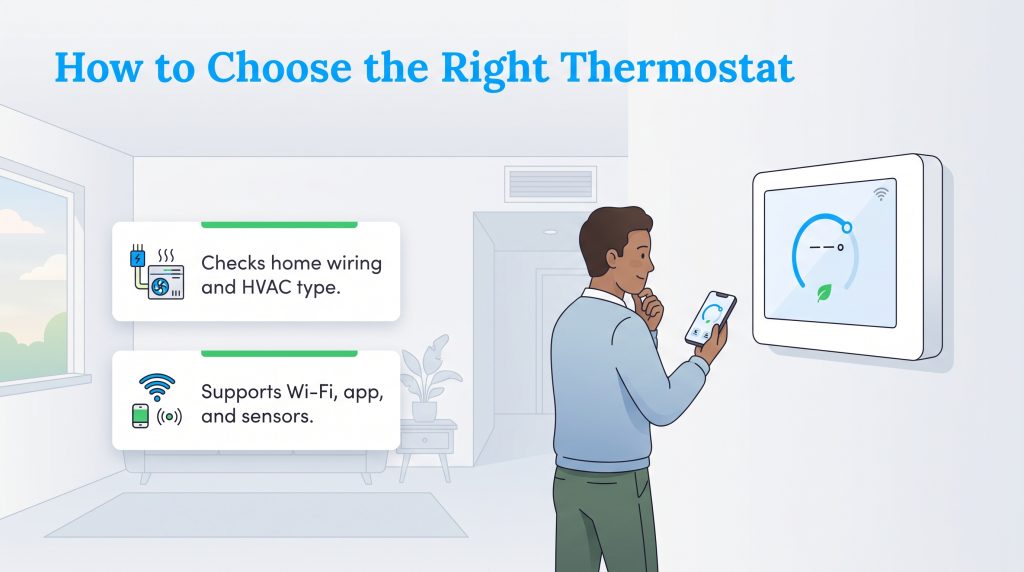
Replacing an outdated dial with a modern smart controller requires a tiny bit of technical research to guarantee a smooth transition. Before checking out, you need to verify your home’s electrical layout and decide exactly which advanced features actually justify the price tag for your family. Here is an easy-to-digest smart thermostat installation guide on the major factors you must consider.
The C-Wire Explained
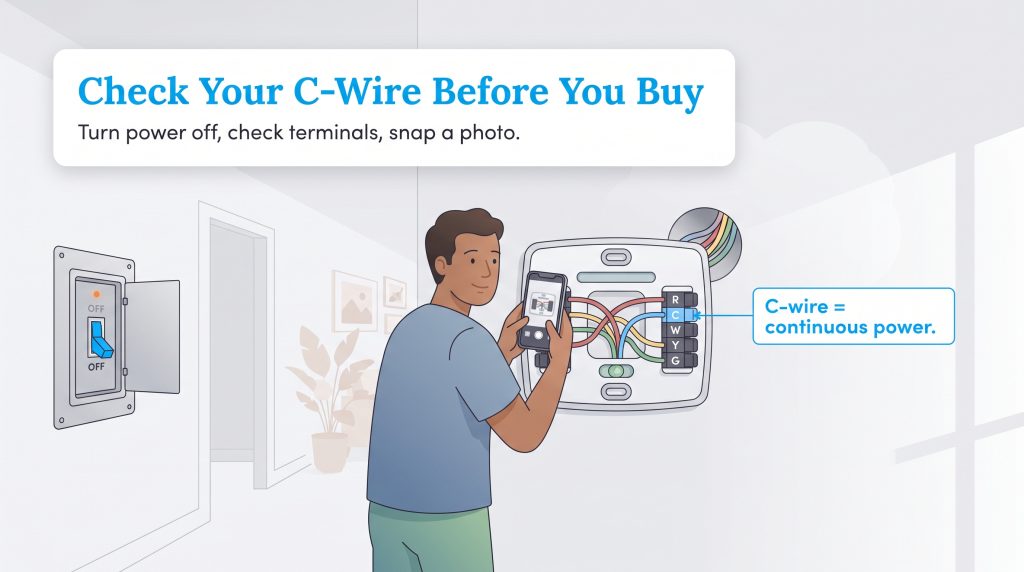
The most common hurdle during any installation is the elusive C-wire (common wire). This dedicated electrical line provides a continuous 24-volt stream of power from your furnace directly to the thermostat, which is absolutely essential for running heavy-duty Wi-Fi radios and vibrant color touchscreens. Before buying anything, you must check your existing wall plate.
Warning: Always shut off the power to your furnace at the main HVAC breaker box before touching any wiring to ensure your absolute safety.
Pop off your current faceplate and look for a wire — usually blue or black — connected to the terminal marked “C”. If it is there, you are golden. If you do not have one, don’t panic. Many top-tier brands bundle a smart thermostat with C-wire adapter kits inside the box. Alternatively, you can opt for a model renowned for painless DIY installations, such as the Sensi Touch 2, which simplifies the entire process. Even ultra-affordable options, like the Wyze Thermostat, usually include a C-wire adapter. These small power extender modules wire directly into your furnace control board to safely bridge the power gap without requiring an expensive electrician.
AI Learning Vs Geofencing Vs Programmable
The term “smart” can mean several different things depending on the brand you choose. Understanding how a model actually controls your HVAC runtime will help you avoid frustration later and ensure maximum energy efficiency for your home.
- AI Learning: Models like the Google Nest use onboard machine learning algorithms to silently observe your daily habits. Over the course of a few weeks, it automatically builds a custom schedule based on when you normally wake up or adjust the dial, requiring zero manual programming on your part.
- Geofencing: This technology ties the thermostat directly to the GPS location of your smartphone. When the system detects you have driven past a certain radius away from your house, it immediately enters energy-saving mode. When you cross the invisible boundary on your way back, it kicks the AC on so you arrive to a perfectly comfortable house.
- App-Programmable: These are simply modern upgrades of traditional programmable dials. You must manually input your rigid 7-day schedule via the smartphone app. It follows your exact commands without attempting to guess your behavior.
Remote Room Sensors
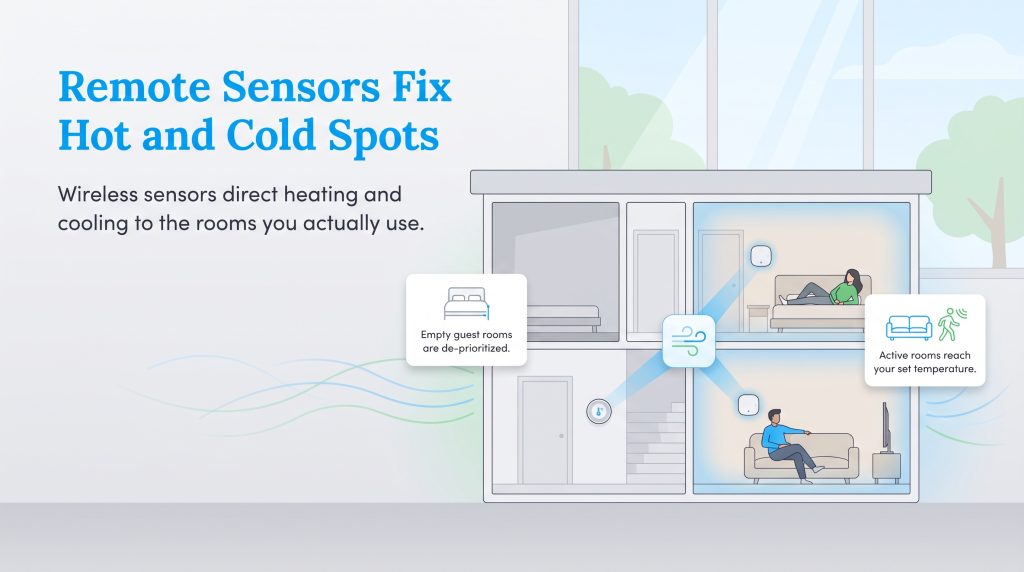
Because traditional thermostats sit directly in a hallway, they only know the temperature of that specific hallway. This creates miserable hot and cold spots in multi-story houses or older properties with poor ductwork. Remote room sensors completely solve this structural flaw by placing wireless thermometers in the rooms you actually use.
If your primary bedroom is always ten degrees hotter than the rest of the house, a remote sensor tells the central system to keep pushing cold air until that specific bedroom reaches your target temperature. Many advanced sensors also detect active motion, meaning they will automatically ignore empty guest rooms and funnel comfort specifically to the living room while you watch a movie.
Maximize Local Utility Rebates And Eco-Savings
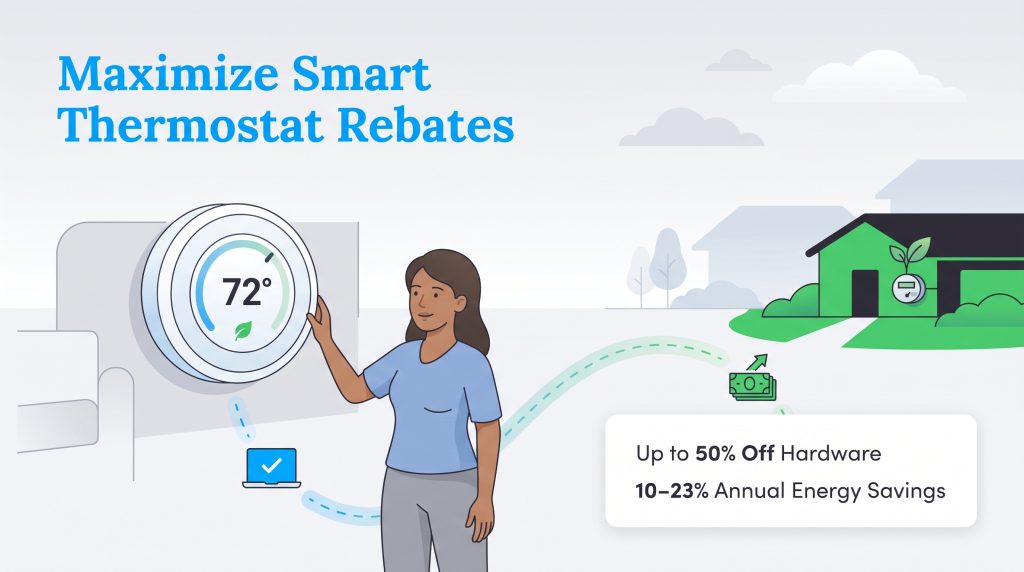
Tracking down smart thermostat utility rebates is one of the smartest financial moves you can make as a new homeowner. Many regional electricity and natural gas providers actively incentivize residents to reduce their grid consumption during peak usage hours. By claiming these available rebates, you can drastically reduce your initial out-of-pocket costs and shorten your return on investment.
Here is exactly how to find and claim your local energy savings:
- Check the ENERGY STAR rebate finder: Enter your local zip code into the official government database to instantly view active utility incentives in your area.
- Visit your utility marketplace: Log directly into your electric or gas provider’s online portal, as many sell heavily discounted thermostats exclusively to their current customers.
- Look for demand response programs: Enroll in voluntary programs that allow your provider to slightly adjust your thermostat during grid emergencies in exchange for lucrative annual statement credits.
- Save your original receipt: If you purchase your device from a third-party retailer, submit your receipt and product serial number through your provider’s online rebate form.
💸 Money-Saver: Check with your electricity or natural gas provider about rebates or discounts available on smart thermostats. Homeowners who take advantage of local utility programs can often cover up to 50% of their initial hardware costs, while the automated scheduling features generate an average annual energy savings of 10% to 23% on heating and cooling bills.
Matter And Thread Support In 2026
Understanding the latest digital protocols is absolutely crucial when shopping for new connected devices. Matter is a universal standard designed specifically to ensure flawless interoperability across different competing brands. By choosing a Matter-certified model, you guarantee that your thermostat will communicate seamlessly with Apple, Google, and Amazon devices without missing a single beat.
Thread is the underlying wireless mesh networking technology that makes these incredibly fast connections possible. It allows your eco-friendly accessories to communicate directly with one another, rather than relying entirely on a bogged-down central Wi-Fi router. This cutting-edge standard creates a much faster, more reliable, and highly responsive smart home ecosystem for your family.
💡 Pro Tip: When shopping for a Matter compatible smart thermostat, look closely for the Thread border router logo on the product packaging. This guarantees the fastest response times and the most stable connections for your broader network of connected devices.
Choosing Your 2026 Climate Controller
If you are building a smart home around Apple HomeKit and have the budget for premium comfort, the Ecobee Smart Thermostat Premium is undoubtedly your best long-term investment. For those deeply entrenched in the Google ecosystem, the Google Nest Learning Thermostat provides unrivaled intelligent automation that takes the guesswork out of daily scheduling. Finally, if you simply want a highly reliable climate controller on a strict budget, the Amazon Smart Thermostat delivers truly outstanding efficiency value for dedicated Alexa users.
Frequently Asked Questions About Smart Thermostats
Does a smart thermostat really save money on electric bills?
Yes, absolutely. By leveraging advanced adaptive scheduling, intuitive geofencing, and remote room sensors, these devices prevent your HVAC system from running when no one is home. Most manufacturers estimate that average users save between 10% and 23% on their annual heating and cooling costs, meaning these eco-friendly upgrades routinely pay for themselves within the very first year or two of operation.
Do I need a C-wire to install a smart thermostat?
While having a dedicated C-wire makes installation significantly easier and provides reliable continuous power for bright digital touchscreens, it is not strictly mandatory for every device. Many modern models, such as the Ecobee Premium, bundle an included power extender adapter to bypass the issue. Other units like the Sensi Touch 2 can operate without one entirely on most standard systems, though a true C-wire is always recommended for optimal network stability.
Can I install a smart thermostat myself, or do I need an HVAC professional?
Most modern smart thermostats are explicitly designed for straightforward DIY installation, generally taking less than 30 to 45 minutes for a beginner to complete. Manufacturers provide excellent step-by-step guidance directly inside their smartphone apps, complete with customized wiring diagrams. However, if your home relies on complex high-voltage heating systems or you feel totally uncomfortable around standard wiring blocks, calling a licensed HVAC professional is always a safe alternative.
What is the best smart thermostat for a home with multiple zones?
The Honeywell Home T9 is widely considered the premier option for managing multiple independent zones and correcting frustrating temperature imbalances in larger houses. It flawlessly supports up to 20 wireless remote room sensors with an impressively long range. This lets you aggressively prioritize heating or cooling in specific bedrooms or living spaces based purely on active human occupancy.
Are smart thermostats compatible with all HVAC systems?
Most leading models are highly compatible with standard central heating and cooling setups, including gas furnaces, central air conditioning units, and heat pumps. However, if your property relies on high-voltage systems like electric baseboard heaters, you will need a specialized line-voltage smart device. Always use the manufacturer’s specific online wiring compatibility checker to verify your configuration before checking out.
Do smart thermostats work with voice assistants like Alexa or Google Assistant?
Yes, the vast majority of premium smart controllers integrate directly with popular household voice assistants. Depending on the brand, you can use simple voice commands to raise or lower the temperature, switch heating modes, and ask about current indoor humidity levels. Some premium models, like the Ecobee, even feature built-in microphones and speakers so you can issue commands directly to the wall unit.
Which smart thermostat works best with heat pumps?
The Ecobee Smart Thermostat Premium and the Google Nest Learning Thermostat both perform exceptionally well when paired with modern heat pump systems. They feature sophisticated software algorithms specifically designed to carefully balance auxiliary heating stages and perfectly optimize your compressor’s total runtime for maximum efficiency. Just remember to verify your specific wiring terminals on the company’s website to ensure your heat pump configuration is fully supported.
About the Author

David has been an integral part of some of the biggest utility sites on the internet, including InMyArea.com, HighSpeedInternet.com, BroadbandNow.com, and U.S. News. He brings over 15 years of experience writing about, compiling and analyzing utility data.

LaLeesha has a Masters degree in English and enjoys writing whenever she has the chance. She is passionate about gardening, reducing her carbon footprint, and protecting the environment. She also recently served as President of the Board for City Sprouts (a community garden).

Jared Evans is a licensed electrician and the owner of Full Circuit Electric in Omaha, Nebraska. As an expert reviewer for UtilitiesForMyHome.com, Jared uses his 10+ years of hands-on experience to ensure our electrical advice is safe, accurate, and easy to follow. Whether he's troubleshooting a complex wiring issue or sharing tips on green energy upgrades, Jared is dedicated to helping you power your home efficiently — and safely.