

Key Takeaways
- Cable internet offers excellent speeds and widespread availability. It’s a highly dependable choice for most households, delivering enough bandwidth to support HD streaming, remote work, and serious online gaming.
- Hybrid fiber-coaxial (HFC) networks heavily boost modern cable performance. By utilizing a powerful combination of fiber-optic technology and existing coaxial cables, this network setup delivers gigabit speeds directly to your neighborhood.
- Cable internet remains the best alternative if pure fiber isn’t available. While fiber internet sets the industry standard for symmetrical speeds, coaxial cable provides an exceptional middle ground despite its asymmetric speeds and shared bandwidth.
Finding the right internet connection for a new home can quickly feel overwhelming, but cable internet stands out as the most widely accessible high-speed option in the United States. By transmitting digital data over the same established network of copper wires that originally brought television into our living rooms, modern providers deliver gigabit speeds robust enough to power an entire smart home. Whether you want to stream 4K video without frustrating buffer times, run a reliable home office setup, or simply track down the most affordable utility costs, comparing the best cable internet providers is your first step toward building a better home network.
What Is Cable Internet?
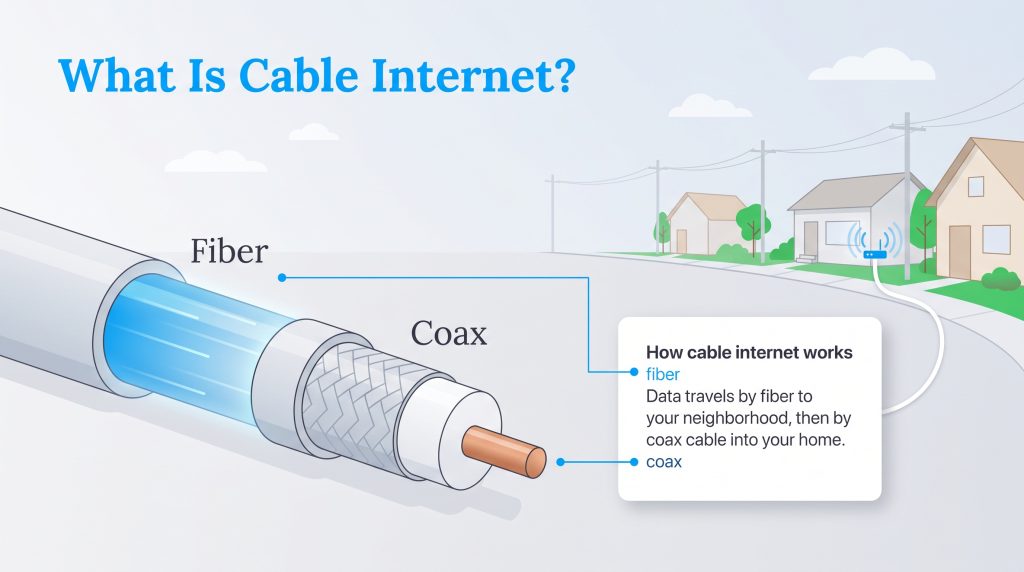
Cable internet is a reliable, high-speed broadband connection that delivers web access to your home using the exact same physical infrastructure designed for cable television. Because these robust wiring networks were built decades ago, they currently reach almost every suburban and urban neighborhood across the country. Instead of carrying your favorite television channels, internet service providers dedicate specific radio frequencies within these buried lines exclusively for routing your digital data.
The core of this system relies on a Hybrid Fiber-Coaxial (HFC) network. Data travels rapidly from your provider’s main hub using ultra-fast fiber optics before switching over to standard coaxial cables for the final journey into your home. A coaxial line features a specialized copper core surrounded by thick plastic insulation and a woven metallic shield. This highly durable design effectively blocks outside electromagnetic interference, allowing signals to travel smoothly from the street right into your living room.
Top Cable Internet Providers at a Glance

- 2 Gbps
- Cable & Fiber
- Unlimited
- $30.00/mo

- 7 Gbps
- Cable & Fiber
- Unlimited
- $30.00/mo

- 7 Gbps
- Cable & Fiber
- Unlimited
- $30.00/mo

- 8 Gbps
- Cable & Fiber
- Unlimited
- $25.00/mo
*Not all internet providers and speeds available in all areas.
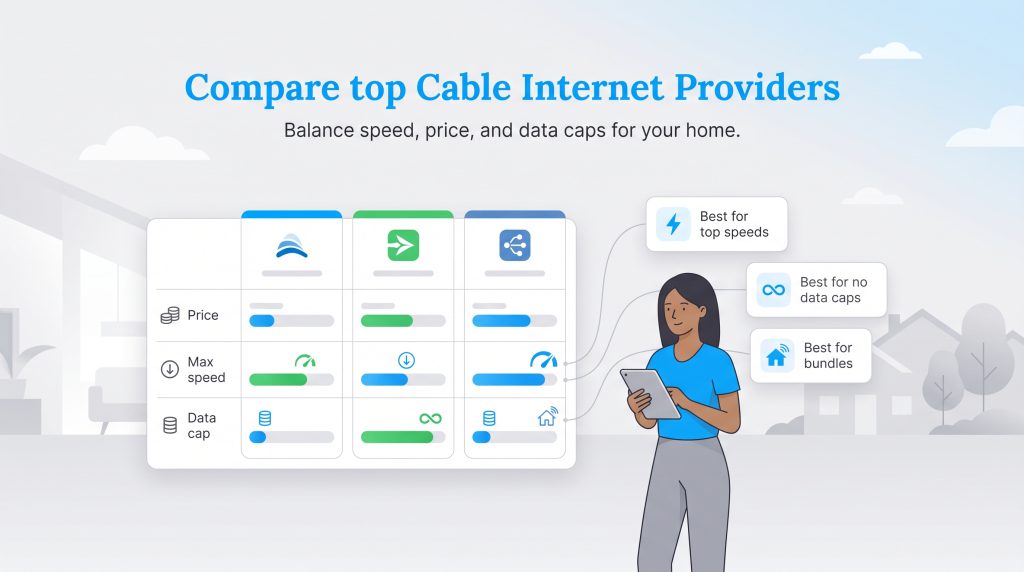
Evaluating the broad broadband market means balancing your monthly budget against your household’s realistic bandwidth demands. Major companies constantly update their promotional pricing, bundled smart home perks, and hardware offerings to win your business. Review the comparison table below for a snapshot of the top national providers to help determine which high-speed cable internet service makes the most financial sense for your family.
| Provider Name | Starting Monthly Price | Max Download Speed | Data Cap Limits |
|---|---|---|---|
| Xfinity | $20 — $35 / month | Up to 2 Gbps | 1.2 TB (varies by region) |
| Spectrum | $30 — $50 / month | Up to 1 Gbps | Unlimited |
| Cox | $50 / month | Up to 2 Gbps | 1.25 TB |
| Optimum | $40 / month | Up to 1 Gbps | Unlimited |
Xfinity: Best for Speed and Availability
Xfinity dominates the market when it comes to sheer footprint and peak performance metrics. By continuously upgrading its infrastructure, Xfinity offers massive gigabit cable internet speeds that can comfortably support large, device-heavy households. If you run a home filled with smart thermostats, multiple smart TVs, and teenagers gaming simultaneously, their top-tier plans deliver the necessary bandwidth to keep everything running smoothly.
The primary caveat to watch out for with Xfinity is their regional data allowance. In many service areas, they impose a 1.2 TB monthly data cap. While this is plenty of data for the average user, remote workers dealing with massive video files or families streaming exclusively in 4K might need to purchase an unlimited data add-on to avoid overage charges.
Spectrum: Best for No Data Caps
Spectrum takes a highly consumer-friendly approach by completely ditching data caps across all of their internet plans. This straightforward billing model makes them the ideal choice for heavy internet users who despise tracking their monthly data consumption. You can stream, download, and game as much as you want without fearing a surprise surcharge on your next utility bill.
Their pricing tiers are similarly streamlined, usually offering a base package around 300 Mbps and scaling up to 1 Gbps. Spectrum also frequently includes a free modem rental in their introductory pricing, lowering your initial out-of-pocket setup costs.
Cox: Best for Bundling Services
Cox excels at providing highly customizable packages for homeowners who want to centralize their utilities. Rather than just selling you a pipe to the internet, Cox offers extensive bundling options that integrate high-speed internet, panoramic Wi-Fi, television, and comprehensive smart home security systems under one manageable account.
They offer a wide range of speed tiers, allowing budget-conscious users to select a highly affordable basic plan while power users can easily upgrade to 2 Gbps speeds. Similar to Xfinity, Cox enforces a 1.25 TB data cap on most standard plans, so you will need to monitor your usage if you choose not to upgrade to their unlimited tier.
Cable Internet vs Fiber vs DSL
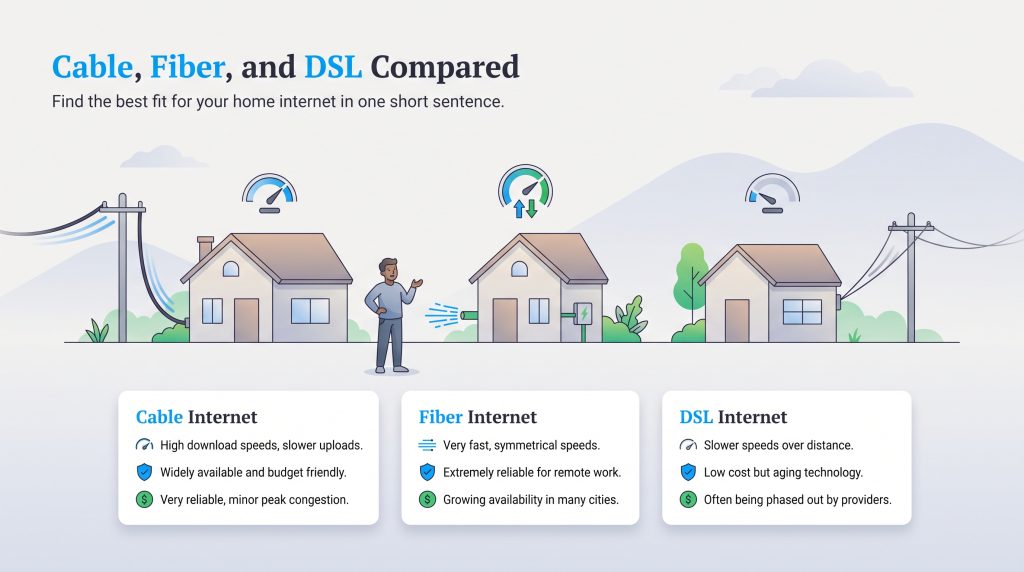
When evaluating utility options for your new home, you will likely compare cable internet directly against older DSL connections or lightning-fast pure fiber networks. Understanding the exact nuances between these connection types ensures you never overpay for speeds you won’t utilize, nor end up with a lagging, underpowered connection. If you want a deep dive into the technical divide, review our comprehensive guide on Cable vs. Fiber Internet.
| Feature | Cable Internet | Fiber Internet | DSL Internet |
|---|---|---|---|
| Speed | High download, slower upload | Symmetrical high speeds | Overall slower speeds |
| Reliability | Highly reliable, minor peak congestion | Extremely reliable | Prone to distance-based drops |
| Cost | Budget-friendly to moderate | Moderate to expensive | Low cost |
| Availability | Widespread (approx. 88% of US) | Growing, mostly urban/suburban | Universal but phasing out |
One of the primary differences between these infrastructures is how they handle data flow. Because of how copper wiring routes information, cable inherently features asymmetric speeds. Here is why that matters for your daily usage:
- Download prioritization: Your download speeds (pulling data from the web, like streaming a Netflix movie) are drastically faster than your upload speeds (pushing data to the web, like hosting a Zoom call).
- Provider allocation: ISPs intentionally dedicate more bandwidth to downloading because the average home consumes significantly more media than they create.
- Fiber contrast: Fiber-optic networks utilize light signals to provide symmetrical speeds, meaning your uploads are just as fast as your downloads — a huge benefit for content creators and heavy remote workers.
Pros and Cons of Cable Internet
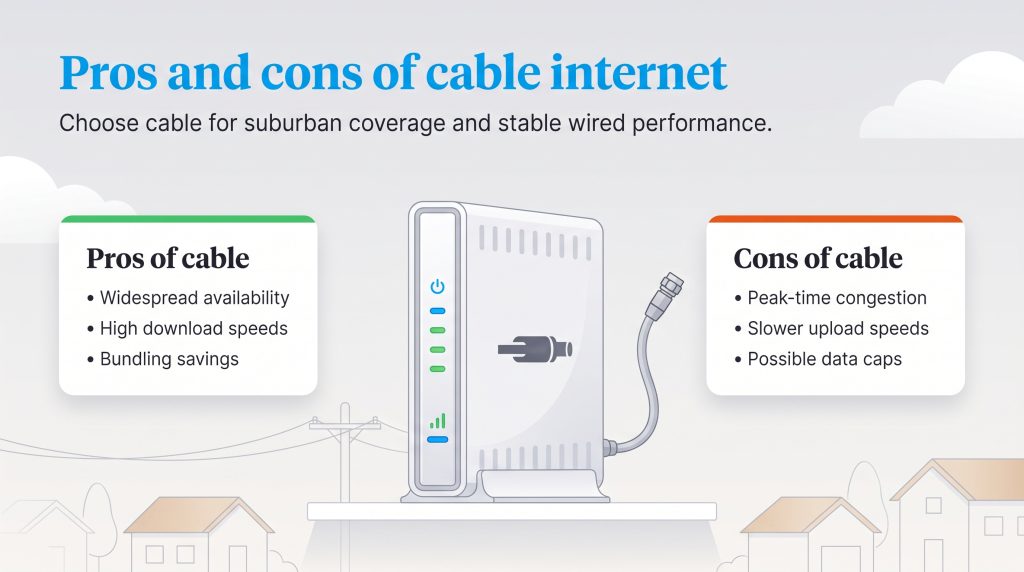
To simplify your decision, it helps to weigh the exact benefits and drawbacks of sticking with a standard coaxial connection. You should confidently choose cable if you live in a developing suburban area where laying new fiber lines is simply unavailable. Conversely, you should always choose a wired cable connection over wireless 5G home internet if you need low latency for gaming or stable video conferencing.
Pros of Cable
- Widespread availability: Reaches approximately 88% of the US population, especially in markets where fiber has not yet been built.
- High download speeds: Easily supports multi-gigabit speeds for heavy 4K streaming and large households.
- Bundling value: Offers excellent opportunities to bundle your internet with television or smart home security for a lower overall utility bill.
Cons of Cable
- Network congestion: Because neighborhoods share a central node, your speeds might decrease slightly during peak evening hours.
- Slower upload speeds: Asymmetric performance noticeably trails behind the symmetrical upload speeds offered by pure fiber networks.
- Data limits: Many providers strictly enforce monthly data caps that require expensive add-ons for heavy users.
What Equipment Do You Need?
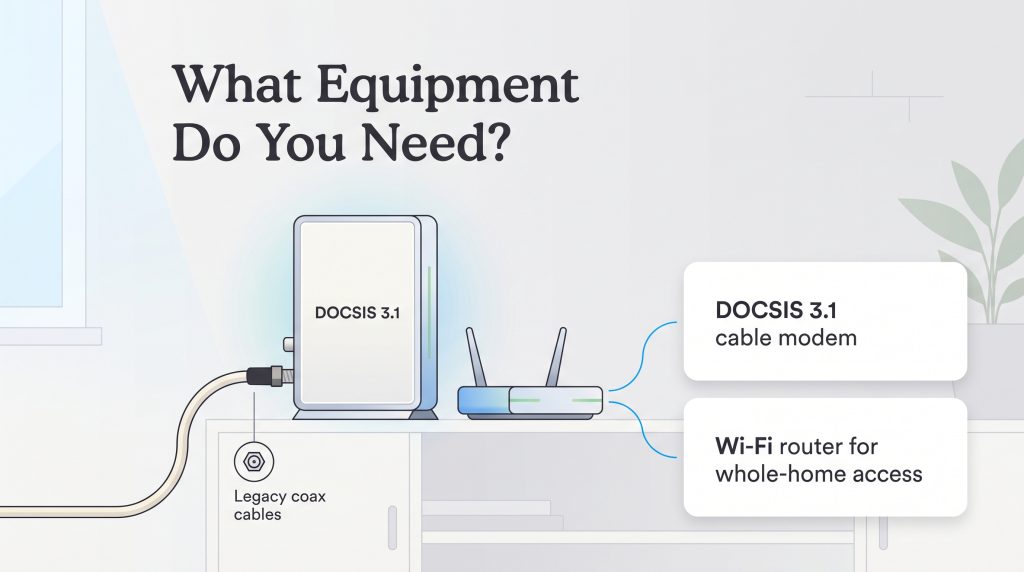
To translate those digital signals into a usable web connection, you need specific networking hardware. The true driving force behind today’s impressive speeds is the widespread deployment of DOCSIS 3.1 modems. DOCSIS (Data Over Cable Service Interface Specification) is a telecommunications standard that allows ISPs to push massive amounts of data through legacy copper wiring, delivering multi-gigabit speeds without physically replacing the wires inside your walls.
Do You Need a Cable Modem and Router?
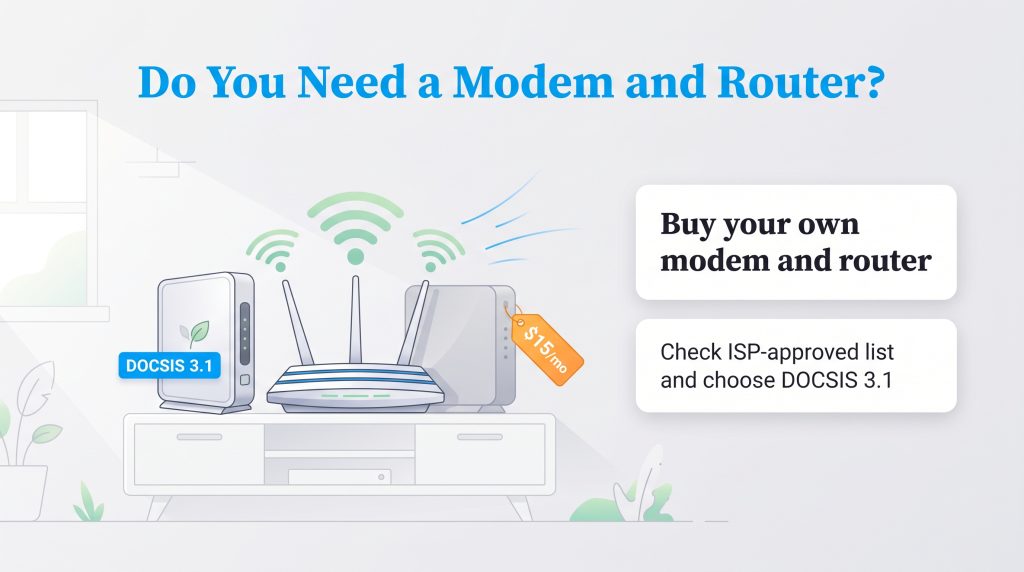
However, accessing the web wirelessly requires two distinct devices: a cable modem and a Wi-Fi router. The modem acts as the bridge that decodes the signal from your provider. The router connects directly to that modem and distributes the internet wirelessly across your house.
Most major providers gladly lease you a combined “gateway” unit for an extra $15 per month. Over a two-year period, renting equipment costs you nearly $360. We highly recommend purchasing your own DOCSIS 3.1 modem to avoid these monthly fees entirely. Buying ENERGY STAR-certified hardware upfront is an environmentally mindful choice that drastically reduces electronic waste and typically pays for itself in less than a year.
How to Find Cable Internet Providers in Your Area
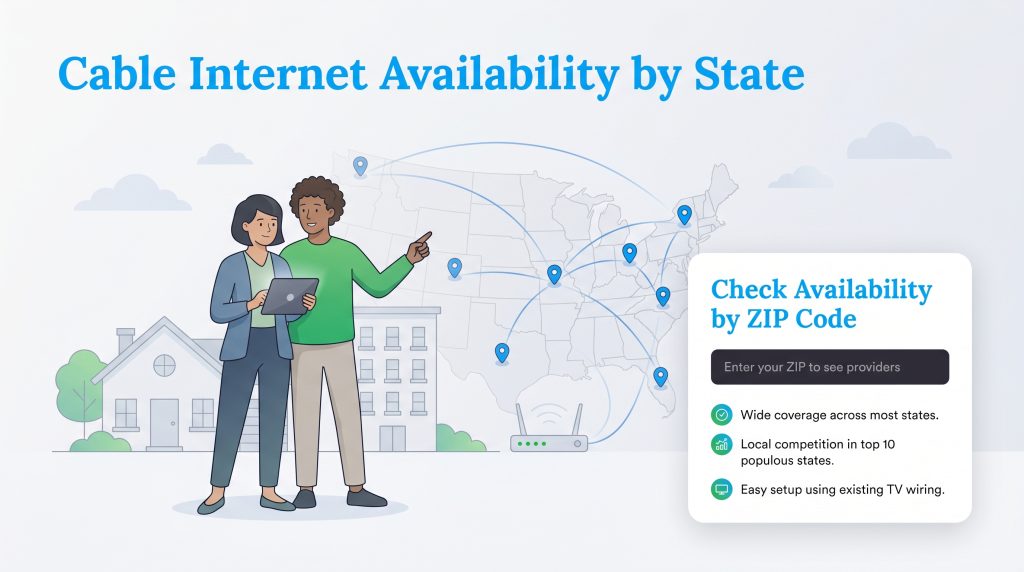
Because infrastructure varies dramatically from city to city — and sometimes even from neighborhood to neighborhood — finding the best options requires localized search data. The providers servicing a downtown high-rise might completely differ from those wiring a suburban subdivision just ten miles away. To bypass the guesswork and pinpoint accurate promotional pricing, follow these three simple steps:
- Check local service maps: Begin by looking at broad coverage maps for major brands like Xfinity, Spectrum, and Cox to see who generally operates within your state or county.
- Verify your specific address: Do not rely on your zip code alone. Plug your exact new street address into an interactive availability tool to confirm that their lines run directly to your building.
- Compare available speeds and prices: Once you confirm which companies service your home, review their respective data caps, promotional deals, and installation requirements side-by-side.
| State | Cable Availability | 1 Gig Cable Availability |
|---|---|---|
| Alabama | 72.6732% | 14.7368% |
| Alaska | 66.0615% | 0% |
| Arizona | 69.5718% | 43.2675% |
| Arkansas | 63.5896% | 24.1554% |
| California | 89.4153% | 34.2361% |
| Colorado | 84.1083% | 53.9144% |
| Connecticut | 96.1012% | 54.6709% |
| Delaware | 94.3779% | 47.0035% |
| District of Columbia | 97.6034% | 75.4506% |
| Florida | 88.1358% | 32.0774% |
| Georgia | 83.8775% | 38.5157% |
| Hawaii | 91.7507% | 18.0155% |
| Idaho | 68.691% | 1.97509% |
| Illinois | 90.1026% | 50.6609% |
| Indiana | 80.8634% | 26.9401% |
| Iowa | 68.9575% | 20.9512% |
| Kansas | 72.4598% | 33.6676% |
| Kentucky | 72.3704% | 49.3716% |
| Louisiana | 78.1806% | 23.9493% |
| Maine | 80.5758% | 11.8715% |
| Maryland | 94.8637% | 64.6008% |
| Massachusetts | 98.0059% | 60.6743% |
| Michigan | 83.6261% | 27.8012% |
| Minnesota | 76.6894% | 33.3161% |
| Mississippi | 60.1478% | 9.86234% |
| Missouri | 71.4826% | 36.9989% |
| Montana | 56.2087% | 3.8281% |
| Nebraska | 66.9295% | 28.2222% |
| Nevada | 78.5419% | 74.9697% |
| New Hampshire | 88.9831% | 53.8161% |
| New Jersey | 96.29% | 39.4795% |
| New Mexico | 72.8511% | 10.8796% |
| New York | 92.5438% | 9.78349% |
| North Carolina | 81.3018% | 5.16417% |
| North Dakota | 63.4465% | 50.0641% |
| Ohio | 84.9577% | 19.231% |
| Oklahoma | 61.6858% | 27.8146% |
| Oregon | 82.7151% | 42.9035% |
| Pennsylvania | 90.3348% | 47.1326% |
| Puerto Rico | 82.7349% | 0% |
| Rhode Island | 84.6528% | 50.6295% |
| South Carolina | 77.1103% | 13.1738% |
| South Dakota | 56.6513% | 23.2243% |
| Tennessee | 81.5796% | 36.5918% |
| Texas | 79.482% | 38.3556% |
| Utah | 83.6039% | 63.0698% |
| Vermont | 72.6441% | 27.0389% |
| Virginia | 81.1004% | 33.3804% |
| Washington | 81.3105% | 51.1981% |
| West Virginia | 69.6048% | 16.3795% |
| Wisconsin | 72.3402% | 6.0671% |
| Wyoming | 64.6741% | 3.89501% |
To instantly filter out unsupported ISPs and reveal the true promotional pricing available for your specific home, use our localized lookup tool below.
Choosing the Right Internet Plan for Your Home
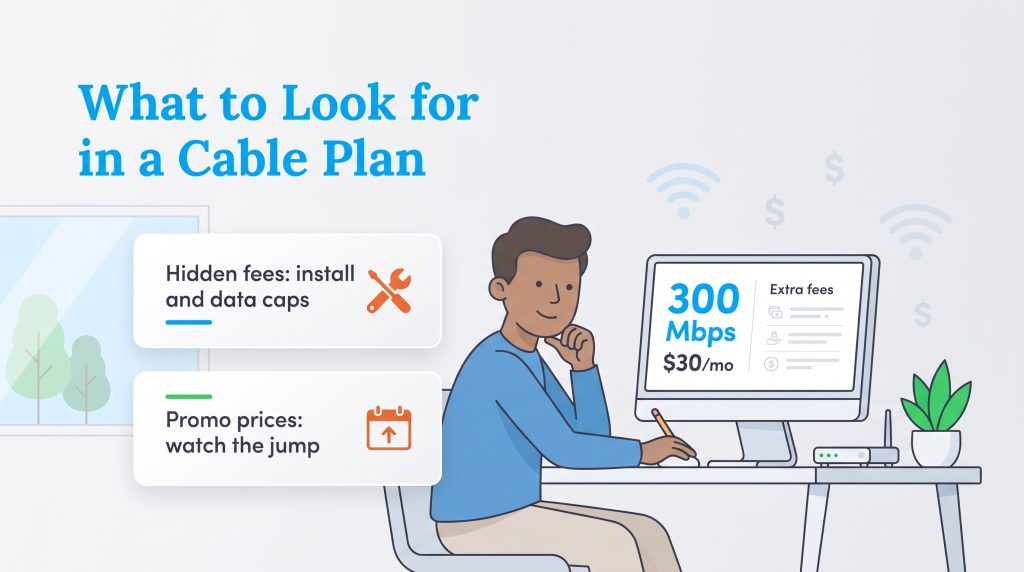
Budgeting for a new utility requires looking past the shiny advertised rates and reading the fine print carefully. While a baseline cable plan offering 300 Mbps might look incredibly cheap upfront, extra charges can inflate your monthly bill faster than expected. When analyzing different providers, pay close attention to the following financial factors.
Hidden Fees
The most common hidden charges come in the form of one-time installation fees and recurring data overages. Many ISPs charge upward of $100 for a technician to visit your home. You can almost always avoid this fee by requesting a free DIY self-installation kit. Additionally, if you exceed your monthly data cap, providers typically charge a harsh penalty of $10 for every additional 50 GB of data consumed.
Promotional Pricing Expirations
That incredibly cheap $30 per month offer is rarely a lifetime guarantee. Companies heavily rely on promotional pricing expirations to draw you in, locking in a low introductory rate for the first 12 to 24 months. Once that term expires, your bill can unexpectedly spike by $20 to $40 per month. To anticipate and avoid these second-year price hikes, always ask the sales representative what the standard rate is before signing a contract, and be prepared to renegotiate or switch providers when your promo period ends.
Preparing Your Home for a Seamless Connection
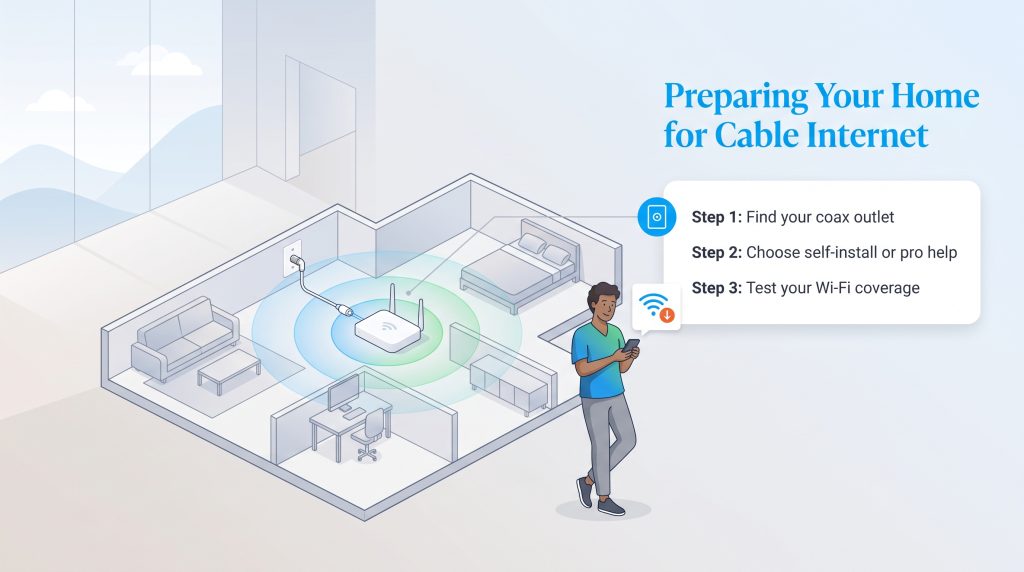
Once you select a plan, transitioning from the purchasing phase to getting your home fully online is relatively simple. Begin by locating the coaxial wall outlet in your home, which looks like a small metal cylinder protruding from a wall plate. Finding a centrally located outlet on your main floor is crucial because placing your router in the middle of your home ensures the wireless signal reaches every room evenly.
If you easily found an active coaxial outlet and feel comfortable plugging in a few power cords, a self-install kit saves you time and waives expensive technician fees. However, if your home is older, lacks wall outlets, or the exterior cables appear damaged, opting for professional installation guarantees the lines are safely activated.
By taking the time to compare top providers, secure your own DOCSIS 3.1 equipment, and read the fine print on promotional contracts, you set your household up for a reliable, blazing-fast internet experience. Once everything is plugged in and glowing green, test your final high-speed signal by walking around your house with a speed-test app to check for any dead zones.
Frequently Asked Questions About Cable Internet
How fast is cable internet?
What is a good download speed for cable internet?
Is cable internet available in my area?
Do I need a phone line for cable internet?
Does cable internet require a contract?
Can weather affect cable internet?
Do I need to buy my own cable modem and router?
Is cable internet faster than Wi-Fi?
Why does my cheap cable internet plan get more expensive after the first year?
Can I use any modem with my cable internet provider?
Is cable internet better than 5G home internet?
Do I need a cable TV subscription to get cable internet?
Can I install cable internet myself if my house already has coaxial outlets?
About the Author

David has been an integral part of some of the biggest utility sites on the internet, including InMyArea.com, HighSpeedInternet.com, BroadbandNow.com, and U.S. News. He brings over 15 years of experience writing about, compiling and analyzing utility data.

LaLeesha has a Masters degree in English and enjoys writing whenever she has the chance. She is passionate about gardening, reducing her carbon footprint, and protecting the environment. She also recently served as President of the Board for City Sprouts (a community garden).