
Your Complete 2026 Guide to Cox Internet Plans, Speeds, Pricing, and Merger Updates
Key Takeaways
- The Charter-Cox merger is officially underway following the March 2026 FCC approval, meaning your service will eventually transition to the Spectrum brand, though current connections remain uninterrupted.
- Cox imposes a strict 1.25 TB data cap on standard internet plans, requiring users to actively monitor their home usage to avoid automatic $10 overage fees.
- Smart home integration through the mobile app lets you easily monitor bandwidth, schedule device sleep times, and meaningfully reduce your household electricity footprint.
When you are setting up utilities in a new house, choosing a reliable internet provider is right at the top of the to-do list, and Cox Communications stands out as a major contender for millions of homes. Whether you just need a budget-friendly connection to check emails or blazing-fast multi-gigabit speeds to power a fully automated smart home, Cox internet plans are built to accommodate a wide variety of digital lifestyles. In this comprehensive 2026 review, we break down everything you need to know before signing up — from navigating the latest corporate merger news and evaluating their hybrid fiber-coaxial network to spotting hidden fees and unlocking the absolute best money-saving deals for your new space.
Pros, Cons, and Who Cox Is Best For
The Pros
- Excellent multi-gigabit download speeds in most urban markets.
- Highly intuitive mobile application for easy network management.
- Significant monthly discounts when bundling with a mobile phone plan.
- Free and straightforward self-installation process available for most addresses.
The Cons
- A restrictive 1.25 TB data limit on all standard non-fiber plans.
- Upload speeds significantly lag behind pure fiber-optic competitors.
- Noticeable price hikes often occur after the 12-month promotional period expires.
- Customer service ratings are historically below average across major consumer watchdogs.
Cox is best suited for homeowners and renters who want reliable, high-speed downloads without needing the symmetrical upload speeds required by professional content creators or extreme tech enthusiasts. It is an incredibly strong choice if you plan on bundling your internet with a mobile service, as the resulting discounts make the monthly rate highly competitive. Families looking for strong parental controls and easy-to-use tech will also heavily benefit from the provided smart home gateway features.
2026 Charter-Cox Merger Updates
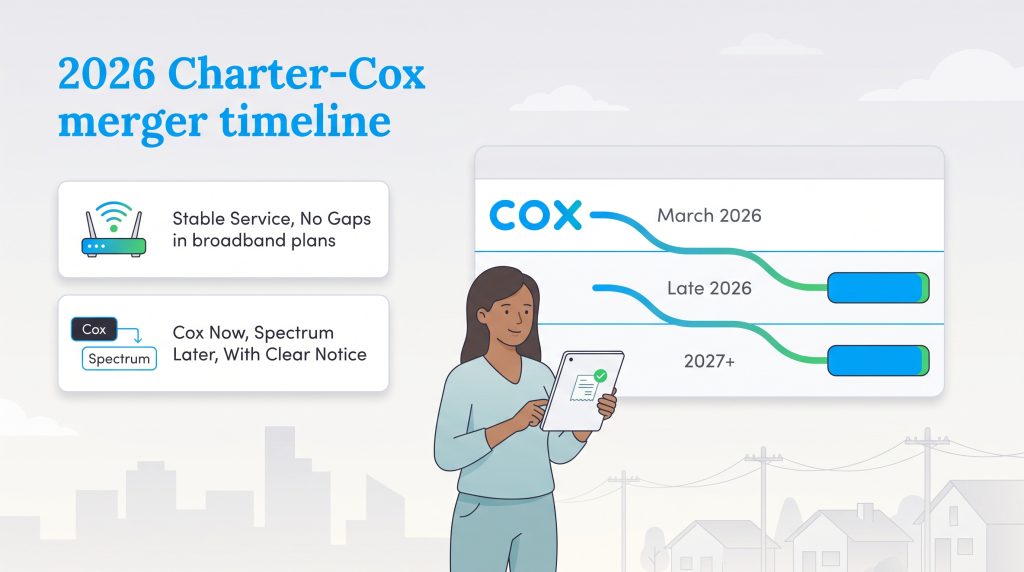
The telecommunications landscape shifted massively this year. If you are researching the Charter Cox merger 2026 news, you likely want to know how this affects your monthly bill and home connection. In short, the Federal Communications Commission (FCC) officially approved a historic $34.5 billion acquisition of Cox by Charter Communications. The combined company will eventually operate entirely under the well-known Spectrum consumer brand.
If you are signing up for service today, here is the exact timeline and what you can expect:
- March 2026: The FCC officially approved the acquisition, finalizing the corporate paperwork.
- Mid-to-Late 2026: Backend infrastructure begins slowly integrating. Your existing Cox equipment, pricing contracts, and mobile apps will continue working seamlessly without any sudden drops in service.
- 2027 and Beyond: Over the next 18 to 24 months, the Cox brand name will gradually phase out. Customers will receive plenty of advance notice before any official billing transitions or equipment upgrades are required.
You do not need to pause your utility setup waiting for the dust to settle. New homeowners signing up today will still subscribe directly to Cox plans, locking in their rates with confidence.
Cox Internet Plans and Pricing
Cox offers a wide range of plans designed to suit everyone from light web browsers to hardcore streamers. Their plans utilize DOCSIS 3.1 cable infrastructure in most areas, with an expanding fiber footprint pushing multi-gigabit capabilities.
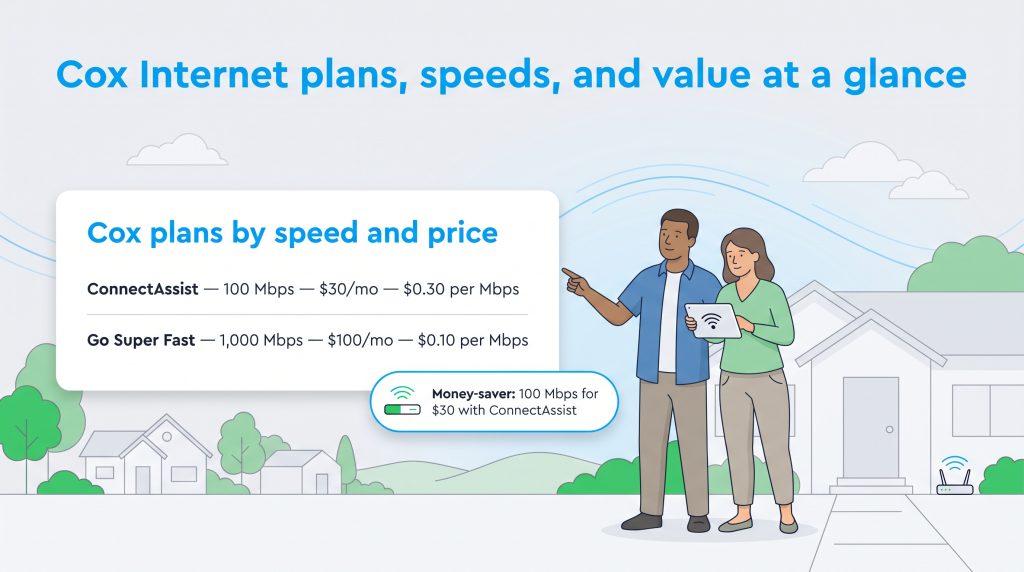
For 2026, the pricing tiers have been streamlined to offer clear steps up in speed. To help you budget effectively, we have included the estimated cost per megabit, showing exactly how much value you get from each tier:
💡 Money-Saver: If your household qualifies for government assistance programs like SNAP, WIC, or public housing, ask about the Cox ConnectAssist program. For a flat $30 per month, you receive a reliable 100 Mbps connection with a free modem rental and absolutely no credit checks.
| Plan Name | Price | Download Speeds | Connection Type | |
|---|---|---|---|---|
| Spectrum Internet 100 | $30 /month | Up to 100 Mbps | Cable | Check Availability |
| Spectrum Internet 500 | $40 /month | Up to 500 Mbps | Cable | Check Availability |
| Spectrum Internet 1 Gig | $60 /month | Up to 1000 Mbps | Cable | Check Availability |
| Spectrum Internet 2 Gig | $80 /month | Up to 2 Gbps | Cable | Check Availability |
| Spectrum Internet 7 Gig fiber internet | $140 /month | Up to 7 Gbps | Fiber | Check Availability |
*INTERNET OFFER: Limited-time offer; subject to change; new residential customers only (no Spectrum service in past 30 days). Standard rates apply after promo period or service change. Actual speeds (including wireless) vary and are not guaranteed. Activation fee additional; taxes may apply. Gig speeds require a compatible modem; see Spectrum.net/modem for list. Terms and conditions apply, subject to change. Not available in all areas. Restrictions apply. Spectrum Internet® is powered by fiber and connected to the premises by coaxial lines. ©2026 Charter Communications, all rights reserved.
Additionally, the company continues to offer the StraightUp Internet prepaid plan, providing 100 Mbps for a flat $50 per month with no annual contract. The flat rate impressively includes a modem and all applicable taxes, making it a fantastic choice for short-term renters or college students who hate surprise billing fees.
Top Cox Comparisons
Network Information and Speeds
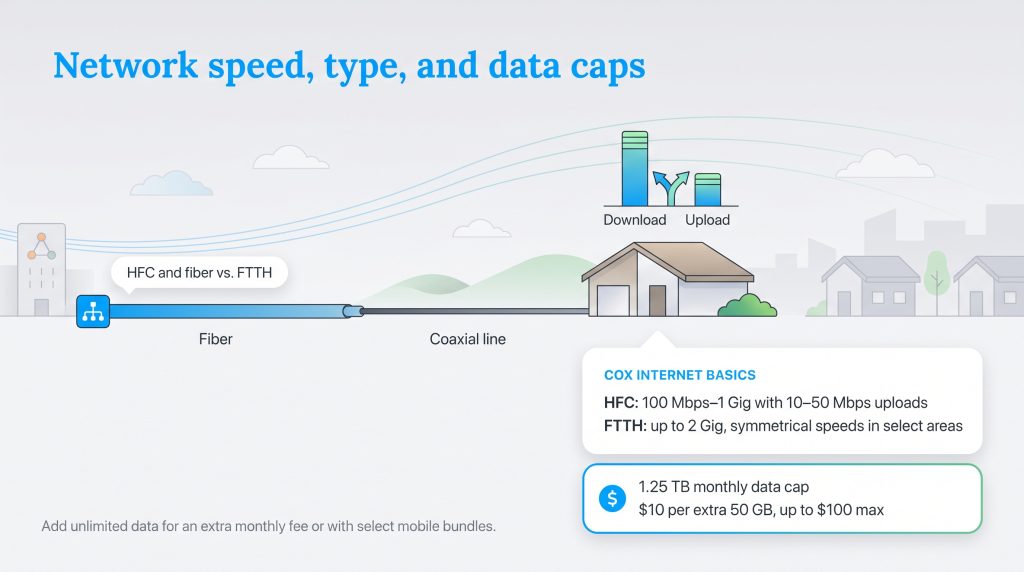
When diving into the technical side of your service, it is important to know exactly how the data reaches your living room. Cox delivers its reliable internet primarily via a hybrid fiber-coaxial network (HFC). This means the core backbone of the network uses incredibly fast fiber-optic cables, which then transition into traditional coaxial copper wiring for the final stretch into your home.
Most standard pricing tiers — from the budget-friendly 100 Mbps plan up to the 1 Gig option — run on this HFC framework. While this setup provides excellent download speeds and low latency for smooth gaming, it does limit standard upload speeds. On the HFC network, your upload capacity will typically cap out between 10 Mbps and 50 Mbps. If you need Cox gigabit internet with symmetrical speeds (where uploads are just as fast as downloads), you will need to live in one of their newer Fiber-to-the-Home (FTTH) expansion zones, which fully supports the premium 2 Gig tier.
Regardless of your connection type, you must keep an eye on the meter. Almost every standard plan includes a strict 1.25 TB monthly data cap. If your household exceeds this generous limit, you will automatically face a $10 fee for every additional 50 GB of data you use, capping at a maximum overage charge of $100 per billing cycle. To secure Cox unlimited data and completely bypass this restriction, you can pay an extra $40 per month or simply bundle your home internet with a qualifying Cox Mobile phone plan.
Coverage Area and Major Cities
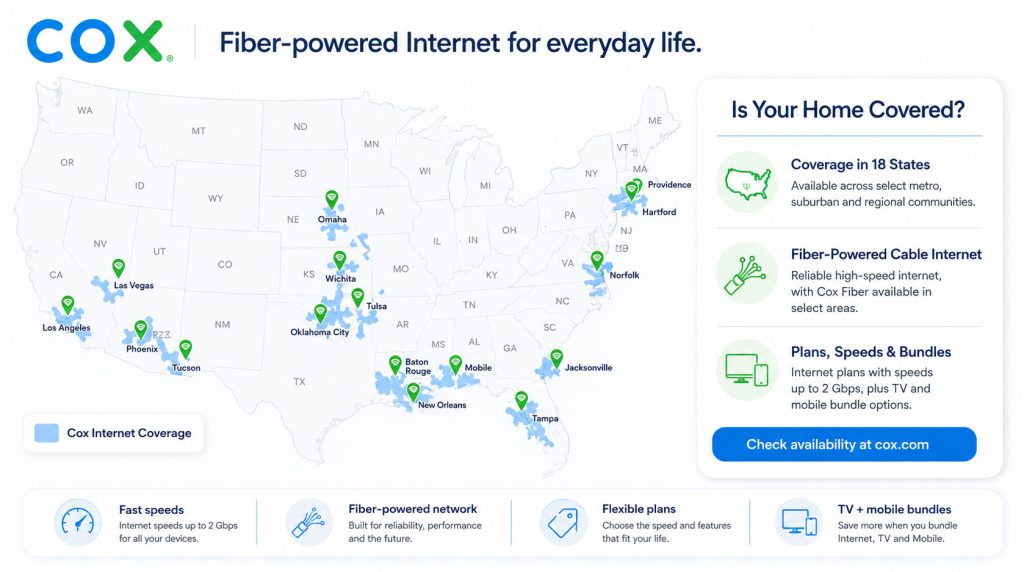
The provider currently operates in 19 states, supplying high-speed connections to roughly 21 million people. Their footprint heavily blankets suburban and urban areas throughout the South, West, and Midwest. While they are not available nationwide, they boast incredibly deep market penetration and robust infrastructure in the regions where they do operate.
Because fiber upgrades and connection speeds can vary significantly from one neighborhood to the next, we always recommend verifying your specific street address directly through the provider’s lookup tool before making moving arrangements. Some of the most prominent major cities heavily served by the network include:
Equipment and the Panoramic Wi-Fi App
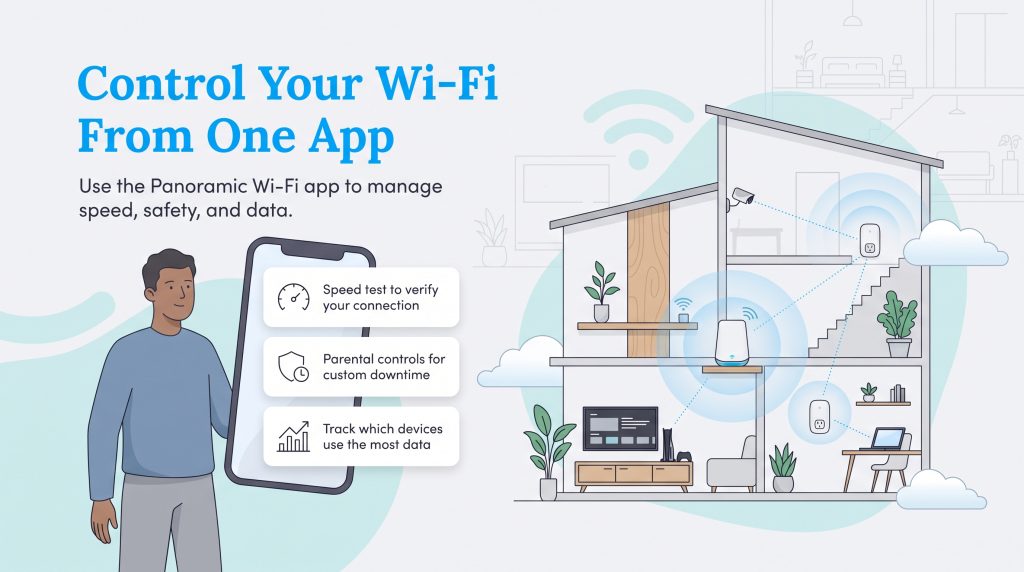
Instead of juggling a messy tangle of separate devices, you can opt to rent the proprietary Panoramic Wi-Fi Gateway. This two-in-one Cox modem router delivers whole-home Wi-Fi 6 coverage and seamlessly pairs with optional Wi-Fi Pods (mesh extenders) to eliminate frustrating dead zones in larger, multi-story homes. You can expect to pay around $13 to $15 per month to rent the gateway, though it is frequently thrown in for free during your first year as a promotional perk.
The true power of this equipment unlocks when you download the highly rated Panoramic Wi-Fi app. This mobile application transforms your smartphone into a comprehensive utility management tool. Some of the most popular interactive features include:
- Built-In Speed Testing: Run an official Cox internet speed test directly from your phone to verify you are actually receiving the bandwidth you pay for at the wall.
- Parental Controls: Assign individual profiles to family members and enforce custom downtime schedules to keep kids off the internet during bedtime.
- Device-Level Data Monitoring: See exactly which smart TV, security camera, or gaming console is eating into your 1.25 TB data limit so you can adjust your habits accordingly.
Deals, Discounts, and Mobile Bundles
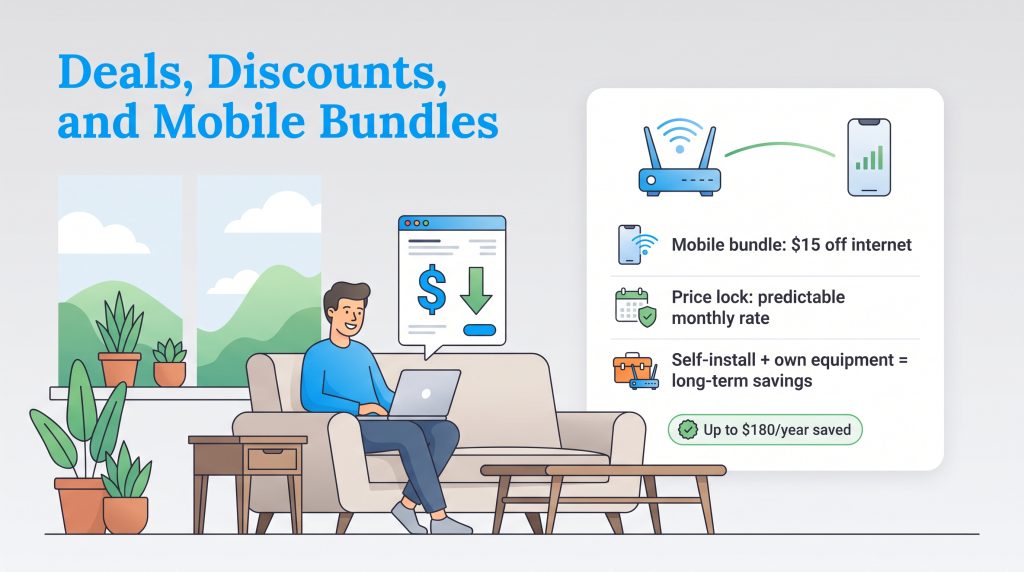
Moving into a new place is expensive, but consolidating your digital life is an excellent way to shrink your monthly utility footprint. Here are the most effective ways to lower your bill in 2026:
- Bundle with Mobile: By adding a “Gig Unlimited” mobile line, you instantly get $15 off your monthly internet bill and qualify for free unlimited home data — completely eliminating data cap worries.
- Utilize the Price Lock Guarantee: Many new customer plans offer a 12-month or 24-month Price Lock Guarantee. This ensures your introductory rate is protected against unexpected mid-year hikes, making household budgeting stress-free.
- Choose the Self-Installation Kit: Skip the professional technician and request the self-install kit. The process is incredibly easy — just plug the gateway into an active coaxial wall outlet and follow the prompts on the mobile app. It is entirely free and saves you the standard professional setup fee.
- Buy Your Own Equipment: If you plan to stay with the provider for more than a year, purchasing your own compatible DOCSIS 3.1 modem and a separate router will save you roughly $180 annually in rental fees.
Hidden Fees, Contracts, and Guarantees
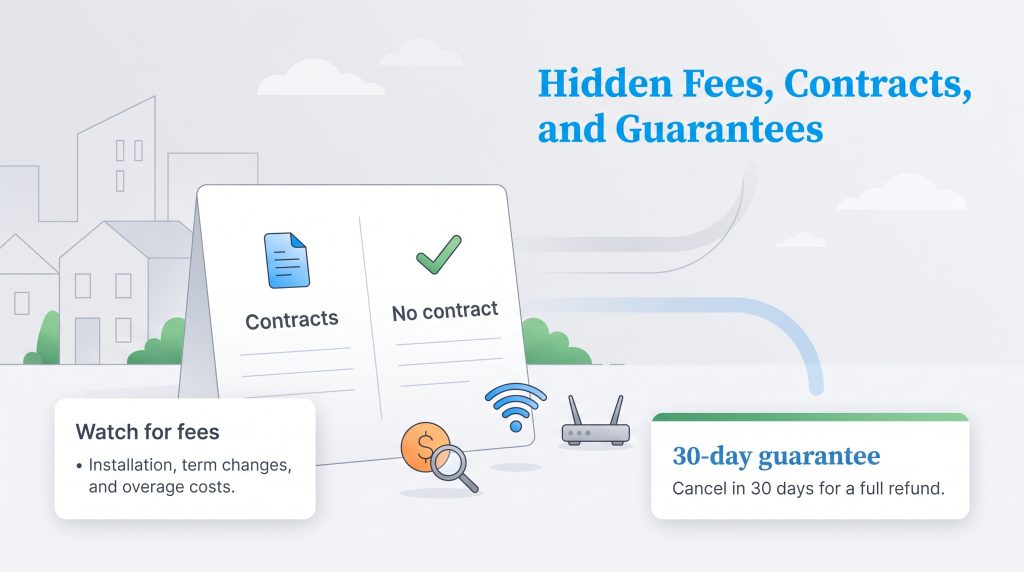
Navigating the fine print is a crucial part of setting up utilities. While the advertised rates look incredibly appealing, keeping an eye out for Cox hidden fees ensures you are never caught off guard. Service plans are available in both contract and no-contract formats. If you choose to lock in a promotional rate with a term agreement, early termination penalties will apply if you move or cancel before the contract ends.
Here is a transparent breakdown of the most common backend fees to watch for:
| Fee Name | Estimated Cost |
|---|---|
| Professional Installation Fee | $100 (Can be waived with a self-install kit) |
| Early Termination Fee (ETF) | Up to $240 (Prorated at $10 per remaining month) |
| Data Overage Fee | $10 per 50 GB (Up to a maximum of $100) |
| Unreturned Equipment Fee | $150+ per device if not returned within 10 days of cancellation |
| Late Payment Fee | Up to $10 based on your state regulations |
If you prefer total flexibility, month-to-month plans are readily available without any early cancellation penalties. Furthermore, they offer a reassuring 30-Day Money-Back Guarantee. If you are not completely satisfied with your network speeds or Wi-Fi coverage within the first month of moving in, you can cancel the service and receive a full refund on your monthly charge.
Sustainability and Green Energy Initiatives
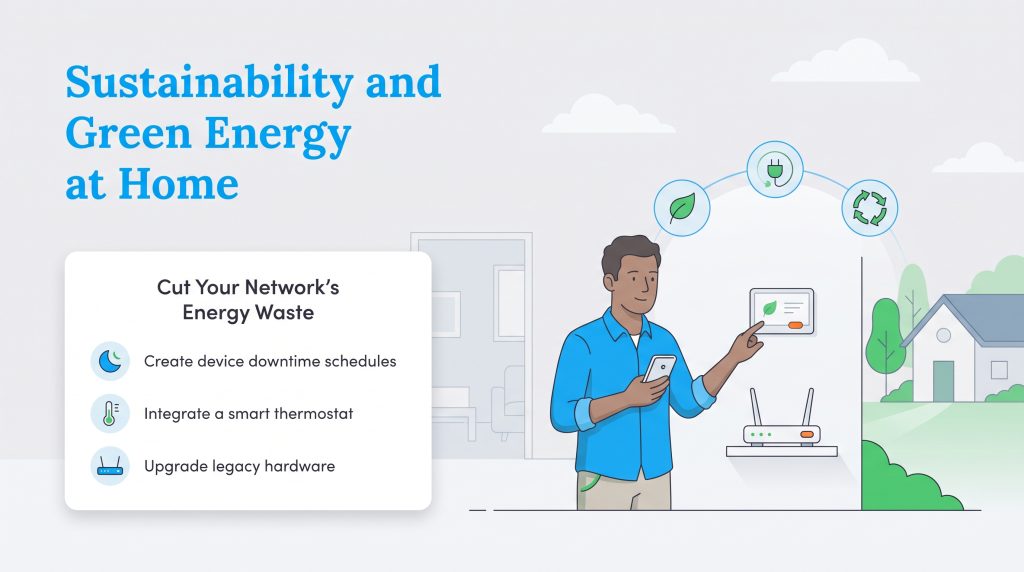
At UtilitiesForMyHome, we believe in highlighting utility providers that take their environmental impact seriously. Telecommunications networks rely on massive data centers that draw an immense amount of electricity from the grid. Fortunately, corporate leadership has prioritized sustainability, working aggressively toward achieving carbon and water neutrality by 2034 as outlined in the official Cox Enterprises sustainability initiatives.
They recently hit a major milestone with their Zero Waste to Landfill initiative, diverting thousands of tons of electronic waste and heavy cabling away from local dumps through extensive, large-scale recycling programs. You can also take sustainability into your own hands. Here are three eco-conscious ways to reduce your home energy footprint using your new network connection:
- Create Device Downtime Schedules: Use the mobile app to automatically cut internet access to gaming consoles and smart TVs overnight. This simple habit helps reduce the “vampire load” of electronics constantly pinging servers while resting in standby mode.
- Integrate a Smart Thermostat: Connect an ENERGY STAR-rated smart thermostat to your Wi-Fi network. You can remotely optimize your home’s heating and cooling schedules while you are at work, significantly cutting natural gas and electricity waste.
- Upgrade Legacy Hardware: If you are still using an old modem from five years ago, upgrade to a modern DOCSIS 3.1 or 4.0 device. Newer telecommunications equipment is engineered to process much higher bandwidths using significantly less physical energy.
Customer Reviews, Ratings, and Complaints
Understanding real-world performance is vital before you sign a multi-year agreement. Based on aggregated 2026 sentiment across various online platforms, user experiences with Cox Communications customer service and network reliability lean slightly mixed, which is unfortunately par for the course across the broader telecom industry.
Currently, the company holds an impressive A- rating from the Better Business Bureau (BBB), indicating that their corporate support team actively responds to and resolves formal consumer complaints. However, typical user reviews on Trustpilot sit much lower — hovering around 1.2 out of 5 stars. Most formal complaints revolve around aggressive price hikes following the expiration of introductory promotions, and frustration over unexpected data overage fees.
On the more conversational side, a review of the /r/CoxCommunications subreddit shows a distinct divide based on location. Homeowners in modernized, fiber-upgraded neighborhoods frequently praise the blistering download speeds and applaud how easily the self-install kits work. Conversely, users in legacy network zones frequently voice irritation over lagging upload speeds that disrupt their Zoom calls and remote work schedules. If you do encounter an issue, community consensus highly recommends using their online chat support or visiting a local retail store rather than calling the main support hotline.
Making the Right Call for Your Home
This network strikes an impressive balance between high-speed performance, useful tech integrations, and flexible affordability. Whether you are a dedicated cord-cutter looking for standalone gigabit internet, a large family trying to balance a chaotic smart home, or a budget-conscious renter needing prepaid month-to-month access, they provide a well-tailored solution. The added financial benefit of bundling your service with a mobile plan — combined with the reassuring continuity following the recent corporate merger news — makes this provider a highly attractive contender for your living space.
Furthermore, their transparent corporate sustainability goals and commitment to digital equity programs give them a socially responsible edge that many eco-conscious consumers look for. As long as you remain mindful of the 1.25 TB data limit and utilize their excellent mobile app to monitor your daily usage, you can confidently check internet off your moving checklist.
Frequently Asked Questions About Cox Communications
Is Cox Communications becoming Spectrum?
Yes. Following the massive $34.5 billion acquisition approved by the FCC in March 2026, the company is now officially part of Charter Communications. Over the next few years, the service and branding will slowly transition to the Spectrum name, though current customer connections, contracts, and equipment will not be interrupted during the integration process.
Can I bypass the Cox data cap?
Yes. You can bypass the standard 1.25 TB monthly data cap by either paying an additional $40 per month for the standalone unlimited data add-on, or by bundling your home internet service with a qualifying unlimited mobile phone plan, which automatically removes the data cap for free.
How do I check for a Cox internet outage in my area?
The fastest way to verify an unexpected network outage is by opening the Panoramic Wi-Fi app on your smartphone, which will immediately display localized network status alerts. You can also log into your online account portal or text “UPDATE” to 269898 if you are currently registered for text notifications.
Why is my Cox internet bill so high?
If your monthly bill is higher than expected, it is usually due to one of three common reasons. First, your initial 12-month promotional rate may have expired, causing your plan to revert to standard pricing. Second, your household may have exceeded the 1.25 TB data limit, triggering automatic overage fees. Finally, you may be seeing standard rental fees for the gateway or additional Wi-Fi range extenders.
What is the Cox Communications Price Lock Guarantee?
The Price Lock Guarantee is a promotional offer where the provider promises not to raise your base rate for the duration of your term agreement (usually between 12 to 24 months). This helps new homeowners effectively budget their monthly utilities without fearing sudden mid-year price hikes.
Does Cox offer fiber internet?
Yes, but only in select expanding areas. Their premium Go Beyond Fast (2 Gbps) plan often runs on pure fiber lines, but most standard plans use a hybrid fiber-coaxial (HFC) network, which delivers incredibly fast downloads but significantly slower upload speeds.
Can I negotiate my bill after promotions expire?
Absolutely. We highly recommend calling the customer retention department once your promotional rate expires to ask about their current deals. Bundling multiple services, such as adding mobile phone lines or a smart home package, frequently unlocks brand new discounted rates.
What routers are compatible with Cox Communications?
Any standard third-party wireless router can be connected to your network, provided it is hooked up to an approved modem. If you prefer to buy a two-in-one modem router combo instead of renting the Panoramic gateway, ensure the device supports DOCSIS 3.1 technology for plans up to 1 Gbps, or DOCSIS 4.0 for multi-gigabit connections.
About the Author

LaLeesha has a Masters degree in English and enjoys writing whenever she has the chance. She is passionate about gardening, reducing her carbon footprint, and protecting the environment. She also recently served as President of the Board for City Sprouts (a community garden).