
While Cox offers wide availability and attractive bundles, Quantum Fiber delivers superior upload speeds, unlimited data, and a more eco-conscious network architecture.

- 7 Gbps
- Cable & Fiber
- Unlimited
- $30.00/mo

- 8 Gbps
- Fiber
- Unlimited
- $30.00/mo
*Not all internet providers and speeds available in all areas.
Key Takeaways
- Quantum Fiber bypasses data caps and offers symmetrical upload speeds, making it the superior choice for remote workers and heavy internet users.
- Cox provides extensive availability and flexible bundle packages, which is ideal if you’re looking to combine your internet, mobile, and television services into one bill.
- Switching to a fiber-optic network is an environmentally mindful choice, as fiber lines consume significantly less electricity to transmit data than traditional coaxial cables.
Choosing between Cox and Quantum Fiber often comes down to deciding whether the familiar convenience of a traditional cable giant outweighs the high-speed efficiency of a modern fiber-optic network. Let’s make it simple: Quantum Fiber is the overall winner for most households. By delivering symmetrical upload and download speeds, unlimited data, and straightforward pricing without hidden fees, Quantum easily outpaces legacy cable. However, if your address sits outside Quantum’s expanding footprint, Cox remains a highly capable alternative with excellent bundling options. Here is exactly how these two telecom giants stack up when you look past the flashy marketing campaigns.
At a Glance: Cox vs. Quantum Fiber Comparison
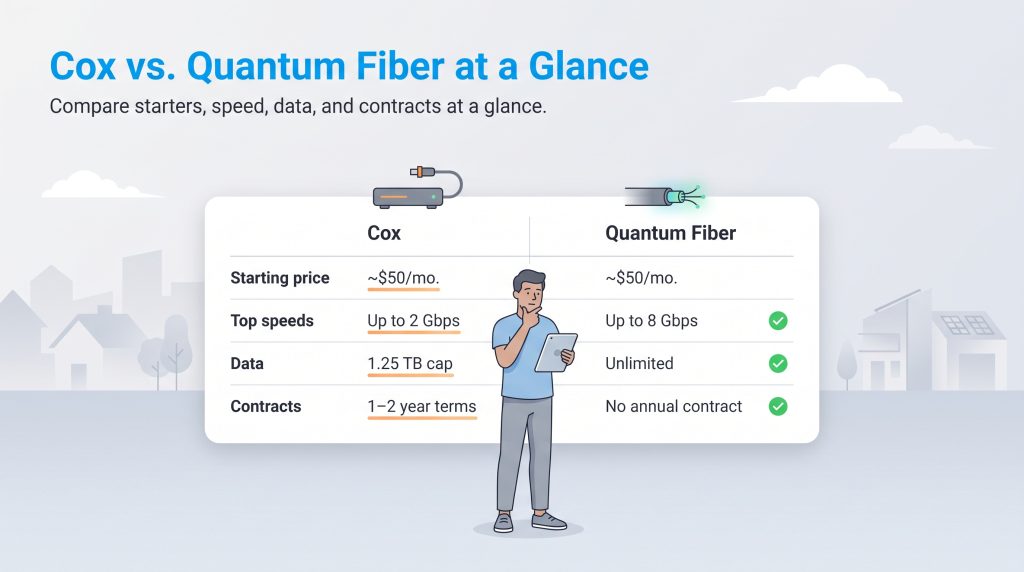
Before diving into the detailed nuances of network architecture and hidden equipment fees, it helps to see how the core features of these two providers stack up side-by-side. When evaluating the big picture, the stark differences between a legacy cable provider and a dedicated fiber company become instantly clear.
| Feature | Cox | Quantum Fiber | Winner |
|---|---|---|---|
| Starting Price | ~$50/mo. (promotional) | ~$50/mo. | Tie |
| Speed Range | Up to 2 Gbps | Up to 8 Gbps | Quantum Fiber |
| Data Caps | 1.25 TB limit | Unlimited | Quantum Fiber |
| Contract Requirements | 1–2 years usually required for best pricing | No annual contracts | Quantum Fiber |
Network Technology: Fiber vs. Cable Internet
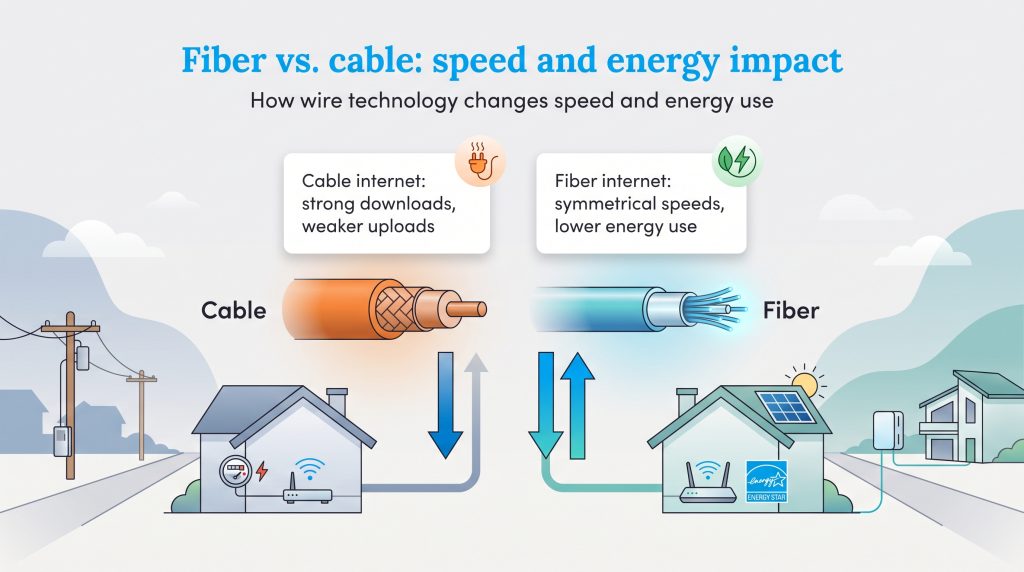
To truly understand why these two services perform so differently, you need to look at the physical wires connecting your home to the broader web. The debate between fiber vs cable internet ultimately centers on how data travels. Cox relies primarily on a traditional coaxial cable network. These legacy copper networks were originally designed decades ago to broadcast massive television signals in one direction — downstream to your house. While Cox has upgraded its infrastructure significantly over the years to support gigabit download speeds, the underlying copper technology still struggles with pushing heavy data back up the line.
Quantum Fiber, conversely, uses incredibly thin strands of glass to transmit data via light pulses. Because fiber-optic cables don’t suffer from the same electrical degradation over distance as copper, they provide identical, symmetrical speeds in both directions. In real-world terms, this means your upload speeds perfectly match your download speeds.
Beyond raw performance, fiber networks offer a fantastic eco-conscious alternative for green homes. Older coaxial networks frequently require energy-intensive cooling systems and constant signal boosting at various amplifier stations. Because fiber typically bypasses these heavier power requirements, it uses significantly less electricity. You can lower your personal energy footprint and potentially save on your electric bill by pairing your sleek new fiber connection with ENERGY STAR certified networking equipment or running your network on solar power.
🌱 Eco Edge: Because fiber-optic cables don’t require the same continuous electrical cooling and amplification as legacy copper networks, they represent a highly energy-saving option over their lifespan.
Internet Plans and Monthly Pricing
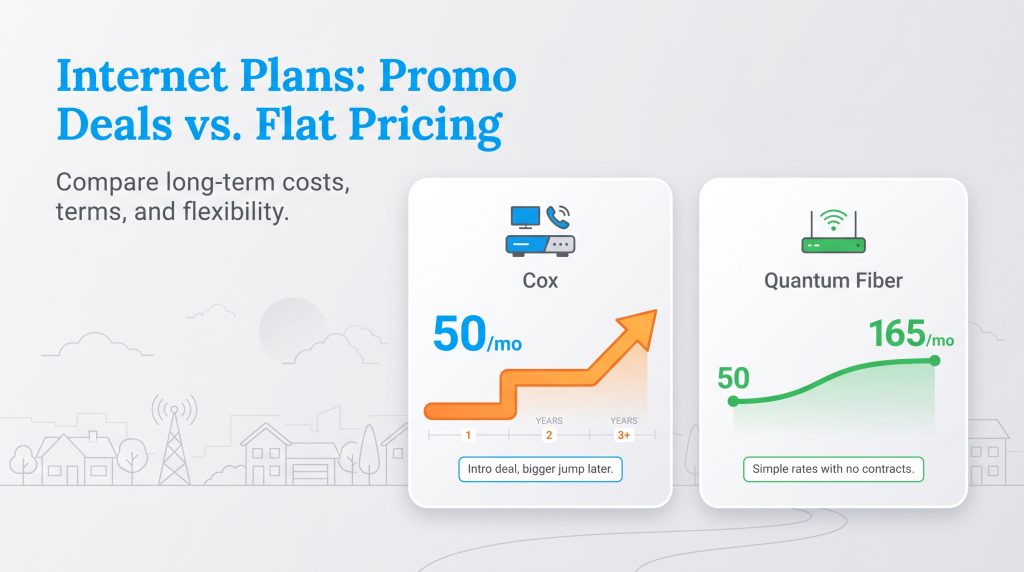
When you start examining the 2026 pricing structures for both providers, you immediately notice two vastly different billing philosophies. Cox relies heavily on introductory pricing tiers, while Quantum leans into simplified, flat-rate pricing. Navigating these plans requires you to look beyond the initial promotional window so you can calculate your true long-term costs.
Cox Internet Plans
Despite being primarily a legacy cable operator, Cox delivers robust download performance that meets the demands of almost any household. Cox internet plans usually start around $50 per month, which looks incredibly appealing on day one. However, that promotional price frequently masks a steep rate hike once your initial 12- or 24-month term expires.
When you compare Cox Gigablast vs Quantum Fiber, Cox can hold its own on massive file downloads, though its upload performance lags far behind. The real advantage of choosing Cox is the potential for utility consolidation. Adding a Cox mobile and television bundle to your account simplifies your financial life by routing multiple essential services through one dashboard. If you’re deeply interested in comparing top internet service providers for all-in-one entertainment, Cox provides a level of customized bundling that specialized fiber companies rarely match.
| Plan Name | Price | Download Speeds | Connection Type | |
|---|---|---|---|---|
| Spectrum Internet 100 | $30 /month | Up to 100 Mbps | Cable | Check Availability |
| Spectrum Internet 500 | $40 /month | Up to 500 Mbps | Cable | Check Availability |
| Spectrum Internet 1 Gig | $60 /month | Up to 1000 Mbps | Cable | Check Availability |
| Spectrum Internet 2 Gig | $80 /month | Up to 2 Gbps | Cable | Check Availability |
| Spectrum Internet 7 Gig fiber internet | $140 /month | Up to 7 Gbps | Fiber | Check Availability |
Quantum Fiber Internet Plans
Quantum Fiber keeps its pricing strategy refreshingly simple. With base tiers often starting near $50 per month and soaring up to $165 for hyper-fast 8 Gbps connections in select areas, the rate you see is generally the rate you pay. We appreciate how this transparent approach removes the usual anxiety from budgeting for your monthly utilities.
One of the biggest selling points is that Quantum functions as a true no contract internet provider. You enjoy the ultimate freedom to cancel, pause, or upgrade your service tier without suffering hefty early termination fees. This flexibility makes Quantum an ideal choice for renters or anyone who dislikes being locked into long-term telecom agreements.
| Plan Name | Price | Download Speeds | Connection Type | |
|---|---|---|---|---|
| Up to 200 Mbps | $30 /month | Up to 200 Mbps | Fiber | Check Availability |
| Up to 500 Mbps | $50 /month | Up to 500 Mbps | Fiber | Check Availability |
| Up to 1 GIG | $50 /month | Up to 1000 Mbps | Fiber | Check Availability |
| Up to 2 GIG | $70 /month | Up to 2 Gbps | Fiber | Check Availability |
| Up to 3 GIG | $70 /month | Up to 3 Gbps | Fiber | Check Availability |
| Up to 8 GIG | $150 /month | Up to 8 Gbps | Fiber | Check Availability |
Data Caps and Overage Fees
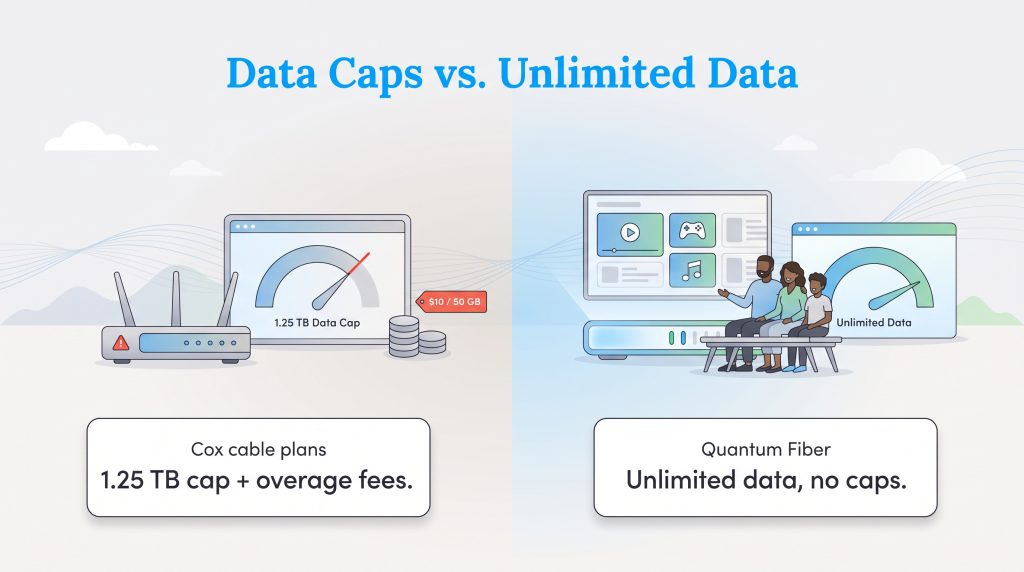
Nothing ruins a weekend movie marathon quite like an unexpected penalty fee on your internet bill. This is one of the most critical areas where the two companies diverge. Comparing Cox data caps against Quantum’s policies highlights a frustrating limitation for traditional cable users.
Cox strictly enforces a 1.25 TB monthly data cap on the vast majority of its residential internet plans. While 1.25 TB sounds like a massive amount of data, modern digital habits chew through bandwidth incredibly fast. If your household streams a lot of 4K video, downloads massive 100 GB video games, or constantly syncs cloud storage backups, hitting that ceiling is easier than you might think. Once you exceed the limit, Cox automatically applies an overage charge — typically $10 for every additional 50 GB of data used. You can purchase an unlimited data add-on, but that will unnecessarily inflate your monthly bill.
Quantum Fiber completely bypasses this headache. They offer genuinely unlimited data across all their fiber tiers at no extra charge. You can stream, game, and work around the clock without ever needing to monitor a restrictive usage meter on your account dashboard.
💸 Money-Saver: If you have a large family of heavy streamers and gamers, Quantum Fiber’s unlimited data can easily save you $30 to $50 a month compared to upgrading a restricted Cox cable plan to an unlimited tier.
Equipment, Installation, and Hidden Costs
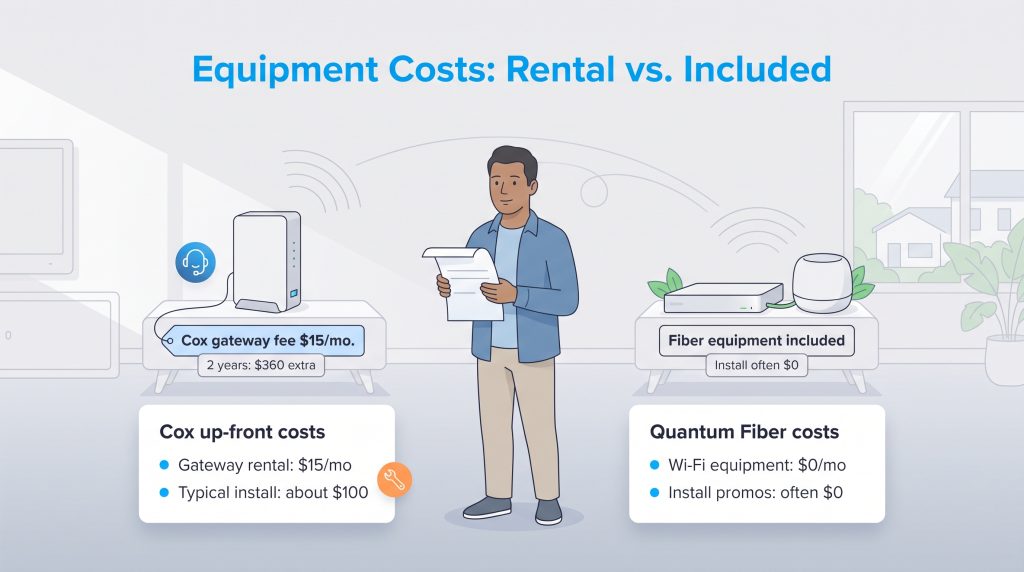
The advertised sticker price rarely tells the whole story when dealing with home utilities. Hidden fees for hardware and installation can drastically alter your actual out-of-pocket expenses.
If you sign up for Cox, you will likely encounter the Cox Panoramic Wifi gateway. This two-in-one modem and router combo is heavily pushed during the checkout process and typically adds a $15 per month rental fee to your bill. Over a two-year contract, that equipment fee alone costs you an extra $360. While you can opt to use your own compatible modem to avoid this charge, Cox makes the Panoramic gateway highly enticing by tying it to technical support guarantees. Furthermore, a professional installation from Cox will usually run you around $100, though self-installation kits are available for free if your home is already wired for active cable.
Quantum Fiber, alternatively, includes its advanced Wi-Fi 360 equipment at no extra monthly charge for most standard setups. Because fiber hardware is proprietary and handles delicate optical signals, the company provides the optical network terminal (ONT) and the mesh routing pods as part of your base subscription. Better yet, Quantum frequently runs promotions that completely waive the professional installation fees, meaning your upfront costs to get your home fully connected are often zero.
Coverage and Availability Overlap
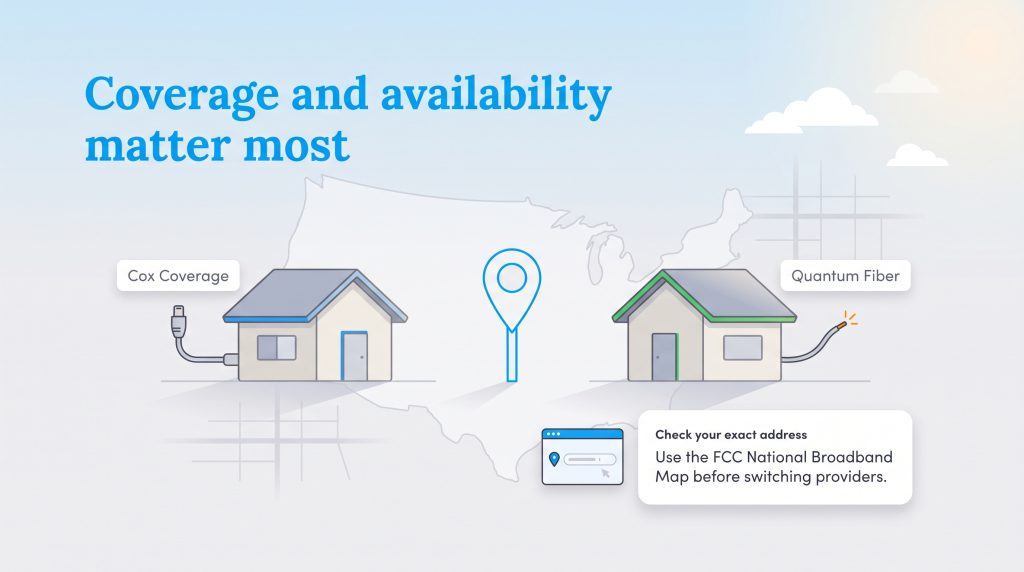
The most crucial factor in your decision might simply be your physical address. Despite fiber’s undeniable technological superiority, internet comparisons are only useful if both providers actually serve your neighborhood.
Cox boasts a massive national footprint, blanketing millions of homes across the United States. If you live in a suburban, moderately rural, or major metropolitan area, there’s a strong chance a Cox coaxial line is already connected to your property.
Conversely, Quantum Fiber coverage is still aggressively expanding. Operating primarily across parts of the West, Midwest, and South — largely within the former CenturyLink footprint — Quantum is rapidly upgrading older DSL networks to pure fiber-optics. You will find fierce competition and high availability overlap in several major markets, including Phoenix, Las Vegas, and Omaha. If you live in one of these overlapping regions, you are in the perfect position to leverage their competing offers.
Before you get your heart set on lightning-fast speeds or zero data caps, you must independently verify Quantum Fiber availability for your exact address. We highly recommend you search the FCC National Broadband Map to verify street-level coverage data for both providers. Never cancel your existing service until you confirm the new provider can securely wire your specific home.
Customer Service and Reliability
Let’s be entirely honest — dealing with telecom customer service is rarely a joyful experience. Traditional cable companies routinely rank near the bottom of national consumer satisfaction indexes due to sudden rate hikes and unexpected outages. However, recent Quantum Fiber reviews frequently praise the company for its streamlined digital app, simple billing practices, and highly reliable network uptime. Because fiber lines are far less susceptible to weather-related interference and neighborhood network congestion, you generally face fewer headaches during peak usage hours.
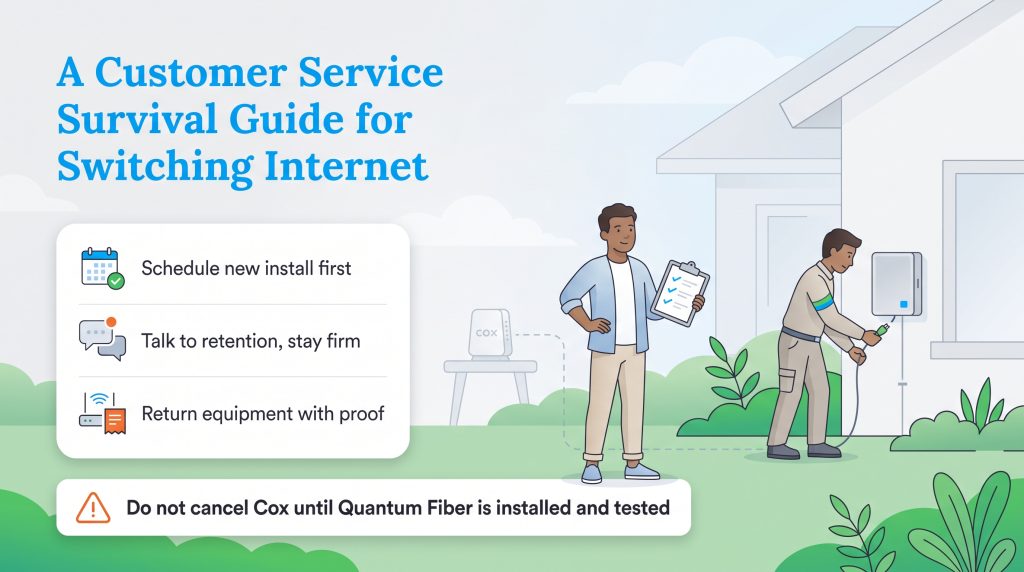
If you are ready to make the jump, switching from Cox to Quantum doesn’t have to be a frustrating nightmare. Following a strategic process ensures you never lose connectivity while moving between networks.
- Schedule installation before canceling: Secure your Quantum Fiber installation date first. Depending on your home, a technician may need to run a new physical fiber line to your exterior wall, which can sometimes cause unexpected delays.
- Negotiate with the retention department: When you finally call Cox to cancel, you’ll be routed to their retention team. Stay firm in your decision, but listen to their counteroffers. Occasionally, you might score an incredible deal worth considering, though it rarely fixes the core upload speed limitations.
- Return your old equipment promptly: Pack up your rented Cox gateway, bring it directly to a retail store, and demand a physical receipt. Never leave without written proof that you returned the hardware.
🚩 Heads Up: Never cancel your current Cox service until your new Quantum Fiber connection is fully installed and tested, or you risk facing a frustrating multi-day internet blackout during the transition.
Making the Right Choice for Your Next Home
Upgrading your digital infrastructure is just as crucial as turning on the lights or the water when you move. If you’re lucky enough to have overlapping coverage at your address, Quantum Fiber easily proves to be the superior choice. The unrestricted data allowances, lack of annual contracts, and blazing-fast symmetrical upload speeds perfectly align with the heavy demands of modern remote work and 4K streaming.
However, Cox is far from obsolete. The legacy provider remains an incredibly reliable backup option, offering excellent download speeds and unmatched bundling convenience for millions of homes located outside the expanding fiber footprint. Taking the time to weigh your household’s exact bandwidth needs against these hidden fees and data policies will drastically simplify the process of setting up utilities for your new home, ensuring your digital life stays fast, affordable, and fully connected.
Frequently Asked Questions About Cox vs. Quantum Fiber
Does Quantum Fiber have data caps?
Is Quantum Fiber better than Cox for working from home?
Can I avoid the Cox Panoramic Wifi rental fee by bringing my own router?
Is Quantum Fiber the same as CenturyLink?
Is Cox or Quantum Fiber better for gaming?
Does Cox have unlimited data like Quantum Fiber?
How much does it cost to switch from Cox to Quantum Fiber?
Do I need to buy a new router for Quantum Fiber?
Why is my Cox upload speed so much slower than Quantum Fiber?
Can I keep my Cox email address if I switch to Quantum Fiber?
About the Author

David has been an integral part of some of the biggest utility sites on the internet, including InMyArea.com, HighSpeedInternet.com, BroadbandNow.com, and U.S. News. He brings over 15 years of experience writing about, compiling and analyzing utility data.