

Choosing Between Cox And CenturyLink Usually Comes Down To Whether Your Address Gets Fiber, Cable, Or DSL
Key Takeaways
- CenturyLink’s fiber plans offer symmetrical speeds and no data caps, making them the superior choice for bandwidth-heavy households.
- Cox cable generally outperforms CenturyLink DSL, providing much faster and more reliable connections if fiber isn’t available in your neighborhood.
- Hidden costs can inflate your monthly bill, so it is crucial to compare equipment rental fees, installation charges, and promotional pricing before signing a contract.

- 7 Gbps
- Cable & Fiber
- Unlimited
- $30.00/mo

- 940 Mbps
- DSL & Fiber
- 1 TB
- $50.00/mo
*Not all internet providers and speeds available in all areas.
Setting up utilities during a move carries enough stress without agonizing over which internet provider will actually deliver reliable service. For most homes, CenturyLink’s high-speed fiber internet easily wins out with symmetrical speeds and unlimited data, but if fiber isn’t available at your address, Cox’s robust cable network thoroughly beats CenturyLink’s slower DSL service. We designed this guide to help you compare Cox and CenturyLink directly, sorting through the promotional jargon to determine which provider offers the best value, speed, and reliability for your daily routine.
At A Glance: Cox Vs CenturyLink Comparison
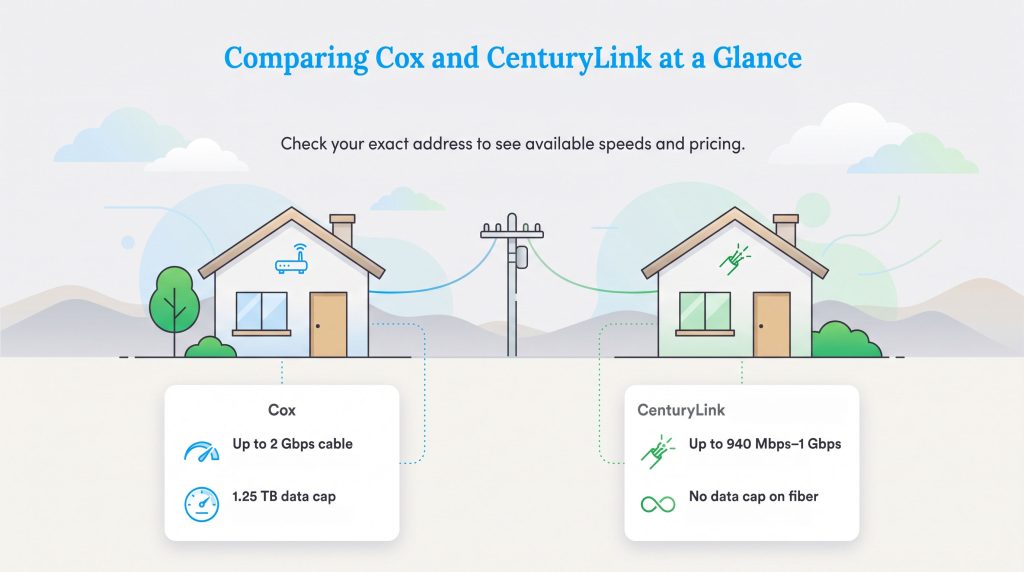
When you’re comparing Cox and CenturyLink internet, focus first on what’s available at your exact address. Whether Cox is better than CenturyLink usually depends on the specific connection type running to your property. CenturyLink shines brightly with its straightforward fiber pricing, though in many areas, its top-tier fiber service is now sold under the Quantum Fiber brand. If your address checker redirects you to Quantum Fiber, you are looking at the premier fiber option discussed in this guide. Cox, on the other hand, offers a wider range of cable tiers that scale up to multi-gigabit speeds. To help budget-conscious movers scan the data quickly, we compiled a side-by-side look at what each provider brings to the table. Pricing and fees change often, so treat these figures as typical starting points before confirming the final price.
📌 Quick Fact: Internet availability varies block by block, so always check your exact address on the provider’s website before getting too attached to a specific speed tier or price point.
| Feature | Cox | CenturyLink |
|---|---|---|
| Starting Price | Approx. $50/month | Approx. $50/month |
| Maximum Speed | Up to 2 Gbps | Up to 940 Mbps (multi-gig in select areas) |
| Connection Type | Cable, Fiber | Fiber, DSL |
| Data Caps | Yes (1.25 TB limit) | No (Unlimited data) |
| Contracts | Yes (typically 1-2 years) | No (month-to-month) |
Plans And Pricing Comparison
Evaluating the cost differences between CenturyLink and Cox requires looking past the heavily advertised promotional rates. Both providers typically lure customers in with a flat $50 monthly starting fee, but the underlying technology and long-term expenses differ drastically. It is critical to compare these packages accurately to avoid overpaying for a sluggish connection.
CenturyLink Internet Plans
| Plan Name | Price | Download Speeds | Connection Type | |
|---|---|---|---|---|
| 100 Mbps | $55 /month | Up to 100 Mbps | DSL | Check Availability |
| 500 Mbps | $50 /month | Up to 500 Mbps | Fiber | Check Availability |
| Fiber Gigabit | $75 /month | Up to 940 Mbps | Fiber | Check Availability |
CenturyLink strictly separates its offerings based on the physical wiring connected to your home, leaving you with either legacy DSL or high-speed fiber. The provider’s standard DSL plan generally offers download speeds up to 100 Mbps, though many older suburban or rural homes might only see a fraction of that speed based on distance from the neighborhood node. CenturyLink fiber, however, represents a massive leap in performance. For a starting price of roughly $50 per month, fiber users unlock incredibly fast speeds, often up to 940 Mbps, along with a transparent flat-rate model that skips sudden post-promotional rate hikes entirely.
Cox Internet Plans
| Plan Name | Price | Download Speeds | Connection Type | |
|---|---|---|---|---|
| Spectrum Internet 100 | $30 /month | Up to 100 Mbps | Cable | Check Availability |
| Spectrum Internet 500 | $40 /month | Up to 500 Mbps | Cable | Check Availability |
| Spectrum Internet 1 Gig | $60 /month | Up to 1000 Mbps | Cable | Check Availability |
| Spectrum Internet 2 Gig | $80 /month | Up to 2 Gbps | Cable | Check Availability |
| Spectrum Internet 7 Gig fiber internet | $140 /month | Up to 7 Gbps | Fiber | Check Availability |
Cox Communications relies primarily on a traditional cable network, offering several distinct speed tiers tailored to different household budgets and usage habits. You can easily start with basic speeds around 100 Mbps for casual browsing or upgrade to incredibly fast 1 Gbps or 2 Gbps tiers for heavy downloading and multiple simultaneous streams. The biggest catch with Cox’s pricing is its heavy reliance on promotional contracts. New customers lock in an attractive rate for the first 12 to 24 months, but once that period expires, the monthly bill typically jumps significantly. Always review the terms to understand exactly what your standard rate will be after the introductory phase ends.
Speed And Connection Types: Cable Vs DSL Vs Fiber
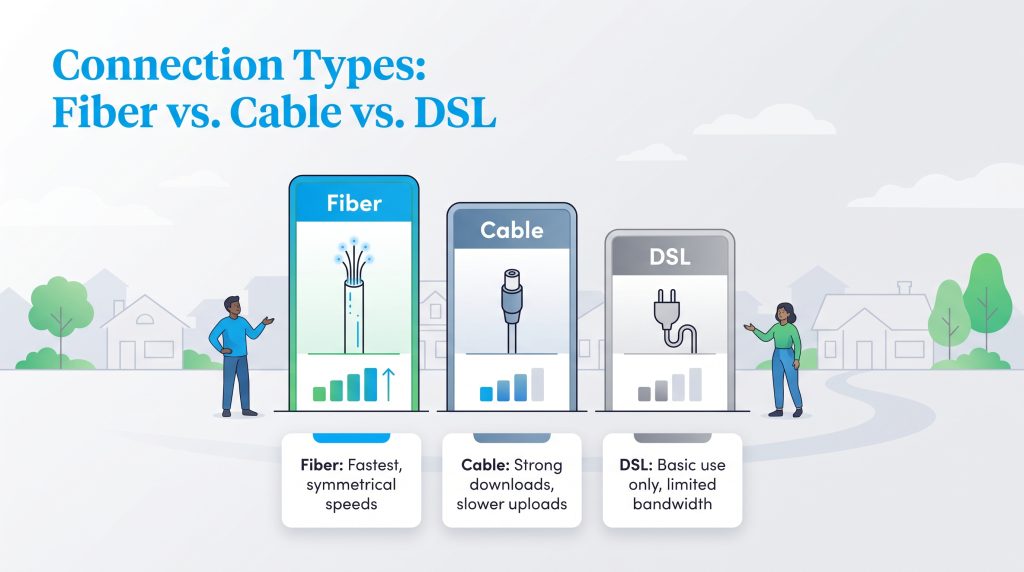
Understanding the technological infrastructure running to your home makes choosing the right home internet connection much easier. The showdown between Cox and CenturyLink strictly favors CenturyLink in markets where they have deployed their full fiber-to-the-home network. Fiber optic technology sends data via light signals, resulting in fast, reliable performance. CenturyLink fiber provides upload speeds that perfectly match its download speeds (up to 940 Mbps), giving remote workers and content creators a flawless experience without frustrating delays.
Conversely, traditional cable internet uses coaxial copper wires. While cable supports excellent download speeds widely available across the Cox footprint, it serves as a compromise. Cox’s standard cable network suffers from much slower upload rates (often heavily restricted between 10 Mbps and 50 Mbps) and can easily bottleneck during peak neighborhood usage hours when everyone logs online simultaneously.
The hierarchy of home connectivity places fiber firmly at the top, followed by cable, leaving DSL as the least capable option for busy households. When comparing CenturyLink DSL and Cox cable, Cox will almost always be the superior choice. CenturyLink’s legacy DSL network relies on aging telephone lines that severely struggle to provide the bandwidth necessary for modern streaming, making it largely obsolete for multi-device households.
Smart Home Performance And Sustainability
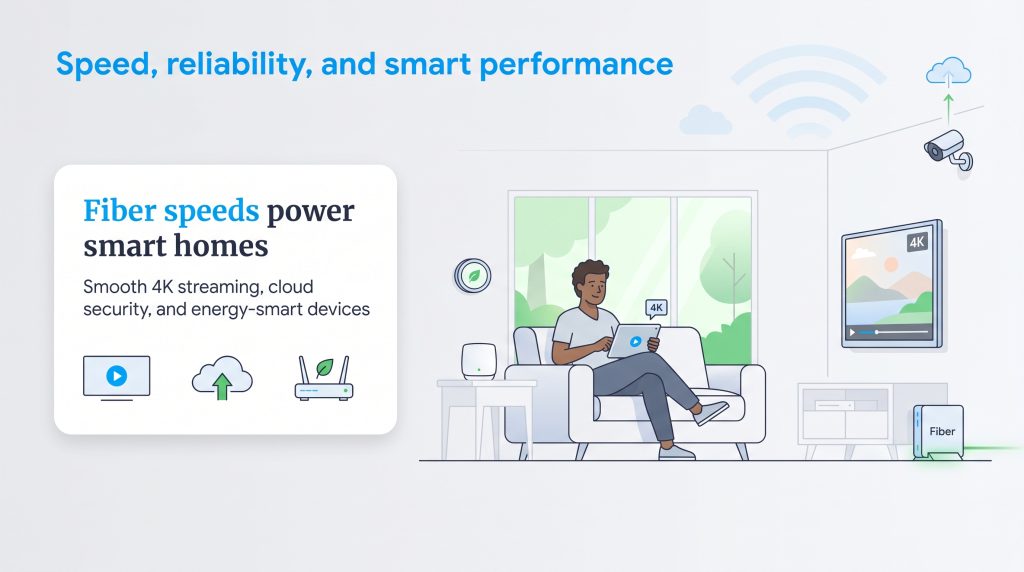
A fast connection dictates the success of a modern, automated household. When evaluating the speed differences between Cox and CenturyLink, your daily tasks should drive your decision. Running a home security hub, streaming 4K video across multiple televisions, and downloading massive gaming updates require substantial bandwidth. The FCC now defines fixed broadband as at least 100 Mbps download and 20 Mbps upload, while households utilizing smart security devices or multiple cloud-connected appliances may need much more capacity.
Beyond performance, upgrading to fiber represents an environmentally mindful choice. Fiber networks can be an energy-saving option compared to older copper-based systems because they transmit large amounts of data far more efficiently. We highly recommend pairing your new high-speed connection with an eco-conscious, energy-efficient router or mesh system. Look for power-saving settings such as sleep mode or scheduled downtime. Utilizing ENERGY STAR-certified smart thermostats and connected devices can also seamlessly assist in reducing your home’s phantom energy consumption.
Data Caps And Hidden Fees
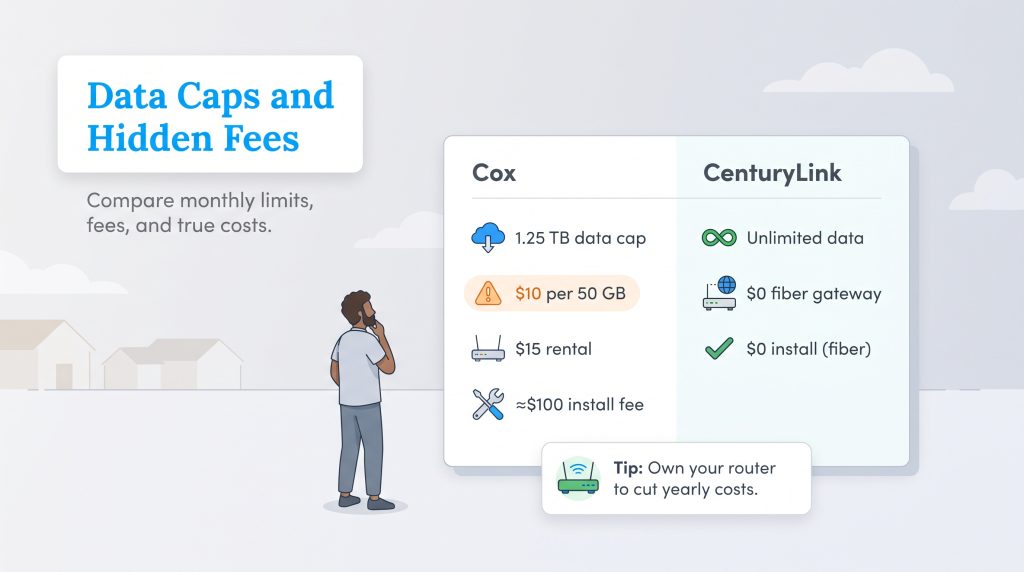
When you budget for utility setups during a move, looking strictly at the base monthly rate is a mistake. Hidden costs and data restrictions can inflate your monthly internet bill substantially if you skip the fine print.
- Data Caps and Overage Charges: Cox generally enforces a strict 1.25 TB monthly data cap on most of its standard residential plans. If your household streams daily or downloads massive files, you could hit this threshold rapidly. Once exceeded, Cox automatically charges an overage fee of $10 for every additional 50 GB used. Conversely, CenturyLink adopts a completely unlimited data policy for its fiber customers, effectively eliminating the stress of monthly limits.
- Equipment Rental Fees: Renting a modem and router directly from your provider adds up fast. Cox typically charges $15 per month for its Panoramic Wifi gateway. CenturyLink also charges a monthly rental fee for older DSL setups, but it frequently includes the necessary gateway equipment at no extra charge with its Quantum Fiber plans.
- Installation Costs: Moving often means paying setup fees. Cox sometimes charges professional installation fees that hover around $100, though self-installation kits are usually free if your home is pre-wired. CenturyLink often waives installation fees entirely as an incentive to switch over to its fiber network.
💸 Money-Saver: Purchasing your own compatible router instead of renting the provider’s equipment can save you over $150 a year, while also reducing electronic waste associated with telecom hardware turnover.
Customer Service And Reliability
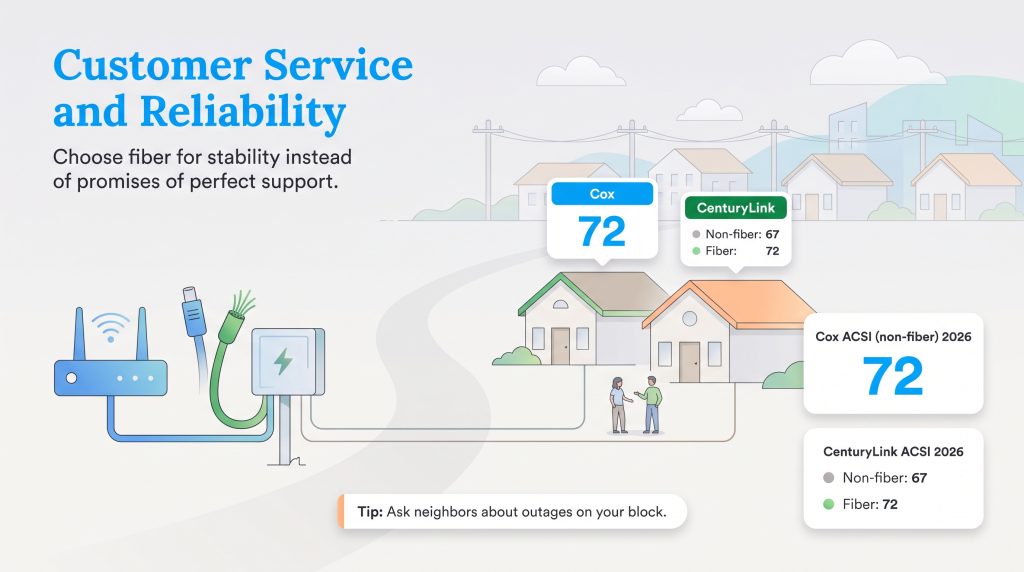
Cox and CenturyLink frequently overlap in markets such as Phoenix, Las Vegas, and Omaha, though availability varies street by street. Evaluating customer service requires managing your expectations. The telecommunications industry historically ranks poorly for customer satisfaction, and neither company completely breaks that frustrating mold.
However, recent data paints a clearer picture of what you can expect. According to the 2026 American Customer Satisfaction Index (ACSI) Telecommunications Report, both providers face routine complaints regarding long wait times and billing disputes. Yet, in the non-fiber category, Cox achieved an ACSI score of 72, beating CenturyLink’s score of 67. CenturyLink’s dedicated fiber internet service separately earned a score of 72, bringing it perfectly in line with Cox’s overall satisfaction levels. If you are setting up service through our Las Vegas utility guide or another regional hub, prioritize the technological stability of the connection type — choosing fiber whenever possible — over the promise of stellar phone support.
🚩 Heads Up: Ask your new neighbors or check local community groups about neighborhood-specific outages, as infrastructure quality and reliability can vary drastically from one zip code to the next.
Choosing The Right Provider For Your Home
Choosing the winner in the battle of Cox vs. CenturyLink ultimately relies on the physical wires connected to your specific address. If CenturyLink or Quantum Fiber offers gigabit fiber service at your new home, it unequivocally stands as the strongest overall choice for most households. The combination of symmetrical upload speeds, transparent flat-rate pricing, and zero data caps makes it an incredible value for heavy internet users and smart home enthusiasts alike.
However, if your address restricts you to choosing between Cox cable and CenturyLink DSL, Cox becomes the clear and undisputed winner. Their coaxial cable network provides the necessary bandwidth to keep modern households running smoothly, effortlessly outpacing the sluggish, outdated limitations of traditional DSL. Confirm your local availability, weigh the upfront equipment costs, and choose the connection that comfortably fits your budget, devices, and daily routine.
Frequently Asked Questions About Cox And CenturyLink
These quick answers cover the most common Cox and CenturyLink questions for movers, renters, and homeowners. Always confirm final pricing, equipment fees, and availability at your exact address before ordering service.
Is Cox better than CenturyLink?
Does Cox or CenturyLink have better fiber internet?
Do I have to sign a contract with Cox or CenturyLink?
Which is better for gaming: Cox cable or CenturyLink DSL?
Is CenturyLink fiber the same as Quantum Fiber?
Are there data caps with Cox or CenturyLink?
Which provider is better for a smart home setup?
About the Author

David has been an integral part of some of the biggest utility sites on the internet, including InMyArea.com, HighSpeedInternet.com, BroadbandNow.com, and U.S. News. He brings over 15 years of experience writing about, compiling and analyzing utility data.

LaLeesha has a Masters degree in English and enjoys writing whenever she has the chance. She is passionate about gardening, reducing her carbon footprint, and protecting the environment. She also recently served as President of the Board for City Sprouts (a community garden).