
Choosing Between AT&T and Starlink Comes Down to Your Physical Location, Sustainability Goals, and Smart Home Needs

- 5 Gbps
- Fiber
- Unlimited
- $35.00/mo

- 400 Mbps
- Satellite
- Unlimited
- $55.00/mo
*Not all internet providers and speeds available in all areas.
Key Takeaways
- AT&T Fiber typically offers the fastest speeds and lowest latency for suburban homes, making it a top choice for heavy smart home users.
- Starlink shines in rural or off-grid locations where traditional wired connections like AT&T DSL drop the ball.
- AT&T Internet Air (fixed wireless) provides a 5G alternative for homes without fiber access, rivaling Starlink’s convenience without the high equipment fees.
Getting the keys to a new place is thrilling, but wrestling with utility setups and trying to choose the right service providers can quickly drain that excitement. Since a reliable connection forms the backbone of any modern, eco-conscious smart home, making the right call on your internet service provider is a major priority. We are comparing the high-speed legacy wired options and 5G network of AT&T against the cutting-edge satellite tech of Starlink to help you find the perfect fit for your unique space. Whether you are aiming for lightning-fast gigabit downloads in the city or setting up an entirely off-grid homestead in the country, comparing AT&T vs Starlink will ensure your energy monitors, security cameras, and smart thermostats stay seamlessly connected. If you are exploring all your options for getting connected, check out our comprehensive guide to choosing an internet provider to see what perfectly matches your lifestyle.
The Short Answer: When to Choose AT&T vs Starlink
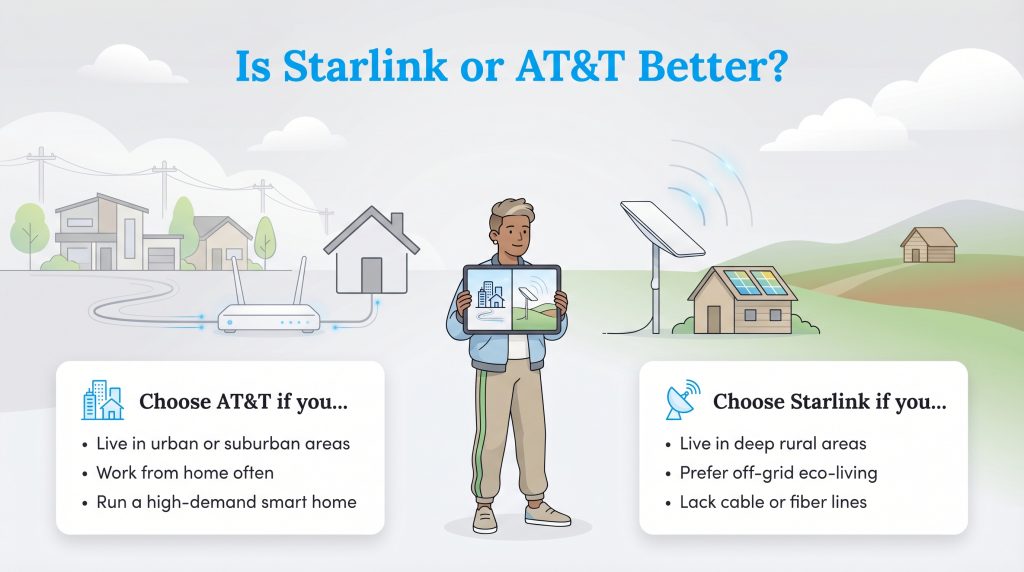
Deciding whether to go with a grounded network or reach for the stars depends almost entirely on your neighborhood’s existing infrastructure. In the past, comparing these two felt relatively simple, but today, you have to evaluate three distinct AT&T services — Fiber, DSL, and Internet Air — to see how they truly stack up against Starlink’s rapidly expanding satellite network. Finding the right fit ensures your daily online tasks run without a hitch.
You should choose an AT&T service if you:
- Live in urban and suburban areas (AT&T Fiber): Properties wired directly into the local fiber grid get unparalleled stability, weather resistance, and symmetrical speeds for heavy smart home usage.
- Need a budget-friendly wireless alternative (AT&T Internet Air): If fiber hasn’t reached your street yet, AT&T’s 5G fixed wireless service offers a simple plug-and-play solution without steep hardware costs.
- Have a strict budget in legacy zones (AT&T DSL): While slower than modern standards, older copper-wire AT&T DSL is often significantly cheaper month-to-month than satellite internet if you only need basic web browsing capabilities.
| Plan Name | Price | Download Speeds | Connection Type | |
|---|---|---|---|---|
| Internet 100 | $60 /month | Up to 100 Mbps | DSL | Check Availability |
| Internet 300 | $35 /month | Up to 300 Mbps | Fiber | Check Availability |
| Internet Air | $40 /month | Up to 300 Mbps | 5G | Check Availability |
| Internet 500 | $50 /month | Up to 500 Mbps | Fiber | Check Availability |
| Internet 1000 | $50 /month | Up to 1000 Mbps | Fiber | Check Availability |
| Internet 5000 | $125 /month | Up to 5 Gbps | Fiber | Check Availability |
You should choose Starlink if you:
- Live in deep rural areas: Properties situated miles away from municipal utility hubs can finally access true broadband speeds that bypass aging, slow DSL copper lines entirely.
- Embrace off-grid eco-living: Cabins or solar-powered homesteads get reliable high-speed service simply by pointing a dish at a clear sky, completely independent of local grid infrastructure.
- Travel frequently: Digital nomads and RV owners can utilize Starlink Roam to carry their high-speed connection across the country.
| Plan Name | Price | Download Speeds | Connection Type | |
|---|---|---|---|---|
| Residential 100 Mbps | $55 /month | Up to 100 Mbps | Satellite | Check Availability |
| Residential 200 Mbps | $85 /month | Up to 200 Mbps | Satellite | Check Availability |
| Roam 100 GB | $55 /month | Up to 300 Mbps | Satellite | Check Availability |
| Roam Unlimiited | $175 /month | Up to 300 Mbps | Satellite | Check Availability |
| Roam 300 GB | $80 /month | Up to 300 Mbps | Satellite | Check Availability |
| Residential Max | $130 /month | Up to 400 Mbps | Satellite | Check Availability |
Side-by-Side Comparison: Speed, Pricing, and Latency
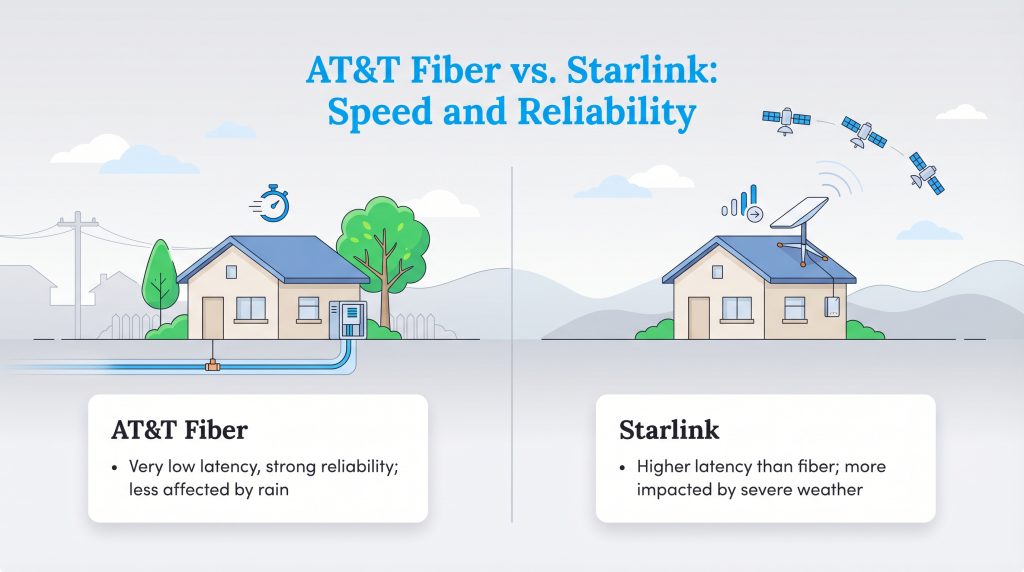
Pitting AT&T vs Starlink is a bit like comparing a high-speed bullet train to a cargo plane. Both get your data where it needs to go, but they take entirely different routes and boast distinct hardware capabilities. When reviewing internet plans, download speeds usually grab all the attention, but upload speeds and latency dictate how well your network actually feels during daily use.
AT&T Fiber delivers symmetrical speeds, meaning your uploads are exactly as fast as your downloads. When looking at Starlink latency vs AT&T, the grounded fiber network will always win out over wireless satellite signals due to the pure laws of physics. Evaluating the exact performance metrics of both providers is the best way to determine which ecosystem fits your household’s demands.
| Feature | AT&T (Fiber & Internet Air) | Starlink (Standard) |
|---|---|---|
| Starting Price | ~$60 — $65 / month | $120 / month |
| Typical Download Speeds | 90 Mbps (Air) to 5,000 Mbps (Fiber) | 50 — 220 Mbps |
| Typical Upload Speeds | 8 Mbps (Air) to 5,000 Mbps (Fiber) | 10 — 30 Mbps |
| Average Latency (Ping) | 10–20 ms (Fiber) / 30–70 ms (Air) | 40–60 ms |
| IP Address Type | Public IPv4 (Dynamic) | CGNAT (Shared) |
| Data Caps | Unlimited | Unlimited |
| Equipment & Installation Fees | Included / Often $0 with promos | $299 — $599 upfront |
AT&T Fiber vs Starlink: The Urban Matchup
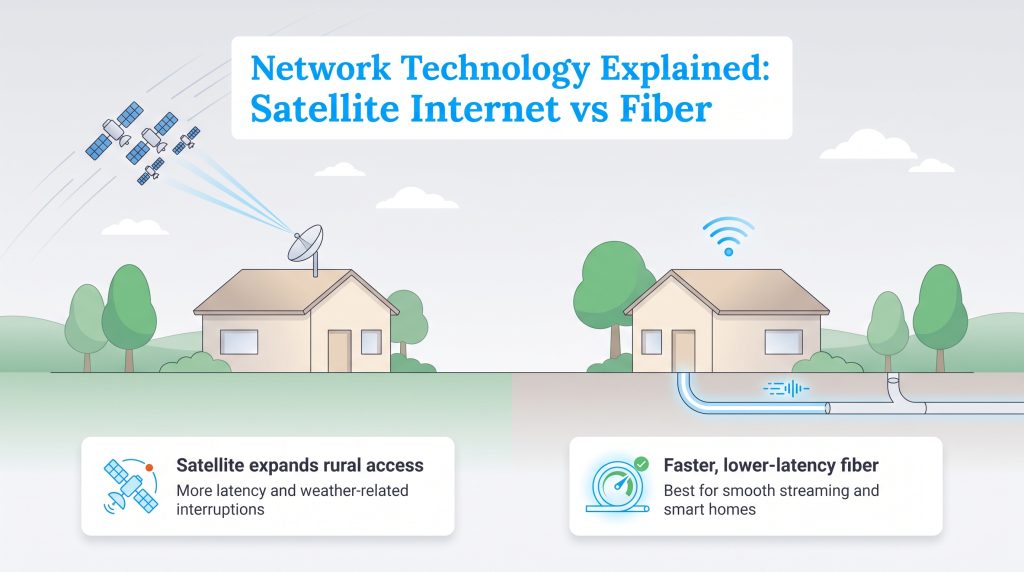
When comparing satellite internet vs fiber optic networks, you are looking at two vastly different methods of data transmission. Fiber-optic networks, like those engineered by AT&T, transmit data as rapid pulses of light through flexible, incredibly thin glass strands buried safely underground. Because this information travels via a direct physical route that is shielded from harsh weather and atmospheric interference, AT&T Fiber naturally delivers unmatched bandwidth. This translates to near-instantaneous load times, allowing your high-definition streams and advanced smart home hubs to operate flawlessly without lagging.
Furthermore, AT&T Fiber assigns your home a standard public IP address. This is critical if you want to run complex home servers, host multiplayer games, or access your local security cameras securely while traveling. Starlink, conversely, utilizes a sprawling constellation of low-earth orbit (LEO) satellites to beam internet access back and forth to a high-tech receiver dish mounted on your property. While this technology represents a massive leap forward compared to older satellite providers, the data still has to travel hundreds of miles through the atmosphere to space and back. For homes located in the heart of a city with a mature utility grid, AT&T Fiber is universally the superior, more stable choice.
AT&T DSL and Internet Air vs Starlink: The Rural Battleground
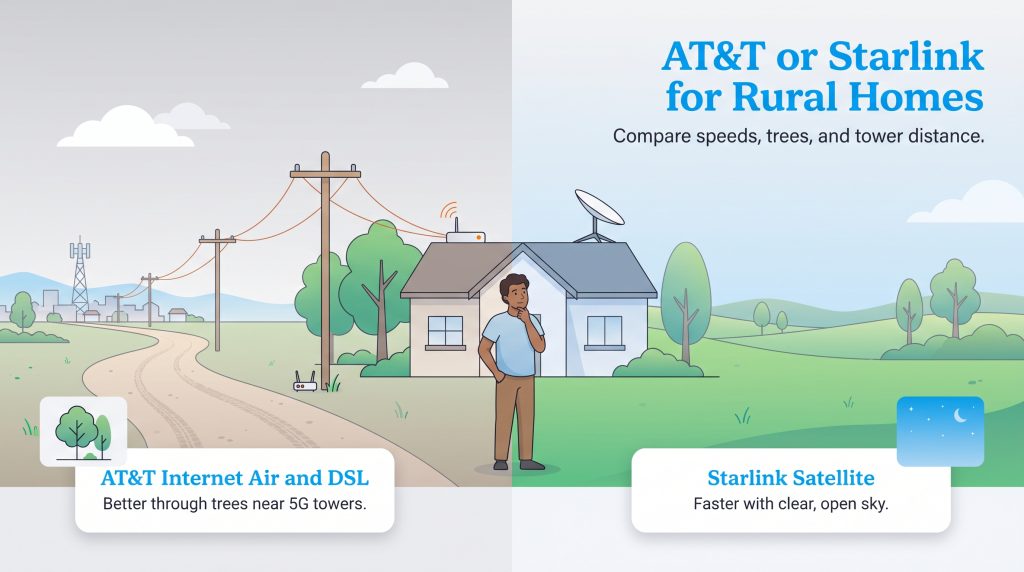
The conversation flips entirely once you leave city limits. When searching for the best rural internet provider, you will likely find yourself comparing AT&T DSL vs Starlink satellite internet. Older DSL networks run on traditional copper telephone wires. The inherent flaw of DSL technology is signal attenuation — meaning the further your home sits from the provider’s central dispatch hub, the slower your internet speeds become. A rural AT&T DSL plan advertised as “up to 25 Mbps” might only deliver a sluggish 3 to 5 Mbps by the time the signal travels miles down a dusty country road. Starlink bypasses this grounded copper degradation completely, offering raw download speeds that frequently exceed 100 Mbps regardless of how isolated your property is.
However, AT&T fixed wireless alternatives have complicated this rural rivalry. AT&T Internet Air utilizes the company’s expanding 5G cellular network to beam internet straight to a receiver inside your home. When comparing AT&T 5G home internet vs. satellite connections like Starlink, environmental obstacles play the deciding role. Starlink requires a strict, completely unobstructed view of the sky to function. If you live nestled in a dense pine forest or a heavily wooded valley, tree branches will constantly interrupt the satellite signal. In contrast, 5G signals easily punch through tree canopies and heavy foliage. If your home sits within range of a local cell tower but is buried under shade trees, AT&T Internet Air easily becomes the more reliable option.
Hardware, Installation, and Upfront Costs
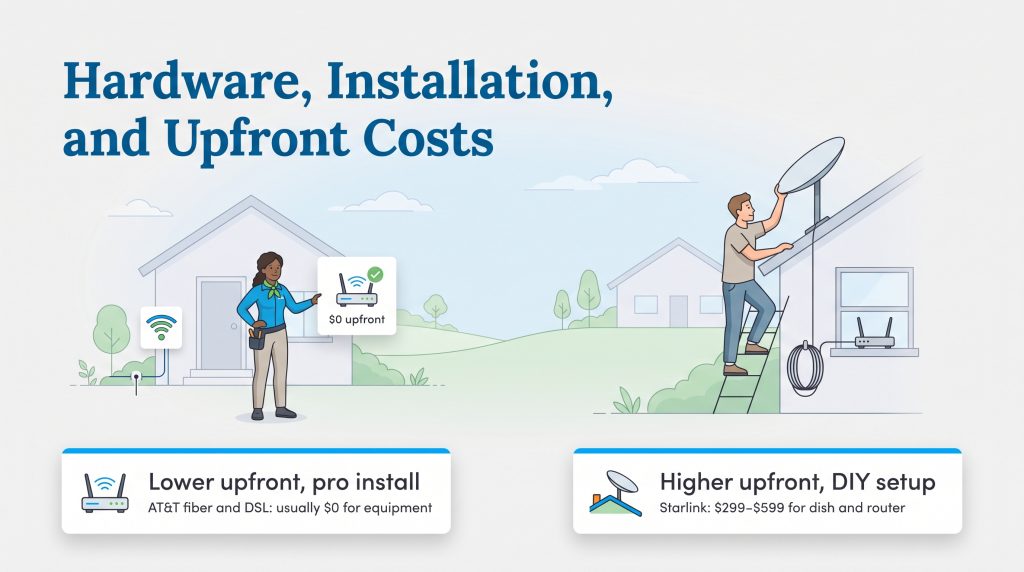
Budgeting for a move is stressful enough without getting blindsided by hidden utility costs. When you set up an AT&T network, the financial barrier to entry stays incredibly low. You simply pay your flat monthly service rate, which usually starts around $60 to $65 depending on available promotions.
Here is a breakdown of what you can expect to pay upfront for equipment across these services:
- AT&T Fiber and Internet Air: Usually $0 upfront. The necessary Wi-Fi gateway and modem combo is almost always included at no extra monthly charge.
- AT&T DSL: Generally $0 for the equipment itself, though older rural setups might occasionally trigger a one-time technician dispatch fee if the legacy wiring needs repairing.
- Starlink Standard: $299 to $599 upfront. You must purchase the phased-array dish and proprietary Wi-Fi router outright before your monthly service even begins.
Getting everything plugged in also presents distinct challenges. AT&T Fiber installation usually requires scheduling a professional technician to physically drill a tiny hole through your exterior wall to route the glass cable indoors. Starlink, however, leans heavily into the DIY approach. They ship you a box, and you are responsible for mounting the dish securely. Instead of a simple plug-and-play setup, Starlink requires you to find a perfectly clear view of the northern sky. If you live surrounded by old-growth trees or steep rooflines, this might involve purchasing additional mounting poles or hiring an independent contractor to climb your roof safely.
Verifying Availability and Coverage Maps
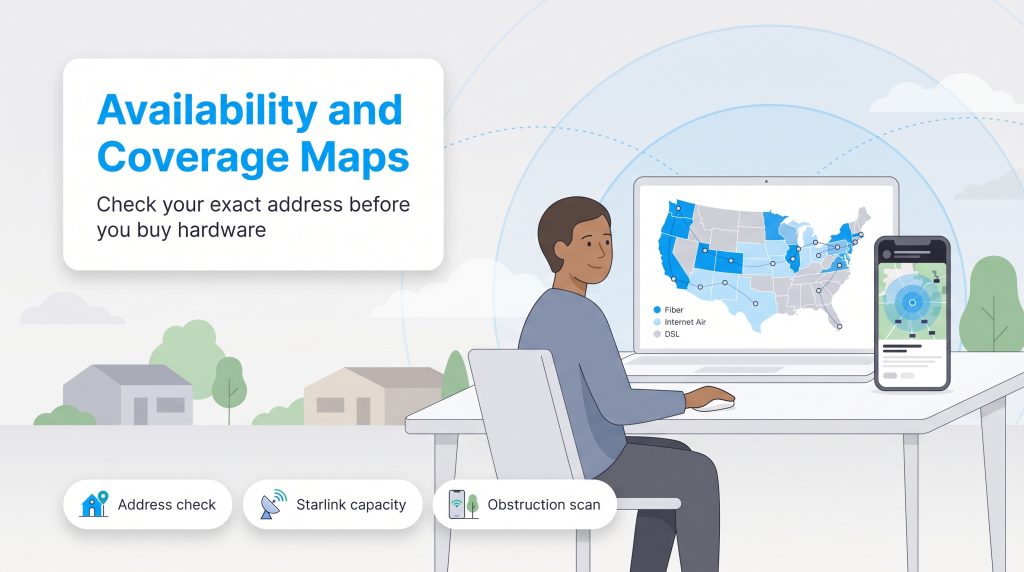
Before you commit to a specific service, you need to verify exactly what your new property can realistically support. Don’t assume you have fiber just because you live in a city or a newly built subdivision.
Always run your exact address through the official AT&T availability checker to see if you qualify for Fiber, Internet Air, or older DSL infrastructure. For Starlink, you can view the official coverage map to estimate shipping times, and we highly recommend downloading the Starlink mobile app to use its built-in augmented reality tool to scan your property for obstructive branches before ordering.
🚩 Heads Up: If you are renting your home, always secure written permission from your landlord before allowing an AT&T technician to drill exterior holes for a fiber line or before you attempt to screw a Starlink mounting bracket into the roof.
Network Reliability: Weather Interference and Latency
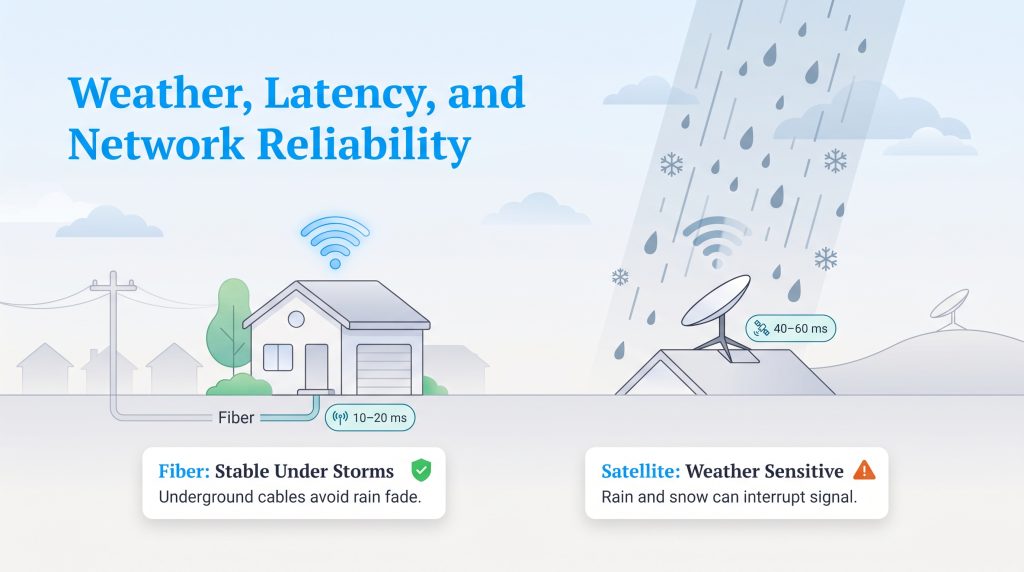
If you work from home or rely on cloud-based security cameras, network reliability is non-negotiable. When evaluating Starlink weather interference against AT&T’s grounded networks, you must factor in how extreme weather impacts data transmission.
Because Starlink beams high-frequency microwave signals through the earth’s atmosphere, it is susceptible to a phenomenon known as “rain fade.” During severe thunderstorms or heavy, wet snowfall, the dense water droplets in the air physically absorb and scatter the satellite signal. This temporary disruption can cause your Zoom meetings to stutter or your downloads to drop momentarily until the storm cell passes. Conversely, AT&T Fiber cables are buried safely in underground conduits, rendering them completely immune to atmospheric rain fade and wind storms. As long as your home maintains electrical power, AT&T Fiber will reliably push data.
Beyond weather, raw latency is the true test of network reliability. Latency measures the milliseconds it takes for a data packet to travel from your computer to a remote server and back. AT&T Fiber operates at the speed of light through glass, resulting in blistering ping times of exactly 10 to 20 milliseconds (ms). Starlink’s data has to travel roughly 340 miles straight up into space and bounce back down, resulting in average ping times between 40 and 60 ms. While Starlink’s latency is revolutionary compared to older legacy satellites, it still can’t physically compete with the instantaneous responsiveness of an underground fiber-optic grid.
Performance for Smart Homes, Off-Grid Living, and Gaming
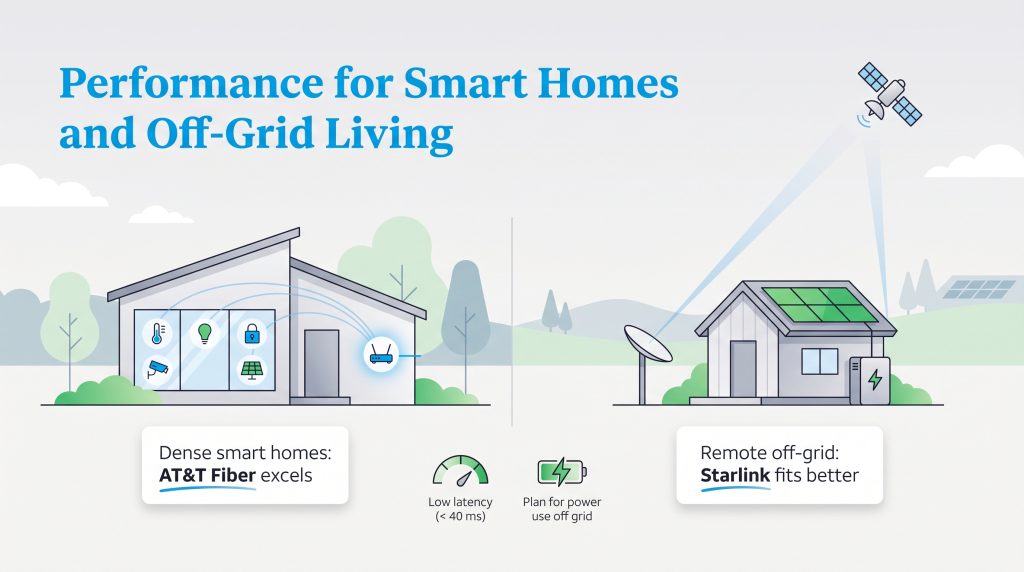
Building an eco-friendly living space increasingly means relying on smart automation to quietly reduce your overall footprint. Smart thermostats actively monitor weather patterns to tweak your HVAC system, while solar inverters track your real-time generation to ensure you maximize renewable energy usage. Add in a robust network of security cameras, smart locks, and automated LED lighting, and you suddenly have a massive digital ecosystem demanding constant, low-latency uptime.
Smart home internet requirements generally demand a few non-negotiable metrics to ensure seamless operation. Standard 4K security cameras typically require at least 2 to 4 Mbps of dedicated upload speed per camera. If you have four cameras, that is up to 16 Mbps continuously utilized just for security monitoring. AT&T Fiber handles this load effortlessly, while Starlink can support it but might feel the bottleneck during peak neighborhood usage hours.
Beyond smart devices, entertainment demands expose stark differences between these providers. When assessing Starlink gaming performance, latency is only half the battle. Starlink uses a routing protocol known as Carrier-Grade NAT (CGNAT). This means Starlink lumps multiple households under a single, shared public IP address. For competitive gamers, CGNAT often results in a “Strict NAT” type on Xbox and PlayStation consoles. This frustrating limitation can block voice chat channels, prevent you from hosting multiplayer lobbies, and make remotely accessing your smart home network from a secondary location much more difficult. AT&T Fiber and Internet Air provide standard dynamic IP addresses, completely bypassing these strict routing headaches.
🌱 Eco Edge: The Starlink dish actively tracks satellites and includes an automatic built-in heater to melt snow and ice. During harsh winter months, this heater can draw upwards of 150 watts, noticeably impacting the energy consumption of your eco-friendly home compared to a standard fiber modem. If you live off-grid, you must carefully factor this massive drain into your daily solar battery reserves to prevent going dark overnight.
Portable Connectivity for Digital Nomads and RVs
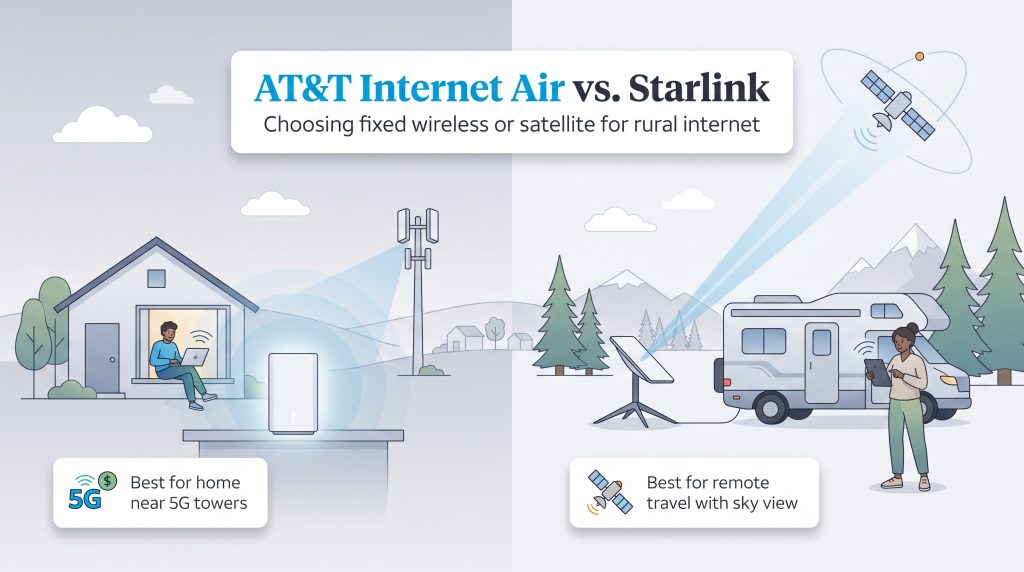
If you are a digital nomad, an RV enthusiast, or someone managing temporary job sites, portable connectivity is critical. High-tier AT&T mobile hotspot plans utilizing specialized Nighthawk routers provide excellent portable speeds, but they are generally tied to monthly data caps and only work where cellular networks exist.
Starlink Roam, while considerably more expensive both monthly and in upfront hardware costs, grants you unlimited data and true nationwide coverage. This means you can easily pull down a high-speed internet connection in the middle of a national park, miles away from the nearest cell tower.
Choosing the Perfect Internet Provider for Your Connected Home
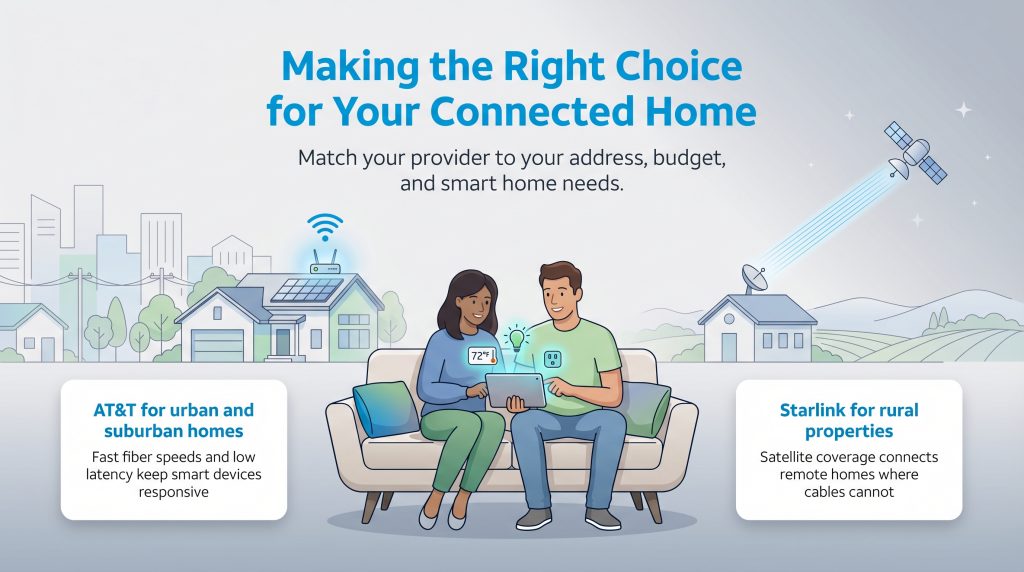
Choosing your ideal internet provider ultimately comes down to the physical realities of your address and how heavily your household relies on modern home automation. AT&T remains the sensible, high-speed powerhouse for urban and suburban properties, offering unmatched latency, symmetrical speeds, and excellent cost-effectiveness that keeps your energy monitors, security cameras, and smart thermostats humming flawlessly without the burden of CGNAT restrictions.
Conversely, Starlink stands tall as the ultimate connectivity savior for rural and off-grid properties, easily bridging the digital gap where traditional utility cables refuse to go. Evaluate your surrounding environment, honestly assess your monthly budget and up-front hardware limitations, and pick the service that perfectly aligns with your lifestyle to fully enjoy the modern comforts of your newly connected space.
💡 Pro Tip: If you are planning a move to a rural location, test your potential property’s cell signal with your current smartphone. If you pull strong 5G bars on your phone during the walkthrough, you likely qualify for AT&T Internet Air, giving you a cheaper alternative to Starlink’s satellite equipment right out of the gate.
Frequently Asked Questions About AT&T vs Starlink
Is Starlink better than AT&T for rural homes?
In most remote locations, Starlink easily outpaces AT&T’s legacy networks. Deep in the country, you usually only have access to older AT&T DSL lines, which struggle to provide modern broadband speeds due to signal degradation over long copper wires. Starlink bypasses that decaying ground infrastructure entirely by beaming high-speed data directly from space.
Unless your rural property happens to sit close enough to a cell tower to pick up a strong 5G signal for AT&T Internet Air, a satellite dish provides a much faster and more reliable connection for remote living.
What is the Starlink latency vs AT&T fiber latency?
Latency, or “ping,” is the time it takes for data to travel from your home to a server and back. AT&T Fiber offers incredibly low latency, typically ranging from 10 to 20 milliseconds (ms), making it perfect for competitive gaming and seamless smart home automation. Because Starlink beams data roughly 340 miles into low-earth orbit, its average latency is naturally higher, generally sitting between 40 and 60 ms. While highly impressive for satellite technology, it is still noticeably slower than a hardwired fiber-optic connection.
Does Starlink installation cost more than AT&T setup?
Yes, significantly more. AT&T typically provides its gateway and modem equipment at no additional upfront charge, and standard professional installation for fiber is frequently heavily discounted or entirely free depending on current promotions. Starlink requires you to purchase the receiving hardware outright. This means you will spend anywhere from $299 to $599 just to acquire the dish before paying your first monthly service fee.
What are the best high-speed rural internet options if neither is available?
If both AT&T and Starlink are unavailable in your region, you still have viable alternatives. You can look into other satellite internet providers, though they typically offer higher latency and stricter data caps than Starlink. Additionally, check for localized fixed wireless providers (WISPs) in your county that beam microwave signals from rural water towers or grain silos directly to your home. Finally, expanding your mobile hotspot data plans through other major cellular carriers might bridge the gap if you receive decent cell reception on your property.
Does Starlink use more electricity than an AT&T fiber modem?
Yes, pulling data from low-earth orbit requires considerably more power than running a grounded fiber line. An AT&T fiber gateway generally sips electricity, drawing a minimal amount of wattage similar to a highly efficient LED lightbulb.
Starlink’s phased-array dish actively tracks satellites across the sky, utilizing more baseline energy. This power draw spikes notably during the winter months, as the dish automatically activates a built-in heating mechanism to melt accumulating snow and ice off its surface, pulling upwards of 150 watts of electricity while active.
Will weather disrupt my Starlink or AT&T service?
Mother Nature treats these two networks very differently. Because AT&T Fiber runs through protective underground conduits, extreme weather, wind, and heavy precipitation rarely disrupt your daily service, though severe storms can still cause localized power losses that knock out neighborhood internet hubs.
Starlink is slightly more susceptible to the elements. Heavy rainstorms, thick cloud cover, or severe snowfall can temporarily scatter the satellite signal, a phenomenon known as “rain fade.” While the system usually corrects itself quickly, you might notice brief drops in speed during severe weather events.
Can I use my own third-party router with Starlink or AT&T?
Yes, both providers allow you to utilize your own third-party networking gear, but the setup process differs. AT&T requires you to keep their provided gateway plugged in, but you can configure it into “IP Passthrough” mode to let your personal mesh router handle the heavy lifting. Starlink lets you connect a third-party router as well, but depending on your specific Starlink hardware generation, you may need to purchase an official Ethernet adapter directly from their store to plug your gear in.
Is AT&T DSL better for competitive gaming than Starlink?
It heavily depends on your physical distance from the AT&T hub. Older DSL lines can sometimes offer slightly more stable ping times than Starlink, helping reduce lag spikes in fast-paced competitive shooters. However, DSL’s incredibly slow download speeds mean that massive 50GB game updates will take days to finish. Starlink provides much faster download speeds for game patches, but its inherent 40 to 60 ms satellite latency and frustrating CGNAT restrictions make hosting multiplayer lobbies quite difficult.
Does AT&T Internet Air perform better than Starlink in bad weather?
Generally, yes. AT&T Internet Air relies on local 5G cell towers. These sub-6GHz cellular signals are much more resilient against heavy rain and snow than the high-frequency microwaves utilized by Starlink’s satellites. While a severe thunderstorm might cause temporary “rain fade” and buffering on a Starlink dish, your AT&T Internet Air connection usually remains steady, provided the local cell tower doesn’t lose electrical power.
About the Author

LaLeesha has a Masters degree in English and enjoys writing whenever she has the chance. She is passionate about gardening, reducing her carbon footprint, and protecting the environment. She also recently served as President of the Board for City Sprouts (a community garden).