

Securing reliable high-speed satellite internet ensures your rural home stays connected, productive, and entertained without relying on traditional utility grids.
Key Takeaways
- Satellite internet is perfect for rural or remote areas, offering reliable connectivity where traditional options like cable or fiber aren’t available.
- Speeds have significantly improved, with providers like Starlink offering faster, lower-latency connections, making everyday online tasks easier and more enjoyable.
- Be mindful of latency and data caps, as satellite internet works best for general browsing and streaming, but might not be ideal for heavy gaming or frequent large downloads.
Living beyond the reach of city broadband networks can feel incredibly isolating, but securing high-speed satellite internet is the perfect way to bridge that digital divide and keep your household running smoothly. This comprehensive guide evaluates the best satellite internet providers of 2026 to help you compare plans and speeds, understand complex equipment costs, and review your home’s monthly energy consumption. Over the last few years, the rapid launch of advanced low Earth orbit (LEO) satellite networks has completely transformed the telecommunications industry, effectively eliminating the notoriously sluggish speeds of the past and introducing highly competitive, unlimited satellite internet plans. Whether you reside in a heavily wooded rural location, enjoy taking your RV on cross-country road trips, or simply live off-grid where traditional utilities fall short, finding the right space-based connection ensures your home network operates seamlessly.
Top Satellite Internet Providers at a Glance
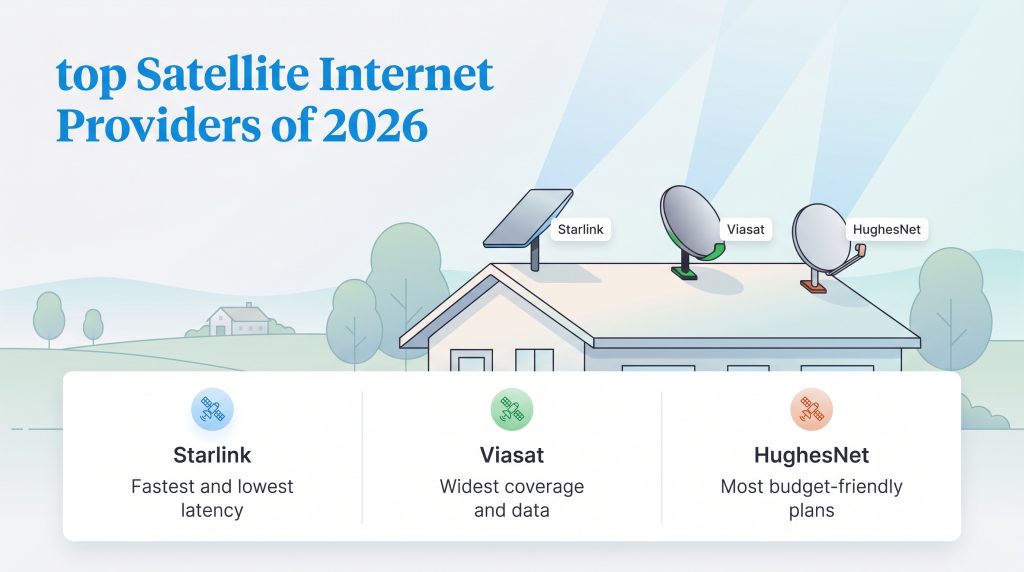
When you need a reliable internet connection outside the reach of traditional city infrastructure, choosing the right provider is your first and most critical step. The market is currently dominated by three major players, each offering distinct advantages depending on your budget, your need for rapid connectivity, and how much data your household consumes on a daily basis. As the technology continues to evolve in 2026, satellite internet options have become faster and more resilient, providing a genuine lifeline for rural households that require stable Wi-Fi for remote work, education, and entertainment.
To make your purchasing decision as simple as possible, we have compiled the core specifications of the top providers into a scannable format. Review the table below to compare starting prices, maximum download speeds, latency ranges, and upfront equipment fees side-by-side.
| Provider | Monthly Price | Max Speed | Latency (ms) | Upfront Equipment Cost |
|---|---|---|---|---|
| Starlink | $120 / month | 200+ Mbps | 20ms to 50ms | $599 purchase |
| Viasat | $99.99 / month | Up to 150 Mbps | 500ms to 700ms | $0 to $299 purchase |
| Hughesnet | $49.99 / month | Up to 100 Mbps | 500ms to 700ms | $299 to $449 purchase |
Check Availability by ZIP: Ready to see what is offered at your exact address? Check local options with our recommended providers below to verify the strongest connection for your home.

- 150 Mbps
- Satellite
- 150-850 GB
- $39.99/mo

- 400 Mbps
- Satellite
- Unlimited
- $55.00/mo
*Not all internet providers and speeds available in all areas.
The Best Satellite Internet Services Reviewed
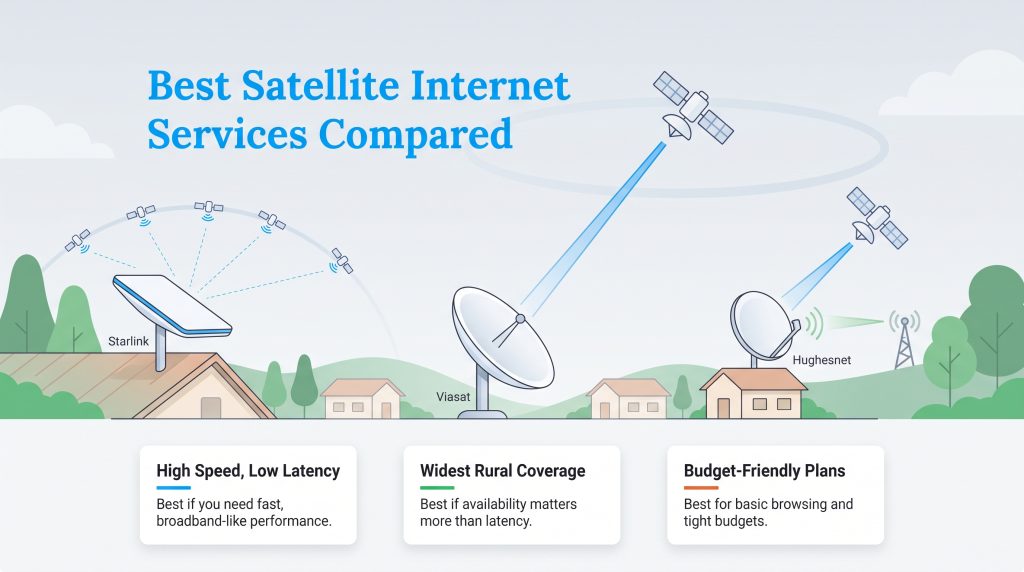
Diving deeper into the specifics of each network reveals why certain services outshine others in daily application. Each company utilizes entirely different orbiting hardware and network management strategies, directly impacting how fast a webpage loads on your phone or how smoothly your television streams a 4K movie. Understanding these fundamental differences guarantees you invest in the right long-term setup for your property.
Starlink: Best for High Speed and Low Latency
Owned and operated by SpaceX, Starlink has aggressively reshaped the digital landscape for rural households worldwide. Instead of relying on a few massive satellites stationed tens of thousands of miles away, Starlink uses an expansive, constantly moving constellation of thousands of low Earth orbit satellites. This innovative approach allows the company to deliver broadband-like speeds and incredibly low latency to remote users, making it the premier choice for households that rely heavily on the internet for intensive tasks.
While Starlink provides unmatched performance and flexibility, its demanding physical requirements are not for everyone. You will need a completely unobstructed view of the sky to maintain a continuous connection. If your property is heavily wooded or tucked against a steep mountain, the dish will experience frustrating micro-dropouts as it attempts to track satellites moving rapidly across the horizon. Furthermore, the mandatory upfront hardware purchase is significantly steeper than the competition.
- Pros:
- Industry-leading download speeds exceeding 200 Mbps
- Ultra-low latency for seamless video calls and gaming
- Truly unlimited standard data with no hard caps
- Intuitive smartphone app makes self-installation easy
- Cons:
- Requires an expensive $599 upfront hardware purchase
- Strict line-of-sight requirements; easily obstructed by trees
- DIY installation means you must handle roof mounting yourself
- Customer service is primarily managed through an automated ticketing system
Viasat: Best for Widespread Availability
Viasat has long been a staple in the rural connectivity market, offering robust service to virtually every corner of the United States. Relying on traditional geostationary satellites, the company has heavily upgraded its infrastructure to launch the popular Unleashed plans. These newer plans deliver impressive maximum download speeds and completely remove the strict, punishing hard data caps that previously plagued satellite internet users. By shifting to a softer deprioritization threshold, Viasat allows rural families to stream, browse, and connect with much less anxiety over their monthly data consumption.
Viasat is a fantastic option for households that want a dependable connection without having to pay hundreds of dollars out of pocket for hardware on day one. Because Viasat relies on stationary satellites parked perfectly over the equator, the receiver dish never has to move or track targets across the sky. This static nature means Viasat is much more forgiving of partial tree cover than Starlink, provided there is a single, clear window facing the southern sky.
- Pros:
- Available to almost 100% of the US population
- No massive upfront equipment fees required
- Professional installation is standard and often included
- Unleashed plans remove strict hard data limits
- Cons:
- Geostationary orbit causes high latency (500ms+)
- Speeds may slow down during neighborhood congestion
- Leasing equipment adds ongoing monthly costs indefinitely
- Not suitable for fast-paced competitive gaming
Hughesnet: Best for Budget-Conscious Homes
Hughesnet is arguably the most recognizable name in the industry, having provided budget-friendly internet service for decades. To stay highly competitive against newer technologies, the company recently revamped its offerings with the innovative Hughesnet Fusion plan. This specialized plan physically blends geostationary satellite technology with terrestrial wireless networks to help artificially reduce lag and create a smoother browsing experience. For users looking for a reliable, easily accessible choice for satellite internet for rural areas, Hughesnet remains highly practical.
The core appeal of Hughesnet lies in its accessibility and straightforward pricing structure. It is an excellent choice for basic web browsing, checking daily emails, and managing smart home devices without overpaying for massive bandwidth you might never utilize. Just keep an eye on your household’s monthly data usage, as Hughesnet still utilizes priority data thresholds that can significantly slow down your connection once exceeded.
- Pros:
- Highly affordable entry-level pricing starts at just $49.99/month
- Fusion plans cleverly combine satellite and wireless signals to reduce lag
- Decades of proven, reliable network uptime
- Professional installation ensures the dish is mounted safely
- Cons:
- Slower maximum download speeds than its primary competitors
- Strict priority data caps can aggressively throttle your connection
- Requires signing a long-term contract to lock in lower prices
- High baseline latency on standard non-Fusion plans
Pros and Cons of Satellite Internet
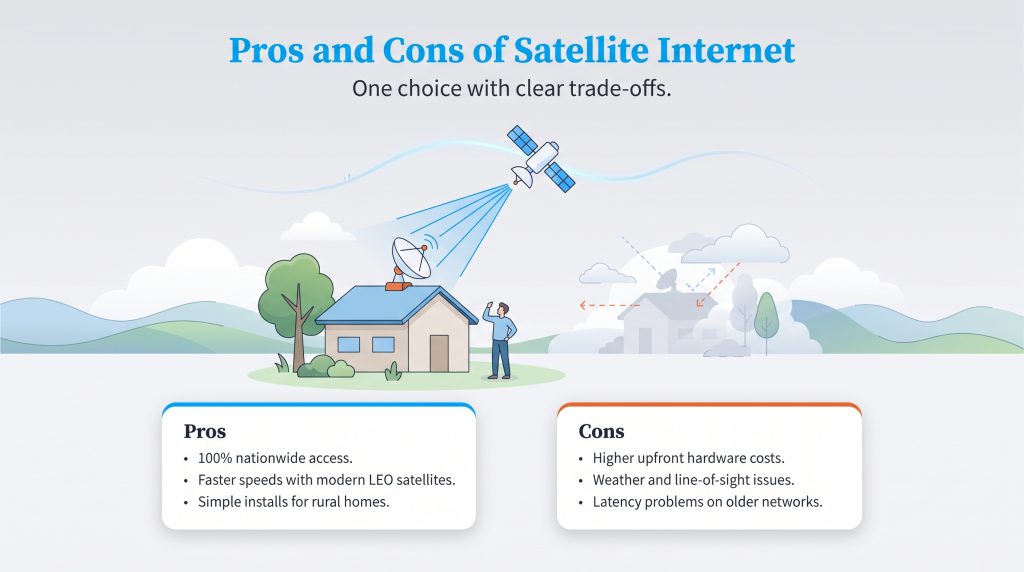
Deciding if satellite broadband is right for your property requires weighing the significant technological leaps against the inherent physical limitations of beaming data to space. For millions of Americans, it is a game-changing utility. For others accustomed to fiber-optic city connections, the learning curve can be steep. Review the detailed breakdown below to understand exactly what you gain and what you sacrifice when choosing a space-based network.
| Pros of Satellite Internet | Cons of Satellite Internet |
|---|---|
| 100% Nationwide Availability: Unlike traditional fiber or cable networks that stop at the city limits, satellite internet can reach virtually any property in the United States, no matter how remote. | High Upfront Hardware Costs: Setting up a home connection requires specialized exterior dishes and robust mounting equipment, frequently costing anywhere from $300 to $600 just to get started. |
| Modern LEO Speed Upgrades: Thanks to advanced satellite constellations, download speeds have skyrocketed. Users can now enjoy 100 to 200+ Mbps, easily rivaling basic city connections. | Weather Sensitivity: Extreme environmental conditions, such as torrential downpours, thick blizzards, or heavily accumulated wet snow, can temporarily degrade your signal strength. |
| Reliable Backup Connection: For off-grid users, remote businesses, or preppers, satellite serves as the ultimate redundant backup network when local terrestrial power grids fail entirely. | Strict Line-of-Sight Requirements: Your dish requires an unobstructed view of the sky. Dense tree canopies, neighboring buildings, and steep terrain can cause frequent, frustrating signal dropouts. |
| Simplified Rural Installations: There is no need to dig trenches or wait for utility companies to run miles of physical wire down your driveway; the signal comes directly from above. | High Latency on Older Networks: Traditional geostationary providers suffer from unavoidable ping delays, causing noticeable lag during real-time video conferencing and rendering fast-paced online gaming nearly impossible. |
How Satellite Internet Works LEO Versus GEO
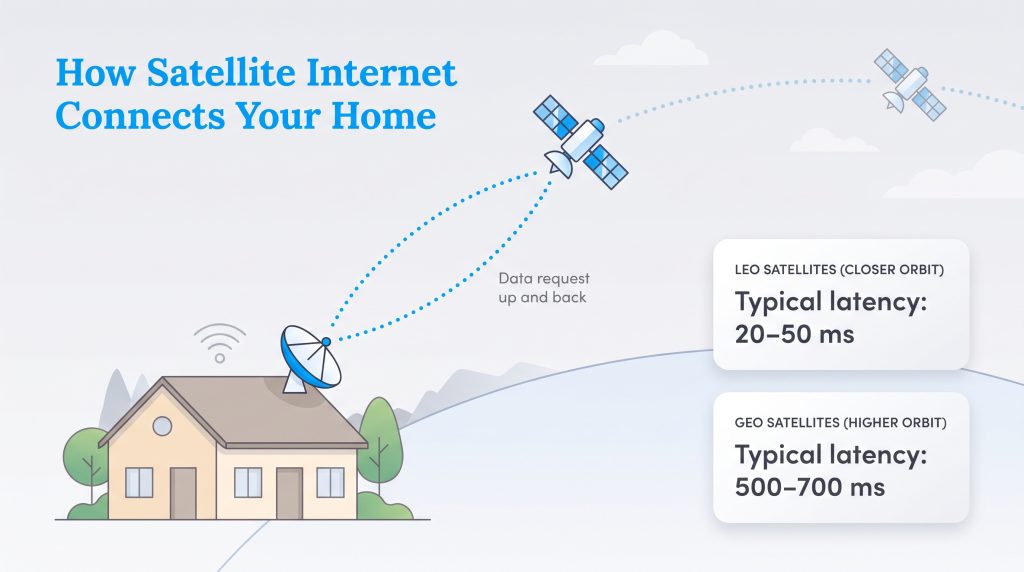
If you are wondering how satellite internet functions, the answer relies entirely on a complex, beautifully orchestrated system of space-based relays. Unlike traditional cable or fiber broadband that requires physical glass or copper lines buried deep under your street, satellite broadband uses the open sky to bridge your home to the global web. Here is exactly how that communication process functions in a fraction of a second:
- The Initial Request: When you click a link or press play on a streaming service, the digital request routes through your home Wi-Fi router and is sent directly to the specialized receiver dish mounted on your roof.
- The Upward Transmission: Your exterior dish transmits that digital packet straight up into the atmosphere, beaming it via radio waves to an orbiting satellite constellation.
- The Network Operations Center: The satellite catches your signal and instantly bounces it back down to a massive, ground-based Network Operations Center (NOC) that is physically wired into the global internet backbone.
- The Return Journey: The NOC retrieves the specific website data you requested, beams it back up to the satellite, which then beams it directly back down to your home receiver dish, successfully loading the webpage on your screen.
Understanding the fundamental difference between Low Earth Orbit (LEO) and Geostationary Earth Orbit (GEO) satellites is critical when shopping for a provider, as it directly impacts your network’s latency. Latency, often referred to as “ping,” is the physical time it takes for your data packet to travel from your home router up to space, back down to Earth, and finally return to your computer screen. Review the table below to see how these two competing technologies stack up against each other.
| Network Feature | LEO Satellites (e.g., Starlink) | GEO Satellites (e.g., Viasat, Hughesnet) |
|---|---|---|
| Average Orbit Altitude | 340 miles above Earth | 22,000 miles above the equator |
| Latency (Ping) | 20ms to 50ms | 500ms to 700ms |
| Hardware Mechanics | Dish actively tracks thousands of moving satellites | Dish remains stationary, pointing at a single satellite |
| Ideal Use Cases | Real-time gaming, Zoom calls, remote work VPNs | General browsing, streaming movies, reading emails |
Equipment Costs and Installation Expectations
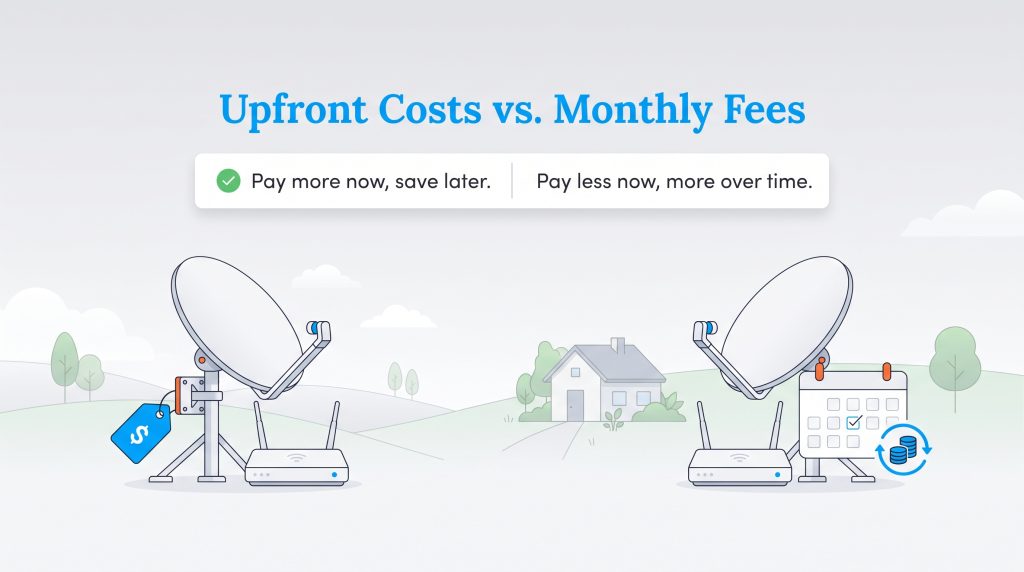
One of the biggest hurdles when setting up a rural home network is managing satellite internet equipment costs. Unlike a standard cable provider that hands you a free, simple modem in a cardboard box, satellite service requires a specialized exterior dish, heavy-duty mounting hardware to withstand severe weather, and an interior Wi-Fi router to function. These demanding technological requirements mean you will face significant upfront expenses before your connection even goes live.
If you choose a low Earth orbit provider like Starlink, you must purchase the hardware outright. The standard residential kit currently costs around $599, and you will also need to budget for specialized roof mounts or elevated pole adapters if your property requires a custom installation to clear tall trees. Traditional providers like Viasat and Hughesnet offer a slightly different financial model, allowing you to lease the equipment for roughly $15 per month instead of paying a massive lump sum upfront. While leasing keeps initial out-of-pocket costs remarkably low, those monthly fees add up indefinitely over the life of your service contract.
💡 Money-Saver: If you plan on staying in your home for more than two years, purchasing your Viasat or Hughesnet equipment upfront is usually more cost-effective than paying the recurring $15 monthly lease fee year after year.
Beyond the financial cost, you must also prepare for the physical installation process. While traditional providers usually send a certified technician to handle the dirty work, modern LEO systems frequently require you to complete the setup yourself. If you are taking the DIY route, here is a checklist of the physical installation process you can expect:
- Sky Clearance Scanning: Before drilling any holes, you will use the provider’s smartphone app to scan the sky and check for major obstructions like tall pines or neighboring buildings. Finding the clearest mounting spot is vital for consistent internet speeds.
- Mounting the Hardware: You must securely fasten the dish to your property. This involves choosing between a standard roof mount, a ridgeline mount for non-drilling options, or digging a trench for a dedicated ground pole mount to achieve better visibility.
- Cable Routing: You will carefully run the heavy-duty, weather-resistant data cable from the exterior dish, through your exterior wall, and into the home. Sealing the entry hole with silicone is mandatory to prevent long-term moisture and pest damage.
- Interior Setup and App Configuration: Finally, you will plug the provided router into a central location inside your home, connect to the default Wi-Fi network, and finalize your custom network name and password through the digital interface.
Environmental Impact: Managing Satellite Energy Use
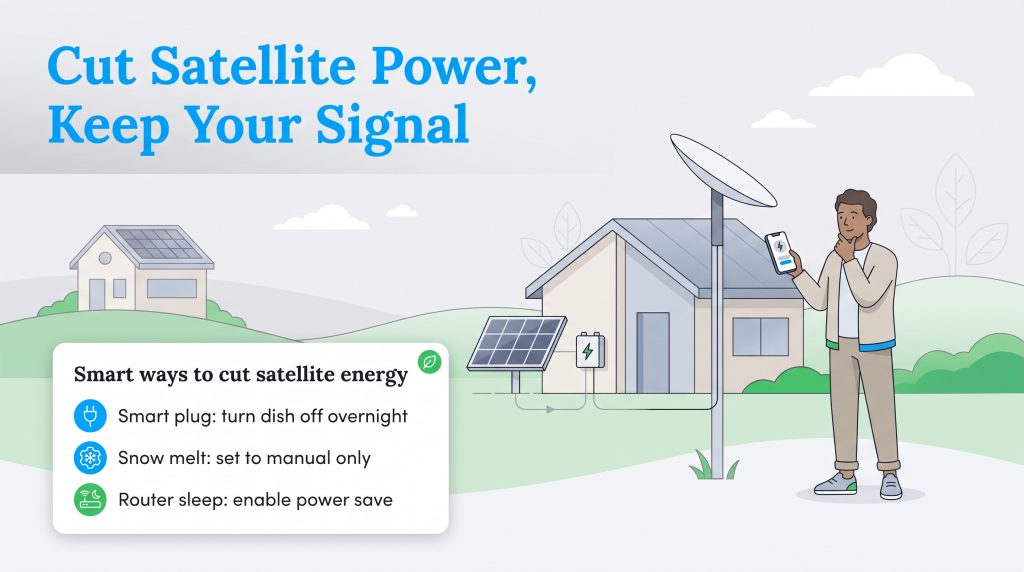
For eco-conscious users and those living completely off the grid with localized solar panels, satellite internet power consumption is a vital daily metric to monitor. Because your receiver dish must actively track orbiting constellations and process enormous amounts of data 24/7, it draws a continuous, demanding baseline of electricity. A standard Starlink dish typically consumes between 50 to 75 watts while active, whereas traditional stationary dishes from Viasat pull roughly 40 watts. Over a full month, running a high-speed satellite dish can add 30 to 50 kilowatt-hours (kWh) to your overall utility load, which is a substantial burden if you rely on a limited battery bank or small-scale wind turbines.
Reducing this parasitic power draw requires a few proactive adjustments to your network setup. Implementing small efficiency measures not only eases the strain on your off-grid electrical system but also extends the lifespan of your network hardware by preventing it from running at maximum capacity unnecessarily. We highly recommend implementing the following environmentally mindful choices to keep your satellite internet energy usage perfectly in check:
- Utilize Smart Plugs: If you do not need internet access overnight, connect your indoor router and exterior dish to a programmable smart plug. Setting the system to shut off automatically at midnight and boot back up at 6:00 a.m. eliminates hours of unnecessary energy waste.
- Manage Snow Melt Mode: Starlink dishes include a powerful internal heating element designed to melt accumulated snow. When active, this feature can spike power consumption to well over 100 watts. Use the provider’s mobile app to switch this mode to “Manual” rather than “Automatic” so it only triggers when you genuinely need to clear the dish.
- Configure Sleep Schedules: Dive into your specific router settings to enable built-in power-saving sleep modes. Dimming the LED indicator lights and slightly reducing the broadcasting power during dormant hours adds up to tangible long-term energy savings.
🌱 Eco Edge: By manually disabling your dish’s heating elements during the warmer spring and summer months, you prevent accidental energy spikes on unusually cold mornings, preserving your home’s overall energy efficiency and reducing your carbon footprint.
Satellite Internet Versus 5G Home Internet
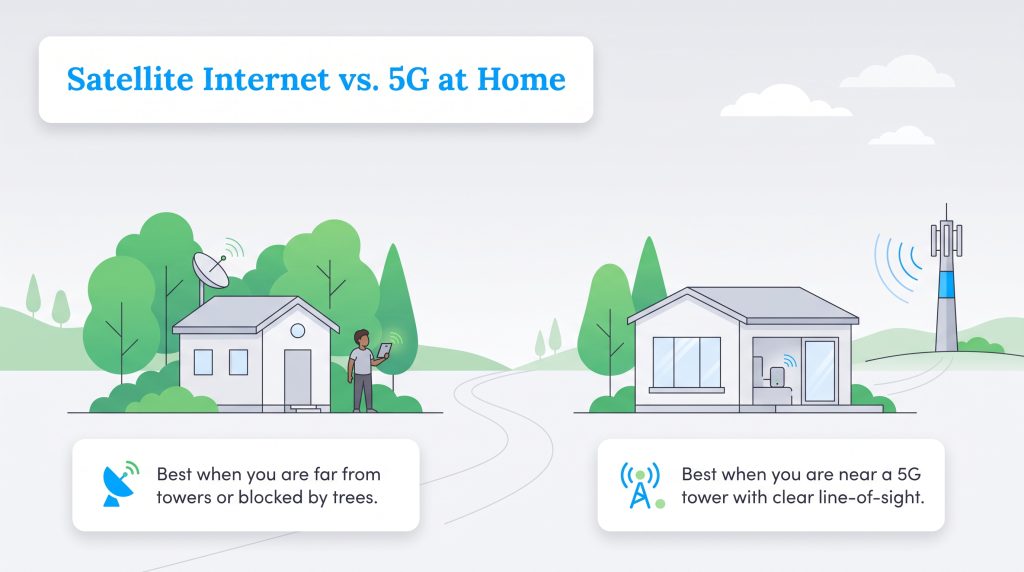
While beaming a robust internet connection directly from space is incredibly impressive, you should always thoroughly explore alternative ground-based technologies before committing to a costly hardware purchase. One of the biggest debates for modern rural homeowners is comparing satellite internet vs. 5G connections. Fixed wireless, commonly marketed as 5G home internet, utilizes local cellular towers to beam a strong, fast signal directly to a simple plug-and-play gateway inside your living room. If you happen to live close enough to an upgraded cell tower, this wireless technology frequently provides faster speeds and noticeably lower monthly costs than satellite, all without requiring expensive external roof mounts.
However, expanding physical utility lines and advanced cellular infrastructure into sparsely populated farming communities is simply too expensive for major telecommunications companies. This harsh economic reality means ground-based networks like 5G and older DSL networks are entirely unavailable in many regions. You will absolutely need to choose a reliable satellite connection over a 5G network in the following physical scenarios:
- Heavily Wooded Properties: 5G cellular signals easily degrade when attempting to punch through dense forests. If your home is entirely surrounded by thick tree cover but has an opening toward the sky, a satellite dish placed in a clearing is your best option.
- Lack of Line-of-Sight: Fixed wireless requires relative physical proximity to a local tower. If you live tucked into a deep valley, a rocky canyon, or behind large mountains that block cellular signals, your only viable connection path is pointing a dish straight up.
- Extreme Distance from Towers: If your remote property is located more than a few miles away from the nearest 5G cellular tower, the wireless signal will simply be too weak to support a reliable home network, making satellite the undisputed winner.
Portable Satellite Internet for RVs and Nomads
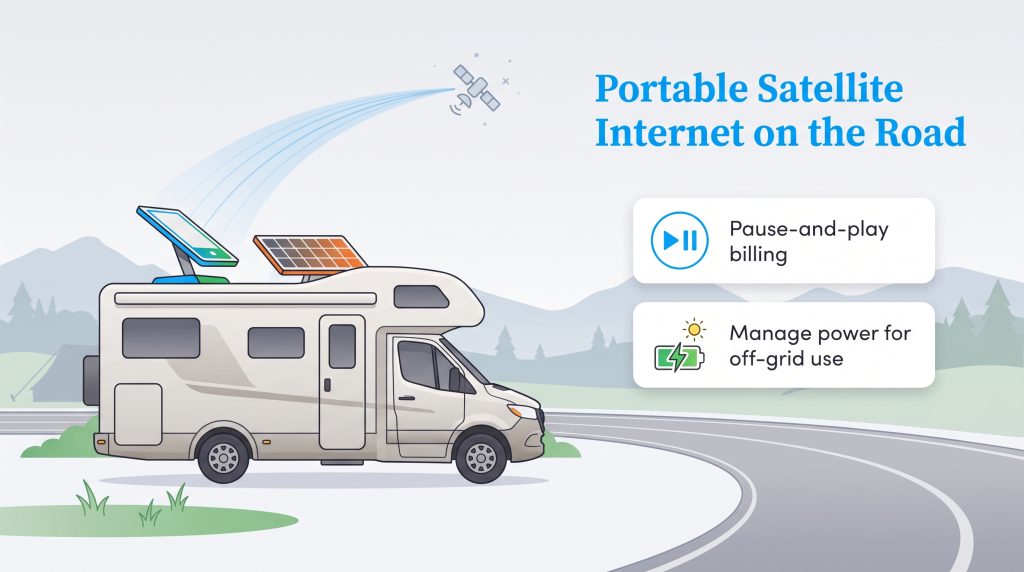
The nomadic lifestyle has exploded in popularity over the last decade, and securing reliable off-grid connectivity is no longer a luxury — it is an absolute necessity for remote workers living out of RVs, camper vans, and travel trailers. Portable satellite internet, most notably spearheaded by modern offerings like Starlink Roam, has revolutionized mobile connectivity by allowing users to take their high-speed connection virtually anywhere on the continent. Unlike traditional residential plans that strictly geolock your service to a single fixed address, these portable plans offer brilliant pause-and-play billing cycles. This incredibly flexible feature means you can activate your service for a month-long summer road trip, pause it the moment you return to your primary residence, and completely avoid paying for costly data you aren’t actively using during the off-season.
When outfitting a moving vehicle for internet access, however, you must select the correct hardware and carefully manage your onboard battery bank. While standard portable dishes are excellent for stationary use at remote, sprawling campsites, they are explicitly not designed to be operated while driving down the highway. For true in-motion connectivity, providers offer specialized flat, high-performance hardware designed to mount permanently and flush on your vehicle’s roof, maintaining a remarkably strong signal even at highway speeds. Because these advanced dishes actively track satellites while drawing heavy power from your RV’s 12-volt battery system or inverter, managing your power consumption on the road is critical.
Implementing a dedicated DC power supply, monitoring your solar array’s daily yield, and purposefully powering down the router during transit when an active connection isn’t needed can dramatically extend your vehicle’s off-grid capabilities, ensuring you always have enough power to stay comfortably connected in the wild.
Securing the Best Connection for Your Home
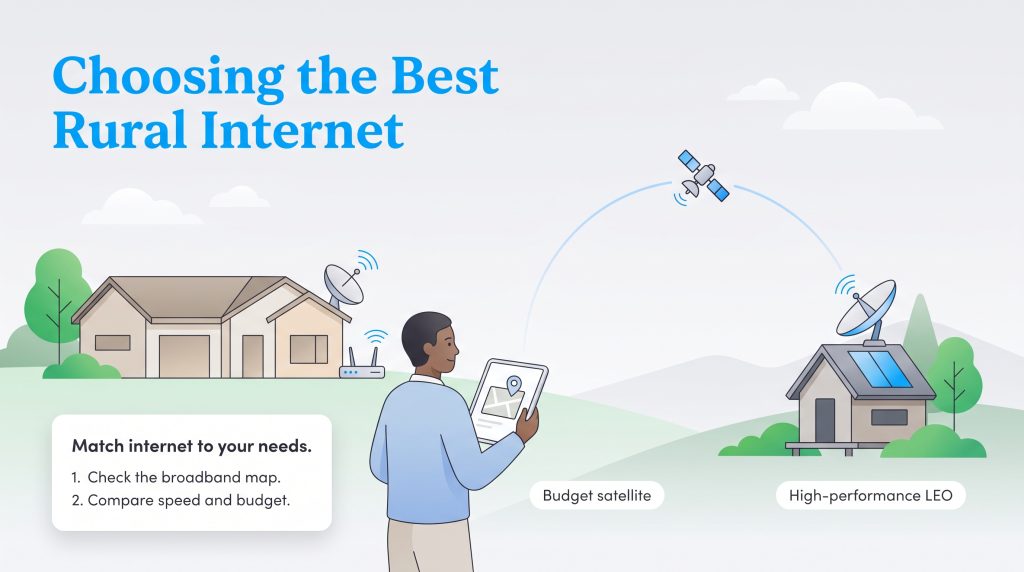
Selecting the best provider ultimately comes down to analyzing your household’s daily digital habits, your strict monthly budget, and your exact geographical location. If high-speed performance, intense real-time gaming, and seamless video calls are entirely non-negotiable for your remote work schedule, investing in low Earth orbit technology like Starlink is the absolute clearest path forward. Alternatively, if you simply need to check the local weather, browse light web pages, and stream movies on a budget without dropping a massive amount of cash on day one, traditional providers like Viasat and Hughesnet hold plenty of reliable value for the standard rural home.
Before pulling out your credit card to secure a long-term plan, we highly recommend checking the official federal broadband map to see a comprehensive, unbiased list of all internet service providers operating in your specific area. Whether you reside in an off-grid cabin in the mountains or a sprawling suburban residence with surprisingly poor ground infrastructure, verifying all of your local options ensures you invest in the most efficient, cost-effective connection for your family.
Frequently Asked Questions About Satellite Internet
What is the best satellite internet provider?
For most users prioritizing impressive speed and overall performance, Starlink is currently the best satellite internet provider available. Its low Earth orbit technology delivers the fastest download speeds and lowest latency in the industry, making it ideal for streaming and remote work. If you are on a strict budget and want to avoid high upfront equipment costs, Viasat and Hughesnet remain strong, highly capable secondary options depending on your exact location.
What is the best satellite internet for rural areas?
Starlink clearly ranks as the best overall choice for remote rural areas due to its expansive LEO constellation and distinct lack of hard data caps. However, Viasat’s Unleashed plans are an exceptionally excellent runner-up for rural families who genuinely need a widely available, reliable connection without paying massive out-of-pocket equipment fees on day one.
Can I get unlimited satellite internet?
Yes, you can secure unlimited satellite internet, but the fine print absolutely matters. Starlink provides unlimited standard data with no hard caps whatsoever, and Viasat offers unlimited data on its newer plans. Keep in mind that “unlimited” usually means you won’t be charged brutal overage fees, but your provider may still temporarily slow your connection during times of heavy neighborhood network congestion.
Is there any satellite internet provider without a hard data cap?
Yes, Starlink does not enforce hard data caps on its standard residential plans, allowing you to browse freely without fear of sudden cutoff limits. Viasat has also smartly shifted away from strict hard caps with its Unleashed service, though users who exceed a massive 850GB in a single month may still experience deprioritized, slower speeds during peak hours.
Can I stream Netflix or Hulu with satellite internet?
Yes, you can absolutely stream services like Netflix, Hulu, and Amazon Prime Video seamlessly on a modern satellite connection. Providers offering speeds of 50 Mbps or higher easily meet the baseline bandwidth requirements for streaming in HD or even crisp 4K. Just be sure to aggressively monitor your daily usage if you are on a budget plan with priority data thresholds, as high-definition streaming consumes data very quickly.
Is satellite internet good for gaming?
It depends entirely on your chosen provider’s underlying orbit technology. Low Earth orbit providers like Starlink offer latency as incredibly low as 20ms, which is excellent for fast-paced, competitive online gaming. Conversely, traditional geostationary providers suffer from 500ms to 700ms latency delays, making real-time gaming incredibly frustrating or completely unplayable for most users.
Does bad weather affect satellite internet reliability?
While modern receiver hardware is highly resilient, extreme weather can still noticeably impact your service. Severe thunderstorms, heavy, wet snowfall accumulating directly on your dish’s face, or extremely dense, towering cloud cover might temporarily weaken your signal or cause a brief drop in connectivity. However, standard light rain and overcast days generally will not disrupt a properly mounted system.
How much does satellite internet cost?
Monthly service fees typically range from $49.99 for budget-tier plans to well over $120 for high-speed, unlimited tiers. Beyond the recurring monthly bill, you must factor in the crucial upfront equipment cost. Hardware can cost roughly $300 to $599 if you purchase it outright, though some traditional providers offer flexible leasing options for around $15 per month to help significantly lower your initial setup costs.
Can I take satellite internet on the road?
Yes, the industry has rapidly expanded its support for digital nomads and frequent travelers. Portable satellite internet plans allow you to seamlessly take specialized hardware on the road, easily connecting your RV or camper van to the web from remote campsites across the country. While traditional residential plans often strictly lock your signal to a specific home address, these dedicated mobile options provide unmatched flexibility.
Do I need a clear view of the sky for satellite internet?
Absolutely. A clear, unobstructed line-of-sight to the sky is arguably the most important factor for a stable satellite connection. Trees, neighboring buildings, utility poles, and even steep hillsides can interrupt the signal passing between your dish and the orbiting satellite. Before buying a system, use the provider’s smartphone app to scan your yard and verify you have a clear mounting location.
Can I install satellite internet myself or do I need a professional?
This depends entirely on the provider you choose. Companies like Starlink are designed specifically for do-it-yourself installation, meaning you will mount the dish, run the cables, and configure the router all on your own. Conversely, traditional providers like Viasat and Hughesnet generally require a certified professional technician to visit your property, safely mount the hardware, and perfectly align the dish to ensure an optimal connection.
Why are there so few satellite internet providers in the US?
The sheer cost of entry into the space communications industry is astronomically high. Designing, building, launching, and maintaining a massive fleet of satellites requires billions of dollars in upfront capital and decades of advanced aerospace engineering. Because of these immense physical and financial barriers, only a handful of well-funded corporations have successfully managed to build consumer-facing networks capable of covering the entire country.
About the Author

David has been an integral part of some of the biggest utility sites on the internet, including InMyArea.com, HighSpeedInternet.com, BroadbandNow.com, and U.S. News. He brings over 15 years of experience writing about, compiling and analyzing utility data.

LaLeesha has a Masters degree in English and enjoys writing whenever she has the chance. She is passionate about gardening, reducing her carbon footprint, and protecting the environment. She also recently served as President of the Board for City Sprouts (a community garden).