

Choosing Between Starlink and Spectrum Comes Down to Your Location, Budget, and Daily Internet Demands

- 7 Gbps
- Cable & Fiber
- Unlimited
- $30.00/mo

- 400 Mbps
- Satellite
- Unlimited
- $55.00/mo
*Not all internet providers and speeds available in all areas.
Key Takeaways
- Spectrum delivers ultra-low latency and lower upfront costs, making it ideal for competitive gaming and budget-conscious suburban homes.
- Starlink offers high-speed satellite internet to remote locations, providing access to rural properties and RV travelers outside traditional cable zones.
- Calculating your total cost of ownership over two years is essential, as Starlink’s heavy upfront hardware fee contrasts sharply with Spectrum’s monthly pricing model.
The primary purpose of this guide is to directly compare Spectrum vs. Starlink to help you choose an internet provider for your exact physical address and digital lifestyle. Sorting through your options often means deciding between the highly reliable, wired infrastructure of traditional cable and the cutting-edge wireless technology of a low-Earth orbit satellite constellation. We built this 2026 data-driven blueprint to give you a straightforward, comprehensive look at upfront hardware investments, latency differences, travel capabilities, and geographic limitations. By the end of this comparison, you will know exactly which network delivers the best connectivity for your household without overpaying for unnecessary equipment or suffering through endless buffering.
Quick Comparison: Spectrum vs. Starlink at a Glance
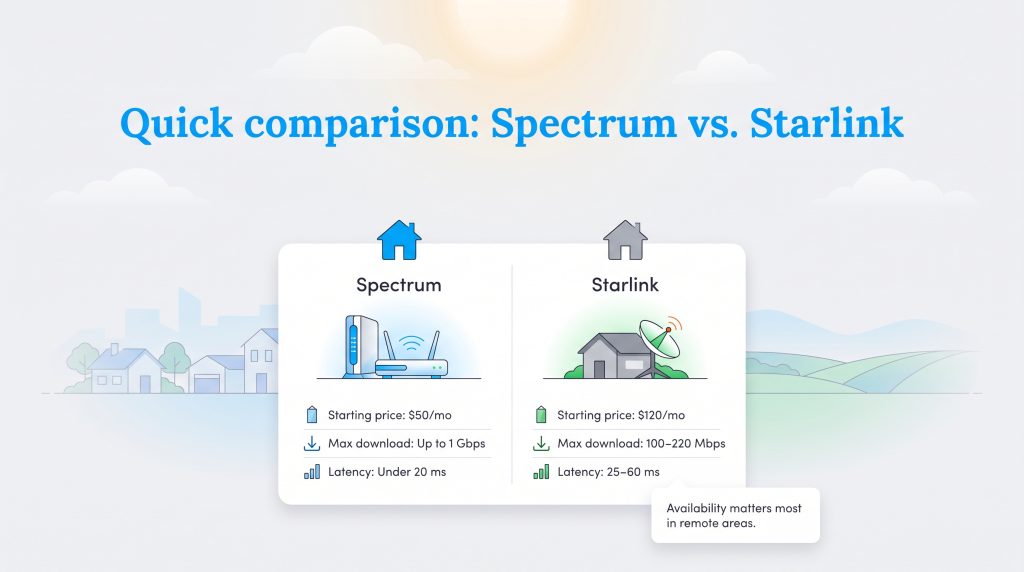
When evaluating these two vastly different broadband options, looking at the raw numbers provides an immediate baseline for your decision. Both of these industry powerhouses deliver robust, high-speed connectivity that easily handles modern streaming, smart home device management, and everyday browsing. Yet, they serve entirely different core audiences and utilize completely distinct delivery methods. To help you answer the overarching question of whether Starlink is better than Spectrum for your specific home setup, here is a clear breakdown of how the two providers stack up side-by-side in 2026.
| Feature | Spectrum | Starlink |
|---|---|---|
| Starting Monthly Price | $50 (typical promotional rate) | $120 (Standard residential plan) |
| Max Download Speed | Up to 1 Gbps | 100 Mbps – 220 Mbps |
| Max Upload Speed | 35 Mbps (up to 1 Gbps in select areas) | 10 Mbps – 20 Mbps |
| Latency (Ping) | Consistently under 20ms | 25ms – 60ms (variable) |
| Data Caps | Unlimited | Unlimited (subject to Fair Use policy) |
| Contracts | No strict term contracts | No strict term contracts |
| Setup & Hardware Costs | $0 modem (self-install fee may apply) | $299 – $499 upfront hardware fee |
Speed, Latency, and Reliability Breakdown
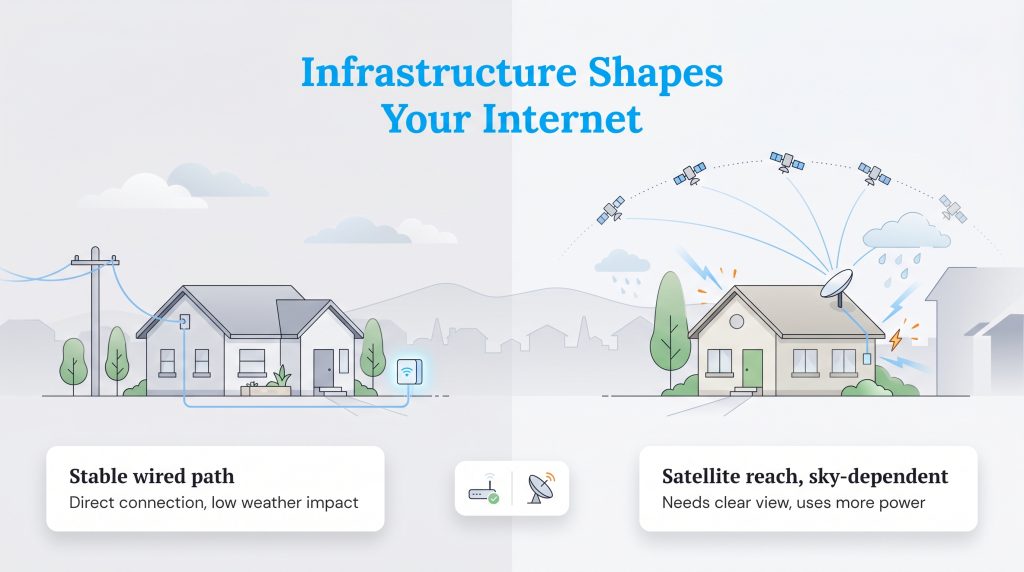
Understanding how your data travels physically helps explain the quirks and capabilities of your daily connection. When we compare Starlink satellite vs Spectrum cable, we are looking at two entirely different engineering marvels. Spectrum relies on a massive, established web of wired infrastructure, utilizing hybrid fiber-coaxial lines running straight to your neighborhood. In many upgraded markets across the country, Spectrum fiber internet expansions now bring even faster, symmetrical speeds directly to residential doorways. This physical tethering shields your signal from most atmospheric disruptions, meaning Spectrum provides a highly stable, continuous stream of data.
Starlink takes a radically different, wireless approach. Your home dish communicates with a constellation of thousands of low-Earth orbit satellites constantly racing overhead at roughly 340 miles above the planet. Because of this impressive wireless leap through the atmosphere, Starlink vs Spectrum reliability often comes down to environmental factors rather than network congestion. While Starlink provides unprecedented reach for rural consumers, a wired connection inherently offers fewer points of physical interference.
Comparing Download and Upload Speeds
If you are looking closely at Starlink vs Spectrum speed for 2026, the traditional telecom giant easily takes the crown for raw bandwidth. Spectrum tiers generally hit anywhere from 300 Mbps up to a full gigabit (1,000 Mbps) for downloads. On the other hand, Starlink consistently hovers between 100 Mbps and 220 Mbps depending on network congestion in your specific geographic cell. While a gigabit connection is fantastic for downloading massive files quickly or supporting a household with a dozen connected devices, it is important to note that both providers easily clear the 25 Mbps benchmark required for streaming standard 4K video. Either option provides enough muscle for everyday internet use.
The Impact of Latency on Your Connection
Download speed is only half of the story; latency is what makes your connection feel fast and snappy. When evaluating Starlink vs Spectrum latency, the physical limitations of space travel become apparent. Even though Starlink’s low-Earth orbit satellites are much closer to the ground than legacy satellite providers, your data still has to travel hundreds of miles into the atmosphere and back down. This mandatory round trip results in a latency ping that fluctuates between 25ms and 60ms. Conversely, Spectrum’s direct terrestrial ground lines typically measure well under 20 milliseconds, providing a much smoother, instantaneous response when you click a link, join a video call, or command a smart home device to turn on the lights.
How Weather Affects Signal Stability
One of the most frequent concerns for rural users is Starlink weather interference. Because Starlink relies on a clear, unobstructed line of sight to the sky, extreme weather events do impact your connection. Heavy downpours, thick cloud cover, and intense blizzards can scatter the radio waves, leading to temporary signal drops or reduced speeds. To combat winter weather, Starlink dishes feature a built-in, automated snow-melt function that heats the surface of the hardware to clear ice and snow automatically — an incredibly convenient tool for northern climates.
In contrast, Spectrum’s physical cable lines remain largely immune to standard rain fade or cloud cover. However, a wired network is highly vulnerable to physical, terrestrial damage. Severe storms that topple trees, snap utility poles, or cause localized power grid failures will completely knock out a neighborhood’s Spectrum service until repair crews physically restore the lines. If you run your home on a backup generator during a regional blackout, a Starlink dish will continue to pull down an internet signal, whereas your local Spectrum node may remain offline.
Pricing, Data Caps, and Hidden Fees
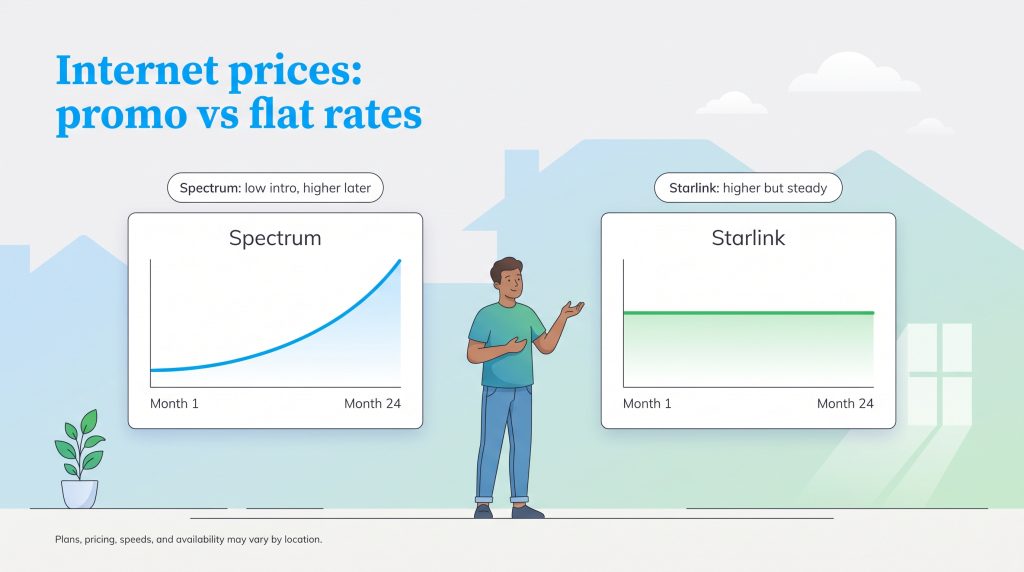
Evaluating the financial side of these two providers requires looking past the very first promotional mailer you receive. The true financial picture only emerges when you map out Spectrum vs Starlink pricing over a standard 24-month timeline. Fortunately, neither company enforces aggressive data caps on their standard residential plans, meaning you can stream, download, and browse without worrying about unexpected overage fees at the end of the month. However, their monthly billing strategies operate on entirely different philosophies.
Spectrum traditionally hooks new customers with a heavily discounted introductory rate — often starting around $50 per month for base speeds. The catch is that this promotional pricing reliably spikes in your second year of service. By your 24th month, you could be paying closer to $80 or $90 depending on your market. Starlink, in contrast, charges a flat rate of around $120 per month for its standard residential plan. While Starlink’s monthly rate is noticeably higher, it does not rely on confusing, expiring promotions or sudden year-two hikes.
Year 1 vs. Year 2 Cost Breakdown
To give you a realistic view of how your internet budget will change over time, we modeled the average estimated costs for standard entry-level residential service across both providers.
| Provider Setup | Year 1 Total Cost Estimate | Year 2 Total Cost Estimate |
|---|---|---|
| Spectrum (Base Tier) | $600 ($50/mo intro rate) | $960 (Increases to approx. $80/mo) |
| Starlink (Standard) | $1,739 ($120/mo + $299 hardware fee) | $1,440 (Flat $120/mo) |
Spectrum Plans & Pricing
Review the base speeds and Spectrum internet deals typically offered below to help forecast your monthly budget.
| Plan Name | Price | Download Speeds | Connection Type |
|---|
Starlink Plans & Pricing
Review the standard hardware costs and monthly service rates for Starlink’s residential network below to anticipate your upfront investment.
| Plan Name | Price | Download Speeds | Connection Type | |
|---|---|---|---|---|
| Residential 100 Mbps | $55 /month | Up to 100 Mbps | Satellite | Check Availability |
| Residential 200 Mbps | $85 /month | Up to 200 Mbps | Satellite | Check Availability |
| Roam 100 GB | $55 /month | Up to 300 Mbps | Satellite | Check Availability |
| Roam Unlimiited | $175 /month | Up to 300 Mbps | Satellite | Check Availability |
| Roam 300 GB | $80 /month | Up to 300 Mbps | Satellite | Check Availability |
| Residential Max | $130 /month | Up to 400 Mbps | Satellite | Check Availability |
*plans, pricing, speeds and availability may vary by location
Equipment, Installation, and App Experience
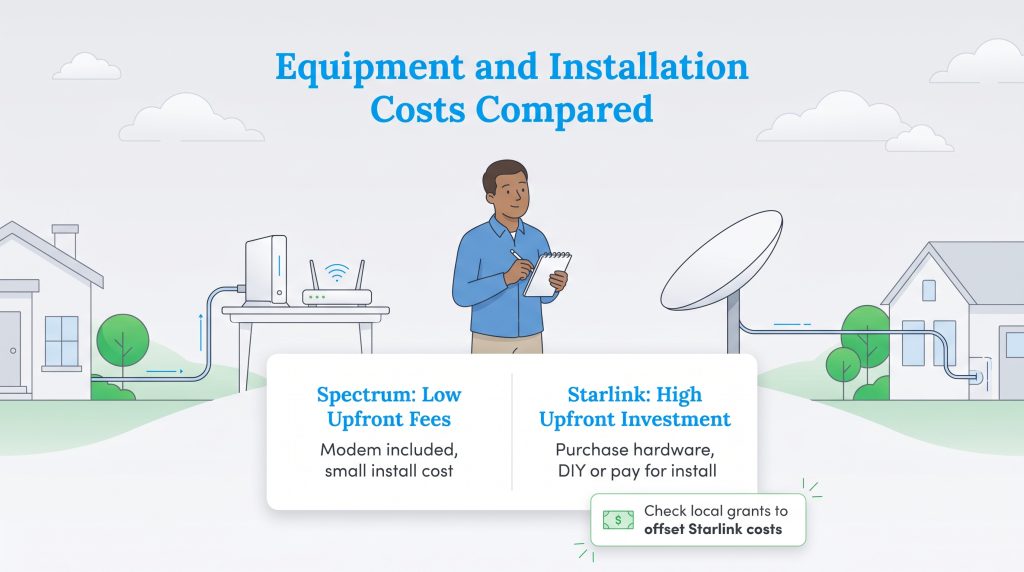
The physical differences between these providers dictate your installation experience, your daily interactions with their ecosystems, and your initial out-of-pocket expenses. When analyzing Starlink hardware cost vs Spectrum installation fees, the financial gap is immediate and significant. You need to budget carefully if you plan to bypass traditional cable lines.
Spectrum’s pricing model is built entirely around minimizing your barriers to entry, while Starlink asks you to invest directly in the technology that powers your connection. Additionally, managing your network highlights a major contrast in customer support styles. Here is how the hardware, setup processes, and troubleshooting experiences compare:
- Equipment Delivery: Spectrum traditionally includes the required internet modem for $0 per month. If you want to use their Wi-Fi router, it typically incurs a small rental fee of around $5 to $7 monthly, though you can easily buy and use your own router to save money. Starlink requires you to purchase the satellite dish and Wi-Fi router outright, costing between $299 and $499.
- The Installation Process: If your home already has an active coaxial cable outlet, you can usually perform a simple Spectrum self-installation for a nominal one-time activation fee. If new lines need to be run, a professional technician will handle the job, usually for less than $65. Starlink is inherently a do-it-yourself setup. You are completely responsible for safely mounting the dish on your roof, a pole, or an exterior wall to ensure a 100% unobstructed view of the sky.
- App Experience and Support: Starlink leans heavily into a sleek, self-service mobile app. The app allows you to scan the sky for obstructions, monitor network health, and reset your router. However, if something breaks, you must submit a support ticket, which can take days for a response. Spectrum offers a more traditional customer support framework. While their app covers basic bill pay and resets, you have the reassurance of calling a 24/7 hotline and scheduling an in-person technician to fix complex physical outages.
Flexibility, Contracts, and Seasonal Pausing
Modern consumers increasingly demand internet that bends to their lifestyle, making flexibility a massive deciding factor. Neither Spectrum nor Starlink currently lock residential customers into rigid, multi-year contracts — a major win for consumers tired of exorbitant early termination fees. However, that is where the similarities regarding flexibility end.
When comparing Starlink roaming vs Spectrum fixed-address restrictions, the satellite provider offers a game-changing level of freedom. Starlink features a dedicated “Roam” plan specifically designed for digital nomads, RV owners, and overlanders. The beauty of this roaming feature is its billing structure. You can pause and unpause your service on a month-to-month basis directly from the mobile app. If you store your RV for the winter or only visit your remote cabin during the summer, you only pay for the months you actively use the dish.
Spectrum, as a hardwired utility, strictly ties your service to a single geographic address. You cannot unplug your Spectrum modem and expect it to work in a different state. For snowbirds or vacation homeowners, Spectrum does offer temporary “seasonal holds,” allowing you to suspend full service for a few months. However, this often requires placing a phone call to customer retention, and you may still be charged a small monthly maintenance fee to keep your account active while away.
Spectrum vs. Starlink for Gaming and Streaming
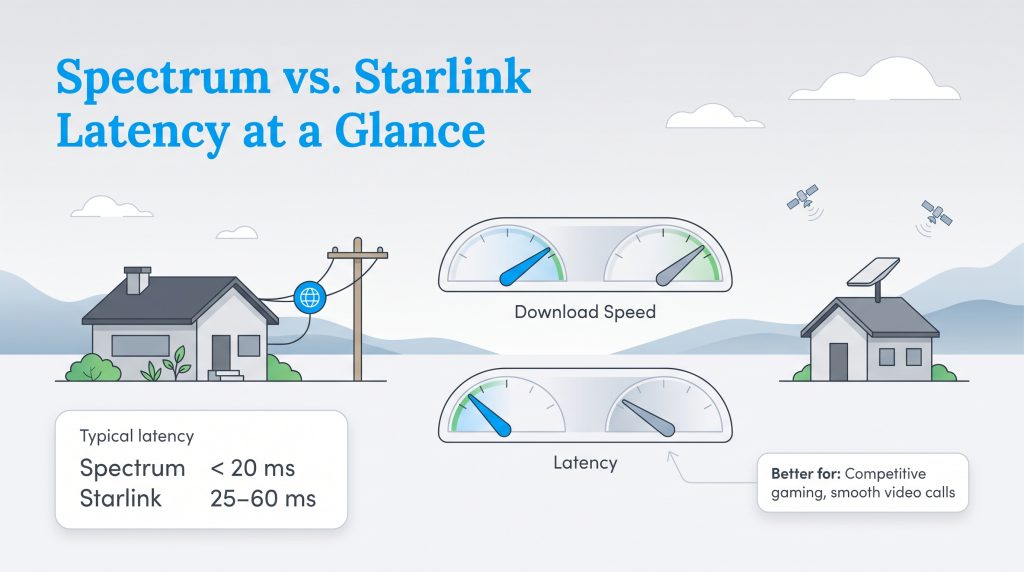
When it comes to entertainment, how you consume media dictates which internet service you need. Both providers easily manage the bandwidth necessary to stream ultra-high-definition 4K video on Netflix or Hulu. Starlink’s base speeds of 100 Mbps are more than enough to handle three or four simultaneous high-definition streams without buffering. However, if you are actively evaluating Spectrum vs Starlink gaming performance, the conversation shifts entirely away from raw download speeds and zeroes in on latency.
Latency — or ping — is the precise time it takes for a signal to travel from your gaming console to the multiplayer server and back. Competitive multiplayer titles, fighting games, and fast-paced shooters require ultra-low latency to function properly. A 60-millisecond delay on a satellite connection means your actions register just a fraction of a second later than your opponent’s actions, which is a guaranteed recipe for frustration. While Starlink works adequately for casual, turn-based, or single-player gaming, occasional lag spikes are inevitable as the dish hands off your signal between moving satellites.
Because Spectrum’s direct ground lines typically measure well under 20 milliseconds, they provide the ironclad consistency necessary for split-second reaction times in competitive lobbies. If climbing the ranked ladder or hosting lag-free gaming nights is a priority in your household, Spectrum is the undeniable winner.
Best Use Cases: Finding Your Perfect Fit
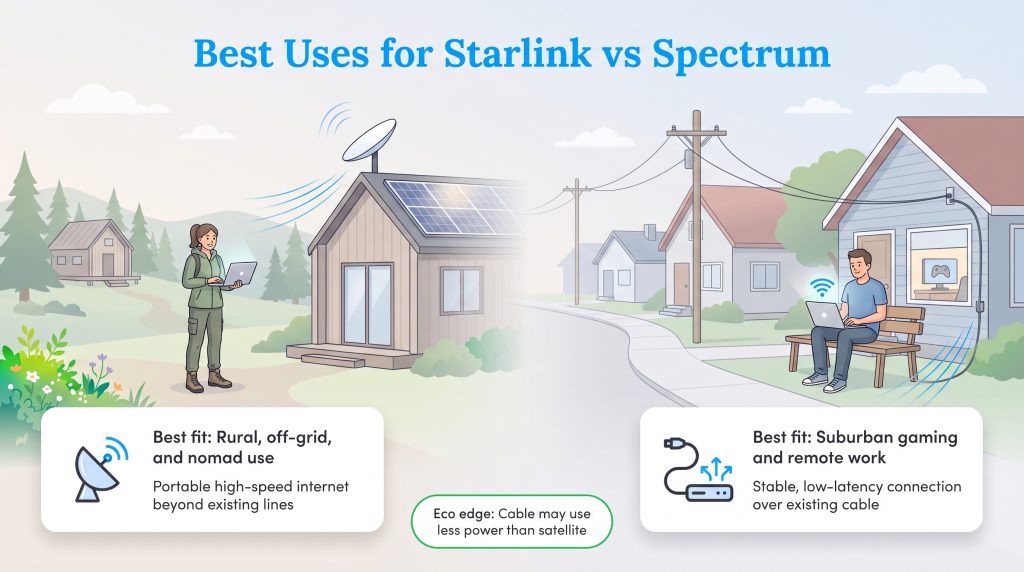
Comparing Starlink availability vs Spectrum uncovers a simple truth: these two services rarely compete for the exact same customer. Data points and pricing charts only get you so far when evaluating your daily reality.
Making the right call depends entirely on your lifestyle, your physical address, and how heavily you rely on an uninterrupted, real-time data stream. Whether you are buying a secluded cabin or setting up utilities for a cross-country move, aligning your provider with your specific daily habits will save you endless frustration down the road.
When to Choose Starlink
- The Rural Homeowner: If your property sits miles past the nearest utility pole, Spectrum internet vs Starlink rural capability is a very short debate. Starlink bypasses the need for physical infrastructure entirely, giving you high-speed access where slow DSL used to be your only choice.
- The Digital Nomad: Spectrum locks you to a single physical address, but Starlink allows you to roam freely. The roaming capabilities and portable dish setups let you pack up your connection and take it to remote campsites without skipping a beat.
- The Off-Grid Enthusiast: If you rely on solar panels and backup generators out in the wilderness, Starlink integrates perfectly. It is currently the fastest, most reliable way to maintain a modern internet connection completely disconnected from city utility grids.
When to Choose Spectrum
- The Suburban Gamer: If coaxial or fiber lines are already running directly to your house, utilizing that established infrastructure will always give you a steadier connection. Spectrum’s ultra-low latency guarantees a smoother, lag-free competitive gaming experience.
- The Budget-Conscious Renter: Avoiding a massive $300 to $500 upfront hardware fee is a massive win for standard households setting up a new apartment. Spectrum’s initial promotional pricing is significantly easier on your wallet during your first year.
- The Remote Corporate Worker: The low latency of a wired cable connection prevents the micro-stutters and audio delays that occasionally plague satellite connections. Spectrum provides the rock-solid consistency you need for important daily Zoom meetings.
Choosing the Right Internet Connection for Your Home
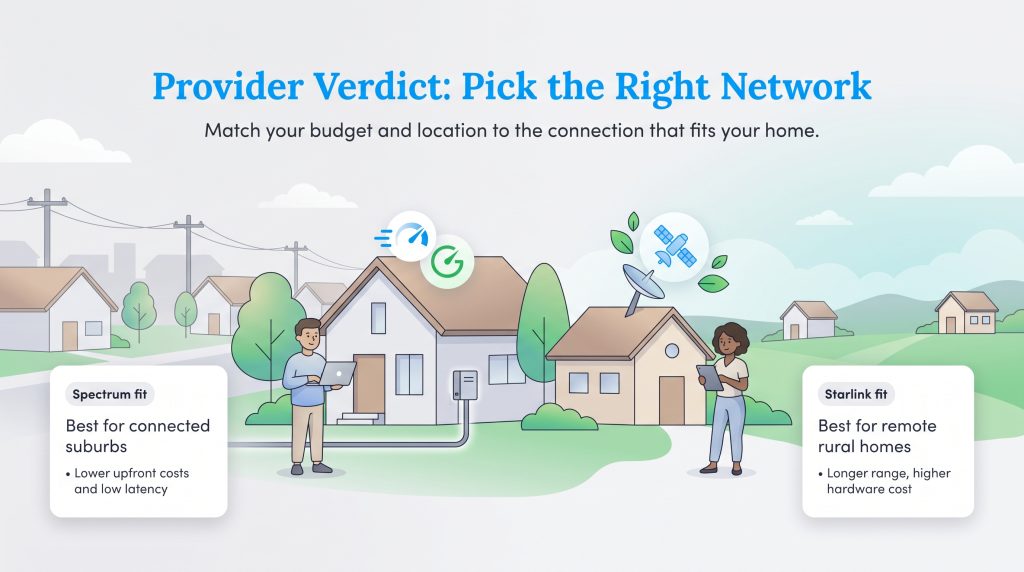
Choosing the right connection ultimately boils down to a battle of geographic location, total cost of ownership, and latency requirements. The era of settling for sluggish, frustrating rural internet is effectively over, but that does not mean a flashy satellite dish is the right move for everyone. Take a hard look at your geographic reality, run the math on your two-year hardware budget, and confidently power up the right connection for your home based on these final guidelines:
- Choose Spectrum if your address is wired for cable, you want to avoid a massive upfront hardware fee, and you demand the absolute lowest latency for competitive gaming or intense remote work.
- Choose Starlink if you live miles beyond city utility limits, you own an RV and require flexible pausing while traveling, and you want modern gigabit-capable engineering in a completely off-grid package.
- Run the Two-Year Math: Always factor Starlink’s hefty initial equipment purchase into your budget when comparing it against Spectrum’s cheaper year-one promotional rates and subsequent year-two price hikes.
Frequently Asked Questions About Spectrum and Starlink
Still comparing your options? These quick answers cover the most common questions about speed, gaming, weather impacts, and rural viability to help you make an informed final choice.
Is Starlink better than Spectrum for rural areas?
Is Starlink faster than Spectrum?
Does weather affect Starlink more than Spectrum?
Can I play competitive online games on Starlink instead of Spectrum?
What is the upfront cost of switching from Spectrum to Starlink?
Can I pause my Starlink service if I travel?
Does Starlink use more electricity than a Spectrum modem?
Does Starlink offer better customer service than Spectrum?
Can I use Starlink and Spectrum together for failover?
Is Starlink better than Spectrum for working from home?
About the Author

David has been an integral part of some of the biggest utility sites on the internet, including InMyArea.com, HighSpeedInternet.com, BroadbandNow.com, and U.S. News. He brings over 15 years of experience writing about, compiling and analyzing utility data.

LaLeesha has a Masters degree in English and enjoys writing whenever she has the chance. She is passionate about gardening, reducing her carbon footprint, and protecting the environment. She also recently served as President of the Board for City Sprouts (a community garden).