
Is Starlink the Ultimate Solution for Remote Areas, or Does the High Upfront Cost Outweigh the Benefits of Low-Latency Satellite Internet?
Key Takeaways
- Starlink is currently the fastest satellite internet option for rural residents, offering unmatched low latency for activities like gaming and video calls.
- While standard monthly plans start around $120, the upfront equipment fee of $349+ is a significant initial investment compared to traditional satellite providers.
- Unlike legacy competitors, Starlink boasts unlimited data without hard throttling caps, though severe weather or dense tree coverage can occasionally impact your connection.
If you live beyond the reach of standard fiber or cable lines, dealing with painfully slow download speeds and endless buffering is an everyday struggle. Our comprehensive Starlink internet review rural guide cuts through the technical jargon to help you decide if Elon Musk’s satellite network is truly worth the high upfront cost for your household. We break down the real-world performance, the surprisingly simple DIY setup, and how Starlink internet for rural areas stacks up against legacy options so you can make an informed, confident decision.
What Is Starlink and How Does the Network Work?
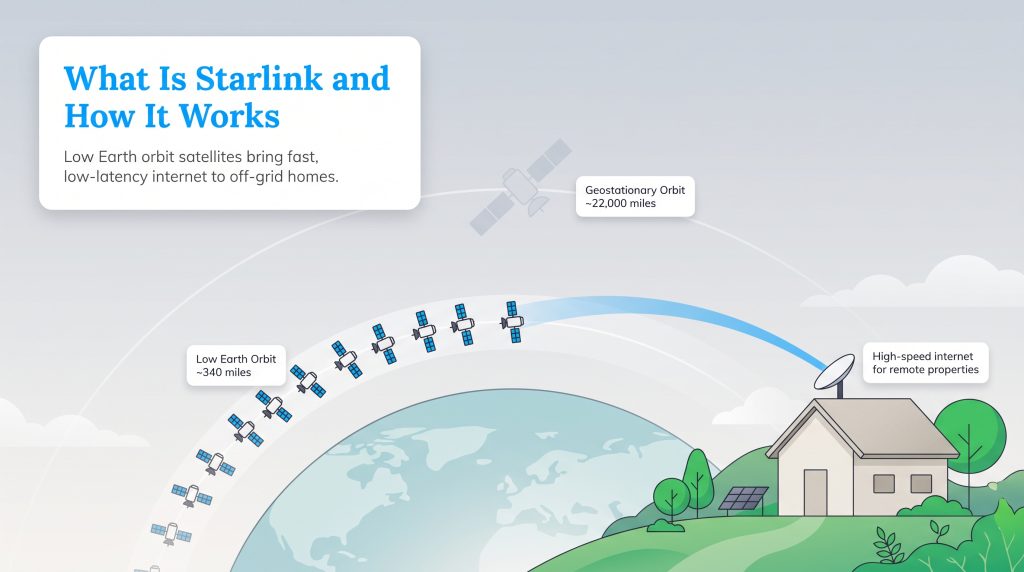
Starlink fundamentally changes how off-the-grid homes connect to the web by utilizing a low Earth orbit (LEO) network. Traditional internet providers utilize massive satellites positioned in a geostationary orbit roughly 22,000 miles up in space. That immense distance creates significant delays in signal transmission — an issue known as latency — causing laggy video calls, delayed voice chats, and endless buffering. Starlink’s satellites orbit the Earth just 340 miles high, slashing the data travel time significantly.
This massive constellation of over 7,600 small satellites beams high-speed data directly to the user terminal (dish) mounted at your home. By keeping the hardware closer to Earth, the network delivers highly responsive performance that closely mimics a traditional hardwired connection. If you crave modern tech innovation and desperately need a reliable solution to eliminate dead zones on your property, Starlink’s approach is a game-changer.
Quick Fact: SpaceX launches approximately 150 new satellites monthly to continually boost global network coverage, capacity, and overall speeds.
Starlink Plans, Pricing, and Equipment Fees
| Plan Name | Price | Download Speeds | Connection Type | |
|---|---|---|---|---|
| Residential 100 Mbps | $55 /month | Up to 100 Mbps | Satellite | Check Availability |
| Residential 200 Mbps | $85 /month | Up to 200 Mbps | Satellite | Check Availability |
| Roam 100 GB | $55 /month | Up to 300 Mbps | Satellite | Check Availability |
| Roam Unlimiited | $175 /month | Up to 300 Mbps | Satellite | Check Availability |
| Roam 300 GB | $80 /month | Up to 300 Mbps | Satellite | Check Availability |
| Residential Max | $130 /month | Up to 400 Mbps | Satellite | Check Availability |
*Pricing and speeds may vary slightly depending on your location and network congestion.
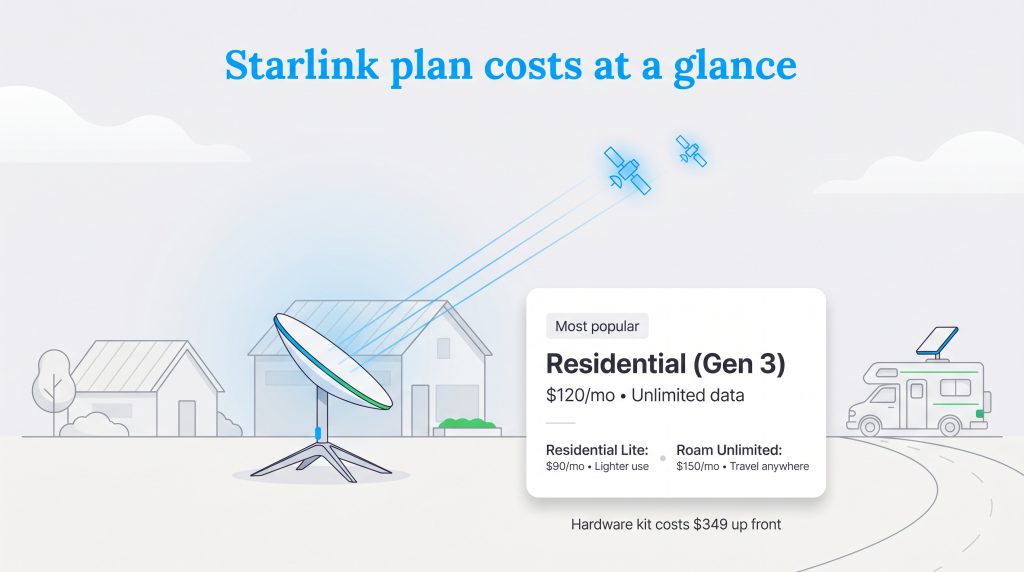
Whether you are setting up a home office at a remote cabin or exploring the country in a camper, Starlink has a plan designed for your lifestyle. The standard Gen 3 Residential plan starts at $120 per month and includes unlimited data with no restrictive hard caps. The most significant hurdle for many rural homeowners is the initial equipment fee. Purchasing the Gen 3 hardware kit costs exactly $349 for the standard package, which is a steep one-time expense compared to legacy providers who often lease their equipment for a small monthly fee.
| Plan | Best For | Monthly Cost | Key Perks |
|---|---|---|---|
| Residential (Gen 3) | Families, remote workers | $120.00 | Unlimited data, low latency |
| Residential Lite | Light users, budget-conscious | $90.00 | Great coverage, slightly slower peak speeds |
| Roam (50GB) | Weekend trips, occasional travel | $50.00 | Affordable Starlink RV roaming plan |
| Roam Unlimited | Nomads, full-time travelers | $150.00 | Use anywhere on land, pause service anytime |
| Priority | Rural businesses, heavy users | $140.00+ | Guaranteed top speeds, priority support |
The beauty of this pricing structure is the complete lack of multi-year contracts. You pay month-to-month and own the hardware outright. This flexibility is a breath of fresh air for households that are tired of being locked into binding agreements with hidden cancellation fees.
Top Starlink Comparisons
Deals, Discounts, and Guarantees
If you are hunting for a massive sign-up bonus or bundle package, you will likely be disappointed. Starlink rarely offers traditional deals or seasonal discount codes. However, they do provide robust guarantees to protect your upfront investment. The company backs all new hardware purchases with a 30-day return guarantee. If the connection at your property falls short of your expectations, you can simply pack up the dish and ship it back for a full refund on the equipment cost.
For rural users looking to reduce the initial barrier to entry, there is a legitimate workaround. Starlink frequently offers refurbished Gen 2 or Gen 3 equipment directly through their official website for a reduced upfront cost. These refurbished kits are thoroughly tested, function exactly like brand-new units, and still carry the standard warranty, allowing you to save nearly $100 before you even plug the system in.
Money-Saver: Check the official Starlink order page for “Refurbished” options under the hardware selection tab. Inventory fluctuates, but buying refurbished is the easiest way to knock down that $349 starting price.
Coverage Area and Availability
Starlink provides near-nationwide access across the United States, offering an essential lifeline to residents in states like Alaska and Hawaii where traditional infrastructure is geographically impossible. While the network technically covers the vast majority of North America, actual availability depends entirely on network capacity in your specific area.
Because satellites can only handle a certain amount of data at once, SpaceX restricts the number of active users in any given region to maintain high speeds. When checking your address on their website, you will find your location falls into one of two categories:
- Available Now: Mostly rural, spread-out regions where capacity is plentiful. You can order your kit and receive it within a couple of weeks.
- Waitlisted: Typically areas creeping closer to densely populated suburbs or cities. You can place a deposit, but you may wait months for a spot to open up.
Even if you live in a readily available zone, your property must have a clear, unobstructed view of the northern sky. If you are nestled at the bottom of a steep canyon or heavily surrounded by towering pine trees, the dish will struggle to maintain contact with passing satellites.
Speeds, Latency, and Weather Interference
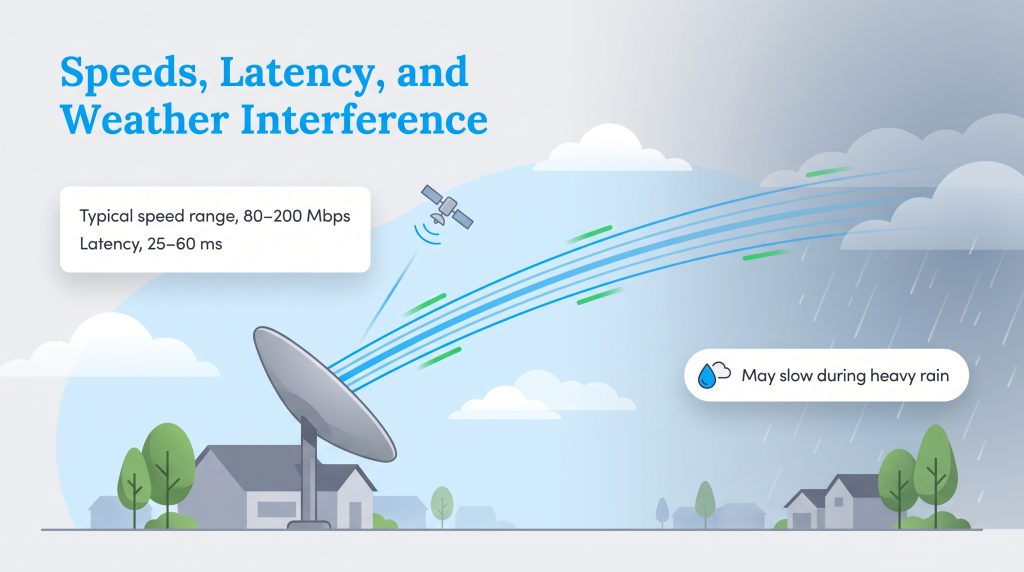
When you ditch your sluggish DSL line for a Gen 3 setup, the performance upgrade is immediately noticeable. Starlink is engineered to handle bandwidth-heavy tasks with ease. Under typical daily conditions, here is what you can expect from the standard Residential plan:
- Download Speeds: 80 to 200 Mbps
- Upload Speeds: 10 to 20 Mbps
- Typical Latency (Ping): 25 to 60 ms
The standout metric here is the latency performance. Latency is the round-trip time it takes for a data packet to travel from your router to a server and back. Older satellite services often sit at an abysmal 600ms latency, making competitive online gaming impossible and causing awkward, overlapping delays on Zoom calls. Starlink’s 25–60ms latency is snappy enough to let you comfortably play fast-paced titles like Call of Duty without suffering from frustrating lag spikes.
However, you do need to account for weather interference. Because your signal travels 340 miles through the atmosphere, torrential downpours and dense, moisture-heavy storm clouds can cause temporary rain fade. During heavy rain, you might experience temporary speed reductions or brief drops in service. Fortunately, the Gen 3 dish remains highly resilient against winter weather, featuring an automated heating element that detects freezing temperatures and gently melts snow and ice right off the terminal surface.
Using the Starlink Mobile App for Installation
Forget about waiting weeks for a technician to show up within a vague four-hour appointment window. Starlink satellite dish installation is completely DIY, and it all revolves around their highly intuitive mobile application. Any positive review will quickly point out how seamless the app makes managing your local network, but its most crucial feature is used before you even plug the system in.
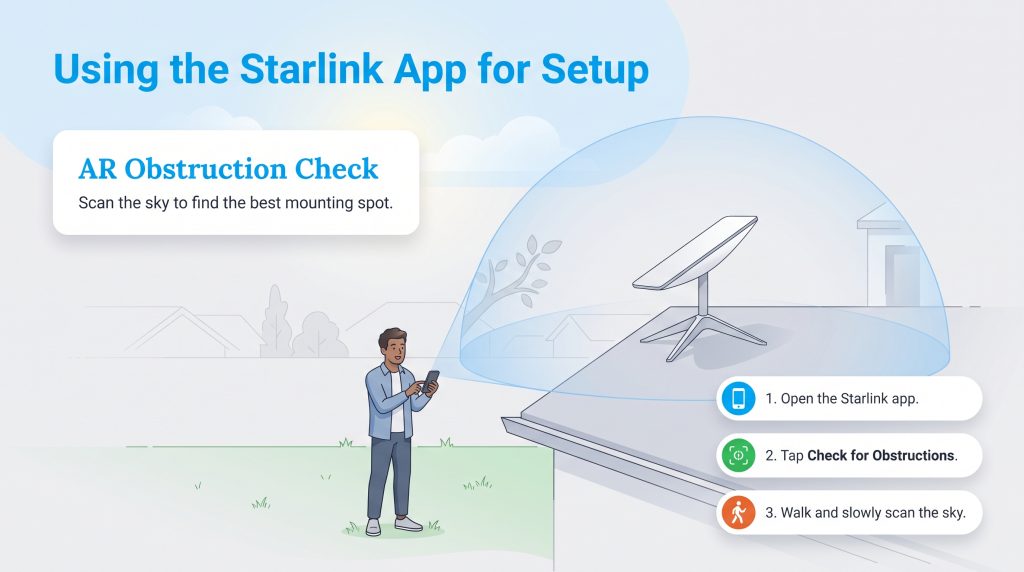
Before permanently mounting your hardware, you must use the Starlink app to find the perfect location. Even a single swaying branch can cause frustrating micro-drops. Here is how you use the app’s augmented reality (AR) tool to ensure a flawless setup:
- Step 1: Download the free Starlink app from the Apple App Store or Google Play Store.
- Step 2: Select the “Check for Obstructions” tool from the main dashboard.
- Step 3: Walk to your desired installation spot (such as a roof peak or open yard area).
- Step 4: Point your smartphone camera at the sky and follow the on-screen prompts to scan the entire viewing area.
- Step 5: Review the AR results. The app will visually highlight any branches, buildings, or poles encroaching on the necessary signal path, allowing you to pivot to a better mounting spot.
Starlink Customer Service and Real User Reviews
When you dive into community forums like Reddit’s r/Starlink, the prevailing sentiment is overwhelmingly positive regarding the technology itself. Rural users who endured decades of single-digit download speeds frequently post speed tests showcasing 150+ Mbps, praising the service as a massive quality-of-life upgrade for remote work and streaming.
Despite the glowing technological praise, customer service complaints are highly prevalent. If you check their Better Business Bureau (BBB) profile, you will notice a recurring frustration regarding the lack of a traditional customer service phone number. If a tree branch falls on your dish or you have a mysterious billing error, you cannot simply call a 1-800 number to speak with a human. You must submit a support ticket through the mobile app and wait for an email response, which can be stressful when your home is entirely offline.
Sustainability and Off-Grid Power Consumption
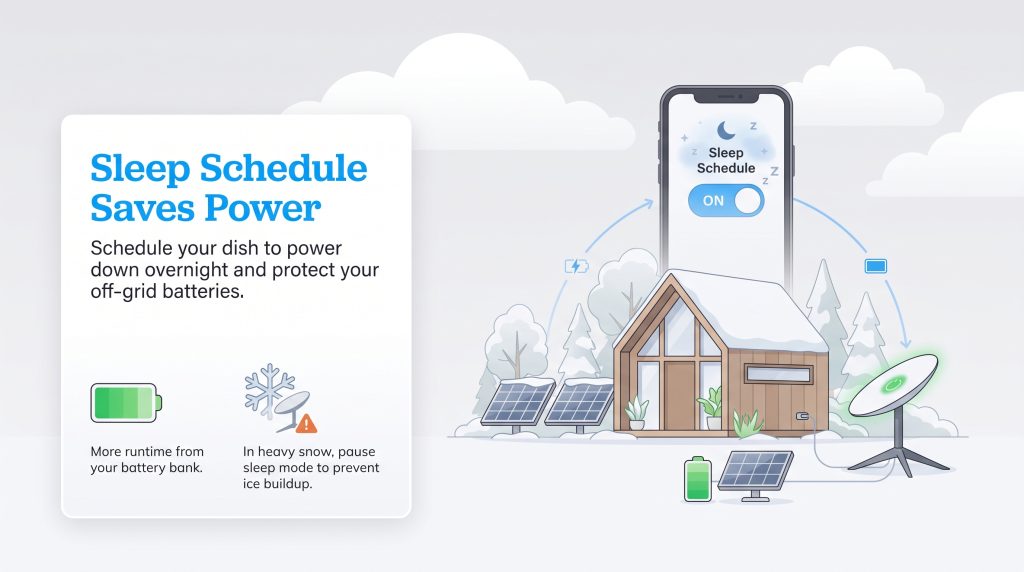
If you are building an energy-independent homestead, understanding the exact power requirements for your off-grid satellite internet is absolutely vital. While older generations of the hardware were notoriously power-hungry, the Gen 3 dish and router operate much more efficiently. During active use, the entire Gen 3 system draws approximately 50 to 75 watts of continuous power, requiring careful energy management for off-grid users relying on deep-cycle batteries.
To support an environmentally mindful choice, SpaceX included a brilliant “Sleep Schedule” feature inside the mobile app. You can program the dish to automatically power down into a standby mode during the overnight hours when you are asleep. This eco-conscious alternative drops the power consumption significantly, helping to preserve your battery banks for the morning. Additionally, on a broader sustainability scale, SpaceX heavily utilizes reusable rockets to launch these satellites, massively reducing the material waste traditionally associated with aerospace expansion.
Eco Edge: Keep in mind that when the dish is in Sleep Mode, the automatic snow-melt feature is disabled. During heavy winter storms, you may want to pause your sleep schedule to prevent thick ice buildup overnight.
Who Is Starlink Best For?
Starlink is a premium product designed to solve a very specific problem. It is not the ultimate solution for every single household, but for its target demographic, it is entirely unrivaled.
Who Should Buy Starlink:
- Rural Homeowners: Anyone stuck with 10 Mbps DSL lines or cellular hotspots that constantly drop.
- Off-Grid Cabins: Properties far beyond the reach of municipal utility poles and traditional hardlines.
- Digital Nomads: RV travelers who need to work remotely from national parks and open highways.
Who Should Avoid Starlink:
- Heavy Tree Canopies: Properties completely engulfed by tall, dense trees where a clear sky view is impossible.
- City Dwellers: If you have access to cheap, lightning-fast fiber internet, satellite tech is not for you.
- Competitive eSports Gamers: While latency is good, it cannot beat a hardwired fiber-optic ping.
Starlink Versus Viasat Rural Internet
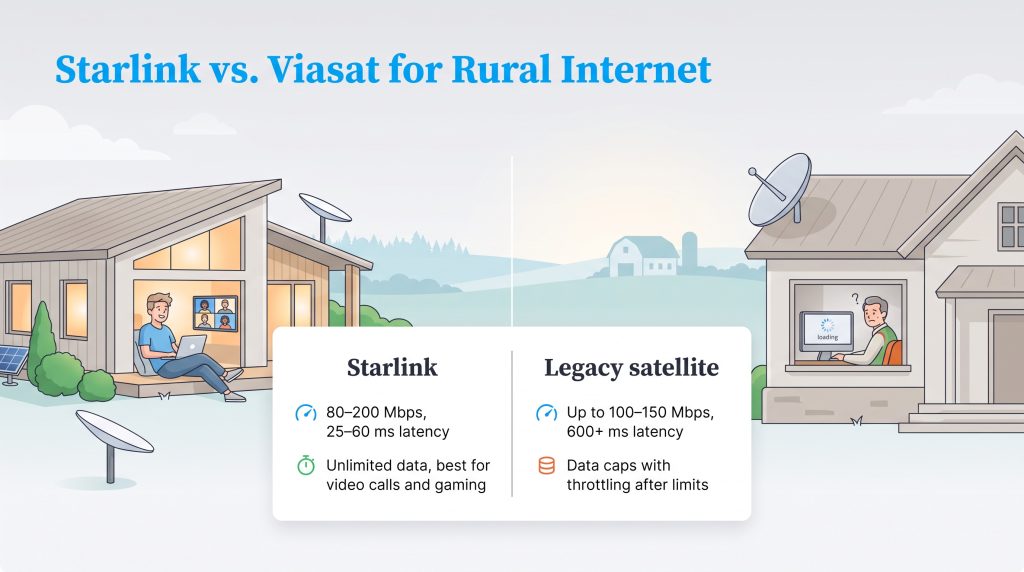
For years, rural residents only had two real choices for a dish connection: Viasat or HughesNet. When looking closely at a side-by-side comparison, the differences in technology become incredibly obvious. While legacy providers have updated their plans recently to try and stay competitive, their reliance on high-orbit geostationary satellites inherently limits their overall performance.
| Provider | Expected Speeds | Typical Latency | Data Caps | Starting Price |
|---|---|---|---|---|
| Starlink | 80 – 200 Mbps | 25 – 60 ms | Unlimited | $120 / month |
| Viasat | Up to 150 Mbps | 600+ ms | Deprioritized after limits | $99 / month |
| HughesNet | Up to 100 Mbps | 600+ ms | Hard throttled after limits | $74.99 / month |
While HughesNet or Viasat might offer a slightly cheaper entry-level monthly price, you absolutely get what you pay for. Legacy satellite internet strictly regulates how much data you can consume before heavily throttling your connection. Starlink easily outperforms both competitors for latency-sensitive tasks like video conferencing, VoIP phone calls, and gaming. If you rely on the web for remote work or nightly entertainment, Starlink is objectively the better long-term investment despite the higher upfront equipment fee.
Cutting the Cord in the Country
If you live in a remote area untouched by fiber-optic cables, Starlink is definitively worth the high upfront investment. The unparalleled combination of 200 Mbps speeds, true unlimited data, and remarkably low latency transforms rural connectivity from a daily frustration into a seamless experience. Before you finalize your order, we highly encourage you to download the free Starlink app today and scan your property to ensure a clear view of the sky.
Frequently Asked Questions About Starlink
Who owns Starlink?
Is Starlink available everywhere?
What’s included in the Starlink kit?
How much power does the Starlink dish use off-grid?
Is Starlink fast enough for remote work and video conferencing?
Can I pause my Starlink internet service if I only use it in the summer?
Does weather affect Starlink?
Are there any hard data caps on Starlink’s standard residential plan?
What if my Starlink isn’t working well?
Is Starlink better than fiber or cable?
About the Author

David has been an integral part of some of the biggest utility sites on the internet, including InMyArea.com, HighSpeedInternet.com, BroadbandNow.com, and U.S. News. He brings over 15 years of experience writing about, compiling and analyzing utility data.