

Find Out Whether Optimum’s Fiber Network or Starlink’s Satellite Internet Is the Smarter, More Sustainable Choice for Your Home
Key Takeaways
- Optimum fiber usually offers lower latency and lower upfront costs, making it the stronger pick for smart homes, gaming, and video calls when it’s available.
- Starlink provides broad rural coverage and flexibility, but its required hardware kit can add several hundred dollars upfront, with pricing varying by plan, location, and promotions.
- Optimum’s in-home equipment is generally more energy-efficient, whereas Starlink dishes draw constant power that can increase your utility bills.
When comparing Optimum vs. Starlink, you are weighing the steady reliability of traditional cable and fiber against the go-anywhere freedom of low-Earth orbit satellites. We know how frustrating it can be to balance connection speeds, upfront hardware fees, and latency while trying to keep your home running smoothly. Instead of wading through confusing promotional jargon, we broke down exactly how these two providers stack up on the metrics that actually affect your daily life.

- 8 Gbps
- Cable & Fiber
- Unlimited
- $25.00/mo

- 400 Mbps
- Satellite
- Unlimited
- $55.00/mo
*Not all internet providers and speeds available in all areas.
Optimum vs Starlink at a Glance
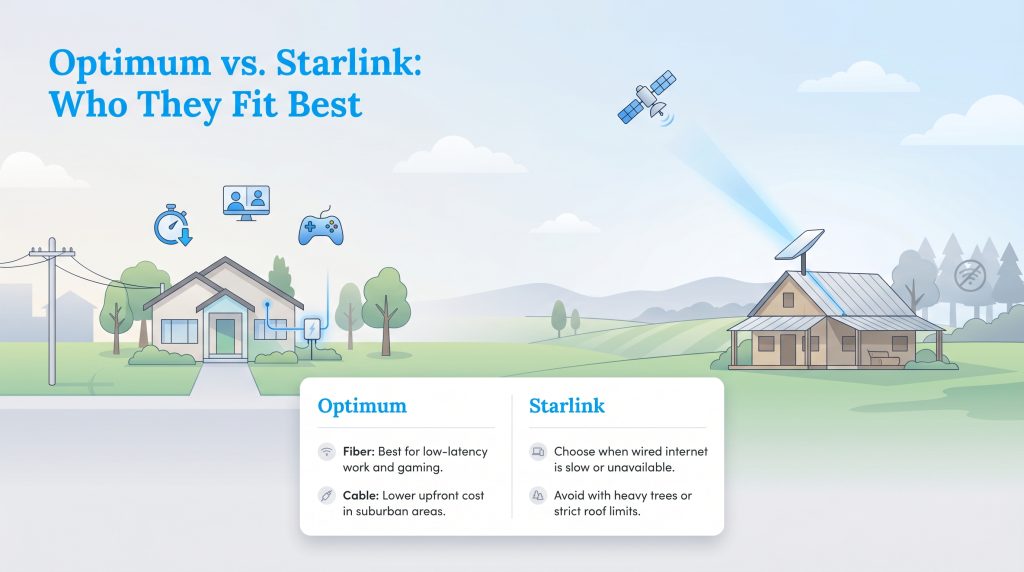
If you want quick answers to determine the best internet alternative to Optimum for your specific living situation, our overview sheet has you covered. Review the essential differences in performance and cost below before diving into the granular details of hardware fees and latency.
| Feature | Optimum Cable | Optimum Fiber | Starlink |
|---|---|---|---|
| Price Range | $40 – $125/mo | $40 – $150/mo | $120/mo (Standard) |
| Download Speeds | Up to 940 Mbps | Up to 8,000 Mbps | 40 – 220+ Mbps |
| Upload Speeds | Up to 35 Mbps | Up to 8,000 Mbps | 8 – 25+ Mbps |
| Latency | 15 – 25ms | 5 – 15ms | 25 – 60ms |
| Data Caps | Unlimited | Unlimited | Unlimited (Standard) |
| Equipment Costs | Included / Rented | Included | $349+ Upfront |
Connection Types: Cable/Fiber vs Satellite
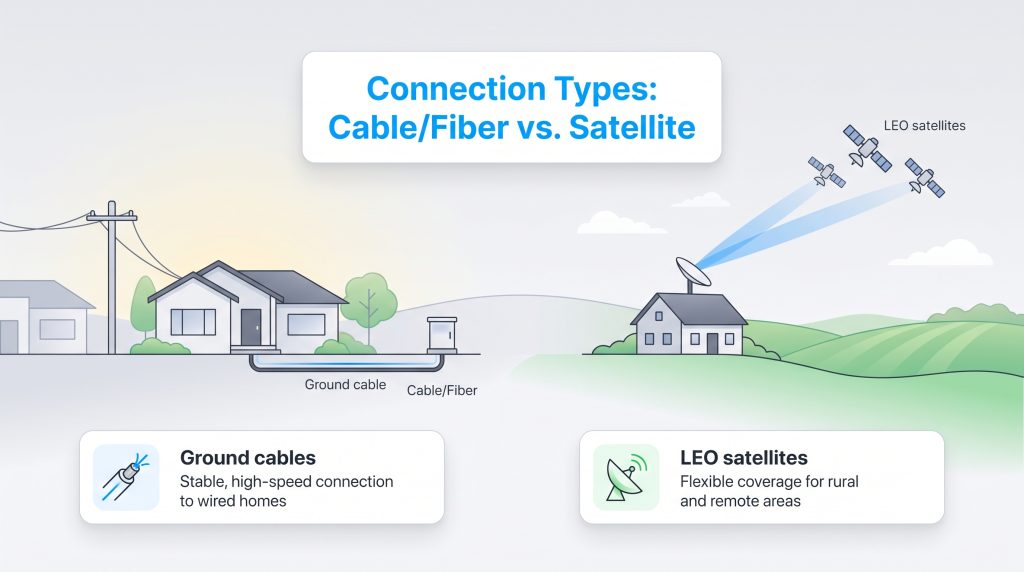
Understanding how these services deliver data to your home helps explain their drastic differences in performance and overall cost. Here is how the underlying technology separates Starlink internet vs Optimum cable and fiber:
- Ground Infrastructure (Optimum): This traditional method uses buried or aerial coaxial cables and fiber-optic lines to transmit data directly to your neighborhood. Because physical lines run straight to your home, the connection is incredibly stable, highly resistant to weather, and capable of handling massive amounts of data at lightning speeds.
- Low Earth Orbit Satellites (Starlink): Instead of relying on ground cables, Starlink beams internet from thousands of satellites moving in low Earth orbit (LEO). Your home dish continuously tracks these satellites to maintain a connection, providing remarkable flexibility and broad coverage for rural areas that legacy ground networks cannot reach.
Head-to-Head: Speeds, Data Caps, and Latency
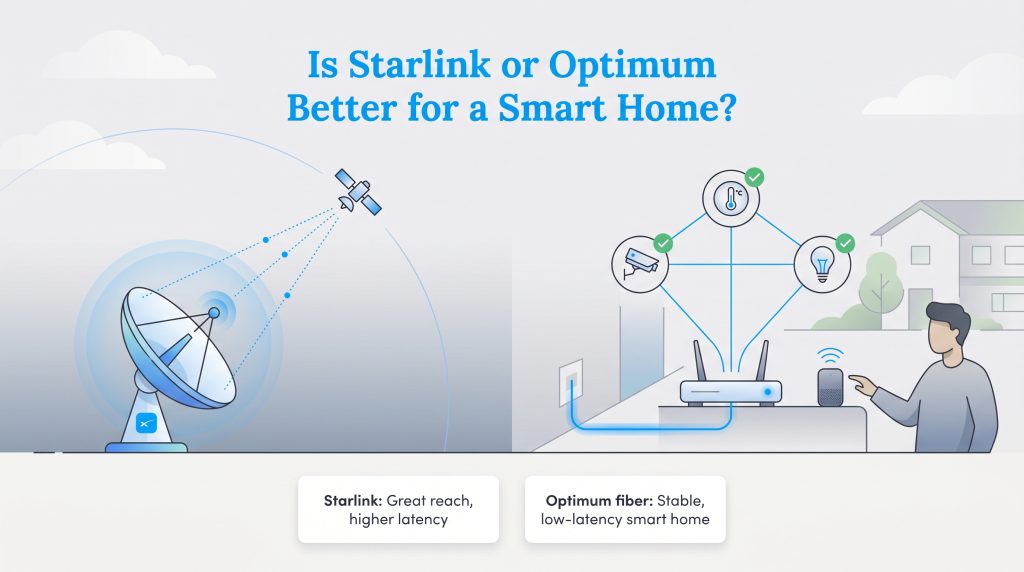
Both providers boast impressive download rates that can exceed the FCC’s broadband benchmark for many households, but the underlying technology heavily influences your actual connection stability. Hardwired networks naturally maintain more consistent speeds because they physically connect directly to your residence without atmospheric interference. While evaluating Optimum internet data caps, you will be pleased to know that both Optimum and standard Starlink plans offer unlimited data, so you won’t face overage charges for streaming your favorite shows.
However, you also need to look closely at Starlink vs Optimum upload speed. Optimum fiber vs Starlink is a crucial matchup because Optimum’s robust fiber network offers symmetrical speeds — meaning your upload speeds are just as fast as your downloads (up to a staggering 8,000 Mbps in certain service areas). Starlink typically caps out around 25 Mbps for uploads, which is adequate for standard browsing but noticeably slower if you routinely back up large files to the cloud or run intensive video broadcasts.
Optimum vs Starlink for Gaming
Raw speed dictates how fast you can download a massive game update, but latency determines the immediate responsiveness of your connection during competitive play. When evaluating Optimum vs Starlink for gaming, the hardwired connection is the definitive winner. Optimum’s fiber lines often deliver 10-20 millisecond ping times, ensuring your inputs register instantly without frustrating lag spikes.
Comparing Starlink latency vs Optimum highlights the limitations of space-based technology. While Starlink’s 25–60 millisecond latency is an engineering marvel for satellite internet, it still causes noticeable lag in fast-paced, online multiplayer matches. If you share a busy network or play competitively, the stable wired connection makes Optimum the superior choice for gamers.
Pricing, Equipment Costs, and Installation
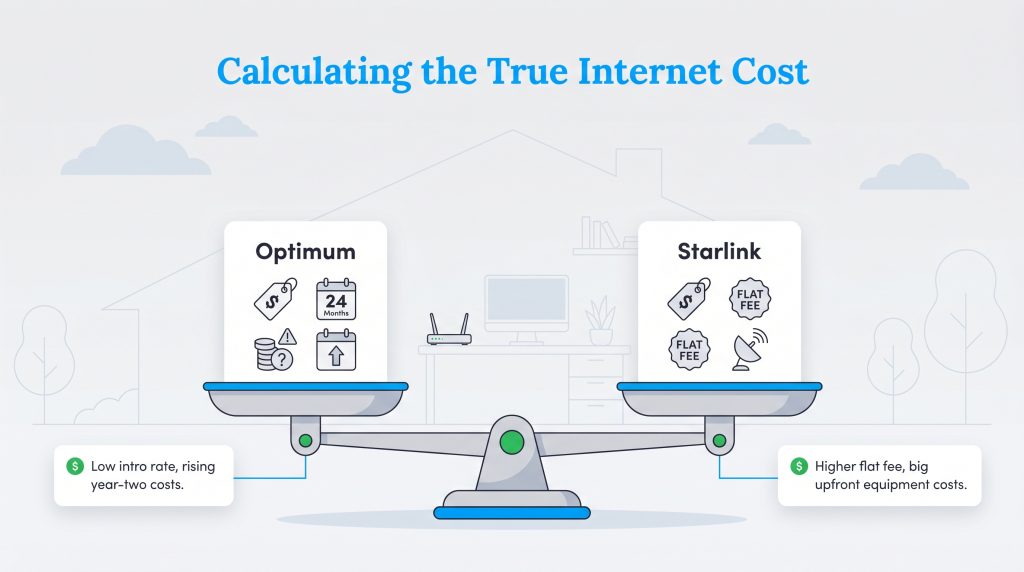
Evaluating your internet bill requires looking past the flashy introductory rate plastered on the provider’s website. Total Cost of Ownership spans your entire tenure with the service, factoring in monthly service fees, equipment rentals, and the installation process. Optimum frequently lures new customers in with ultra-low promotional pricing for the first 12 months. This makes it highly affordable initially, though standard rates apply in year two.
Conversely, Starlink operates on a predictable flat monthly fee for its standard service, sparing you from the dreaded second-year price spike. However, that flat service rate is generally higher than most baseline cable packages. You have to crunch the numbers carefully to see if the long-term stability of a single fixed rate outweighs the early savings a traditional ISP provides during the honeymoon phase.
💸 Money-Saver: Buying your own compatible router instead of paying Optimum’s monthly equipment rental fee can easily save you over $100 a year while significantly improving your home’s Wi-Fi range.
Uncovering Starlink Hidden Costs
When analyzing Starlink equipment costs vs Optimum, you will quickly notice that satellite internet demands a much larger financial commitment upfront. Optimum generally uses a standard equipment rental model or includes the gateway in your plan. Before committing to satellite, consider the immediate out-of-pocket expenses required just to get a signal running.
- The hardware kit: Purchasing the mandatory Starlink dish and router adds a hefty upfront hardware fee (usually $349 or more), though pricing occasionally varies by promotional offers in select regions.
- Shipping and handling: Expect to pay anywhere from $20 to $50 just to get the equipment delivered to your door.
- Aftermarket mounting accessories: Safely securing the dish to your roof frequently requires specialized mounts, heavy-duty brackets, or pole adapters that cost extra.
- Installation labor: Optimum’s installation may be free or heavily discounted, but hiring an independent contractor to properly route the Starlink cable through your roof adds hundreds of dollars to the final bill.
Optimum Plans and Pricing
| Plan Name | Price | Download Speeds | Connection Type | |
|---|---|---|---|---|
| Optimum FASTPASS | $25 /month | Up to 200 Mbps | Cable | Check Availability |
| Optimum 300 | $30 /month | Up to 300 Mbps | Cable | Check Availability |
| 300 Mbps Fiber | $30 /month | Up to 300 Mbps | Fiber | Check Availability |
| Optimum 500 | $40 /month | Up to 500 Mbps | Cable | Check Availability |
| Fiber 500 Mbps | $40 /month | Up to 500 Mbps | Fiber | Check Availability |
| Optimum 1 Gig | $25 /month | Up to 1000 Mbps | Cable | Check Availability |
| Fiber 1 Gig | $25 /month | Up to 1000 Mbps | Fiber | Check Availability |
| Fiber 2 Gig | $60 /month | Up to 2 Gbps | Fiber | Check Availability |
| Fiber 5 Gig | $75 /month | Up to 5 Gbps | Fiber | Check Availability |
| Fiber 8 Gig | $120 /month | Up to 8 Gbps | Fiber | Check Availability |
Starlink Plans and Pricing
| Plan Name | Price | Download Speeds | Connection Type | |
|---|---|---|---|---|
| Residential 100 Mbps | $55 /month | Up to 100 Mbps | Satellite | Check Availability |
| Residential 200 Mbps | $85 /month | Up to 200 Mbps | Satellite | Check Availability |
| Roam 100 GB | $55 /month | Up to 300 Mbps | Satellite | Check Availability |
| Roam Unlimiited | $175 /month | Up to 300 Mbps | Satellite | Check Availability |
| Roam 300 GB | $80 /month | Up to 300 Mbps | Satellite | Check Availability |
| Residential Max | $130 /month | Up to 400 Mbps | Satellite | Check Availability |
Reliability and Weather Impact
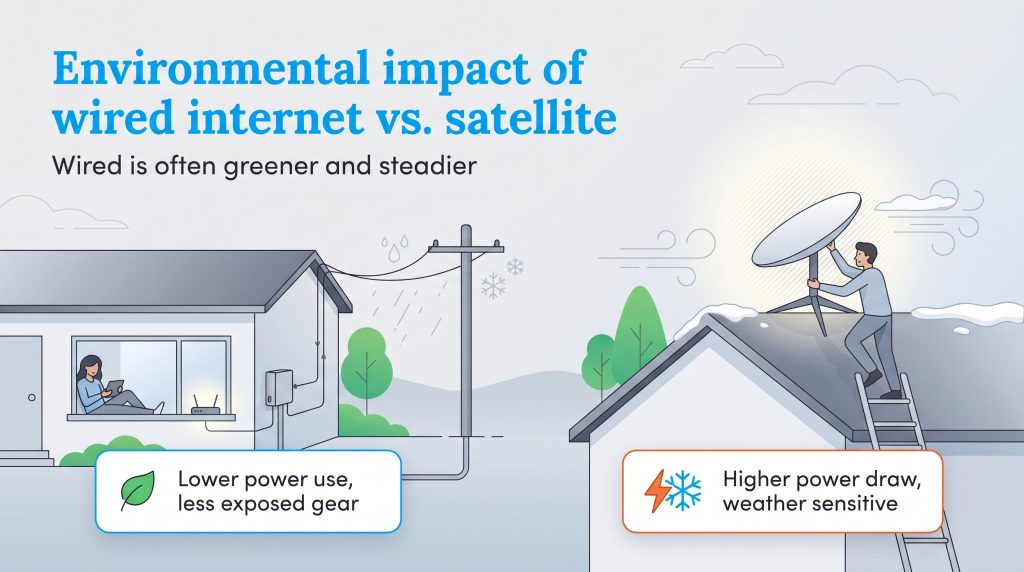
When assessing Starlink vs Optimum reliability, weather plays a massive role in day-to-day network consistency. A roof-mounted Starlink receiver takes the full brunt of the elements. Heavy rainstorms, dense cloud cover, and thick snow accumulation can cause “rain fade,” which temporarily disrupts the signal and drops your internet speeds as the dish struggles to maintain a clear line of sight to orbit. While Starlink rural internet speeds are fantastic on clear days, severe weather will cause occasional lag or micro-drops.
Hardwired networks like Optimum cable and fiber service are far less exposed to the elements, making them a highly reliable and environmentally mindful choice. Because physical lines are largely buried or safely strung along utility poles, they are impervious to atmospheric interference like clouds and heavy rain. However, Optimum’s reliance on physical infrastructure means it is susceptible to localized issues like falling trees and major power outages taking down network nodes.
The Starlink Power Consumption Cost
Most people never think about the electricity required to keep their Wi-Fi running, but the continuous power consumption of a satellite dish is surprisingly high. The active phased-array antenna inside the dish draws 50 to 100 watts of continuous electricity just to track satellites moving across the sky. When winter hits, the dish activates a built-in snow-melting feature, which drastically increases electricity use during winter weather. At 50 to 100 watts running continuously, a Starlink setup could use roughly 36 to 72 kWh per month before snow-melt mode. At electricity rates around $0.15 to $0.20 per kWh, that adds about $5 to $15 to your monthly utility bill.
Optimum’s in-home equipment typically uses a fraction of the electricity required by a satellite dish. Upgrading to energy-efficient home electronics reduces that physical footprint even further. If you are actively managing your home electricity usage, sticking with a hardwired connection keeps unnecessary power drain to an absolute minimum.
🌱 Eco Edge: The continuous power draw from a Starlink dish operates 24/7, which can quietly add up to $60 to $180 a year to a household electric bill. Treating this system as a high-demand, energy-intensive utility is crucial for accurate household budgeting.
Making the Switch to a New Internet Provider
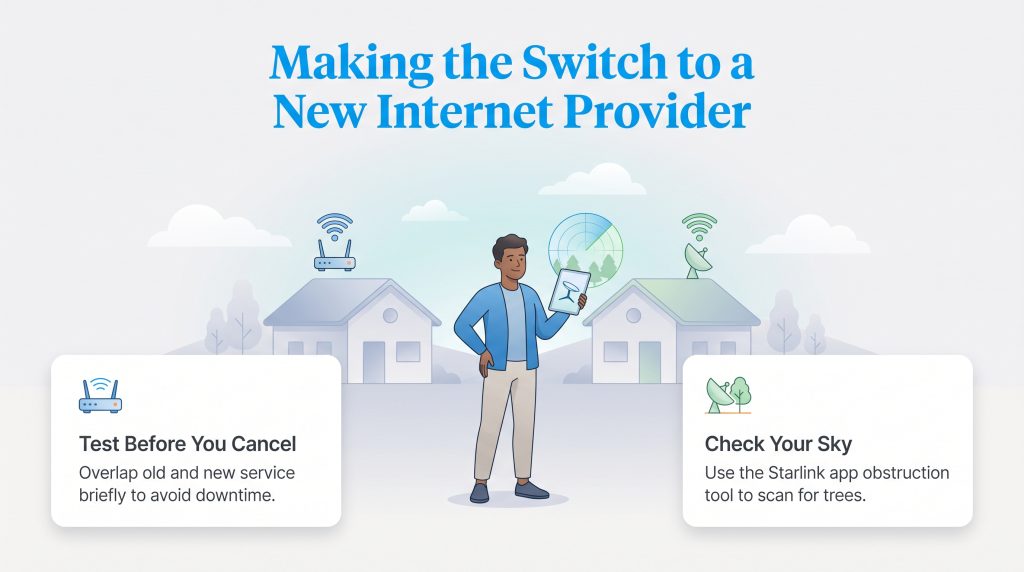
If you are planning to change providers and coordinate utilities during a move, taking the leap doesn’t have to be intimidating. We highly recommend using the Starlink mobile app’s built-in obstruction tool to scan your sky for trees before officially canceling your wired service. Deciding between these two unique technologies ultimately comes down to your physical address, budget, and daily networking demands.
Choosing the Right Internet Connection for Your New Home
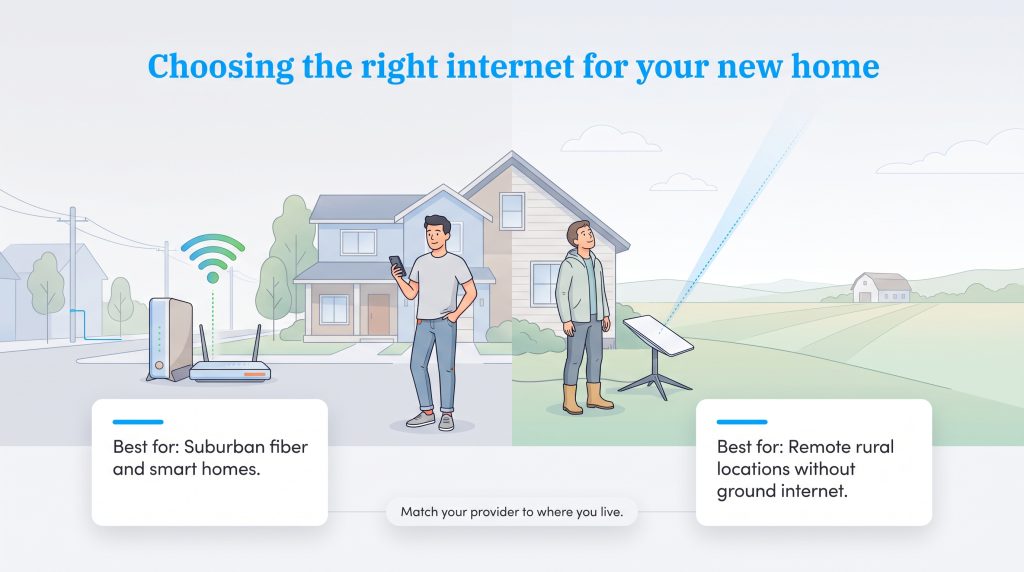
Optimum remains the superior, more sustainable choice for suburban neighborhoods and smart homes due to its low latency, manageable upfront costs, and excellent symmetrical speeds. If you reside in a remote area without reliable ground infrastructure, Starlink is the ultimate problem-solver that brings modern speeds to the most isolated properties. Evaluate your budget, verify your local coverage, and confidently select the provider that seamlessly supports your connected lifestyle.
- Choose Optimum If:
- You live in a suburban neighborhood and have direct access to their fiber or high-speed cable lines.
- You need ultra-low latency for competitive online gaming, seamless video conferencing, or quick smart home response times.
- You want to avoid high upfront hardware costs and prefer an energy-saving option with minimal environmental power drain.
- Choose Starlink If:
- You live in a deeply rural or remote location where ground infrastructure like cable or fiber is entirely unavailable.
- Your current wired internet alternative is painfully slow DSL or heavily capped legacy satellite internet.
- You have the budget for a significant upfront hardware investment and a clear, unobstructed view of the sky.
Frequently Asked Questions About Optimum vs Starlink
Is Starlink faster than Optimum?
Do I need professional installation for Starlink like I do with Optimum?
Can I use Starlink as a backup to my Optimum connection?
Is Starlink better than Optimum for rural areas?
How much does Starlink increase your electric bill?
Does bad weather disrupt Starlink more than Optimum fiber?
Is Optimum internet good for a fully automated smart home?
About the Author

David has been an integral part of some of the biggest utility sites on the internet, including InMyArea.com, HighSpeedInternet.com, BroadbandNow.com, and U.S. News. He brings over 15 years of experience writing about, compiling and analyzing utility data.

LaLeesha has a Masters degree in English and enjoys writing whenever she has the chance. She is passionate about gardening, reducing her carbon footprint, and protecting the environment. She also recently served as President of the Board for City Sprouts (a community garden).