
Choosing Between Quantum Fiber and Starlink Comes Down to Your Exact Location, Upfront Budget, and Daily Internet Needs
Key Takeaways
- Quantum Fiber generally offers faster upload speeds, lower latency, and more consistent performance than Starlink where fiber service is available.
- Starlink is often one of the best internet options for rural and off-grid homes without access to fiber, cable, or reliable fixed wireless service.
- Upfront costs differ significantly between the two, with Starlink usually requiring a hardware purchase while Quantum Fiber often includes standard equipment with eligible plans.
Moving into a new home or upgrading your connection on the rural fringe often sparks the great debate of satellite vs fiber internet. You need reliable service to stream, work, and keep your household running smoothly, but cutting through the marketing jargon can feel completely overwhelming. We are here to help you navigate this decision by comparing Quantum Fiber vs. Starlink head-to-head on speed, cost, weather resilience, and installation. Finding the right fit ensures you invest in a smart, environmentally mindful choice that handles your daily digital life without skipping a beat.

- 8 Gbps
- Fiber
- Unlimited
- $30.00/mo

- 400 Mbps
- Satellite
- Unlimited
- $55.00/mo
*Not all internet providers and speeds available in all areas.
The 30-Second Verdict: Quantum Fiber vs. Starlink
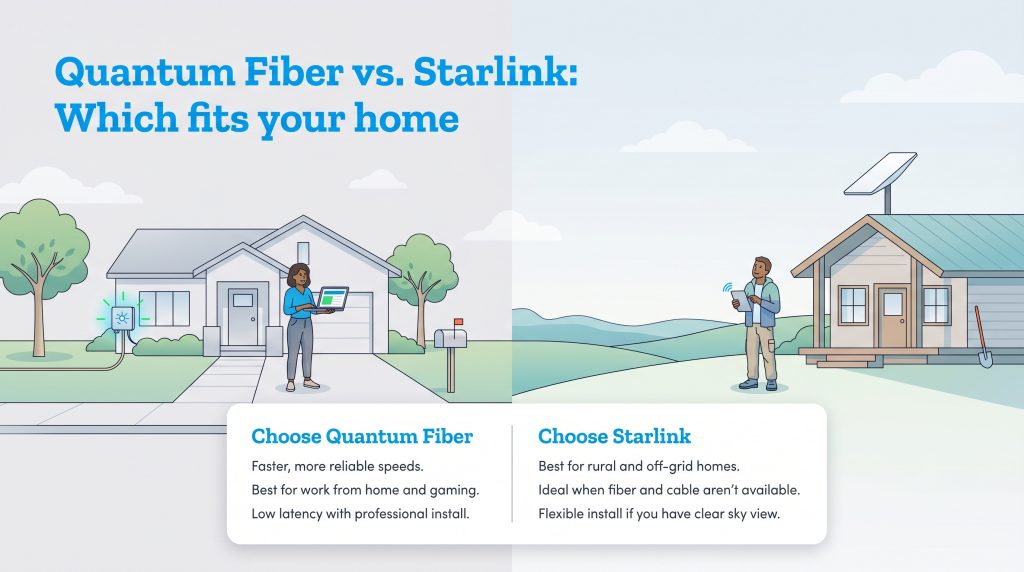
If you want the quick answer, Quantum Fiber is usually the stronger choice for suburban homes where it is available, while Starlink is often the best fit for rural and off-grid living. Because network availability is highly address-specific, we recommend checking your exact location right away using an official internet availability map or the providers’ official tools before comparing plans. Fiber generally delivers unmatched reliability and faster overall performance. However, if your property sits miles outside of town where the physical grid vanishes, the debate shifts entirely in favor of satellite. Starlink beams impressive connectivity straight to your roof, bridging the gap for households that previously had no viable options.
| Household Need | Better Pick | Why |
|---|---|---|
| Competitive gaming | Quantum Fiber | Lower latency and more stable ping |
| Remote work | Quantum Fiber | Strong upload speeds and reliable video calls |
| Rural home without wired broadband | Starlink | Works where fiber and cable don’t reach |
| Lowest startup cost | Quantum Fiber | Often no major equipment purchase |
| Off-grid setup | Starlink | Can work with backup power and clear sky access |
Choose Quantum Fiber If
- It is available at your exact address.
- You work from home, game online, or upload large files.
- You want low latency and stable speeds.
- You prefer professional installation.
Choose Starlink If
- Fiber, cable, and reliable fixed wireless aren’t available.
- You live in a rural or off-grid location.
- You can install the dish with a clear view of the sky.
- You are comfortable with higher upfront equipment costs.
Comparing Quantum Fiber vs. Starlink Cost and Data Caps
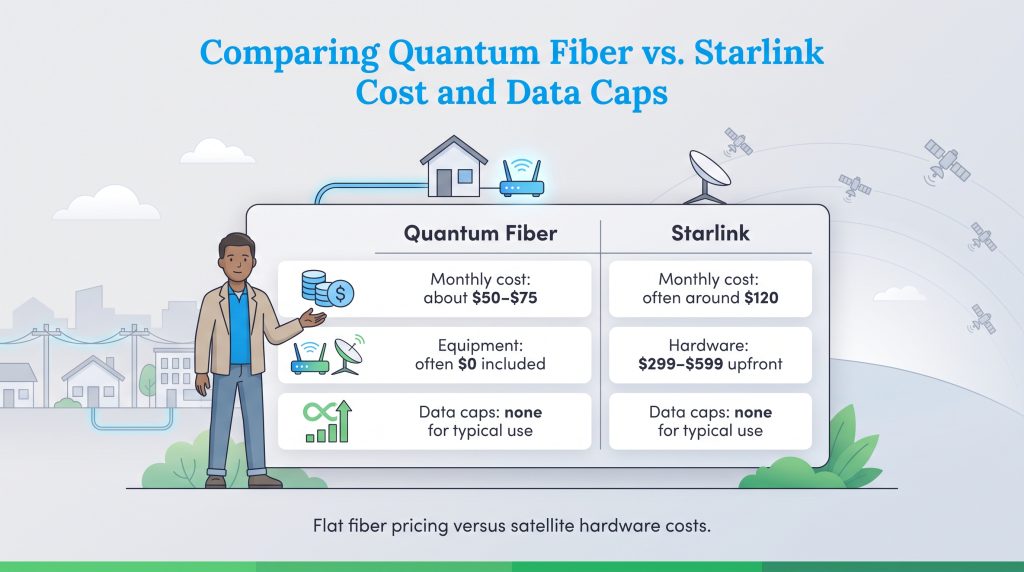
Breaking down the financials reveals two completely different pricing models. Starlink usually requires you to pay steep upfront hardware costs, and the price can vary significantly by kit, promotional offers, and geographic location. When evaluating standard Starlink equipment cost 2026 pricing, the initial hardware kit can set you back anywhere from $299 to $599 before you even pay for your first month of service. The monthly subscription also tends to run higher than most terrestrial connections, reflecting the immense logistical costs of maintaining a massive constellation of low-earth orbit satellites. You can review current pricing on Starlink’s official residential page.
Quantum Fiber, by contrast, removes the heavy barrier to entry. You simply pay a flat monthly rate for the speed tier you select. The provider often includes standard installation and the necessary routing equipment with eligible plans, though you should confirm the specific terms for your exact address on Quantum Fiber’s official website.
Thankfully, both providers commonly market residential plans without traditional hard data caps. Whether you spend your weekends binge-watching 4K movies or uploading massive media files for work, you generally will not face artificial throttling or surprise overage charges on your monthly bill.
| Feature | Quantum Fiber | Starlink |
|---|---|---|
| Monthly Cost | Commonly around $50 – $75 for standard tiers; multi-gig plans may cost more | Often around $120 for standard residential service, but pricing varies |
| Average Equipment Costs | Often $0 for included equipment and standard installation | $299 – $599 for standard hardware depending on active 2026 promotions |
| Download/Upload Speeds | Up to 940 Mbps or multi-gig symmetrical speeds in select areas | Typical residential speeds vary by network conditions and location |
| Latency (Ping) | Often very low, commonly better than satellite | Typically higher than fiber, though much lower than traditional satellite internet |
Quantum Fiber Plans & Pricing
| Plan Name | Price | Download Speeds | Connection Type | |
|---|---|---|---|---|
| Up to 200 Mbps | $30 /month | Up to 200 Mbps | Fiber | Check Availability |
| Up to 500 Mbps | $50 /month | Up to 500 Mbps | Fiber | Check Availability |
| Up to 1 GIG | $50 /month | Up to 1000 Mbps | Fiber | Check Availability |
| Up to 2 GIG | $70 /month | Up to 2 Gbps | Fiber | Check Availability |
| Up to 3 GIG | $70 /month | Up to 3 Gbps | Fiber | Check Availability |
| Up to 8 GIG | $150 /month | Up to 8 Gbps | Fiber | Check Availability |
Starlink Plans & Pricing
| Plan Name | Price | Download Speeds | Connection Type | |
|---|---|---|---|---|
| Residential 100 Mbps | $55 /month | Up to 100 Mbps | Satellite | Check Availability |
| Residential 200 Mbps | $85 /month | Up to 200 Mbps | Satellite | Check Availability |
| Roam 100 GB | $55 /month | Up to 300 Mbps | Satellite | Check Availability |
| Roam Unlimiited | $175 /month | Up to 300 Mbps | Satellite | Check Availability |
| Roam 300 GB | $80 /month | Up to 300 Mbps | Satellite | Check Availability |
| Residential Max | $130 /month | Up to 400 Mbps | Satellite | Check Availability |
Speed and Latency: Is Fiber Better Than Starlink for Gaming?
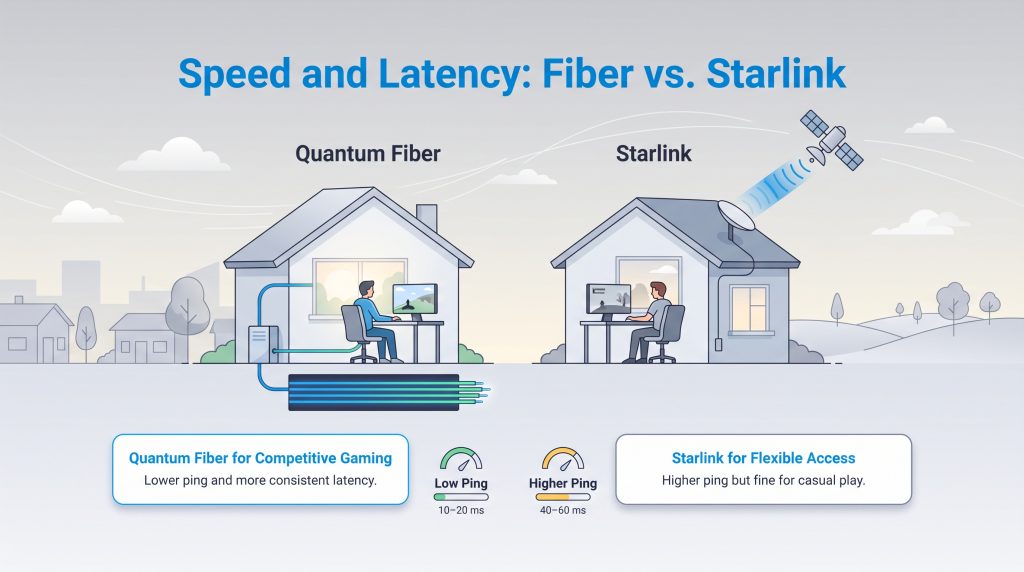
Raw download speeds only tell half the story when evaluating your daily internet experience. Latency, commonly referred to as ping, measures how many milliseconds it takes for data to travel from your device to a server and back again. If you are comparing Quantum Fiber vs Starlink speed and wondering whether wired infrastructure is better for your home, the answer largely depends on your digital habits.
Quantum Fiber physically transmits data using pulses of light through underground glass cables, yielding ultra-low fiber optic latency that consistently outperforms satellite connections. While Starlink is a massive leap forward compared to older satellite technology, its signal still has to travel through the atmosphere to satellites in low-earth orbit. This physical distance creates an unavoidable delay, resulting in a higher average Starlink gaming ping. Here is how the two compare across common activities:
- Casual Gaming: Both providers handle relaxed, turn-based, or solo gaming beautifully. You likely won’t notice the slight latency difference during everyday play.
- Competitive Gaming: Twitch-reflex players relying on instantaneous response times should always prioritize Quantum Fiber. The higher ping on Starlink can cause frustrating lag or stuttering during intense, fast-paced matches.
- Streaming: Both networks easily conquer 4K streaming. Since video playback buffers data in advance, latency plays a minimal role once your show actually starts running.
Work From Home Reliability: Video Calls and VPNs
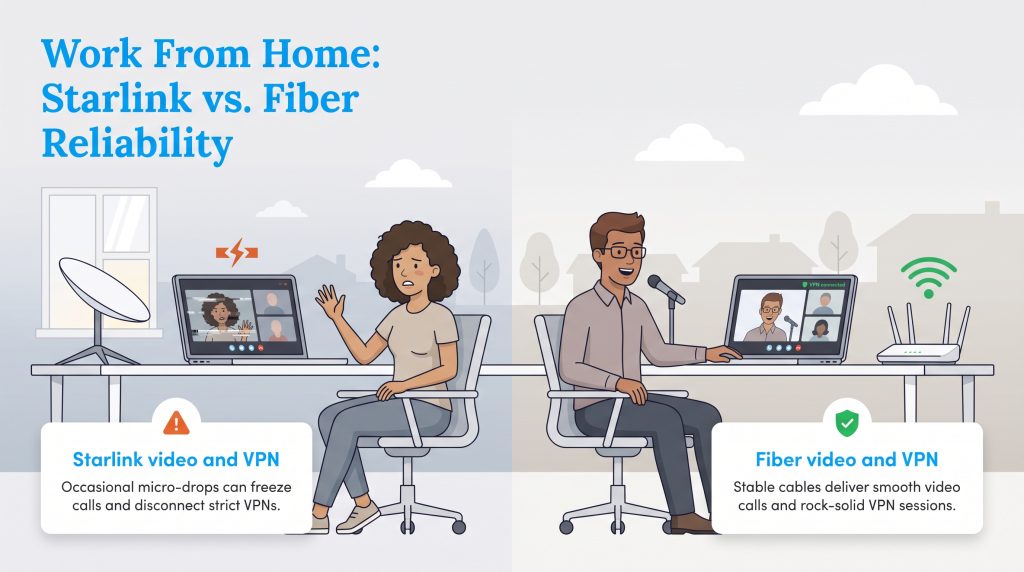
When you rely heavily on cloud applications and remote collaboration tools, network stability is everything. Although Starlink delivers impressive download speeds, its network relies on a vast constellation of rapidly moving satellites. As your dish seamlessly hands off its signal from one satellite to the next passing overhead, you may experience occasional micro-drops. These momentary stutters are completely invisible during casual browsing or Netflix streaming, but they can cause frustrating freezes during crucial Zoom presentations or momentarily drop strict VPN connections required by corporate IT departments.
Conversely, Quantum Fiber provides an incredibly stable, fixed-line connection. Because data travels uninterrupted through physical underground cables, you rarely experience the random jitter or micro-disconnects associated with wireless handoffs. This perfectly stable environment easily supports heavy virtual private network (VPN) usage and continuous real-time video streaming without missing a single beat.
Hardware and Setup: The Quantum Fiber Installation Process vs. Starlink
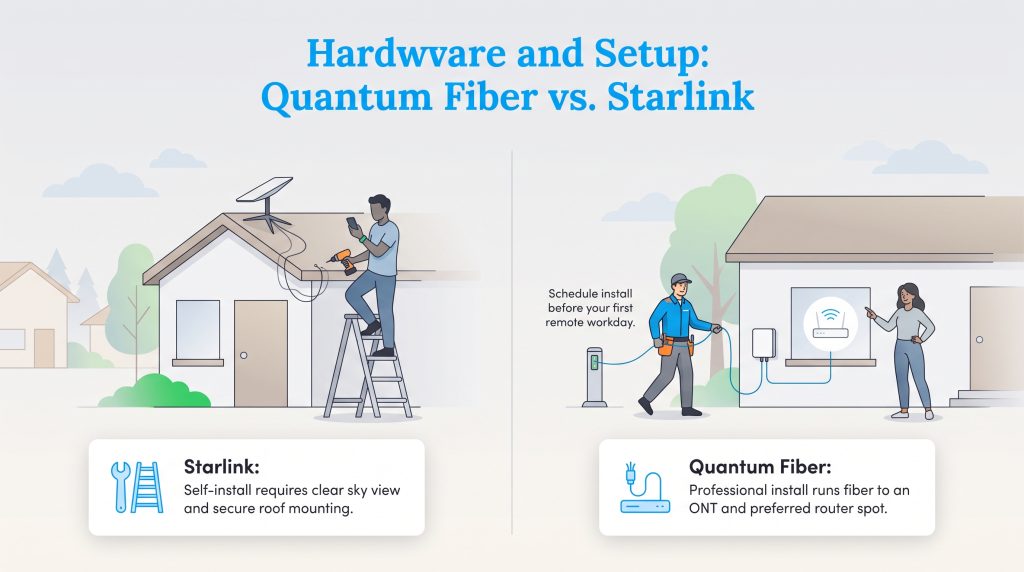
Getting your connection up and running highlights another major difference between the two services. Starlink appeals heavily to the DIY crowd. When your hardware kit arrives, you are responsible for mounting the dish, routing the heavy-duty cables inside, and finding a location with a completely unobstructed view of the sky. The smartphone app helps you scan for obstructions like trees and rooflines, but properly securing the dish can turn into a frustrating weekend project. If you are renting, you must obtain your landlord’s permission before mounting a satellite dish to the roof or exterior siding.
The Quantum Fiber installation process is entirely hands-off, relying on professional technicians to do the heavy lifting for you. A worker will run a physical fiber optic line from the street directly to an Optical Network Terminal — essentially a specialized modem — placed inside or on the exterior of your house. The terminal’s placement can dictate your router location and overall Wi-Fi coverage. If you are moving in, schedule your installation well before your first work-from-home day, as you will need to be present during the appointment window to show the technician exactly where you want the router placed.
Customer Service and Support Options
When your network unexpectedly goes down, getting fast, effective help is critical. The two providers handle troubleshooting entirely differently, which is an important factor to consider if you rely on immediate technical assistance.
- Starlink Support: The company manages troubleshooting exclusively through a ticket-based system on their mobile app or web portal. You must submit a request and wait for a digital response. If you are searching for a direct Starlink customer service number, you won’t find one — the company does not offer an inbound phone support line for residential users.
- Quantum Fiber Support: In stark contrast, Quantum Fiber offers traditional, immediate contact channels. You can reach real human representatives via a direct customer service phone line or a live online chat portal. Additionally, they have local technicians on standby who can physically visit your property to repair damaged lines or faulty routing equipment.
Weather Resilience: Does Rain or Snow Affect Service?
If you are setting up service in a region prone to severe weather, you must consider how the elements impact your network. Satellite users frequently experience a phenomenon known as “rain fade,” which occurs when heavy moisture in the atmosphere absorbs or scatters the radio waves transmitting your data. During torrential downpours, severe thunderstorms, or dense cloud cover, Starlink rain fade can cause temporary slow-downs or complete signal loss until the sky clears.
Fortunately, winter weather is far less of a barrier for satellite users. The standard Starlink dish features a highly effective built-in snow-melt feature that automatically generates internal heat to clear ice and snow buildup from its surface. On the other hand, underground fiber optics remain entirely immune to rain, wind, and snow. Unless extreme weather causes a localized power outage that affects the network’s broader infrastructure or your home’s electricity, your fiber connection remains brilliantly stable through the worst storms.
Best Fit by Household: Which Should You Choose?
Finding the right fit for your property ultimately boils down to your lifestyle, daily habits, and exact geographic location. Let’s break down which provider serves your specific needs the best.
Best for Remote Workers and Gamers
When you start exploring your home internet options for a high-demand household, Quantum Fiber emerges as a practically unbeatable option. The key advantage lies in its symmetrical upload and download speeds, which drastically reduce the time it takes to send large files to the cloud or host a glitch-free virtual presentation. Coupled with its exceptionally low latency, fiber optic technology provides the rock-solid stability remote workers and avid gamers require to stay competitive and productive.
Best for Rural and Off-Grid Living
Starlink truly shines as one of the best rural internet providers for off-grid living scenarios. Because it operates independently of local terrestrial infrastructure, it easily bypasses the physical limitations that keep cable and fiber out of remote areas. As long as you have a clear view of the sky and a reliable power source, Starlink can keep you comfortably connected miles away from the nearest town.
Eco-Conscious Homes
Both networks offer interesting benefits for sustainable living enthusiasts. Fiber optics are incredibly energy-efficient, transmitting vast amounts of data using minimal electricity compared to traditional copper coaxial cables. Conversely, Starlink proves incredibly resilient for green homes operating entirely off the grid. You can successfully pair your Starlink dish with a robust solar battery backup system, ensuring your internet stays online during localized blackouts without relying on a gas-guzzling generator. Regardless of which provider you choose, always remember to reduce e-waste by responsibly recycling your outdated routers at a certified electronics drop-off facility.
Ready to Switch From Starlink to Fiber?
Telecommunication companies are rapidly expanding their networks, finally bringing high-speed wired infrastructure to neighborhoods that were previously underserved. If you are finally preparing to switch from Starlink to fiber, you must time your cancellation carefully to avoid any frustrating gaps in service. We strongly recommend keeping your satellite subscription active until the fiber technician has completely finished the installation and you have personally verified the new connection is working flawlessly.
Once your new wired network is humming along seamlessly, you can safely log in and cancel your satellite plan through the mobile app.
- Check Quantum Fiber availability at your exact address.
- Schedule installation before canceling Starlink.
- Test the new fiber connection on work devices, streaming devices, and gaming consoles.
- Confirm your final Starlink bill date.
- Decide whether to keep, sell, transfer, or recycle the Starlink hardware based on current Starlink policies.
Preparing Your Home for High-Speed Connectivity
Upgrading your internet service provider is the perfect time to evaluate your entire in-home network. Whether you choose the boundless reach of satellite or the lightning-fast stability of fiber optics, your ultimate experience relies heavily on how you distribute that connection throughout your house. To maximize your bandwidth, place your primary router in a central, elevated location away from thick concrete walls, large metal appliances, or other dense obstructions that easily block Wi-Fi signals.
If you live in a larger multi-story house, a standard standalone router may leave you with frustrating dead zones in the basement or upstairs bedrooms. Upgrading to a high-efficiency mesh Wi-Fi system can cast a blanket of strong, reliable coverage across your entire floor plan. Finally, always try to hardwire your most data-hungry devices — such as gaming consoles, desktop computers, and smart TVs — directly into your router using an Ethernet cable to guarantee the absolute fastest speeds and lowest latency possible.
Making the Right Call for Your Home’s Connection
Deciding how to wire your home for the future is an important step in establishing a comfortable, modern household. While Starlink remains a truly powerful solution for bridging the digital divide in remote areas, Quantum Fiber ultimately offers superior performance, unshakeable reliability, and upfront affordability where it is available. If you have fiber access at your address, making the switch is likely to drastically improve latency, upload speeds, and overall stability for remote work. By carefully evaluating your local availability and household habits, you can confidently lock in a high-speed connection that powers your daily life for years to come.
Frequently Asked Questions About Quantum Fiber vs. Starlink
We know navigating internet service providers sparks plenty of highly specific concerns. Check out our answers to some of the most common questions homeowners ask when comparing these two leading networks.
Does weather affect Quantum Fiber like it does Starlink?
Do I have to sign a long-term contract for either provider?
How do I know if my new home is eligible for fiber internet?
Is Starlink’s Wi-Fi router as good as Quantum Fiber’s?
Is Quantum Fiber faster than Starlink?
Is Starlink better than Quantum Fiber for rural homes?
Can I take Starlink with me if I move?
Can you use a VPN with Starlink?
Does Starlink offer a customer support phone number?
How much does Quantum Fiber installation cost?
About the Author

David has been an integral part of some of the biggest utility sites on the internet, including InMyArea.com, HighSpeedInternet.com, BroadbandNow.com, and U.S. News. He brings over 15 years of experience writing about, compiling and analyzing utility data.