

5G home internet offers a faster, more affordable alternative to satellite for many rural households, though availability remains the biggest hurdle.

- 300 Mbps
- 5G
- Unlimited
- $35.00/mo

- 498 Mbps
- 5G
- 1.2 TB
- $30.00/mo

- 300 Mbps
- 5G
- Unlimited
- $40.00/mo

- 400 Mbps
- Satellite
- Unlimited
- $55.00/mo

- 150 Mbps
- Satellite
- 150-850 GB
- $39.99/mo
*Not all internet providers and speeds available in all areas.
Key Takeaways
- 5G home internet is generally cheaper and has lower latency than traditional satellite internet, making it better for gaming and video calls.
- Satellite internet offers wider coverage, serving remote areas where 5G towers haven’t reached yet.
- Starlink is the exception, offering speeds and latency closer to 5G but at a higher upfront equipment cost and varying regional monthly rates.
Evaluating 5G Home vs Satellite Internet comes down to one fundamental difference: pulling data from a local ground-based cellular tower with 5G home internet versus beaming signals entirely from space with satellite internet. If you are going through the process of moving to a rural or semi-rural area where fiber and cable internet are unavailable, these two wireless options are your best alternatives. Today’s robust 5G fixed wireless access networks and modern low-earth orbit (LEO) satellites easily handle 4K streaming, remote work, and smart home devices. To help you find the best internet for rural homes, we’ve broken down a 5G Home vs. Satellite Internet: Side-by-Side Comparison, The Core Differences: How They Work, the Best 5G and Satellite Internet Providers Compared, Head-to-Head: Speed, Latency, and Gaming Performance, details on Upfront Costs, Equipment, and Strict Data Caps, and Making the Right Internet Choice for Your Home.
5G Home vs. Satellite Internet: Side-by-Side Comparison
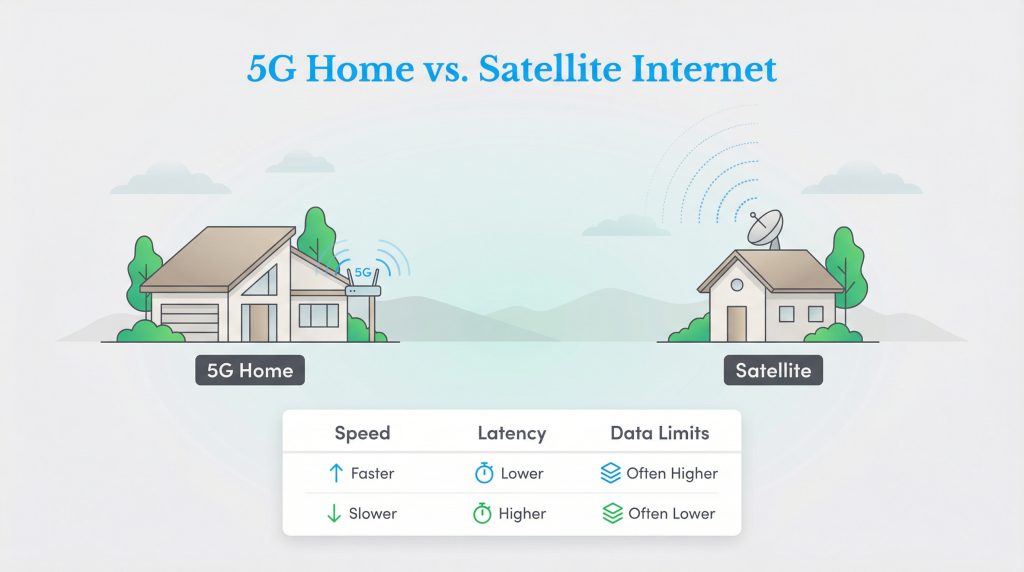
When weighing fixed wireless vs satellite internet, your exact physical location dictates which service comes out on top. Below is a baseline breakdown of how the specifications compare across ground-based 5G gateways, modern low-orbit satellite constellations, and legacy geostationary dishes. Keep in mind that actual speeds and monthly rates fluctuate based on your region’s local network capacity and bundle discounts.
| Feature | 5G Home Internet | Traditional Satellite (GEO) | Starlink (LEO) |
|---|---|---|---|
| Peak Download Speeds | 300 Mbps–1 Gbps | 25–150 Mbps | 50–400 Mbps |
| Upload Speeds | 10–50 Mbps | 3–5 Mbps | 10–25 Mbps |
| Latency (Ping) | 20–40 ms | 600 ms+ | 20–60 ms |
| Data Caps | Usually Unlimited | Strict Caps | Unlimited / Priority |
| Average Base Price | $35–$60/mo | $40–$150/mo | $55–$130/mo |
| Upfront Equipment Cost | $0 | $0–$299 | $149–$349 |
The Core Differences: How They Work
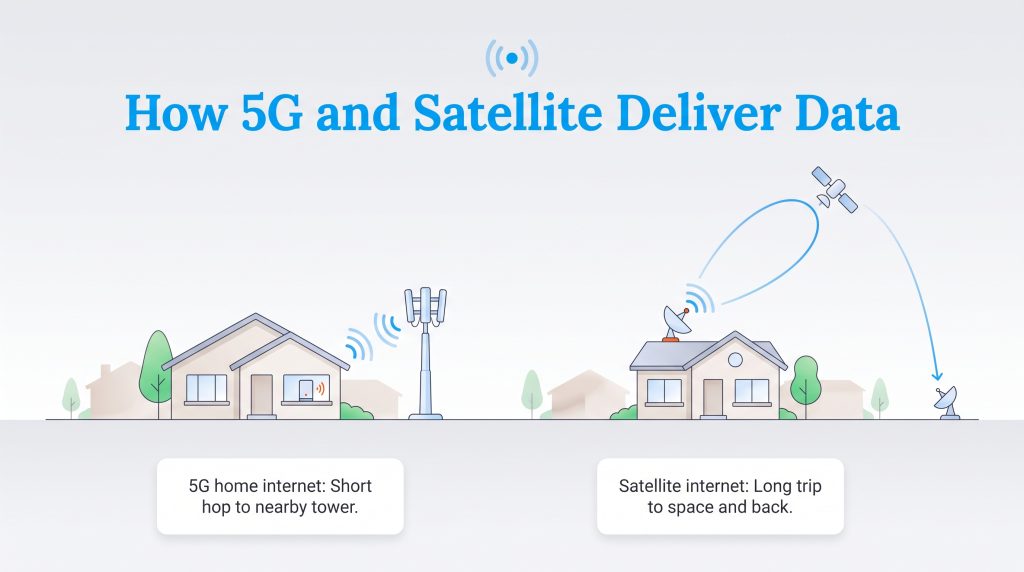
When you sit down to compare the real-world performance of 5G vs satellite internet for rural areas, it helps to visualize the invisible pipeline delivering data to your house. 5G home internet operates as a fixed wireless connection. This means it utilizes the exact same local cellular towers that connect your smartphone. When you load a video, the signal takes a short, ground-level wireless hop from a nearby tower directly to a small gateway router sitting in your window. Because the tower is typically within a few miles of your house, the data travels quickly and efficiently.
Satellite internet beams your data from a dish mounted outside your home all the way into space and back down to a ground station. Traditional satellite providers use geostationary satellites orbiting roughly 22,000 miles above the equator. That immense physical distance creates a delayed, cumbersome pipeline for your data to navigate.
Understanding 5G Spectrum: Low-Band, Mid-Band, and mmWave
If you have ever wondered why one neighbor gets blazing-fast 5G speeds while a house two miles down the road barely pulls a basic signal, the answer lies in radio spectrum frequencies. Cellular carriers broadcast 5G across three distinct bands, each trading distance for speed:
- Low-Band Spectrum: These radio waves travel for miles across open country and easily pass through walls, trees, and windows. While low-band provides the backbone for rural coverage, its download speeds max out around 50 to 100 Mbps.
- Mid-Band (C-Band) Spectrum: This is the sweet spot for suburban and semi-rural 5G home internet. Mid-band frequencies balance strong reach with high data capacity, reliably delivering 150 to 400 Mbps to homes located within a few miles of an upgraded tower.
- High-Band (mmWave) Spectrum: Capable of delivering 1 Gbps+ speeds, millimeter wave is the fastest tier of 5G. However, these fragile signals require strict line-of-sight, cannot penetrate standard building materials, and remain restricted to dense urban blocks and stadiums.
LEO (Starlink) vs. Traditional GEO Satellite
Not all space-based connections are equal, and understanding LEO vs GEO satellite internet is critical before you buy equipment. The industry splits into two categories based on orbit distance: Low Earth Orbit (LEO) and Geosynchronous Equatorial Orbit (GEO). Starlink revolutionized remote connectivity by deploying thousands of LEO satellites roughly 300 to 350 miles above the Earth. This shorter distance drastically speeds up travel time for your data, allowing LEO networks to compete closely with ground-based fixed wireless.
Traditional GEO networks, operated by companies like HughesNet and Viasat, rely on massive individual satellites parked 22,000 miles away. While this extreme height allows a single satellite to blanket a huge portion of the continent with a signal, the data journey is painfully slow. As an eco-conscious consumer or remote worker, you should only settle for traditional GEO satellite internet if 5G and LEO options are completely unavailable at your address.
Best 5G and Satellite Internet Providers Compared
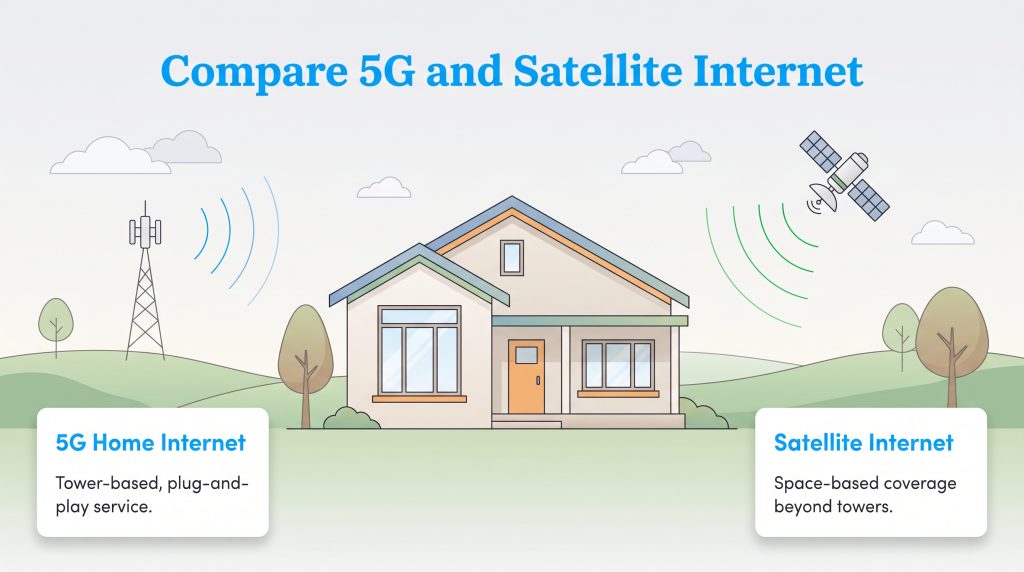
Shopping for wireless internet means navigating different carrier footprints, bundling discounts, and hardware rules. Whether you are debating T-Mobile 5G vs Starlink or looking for a contract-free alternative, here is how the top individual providers stack up.
Top 5G Home Internet Providers (T-Mobile, Verizon, AT&T Air, EarthLink)
Major cellular carriers and independent resellers use local tower capacity to bring plug-and-play broadband into millions of households:
- T-Mobile 5G Home Internet: Boasting the widest rural 5G footprint in the country, T-Mobile delivers speeds up to 498 Mbps (with typical rural speeds averaging 100 to 245 Mbps). Plans start at $35 per month when bundled with a qualifying voice line, and include a generous 1.2 TB soft cap before any network deprioritization kicks in during congested hours.
- Verizon 5G Home Internet: If you are comparing Verizon 5G home internet vs Starlink, Verizon wins on price and consistency where available. It offers speeds between 300 and 1,000 Mbps in Ultra Wideband zones (and 85 to 300 Mbps on standard mid-band), true unlimited data with zero throttling, and plans starting at $35 per month with a mobile bundle.
- AT&T Internet Air: Designed mostly as a replacement for legacy copper DSL lines, AT&T’s fixed wireless service delivers speeds up to 300 Mbps starting at $40 per month when bundled. However, it currently maintains a smaller, metro-focused footprint compared to T-Mobile.
- EarthLink 5G Home Internet: For rural movers who cannot pass a traditional carrier credit check or want flexible terms, EarthLink resells major cellular network access. Plans start at $59.95 per month (plus a $14.95 monthly router rental), delivering speeds up to 425 Mbps with no credit checks or long-term contracts required.
Top Satellite Internet Providers (Starlink, Viasat, HughesNet, Amazon Leo)
When cellular towers are out of reach, space-based providers ensure your property stays connected to the modern grid:
- Starlink: Easily the best LEO satellite option on the market, Starlink delivers download speeds between 50 and 400 Mbps with low latency. Monthly pricing ranges from $55 per month for its newer Residential 100 Mbps tier in high-capacity zones to $120–$130 per month for standard unlimited residential service.
- Viasat: A traditional GEO provider offering download speeds up to 150 Mbps with promotional plans starting at $39.99 per month. While Viasat avoids hard service shutoffs, plans include priority data limits ranging from 150 GB to 850 GB, after which your traffic is deprioritized during busy evening hours.
- HughesNet: Operating both traditional GEO satellites and a newer hybrid Fusion plan (which blends satellite with local cellular signals to reduce lag), HughesNet delivers 50 to 100 Mbps. However, plans enforce strict priority data limits of 100 GB to 200 GB before throttling speeds down to 1 to 3 Mbps.
- Amazon Leo: Formerly known as Project Kuiper, Amazon Leo is the emerging LEO competitor to watch. Backed by thousands of planned low-orbit satellites, it aims to challenge Starlink directly by bringing lower-cost, high-speed terminals to unserved rural households.
Pros and Cons of 5G Home Internet
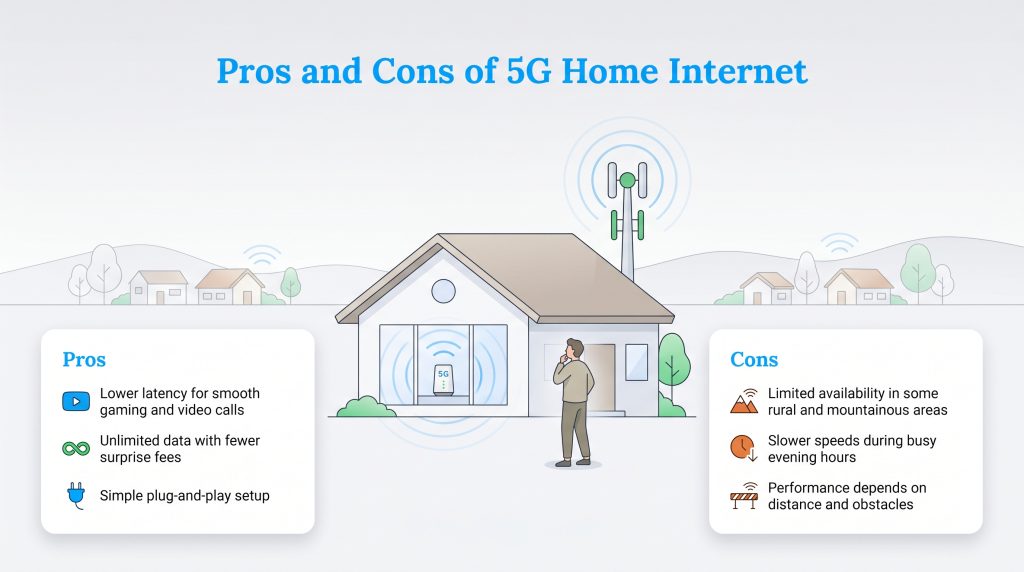
Checking 5G home internet availability should be step one for any rural household. It strikes an impressive balance between speed and budget, though it isn’t flawless.
Pros of 5G Home Internet
- Lower Latency: The localized signal reacts fast, ideal for gaming and video calls.
- Unlimited Data: Major 5G providers rarely enforce hard data caps or charge surprise overage fees.
- Plug-and-Play Setup: You only plug the gateway into a wall outlet. No technicians required.
- Affordability: Plans frequently sit between $35 and $60 per month, especially when bundled with a mobile plan.
Cons of 5G Home Internet
- Limited Deep Rural Reach: High-speed 5G towers have not expanded into extremely remote or mountainous zones.
- Network Deprioritization: Speeds may dip during peak evening hours if mobile phone traffic overwhelms the tower.
- Inconsistent Speeds: Performance hinges entirely on your distance from the tower and physical terrain blocks.
Pros and Cons of Satellite Internet
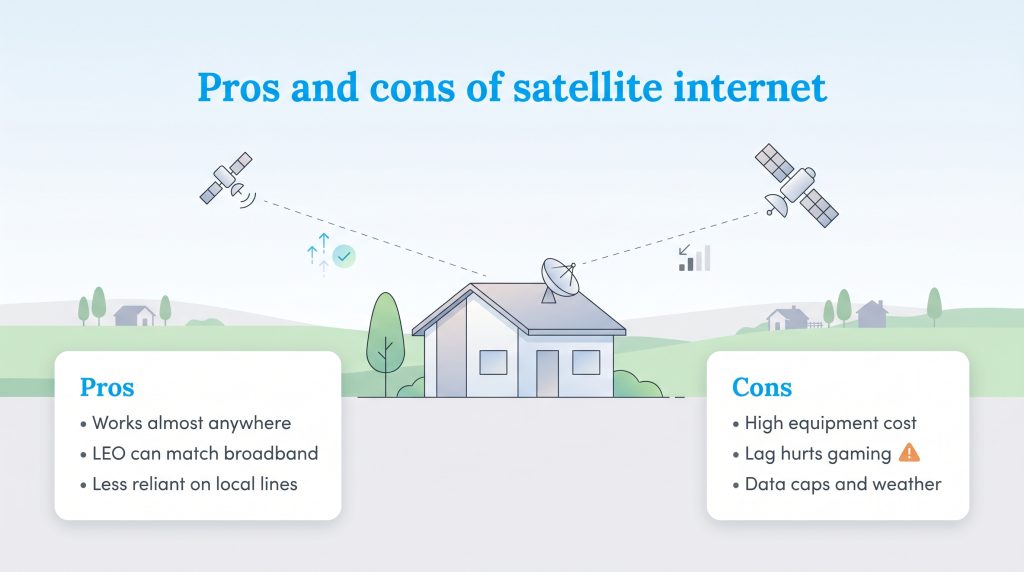
If your property sits miles away from the nearest fiber trench or cell tower, exploring the satellite internet pros and cons confirms it serves as a vital lifeline despite the obvious trade-offs. Understanding these limitations is essential before buying hardware or committing to a contract.
Pros of Satellite Internet
- Near-Universal Coverage: Accessible almost anywhere, provided you have a clear view of the sky.
- High-Speed LEO Networks: Starlink routinely achieves download speeds capable of handling modern smart homes.
- Independent Infrastructure: Highly resilient against localized neighborhood power outages or cable cuts.
Cons of Satellite Internet
- Upfront Equipment Costs: Expect to pay $149 to $349 upfront for a Starlink dish, or up to $299 to purchase GEO hardware outright.
- Extreme Latency (GEO): Traditional networks suffer massive lag, effectively ruining multiplayer gaming.
- Strict Data Allowances: GEO providers often throttle your speeds heavily once you hit your monthly cap.
- Weather Interruptions: Heavy downpours or snow accumulation can block the signal.
Head-to-Head: Speed, Latency, and Gaming Performance
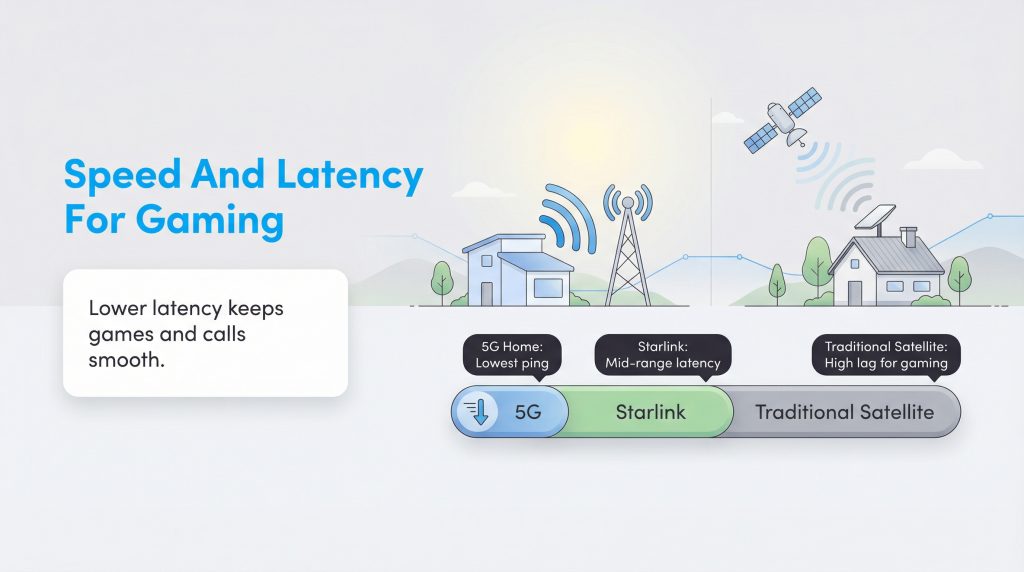
Looking strictly at advertised download numbers won’t tell you the whole story. You must also consider how those speeds hold up under pressure and how quickly the network responds to your inputs. If you aren’t sure what performance metrics your household actually requires to stay operational, check out our guide on how much internet speed you really need.
Latency (or ping) is the measurement of how long it takes for a data packet to travel from your device to a server and back. When comparing internet latency satellite vs 5G, the ground-based network wins out. 5G internet typically averages a snappy 20–40 ms ping, making it the superior choice for fast-paced gaming and talking on Zoom without accidentally interrupting your coworkers. While Starlink’s LEO network competes closely (20–60 ms), traditional GEO satellite signals experience crushing lag (600 ms+), making real-time applications a miserable experience.
When comparing Starlink vs 5G home internet download speeds, it is important to separate theoretical maximums from real-world rural averages. While Verizon advertises theoretical peak speeds up to 1 Gbps in dense urban Ultra Wideband zones, rural and semi-rural households on both T-Mobile and Verizon typically experience real-world average speeds between 100 and 200 Mbps via mid-band spectrum. That puts rural 5G dead even with — or slightly behind — Starlink’s real-world capability of 50 to 400 Mbps. Furthermore, if your country home only catches a weak, distant low-band cell signal (under 50 Mbps), Starlink easily wins the raw speed battle.
Upfront Costs, Equipment, and Strict Data Caps
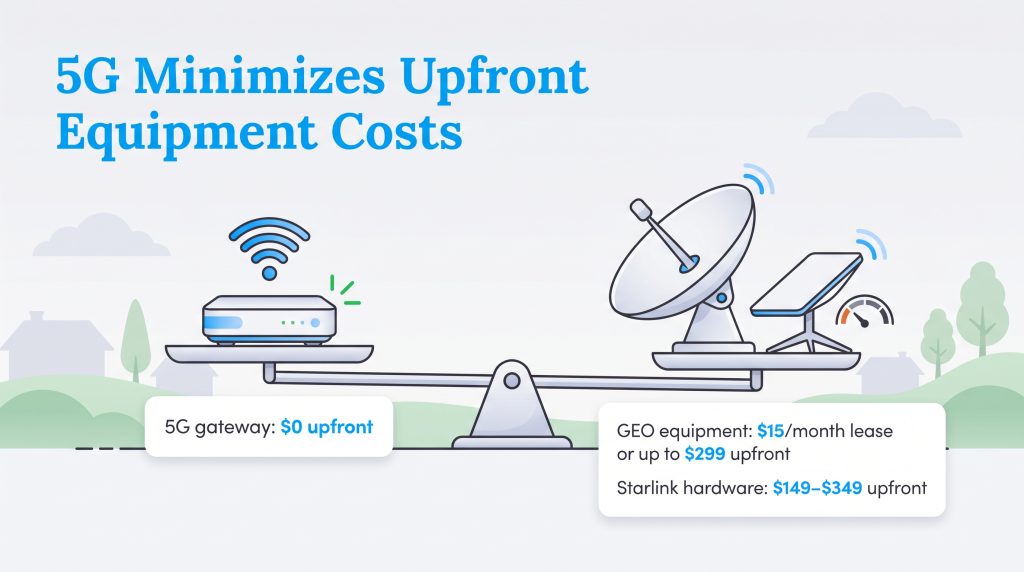
Evaluating setup requirements and monthly data rules reveals some of the starkest differences between these two technologies. 5G plans usually offer transparent, flat-rate billing with free equipment loans, whereas satellite contracts require upfront hardware purchases or monthly lease fees.
- 5G Gateway Setup: Usually costs $0 upfront. Providers like T-Mobile, Verizon, and AT&T loan you the plug-and-play gateway router entirely for free as long as you maintain active service.
- Traditional GEO Setup: You can lease equipment for $15 per month with $0 down, or pay up to $299 upfront to purchase the dish hardware outright. Legacy providers also require scheduling a professional technician installation.
- Starlink Setup: Hardware prices have dropped considerably from earlier years. Today, the standard self-install phased array antenna costs $249 to $349 upfront (or as low as $149 in select areas eligible for Regional Savings). For monthly billing, Starlink now offers a budget-friendly Residential 100 Mbps tier at $55 per month in select high-capacity zones alongside its standard $120 to $130 per month unlimited residential plan.
💸 Money-Saver: Check your current mobile carrier first before shopping around. You can often bundle 5G home internet with your existing smartphone plan to lock in deeply discounted rates — sometimes dropping your bill to just $35 or $40 a month.
Understanding Strict Data Caps
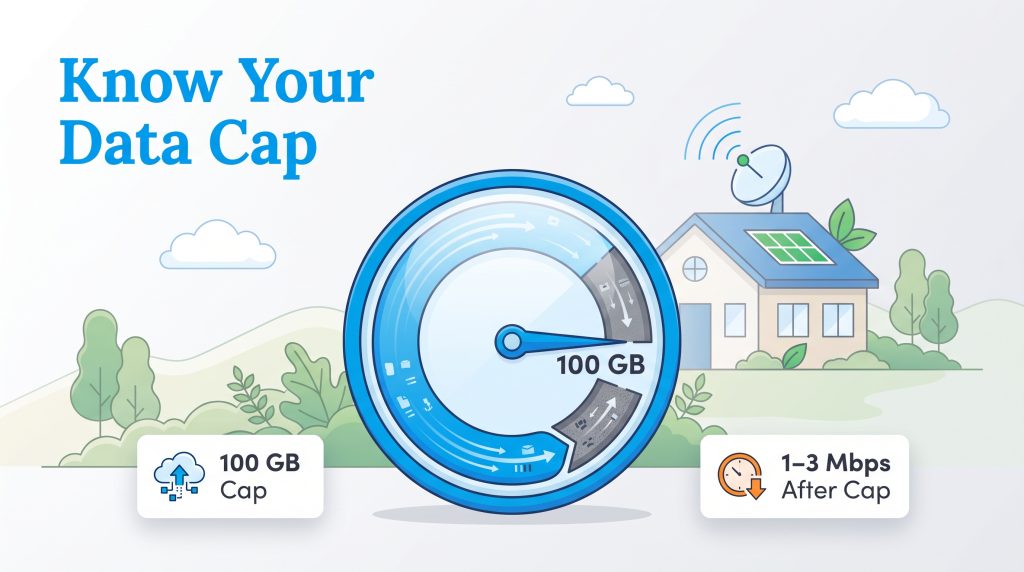
Beyond hardware bills, you also have to watch out for data restrictions. Most 5G home internet networks feature unlimited data, meaning you can download massive gaming updates, work from home, and stream continuously without fear of overage charges. Starlink mimics this unlimited approach on its residential plans, offering high-speed data that rarely slows down under standard household usage.
Traditional GEO networks heavily rely on strict data caps. Understanding exactly how data caps work — and how much internet data you need — is crucial before locking yourself into a two-year contract. If you sign up for a 100 GB plan and burn through your priority allowance within the first two weeks, the provider throttles your connection. Throttling drops your speeds to a painful crawl of 1 to 3 Mbps, making remote video meetings or HD streaming nearly impossible until your next billing cycle begins.
Reliability: Weather Impact and Network Congestion
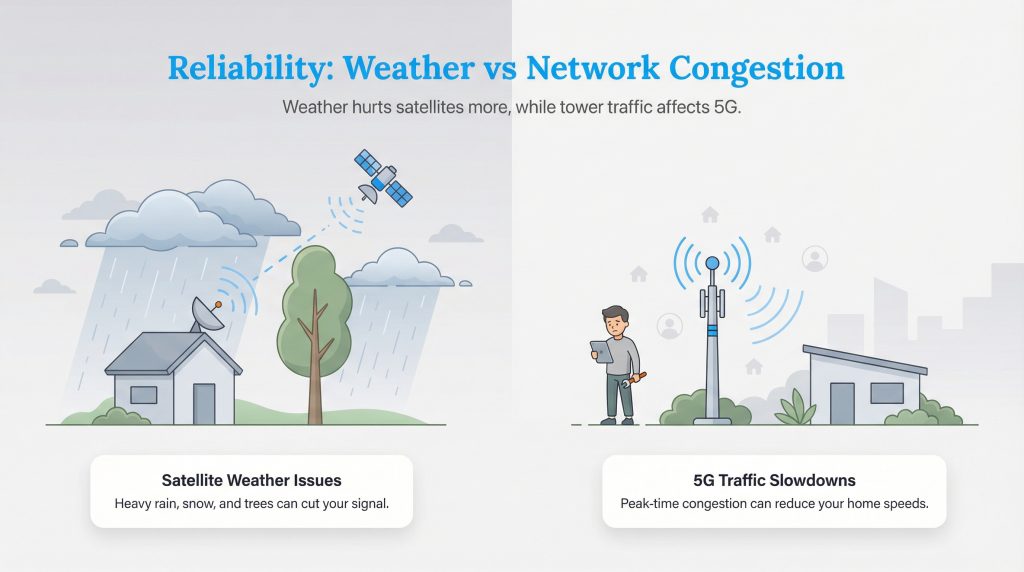
When bad weather rolls in or the neighborhood logs online after dinner, reliability becomes an immediate concern. Because these signals traverse different environments, they falter for different reasons.
- Rain Fade (Satellite): Because radio frequency signals must punch through the entire atmosphere to reach space, heavy rain, thick storm clouds, or heavy snowpack directly block the radio waves, causing temporary outages. Satellite dishes also require a wide-open view; even swaying tree branches can disrupt your connection.
- Tower Congestion and Line-of-Sight (5G): Ground-based 5G bypasses most severe weather problems. However, it suffers from network deprioritization. Carriers prioritize mobile smartphone traffic over fixed home internet. At 7 p.m. when neighbors arrive home and stream content, your local tower can become congested, temporarily slowing your speeds.
Mobile Use Cases: Starlink Mini vs. 5G Hotspots for RVs and Nomads
Deciding between a Starlink Mini vs 5G hotspot for road trips boils down to your preferred camping style and power budget. Using a 5G mobile hotspot is excellent for “front-country” travel along major highways, state parks, or established RV resorts. It offers cheap, low-power connectivity that fits in your pocket, though the signal dies the moment you venture into remote canyons or national forests.
For those who love off-grid boondocking, satellite internet is unmatched, and the newer Starlink Mini has completely changed the game for nomads. About the size of a thick laptop, the backpack-ready Starlink Mini features a built-in Wi-Fi router and offers a flexible $55 per month (100 GB) Roam plan alongside unlimited data options. Better yet, it draws just 20 to 40 watts of power — roughly half the electricity of a standard residential dish — making it a direct, off-grid competitor to 5G mobile hotspots that won’t drain your RV house batteries overnight.
Redundancy: Using 5G and Satellite Together for Backup Internet
If you work remotely and cannot afford a single hour of downtime, relying on one wireless network feels risky. Setting up a dual-WAN router allows you to run both 5G and satellite internet simultaneously for seamless home backup. The router constantly monitors your primary connection (such as Starlink) and routes your daily traffic through it. If a heavy thunderstorm knocks out the satellite signal, the system automatically fails over to your low-cost $35 per month 5G gateway. Your video call might freeze for a split second, but you will stay securely online without lifting a finger.
The Eco-Conscious Choice: Energy Consumption and Hardware Waste
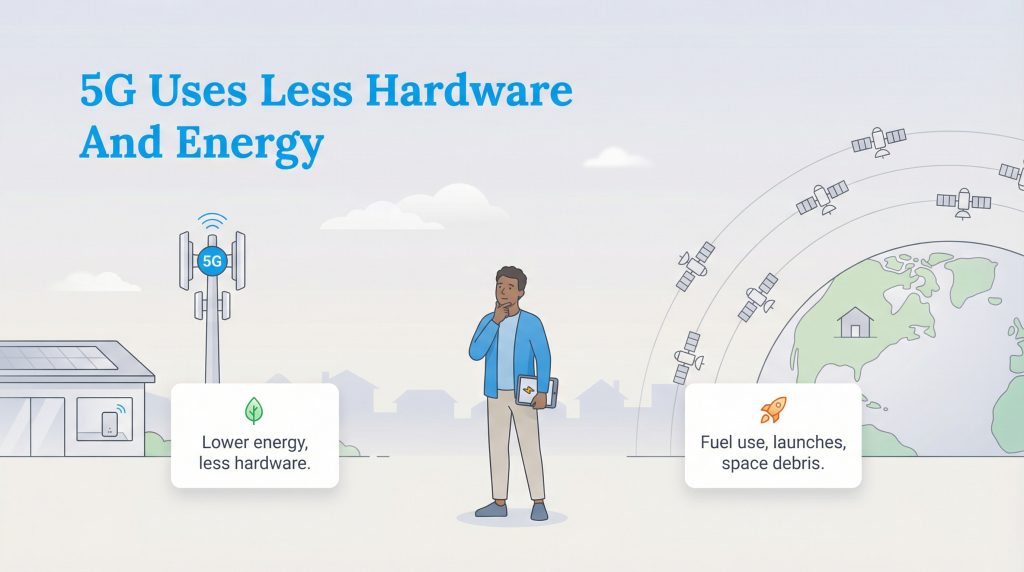
When aiming for sustainable living or building an off-grid cabin, fixed wireless clearly provides the more environmentally mindful choice. A 5G gateway sips roughly 10 to 15 watts of power. Because it taps into existing cell tower infrastructure, it requires zero major construction or newly trenched cables.
In contrast, a standard Starlink dish actively tracks satellites across the sky and uses internal heaters to melt snow, drawing 50 to 75 watts continuously. This higher consumption demands extra solar panels and larger battery banks, though off-grid solar users who must rely on satellite can substantially reduce their energy footprint by opting for the DC-powered Starlink Mini. On a macro level, maintaining massive satellite constellations requires frequent rocket launches, which contribute to the growing problem of orbital space junk (you can explore the environmental impacts further via NASA’s resources on space debris).
Installation: Plug-and-Play vs. Drilling Holes
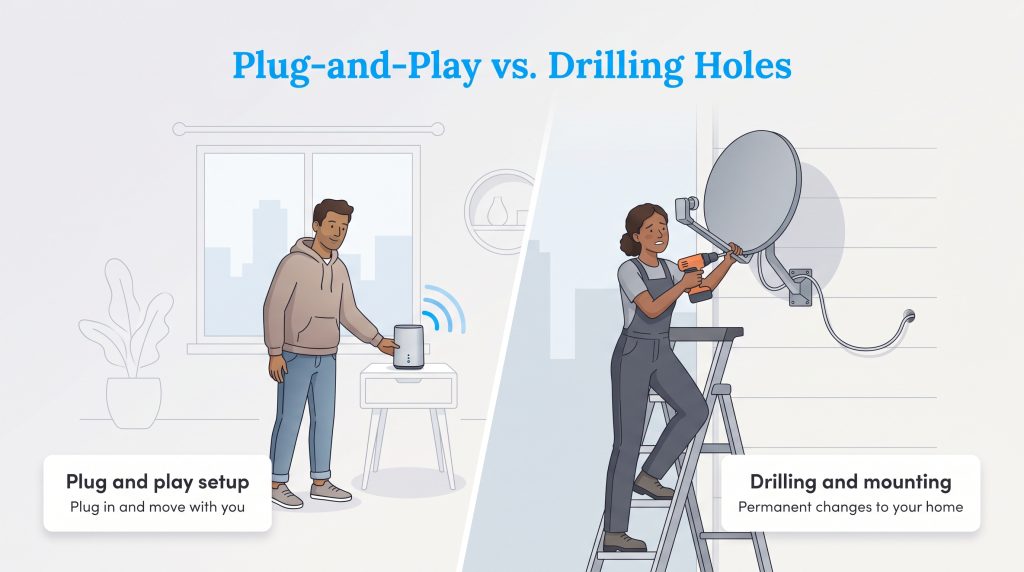
Renters typically love 5G internet because the setup is frictionless. You unbox a router-sized gateway, plug it into a standard wall socket, and place it on a windowsill facing the nearest cell tower. When your lease ends, you simply pack the gateway in a box and plug it in at your new address.
Installing satellite internet feels much more like a heavy DIY project. Mounting a permanent dish requires climbing ladders, drilling lag bolts into your roof or eaves, and routing thick Ethernet cables through exterior walls. While temporary lawn mounts exist for Starlink, permanent structural modifications make satellite internet far less friendly to renters.
Making the Right Internet Choice for Your Home
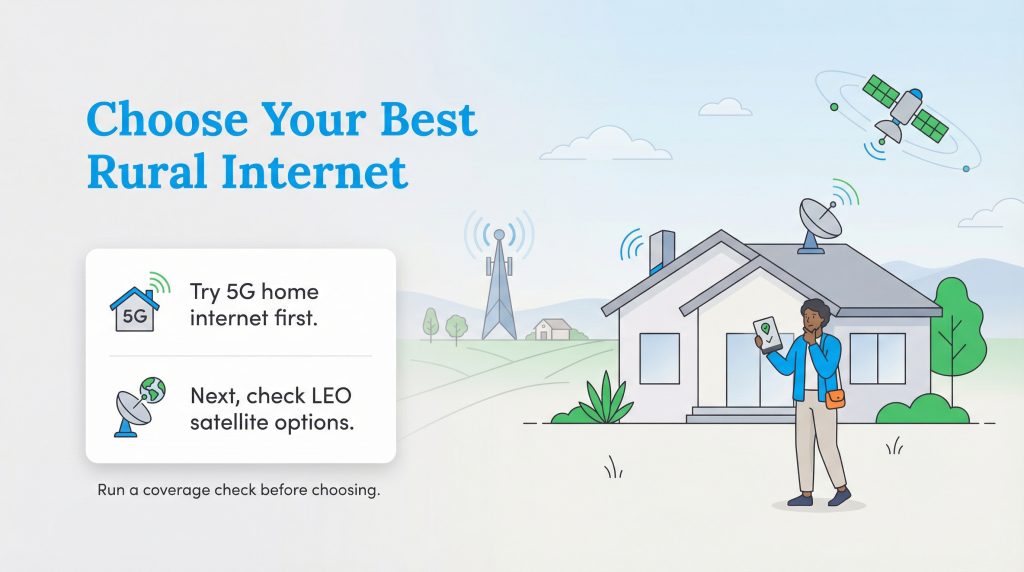
If you are still struggling to choose the best rural internet providers for your household, follow this clear step-by-step framework:
- Always check 5G availability first. Plug your exact home address into T-Mobile, Verizon, and AT&T’s coverage tools. If mid-band 5G fixed wireless is available, its combination of zero upfront equipment fees, low energy draw, and $35–$60 monthly rates makes it the smartest starting point.
- Evaluate your sky visibility for LEO satellite. If 5G isn’t viable, map out your property using the free Starlink phone app. Do you have a wide-open, unobstructed view of the northern sky? If so, investing $149–$349 in Starlink hardware ensures fast, low-latency speeds off the grid.
- Consider traditional GEO as a last resort. Only sign up for legacy GEO satellite providers like Viasat or HughesNet if both 5G and LEO options fail, and you simply need basic connectivity for emails and light browsing.
Whether you choose the efficient local pipeline of a 5G gateway or the space-based reach of modern LEO satellites, rural living no longer means sacrificing strong digital connectivity. By weighing your monthly budget, data habits, and property obstructions, you can confidently set up a reliable network to power your home.
Frequently Asked Questions About 5G and Satellite Internet
Is 5G home internet faster than Starlink?
What happens if I live too far from a 5G tower but have too many trees for Starlink?
Do I need a mobile phone plan to get 5G home internet?
Does 5G home internet or satellite internet support VPNs for remote work?
Can I use 5G home internet in an RV?
Does satellite internet use more electricity than a 5G router?
Can I use satellite internet for gaming?
About the Author

LaLeesha has a Masters degree in English and enjoys writing whenever she has the chance. She is passionate about gardening, reducing her carbon footprint, and protecting the environment. She also recently served as President of the Board for City Sprouts (a community garden).

David has been an integral part of some of the biggest utility sites on the internet, including InMyArea.com, HighSpeedInternet.com, BroadbandNow.com, and U.S. News. He brings over 15 years of experience writing about, compiling and analyzing utility data.