

Both AT&T and T-Mobile offer competitive home internet options, but choosing between wireless 5G and wired fiber will dictate your final speed, reliability, and monthly utility bill.
Key Takeaways
- T-Mobile 5G Home Internet offers a fast, plug-and-play setup that is ideal for renters and those wanting to avoid installation fees and drilling.
- AT&T Fiber provides excellent speeds and low latency for heavy gamers and smart homes, but availability is restricted to specific wired neighborhoods.
- Bundling your home internet with your mobile phone plan can save you money, effectively lowering your overall household utility costs.

- 5 Gbps
- Fiber
- Unlimited
- $35.00/mo

- 498 Mbps
- 5G
- 1.2 TB
- $35.00/mo
*Not all internet providers and speeds available in all areas.
Deciding between AT&T vs. T-Mobile Home Internet comes down to understanding the fundamental differences between lightning-fast wired fiber optics and the newfound convenience of wireless 5G technology. Setting up utilities in a new home often feels like a juggling act of endless phone calls and confusing contracts, but making the smartest connectivity choice is straightforward once you cut through the marketing noise. We crafted this practical, decisive guide to help you compare the primary differences in speeds, secure the most reliable equipment, avoid hidden fees, and get your household seamlessly connected without the usual moving-day headaches.
Quick Comparison: AT&T Vs. T-Mobile At A Glance
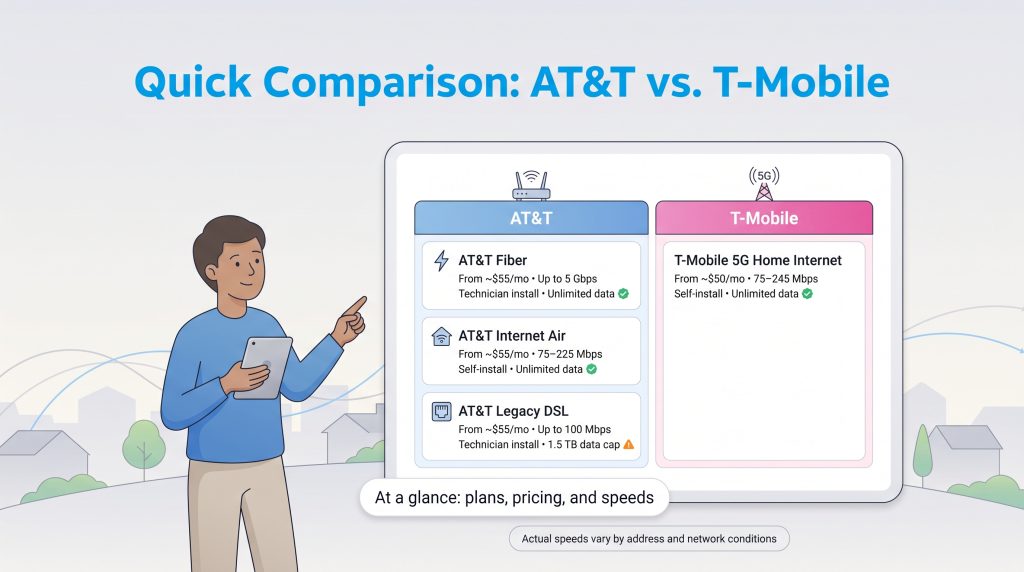
Before diving into the nuances of local tower congestion, latency speeds, and household coverage, it helps to see exactly what each provider brings to the table. This quick overview breaks down the core metrics so you can easily compare AT&T’s multi-tiered approach against T-Mobile’s streamlined offering. Keep in mind that while equipment fees are generally included in the baseline advertised rate for both companies, your actual sustained speeds will depend heavily on your specific street address and network conditions.
| Connection Type | Starting Price | Max Download Speed | Installation Method | Data Caps | Equipment Fees |
|---|---|---|---|---|---|
| AT&T Fiber | ~$35/month | Up to 5 Gbps | Technician Install | Unlimited | Included |
| AT&T Internet Air | ~$55/month | 75 — 225 Mbps | Self-Install | Unlimited | Included |
| AT&T Legacy DSL | ~$55/month | Up to 100 Mbps | Technician Install | 1.5 TB Limit | Included |
| T-Mobile 5G | ~$50/month | 75 — 245 Mbps | Self-Install | Unlimited | Included |
Pros And Cons: AT&T Vs. T-Mobile
If you want to quickly weigh AT&T fiber vs T-Mobile 5G, reviewing their primary strengths and weaknesses can help you narrow down your decision before examining specific pricing tiers. Each provider caters to a slightly different type of household, and understanding these trade-offs ensures you get the exact performance you pay for.
AT&T Home Internet
- Pro: Unmatched speeds and reliability for households that have access to the premium AT&T Fiber network.
- Pro: Symmetrical upload and download speeds on fiber plans, making it perfect for working from home and heavy video conferencing.
- Pro: Excellent bundle discounts available if you already utilize AT&T for your family’s mobile phone plan.
- Con: Highly fragmented network; if fiber is not built out on your street, you may be stuck with aging, slow DSL lines.
- Con: Fiber connections typically require a scheduled technician visit, which can delay your move-in setup.
T-Mobile 5G Home Internet
- Pro: Incredible ease of use with a straightforward, 15-minute plug-and-play self-installation process.
- Pro: Transparent pricing structure with a Price Lock guarantee, meaning no unexpected rate hikes or hidden equipment rental fees.
- Pro: Broad national availability makes it an accessible high-speed option for rural homes and apartment renters.
- Con: Performance heavily depends on proximity to the nearest cellular tower and can suffer from micro-stutters during competitive gaming.
- Con: Connection speeds may occasionally dip during peak evening hours when the local cellular network becomes congested.
Understanding The Networks: AT&T’s Tiers Vs. T-Mobile’s Unified 5G
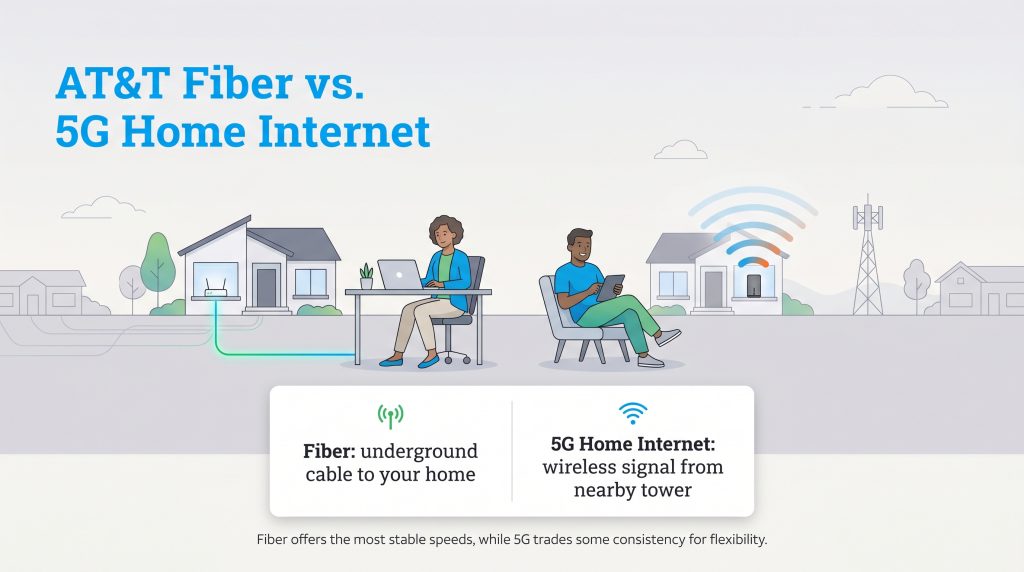
Before diving into specific provider tiers when exploring home internet providers, it is crucial to understand the foundational technology powering your household connection. Knowing the difference between 5G fixed wireless against fiber internet is the key to unlocking the right speeds for your daily routine:
- Fixed Wireless Internet: This technology beams an internet signal through the air from a nearby cellular tower directly to a receiver gateway inside your home. It uses modern 5G frequency bands to deliver fast speeds without the need for underground infrastructure, offering ultimate flexibility.
- Fiber Internet: This premium technology transmits data as pulses of light through dedicated underground glass or plastic cables. It provides a direct, physical connection to your home, which guarantees ultra-low latency, protection from weather disruption, and massive bandwidth capabilities.
AT&T Fiber, Internet Air, And Legacy DSL
AT&T operates a highly fragmented infrastructure. Depending on the specific neighborhood you move into, your experience with an AT&T plan will vary drastically based on the physical technology running to your street.
- AT&T Fiber: This premium tier uses dedicated underground optical cables to beam data directly into your home. It delivers unparalleled stability, symmetrical upload and download speeds, and ultra-low latency, making it the top choice for large families and heavy gamers.
- AT&T Internet Air: This is AT&T’s modern 5G fixed wireless solution. It relies on nearby cellular towers to beam an internet signal to a gateway device sitting inside your home. It provides an excellent, flexible alternative if you want a fast setup without drilling holes in your walls.
- AT&T Legacy DSL: In rural or older neighborhoods where fiber has not been laid, AT&T still relies on traditional copper telephone wires. When weighing AT&T legacy DSL against modern options, a 5G connection almost always wins, as DSL suffers from significantly slower speeds, aging infrastructure, and restrictive data caps.
T-Mobile 5G Home Internet
In contrast to AT&T’s tiered approach, T-Mobile keeps things refreshingly simple with a unified fixed wireless offering. T-Mobile 5G Home Internet relies solely on the company’s massive nationwide cellular network. Instead of digging trenches to lay miles of cable, T-Mobile beams a high-speed wireless signal directly to a sleek gateway sitting on your kitchen counter or desk. It is broadly available across urban, suburban, and rural environments alike, designed specifically to bypass the headaches of traditional wired installations.
AT&T Vs. T-Mobile Internet Prices And Hidden Fees
Evaluating AT&T vs T-Mobile internet prices reveals that both companies structure their base plans competitively, generally hovering around the $50 to $60 mark depending on your chosen speed tier and active 2026 promotions. To secure the lowest advertised prices from either provider, you must enroll in paperless billing and set up AutoPay using a debit card or bank account. Navigating the fine print is where you secure the best long-term value and avoid unexpected billing spikes. Fortunately, both providers have largely moved away from the predatory pricing models of the past, offering much more transparency today.
- Data Caps: A frequent concern for families who stream nightly is the existence of a T-Mobile home internet data cap. The good news is that T-Mobile provides truly unlimited data with zero overage charges, ensuring your bill stays flat no matter how much content you consume. Similarly, AT&T features unlimited data policies for both its Fiber and Internet Air plans (though some basic legacy AT&T DSL plans still enforce a 1.5 TB monthly limit).
- Price Locks and Contracts: Both providers allow you to skip the dreaded annual contract, meaning you will not face steep early termination fees if you decide to move next year. T-Mobile frequently offers a “Price Lock” guarantee that ensures your base rate will not increase, while AT&T offers straightforward monthly billing without sneaky equipment rental fees.
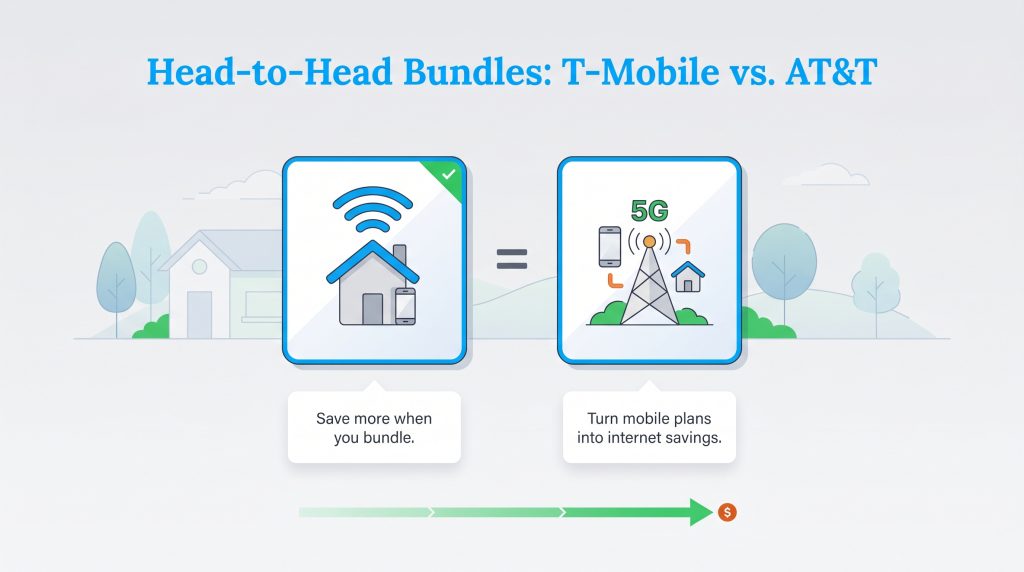
- Bundled Mobile Discounts: The greatest financial advantage unlocks when you leverage what you already pay for cellular service. If you currently hold an eligible postpaid mobile phone plan with either carrier, you can dramatically slash your monthly utility costs — sometimes by up to $20 a month. Just like finding ways to lower your electric bill, bundling your digital utilities is a highly effective financial move that keeps more cash in your wallet over the course of your lease or mortgage.
AT&T Plans & Pricing
| Plan Name | Price | Download Speeds | Connection Type | |
|---|---|---|---|---|
| Internet 100 | $60 /month | Up to 100 Mbps | DSL | Check Availability |
| Internet 300 | $35 /month | Up to 300 Mbps | Fiber | Check Availability |
| Internet Air | $40 /month | Up to 300 Mbps | 5G | Check Availability |
| Internet 500 | $50 /month | Up to 500 Mbps | Fiber | Check Availability |
| Internet 1000 | $50 /month | Up to 1000 Mbps | Fiber | Check Availability |
| Internet 5000 | $125 /month | Up to 5 Gbps | Fiber | Check Availability |
T-Mobile Home Internet Plans & Pricing
| Plan Name | Price | Download Speeds | Connection Type | |
|---|---|---|---|---|
| Home Internet Backup | $20 /month | Up to 318 Mbps | 5G | Check Availability |
| Rely Home Internet | $35 /month | Up to 354 Mbps | 5G | Check Availability |
| Amplified Home Internet | $45 /month | Up to 498 Mbps | 5G | Check Availability |
| All-In Home Internet | $55 /month | Up to 498 Mbps | 5G | Check Availability |
| Fiber 500 | $75 /month | Up to 500 Mbps | Fiber | Check Availability |
| Fiber 1 Gig | $85 /month | Up to 1000 Mbps | Fiber | Check Availability |
| Fiber 2 Gig | $80 /month | Up to 2 Gbps | Fiber | Check Availability |
AT&T Internet Air Vs. T-Mobile Home Internet (Direct 5G Matchup)
If your neighborhood lacks physical fiber infrastructure, your choice likely narrows down to AT&T Internet Air versus T-Mobile Home Internet. When matching these two 5G fixed wireless titans directly against each other, the daily performance differences often come down to local tower capacity and signal strength rather than strict hardware limitations. Both services supply you with a modern gateway that acts as a combined modem and router, giving you immediate access to Wi-Fi 6 technology.
T-Mobile currently holds a distinct advantage in overall national availability and mature 5G deployment, having launched its home internet product several years prior to AT&T. This structural head start routinely earns T-Mobile the title of the best 5G home internet provider in numerous consumer technology reports, especially when assessing T-Mobile 5G Home Internet availability in rural and underserved suburban markets. However, AT&T Internet Air is expanding aggressively and serves as an excellent alternative — particularly if you are trying to upgrade from an aging AT&T DSL line without switching your family’s cellular carrier. For both of these services, your actual home speeds will naturally fluctuate based on network congestion, the geographic distance to the nearest cell site, and exactly where you position the gateway device inside your house.
Speed, Latency, And Gaming Performance
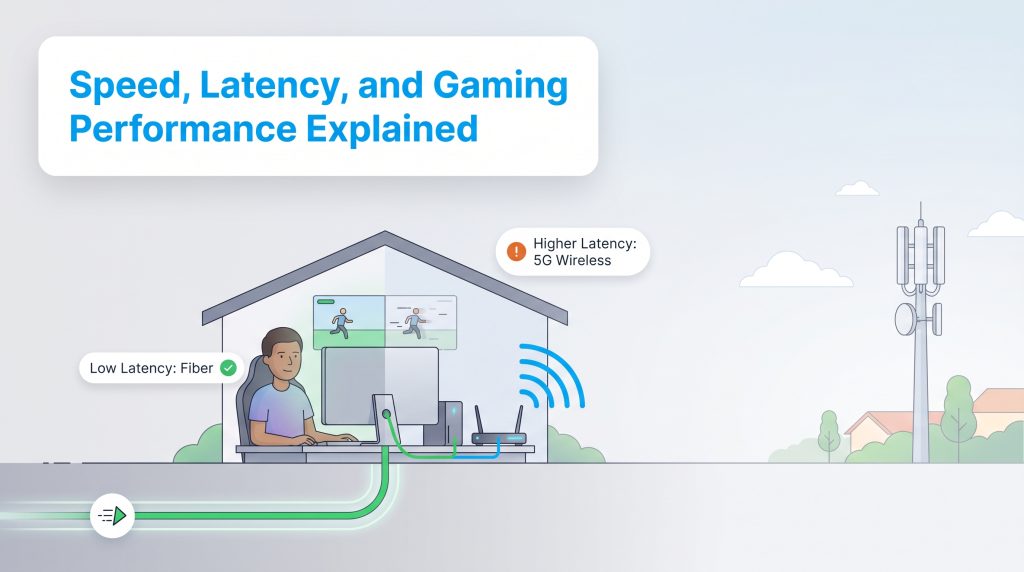
Raw download speed is often the only number advertised on a billboard, but it only tells half the story of your online experience. When evaluating 5G fixed wireless against fiber internet, the real battleground comes down to latency, sometimes referred to as ping. Latency measures the exact time it takes for data to travel from your home router to a server and back, and it directly dictates how snappy and responsive your connection actually feels.
Because data travels as continuous pulses of light through buried glass cables, AT&T Fiber delivers highly consistent symmetrical upload speeds and ultra-low latency, typically measuring at a sub-10ms ping. This pristine, uninterrupted performance makes fiber the undisputed champion for heavy digital demands, smart homes with dozens of continuously connected devices, and professional work-from-home setups that require seamless video conferencing.
Conversely, wireless 5G connections naturally suffer from slightly higher latency because the signal must travel through the open air, navigating physical obstacles, thick walls, and unpredictable weather variations. If you plan on gaming on 5G internet, expect your ping to hover anywhere between 30 and 50ms. While this brief delay is perfectly fine for casual gaming, streaming 4K video, or handling daily web browsing, it can cause frustrating micro-stutters and packet loss during highly competitive, split-second multiplayer gaming sessions. When you compare wired fiber against fixed wireless, gamers should heavily prioritize the wired fiber option whenever it is geographically available at their address.
Equipment And Installation: Technician Vs. Self-Install
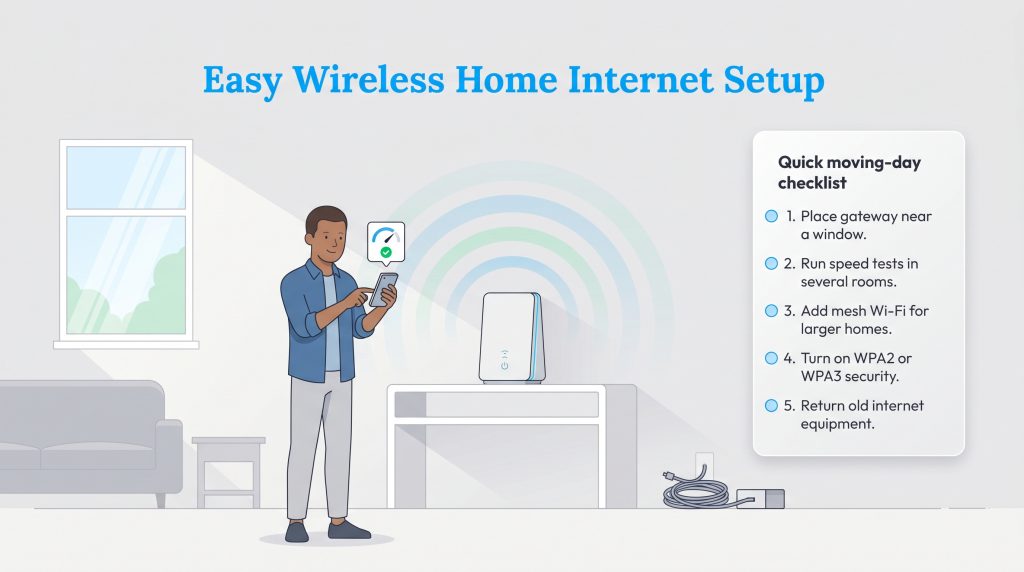
Evaluating the AT&T internet installation process reveals a traditional, often time-consuming approach if you are upgrading to a wired connection. Depending on the current infrastructure at your property, activating AT&T Fiber may require scheduling a professional technician, waiting through a four-to-six-hour service window, and potentially dealing with extensive yard trenching or cable burial to run the optical line from the street to your house. In stark contrast, opting for a self-install 5G internet solution from T-Mobile (or AT&T Internet Air) offers a seamless plug-and-play experience. You simply unpack the gateway, plug it into a standard wall outlet, and activate the signal via a smartphone app in under 15 minutes, bypassing the hassle of heavy machinery and drilling entirely.
Beyond the incredible convenience of a tool-free setup, modern 5G gateways offer compelling environmental benefits. By eliminating the need to physically lay miles of new infrastructure, fixed wireless serves as an environmentally mindful choice that lowers the overall carbon footprint of neighborhood expansion. On an everyday household level, these gateways are also highly energy-efficient. A standard 5G gateway typically draws just 12 to 15 watts of electricity. In contrast, a traditional hardwired setup requiring a separate optical network terminal (ONT), a heavy-duty router, and multiple mesh nodes can easily pull twice that amount continuously.
To ensure you get the absolute best wireless signal right out of the box, follow this quick moving-day setup checklist for 5G gateways:
- Place your gateway near a window, ideally on an upper floor away from thick concrete walls or major appliances that can cause interference.
- Run a speed test using the provider’s smartphone app in two or three different locations to find the strongest tower connection.
- Connect a mesh network to the back of the gateway if you have a large, multi-story home with notorious Wi-Fi dead zones.
- Enable secure WPA2 or WPA3 password protection immediately upon activation.
- Package and return any old equipment from your previous internet service provider to avoid unnecessary late fees.
Customer Service And Reliability
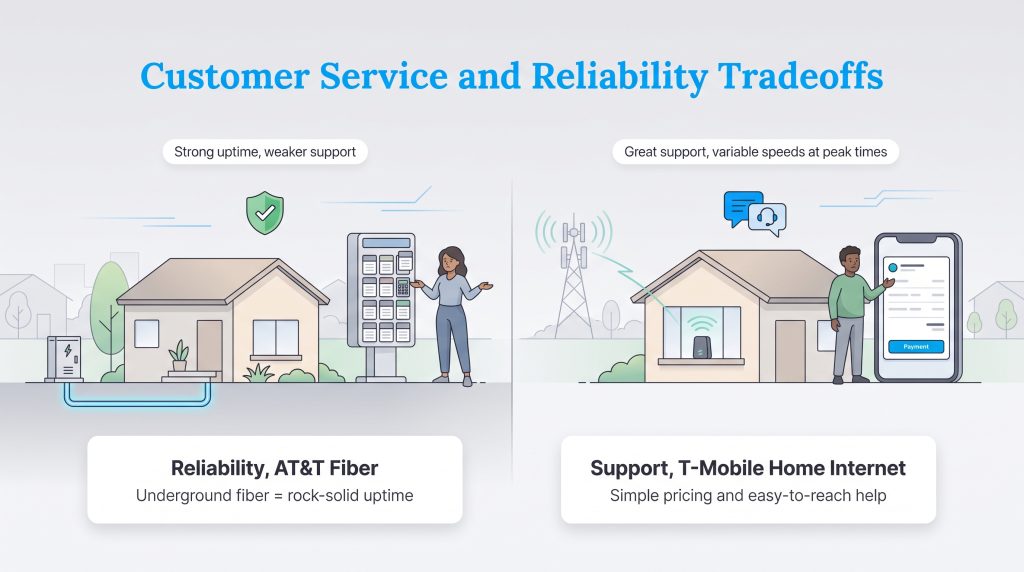
When moving into a new home, securing a fast internet connection is only half the battle; maintaining consistent uptime and receiving adequate support when things go wrong is equally important. Analyzing recent consumer sentiment reveals a divided landscape. AT&T Fiber consistently earns high marks for unparalleled reliability and rock-solid uptime, largely because underground fiber-optic cables are shielded from extreme weather events and typical neighborhood wireless interference. However, AT&T often receives lower marks regarding its customer service channels, with users frequently reporting frustrating experiences navigating complex automated phone menus and resolving unexpected billing discrepancies over the phone.
On the other hand, T-Mobile Home Internet is widely praised for its straightforward, transparent pricing and highly accessible customer support. Users appreciate the absence of hidden fees and the simplicity of having their mobile and internet bills streamlined in one user-friendly app. The primary reliability complaint for T-Mobile typically revolves around evening tower congestion. Because fixed wireless relies on the same cellular networks as mobile phones, your home internet speeds may temporarily dip during peak evening hours in densely populated neighborhoods when thousands of people are simultaneously streaming television and browsing social media.
Choosing The Right ISP For Your New Home
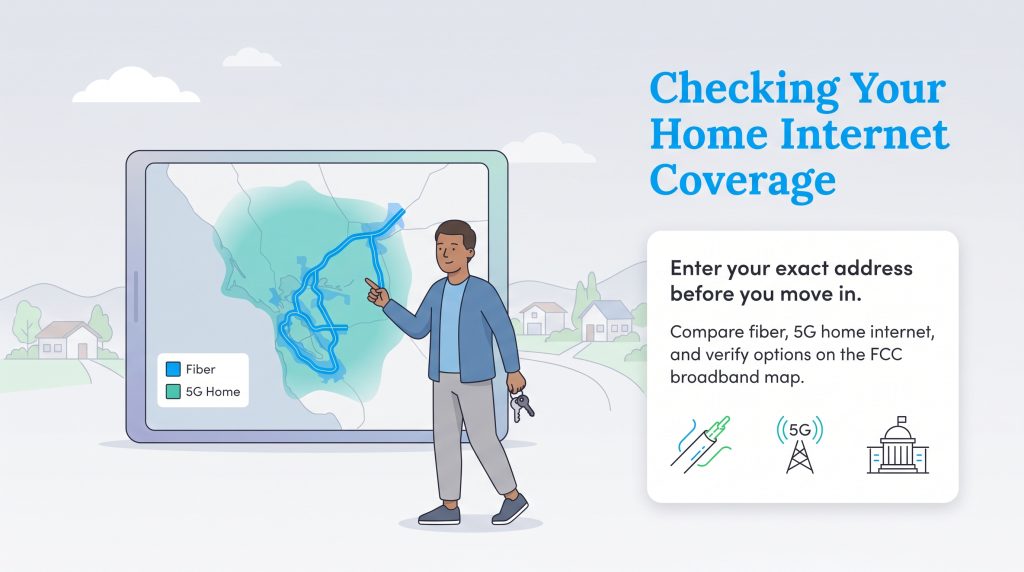
Your ultimate decision might actually be made for you the moment you type in your new home address. Reading through AT&T and T-Mobile home internet reviews highlights a stark contrast in national infrastructure. T-Mobile leverages a massive cellular network, making it widely accessible across suburbs and rural stretches where traditional wired providers simply refuse to build. Conversely, laying physical fiber-optic cables is incredibly expensive and labor-intensive, restricting AT&T Fiber heavily to specific urban grids. Before unpacking boxes, we highly recommend consulting the official FCC broadband map to independently verify exactly which connection types are active at your specific street address.
Selecting the perfect internet service requires matching your daily digital habits with the technology actually available at your property. If you are struggling to make a final call, follow these actionable guidelines to lock in the right setup:
- If you live in a fiber-ready neighborhood and value raw performance, then select AT&T Fiber. It represents an excellent standard for residential speeds, low latency, and reliability, especially for heavy gamers and smart homes.
- If you are a renter or live in a rural home with no fiber access, then choose T-Mobile 5G Home Internet. Checking the availability map often reveals reliable coverage where other providers fall short, and the zero-installation gateway is perfect for strict HOAs.
- If you already pay for AT&T mobile phone service and want an effortlessly fast wireless setup, then opt for AT&T Internet Air. It acts as a seamless addition to your household, allowing you to secure aggressive bundle discounts while skipping the hassle of legacy DSL lines.
Making The Final Call On Your Home Connection
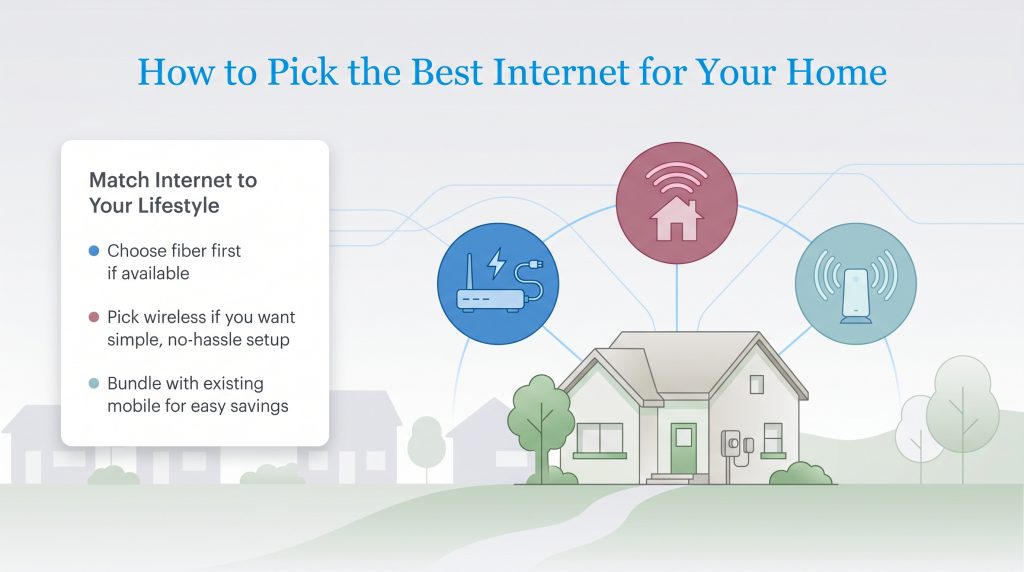
Getting settled into a new space is stressful enough without agonizing over complex Wi-Fi configurations and hidden monthly fees. Whether you prioritize the unmatched stability of AT&T Fiber or the modern, eco-friendly convenience of T-Mobile’s wireless gateway, making an informed choice ensures your household stays online without disruption. Choose the network that comfortably handles your digital lifestyle, lock in a bundled mobile rate to maximize your monthly utility savings, and get back to enjoying the comfort of your new home.
Frequently Asked Questions About AT&T Vs. T-Mobile Home Internet
Is T-Mobile home internet better than AT&T?
It depends entirely on the connection technology you are comparing it against. T-Mobile 5G vastly outperforms AT&T’s legacy DSL service, but AT&T Fiber typically beats T-Mobile 5G in terms of raw bandwidth, lower latency, and overall network stability.
Does T-Mobile 5G home internet have a data cap?
No, you do not have to worry about tracking your monthly gigabytes. T-Mobile 5G Home Internet features truly unlimited data with zero overage fees. AT&T Fiber and Internet Air also offer unlimited data, making both providers excellent choices for households that stream heavily.
Is AT&T Internet Air faster than T-Mobile home internet?
The speeds are generally comparable, with both fixed wireless services delivering between 75 and 225 Mbps on average. The actual speed you receive will depend heavily on your exact distance from the nearest cell tower and local network congestion in your neighborhood.
How do I check the T-Mobile home internet availability map for my address?
You can check availability by typing your exact street address directly into the tool on T-Mobile’s official website. For an unbiased look at all providers in your area, including AT&T, we recommend checking the official FCC National Broadband Map before moving.
How much does AT&T Internet Air cost compared to T-Mobile?
Pricing commonly falls in the mid-$50 range for both providers depending on current promotions and whether you use auto-pay. You will secure the absolute best pricing by bundling your home internet with an existing cellular phone plan from either company.
Can I keep my current Wi-Fi router if I switch to T-Mobile or AT&T Internet Air?
Both 5G services supply a gateway device that functions as a combined modem and router right out of the box. However, you can easily connect your own preferred mesh Wi-Fi system to the back of the gateway using an Ethernet cable if you need to extend the wireless range in a larger house.
Is 5G home internet fast enough for working from home?
Yes, modern 5G solutions from both T-Mobile and AT&T provide more than enough continuous bandwidth for daily remote work. These wireless connections easily support high-definition video calls, heavy email usage, and standard cloud-based office applications without stuttering.
Will 5G home internet work in an apartment or HOA with strict install rules?
Yes, 5G home internet is one of the best options for renters or strict HOAs because it requires no drilling, no exterior satellite dishes, and no professional installation. You simply plug the gateway into a standard electrical outlet inside your home and connect it via an app.
How long does the AT&T internet installation process take compared to T-Mobile?
The AT&T internet installation process for a fiber connection typically requires a scheduled technician visit, which involves a four-to-six-hour service window and can sometimes require yard trenching. In contrast, T-Mobile 5G Home Internet is a self-install process that takes less than 15 minutes using a smartphone app and requires zero physical drilling.
Can you play competitive gaming on 5G internet?
While you can certainly play games on 5G internet, it is not always the best choice for highly competitive, fast-paced multiplayer titles. Wireless connections naturally suffer from slightly higher latency (ping) and occasional micro-stutters compared to a hardwired fiber-optic connection, which offers the ultra-low latency serious gamers prefer.
How do I check T-Mobile 5G home internet availability in rural areas?
To check T-Mobile 5G Home Internet availability for a rural property, visit the provider’s official website and enter your specific street address into their qualification tool. Because T-Mobile utilizes its widespread cellular network, it often provides reliable high-speed access in remote locations where traditional wired internet providers refuse to build.
About the Author

LaLeesha has a Masters degree in English and enjoys writing whenever she has the chance. She is passionate about gardening, reducing her carbon footprint, and protecting the environment. She also recently served as President of the Board for City Sprouts (a community garden).

David has been an integral part of some of the biggest utility sites on the internet, including InMyArea.com, HighSpeedInternet.com, BroadbandNow.com, and U.S. News. He brings over 15 years of experience writing about, compiling and analyzing utility data.