

Compare the Pricing, Speeds, and Technology of Xfinity and Verizon to Confidently Choose the Right Internet Service for Your Household
Key Takeaways
- Verizon Fios offers symmetrical fiber speeds and no data caps, but availability is limited compared to Xfinity’s cable network.
- Xfinity provides affordable introductory rates, though you should watch out for equipment rental fees and potential data caps.
- Using your own compatible router where allowed can reduce rental fees, while ENERGY STAR certified networking equipment may help lower your home’s always-on energy use.
When evaluating Xfinity vs. Verizon Home Internet, your decision ultimately boils down to understanding the core differences in their underlying technology: Xfinity’s widespread hybrid cable network versus Verizon’s distinct fiber-optic and 5G wireless options. Navigating this complex telecom landscape can feel completely overwhelming for renters and homeowners alike, especially when you factor in fluctuating promotional pricing, hidden fees, equipment rentals, and your household’s actual bandwidth demands. We are here to help you evaluate local availability, overall speeds, customer service experiences, and eco-friendly equipment choices. By breaking down the fine print and translating technical jargon into real-world performance, we will make sure you confidently choose a smart, sustainable internet provider for your new place without overpaying for speeds you do not need.

- 2 Gbps
- Cable & Fiber
- Unlimited
- $30.00/mo

- 5 Gbps
- Fiber
- Unlimited
- $30.00/mo
*Not all internet providers and speeds available in all areas.
At a Glance: Xfinity vs. Verizon Comparison
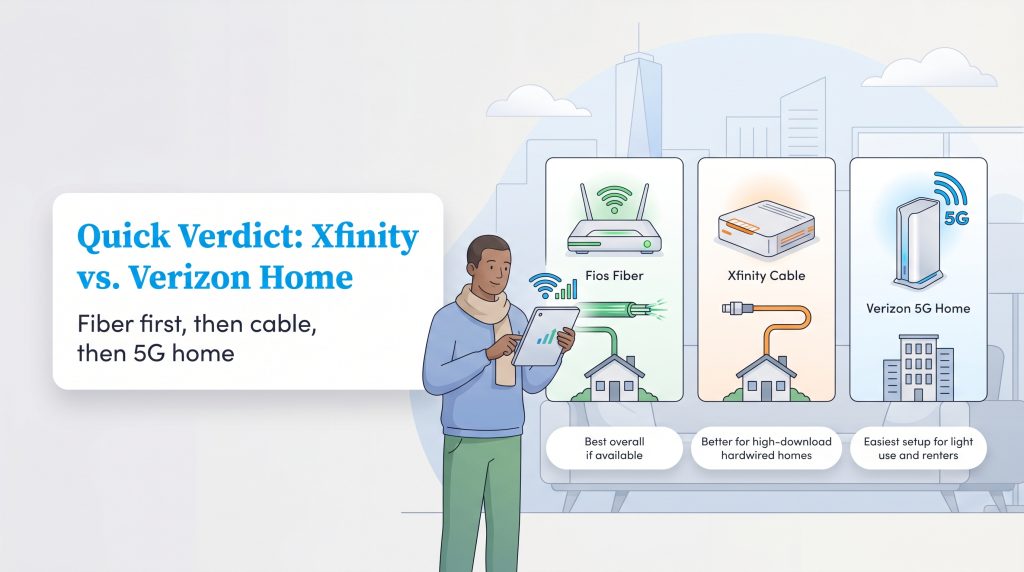
Before diving into the complex nuances of network latency and installation fees, it helps to look at the broad strokes. The table below breaks down the primary differences between these massive providers so you can quickly gauge which service aligns with your budget and speed requirements. Remember that Verizon operates two entirely different networks, so performance heavily depends on which product reaches your address.
| Decision Factor | Xfinity (Cable) | Verizon (Fios & 5G) |
|---|---|---|
| Price Range | $30 – $80+ per month (post-promo rates vary) | $35 – $90 per month |
| Speed Range | 75 Mbps to 2,000 Mbps | 85 Mbps to 2,300+ Mbps |
| Data Caps | 1.2TB limit in most regions | No data caps |
| Contracts | 1- to 2-year agreements often required for best pricing | No annual contracts required |
| Equipment Fees | Often requires ~$15/month for xFi Gateway | Gateway included in most standard plans |
To further simplify your decision, consider the most critical advantages and drawbacks of each provider. Xfinity wins on pure availability, reaching millions of homes that fiber networks have yet to touch. However, Verizon secures the overall victory in this face-off for delivering a cleaner pricing structure and superior upload capabilities.
| Xfinity Pros & Cons | Verizon Pros & Cons |
|---|---|
| Pro: Widespread network availability across most major U.S. regions. | Pro: Symmetrical fiber speeds and completely unlimited data usage. |
| Pro: Highly flexible budget tiers for light internet users. | Pro: Transparent pricing with no confusing annual contracts. |
| Con: Hidden equipment fees and potential data overage charges. | Con: Limited Fios availability, restricting many users to cellular 5G. |
| Con: Asymmetrical speeds mean upload performance lags behind downloads. | Con: 5G Home Internet can experience occasional latency spikes. |
Network Types: Cable vs. Fiber vs. 5G
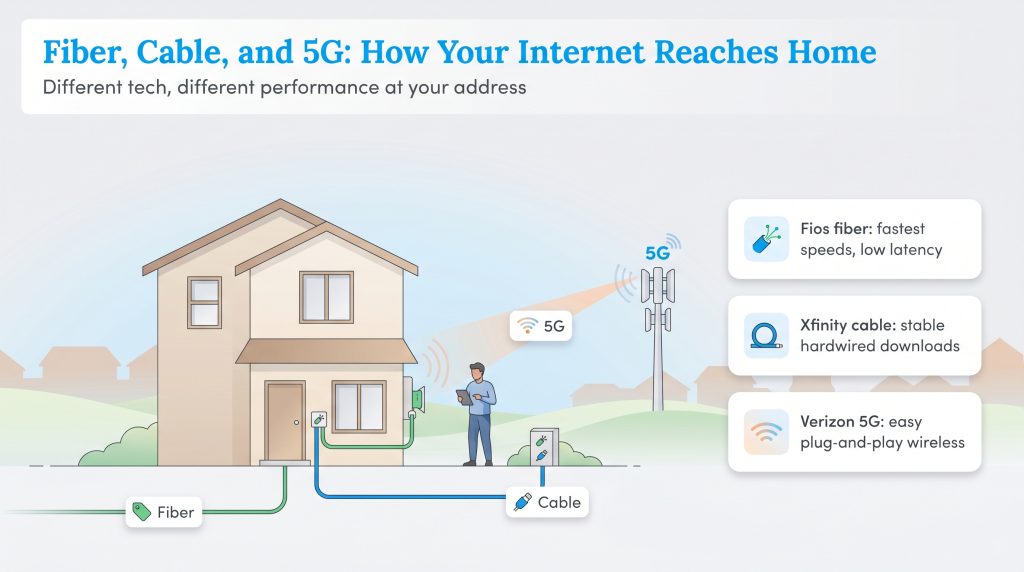
Understanding the semantic differences between these services is vital because “home internet” means vastly different things depending on the wire running to your house. When comparing Verizon vs Comcast (the parent company of Xfinity), you are essentially comparing three entirely distinct technologies: hybrid fiber-coaxial cable, fiber-to-the-home, and fixed wireless cellular.
The Verizon Divide: Fios vs. 5G
Many homeowners experience confusion because Verizon markets two separate internet products under one massive brand. Verizon Fios relies on a dedicated fiber-to-the-home (FTTH) connection. This modern infrastructure sends data as rapid light signals directly through glass fiber-optic strands. When you pit Xfinity vs Verizon Fios, the fiber connection almost always wins purely on performance because it supports symmetrical speeds — meaning your upload speeds are just as lightning-fast as your downloads.
Conversely, Verizon 5G Home Internet relies on nearby cellular towers rather than physical underground cables. It essentially uses the same cellular network as your smartphone but translates that signal into Wi-Fi for your house via a specialized receiver. If you find yourself comparing Verizon 5G home internet vs Xfinity, remember that while 5G offers an incredibly easy plug-and-play setup, it cannot match the raw stability or minimal latency of a hardwired connection.
Xfinity’s Hybrid Cable Network
Xfinity predominantly utilizes a hybrid fiber-coaxial (HFC) cable network using standard DOCSIS technology. This means fiber-optic lines run to a central neighborhood node, but older, traditional copper coaxial cables carry the final signal down your street and into your living room. Because you share this central node with your neighbors, cable internet can occasionally experience minor slowdowns during peak evening usage hours. However, Xfinity’s hardwired nature still delivers a more stable, consistent connection than cellular fixed wireless. If you want to confirm exactly what wiring exists on your street, we highly recommend checking national broadband availability maps to verify exact coverage in your specific zip code.
📌 Quick Fact: Symmetrical speeds mean your upload speeds perfectly match your download speeds, whereas asymmetrical connections (like cable) deliver fast downloads but significantly slower uploads.
Pricing, Contracts, and Hidden Fees
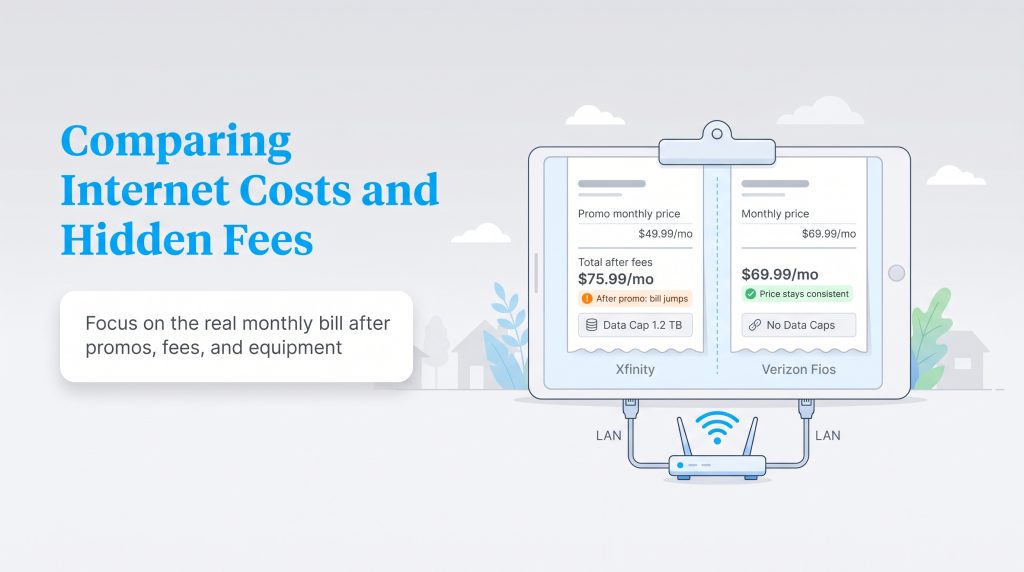
The flashy advertised price you see in a commercial is rarely the final bill you will pay each month. We want to protect your budget by breaking down exactly what these providers charge in 2026 once the introductory honeymoon periods expire. When searching for the cheapest home internet Xfinity vs Verizon, you must factor in structural contracts and data limits.
- Xfinity Cable Pricing: Plans typically start around $30 per month for budget tiers and scale up to $80 or more for gigabit speeds. However, these are often promotional rates tied to a one- or two-year agreement. Once that contract expires, expect your monthly rate to jump significantly.
- Verizon Fios Pricing: Fiber plans range from $50 to $90 per month. Verizon utilizes a straightforward pricing model with no annual contracts, meaning the price you see is generally the price you pay for the foreseeable future.
- Verizon 5G Home Pricing: Fixed wireless plans hover between $35 and $70 per month, often heavily discounted if you already have an existing qualifying Verizon cellular mobile plan.
The Reality of Data Caps
Looking at Xfinity data caps reveals a stark contrast between the two telecom giants. In many regions across the United States, Xfinity enforces a strict 1.2TB monthly data allowance. While this sounds like a massive amount of data, modern households streaming 4K video, downloading massive video game updates, and running cloud-based smart security cameras can burn through it surprisingly fast. If you exceed this cap, Xfinity charges overage fees that quickly inflate your bill. Verizon Fios and Verizon 5G Home Internet completely eliminate this anxiety by offering genuinely unlimited data with zero monthly caps, making them the clear winner for data-hungry households.
Speed and Performance Showdown
Choosing the absolute fastest plan available is not always the smartest financial move if your household doesn’t actually utilize that bandwidth. Your daily digital habits and the number of connected devices running simultaneously should dictate which provider and speed tier make the most sense for your lifestyle. Here is exactly what you can expect regarding raw performance:
- Xfinity Cable: Delivers download speeds ranging from 75 Mbps up to 2,000 Mbps. However, upload speeds typically lag far behind, maxing out between 10 Mbps and 200 Mbps depending on your specific regional upgrades.
- Verizon Fios: Offers download and upload speeds ranging from 300 Mbps to an incredible 2,300 Mbps in select markets, providing true symmetrical performance.
- Verizon 5G: Typically pushes download speeds between 85 Mbps and 1,000 Mbps, while upload speeds hover modestly between 10 Mbps and 50 Mbps based on cellular tower proximity.
Gaming and Smart Home Integration
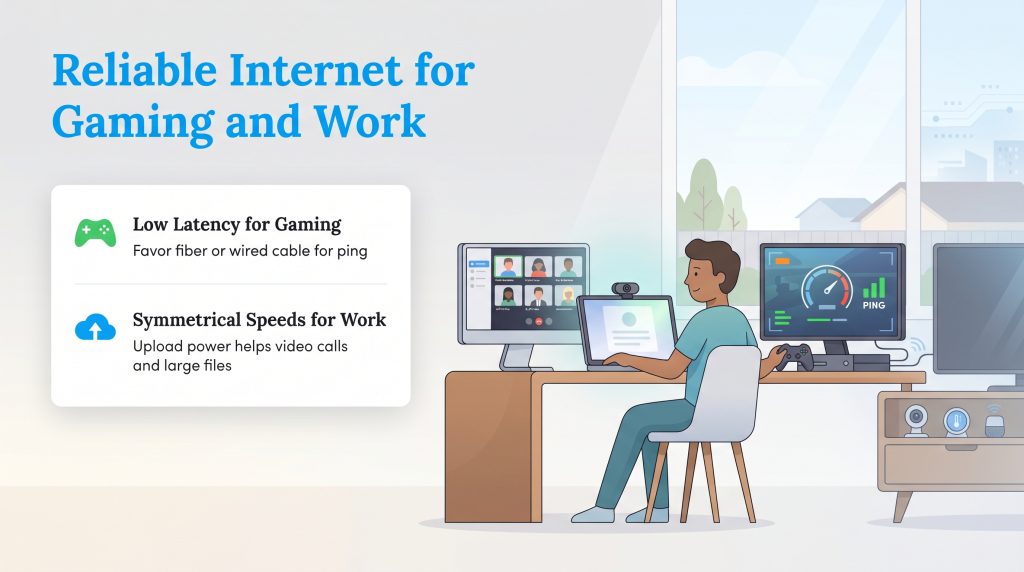
Competitive players know that raw download speed is only half the battle. When evaluating Xfinity or Verizon for gaming, ping and latency become the true deciding factors. Gamers require ultra-low latency to ensure their controller inputs register instantly on the multiplayer server. Because fiber-optic technology transmits light signals so efficiently, Verizon Fios easily takes the crown for gamers, providing incredibly consistent latency with zero packet loss. While Verizon 5G is wonderfully convenient, cellular signals struggle with occasional latency spikes and jitter, making Xfinity’s hardwired cable network a much safer secondary choice for dedicated console and PC gamers.
Furthermore, when considering how to choose an internet provider for your smart home, you need to account for your upload speed. Smart thermostats, continuously recording 4K security cameras, and voice assistants constantly push data out of your home. Verizon Fios handles this massive outbound data traffic effortlessly thanks to its symmetrical speeds, whereas a heavily congested Xfinity connection might occasionally bottleneck your security camera footage during busy evening hours.
Equipment, Installation, and Setup Costs
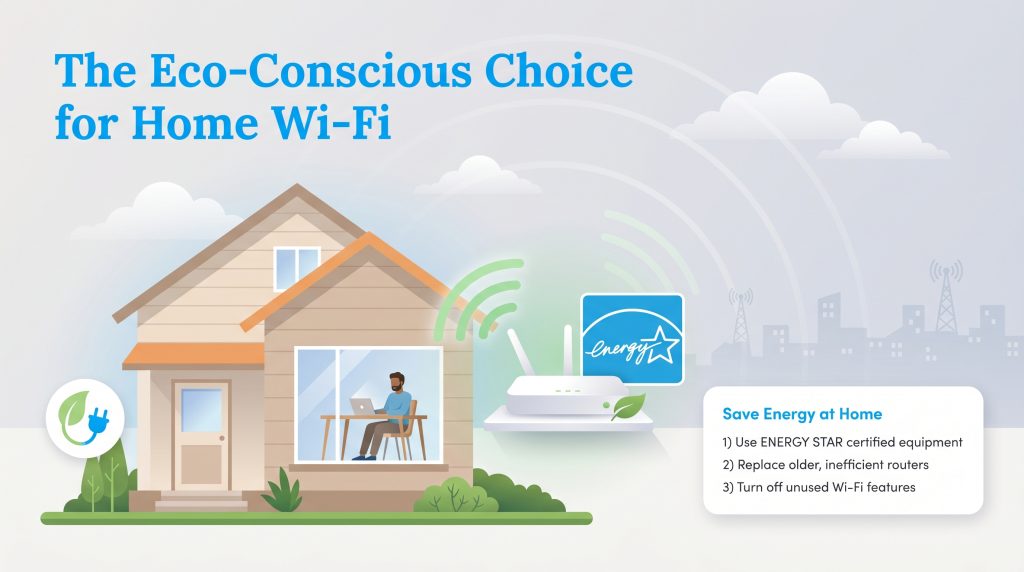
The upfront cost of ownership is an often overlooked element of setting up new utilities. Both providers offer their own proprietary gateways, but renting them adds up substantially over a multi-year stay. Xfinity routinely charges around $15 per month for its xFi gateway, adding nearly $180 a year to your baseline internet costs. Conversely, Verizon generally includes the router cost within its premium Fios tiers and standard 5G plans, adding serious value to their base prices.
Installation methods also vary wildly. If your new home is not already wired for fiber optics, the Verizon internet installation fee generally runs around $99 for a technician to install an Optical Network Terminal (ONT) on your property. However, Verizon frequently waives this fee if you order your service entirely online. Xfinity also charges a professional installation fee hovering around $100 for complex cable setups, though self-installation kits are available for free if your home already has active, working coaxial wall jacks.
Sustainable Equipment Choices
Your home Wi-Fi network quietly consumes electricity every single second of the day. Because internet equipment runs continuously without ever sleeping, it contributes a surprising amount to your household’s baseline electricity load. Selecting an environmentally mindful choice for your hardware matters just as much as the provider you ultimately hire.
By bypassing the provider’s default rental gateway and purchasing your own ENERGY STAR certified networking equipment, you ensure your setup uses significantly less electricity than older, inefficient models. Upgrading to a modern, energy-saving router reduces greenhouse gas emissions and shaves a few dollars off your utility bill. For even more ways to reduce energy costs across your household, consider reviewing our guide on how to save on your electric bill. Whether you choose a high-speed fiber connection or a reliable cable network, optimizing your home internet setup with sustainable habits keeps your digital life running smoothly without needlessly draining the grid.
💸 Money-Saver: Purchasing your own compatible DOCSIS modem for an Xfinity connection instead of renting their gateway eliminates your monthly rental cost, paying for itself entirely within the first year of ownership.
Customer Satisfaction and Reliability
Nobody wants to spend their Saturday afternoon endlessly waiting on hold to dispute a billing error. When comparing Xfinity vs Verizon customer service, industry benchmarks consistently point to Verizon as the more favorable option. Third-party studies such as ACSI’s telecommunications reports routinely rank Verizon Fios near the top of customer satisfaction charts for reliable speeds and transparent billing practices. Xfinity’s customer service reputation has steadily improved over recent years via enhanced mobile app support and easier troubleshooting tools, but it still struggles with complaints regarding unexpected rate hikes and rigid contract terms.
How to Switch Providers Smoothly
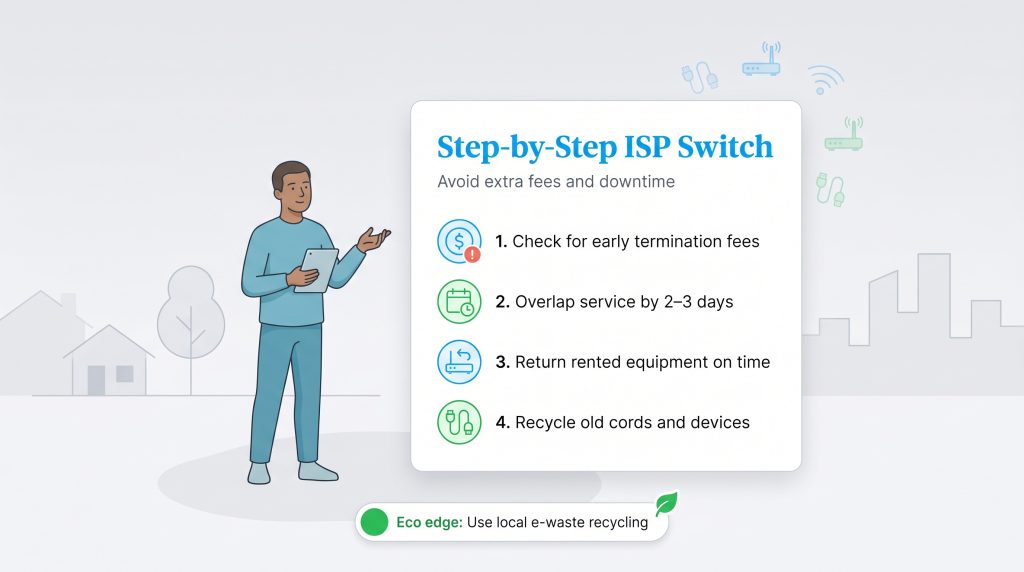
If poor customer service or rising costs finally push you to make a move, you need to execute a switch from Xfinity to Verizon strategically to avoid severe service interruptions. A little overlap can save you from losing connection during a busy remote workday, move-in weekend, or critical smart-home setup.
- Verify Early Termination Fees: Check for costly ETFs with your current provider before formally canceling your existing contract. Sometimes, the new provider offers buyout credits to cover this penalty.
- Overlap Your Service: Overlap your activation and cancellation dates by two to three days to avoid a disruption in connectivity while coordinating utility services.
- Return Rented Equipment: Box up your old gateway and return it promptly. Keep the physical tracking receipt safe to avoid expensive non-return fees hitting your final bill months later.
- Recycle E-Waste Responsibly: Dispose of old, incompatible electronic cords and dead routers through a verified e-waste program in your local community rather than tossing them into the trash.
🌱 Eco Edge: Drop off your old, unusable coax cables, power adapters, or outdated routers at local e-waste recycling centers to ensure heavy metals do not leach into your local landfill ecosystem.
Selecting the Right Internet Provider for Your Home
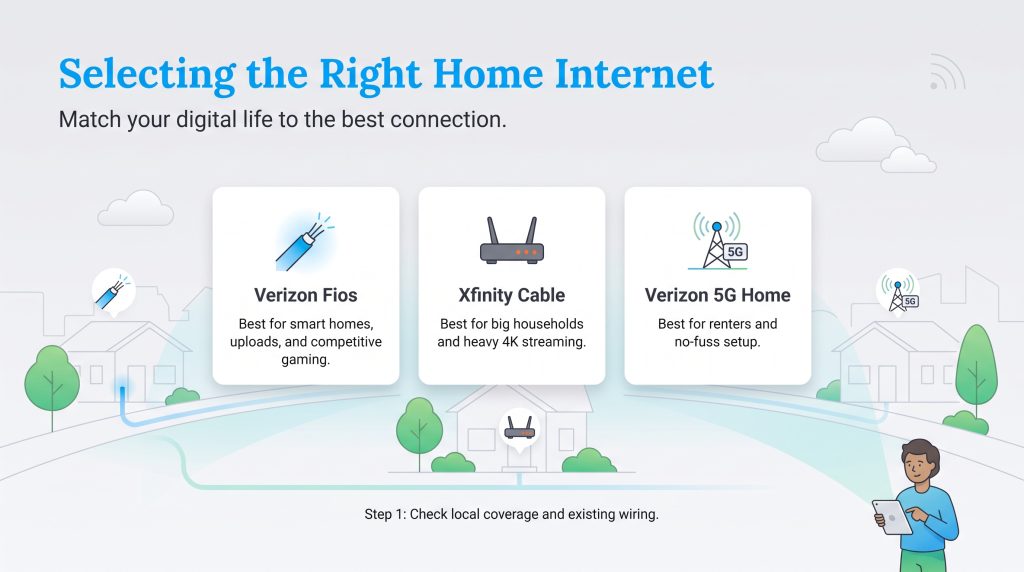
Figuring out whether Verizon Home Internet is better than Xfinity depends largely on the physical infrastructure buried beneath your street. There is no singular perfect provider for every American household, but matching your digital lifestyle to the correct network technology guarantees you will get the most value out of your monthly utility budget. When making your final decision, we recommend adhering to these distinct use-case profiles:
- Choose Verizon Fios if you run a demanding smart home ecosystem, upload large remote-work files daily, or play highly competitive multiplayer games. Its symmetrical speeds and transparent, cap-free pricing make it the undeniable winner wherever the fiber network is available.
- Choose Xfinity Cable if Fios has not reached your neighborhood yet and you need immense download speeds for a large family. It remains a remarkably reliable alternative that easily supports heavy 4K streaming and daily browsing across dozens of simultaneous devices.
- Choose Verizon 5G Home Internet if you are a renter seeking maximum convenience, want to avoid drilling holes for installation, or simply desire a budget-friendly connection without the hassle of restrictive annual contracts.
Take five minutes to thoroughly review your local coverage maps, pick an energy-efficient wireless router, and enjoy a seamless, high-speed connection in your newly established home.
Frequently Asked Questions About Xfinity vs. Verizon Home Internet
These quick answers cover the most common questions homeowners and renters ask when comparing Xfinity and Verizon. Use them to double-check the final details before you commit to a long-term plan.
Does Verizon use Xfinity lines for home internet?
Is Verizon Fios better than Xfinity Gigabit?
Is Verizon 5G Home Internet faster than Xfinity?
How do I know if Verizon or Xfinity is available at my address?
How much does it cost to switch from Xfinity to Verizon?
Can I use my own modem with Xfinity and Verizon?
Are there data caps when switching from Xfinity to Verizon internet?
Does Xfinity or Verizon have better customer service?
Is Xfinity or Verizon better for renters?
About the Author

LaLeesha has a Masters degree in English and enjoys writing whenever she has the chance. She is passionate about gardening, reducing her carbon footprint, and protecting the environment. She also recently served as President of the Board for City Sprouts (a community garden).

David has been an integral part of some of the biggest utility sites on the internet, including InMyArea.com, HighSpeedInternet.com, BroadbandNow.com, and U.S. News. He brings over 15 years of experience writing about, compiling and analyzing utility data.