

Hybrid fiber-coaxial networks combine traditional copper cables with modern fiber optics to power your home internet, offering a reliable bridge to high-speed connectivity.
Key Takeaways
- Hybrid Fiber-Coaxial (HFC) networks use a blend of infrastructure to deliver broadband without requiring costly new fiber lines dug straight to your door.
- Internet providers frequently use marketing terms like “fiber-powered” and “fiber-rich” to describe Hybrid Fiber-Coaxial (HFC) networks, which still rely on copper coaxial wiring for the final connection into your house.
- Choosing full fiber over legacy connections can be an environmentally mindful choice, as active HFC networks generally consume more neighborhood power.
Setting up a new residence involves juggling dozens of moving parts, but deciphering which internet service provider to hire shouldn’t cause a headache. If you’re seeing advertisements for “fiber-powered” internet plans, there’s a strong chance you are actually looking at Hybrid Fiber-Coaxial (HFC) networks. These widely available systems combine the cutting-edge speed of modern fiber optics with the older, existing copper wiring already buried in your yard. Demystifying how these blended networks function will help you bypass telecom marketing fluff and choose the exact level of bandwidth your family requires. Our goal is to give you the practical knowledge to navigate this technology, compare it against pure fiber options, and confidently select a broadband plan that keeps your household connected without overpaying for unnecessary capacity.
How HFC Network Architecture Works (Downstream vs. Upstream)
If you’re wondering what an HFC network is, think of it as a tag-team effort between light and electricity. Understanding this system simply comes down to tracing the two-way journey your data takes between the wider internet and your living room. The process begins at your internet service provider’s central office, known as the headend. This facility houses a vital piece of routing equipment called the CMTS (Cable Modem Termination System), which acts as the traffic director for thousands of local households.
When you stream a movie or load a webpage, you’re using downstream data. From the CMTS at the headend, blazing-fast data travels as pulses of light through advanced fiber-optic trunk lines to reach a localized street cabinet in your neighborhood called an optical node. A single neighborhood optical node typically serves anywhere from 25 to 500+ homes. Inside that metal cabinet, an optical transceiver converts the light pulses into Radio Frequency (RF) electrical signals. Traditional copper coaxial cables then carry those RF signals the remaining “last mile” down your street and directly into your home’s cable modem.
When you hop on a video call or back up family photos to the cloud, your data takes the reverse upstream path. Your cable modem packages your digital data into RF electrical signals and sends them out through your wall outlet’s coaxial cable back to the neighborhood optical node. The node converts those electrical signals back into light pulses and beams them down the fiber line to the headend’s CMTS. Because legacy coaxial cables were originally engineered in the 20th century to push one-way television broadcasts into homes, they allocate a much larger slice of radio frequency spectrum to downstream traffic than upstream traffic. This blended architecture lets telecom companies deliver fast download speeds without the massive expense of trenching new glass lines straight to every single property, though it naturally limits how fast you can send data back out.
📌 Quick Fact: When you purchase standard “cable internet” from a major provider, you are almost certainly running on an HFC architecture rather than an entirely outdated pure copper system.
Decoding Telecom Jargon: HFC vs. FTTN vs. FTTH
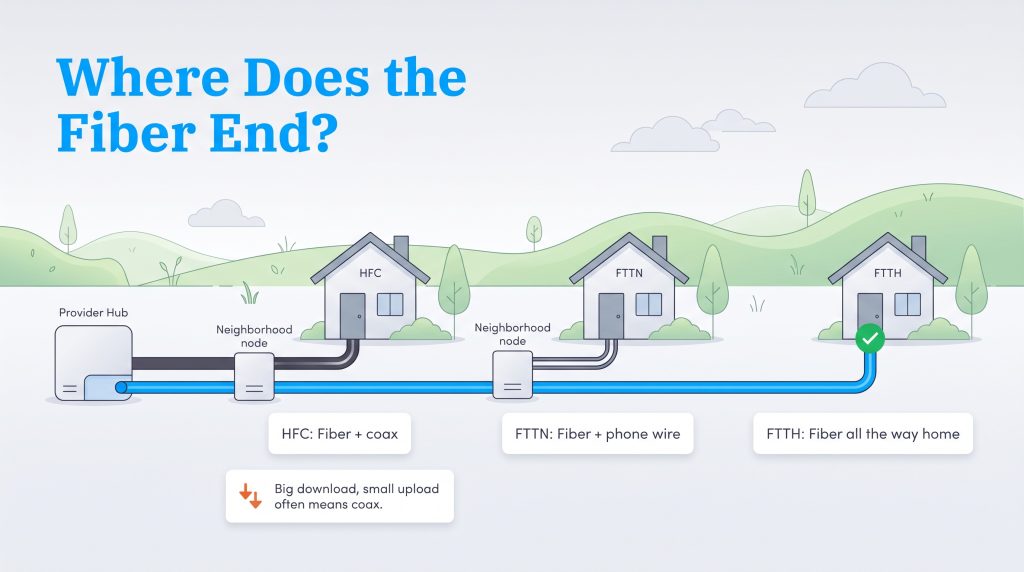
Shopping for broadband in a new neighborhood often feels like swimming through alphabet soup. Providers love throwing around variations of “FTTx” (Fiber to the “x”) alongside catchy phrases like “fiber-powered internet” to make their networks sound as modern as possible. Knowing where the glass fiber actually ends — and where the copper wire begins — will save you from signing up for a plan that can’t keep pace with your household.
- HFC (Hybrid Fiber-Coaxial): Fiber-optic lines run from the provider’s central office to a neighborhood optical node, while shielded copper coaxial TV cables handle the final stretch into your house.
- FTTN (Fiber to the Node): Technically speaking, HFC is a type of fiber-to-the-node architecture. However, telecommunications companies almost always use the term FTTN to describe fiber lines paired with legacy telephone wires (twisted-pair copper used for VDSL) rather than thicker coaxial TV cables. Because thin phone lines degrade rapidly over short distances, FTTN is usually much slower than HFC, often topping out between 25 Mbps and 100 Mbps.
- FTTH (Fiber to the Home) / FTTP (Fiber to the Premises): These two interchangeable terms represent 100% pure fiber internet. Glass optical cables run continuously from the provider’s central hub all the way to an optical terminal mounted on or inside your house, bypassing copper wires entirely.
So how do you spot an HFC connection when browsing provider websites? Watch out for clever marketing terms like “fiber-rich network,” “fiber-backed,” or “fiber-powered.” If an ISP uses those adjectives instead of explicitly stating “100% fiber to the home,” you’re looking at an HFC cable plan. Another dead giveaway sits in the broadband nutrition label fine print: if a plan advertises a massive 1,000 Mbps download speed paired with a tiny 20 Mbps or 35 Mbps upload speed, it’s running over coaxial copper.
HFC vs. FTTH (Fiber to the Home): Performance & Cost Comparison
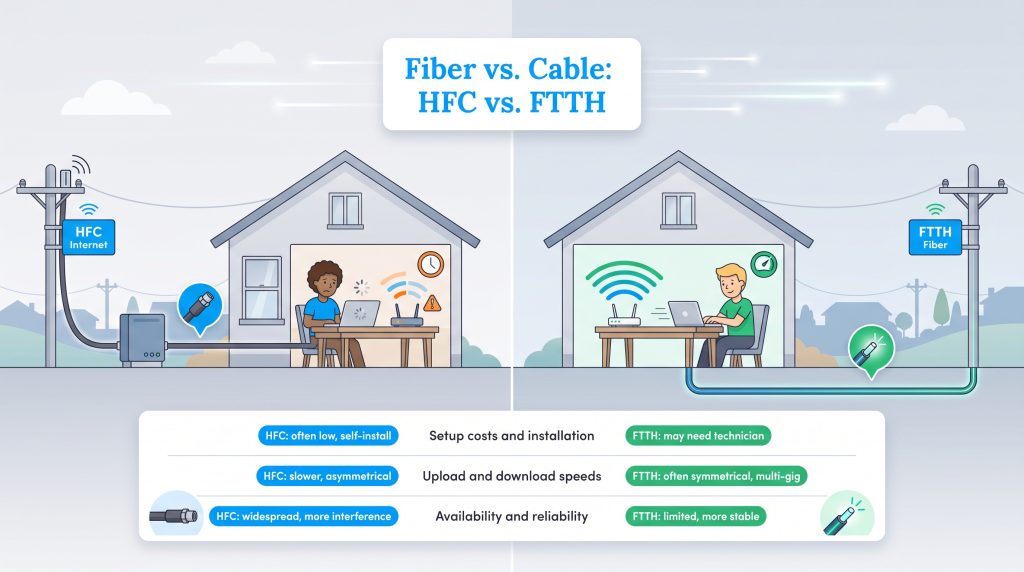
Conducting a fiber vs. cable internet comparison is an essential step if you live in an area serviced by multiple modern telecom providers. When evaluating HFC vs. FTTH, the core differences come down to how that last mile of wiring impacts your daily speed, reliability, and wallet.
The biggest performance divide involves uploading and downloading data through asymmetrical vs. symmetrical speeds. FTTH delivers symmetrical speeds, meaning your upload capacity matches your download speed dollar for dollar. HFC delivers asymmetrical speeds, prioritizing fast downloads while throttling back uploads. Comparing fiber-optic vs. coaxial cable also reveals a noticeable reliability gap. Coaxial copper is susceptible to signal attenuation, moisture corrosion, and electromagnetic interference from household appliances or nearby power lines, whereas glass fiber relies on light and is completely immune to electrical interference.
| Feature | HFC Internet | FTTH (Pure Fiber) |
|---|---|---|
| Last-Mile Wiring | Copper Coaxial Cable | Glass Optical Fiber |
| Speed Configuration | Asymmetrical (faster downloads, slower uploads) | Symmetrical (equal upload and download speeds) |
| Typical Upload Speeds | 10–100 Mbps on DOCSIS 3.1 | 300 Mbps–5,000+ Mbps |
| Latency & Ping | Moderate (typically 20–40 ms) | Extremely low (often under 10 ms) |
| Reliability | Susceptible to peak-hour neighborhood congestion and interference | Highly reliable, resistant to electromagnetic interference |
| Neighborhood Power Draw | High – requires active RF amplifiers | Low – uses passive optical splitters |
| Setup Costs | Often low; DIY self-install kits frequently available | Varies; typically requires professional technician installation |
Pure fiber networks are remarkably future-proof, scaling effortlessly to multi-gigabit tiers as household bandwidth demands climb. However, FTTH availability remains much more limited than HFC, which piggybacks on cable television infrastructure that already reaches over 80% of American homes. To verify exactly which technology reaches your specific address, we recommend typing your new street details into the FCC National Broadband Map.
Understanding DOCSIS 3.1 vs. DOCSIS 4.0 and HFC Internet Speeds
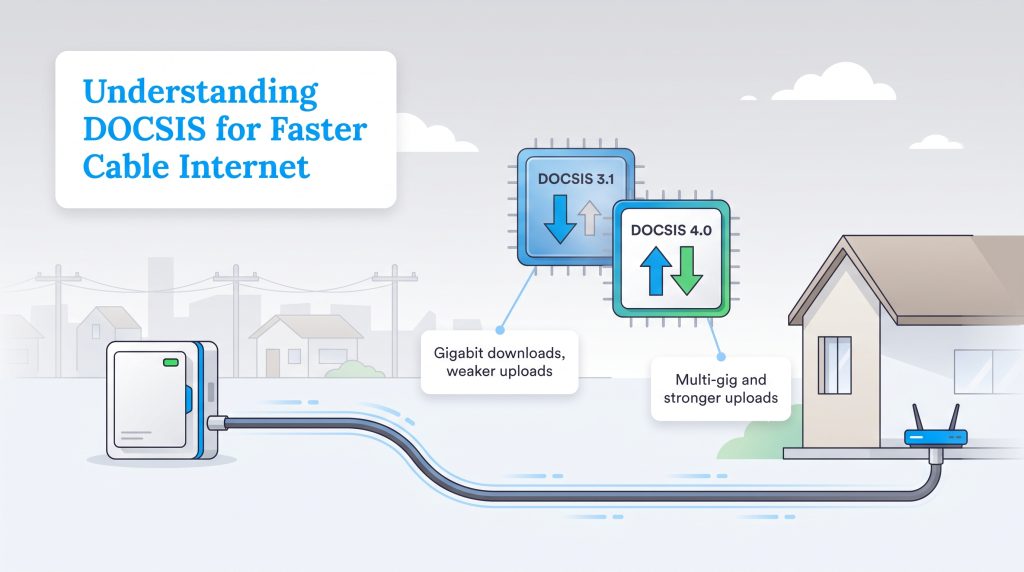
To grasp how coaxial cable internet speeds keep getting faster without providers digging up your lawn, you need to understand how data is packaged over copper wires. The telecom industry uses an international standard called DOCSIS (Data Over Cable Service Interface Specification) to govern how digital data travels across coaxial lines. Upgrading DOCSIS versions at the headend and neighborhood node is how cable companies continually squeeze higher bandwidth out of decades-old copper infrastructure.
Weighing DOCSIS 4.0 vs. DOCSIS 3.1 shows just how quickly cable networks are evolving. Today, DOCSIS 3.1 is the workhorse standard running in most American homes. It handles gigabit download speeds effortlessly for heavy 4K streaming and gaming, though standard deployments restrict upload speeds to a modest fraction of that bandwidth (unless your provider has performed “mid-split” or “high-split” node upgrades to boost uploads to 100–200 Mbps). Meanwhile, the newer DOCSIS 4.0 specification is drastically improving this by expanding the usable frequency spectrum on coaxial cables. As providers roll out DOCSIS 4.0 hardware across neighborhood nodes, HFC connections can deliver multi-gigabit symmetrical speeds that directly rival pure fiber networks.
| Metric | DOCSIS 3.1 | DOCSIS 4.0 |
|---|---|---|
| Max Theoretical Download Speed | 10 Gbps | 10 Gbps |
| Max Theoretical Upload Speed | 1–2 Gbps | 6 Gbps |
| Current Real-World Household Speeds | Up to 1.2–2 Gbps down / 35–200 Mbps up | Multi-gig symmetrical rollouts |
Pros and Cons of Hybrid Fiber-Coaxial Internet
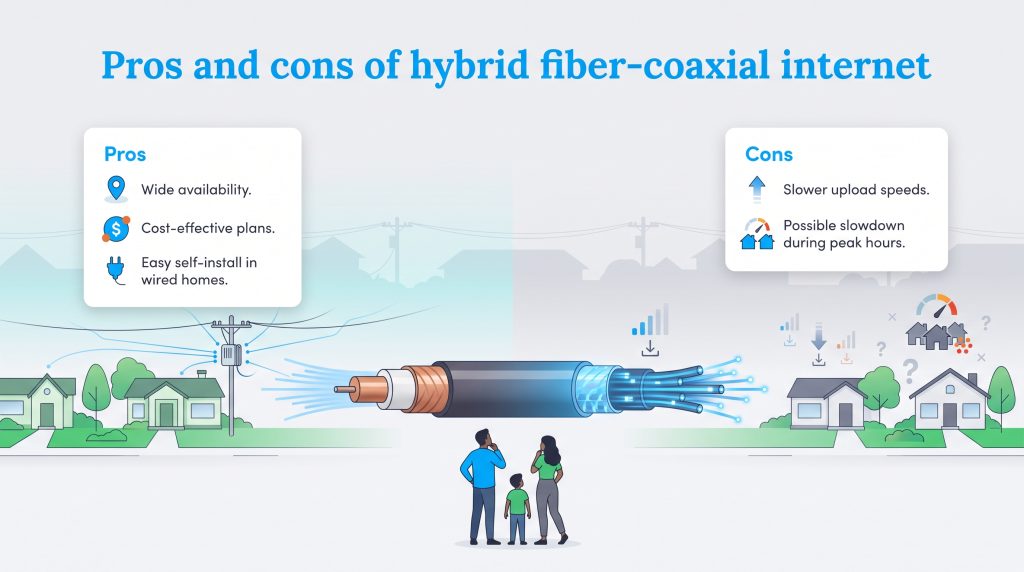
When you are comparing your local internet service options, weighing hybrid fiber-coaxial pros and cons provides a clear snapshot of what to expect from your connection. While pure fiber remains the gold standard, HFC holds its own as a practical, high-speed workhorse for most households.
The Pros:
- Wide Availability: Because it uses existing cable TV lines, HFC is accessible in nearly every urban and suburban neighborhood.
- Cost-Effectiveness: Entry-level and mid-tier plans are generally budget-friendly, offering 300 Mbps to 500 Mbps download speeds at competitive promotional rates.
- Easy Setup: If your new home already has active coaxial wall outlets, you can skip the technician fee and plug in a self-install kit in under 20 minutes.
The Cons:
- Slower Upload Speeds: The asymmetrical setup of standard HFC means uploading large video files, hosting live streams, or running half a dozen 2K cloud security cameras can bottleneck your connection.
- Cable Internet Congestion: Because a neighborhood optical node shares bandwidth across dozens or hundreds of homes on your street, you may notice slower speeds or higher ping during peak evening hours (typically 7:00 p.m. to 11:00 p.m.) when everyone is streaming at once.
Top Hybrid Fiber-Coaxial Internet Providers and Plans
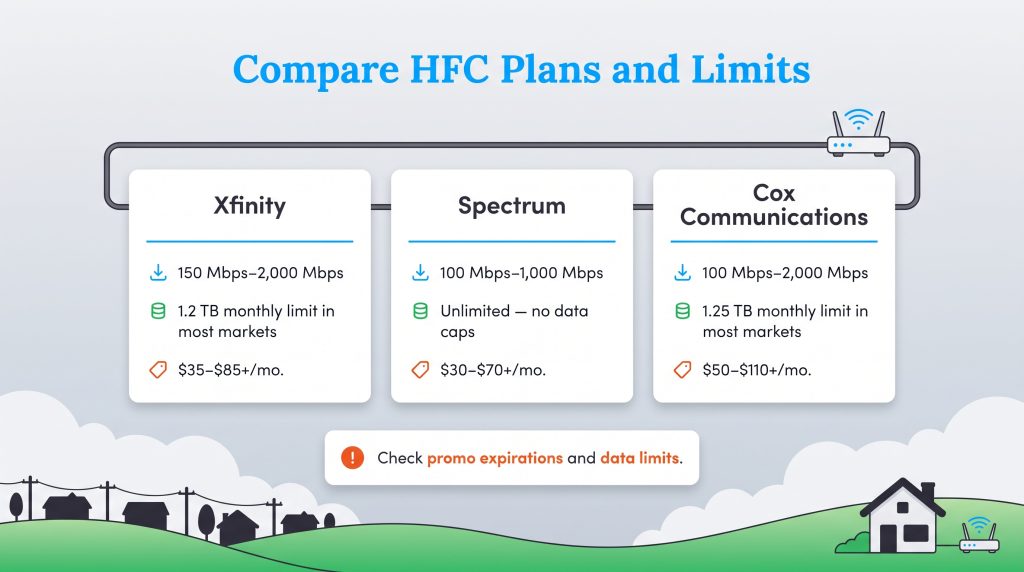
If you’re shopping for broadband across the United States, you’ll almost certainly cross paths with one of the three cable giants below. Each relies on an expansive HFC footprint to deliver high-speed plans to millions of households, though their policies on data caps and pricing structures differ quite a bit.
| Provider | Connection Branding | HFC Download Speeds | Data Caps | Starting Price Range |
|---|---|---|---|---|
| Xfinity (Comcast) | Xfinity “Fiber-Powered” / “10G” Network | 150 Mbps–2,000 Mbps | 1.2 TB monthly limit in most markets (Unlimited available in Northeast or via add-on) | $35–$85+/mo. |
| Spectrum | Spectrum Fiber-Powered Internet | 100 Mbps–1,000 Mbps | Unlimited (No data caps) | $30–$70+/mo. |
| Cox Communications | Cox Fiber-Powered Network | 100 Mbps–2,000 Mbps | 1.25 TB monthly limit in most markets (Unlimited add-on available) | $50–$110+/mo. |
When comparing these providers, pay close attention to promotional pricing expirations and data allowances. While Spectrum includes unlimited data and a free modem lease on all HFC tiers, both Xfinity and Cox enforce a monthly data threshold around 1.2 TB to 1.25 TB in most service areas. A typical family streaming 4K video for a few hours each night will rarely hit 1.2 TB, but households downloading massive console games or working with heavy cloud backups may need to factor an extra $30 to $50 per month into their budget for an unlimited data add-on.
The Eco-Conscious Choice: Broadband Energy Efficiency
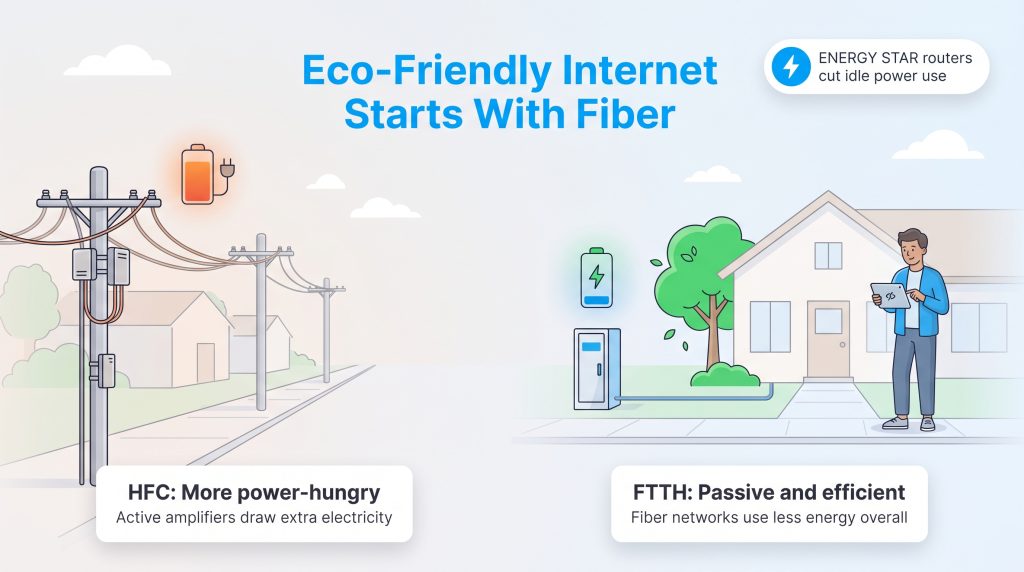
Beyond speed and latency, the physical architecture of your internet connection plays a surprising role in broadband energy efficiency and community power consumption. Because electrical RF signals lose strength rapidly as they travel through copper coaxial cables, HFC networks rely on active RF cascade amplifiers and line extenders mounted along utility poles or inside street pedestals. These amplifiers require constant electricity from the local power grid — plus heavy lead-acid backup batteries in roadside cabinets — just to boost the signal down your block.
In contrast, modern FTTH connections are built on a Passive Optical Network (PON) architecture. Instead of electrically powered amplifiers, a PON uses unpowered optical glass splitters (essentially tiny mirrors and prisms) to divide and route light signals from the central office directly to your home. Because laser light travels dozens of miles through glass fiber with virtually zero signal loss, no grid electricity is needed between the provider’s central office and your house. If you are focused on reducing your monthly home energy footprint and supporting greener neighborhood infrastructure, opting for a PON-based fiber plan is an easy win.
🌱 Eco Edge: Choosing a passive fiber network is an environmentally mindful choice that actively contributes to lowering your community’s overall baseline power demands.
You can also cut your in-home electricity use by selecting ENERGY STAR certified networking gear or gateways that comply with modern energy efficiency standards. These devices use smart power-scaling chips to dial down electricity draw during overnight hours when your household devices are asleep.
Hardware, Home Wiring, and Future-Proofing Your Setup
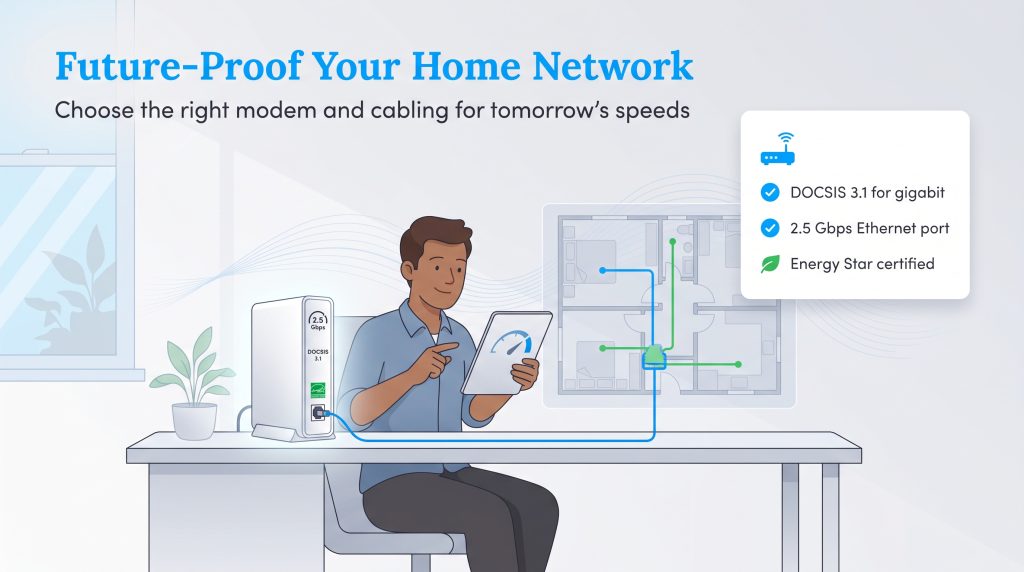
If your neighborhood exclusively offers cable internet, pairing the right modem with clean internal wiring will ensure you squeeze every megabit of speed out of your provider’s local node. Many homeowners ask us how to upgrade HFC to fiber, but that isn’t a DIY hardware swap — moving to FTTH requires an ISP to physically trench new optical lines down your street. What you can control is the condition of the wiring inside your walls and the equipment sitting on your desk.
In-Home Coaxial Wiring Inspection
Before plugging in an HFC self-install kit in an older house, take 10 minutes to inspect your existing coaxial cables. Degraded wiring causes signal attenuation (signal loss) and RF noise ingress, leading to random connection drops and sluggish speeds even on a gigabit plan. Run through this quick inspection checklist to eliminate bottlenecks:
- Check the cable jacket rating: Look closely at the text printed along the outer plastic jacket of the coaxial wire in your basement, attic, or behind the wall plate. If you see RG-59, that wire is an outdated specification designed for old analog TV and will choke modern broadband signals. Upgrade RG-59 lines to quad-shielded RG-6 coaxial cable, which is engineered to carry high-frequency gigabit DOCSIS 3.1 and DOCSIS 4.0 signals without interference.
- Remove unnecessary coaxial splitters: Trace the main coaxial line where it enters your house (usually near the utility meter or basement). Previous homeowners often daisy-chained two-way or four-way metal splitters to feed cable TV boxes in every bedroom. Every splitter cuts the RF signal strength heading to your modem. Disconnect unused room lines and remove extra splitters so your modem has the most direct path possible to the street drop.
- Inspect F-type wall connectors: Check the metal screw-on barrel connectors (F-type connectors) at your wall outlet and patch cord. Make sure the fitting isn’t loose, rusted, bent, or covered in wall paint. Paint or corrosion inside the connector acts as an insulator that blocks high-frequency RF signals.
💸 Money-Saver: Fixing a $10 RG-6 patch cable or removing an old basement splitter yourself can immediately resolve slow cable internet speeds and save you a $75 to $100 ISP technician service call fee.
If you are planning a larger remodel during your move, consider asking your contractor to run Cat6 or Cat6a Ethernet cables through the walls so your internal network is ready for multi-gigabit speeds. Furthermore, buying your own cable modem instead of paying a $15 monthly rental fee can save you $180 a year. When shopping for a modem for your HFC setup, check the box for these specifications:
- DOCSIS 3.1 certification (or DOCSIS 4.0 where supported) to guarantee compatibility with gigabit and multi-gigabit cable plans.
- A multi-gigabit (2.5 Gbps) Ethernet port to prevent a 1 Gbps hardware bottleneck between the modem and your Wi-Fi router.
- Approval on your specific ISP’s certified device list (especially important if you want to unlock newer mid-split or high-split upload speeds).
Questions to Ask Before You Choose an HFC or Fiber Plan
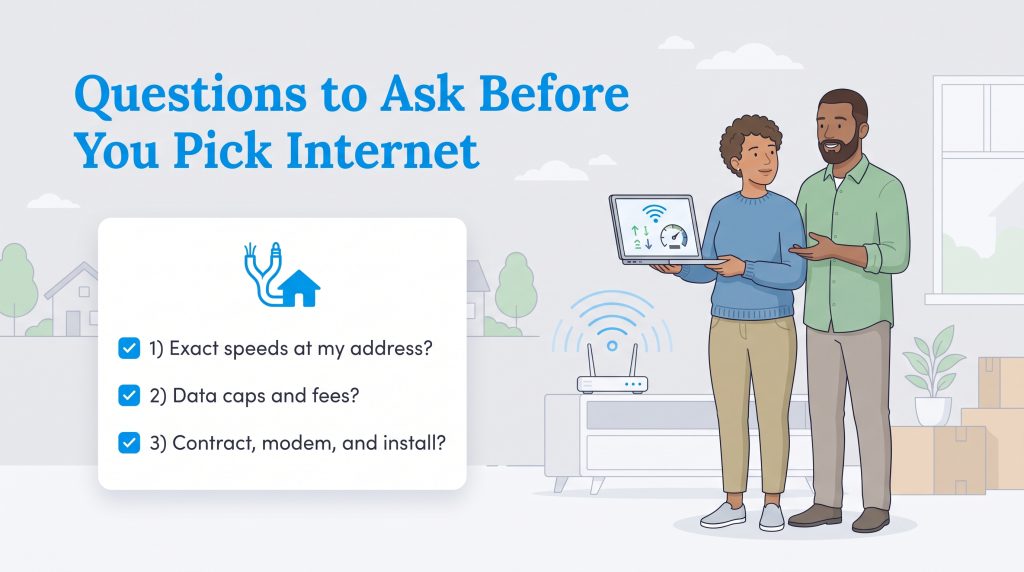
Moving into a new home provides a clean slate to reevaluate your broadband needs from scratch. Before committing to a new contract or transferring your old service, ask local providers these seven questions to make sure there are no surprises on your first bill:
- What specific upload speed is included with this plan on the broadband nutrition label?
- Is the advertised connection 100% fiber to the home (FTTH), or is it a hybrid fiber-coaxial (HFC) line?
- Is there a monthly data cap, and how much do overage charges or unlimited data add-ons cost?
- Is the modem included for free, rented for a monthly fee, or can I use my own compatible equipment?
- What will the monthly rate jump to after the 12- or 24-month promotional period ends?
- Is a free self-install kit available for my address to waive the professional activation fee?
- Have the neighborhood HFC nodes been upgraded to support higher mid-split/high-split upload speeds or DOCSIS 4.0?
Selecting the Optimal Broadband Path for Your Household
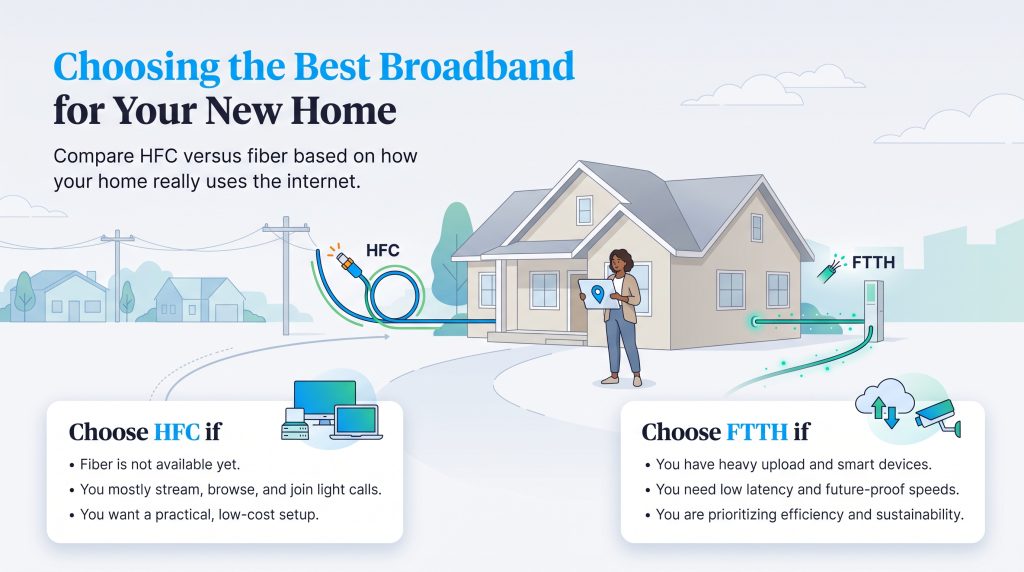
Picking the right internet connection comes down to matching your street’s available wiring with your family’s daily upload habits and budget. Check your address on the FCC broadband map, review the criteria below, and lock in the connection that fits your household best.
Choose HFC if:
- Pure fiber isn’t available at your address yet.
- Your household mainly streams shows, browses the web, and works remotely with one or two video calls at a time.
- You want to utilize a cost-effective plan and potentially self-install the equipment using existing cable outlets.
Choose FTTH if:
- You run multiple smart security cameras, host constant video calls, or sync massive cloud backups simultaneously.
- You want incredibly low latency, symmetrical upload performance, and the best future-proofing available.
- You’re prioritizing an energy-saving option and have multiple service plans available to choose from.
Frequently Asked Questions About Hybrid Fiber-Coaxial (HFC) Networks
Still sorting through the technical details? These quick answers cover the most common questions homeowners ask when comparing HFC, cable, and fiber internet service.
Is an HFC network the same as fiber internet?
How fast is a hybrid fiber-coaxial network?
Is HFC internet good for gaming?
What is the difference between DOCSIS 3.1 vs. DOCSIS 4.0 HFC?
How do I find the best modem for HFC internet?
How can I upgrade my HFC to fiber connection?
Is an HFC network considered an eco-conscious alternative to fiber?
What is the difference between FTTN and HFC networks?
Why do internet providers call HFC “fiber-powered” internet?
Does bad weather or extreme heat affect HFC internet connections?
About the Author

David has been an integral part of some of the biggest utility sites on the internet, including InMyArea.com, HighSpeedInternet.com, BroadbandNow.com, and U.S. News. He brings over 15 years of experience writing about, compiling and analyzing utility data.

LaLeesha has a Masters degree in English and enjoys writing whenever she has the chance. She is passionate about gardening, reducing her carbon footprint, and protecting the environment. She also recently served as President of the Board for City Sprouts (a community garden).