

Choosing Between AT&T And Xfinity Depends On Your Household’s Need For Symmetrical Fiber Speeds Versus Widely Available Bundled Cable Packages
Key Takeaways
- AT&T Fiber offers superior upload speeds, making it the top choice for heavy bandwidth users if it is available at your address.
- Xfinity provides wider availability and strong bundle deals, which is ideal for budget-conscious users who also want entertainment or mobile service.
- When evaluating the fine print of both providers, AT&T ultimately wins on waived equipment fees and unlimited data, while Xfinity shines with short-term promotional pricing.

- 5 Gbps
- Fiber
- Unlimited
- $35.00/mo

- 2 Gbps
- Cable & Fiber
- Unlimited
- $30.00/mo
*Not all internet providers and speeds available in all areas.
Setting up your home utilities should not require an advanced technical degree, yet decoding marketing jargon when moving into a new home often feels downright exhausting. When you ask which is better AT&T or Xfinity in 2026, the bottom line is clear: AT&T wins on fiber reliability and symmetrical speeds, while Xfinity takes the crown for massive nationwide availability and budget-friendly introductory bundles. Our team is cutting through the noise to provide an objective, data-driven breakdown of both providers so you can sidestep hidden fees and optimize your household bandwidth. We will explore everything from network technology to the environmental impact of your connection, ensuring you make an empowered, environmentally mindful choice. Use the availability checker below to confirm which connection types reach your specific neighborhood before diving into our detailed network comparison.
Quick Verdict: At A Glance Comparison
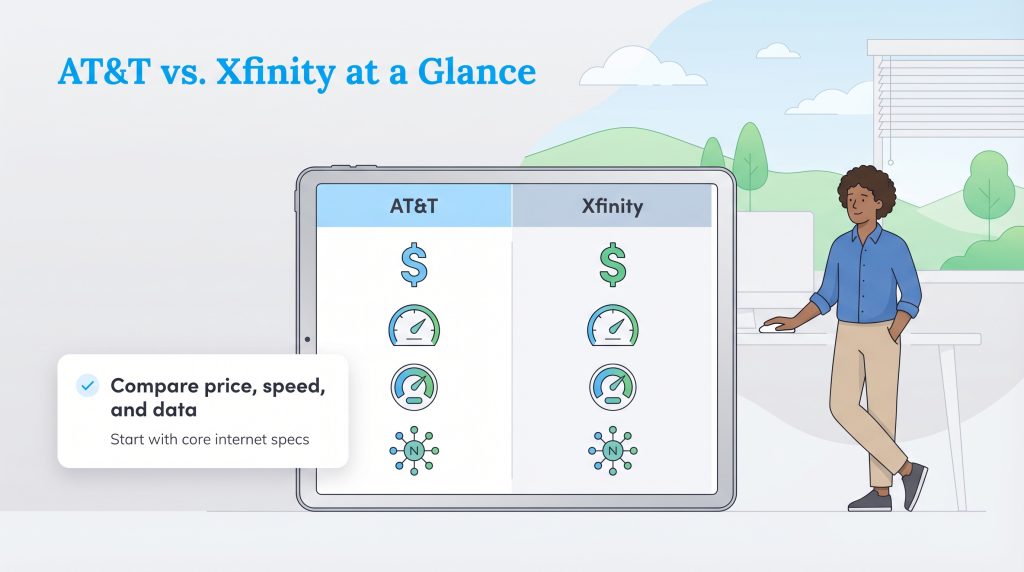
When you are juggling moving boxes and transferring utility accounts, reviewing the baseline numbers is the smartest place to start. We are comparing the crucial details between these two telecom giants — starting price, top advertised speeds, data caps, and connection types — so you can understand exactly what each company brings to the table.
| Feature | AT&T (Fiber) | Xfinity (Cable) |
| Starting Price | $55 per month | $20 to $35 per month |
| Max Download Speed | Up to 5 Gbps | Up to 2 Gbps |
| Upload Speed | Symmetrical (Matches download) | Asymmetrical (Up to ~200 Mbps) |
| Data Caps | Unlimited Data | 1.2 TB Data Cap (in most areas) |
| Connection Type | 100% Fiber-Optic | Hybrid Fiber-Coaxial Cable |
Depending on availability at your specific address, these core features will heavily influence your final decision. AT&T offers unmatched simplicity with unlimited data and flat pricing, while Xfinity provides impressive short-term savings for budget-conscious families.
Network Technology: Fiber-Optic Vs Coaxial Cable
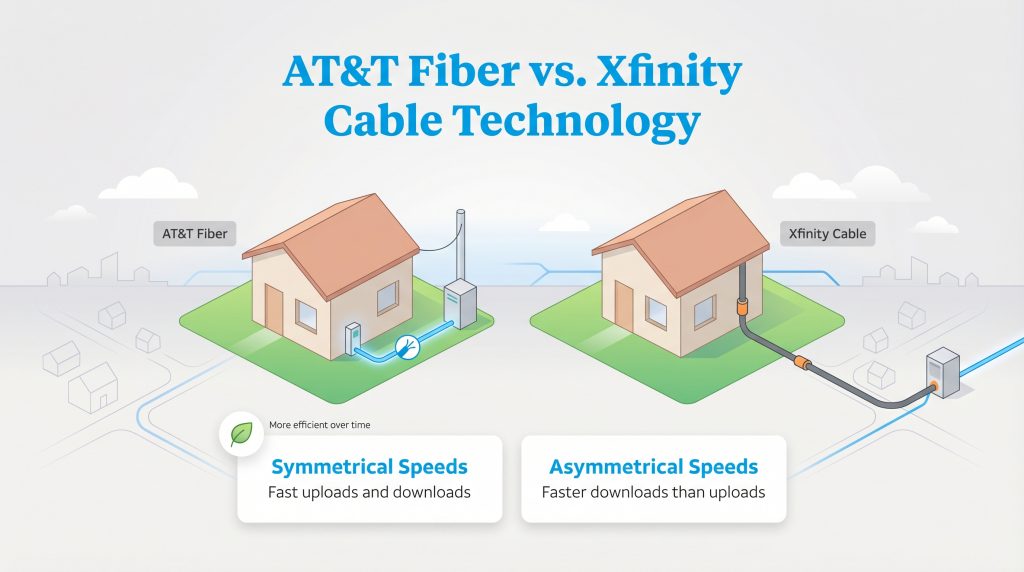
The core debate of AT&T fiber vs Xfinity cable comes down to how data physically travels to your home, and this foundational technology dictates everything about your daily performance. AT&T utilizes 100% fiber-optic lines made of ultra-thin glass strands that transmit data using pulses of light. This advanced infrastructure delivers symmetrical speeds, meaning your upload bandwidth is exactly as fast as your download bandwidth. If you rely on massive cloud backups, high-definition video calls, or sending large files to a corporate server, symmetrical upload speeds are absolutely mandatory for a seamless experience.
Xfinity, on the other hand, largely utilizes a hybrid fiber-coaxial (HFC) network. While fiber lines bring the connection to your neighborhood node, traditional copper television cables deliver the internet the rest of the way to your modem. Because coaxial cables were historically designed to broadcast large television signals into a home rather than send heavy data out, cable internet provides asymmetrical speeds. You might enjoy lightning-fast 1 Gbps download speeds with Xfinity, but your upload speeds will often top out around 35 to 200 Mbps.
Learn more about Fiber vs. Cable.
Plans, Pricing, And Hidden Fees
Evaluating AT&T vs Xfinity pricing requires you to look far beyond the flashy promotional rates plastered on roadside billboards. Navigating these financial hurdles is a crucial step when comparing different internet service providers. You must calculate the total cost of ownership over a two-year period rather than simply accepting the initial advertised price. Taking a few minutes to map out the real monthly bill acts as a protective shield for your household budget.
AT&T Internet Plans And Speeds
AT&T divides its internet offerings into distinct categories based on your home’s infrastructure. Their fiber plans are the crown jewel, boasting speeds that range from 300 Mbps up to a blistering 5 Gbps in select markets. AT&T Fiber pricing is highly transparent, providing a simple, flat rate (starting around $55 per month for 300 Mbps) that protects you from surprise second-year price hikes.
| Plan Name | Price | Download Speeds | Connection Type | |
|---|---|---|---|---|
| Internet 100 | $60 /month | Up to 100 Mbps | DSL | Check Availability |
| Internet 300 | $35 /month | Up to 300 Mbps | Fiber | Check Availability |
| Internet Air | $40 /month | Up to 300 Mbps | 5G | Check Availability |
| Internet 500 | $50 /month | Up to 500 Mbps | Fiber | Check Availability |
| Internet 1000 | $50 /month | Up to 1000 Mbps | Fiber | Check Availability |
| Internet 5000 | $125 /month | Up to 5 Gbps | Fiber | Check Availability |
Xfinity Internet Plans And Speeds
Xfinity provides a sliding scale of speed tiers designed to fit nearly any budget. Their plans utilize a vast network to deliver incredible download speeds over the copper television wiring already installed in most homes. While promotional deals change frequently based on your region, families love AT&T vs Xfinity bundle deals — though Xfinity almost always takes the crown here by deeply discounting your internet if you add an Xfinity Mobile cellular plan or a live television package.
Xfinity often advertises incredibly low introductory rates to get you through the door, sometimes starting at just $20 to $35 per month for speeds up to 300 Mbps. However, consumers must tread carefully. These promotional rates will inevitably expire. Be fully prepared for steep month 13 or month 25 post-promotional price hikes, which can easily increase your monthly internet bill by $40 or more once the honeymoon phase ends.
| Plan Name | Price | Download Speeds | Connection Type | |
|---|---|---|---|---|
| NOW Internet | $30 /month | Up to 100 Mbps | Cable | Check Availability |
| 300 Mbps | $40 /month | Up to 300 Mbps | Cable | Check Availability |
| 300 Mbps w/ 5 year price lock | $45 /month | Up to 300 Mbps | Cable | Check Availability |
| 500 Mbps | $50 /month | Up to 500 Mbps | Cable | Check Availability |
| 500 Mbps w/ 5 year price lock | $60 /month | Up to 500 Mbps | Cable | Check Availability |
| 1000 Mbps | $60 /month | Up to 1000 Mbps | Cable | Check Availability |
| 1000 Mbps w/ 5 year price lock | $70 /month | Up to 1000 Mbps | Cable | Check Availability |
| 2000 Mbps | $90 /month | Up to 2 Gbps | Fiber | Check Availability |
| 2000 Mbps w/ 5 year price lock | $100 /month | Up to 2 Gbps | Fiber | Check Availability |
AT&T Air vs. Xfinity
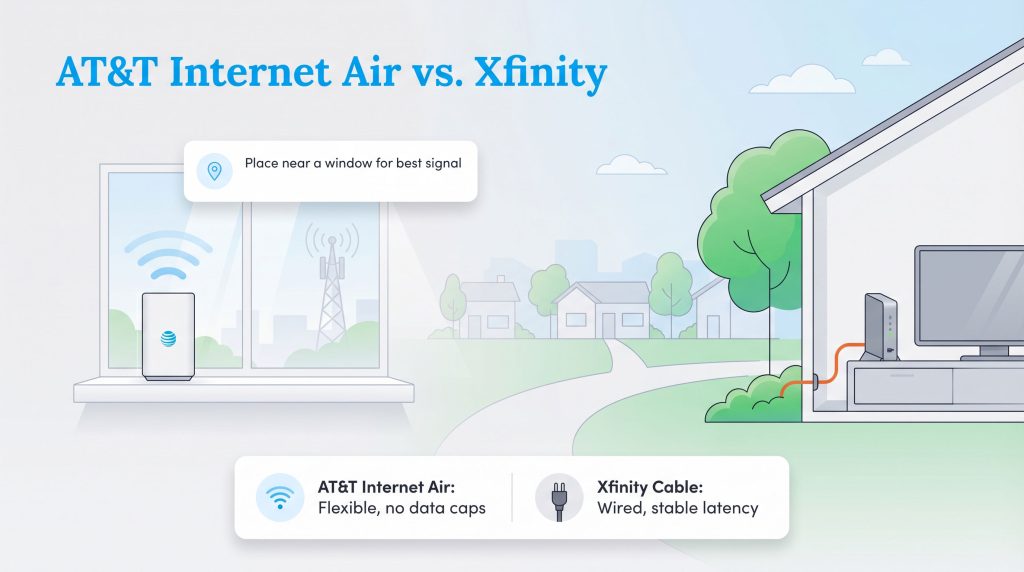
When weighing AT&T Air vs Xfinity internet, you are comparing a 5G fixed wireless connection against a hardwired cable plan. AT&T Internet Air utilizes the company’s cellular towers to beam a wireless connection directly to a plug-and-play hub inside your home. This is incredibly appealing for renters or anyone who dreads scheduling a technician to drill holes in their walls. Just remember that 5G cellular internet relies entirely on signal strength, so placing the hub near a window is crucial to maximizing your performance.
Data Caps And Equipment Costs
One of the biggest battlegrounds for your wallet involves navigating fine print, overage charges, and ongoing rental fees. Many consumers focus entirely on the advertised monthly rate and are shocked when their first bill arrives bloated with extra charges. When looking closely at AT&T vs Xfinity data caps and gear rentals, their approaches are entirely different.
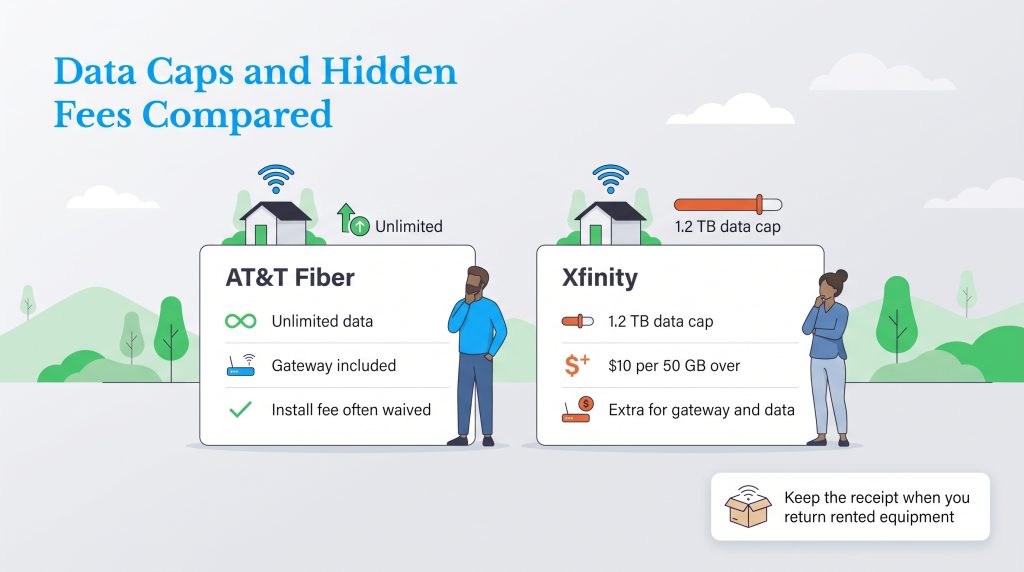
AT&T Fiber is highly celebrated for its simplicity. Currently, AT&T Fiber plans include unlimited data automatically, meaning you will never be hit with an overage charge no matter how much 4K video you stream. Furthermore, AT&T includes their Wi-Fi gateway at no additional monthly cost. You simply plug it in and start browsing without worrying about an extra line item on your invoice.
Understanding AT&T vs Xfinity equipment fees requires a closer look at Xfinity’s rental structure. Xfinity enforces a strict 1.2 TB data cap in most of its service regions. If your family exceeds this limit, you will be charged $10 for every additional 50 GB used. To avoid this, Xfinity offers an unlimited data add-on, typically costing an extra $30 per month. Alternatively, you can rent their xFi Gateway with the “xFi Complete” package (usually around $25 per month) to secure both the modem rental and unlimited data. If you only rent the basic xFi Gateway without unlimited data, expect an equipment fee of roughly $15 per month.
Money-Saver: To avoid Xfinity’s ongoing rental fees, purchase your own ENERGY STAR-certified modem and router combo. Not only will you save around $180 a year by eliminating the $15 monthly rental fee, but an ENERGY STAR-certified device uses significantly less electricity, lowering your household utility costs over time.
Performance Use-Cases
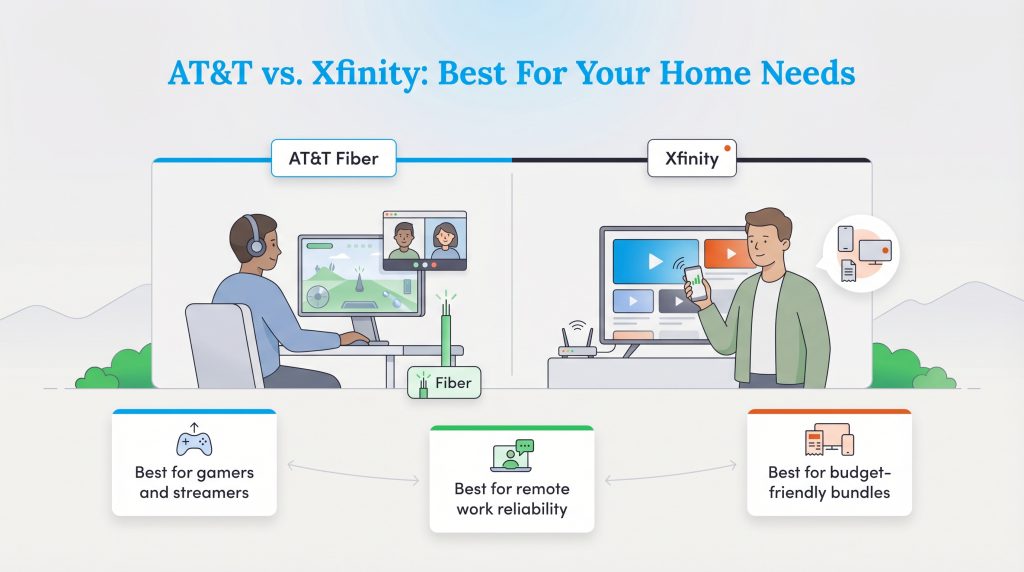
Deciding on the best internet provider ultimately comes down to your daily digital habits. Let’s break down exactly which service takes the crown based on different lifestyles and household demands so you can confidently schedule your installation.
Best For Remote Work And Smart Homes
Modern households often run dozens of connected devices simultaneously, from smart thermostats to outdoor security cameras. When assessing AT&T vs Xfinity for heavy usage, AT&T Fiber is the undisputed winner.
- Symmetrical Speeds: Remote workers need uncompromising reliability for daily video calls. AT&T’s symmetrical upload speeds ensure your Zoom meetings will not freeze or drop out.
- Smart Home Bandwidth: Security cameras constantly upload high-definition video to the cloud. Fiber effortlessly supports this continuous upload strain without bogging down your network.
- Budget Alternative: If AT&T Fiber is unavailable, Xfinity’s higher-tier cable packages are perfectly capable of handling standard remote work, though you might experience occasional slowdowns during peak afternoon neighborhood hours.
Best For Gaming And Streaming
When competitive players debate AT&T vs Xfinity internet gaming performance, AT&T Fiber takes a decisive victory due to the physical superiority of light-based data transmission.
- Ultra-Low Latency: Online gaming relies heavily on low latency and strong ping times to prevent lag. Fiber-optic technology drastically outperforms traditional cable in this arena.
- Stable Live Streaming: If you broadcast your gameplay to an audience on Twitch, symmetrical upload speeds ensure your stream remains perfectly crisp and stable.
- Xfinity for Budget Gamers: If you are a casual gamer on a strict budget, Xfinity’s entry-level plans paired with a high-quality gaming router still offer a solid, reliable fallback for weekend sessions.
Availability And Coverage
The greatest internet plan in the world means nothing if the provider’s cables do not run to your street. Availability is where Xfinity flexes its massive infrastructure advantage. Because Xfinity piggybacks on decades-old cable television networks that were deployed across the country long ago, its services are available in roughly 39 states. Whether you live in a bustling urban center or a quieter suburban development, Xfinity’s vast coaxial footprint makes it a ubiquitous option.
AT&T Fiber is expanding rapidly, but trenching new fiber-optic lines is a slow, incredibly expensive process. Because they are building a brand new infrastructure from the ground up, their coverage is highly localized — mostly concentrated across 21 states in the Midwest and South. AT&T Fiber might be available in one neighborhood but completely absent just two streets over.
Reviewing the AT&T and Xfinity availability map is step one in your moving process. We highly recommend checking the FCC national broadband coverage map to confirm precisely which network types reach your new home. If the national map seems slightly outdated, you can physically look for a fiber Optical Network Terminal (ONT) or a standard coaxial wall outlet inside your living room to verify the existing wiring.
Learn more about Cable vs. 5G Home Internet.
Eco-Conscious Connection: Which Network Is Greener?
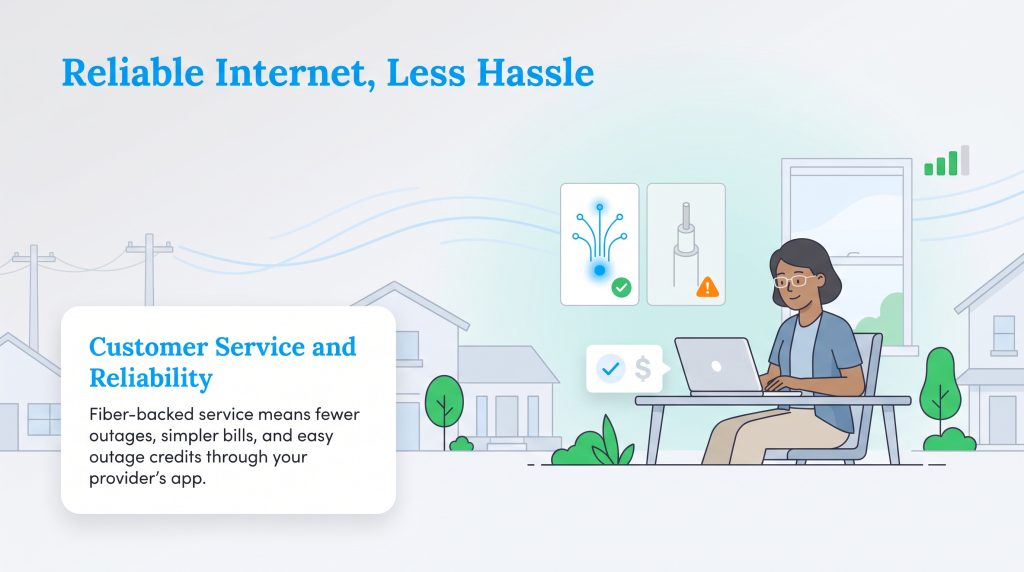
Selecting an internet provider isn’t just about raw speed — it is also about embracing sustainable, energy-efficient utility decisions for your household. When evaluating the environmental impact of these two giants, AT&T Fiber stands out as the superior eco-conscious alternative. Fiber-optic networks inherently require significantly less electricity to transmit data over long distances compared to legacy copper and coaxial networks used by Xfinity.
Because fiber optics use pulses of light rather than electrical signals, the infrastructure generates considerably less heat. This means municipal data centers and local neighborhood nodes require far less energy-intensive cooling to remain operational. By transitioning to a pure fiber network, we can dramatically reduce the overall power consumption required to keep our communities connected. Additionally, fiber lines are highly resistant to weather disruptions and electromagnetic interference, leading to fewer service trucks idling in your neighborhood during routine maintenance and network repairs.
Eco Edge: You can reduce your household’s carbon footprint by opting for self-installation kits rather than scheduling a professional technician. Self-installing your modem or gateway eliminates the direct emissions generated by a service truck driving to your home, making it an environmentally mindful choice.
Preparing For Your Installation
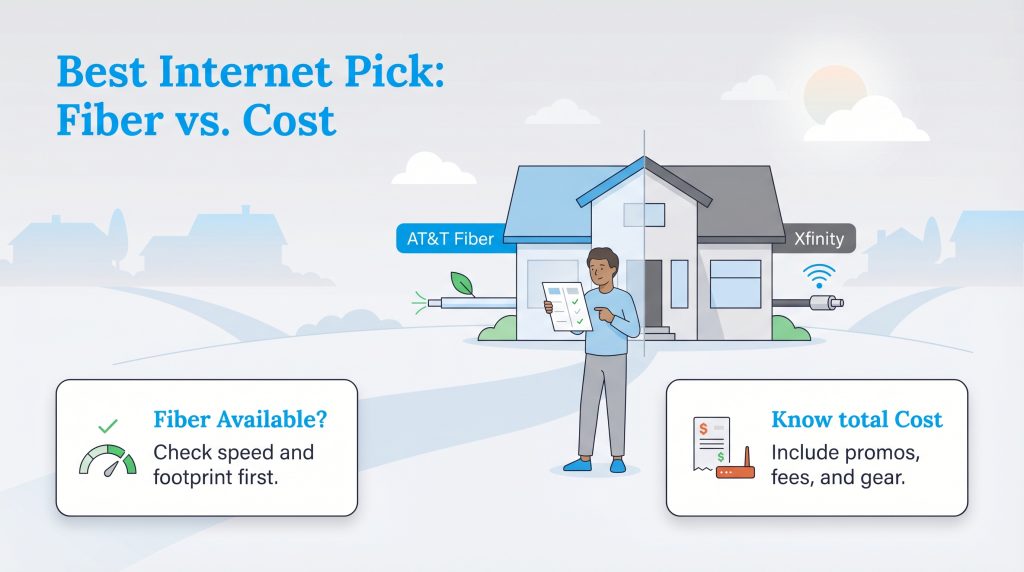
Pinpointing the perfect internet service requires a realistic look at both your geographic location and your family’s daily bandwidth habits. AT&T Fiber brings unmatched symmetrical speeds, a smaller environmental footprint, and straightforward pricing. It is a highly reliable choice if you are lucky enough to live within its service boundaries. Xfinity remains a powerful alternative, offering vast availability, robust mobile bundle discounts, and fast download speeds that comfortably support the average household.
As you prepare for installation, it is important to remember AT&T vs Xfinity customer service metrics. According to recent customer satisfaction benchmarks from the American Customer Satisfaction Index (ACSI), AT&T Fiber consistently ranks at the top of the telecommunications industry for reliability. If you do experience an extended network outage with either provider, do not passively wait for the service to return. Both companies have automated systems within their mobile apps that allow you to request a prorated credit for verified regional outages with just a few clicks.
How To Seamlessly Switch Providers
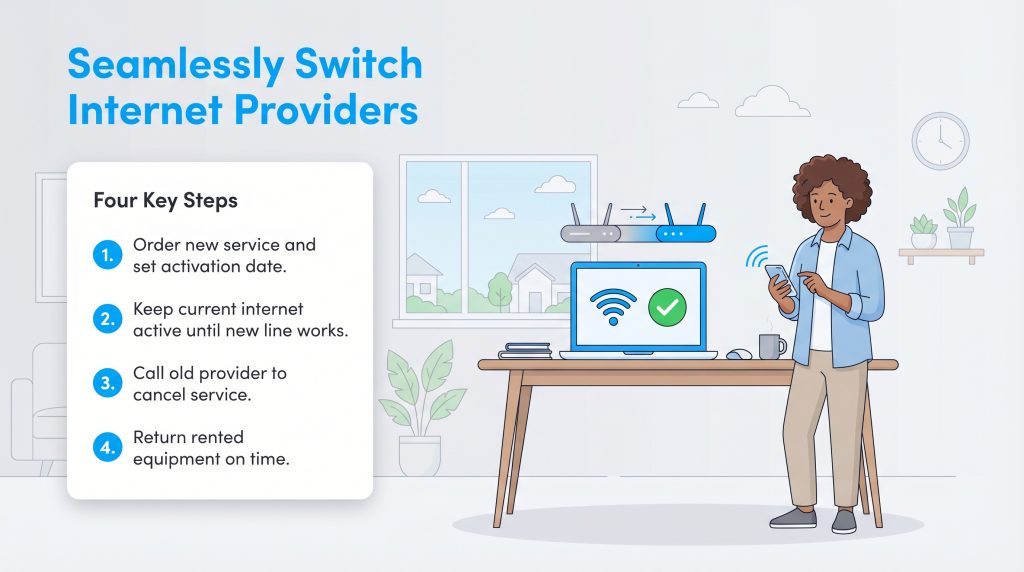
Making the decision to switch from Xfinity to AT&T, or vice versa, often triggers anxiety about losing internet access during the transition. The trick is to overlap your services by a few days rather than canceling your current provider immediately. Schedule your new installation first, either via an eco-friendly self-install kit or a professional technician. Once you verify the new Wi-Fi network is actively working, you can safely call your old provider’s retention department to cancel. By arming yourself with a solid transition plan, you can secure a fast, reliable internet connection that perfectly aligns with your budget and lifestyle.
Frequently Asked Questions About AT&T And Xfinity
Navigating the fine print of internet service contracts often brings up common questions. We have compiled the most frequent inquiries about these two telecommunications giants to help finalize your decision.
Which is better, AT&T or Xfinity?
Does AT&T or Xfinity have better customer service?
Is Xfinity cheaper than AT&T?
Can I avoid the Xfinity data cap if I use my own router?
Which provider has better upload speeds for gaming and working from home?
Is AT&T Internet Air as good as Xfinity cable?
Do I have to sign a contract with AT&T or Xfinity?
About the Author

David has been an integral part of some of the biggest utility sites on the internet, including InMyArea.com, HighSpeedInternet.com, BroadbandNow.com, and U.S. News. He brings over 15 years of experience writing about, compiling and analyzing utility data.

LaLeesha has a Masters degree in English and enjoys writing whenever she has the chance. She is passionate about gardening, reducing her carbon footprint, and protecting the environment. She also recently served as President of the Board for City Sprouts (a community garden).