


Unplugging Idle Electronics and Using Smart Power Strips Can Save the Average Household Hundreds of Dollars a Year
Key Takeaways
- Electricity vampires, or phantom loads, draw power even when devices are turned off, accounting for 5% to 10% of residential energy use.
- Common culprits include gaming consoles, EV chargers, coffee makers with clocks, and any device with a remote control or continuous display.
- Smart power strips and mindful unplugging are the most effective ways to stop these energy drains without sacrificing convenience.
Are you unknowingly paying for electricity you aren’t even using? Countless devices in your home are quietly sipping power right now, even though they appear to be turned off. Driven by the hidden demands of standby power consumption, these electricity vampires — also known as energy vampires — silently drain your budget and inflate your monthly utility bills behind the scenes. Tracking down these hidden costs is one of the smartest financial moves you can make when setting up a new home or looking to lower your daily overhead. We’re here to help you spot these invisible offenders, calculate your standby electricity cost, and eliminate the waste so you can keep more money in your wallet without sacrificing modern conveniences.
What Are Electricity Vampires (Energy Vampires)?
An electricity vampire — widely referred to as an energy vampire — is any appliance or electronic device that continues to consume energy while plugged into an outlet, even when it is switched off or resting in a dormant state. While the device isn’t actively running or performing its primary function, its internal components remain hard at work, drawing a steady trickle of electricity directly from your wall.
When researching how your home uses electricity, you will frequently hear this sneaky energy drain referred to by a few different names across the industry. They all describe the exact same invisible waste:
- Phantom load (or phantom energy): This describes the “hidden” nature of the electricity draw. The device appears entirely off, yet your electrical meter continues to register usage.
- Vampire power (or vampire energy): A popular term highlighting how idle vampire appliances slowly suck electricity from your home’s grid day and night.
- Ghost load: A colloquial variation of phantom load, pointing to how power disappears invisibly into the background of your home.
- Standby power: The technical engineering term for this issue. It refers to the minimal power a device requires to maintain basic background functions while waiting for a user command.
Much of this waste comes down to basic electrical physics. Your home’s outlets supply alternating current (AC), but small electronics require direct current (DC) to operate their delicate internal circuitry and charge batteries. The external power supplies, adapters, and transformers built into your cords handle this AC-to-DC conversion. However, transforming alternating current to direct current for low-wattage electronics is inherently inefficient. As long as that adapter is plugged into the wall, its internal transformer coils remain energized, constantly generating low-level heat and standby waste even when your device isn’t running.
Modern technology also prioritizes instant gratification. To remain ready for action at a moment’s notice, everyday household items typically draw between 0.5W and 15W of standby power continuously. This ensures they can instantly receive a remote control signal, download background firmware updates overnight, or keep a digital clock illuminated on your counter. A single smart speaker might only draw two watts on its own, but a house full of interconnected devices creates a constant, low-level demand on the grid that runs 24 hours a day, 365 days a year.
5 Visual Signs of an Energy Vampire
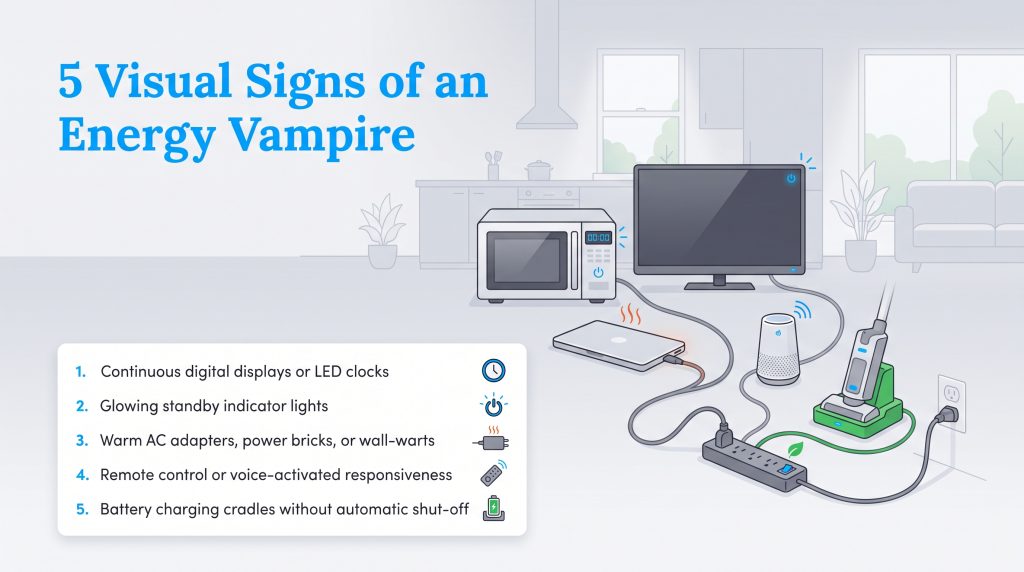
You don’t need an engineering degree to find the appliances that use electricity when off in your household. Most phantom loads leave obvious physical clues if you know where to look. Take a quick evening walkthrough of your rooms with the lights dimmed and keep an eye out for these five dead giveaways:
- Continuous digital displays or LED clocks: Any appliance shining the time or temperature across your kitchen or bedroom — like microwaves, ovens, and programmable coffee makers — is pulling a constant electrical current.
- Glowing standby indicator lights: Look for tiny red, blue, green, or amber LEDs on televisions, computer monitors, soundbars, and power strips. That small light means the internal power supply is awake and active.
- Warm AC adapters, power bricks, or “wall-warts”: Touch the bulky plug boxes connected to your laptops, routers, and cord organizers. Physical warmth indicates active transformer current conversion and wasted energy escaping as heat.
- Remote control or voice-activated responsiveness: If a device wakes up without you physically flipping a mechanical switch — including smart speakers, TVs, garage door openers, and remote-operated ceiling fans — its internal sensors are drawing power 24/7.
- Battery charging cradles without automatic shut-off: Docking stations for cordless stick vacuums, power tool batteries, and electric toothbrushes often draw continuous trickle power even after the battery hits 100%.
The Real Cost of Vampire Power on Your Monthly Bill
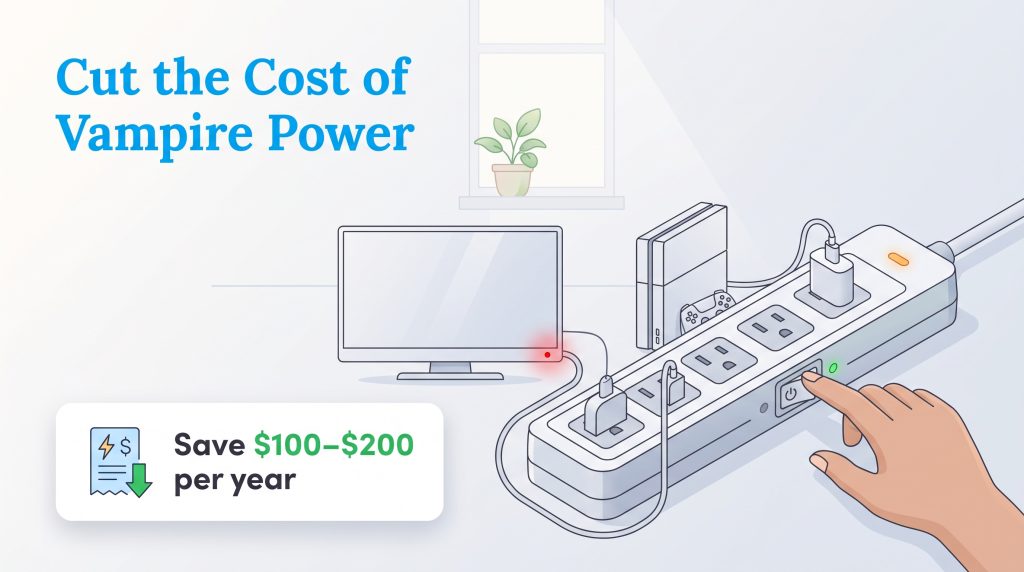
It is easy to dismiss a glowing red TV light or a digital microwave clock as insignificant, but the cumulative financial effect of these small drains adds up quickly. According to data from the U.S. Department of Energy, standby power accounts for 5% to 10% of residential electricity use, costing the average U.S. household $100 to $200 annually.
💸 Money-Saver: By auditing your home and eliminating unnecessary phantom loads, you can keep an estimated $100 to $200 per year from quietly draining out of your bank account.
To understand your electric bill and see how these small trickles of power impact your wallet, you can calculate the exact annual cost of any idle device using this formula:
(Watts × 24 Hours × 365 Days) ÷ 1,000 × Local kWh Rate = Annual Standby Cost
Let’s put that math into action. Say you have a television drawing five watts in standby mode. Running at five watts for 24 hours a day over 365 days equals 43,800 watt-hours, or 43.8 kilowatt-hours (kWh) per year. Using the U.S. national average residential electricity rate of 16.5 cents ($0.165) per kWh, that single idle television costs you $7.23 annually just to sit quietly in your living room. Multiply that by the 20 to 40 different smart appliances, chargers, gaming systems, and media devices scattered around your house, and those pennies quickly snowball into a serious utility bill burden.
Moving into a new house or apartment gives you a prime opportunity to set up your electronics efficiently from day one. By addressing these ghost loads early, you permanently lower your home’s baseload energy consumption. Cutting out this invisible waste lowers your monthly overhead and trims your carbon footprint, making it an environmentally mindful choice that pays dividends year after year.
Room-by-Room Guide to the Worst Electricity Vampires
Because electricity is invisible, pinpointing which vampire appliances are the worst offenders in your home takes a quick physical audit. You will usually find these energy drains clustered in specific zones where we rely heavily on modern conveniences. To help you spot them, we’ve broken down the top culprits by room, along with their estimated standby wattage, annual cost (based on the national average rate of 16.5 cents per kWh), and the best way to handle them.
| Device / Appliance | Standby Wattage | Estimated Annual Cost ($) | Recommended Action |
|---|---|---|---|
| Cable Boxes and DVRs | 15W – 30W | $21.68 – $43.36 | Switch to Cloud DVR or Schedule Smart Plug |
| Gaming Consoles | 10W – 15W | $14.45 – $21.68 | Disable “Instant-On” Mode |
| Subwoofers / Audio Receivers | 5W – 12W | $7.23 – $17.34 | Plug into Tier 1 Smart Strip |
| Desktop Computers | 3W – 10W | $4.34 – $14.45 | Full Shutdown & Use Tier 1 Smart Strip |
| Level 2 EV Chargers | 3W – 7W | $4.34 – $10.12 | Leave Connected (Required for Scheduling) |
| Smart Washers & Dryers | 2W – 5W | $2.89 – $7.23 | Disable Remote Start / Wi-Fi Mode |
| Televisions | 2W – 5W | $2.89 – $7.23 | Use as Control Device on Smart Strip |
| Smart Speakers | 2W – 4W | $2.89 – $5.78 | Leave Plugged In (Low Priority) |
| Coffee Makers (w/ clock) | 1W – 3W | $1.45 – $4.34 | Automate with Wi-Fi Smart Plug |
| Phone Chargers | 0.1W – 0.5W | $0.14 – $0.72 | Unplug After Use |
Living Room & Entertainment Center
Your living room is almost certainly the epicenter of vampire energy. Entertainment centers house multiple high-drain electronics that rarely get disconnected. Cable boxes and DVRs top the list, pulling up to 30 watts continuously to spin internal hard drives and communicate with your provider. Gaming consoles are another massive drain because they default to “instant-on” modes to download background game patches while you sleep. Add in modern LED TVs, soundbars, and powered subwoofers keeping their amplifiers primed for audio input, and your media console can easily draw 50 watts or more while completely idle.
Home Office
With remote work now a staple for millions of households, the home office is a major hotspot for standby power consumption. Desktop computers left in sleep mode keep their internal RAM powered for instant wake-ups. Pair that with dual monitors, speakers, and idle printers, and your desk setup likely pulls double-digit wattage around the clock.
When auditing your office for phantom loads, look closely at the physical design of your power cords:
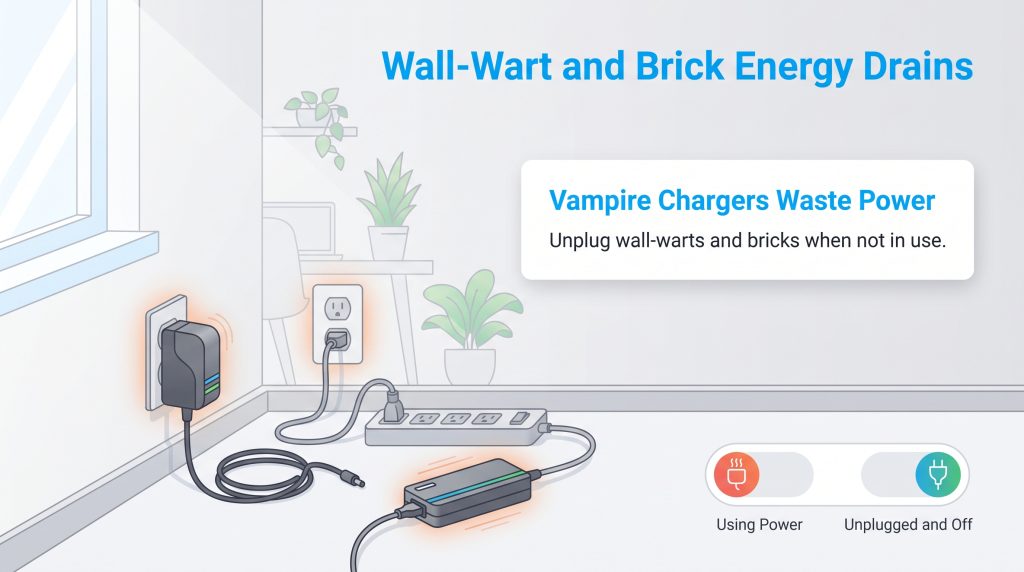
- Wall-warts: These are the bulky, rectangular plug boxes that hog space on your surge protector (commonly attached to internet routers, desk lamps, or external hard drives).
- Power bricks: These operate on the same principle but feature a heavy rectangular box positioned in the middle of the cord, like a standard laptop or monitor charger.
- The heat warning: These adapters are miniature electrical transformers. If a power brick or wall-wart feels warm to the touch when it isn’t charging anything, that heat is direct proof of wasted electricity escaping into your room.
Kitchen
While major appliances like refrigerators must run constantly for food safety, your countertops are packed with smaller gadgets pulling unnecessary phantom energy. Microwaves, toaster ovens, and programmable coffee makers require continuous power just to keep their digital clocks illuminated and internal brewing timers accurate. Combining a microwave display with a smart air fryer, an electric kettle base, and an espresso machine left on standby adds sneaky bloat to your kitchen’s energy profile.
Bedroom & Bath
Bedrooms and bathrooms feature smaller electronics that are frequently overlooked. Phone and tablet chargers left plugged in next to your nightstand pull a tiny trickle of current even when disconnected from your device. In the bathroom, electric toothbrush bases and razor chargers draw continuous power once their internal batteries are topped off. You’ll also find standby waste in heated towel racks, digital bidets, air purifiers, and remote-operated space heaters.
Garage, Utility Room & Smart Home Tech
As homes become more connected, the garage and utility room have emerged as surprising hubs for phantom loads. If you drive an electric vehicle, your hardwired or plug-in Level 2 EV charger draws between three and seven watts continuously just to keep its Wi-Fi radio, safety relays, and status LEDs active when disconnected from your car. In the laundry room, modern Wi-Fi-enabled washers and dryers consume two to five watts around the clock while maintaining an active connection to send smartphone app notifications.
Workbenches and utility closets are another prime target. Cordless power tool battery docks and stick-vacuum charging stations left plugged in 24/7 continue drawing power long after their lithium-ion batteries reach full capacity. Even the hardware managing your home — like smart thermostats, doorbell transformers, and wireless security camera hubs — requires a steady trickle of electricity to stay online and protect your property.
How To Measure and Prioritize Your Home’s Standby Power
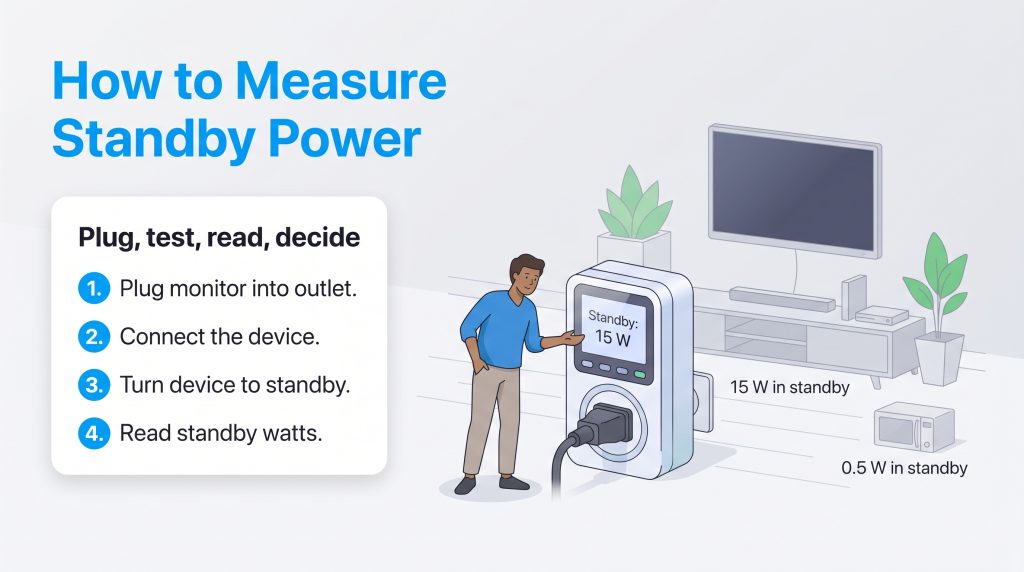
If you want to move beyond rough estimates and find the exact standby losses in your house, you can easily measure your electric usage yourself. The most effective tool for the job is a plug-in electricity monitor, which displays the exact wattage drawn by an appliance in real time.
Follow these four steps to test your electronics:
- Plug the monitor into the wall. Connect a dedicated hardware tool like a Kill A Watt meter — or an energy-monitoring smart plug from brands like TP-Link Kasa or Emporia — directly into a standard wall outlet.
- Connect your device. Plug your suspected energy vampire, such as your television, subwoofer, or desktop computer, into the front receptacle of the monitor.
- Test the standby mode. Turn the appliance off or place it into its normal standby state. Wait two to three minutes for the internal circuitry to settle into its true idle state.
- Read the results. Check the digital screen on the Kill A Watt meter or open your smart plug’s companion app to see how many watts the device pulls while idle.
Once you have your data, the key to avoiding sustainability burnout is balancing financial savings with daily convenience. Pulling the plug on your microwave and resetting the clock every morning isn’t worth saving $2 a year. Instead, group your findings into this three-tier priority system:
- Tier 1: High Priority / High Savings (10W+ or rarely used): Target heavy hitters and forgotten electronics first. Disable instant-on modes on gaming consoles, ditch legacy cable boxes, and permanently unplug the spare TV and DVD player sitting in an empty guest room.
- Tier 2: Medium Priority / Automate (3W – 10W): Don’t crawl behind heavy furniture every night to unplug your entertainment center or home office. Put computer monitors, speakers, subwoofers, and espresso machines on smart power strips or scheduled Wi-Fi plugs so they power down automatically.
- Tier 3: Low Priority / Ignore (Under 2W): Give yourself permission to ignore low-wattage items that provide daily convenience. Leave microwave clocks, stove displays, and bedside phone chargers alone unless you are leaving home for an extended vacation.
Proven Ways To Stop Electricity Vampires
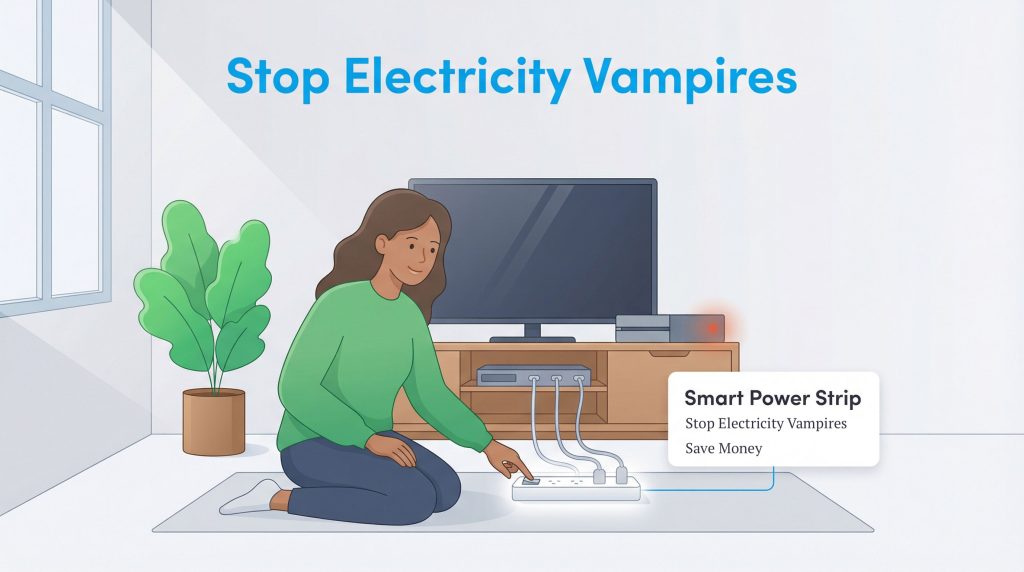
Learning how to stop energy vampires doesn’t mean living in the dark or giving up modern comforts. Once you know where your phantom loads are hiding, use these five practical strategies to cut standby waste and keep your utility bills low:
- Install advanced power strips (APS). Place an advanced power strip behind your media console or desk to group your electronics. A smart power strip will automatically cut power to peripheral devices (like monitors and soundbars) when the primary control unit turns off.
- Automate with Wi-Fi smart plugs. One of the best smart plug uses for energy saving is setting automated schedules on your phone so outlets physically shut off at midnight, taking human error out of your energy-saving routine.
- Disable “Instant-On” features. Open the settings menu on your television, gaming consoles, and smart laundry appliances. Switching from quick-start or remote-wake modes to standard energy-saving modes drastically cuts background power draw without unplugging a single cord.
- Unplug fully charged battery docks. Once your cordless vacuum, power tool batteries, or laptops hit 100%, flip the switch on their power strip or pull the plug. Leaving them docked wastes power through the warm transformer brick and can degrade battery health over time.
- Upgrade to ENERGY STAR® appliances. When replacing older electronics or outfitting a new home, look for the blue ENERGY STAR label. Certified televisions, audio gear, and appliances are specifically engineered to draw as little as 0.5 watts in standby mode.
When shopping for hardware to fight phantom loads, it helps to know the difference between your options. Standard surge protectors simply multiply your outlets, whereas smart power management tools actively cut the current. Here is how to deploy them:
- Tier 1 Advanced Power Strips (APS): These feature a primary “control” outlet alongside several “switched” outlets. When you turn off the device plugged into the control outlet, the strip cuts power to the switched outlets. Use-case rule: Use a Tier 1 APS for your TV and audio accessories, or your desktop PC and its monitors.
- Tier 2 Advanced Power Strips (APS): These include built-in motion or infrared (IR) sensors. If they detect no movement or remote control signals in a room for a set period, they shut down all connected devices. Use-case rule: Use a Tier 2 APS in family rooms or playrooms where TVs and consoles are frequently left running in empty rooms.
- Wi-Fi Smart Plugs: These compact single-outlet adapters connect to your home Wi-Fi, letting you toggle power from your smartphone or set daily timers. Use-case rule: Use smart plugs for coffee makers, window AC units, and garage tool chargers that follow a predictable schedule.
💡 Pro Tip: Investing in Energy Star-certified smart power strips or a high-quality Smart Power Strip is an excellent way to embrace sustainable living without having to constantly crawl behind heavy furniture to pull plugs. If you’re looking for more comprehensive ways to cut your monthly overhead, be sure to check out our complete guide on how to save on your electric bill.
Devices You Should Never Unplug
While cutting standby power is a smart financial habit, getting overzealous can actually backfire. Certain household electronics perform critical maintenance routines while idle or protect your home infrastructure. Unplugging the wrong equipment can cause expensive hardware damage or service disruptions that cost far more than a few dollars in electricity.
Keep these essential devices plugged into continuous, unswitched power at all times:
- Wi-Fi Routers and Modems: Turning off your internet equipment every night disrupts overnight ISP firmware updates and disconnects smart home security cameras and leak detectors. Worse, frequent daily power-cycling can trick your provider’s Dynamic Line Management (DLM) system into thinking your connection is unstable, causing it to automatically throttle your internet speeds.
- OLED Televisions: Never cut wall power to an OLED TV via a smart strip immediately after turning it off. OLED panels run mandatory automatic pixel-refresh cycles in standby mode after you finish watching to prevent permanent screen burn-in.
- Inkjet Printers: Leaving an inkjet printer in sleep mode only costs a couple of dollars a year, and it keeps the printheads properly parked and sealed. Cutting wall power completely triggers a heavy ink-flushing maintenance cycle every time you reboot the machine, wasting expensive printer ink that costs far more than the pennies saved in electricity.
- Sump Pumps, Radon Systems, and Refrigerators/Freezers: Never put critical home safety hardware or cold food storage on switched outlets or smart plugs that could accidentally trip offline. The risk of a flooded basement, hazardous indoor air quality, or hundreds of dollars in spoiled groceries makes tampering with these circuits a major hazard.
Slaying Your Home’s Phantom Load for Good
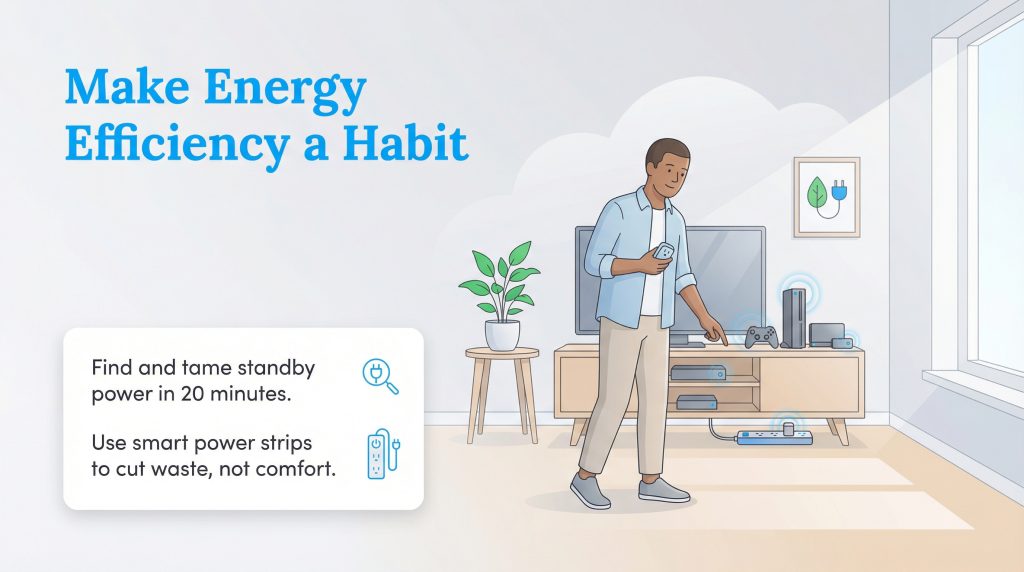
Eliminating vampire power isn’t about sitting in the dark or turning your daily routine into a chore. Spending just 20 minutes this weekend auditing your wall-warts, disabling instant-on settings, and installing a couple of smart power strips can easily trim $100 to $200 off your annual utility costs. It is one of the fastest, lowest-effort ways to lock in a lower baseload energy profile for the life of your lease or mortgage.
Whether you’re a renter trying to lower your monthly bills or a new homeowner setting up utilities from scratch, smart habits make all the difference. Ready to optimize the rest of your home’s energy footprint? Explore our main electricity setup guide and learn the ins and outs of choosing an electric provider to find the best residential energy rates in your area.
Frequently Asked Questions About Electricity Vampires
What is the difference between vampire power and phantom load?
How much does standby power cost per year?
Does turning off a regular power strip stop vampire power?
Do EV chargers use electricity when not plugged into a car?
Does unplugging appliances every day damage the outlets?
Do phone chargers use electricity when not connected to a phone?
Are smart plugs considered electricity vampires?
Should I unplug my microwave when not in use?
Do modern LED TVs use power when turned off?
About the Author

David has been an integral part of some of the biggest utility sites on the internet, including InMyArea.com, HighSpeedInternet.com, BroadbandNow.com, and U.S. News. He brings over 15 years of experience writing about, compiling and analyzing utility data.

Jared Evans is a licensed electrician and the owner of Full Circuit Electric in Omaha, Nebraska. As an expert reviewer for UtilitiesForMyHome.com, Jared uses his 10+ years of hands-on experience to ensure our electrical advice is safe, accurate, and easy to follow. Whether he's troubleshooting a complex wiring issue or sharing tips on green energy upgrades, Jared is dedicated to helping you power your home efficiently — and safely.

LaLeesha has a Masters degree in English and enjoys writing whenever she has the chance. She is passionate about gardening, reducing her carbon footprint, and protecting the environment. She also recently served as President of the Board for City Sprouts (a community garden).