


Upgrading to the right smart lighting can slash your energy consumption while adding effortless home convenience.
Key Takeaways
- Switching from incandescent to LED smart bulbs can cut lighting energy use by around 75% or more, depending on the specific bulbs you replace.
- Selecting the best smart light bulbs without a hub simplifies your setup as a beginner and significantly lowers upfront costs.
- While smart lights draw a tiny amount of vampire power when off, customized automation schedules easily offset this minor cost to save you money.
Upgrading your home’s lighting setup is one of the most effective and affordable ways to directly reduce your monthly utility bills, but finding the absolute best smart light bulbs requires looking past flashy packaging. As a mindful consumer, you need fixtures that optimize daily energy usage rather than serving as expensive novelties that ultimately slow down your home network. In this comprehensive guide, we map out the top energy-efficient smart lighting options of 2026, comparing essential features like hub-free connectivity, automated scheduling capabilities, and real-world utility savings. Whether you are searching for the best color changing smart bulbs to enhance your living room’s ambiance or searching for matter compatible smart bulbs to future-proof your connected home, you will learn exactly how to choose lighting that actively lowers your household’s overall carbon footprint. We transformed our rigorous testing data into an actionable roadmap so you can confidently build a smart home lighting setup that works flawlessly from day one.
Quick Comparison: Top Smart Light Bulbs At A Glance
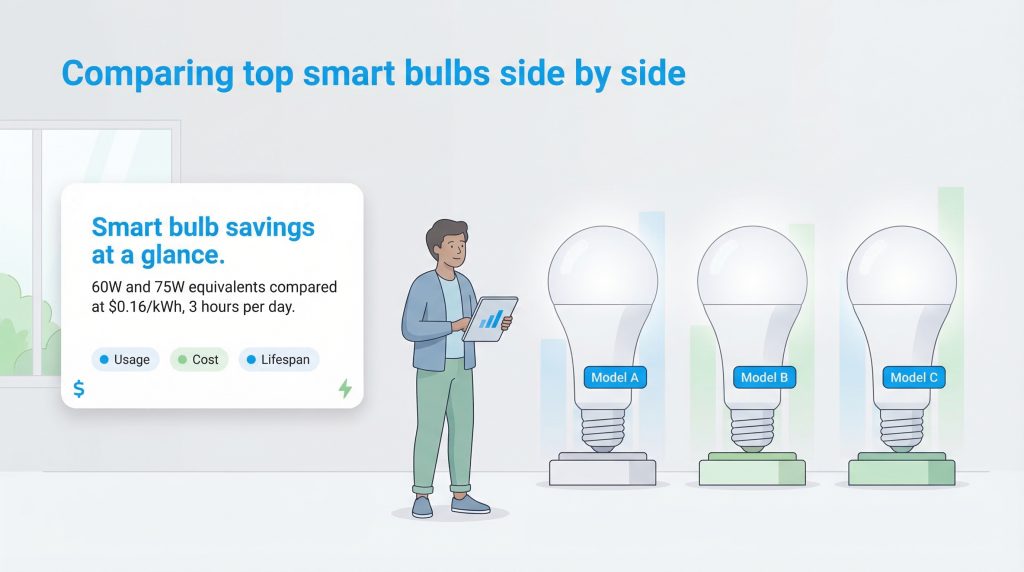
Understanding raw technical specifications can feel overwhelming when you just want to know exactly how a bulb fits into your current ecosystem and impacts your monthly expenses. We designed this quick comparison to help you accurately gauge core features at a single glance. This side-by-side breakdown makes it incredibly easy to spot which options require a dedicated hub, which models support modern Matter standards, and which Wi-Fi light bulbs best protect your budget.
| Product Name | Price | Hub Required (Yes/No) | Compatibility | Brightness (Max Lumens) |
|---|---|---|---|---|
| Philips Hue White and Color Ambiance | $134.99 | Yes | Alexa, Google, HomeKit, Matter | 800 |
| Wyze Bulb Color | $63.94 | No | Alexa, Google | 1,100 |
| Nanoleaf Essentials Matter | $37.49 | No (Needs Border Router) | Alexa, Google, HomeKit, Matter | 806 |
| Sengled Smart Wi-Fi LED | $25.99 | No | Alexa, Google | 800 |
| TP-Link Tapo Smart Wi-Fi | $35.99 | No | Alexa, Google, HomeKit, Matter | 800 |
How We Tested The Best Smart Light Bulbs
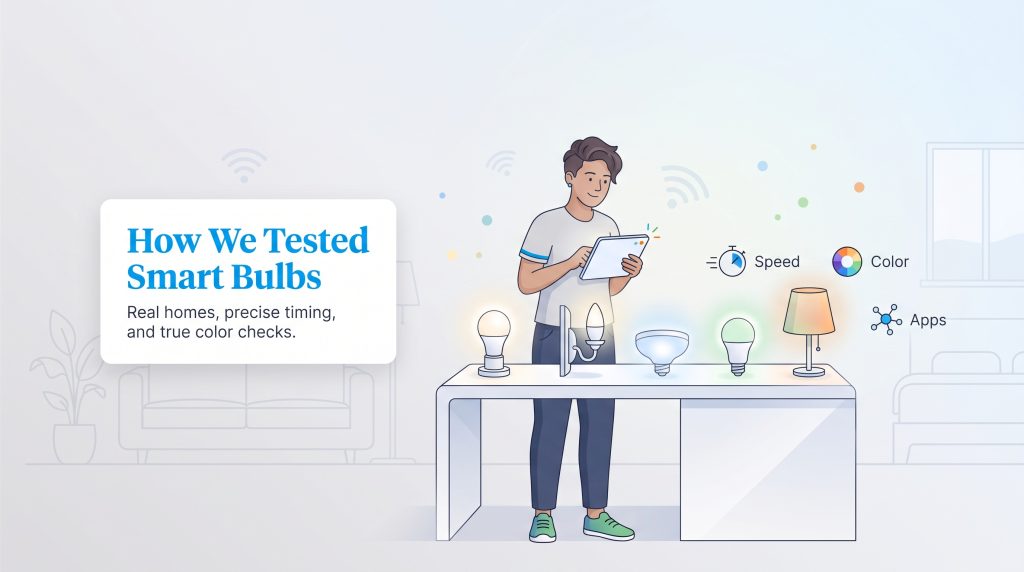
To ensure we recommend only the absolute most reliable and environmentally mindful choices, our team spent over 60 hours evaluating 15 different models across various residential environments. We did not just look at manufacturer claims — we screwed these bulbs into real living room lamps, bedroom ceiling fixtures, and hallway sconces to see how they perform in daily life.
During our hands-on evaluation, we measured the initial setup time required to connect each bulb to a standard 2.4 GHz wireless network. We strictly tested color changing smart bulbs for color accuracy and vibrancy, shifting them from warm 2700K evening tones to stark, daylight blues. Most importantly, we assessed app responsiveness by timing the delay between issuing a voice command and the actual physical light response. We also verified third-party integrations to confirm that matter compatible smart bulbs truly worked seamlessly across Apple, Google, and Amazon ecosystems without requiring complicated workarounds.
Top Smart Light Bulb Reviews
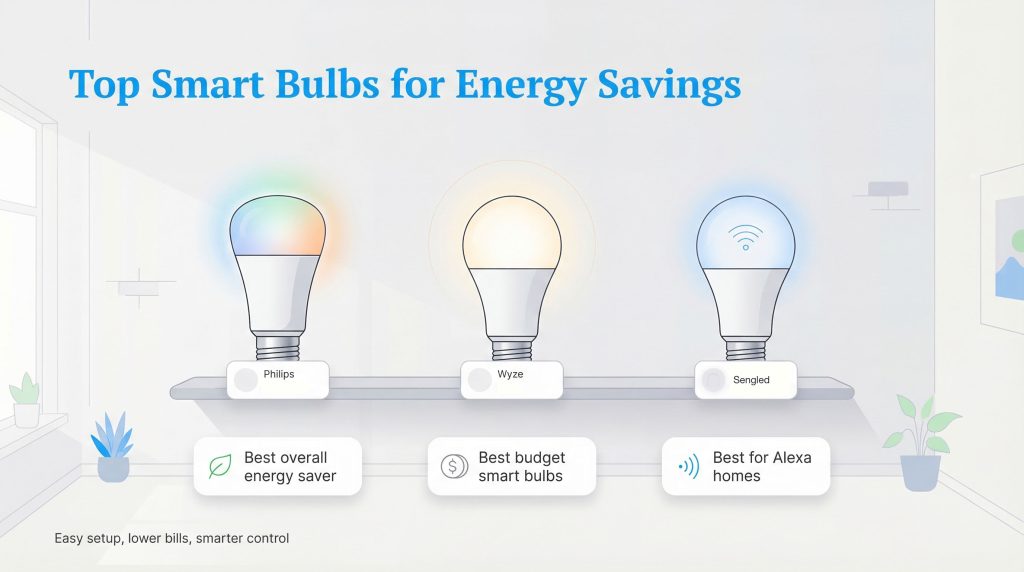
Swapping out your old, heat-wasting incandescents for modern technology remains one of the fastest ways to cut household electricity waste. Our rigorous review evaluates each contender based on baseline energy efficiency, connectivity protocols, and overall lifetime value. Here is our detailed breakdown of the market’s top performers.
1. Best Overall: Philips Hue White And Color Ambiance
- Connectivity: Zigbee (via Hue Bridge)
- Max Lumens: 800
- Hub Required: Yes
- Pros: Unmatched color accuracy, instantaneous app response, excellent energy efficiency
- Cons: Requires an upfront investment in the Hue Bridge, higher price per bulb
When it comes to the ultimate energy-saving option, the Philips Hue White and Color Ambiance line consistently dominates the competition. These premium bulbs draw merely around 9.5 watts while delivering the equivalent brightness of a traditional 60-watt incandescent. The color accuracy on these bulbs is frankly stunning — the vibrant purples and deep greens do not wash out like they do on cheaper models. During our testing, the app responsiveness was nearly instantaneous. Because the Philips ecosystem relies on the highly efficient Zigbee protocol rather than basic Wi-Fi, commands bypass your router’s crowded traffic entirely.
Beyond the impressive 25,000-hour lifespan, we absolutely love the highly precise dimmable ranges built into the Philips Hue app. Dimming your lights to 50% brightness cuts their active energy draw nearly in half, meaning you will save even more money during cozy movie nights at home. The installation process takes less than five minutes, and while they do require a dedicated hub, the resulting long-term reliability is unmatched in the industry.
2. Best Budget Option: Wyze Bulb Color
- Connectivity: Wi-Fi (2.4 GHz)
- Max Lumens: 1,100
- Hub Required: No
- Pros: Exceptionally bright output, budget-friendly price point, solid automation features
- Cons: Lacks Apple HomeKit support natively, colors are slightly less vivid at lower dim settings
Affordable pricing does not mean you have to sacrifice energy efficiency or smart scheduling. If you are actively searching for the best budget smart light bulbs to upgrade a dark space, the Wyze Bulb Color offers an unbeatable combination of vivid brightness and low operational power consumption. Drawing roughly 12 watts to produce an impressive 1,100 lumens, these bulbs easily outshine competitors that typically max out at 800 lumens. That extra brightness means you can illuminate a large basement or open-concept kitchen with fewer overall fixtures.
Because they act as standard Wi-Fi light bulbs, they bypass the need for a separate hub bridge. Installation requires just screwing in the bulb and entering your network password into the intuitive Wyze app. We found the companion app incredibly responsive for scheduling daily routines, letting you automatically turn off the lights when you leave for work. This simple automation guarantees you never waste electricity lighting an empty room again.
3. Best For Apple HomeKit And Matter: Nanoleaf Essentials
- Connectivity: Thread / Matter
- Max Lumens: 806
- Hub Required: No (but requires a Matter Border Router)
- Pros: Future-proof Matter compatibility, excellent white temperature shifts, striking geometric design
- Cons: Remote out-of-home control requires a compatible Apple TV or HomePod Mini
If you are firmly planted in the iOS ecosystem, finding high-quality Apple HomeKit smart bulbs that do not cost a fortune can be a frustrating challenge. The Nanoleaf Essentials line solves this problem brilliantly while pioneering the next generation of smart home connectivity. Because these are native matter compatible smart bulbs built on the Thread protocol, they represent the ultimate future-proof investment. Thread creates a fast, self-healing mesh network that uses a fraction of the standby energy required by traditional wireless setups.
The Nanoleaf bulbs output 806 lumens and feature a unique geometric design that looks incredible in modern, exposed lamps. In our testing, the integration with Apple’s adaptive lighting features was flawless. The bulbs automatically shift their color temperature throughout the day — offering cool whites during working hours and warmer tones in the evening — promoting better sleep hygiene while keeping your electricity usage strictly optimized.
4. Best Philips Hue Alternative: Sengled Smart Wi-Fi LED
- Connectivity: Wi-Fi (2.4 GHz)
- Max Lumens: 800
- Hub Required: No
- Pros: Deep color saturation, immediate voice assistant syncing, excellent value
- Cons: App interface feels slightly dated compared to the competition
Building a fully connected home means your devices need to communicate flawlessly, especially when deploying complex lighting scenes. For those searching for reliable, vibrant options that mimic high-end models, the Sengled Smart Wi-Fi LED stands out as the premier Philips Hue alternative. Sengled is widely celebrated for producing some of the best smart light bulbs for Alexa environments. With an output of 800 lumens and a minimal active energy draw, they deliver excellent mood lighting without inflating your monthly utility bill.
Our reviewers found the initial setup process takes mere seconds, instantly syncing with Amazon Alexa over a standard 2.4 GHz network without requiring you to manually link accounts. Setting up automated routines via your smart speaker helps prevent leaving lights on accidentally. You simply speak a quick command on your way out the door, and the entire house immediately powers down its lighting grid.
5. Best Smart Lights No Hub Required: TP-Link Tapo Smart Wi-Fi
- Connectivity: Wi-Fi (2.4 GHz)
- Max Lumens: 800
- Hub Required: No
- Pros: Built-in energy tracking dashboard, straightforward setup, excellent dimming range
- Cons: Colors are slightly less vibrant than premium competitors
For users who want robust connectivity without the hassle of configuring a standalone bridge, the TP-Link Tapo Smart Wi-Fi ranks as our top choice for the best smart lights no hub required. Offering 800 lumens of bright, tunable white and color light, this bulb hooks directly into your router through the Tapo app. It is a fantastic entry point if you want to experiment with energy efficient smart bulbs in just one or two lamps before committing to outfitting your entire house.
What truly sets the Tapo apart during our testing was its built-in energy tracking dashboard. Being able to actively monitor exactly how many kilowatt-hours your living room lamp consumes directly from your smartphone empowers you to make smarter adjustments. Furthermore, these are excellent smart LED bulbs for Google Home users who prefer natural voice commands over opening an app.
Buying Guide: How To Choose The Right Smart Lighting Setup
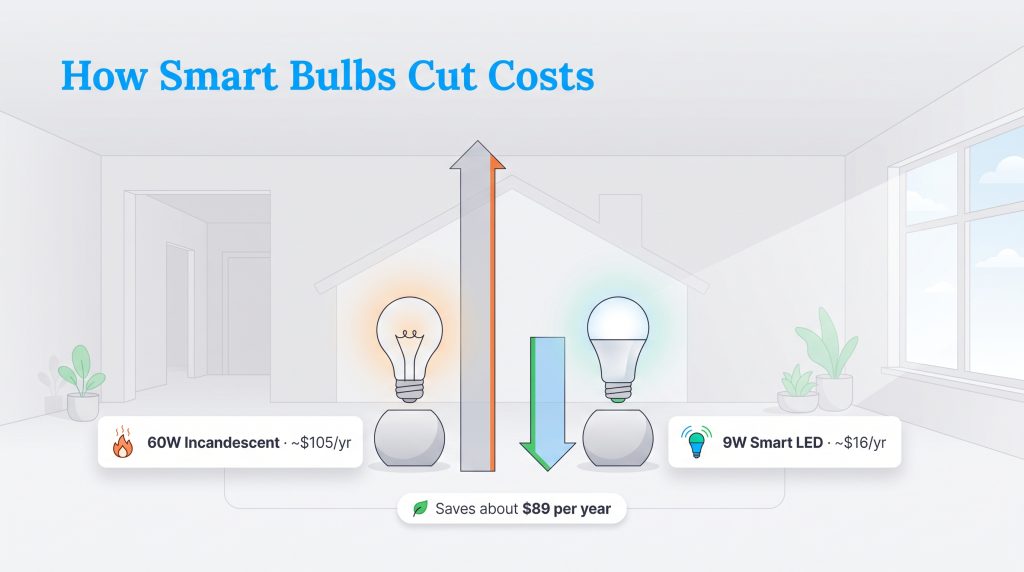
To truly understand why an environmentally mindful choice matters for your wallet, we can look at a straightforward baseline calculation. Traditional incandescent bulbs waste nearly 90% of their electricity as lost heat. If you replace 10 traditional 60-watt incandescent bulbs with modern nine-watt smart LEDs in your primary living spaces, running them for three hours a day, your annual consumption drops from 657 kilowatt-hours down to just 98 kWh. At a standard rate of $0.16 per kWh, that simple swap effortlessly saves about $89 per year on electricity alone. Over a standard 10-year lifespan, that keeps nearly $900 in your pocket.
Before you toss the first automated bulb you see into your cart, it helps to deeply understand what makes a specific model the right fit for your living space. Picking a bulb on sale might seem smart initially, but making the wrong connectivity choice ultimately leads to a frustrating smart home lighting setup.
Hub Vs Hub-Free (Wi-Fi) Light Bulbs
The smart lighting market currently relies on a few different wireless methods to communicate. Wi-Fi light bulbs (hub-free) connect directly to your existing wireless router just like your smartphone. They are incredibly straightforward to set up and have lower upfront costs, making them perfect for beginners. However, because they operate on a 2.4 GHz bandwidth, adding dozens of them can quickly crowd your router’s traffic and cause frustrating internet lag.
Alternatively, systems that use Zigbee or Thread protocols create a separate, low-power mesh network specifically for your smart home devices. Instead of every bulb talking directly to your router, they talk to each other and route their communication through a dedicated physical hub. While this requires a slightly higher upfront cost, it drastically reduces standby energy use and keeps your main internet traffic totally clear for streaming and gaming.
Ecosystem Compatibility (Alexa, Google, Matter)
Verifying that your new bulbs align with the voice assistant you already use is essential for a frustration-free experience. If you buy a product that doesn’t natively integrate with your setup, you will be forced to juggle multiple clunky apps.
- Amazon Alexa: Look for the “Works with Alexa” badge. Alexa supports the widest variety of third-party bulbs and offers excellent routine-building tools in its app.
- Google Assistant: Search for “Works with Google Home.” Google excels at natural language processing, letting you control your lights conversationally.
- Apple HomeKit: Apple’s ecosystem is stricter about security, meaning fewer native options exist. Always verify HomeKit compatibility before checking out.
To eliminate compatibility headaches entirely, look for Matter. Matter is the new universal interoperability standard built to unify the fragmented smart home industry. If you buy matter compatible smart bulbs, you are guaranteed that they will work flawlessly across Apple, Google, and Amazon platforms. Investing in this standard prevents your expensive hardware from becoming obsolete if you ever decide to switch phone brands or voice assistants.
Lumens, Color Temperature, And Brightness Explained
When shopping for standard incandescent bulbs, you likely looked exclusively at wattage to determine brightness. However, because LEDs use so little power, you must look at lumens to understand their actual light output. A standard 60-watt equivalent LED outputs around 800 lumens, which perfectly suits a bedroom or hallway lamp. For larger spaces like a kitchen or garage, you should aim for bulbs offering 1,100 to 1,600 lumens to ensure adequate visibility.
Color temperature is equally important and is measured in Kelvin (K). The best dimmable smart bulbs feature adjustable white temperatures. Being able to shift from a warm, cozy 2700K in the evening to a crisp, daylight-mimicking 5000K during your work-from-home hours makes a massive difference in your daily comfort and focus. Prioritize models advertising “tunable white” capabilities.
Upgrading Your Smart Home Lighting Setup
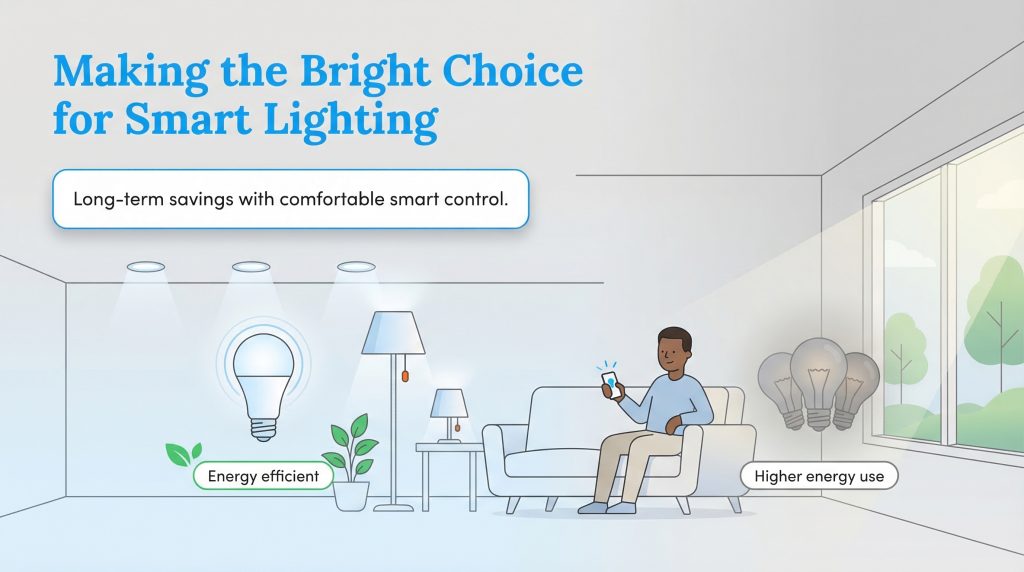
Transitioning your household to intelligent, automated lighting is a practical step toward a greener home and a lighter monthly utility bill. While the initial checkout price for a highly-rated smart bulb is undeniably higher than a basic hardware store multi-pack, the meaningful long-term energy savings absolutely speak for themselves. You gain the modern luxury of seamless voice commands and vibrant color-changing scenes while actively reducing unnecessary strain on your local power grid.
To successfully transition your house without overwhelming your budget, we recommend following a simple three-step checklist to get your smart home lighting setup running flawlessly:
- Target High-Traffic Fixtures First: Do not throw away perfectly good LED bulbs just to upgrade everything at once. Swap out the power-hungry incandescent bulbs in your living room, kitchen, and exterior porch lights first, as these areas yield the highest utility savings.
- Install and Map the App: Screw in your new bulbs and download the corresponding smartphone app. Group your bulbs by room (e.g., “Living Room Lamps”) to make voice commands much simpler.
- Set Up Your First Automation: Prevent wasted electricity by programming a routine that automatically turns the lights off when you leave for work, or a sunset routine that gradually turns your porch lights on at dusk.
Making an environmentally mindful choice does not ever mean sacrificing residential comfort. As consumer technology rapidly evolves — particularly with universal Matter standard integration — outfitting your living spaces alongside the best smart light switches and dimmers will only get easier and more beneficial for your budget.
Frequently Asked Questions About Smart Light Bulbs
Do smart light bulbs work in regular fixtures?
Do I need a hub to use smart LED bulbs?
Do smart light bulbs use electricity when turned off?
What are the best dimmable smart bulbs for a bedroom?
Can Wi-Fi light bulbs slow down my home internet?
What happens to my smart bulbs if the Wi-Fi goes out?
Which smart bulbs use the least amount of electricity?
About the Author

David has been an integral part of some of the biggest utility sites on the internet, including InMyArea.com, HighSpeedInternet.com, BroadbandNow.com, and U.S. News. He brings over 15 years of experience writing about, compiling and analyzing utility data.

Jared Evans is a licensed electrician and the owner of Full Circuit Electric in Omaha, Nebraska. As an expert reviewer for UtilitiesForMyHome.com, Jared uses his 10+ years of hands-on experience to ensure our electrical advice is safe, accurate, and easy to follow. Whether he's troubleshooting a complex wiring issue or sharing tips on green energy upgrades, Jared is dedicated to helping you power your home efficiently — and safely.

LaLeesha has a Masters degree in English and enjoys writing whenever she has the chance. She is passionate about gardening, reducing her carbon footprint, and protecting the environment. She also recently served as President of the Board for City Sprouts (a community garden).