


Automate Your Electronics and Cut Your Electric Bill With These Top-Rated Smart Strips
Key Takeaways
- Smart power strips cut “vampire power” by automatically severing electricity to devices in standby mode, immediately reducing your monthly utility bills.
- Energy monitoring features allow you to pinpoint exactly which household appliances are hogging electricity so you can adjust your usage habits and save money.
- Matter compatibility is the new standard to look for, ensuring your power strip works seamlessly across Apple Home, Amazon Alexa, and Google Home ecosystems.
You work hard to lower your utility costs, but the average U.S. household wastes up to $200 annually on phantom loads from electronics that sit idle but remain plugged in. A smart home power strip is one of the most effective, hands-off solutions to stop vampire power and instantly reduce your monthly electric bill. By connecting to your home’s Wi-Fi network, these advanced extension cords give you the power to monitor, schedule, and sever electricity to hungry devices straight from your smartphone. To help you build a more sustainable and automated household, our team tested and reviewed the best smart power strips of 2026, evaluating them for surge defense, app reliability, and crucial energy-monitoring capabilities.
Top Smart Power Strips at a Glance
Choosing the right eco-conscious alternative for your office or entertainment center requires looking past the basic marketing claims. You need a device that safely manages your electrical load and integrates smoothly with your existing smart home setup. We organized our top tested models into a quick-reference table so you can instantly compare crucial specifications.
| Model Name | Best For | Total Outlets | Smart Ecosystem (HomeKit/Alexa/Google) | Surge Protection (Joules) | Average Cost |
|---|---|---|---|---|---|
| Kasa Smart Wi-Fi Power Strip (KP303) | Best Overall | 6 | Alexa, Google | 1,710 Joules | $24.98 |
| Meross Smart Wi-Fi Surge Protector | Apple HomeKit Users | 4 | HomeKit, Alexa, Google (Matter) | 900 Joules | N/A |
| Eve Energy Strip | Energy Monitoring | 3 | Apple HomeKit Natively | Advanced Internal | $79.95 |
| Kasa Smart Outdoor Power Strip (EP40) | Outdoor Patios | 3 | Alexa, Google | Weatherproof (IP64) | $14.99 |
| Tapo Smart Power Strip | Budget Shoppers | 3 | Alexa, Google, HomeKit | 500 Joules | $39.99 |
Best Smart Power Strips: Our Top Picks
Finding a reliable smart surge protector wifi model can feel overwhelming when scrolling through endless online listings. During our hands-on testing, we evaluated these power strips based on their app usability, individual outlet response times, and overall value for the everyday consumer.
1. Kasa Smart Wi-Fi Power Strip (KP303) – Best Overall Smart Power Strip
Quick Specs:
- Surge Protection: 1,710 Joules
- Cord Length: 3 ft
- App Compatibility: Alexa, Google Assistant, SmartThings
- Number of Outlets: 6
- Number of USB Ports: 3 (USB-A)
Pros:
- Exceptional built-in energy monitoring for every single outlet.
- High 1,710 Joule rating protects expensive home theater equipment.
- Intuitive app interface makes scheduling automated routines effortless.
Cons:
- Larger physical footprint can be difficult to hide behind slim furniture.
- Lacks modern USB-C charging ports.
If you want complete control over your home’s energy consumption, we highly recommend the Kasa Smart Wi-Fi Power Strip (KP303). You simply cannot manage what you do not measure, and this model acts as an elite command center for your appliances. It connects to the Kasa app on your phone to display real-time data on exactly how much power each of its six connected devices is consuming. Seeing this per-outlet data is often a wake-up call for homeowners who didn’t realize their vintage stereo or older television was silently running up their bill.
Beyond the impressive data collection, this individual outlet control smart power strip offers unparalleled usability. You can name each socket (e.g., “Lamp,” “Fan,” “TV”) and command them completely independently. This means you can schedule your fans to turn off when you leave for work while keeping your Wi-Fi router safely powered on. For eco-conscious homes, measuring electric usage with this level of precision turns energy saving from a guessing game into a measurable science. Meanwhile, the robust 1,710 Joules of surge protection ensures your expensive electronics stay safe when severe storms roll through.
2. Meross Smart Wi-Fi Surge Protector – Best Smart Power Strip for Apple HomeKit
Quick Specs:
- Surge Protection: 900 Joules
- Cord Length: 6 ft
- App Compatibility: Matter (Apple HomeKit, Alexa, Google)
- Number of Outlets: 4
- Number of USB Ports: 4 (USB-A)
Pros:
- Universal Matter support bridges the gap between different household phone types.
- Operates locally over Wi-Fi for ultra-fast response times.
- Compact design fits cleanly onto a desk or under a nightstand.
Cons:
- Lack of USB-C ports means you still need adapters for newer devices.
- Does not feature per-outlet energy consumption tracking.
The smart home landscape is shifting rapidly toward a unified standard called Matter, which ensures all your devices communicate seamlessly regardless of the brand. If you are hunting for the best smart power strip for Apple HomeKit that won’t lock out your Android-using family members, the Meross Smart Wi-Fi Surge Protector is the ultimate solution. This compatibility allows you to control your living room lights through Siri, Alexa, or Google Assistant simultaneously without any frustrating third-party workarounds.
By choosing this environmentally mindful choice, you guarantee your hardware remains relevant for years. It connects locally over your Wi-Fi network, resulting in incredibly fast response times compared to older cloud-reliant models. If you ever plan to install a solar or renewable energy system, having a unified smart home setup makes managing your electrical load much simpler. While the lack of USB-C ports is a slight drawback for heavy tech users, its rock-solid Apple Home integration makes it a favorite among iPhone users.
3. Eve Energy Strip – Best Smart Power Strip Energy Monitoring
Quick Specs:
- Surge Protection: Advanced Internal Protection
- Cord Length: 6.3 ft
- App Compatibility: Apple HomeKit Natively
- Number of Outlets: 3
- Number of USB Ports: None
Pros:
- Stunning aluminum frame provides exceptional durability and aesthetics.
- Flawless, native Apple HomeKit integration with detailed energy charting.
- Total data privacy with zero external cloud registration required.
Cons:
- Significantly more expensive than competing models.
- Only provides three total outlets, which may not be enough for larger setups.
For years, Apple users struggled to find smart home gear that functioned securely without demanding account sign-ups or bouncing data off foreign servers. The Eve Energy Strip solves this completely. Built specifically for iOS, this premium device offers a frustration-free setup process that protects your privacy by keeping all operations entirely on your local network.
What truly sets this device apart as the premier smart power strip energy monitoring tool is its sophisticated companion app. The Eve app generates beautiful, comprehensive graphs of your projected energy costs, making it incredibly easy to visualize your savings over weeks and months. Wrapped in a sleek aluminum chassis, it looks just as premium as it performs. Simply say, “Hey Siri, turn off the entertainment center,” and the strip instantly cuts the phantom power draw from your heavy media equipment.
4. Kasa Smart Outdoor Power Strip (EP40) – Best Outdoor Smart Power Strip
Quick Specs:
- Surge Protection: Basic Protection (IP64 Weatherproof)
- Cord Length: 6 inches (piggyback style)
- App Compatibility: Alexa, Google Assistant
- Number of Outlets: 3
- Number of USB Ports: None
Pros:
- IP64 rating protects against rain, dust, and outdoor debris.
- Long Wi-Fi range ensures connection even on distant patios.
- Perfect for automating holiday lights and outdoor water features.
Cons:
- Outlets hang downward, which can make plugging in bulky adapters difficult.
- Does not include deep energy monitoring capabilities.
Extending your smart home outside your four walls requires durable hardware built to withstand the elements. The Kasa Smart Outdoor Power Strip (EP40) easily earns its title as the best outdoor smart power strip on the market. Rated at IP64 for weather resistance, it comfortably handles rainstorms, sprinklers, and blowing dust without missing a beat, making it the perfect companion for your back patio or garden.
During our testing, we loved how easily it automated outdoor routines. Instead of trudging outside in the cold to unplug your decorative holiday lights or shutting off a landscape water pump manually, you can set everything to run on an automated sunset-to-sunrise schedule. Each of the three weatherproof outlets can be controlled individually, giving you ultimate flexibility for your outdoor entertainment spaces while keeping your electricity usage strictly dialed in.
5. Tapo Smart Power Strip – Best Budget Wi-Fi Surge Protector
Quick Specs:
- Surge Protection: 500 Joules
- Cord Length: 4 ft
- App Compatibility: Alexa, Google, Apple Home
- Number of Outlets: 3
- Number of USB Ports: 3 (2 USB-C, 1 USB-A)
Pros:
- Highly affordable entry point into smart home energy management.
- Includes modern, fast-charging USB-C ports to declutter your desk.
- Works natively across major smart assistants.
Cons:
- Lower 500 Joule rating is not recommended for high-end televisions or PCs.
- Lacks the granular energy tracking found in premium Kasa models.
Remote workers often battle desks cluttered with dual monitors, printers, standing desk motors, and task lights. When upgrading your home office on a budget, the Tapo Smart Power Strip is an absolute steal. Standing out as one of the best smart power strips with USB ports, it allows you to charge laptops and smartphones directly from the strip’s integrated USB-C slots. This frees up your standard AC outlets and lets you finally throw away those bulky charging bricks.
Functioning flawlessly as the best wifi power strip google home users can buy on a budget, these strips offer robust “Group” capabilities in the Tapo app. You can bundle your monitors, speakers, and lights into a single “Office” scene. When you log off for the day, one voice command cuts power to the entire group. This automation ensures your peripherals aren’t silently draining standby power overnight, boosting your productivity while protecting your wallet without requiring a massive upfront investment.
Key Features to Look For in a Smart Power Strip
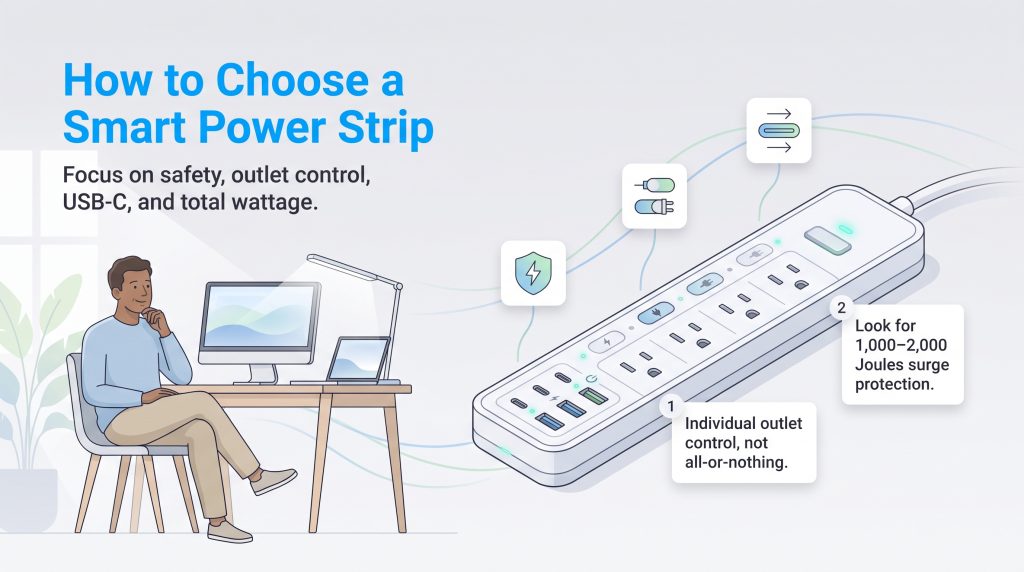
Bringing new smart electrical devices into your home requires careful consideration to ensure they meet your safety needs. So, what exactly makes these devices “smart”? At their core, they bridge the gap between traditional electricity and modern convenience by offering:
- 📱 Remote Access: Control your home’s power from anywhere using a companion app.
- 🗣️ Voice Automation: Integrate smoothly with Alexa, Siri, or Google for hands-free switching.
- ⚡ Surge Defense: Shield delicate electronics from dangerous electrical spikes.
- 📊 Energy Tracking: Expose and eliminate costly phantom power drains hidden in your home.
Before making a purchase, you need to look beyond the basic app compatibility and verify a few essential technical specifications.
Surge Protection and Joule Ratings
Not all smart strips are built to protect your expensive gear. A dedicated surge protector utilizes internal components called Metal Oxide Varistors (MOVs) to absorb dangerous excess energy during sudden power spikes or lightning strikes. This absorption capacity is measured in Joules. The higher the Joule rating, the more energy the strip can safely absorb before it fails.
We recommend a minimum rating of at least 1,000 Joules if you are plugging in standard home office equipment like desktop computers. However, if you are connecting highly expensive 4K televisions or professional audio equipment, you should seek out a rating closer to 2,000 Joules. Keep in mind that surge protectors slowly degrade over time as they absorb small spikes. If your home experiences frequent storms, plan to replace your surge protectors every three to five years.
Individual vs. Group Outlet Control
One of the most critical features to verify is whether a device is a true individual outlet control smart power strip. Budget models sometimes only offer “grouped control,” meaning a single tap in the app turns all connected devices on or off simultaneously. If you have a router that needs to stay on 24/7 plugged next to a lamp you want scheduled for sunset, grouped control will simply not work for you.
Additionally, you must verify how the strip handles its USB ports. Many manufacturers allow you to control the AC outlets individually but lump all the USB ports together into one unchangeable group. If you rely heavily on USB charging for different devices at different times, read the app specifications closely to ensure you get the granular control you need. Alternatively, you can purposefully group standard “dumb” power strips by plugging them into a single heavy-duty smart plug or a Kasa Smart Plug Outlet Extender to turn an entire cluster on or off at once.
USB Ports and Charging Capabilities
The consumer electronics industry has made a massive shift toward USB-C as the standard charging protocol for everything from laptops to wireless earbuds. Older USB-A ports simply cannot deliver the wattage required to fast-charge modern smartphones or power demanding peripherals.
When shopping, investing in a model that integrates modern USB-C ports directly into the chassis guarantees your desk setup won’t feel obsolete next year. This structural choice frees up your traditional AC outlets for bulkier plugs and eliminates the need to keep track of a dozen different charging adapters across the house.
How to Safely Calculate Maximum Wattage
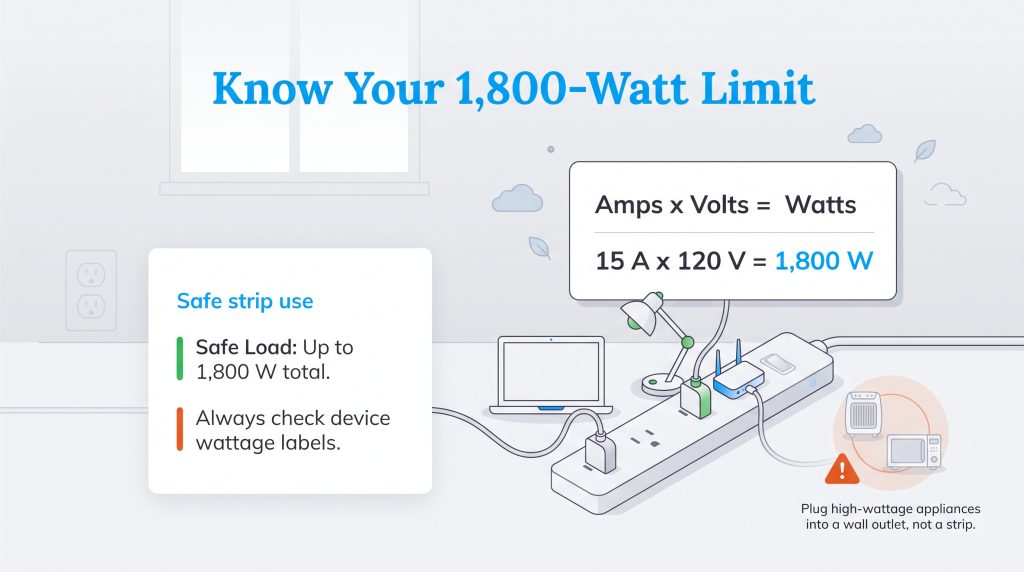
To safely provide power to your electronics without tripping a breaker or causing an electrical fire, you must know how much power your devices draw. You can calculate this using a simple, reliable formula: Amps x Volts = Watts. A standard U.S. residential wall outlet operates at 120 volts and typically supports up to 15 amps. This means your smart strip’s maximum safe load is almost always capped at 1,800 watts (15 x 120 = 1,800).
🚩 Heads Up: Never plug high-wattage, heat-producing appliances into a smart power strip. This includes space heaters, window AC units, refrigerators, microwaves, and slow cookers. Always plug these heavy-duty items directly into a dedicated wall outlet.
If you plug multiple high-wattage items into a single strip — such as a laser printer firing up while a heavy-duty gaming PC is rendering a video — you can easily exceed that 1,800-watt limit. Always check the physical labels on the back of your appliances to calculate your total anticipated wattage before plugging everything in. Understanding your load limits is the cornerstone of responsible household energy management.
Taking Charge of Your Home’s Energy Usage
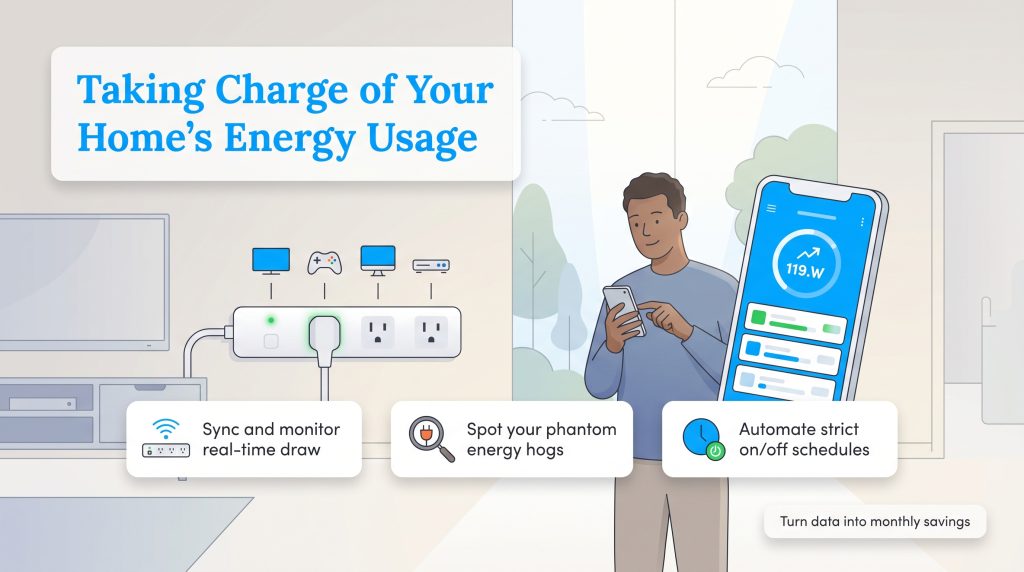
Purchasing the hardware is only the first step. To ensure you are utilizing the best energy saving power strips to their full potential, you need to actively engage with your companion app to change your household consumption habits. Here is a step-by-step breakdown on how to turn your new device into a serious money-saving tool.
- Sync and Monitor Real-Time Draw: Once your strip is connected to your home’s 2.4 GHz Wi-Fi network, navigate to the energy tab in your companion app. Observe the baseline wattage when your devices are “turned off.” This baseline reading reveals your true phantom load.
- Identify the Energy Hogs: Check the individual outlet data over a 48-hour period. You might discover that an older cable box, an idle gaming console, or a desktop computer resting in sleep mode is drawing significantly more electricity than expected. These are your primary targets for automation.
- Set Strict Automation Schedules: Use the app to create a scheduling routine. For example, command the strip to completely sever power to your entertainment center at 11:30 p.m. every night and restore it at 7:00 a.m. By automating this process, you eliminate hours of wasted energy without having to lift a finger.
By actively managing these loads, your new setup can quickly pay for itself, assuming national average electricity rates of roughly $0.16/kWh and factoring in recent electric rate increases.
Automating Your Home to Maximize Savings
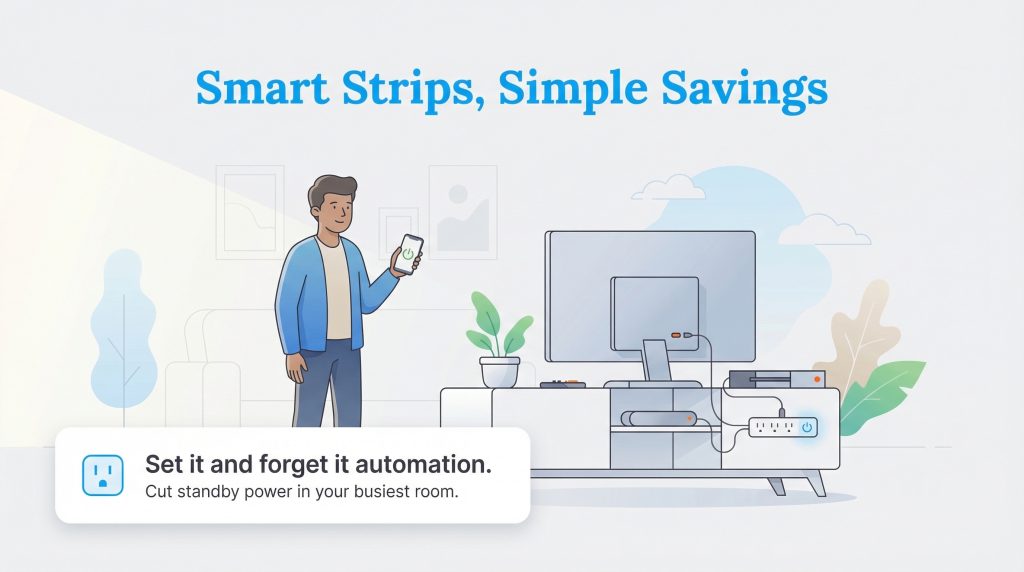
Upgrading your home’s electrical management doesn’t have to be complicated or prohibitively expensive. If you are looking for the absolute best premium experience with flawless integration and highly detailed energy charting, the Eve Energy Strip stands out as the ultimate choice for Apple users. Conversely, if you want to optimize a home office on a budget while securing modern charging ports, the Tapo Smart Power Strip provides incredible value without breaking the bank.
The smartest home is an energy-efficient one. By taking control of your idle devices and automating your daily routines, you actively protect your electronics from sudden surges while putting a definitive end to wasteful vampire power. Make sure you name every single outlet accurately in your app during setup, apply any pending firmware updates, and start enjoying the immediate reduction in your monthly utility costs.
Frequently Asked Questions About Smart Power Strips
Do smart power strips actually protect against power surges?
Can I control individual outlets on a smart power strip, or just the whole strip?
Do smart power strips work if my Wi-Fi goes down?
Do smart power strips actually save money?
Do smart power strips use electricity themselves?
What is the difference between a smart plug and a smart power strip?
Can I plug heavy appliances like an AC or space heater into a smart power strip?
What does “Matter compatible” mean for power strips?
About the Author

LaLeesha has a Masters degree in English and enjoys writing whenever she has the chance. She is passionate about gardening, reducing her carbon footprint, and protecting the environment. She also recently served as President of the Board for City Sprouts (a community garden).

Jared Evans is a licensed electrician and the owner of Full Circuit Electric in Omaha, Nebraska. As an expert reviewer for UtilitiesForMyHome.com, Jared uses his 10+ years of hands-on experience to ensure our electrical advice is safe, accurate, and easy to follow. Whether he's troubleshooting a complex wiring issue or sharing tips on green energy upgrades, Jared is dedicated to helping you power your home efficiently — and safely.

David has been an integral part of some of the biggest utility sites on the internet, including InMyArea.com, HighSpeedInternet.com, BroadbandNow.com, and U.S. News. He brings over 15 years of experience writing about, compiling and analyzing utility data.