


Track Your Consumption to Identify Energy Hogs and Lower Your Monthly Utility Bills
Key Takeaways
- You can calculate appliance electricity cost manually using a simple formula based on the wattage, voltage, and amperage listed on the device’s label.
- An electricity usage monitor plug is the most accurate tool for finding phantom loads and measuring variable-power 120-volt devices like refrigerators.
- Whole-house monitoring systems and manual meter checks connect you to your breaker panel or utility meter to provide real-time data on your home’s total energy footprint.
Understanding exactly where your power goes is the first crucial step toward lowering your monthly bills and reducing your carbon footprint. Whether you’re dealing with a surprisingly high utility statement or simply want to live a more sustainable lifestyle, measuring electric usage removes the frustrating guesswork from your household budget. By identifying which appliances are true energy hogs and which operate efficiently, you can make smarter, data-backed decisions about when to run your dishwasher, whether to replace an aging refrigerator, or how to eliminate wasteful standby power entirely. In this comprehensive guide, we’ll show you how to measure electricity usage at home using practical, everyday methods — ranging from simple manual formulas and physical utility meter checks to smart plugs and whole-home energy monitoring systems.
Why Measuring Your Electricity Matters
If you want to stop dreading your monthly statement and start understanding your electric bill, you need to know what’s driving your costs up behind the scenes. Taking the time to measure your electricity usage helps you uncover hidden expenses, spot failing equipment early, and immediately start saving money.
When you actively monitor your daily and monthly consumption, you gain the power to:
- Identify phantom loads: Find and unplug electricity vampires that secretly drain power even when they’re turned off or resting in standby mode.
- Budget for electric bills: Anticipate seasonal cost spikes by accurately calculating your expected kilowatt-hours (kWh) per month before the utility statement even arrives.
- Lower your carbon footprint: Make an environmentally mindful choice by reducing your overall household demand on the local power grid, which directly decreases fossil fuel reliance.
- Evaluate appliance lifespans: Recognize when an older, degrading appliance begins pulling more electricity than it should — such as a refrigerator with worn door seals or a failing compressor — signaling that it’s time for an energy-saving option.
- Maximize time-of-use plans: Shift your heaviest energy consumption to off-peak hours to take full advantage of discounted electricity rates offered by your utility provider.
Essential Metrics: Understanding Volts, Amps, Watts, kW, and kWh
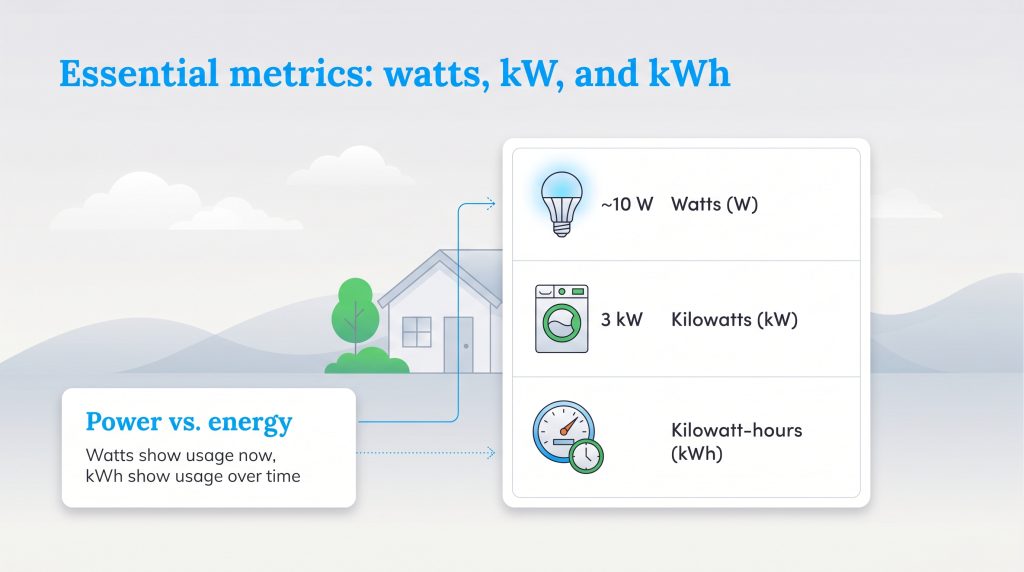
Before you evaluate your home’s energy consumption, you need a quick grasp of the terminology stamped onto appliance labels and printed on utility bills. Think of electricity like water flowing through a garden hose: the water pressure, the speed of the flow, and the time you leave the spigot open all work together to determine how many gallons you use. The core difference to remember is that watts measure electrical power at a single, specific moment, while kilowatt-hours measure the total accumulated energy consumed over time. Keep these five foundational definitions in mind as you begin tracking:
- Volts (V): Think of voltage as the “water pressure” inside your home’s electrical wiring. It measures the electrical potential pushing current through a circuit. In the United States, standard household wall outlets supply 120 volts, while heavy-duty circuits for clothes dryers, stoves, and electric vehicle chargers push 240 volts.
- Amps (A): Short for amperes, amps represent the “water flow rate” or the sheer volume of electrons moving through a wire at any given moment. A thin phone charger cord only pulls a fraction of an amp, whereas a central air conditioner requires a thick cable and a dedicated breaker rated for 30 to 50 amps.
- Watts (W): A measure of total electrical power at an exact instant, combining both pressure (volts) and flow rate (amps). It indicates the immediate power an appliance requires to operate. For example, a standard LED lightbulb typically draws around 10 watts.
- Kilowatts (kW): Because measuring high-power household appliances in singular watts gets messy, utility companies group them into kilowatts. One kilowatt simply equals 1,000 watts. A 3,000-watt electric clothes dryer operates at 3 kW.
- Kilowatt-hours (kWh): This golden metric is exactly what appears on your monthly utility bill. A kilowatt-hour represents the total volume of energy consumed if a 1,000-watt (1 kW) appliance runs continuously for one full hour.
Sometimes, when you flip over a blender or inspect the metal nameplate on a window air conditioner, you won’t see a wattage number listed at all. Instead, manufacturers frequently print only the required voltage and amperage. When that happens, you can easily find the missing wattage by using the foundational electrical equation:
Volts (V) × Amps (A) = Watts (W)
For example, if your upright garage freezer label states that it runs on a standard 120-volt outlet and draws 5 amps of current when the compressor kicks on, you simply multiply 120 Volts by 5 Amps. That tells you the appliance draws 600 watts of power while running.
How to Measure Electric Usage by Device
Finding out which specific appliances are driving up your utility costs is essential for targeted savings. Tracking electricity usage by device lets you identify inefficient machines, optimize your daily routines, and easily isolate costly vampire electronics that drain power around the clock.
Use an Electricity Usage Monitor Plug
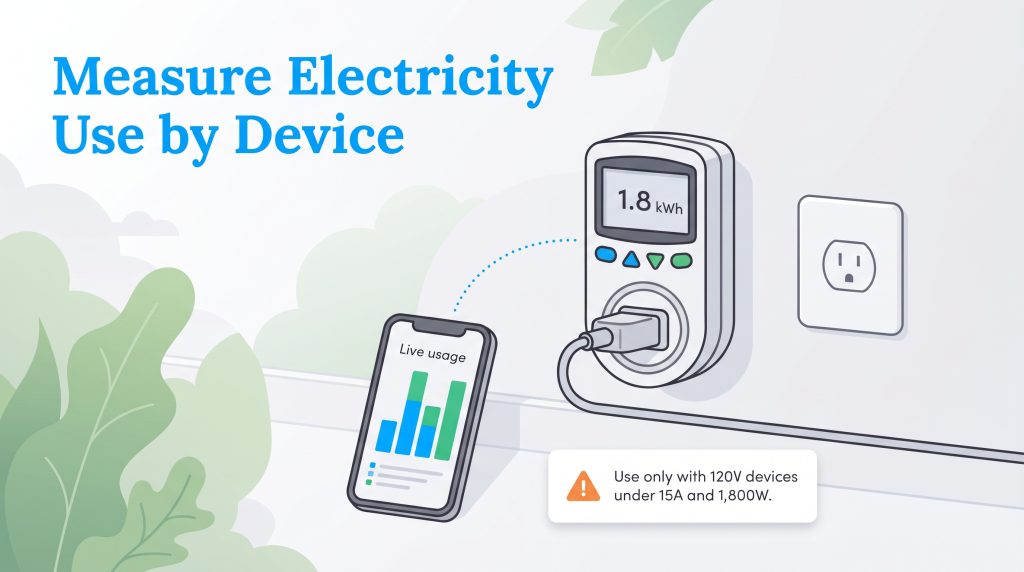
An electricity usage monitor plug is the most accurate physical tool for pinpointing individual energy hogs. Frequently known by the popular brand name P3 Kill-A-Watt, this affordable piece of hardware sits directly between your wall outlet and your appliance plug to record exactly how much power flows through the cord. Because it measures actual electrical draw in real time, it’s ideal for devices with variable power states that cycle on and off. Use this simple method to test your household devices:
- Plug the monitor into the wall: Insert the usage monitor directly into a standard 120-volt wall receptacle.
- Connect the appliance: Plug the specific device you want to test right into the front face of the monitor.
- Run a test cycle: For appliances that cycle on and off throughout the day — like a kitchen refrigerator, dehumidifier, or coffee maker with a warming plate — leave them connected for a full 24 to 48 hours to capture an accurate, realistic average.
- Read the output: Press the kWh button on the digital LCD display to see precisely how many kilowatt-hours were consumed during your testing window, and multiply that figure by your current electricity rate.
Before you go around plugging every machine in your house into a handheld tester, keep a few strict electrical limits in mind. Standard plug-in monitors are engineered exclusively for normal 120-volt household outlets and carry a maximum load rating of 15 amps (1,800 watts). Even if an appliance technically fits into the monitor’s prongs, running a device that pulls near that maximum limit for hours on end builds up dangerous internal heat.
🚩 Safety Warning: Never plug heavy-duty 240V appliances or high-load continuous 120V devices — such as portable space heaters, window HVAC units, or hair dryers left on high — into a standard 120V plug-in monitor like a Kill-A-Watt for extended periods due to severe fire and melting hazards. Additionally, if you don’t want to buy a monitor for standard low-wattage electronics, check with your local public library, as many community lending programs let you borrow plug-in energy meters completely free of charge.
Track With Smart Plugs and a Power Consumption App
For a more modern, hands-off approach, we highly recommend upgrading to Wi-Fi or Matter-enabled smart plugs equipped with energy-monitoring hardware. Unlike basic smart plugs that only toggle power on and off, energy-monitoring models — such as the TP-Link Kasa Smart Wi-Fi Plug Slim (EP25), TP-Link Tapo P125M, and Eve Energy — contain internal sensors that transmit live electrical data directly over your home network. By pairing the hardware with a dedicated power consumption app on your smartphone, you can view colorful charts detailing your hourly, daily, and monthly usage trends without ever having to crawl behind a dusty entertainment center or refrigerator to read a tiny screen.
Setting up these connected plugs takes less than five minutes. You simply insert the smart device into your wall outlet, download the manufacturer’s companion app (like the Kasa or Tapo app), and enter your local utility rate per kWh so the software can calculate real-time dollar costs. Even better, smart plugs let you establish automated schedules and countdown timers. This allows you to effortlessly cut power to known vampire loads — like gaming consoles, desktop computer setups, or espresso machines — while you sleep or commute to work, stopping standby waste in its tracks.
How to Track Electricity Usage for the Whole Home
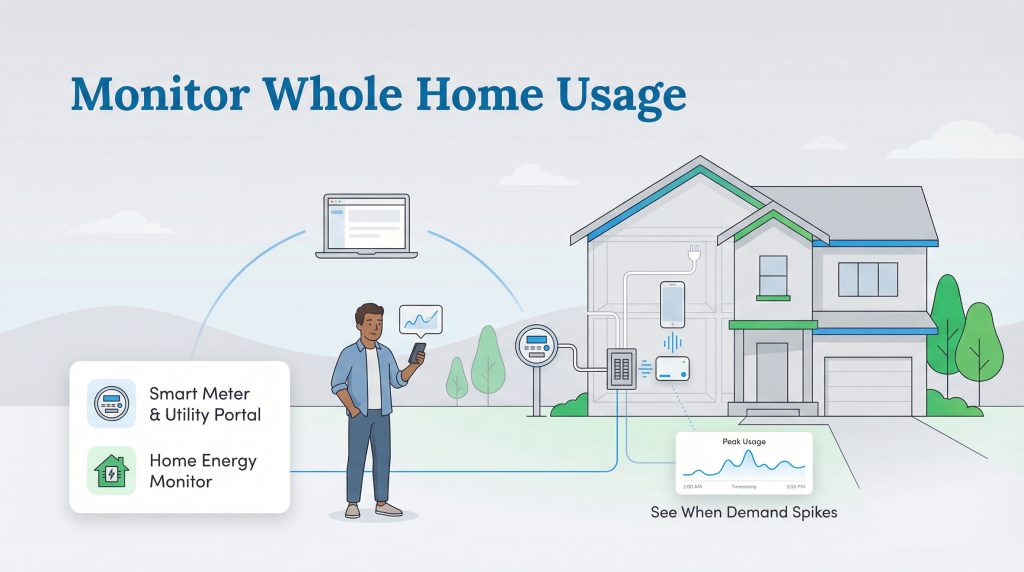
Testing individual outlets works wonders for lamps and televisions, but it leaves out your home’s biggest energy consumers: hardwired 240-volt systems. If you want to understand your property’s total environmental footprint, you need to track energy consumption across your entire electrical system. Whole-home tracking reveals exactly when your daily demand peaks, such as when your central air conditioning kicks on aggressively during a summer heatwave or when an electric vehicle begins charging in the garage.
Check Daily Electricity Usage Via Provider Portals
If you’re wondering how to check daily electricity usage without spending a dime on new gadgets, your local utility provider’s online web portal is the best place to start. Because the vast majority of American homes are now equipped with utility-owned smart meters, power companies automatically receive detailed reports of your household consumption in 15-minute or hourly intervals. For a deeper look at how two-way communication modernizes our electrical infrastructure, you can review how advanced digital meters report data.
To check daily electricity usage online, navigate to your utility company’s website or mobile app, log into your account, and look for a section labeled “Energy Usage,” “Smart Meter Data,” or “My Energy Dashboard.” These portals feature interactive bar graphs that overlay local daily temperatures against your hourly kWh consumption. You can compare your current usage against previous billing cycles or see how your efficiency stacks up against similar-sized homes in your zip code. Reviewing this data once a week helps you spot unexpected spikes — like a well pump stuck running or a guest leaving a basement heater on — weeks before a massive bill arrives in the mail.
Read Your Home Electric Meter Manually (Analog vs. Smart Meters)
You don’t have to wait 24 hours for your utility company’s website to refresh if you want to audit your home or troubleshoot a mysteriously high bill right now. Stepping outside to learn how to read an electric meter manually gives you immediate, ground-truth data straight from the source. Depending on the age of your neighborhood’s utility infrastructure, you’ll encounter either a traditional electromechanical (analog) meter or a modern digital smart meter mounted on your exterior wall.
How to Read an Analog Dial Meter:
Traditional analog meters feature four or five small clock-like dials arranged in a horizontal row behind a glass dome, accompanied by a spinning metal disk. Reading them trips up many homeowners because the geared dials don’t all spin in the same direction — they alternate between clockwise and counter-clockwise from one dial to the next. Follow these steps to log an accurate reading:
- Read the dials from left to right: Just like reading a regular number, start with the dial on the far left and work your way to the far right. (Ignore any tiny test dials that don’t have numbers around the perimeter.)
- Check the spin direction: Look closely at the numbers 0 through 9 on each individual dial to see whether the pointer moves clockwise or counter-clockwise.
- Record the lower number when between digits: If a dial’s pointer rests between two numbers, always write down the lower number. For example, if the hand is sitting between 4 and 5, record a 4. (The only exception is when the pointer sits between 9 and 0; in that case, 9 is treated as the “lower” number because the hand hasn’t completed its full revolution back to 0 yet.)
- Verify arrows resting directly on a digit: If a pointer looks like it is sitting dead-center on a number (say, the number 7), glance at the dial immediately to its right. If that right-hand dial hasn’t passed zero yet, the left-hand dial hasn’t actually reached 7 — so you must record a 6.
How to Read a Digital Smart Meter:
Modern smart meters ditch the spinning gears for a solid-state LCD screen that cycles through two or three flashing screens every few seconds. Wait in front of the meter and watch the display cycle. Ignore the “888888” segment check screen (which simply verifies that no digital pixels are burned out) and look for the primary five- or six-digit number accompanied by a “kWh” label in the corner. That number represents the cumulative kilowatt-hours your house has consumed since the meter was installed. Some digital meters also flash an instant kilowatt (kW) demand screen, showing how much power your home is pulling at that exact second.
Calculating Your Exact 24-Hour Consumption:
Whether you have an analog or digital meter, the number on the face works like the odometer in your car — it never resets to zero between billing cycles. To find your exact daily electricity usage, go outside at a specific time (for example, 6:00 p.m. on Tuesday) and write down the full kWh reading. Return to the meter exactly 24 hours later (6:00 p.m. on Wednesday) and write down the new number. Subtract Tuesday’s starting number from Wednesday’s ending number. If your meter read 45,210 yesterday and reads 45,238 today, your home consumed exactly 28 kWh over the last 24 hours.
Install a Whole House Energy Monitor
If you want granular, second-by-second insights without walking outside to your utility meter or waiting for a web portal to update, you should invest in a whole house energy monitor. Standard aftermarket home energy monitoring systems install directly inside your main electrical breaker panel and transmit live consumption data over Wi-Fi straight to a smartphone app.
These systems operate using hardware called CT (Current Transformer) clamp sensors. A CT sensor is a hinged, ring-shaped magnetic clamp that snaps around a live electrical wire without requiring you to cut or splice the cable. During installation, two large primary CT clamps are clipped around the thick main service cables (service mains) feeding power into the top of your breaker box from the street. Many systems also include 8 to 16 smaller CT clamps that wrap around individual branch circuit wires connected to your breakers — such as the dedicated wires feeding your electric water heater, central AC condenser, kitchen outlets, and laundry room.
As alternating current flows through your home’s wiring, it generates a subtle magnetic field. The CT clamp sensors measure fluctuations in that magnetic field, sampling the electrical signatures in your panel thousands of times per second (with advanced AI-driven monitors sampling up to 1 million times per second). By analyzing voltage, current phase, and microscopic power spikes when motors or heating elements turn on, the monitor’s processor calculates exact wattage draw per circuit or uses machine learning to recognize individual appliances throughout your house. If you are building a home or remodeling, upgrading to a full smart electrical panel (like a Span Panel) builds this circuit-level monitoring directly into the breaker box itself, even allowing you to toggle specific circuits on or off remotely during a grid outage.
🚩 Heads Up: Because installing a whole-home energy monitor requires removing the dead-front metal cover of your main breaker panel and working millimeters away from always-live, high-voltage service lugs that remain energized even when the main breaker is flipped off, we strongly advise homeowners to hire a licensed electrician for panel installation. A qualified professional can mount the CT clamp sensors safely in about 30 to 45 minutes.
Comparing the Best Home Energy Monitoring Tools
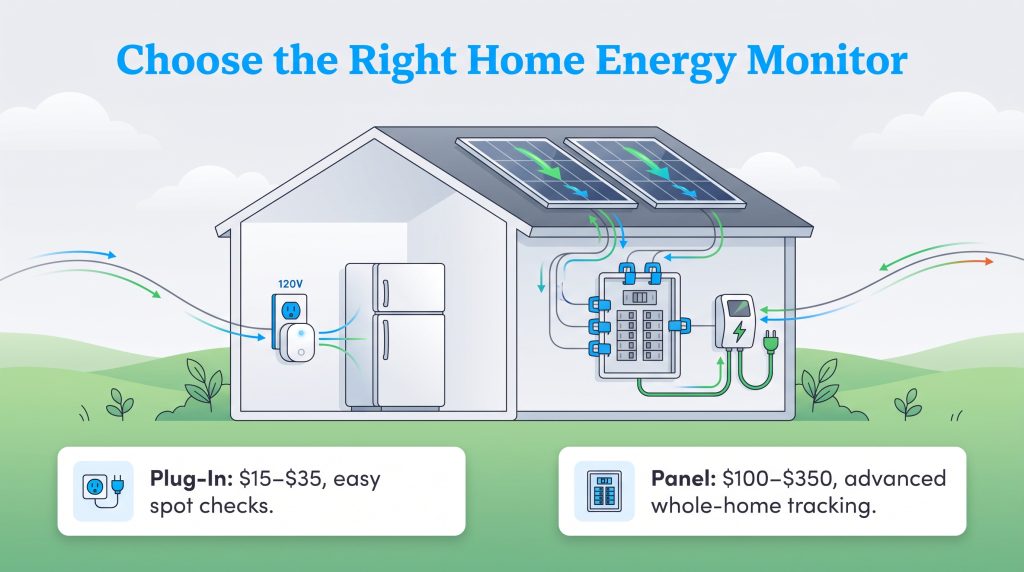
Choosing the right hardware depends entirely on whether you want to spot-check an old garage fridge for $30 or permanently track every circuit in your breaker panel. To help you decide which setup fits your budget and DIY comfort level, we compared the four best home energy monitors on the market below.
| Device Type & Example | Average Cost | Installation Difficulty | What It Measures | Best For |
|---|---|---|---|---|
| Plug Monitor (P3 Kill-A-Watt P4400) | $25 – $35 | Very Easy (Plug-and-play into 120V outlet) | Volts, Amps, Watts, Hz, and cumulative kWh on a built-in LCD screen (no Wi-Fi) | Budget-friendly spot audits of 120V appliances and hunting down phantom loads |
| Smart Plug (TP-Link Kasa EP25 / Tapo) | $15 – $25 (per plug) | Easy (Plug in and pair with Wi-Fi smartphone app) | Real-time wattage, daily/monthly kWh graphs, runtime hours, and automated scheduling | Continuous remote tracking and automatic shutoff for entertainment centers, offices, and lamps |
| Circuit-Level Panel Monitor (Emporia Vue 3) | $100 – $200 | Advanced (Inside breaker panel; electrician recommended) | Whole-home draw via 2 main CT clamps plus exact usage on up to 16 individual 120V/240V circuits | Homeowners wanting exact, no-guesswork data on heavy 240V appliances like HVAC, water heaters, and EV chargers |
| Whole-Home AI Monitor (Sense / Siemens Inhab) | $300 – $350 | Advanced (Inside breaker panel; electrician recommended) | Whole-home wattage via 2 main CT clamps; uses AI machine learning to detect appliance signatures | Users who want a clean, two-clamp installation with real-time whole-home tracking and AI device discovery |
While plug-in monitors and smart plugs are fantastic for renters and apartment dwellers, homeowners with rooftop solar panels or electric vehicles benefit tremendously from upgrading to whole-home CT clamp monitors like the Emporia Vue 3 or Sense. Standard smart plugs cannot handle the 240-volt, high-amperage circuits required by Level 2 EV chargers, heat pumps, and solar inverters. By installing dedicated CT clamps directly inside your breaker panel, you can monitor bidirectional energy flow in real time — watching exactly how many kilowatts your solar array is generating on a sunny afternoon versus how much power your home is pulling from the utility grid. Better yet, ecosystems like Emporia allow you to automate your EV charger to soak up excess solar production so you only charge your car when your roof is generating free, surplus clean energy.
How to Calculate Appliance Energy Use With Formulas and Tools
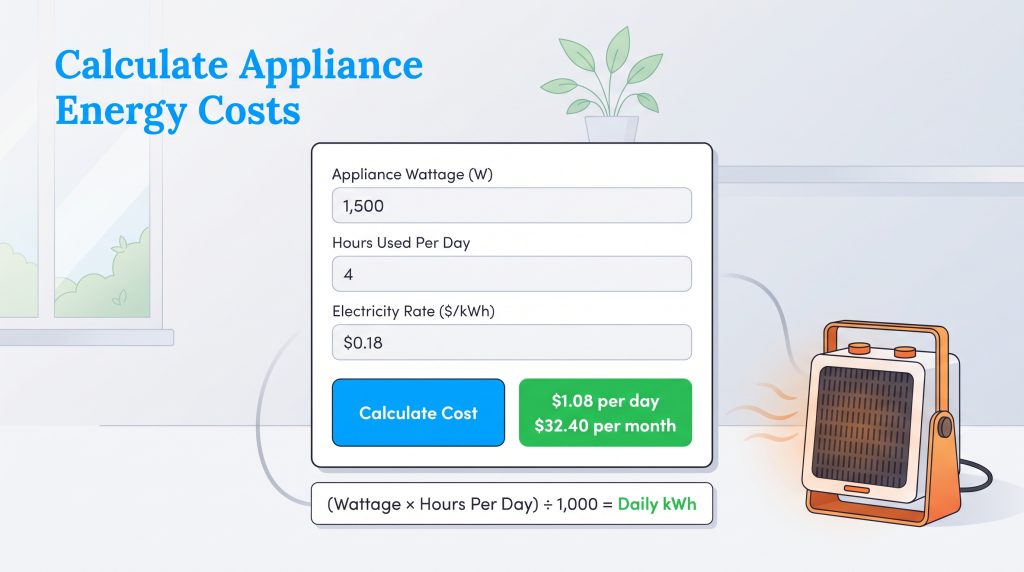
If you want a quick cost estimate without purchasing monitoring hardware or logging into a utility portal, you can calculate appliance energy use manually with a basic kilowatt-hour (kWh) calculator formula. This traditional math method works best for household devices that pull a steady, predictable amount of power while turned on, such as standard lightbulbs, box fans, slow cookers, or portable space heaters.
First, locate the appliance’s maximum wattage stamped on its back label, metal UL nameplate, or power brick (or multiply Volts × Amps if only those two figures are listed). Once you have the wattage, plug it into the following equation to determine daily energy consumption:
(Appliance Wattage × Hours Used Per Day) ÷ 1,000 = Daily kWh
Let’s run a real-world example using current 2026 U.S. national average electricity rates, which hover around $0.18 per kWh. Suppose you run a 1,500-watt portable space heater in your home office for four hours a day during the winter. First, multiply 1,500 watts by 4 hours to get 6,000 watt-hours, then divide by 1,000 to convert that into 6 kWh per day. To calculate your electric bill impact, multiply that daily kWh total by your local electricity rate: 6 kWh × $0.18 equals $1.08 per day. Over a 30-day billing cycle, running that single space heater for just four hours an afternoon adds roughly $32.40 per month to your utility statement.
Interactive Energy Consumption Calculator
If doing mental math for every device in your kitchen sounds tedious, you can skip the manual equations by using our digital kilowatt-hour calculator below. Simply gather your appliance’s wattage, estimate how many hours it runs per day, and grab your exact local kWh rate from your latest electric bill to generate an instant cost projection.
Interactive Energy Calculator
Use this layout as a guide to calculate your costs. Enter your appliance’s wattage, hours of daily use, and your local kWh rate to generate an instant projection.
Average Electricity Usage by Appliance
To help you benchmark your manual calculations and understand what numbers to expect on your smart plugs or whole-home app, the reference chart below details the average electricity usage by appliance across a typical American home. We calculated these figures using a national baseline rate of $0.18 per kWh and included realistic monthly cost estimates based on standard daily runtimes. Remember that appliances with compressors or heating elements — like refrigerators and water heaters — remain plugged in 24/7 but only actively draw their full rated wattage when cycling on to maintain temperatures.
| Appliance | Average Wattage | Standby Power | Estimated Cost per Hour (at $0.18/kWh) | Estimated Monthly Cost (Typical Use) |
|---|---|---|---|---|
| Electric Vehicle (Level 2 Charger) | 7,200W | < 5W | $1.30 | ~$58.50 (1.5 hrs/day) |
| Water Heater (Electric Tank) | 4,500W | N/A | $0.81 | ~$72.90 (3 hrs/day active heating) |
| Central Air Conditioning (3-Ton) | 3,500W | N/A | $0.63 | ~$151.20 (8 hrs/day in summer) |
| Electric Clothes Dryer | 3,000W | 2W | $0.54 | ~$16.20 (1 hr/day) |
| Induction Stove (per large burner) | 2,500W | 3W | $0.45 | ~$13.50 (1 hr/day) |
| Dishwasher | 1,800W | 3W | $0.32 | ~$9.60 (1 hr/day) |
| Space Heater (Portable) | 1,500W | 0W | $0.27 | ~$32.40 (4 hrs/day) |
| Refrigerator (Modern Standard) | 150W – 400W | N/A (Always on) | $0.03 – $0.07 | ~$9.72 – $15.12 (24 hrs/day cycling ~8 hrs active) |
| Gaming Console | 100W – 200W | 10W – 15W | $0.02 – $0.04 | ~$2.70 – $5.18 (3 hrs/day active + standby) |
| LED Lightbulb (60W Equivalent) | 10W | 0W | < $0.01 ($0.0018) | ~$0.27 (5 hrs/day) |
💸 Money-Saver: Upgrading your older, inefficient devices to ENERGY STAR-certified appliances can significantly reduce these baseline wattage numbers, lowering your hourly operating costs over the entire lifespan of the machine. For instance, swapping an electric resistance tank water heater for an ENERGY STAR heat pump water heater can cut that single appliance’s electricity usage by more than 50%.
Taking Action on Your Energy Data
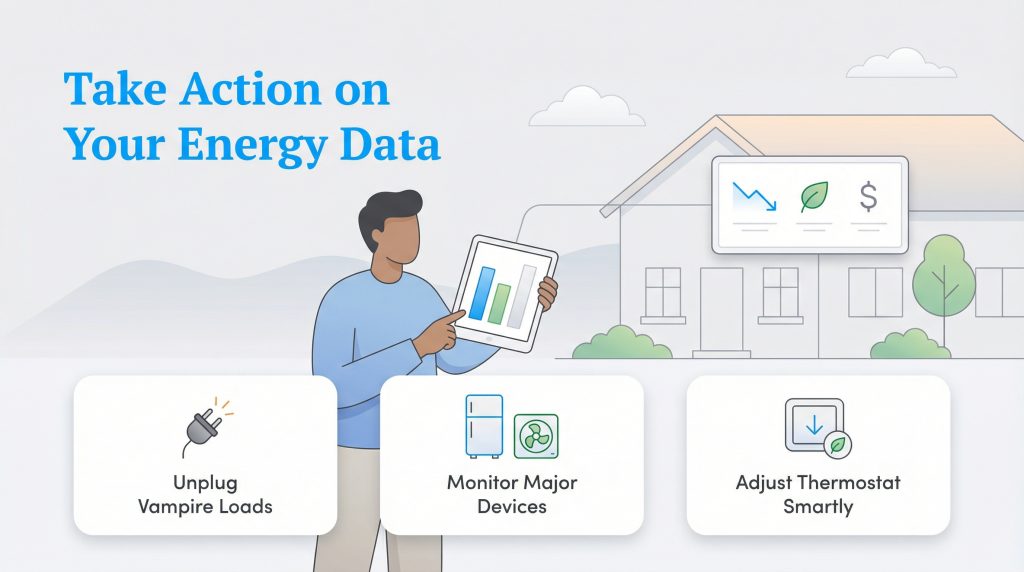
Gathering rich data on your electrical usage is only valuable if you actually use those insights to adjust your daily habits. Identifying an energy hog is half the battle, but acting on that discovery is what keeps cash in your bank account. Once you definitively know which devices cost you the most money to run, take the following four steps to build a more sustainable, budget-friendly home:
- Upgrade to ENERGY STAR appliances: Replace your oldest, least efficient household equipment — particularly secondary garage refrigerators, window AC units, and aging laundry machines — with certified eco-conscious alternatives that pull far less wattage per cycle.
- Eliminate phantom loads by unplugging: Physically unplug seldom-used electronics or toggle off their smart plugs when they aren’t needed. Cutting continuous standby power to cable boxes, laser printers, and basement televisions can easily shave 5% to 10% off your baseline bill.
- Utilize smart power strips: Group related electronics together on an advanced surge protector. A smart power strip detects when your main device (like a TV or desktop monitor) enters sleep mode and automatically cuts electricity to the surrounding accessories (like soundbars, subwoofers, and gaming consoles).
- Adjust thermostat settings: Heating and cooling typically dominate your residential utility bill, accounting for more than half of average household energy consumption. Shifting your programmable or smart thermostat by 7 to 10 degrees for eight hours a day while you’re asleep or away at work can trim your annual HVAC expenses by up to 10%.
To avoid feeling overwhelmed, start your efficiency audit by focusing on just one room in your house this weekend. Testing the outlets in your home office or kitchen first builds quick momentum and makes tracking manageable.
Preparing for Lower Utility Bills
By combining simple manual kWh formulas with modern smart plugs, manual meter checks, and whole-house CT clamp monitors, you can eliminate unnecessary household waste and take full control of your monthly utility budget. Measuring electric usage fundamentally changes how you interact with your home, empowering you to make environmentally mindful choices that directly benefit both the local power grid and your wallet. Once you finish auditing your appliances and pinpointing your biggest power drains, explore our complete guide on how to save on your electric bill for even more ways to cut your monthly energy costs.
Frequently Asked Questions About Measuring Electric Usage
How do I calculate kWh if my appliance only lists amps and volts?
If an appliance label only lists amperage and voltage, use the formula Volts × Amps = Watts to find its power draw first. For example, a 120-volt appliance that draws 10 amps uses 1,200 watts (120V × 10A). From there, multiply the watts by the hours used per day and divide by 1,000 to get your daily kilowatt-hours (kWh).
How much electricity does an average home use per day and per month?
According to U.S. Energy Information Administration (EIA) data, the average American household consumes roughly 880 to 900 kWh per month, which breaks down to about 29 to 30 kWh per day. However, your actual baseline varies significantly depending on your local climate, square footage, and whether your home uses electric or natural gas systems for heating, hot water, and cooking.
How do I measure the electricity usage of 240V appliances like a water heater or AC?
Because heavy-duty 240-volt appliances are either hardwired directly into your electrical panel or use specialized high-amperage receptacles, you cannot test them with a standard 120V plug-in monitor. Instead, you must install a whole-house energy monitor (such as an Emporia Vue 3 or Sense) inside your breaker box using CT clamp sensors wrapped around the specific 240V circuit wires, or estimate their usage by watching hourly spikes on your utility provider’s smart meter portal.
What appliances use the most electricity in a home?
Heating and cooling systems (central AC, heat pumps, and electric furnaces) consume the most electricity in a standard home, easily accounting for over half of your total annual energy costs. They are followed closely by electric water heaters, Level 2 EV chargers, electric clothes dryers, and refrigerators.
How do I check my daily electricity usage?
You can check your daily usage for free by logging into your utility provider’s online smart meter dashboard, or by reading your outside electric meter manually two days in a row at the exact same time and subtracting the first number from the second. For live smartphone updates, installing a whole-home energy monitor inside your breaker panel provides a real-time breakdown of your daily demand.
Can a faulty electric meter cause high bills?
While relatively uncommon with modern digital smart meters, a damaged or malfunctioning electric meter can occasionally record faulty data. Before blaming the meter, turn off all circuit breakers in your main panel for 15 minutes and check if your outside meter continues advancing. If it still registers usage with the main breaker off, or if your manual kWh logs wildly contradict your bill, contact your utility provider to request an official meter calibration test.
What is a phantom load?
A phantom load, frequently called vampire power, refers to the passive electricity consumed by smart televisions, gaming consoles, desktop computers, and microwaves even when they are turned off or resting in standby mode. Eliminating these continuous loads with smart plugs or smart power strips is one of the easiest ways to lower your baseline consumption.
About the Author

David has been an integral part of some of the biggest utility sites on the internet, including InMyArea.com, HighSpeedInternet.com, BroadbandNow.com, and U.S. News. He brings over 15 years of experience writing about, compiling and analyzing utility data.

LaLeesha has a Masters degree in English and enjoys writing whenever she has the chance. She is passionate about gardening, reducing her carbon footprint, and protecting the environment. She also recently served as President of the Board for City Sprouts (a community garden).

Jared Evans is a licensed electrician and the owner of Full Circuit Electric in Omaha, Nebraska. As an expert reviewer for UtilitiesForMyHome.com, Jared uses his 10+ years of hands-on experience to ensure our electrical advice is safe, accurate, and easy to follow. Whether he's troubleshooting a complex wiring issue or sharing tips on green energy upgrades, Jared is dedicated to helping you power your home efficiently — and safely.