


Take Control of Your Home Energy Usage by Learning Exactly What Those Rotating Dials and Digital Numbers Mean
Key Takeaways
- Identify your meter type first, as reading an older analog dial meter requires a completely different method than modern digital or smart screens.
- Read analog dials from right to left, and always record the lower number if the pointer is resting between two digits.
- Calculate your exact monthly usage by subtracting last month’s reading from your current reading, allowing you to catch billing errors instantly.
Opening your monthly electricity bill shouldn’t feel like a high-stakes gamble. Instead of waiting anxiously for the envelope to arrive, you can take control by learning how to read an electric meter yourself. Think of this skill as your own personal consumer audit. It helps you verify that you are paying only for the electricity you actually used, rather than an expensive estimate based on past behavior. We will walk you through exactly how to decode confusing analog dials, flashing digital numbers, and modern smart meters so you can turn that hardware into actionable data. Ultimately, monitoring your consumption empowers you to avoid overcharges, identify phantom power drains, and accurately track your household’s energy conservation efforts in real time.
1. Why You Should Check Your Electric Meter
Many homeowners and renters treat their utility hardware like a black box — electricity flows in, and an unavoidable bill arrives a few weeks later. However, learning to interpret your own usage data gives you a distinct advantage over your local utility provider. Checking your numbers manually establishes a clear baseline for your household, transforming abstract kilowatt-hours into concrete numbers that directly reflect your daily habits.
First and foremost, reading your own equipment protects your wallet. Utility companies process millions of invoices every month, and data entry errors or faulty wireless transmissions do happen. By keeping your own records, you can instantly flag a sudden, unexplained spike in consumption that might indicate a malfunctioning appliance or a direct billing mistake. You become your own advocate rather than relying solely on the power company’s automated systems.
Additionally, monitoring your baseline is an essential step for eco-conscious consumers striving to reduce their environmental footprint. When you invest in energy-efficient upgrades — like swapping out incandescent bulbs for LEDs, sealing drafty windows, or installing a smart thermostat — a manual audit lets you verify whether those eco-friendly changes are actually lowering your total consumption. Real-time data keeps you motivated to sustain those energy-saving behaviors.
2. Locating Your Meter and Preparing for Access
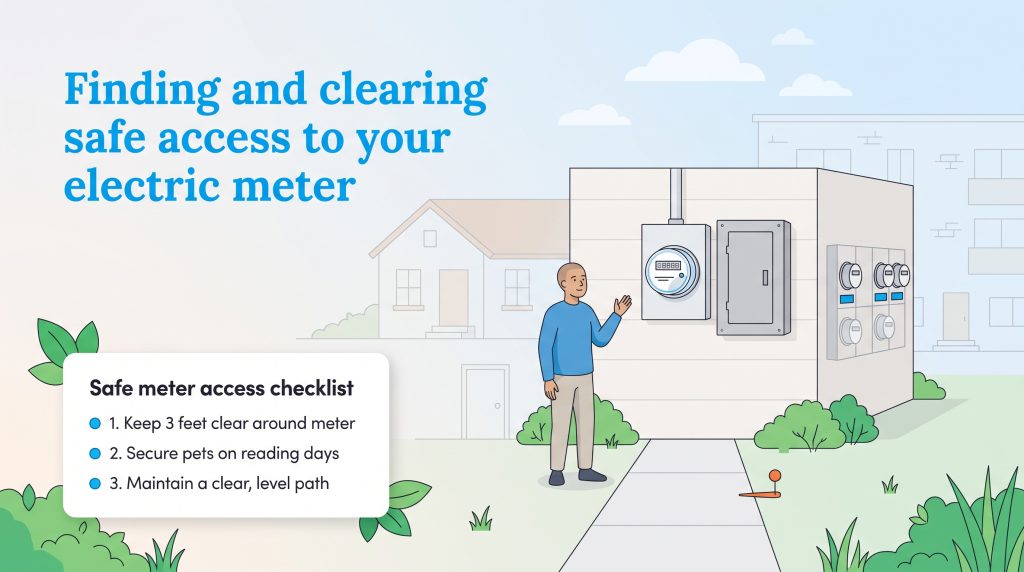
Before you can accurately track your home electricity usage, you need to physically locate the hardware. Your electric meter’s location depends heavily on your property type and when the building was constructed.
- Single-family homes: Look outside on the side or back of your house, usually positioned near where the overhead or underground power lines connect from the street. They are almost always installed directly above or next to your main electrical panel.
- Apartments and condos: Renters will typically find a large bank of meters located in a shared utility closet, a communal basement, or on a dedicated exterior wall. Make sure to find the meter clearly labeled with your specific unit number so you aren’t accidentally reading your neighbor’s usage.
- Older historic homes: Some older properties still have meters located indoors, typically tucked away in basements or utility rooms to protect the older mechanisms from harsh weather.
When you step outside to record your numbers, it is imperative to maintain the physical area around the hardware. Utility workers legally require unobstructed access to this equipment, and keeping the area pristine ensures you can easily conduct your own monthly checks without hassle or injury. Clear away any overgrown brush, vines, or branches so there is at least three feet of open space in all directions. Secure your pets indoors on scheduled reading days, as territorial animals are a leading cause of missed utility check-ins. Finally, maintain a safe, level path free of clutter, snow, or garden tools so that anyone approaching the equipment can do so securely.
3. How to Read a Digital Electric Meter
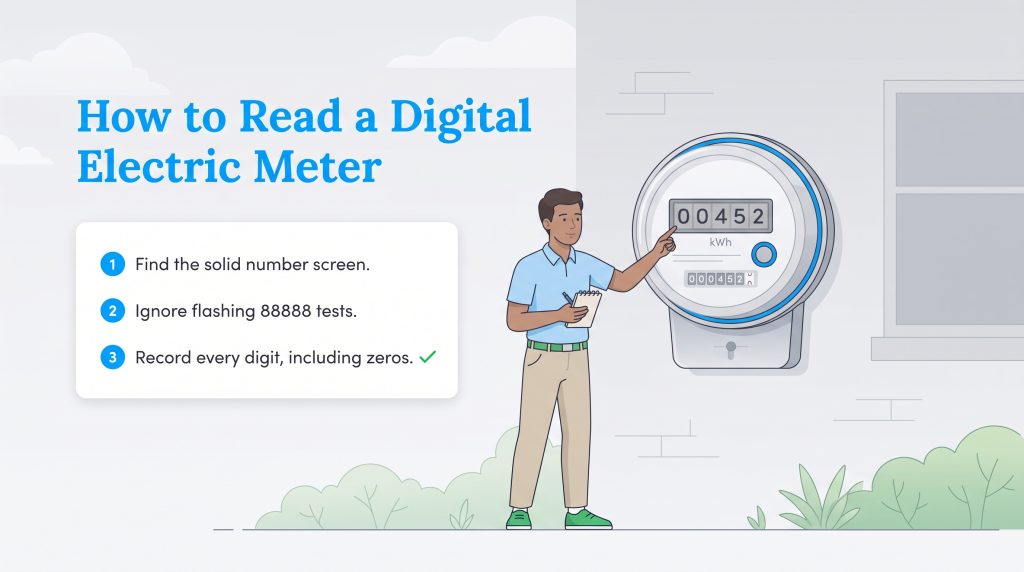
If your property has been updated recently, you likely have a modern LCD screen rather than older mechanical dials. Learning how to read a digital electric meter is incredibly straightforward, as the digital readout functions almost identically to your car’s electronic odometer.
When looking closely at the screen, you might notice a brief flash of “88888” across the display. Ignore this specific screen entirely. It is simply an automatic diagnostic test designed to ensure all the individual LCD segments are functioning properly. Wait a few seconds for the active reporting cycle to appear. Once the correct screen displays a solid, static number, record the exact string of digits shown from left to right.
You must include all leading and trailing zeros in your log (for example, reading “00452” instead of just “452”). These placeholders are crucial for determining your precise cumulative kilowatt-hours (kWh) and matching the exact database formats used by your power provider. This simple digital reading removes the mechanical guesswork entirely, making it effortless to build an accurate usage history.
4. How to Read an Analog (Dial) Electric Meter
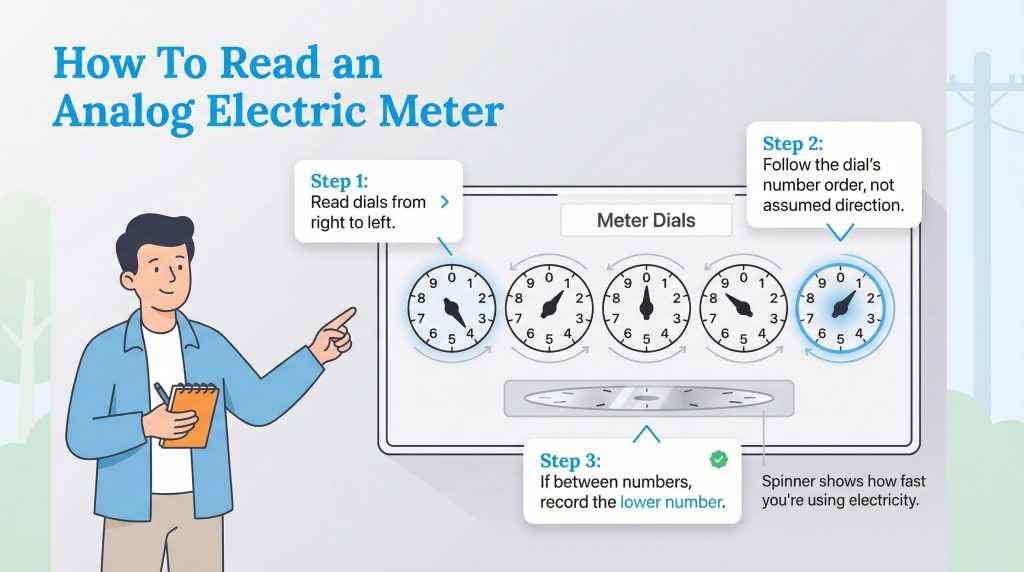
Analog meters rely on clock-like dials that rotate in alternating directions. While they look intimidating at first glance, reading electric meter dials requires only a few strict rules to guarantee an accurate result. Ignore the spinning horizontal disk below the dials and focus entirely on the individual pointers.
| Dial Position (Right to Left) | Direction of Spin |
|---|---|
| 1st Dial (Far Right) | Clockwise |
| 2nd Dial | Counterclockwise |
| 3rd Dial | Clockwise |
| 4th Dial | Counterclockwise |
| 5th Dial (Far Left) | Clockwise |
- Read from right to left: Start with the dial on the far right side of the unit, which represents the single kilowatt-hours (kWh). Write down this number, then move to the dial immediately to its left. Continue this exact sequence until you have recorded numbers for all five dials.
- Note the alternating direction: As seen in the table above, the dials spin in opposite directions to prevent mechanical jamming. Always follow the numerical sequence (0, 1, 2…) painted on the dial face rather than assuming the direction the pointer is traveling.
- Apply the lower number rule: If the pointer rests between two numbers, always write down the lower number. For instance, if the hand rests between the 4 and the 5, record 4. The only exception is the crossing from 9 to 0. If the pointer falls between 9 and 0, treat the 0 as a 10 and record the 9.
💡 Pro Tip: If the pointer is resting directly on a number, glance at the dial immediately to its right. If that right-hand dial has not passed zero yet, the dial you are currently reading has not actually reached the new number. In this case, you must write down the previous lower digit.
Beneath these faces, you will see a flat metal disk. This horizontal spinner moves faster as you consume more electricity. If it is whirring rapidly, high-demand appliances like your HVAC system or electric dryer are actively drawing power. If it is crawling slowly, your current energy consumption is fully optimized.
5. How to Read a Smart Meter (Time of Use)
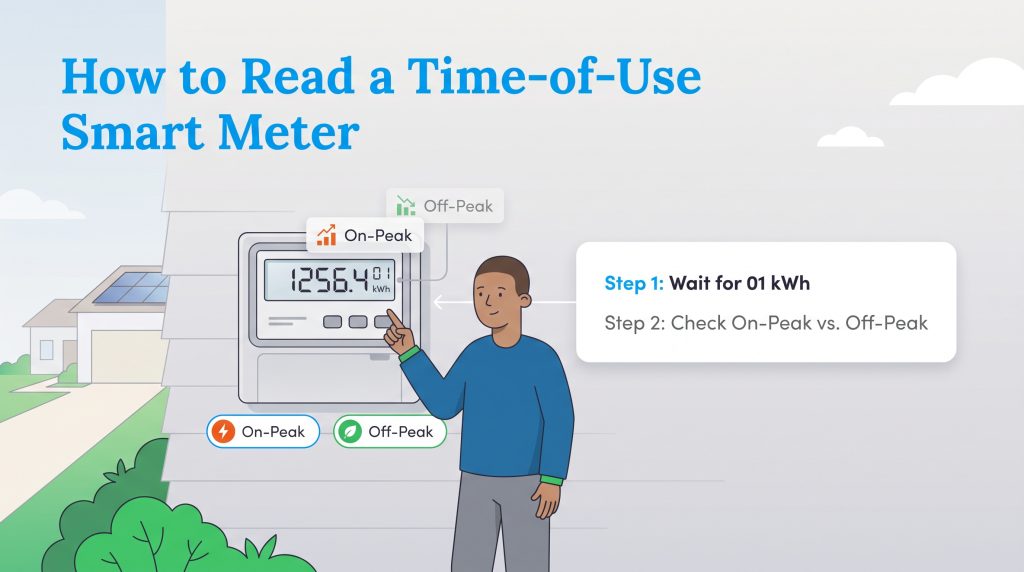
A smart meter is an advanced digital device equipped with two-way wireless technology that communicates directly with your utility provider. If you are looking for a comprehensive smart meter reading guide, it is crucial to recognize that these dynamic displays provide significantly more actionable data than older cumulative models.
Because they report data in real-time, many modern smart setups support time-of-use billing rates. This structure means the cost of your electricity changes depending on the time of day, heavily penalizing you for drawing power when grid demand is highest. When checking this hardware, watch the screen cycle through multiple menus. Look closely for specific labels indicating “On-Peak” and “Off-Peak” usage. The “On-Peak” screen tallies the energy you consumed during high-demand, expensive hours (often late afternoon). The “Off-Peak” screen displays your usage during cheaper, low-demand periods — validating that you made the environmentally mindful choice to run your heavy appliances or charge an electric vehicle late at night.
6. How to Read a Solar Net Meter
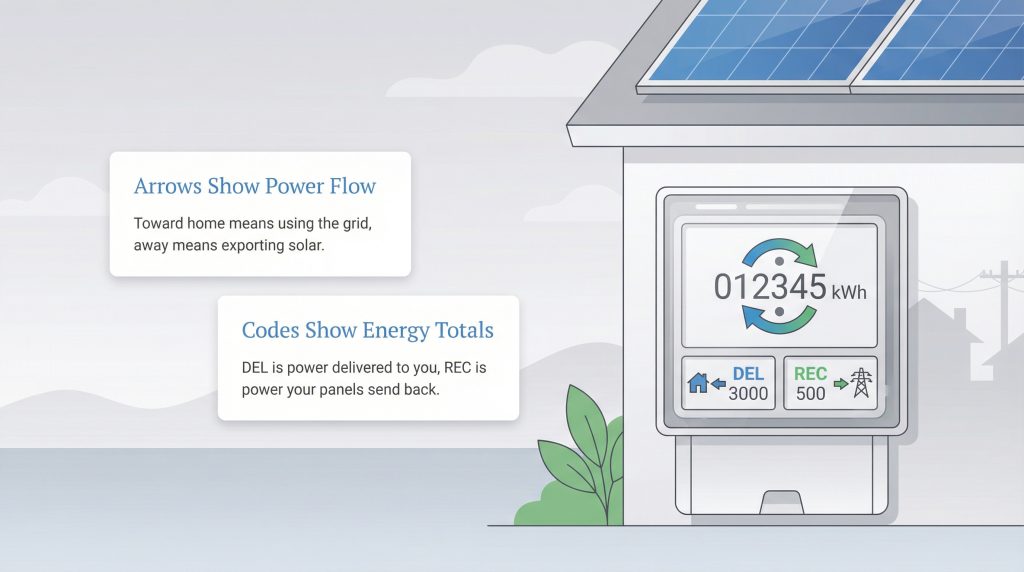
If your home operates with a set of home solar panels, your smart unit functions as a bi-directional net meter. Standard residential hardware only measures power coming in, but a net meter tracks both the power you pull from the grid and the excess power your panels push back out. Understanding how to read a solar net meter is vital for ensuring your renewable energy investments actually pay off.
As you watch the digital display cycle, you will notice directional arrows alongside codes like “DEL” (Delivered to your home) and “REC” (Received by the grid). These unique indicators reveal whether you are pulling grid power to run your HVAC system or exporting your surplus solar energy back to the community system on sunny afternoons. While providers like Gexa Energy often provide online portals to view this data, checking the physical meter manually is the only definitive way to double-check their math and ensure you receive the appropriate bill credits for your eco-conscious power generation.
7. How to Calculate Your Electricity Usage (kWh)
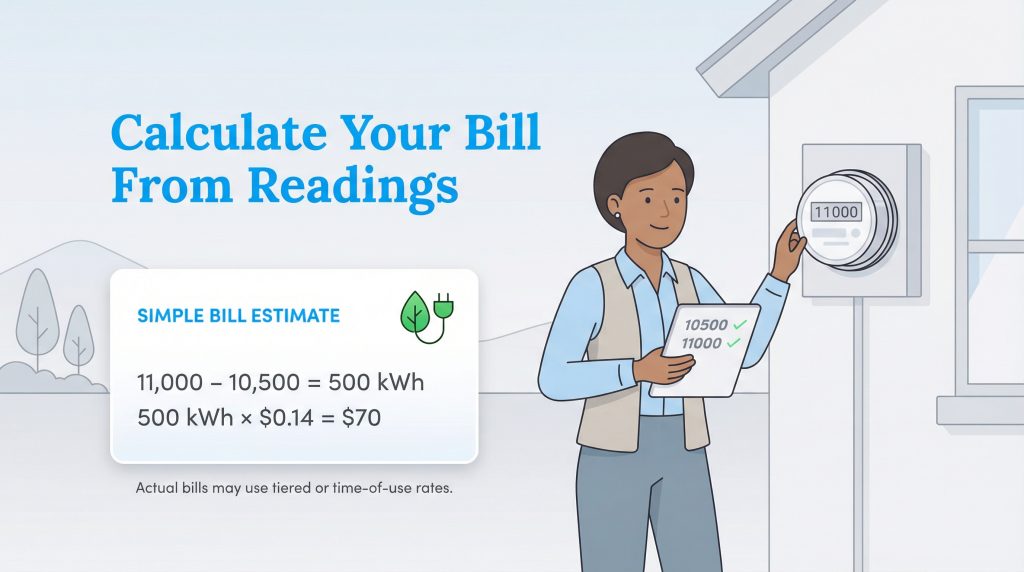
Logging the numbers on your display is only half the battle. To truly take ownership of your home’s energy habits, you must learn how to calculate kWh from electric meter readings. Fortunately, the math relies on a very simple subtraction equation.
To determine your exact usage for a specific period, use this formula:
[Current Reading] – [Previous Reading] = [Monthly kWh Usage]
For a practical example, imagine you step outside today and log a current reading of 38,190. You then pull out last month’s billing statement and verify your previous reading was 35,721. By subtracting the old number from the new one (38,190 – 35,721 = 2,469), you instantly discover that your household consumed exactly 2,469 kWh of electricity during that active cycle.
Once you verify that total, you can use the watt to kWh formula to dig deeper into your daily habits and find out exactly which appliances are causing your meter to spin. The conversion is straightforward: (Watts × Hours) ÷ 1,000 = kWh. For instance, if you run a 1,500-watt space heater for four hours a day, the math is (1,500 × 4) ÷ 1,000, which equals 6 kWh per day. Multiplying that daily usage by your local electricity rate helps you pinpoint exactly where your hard-earned money is going, allowing you to save on your electric bill.
8. Common Household Appliance Usage (Watts Versus kWh)
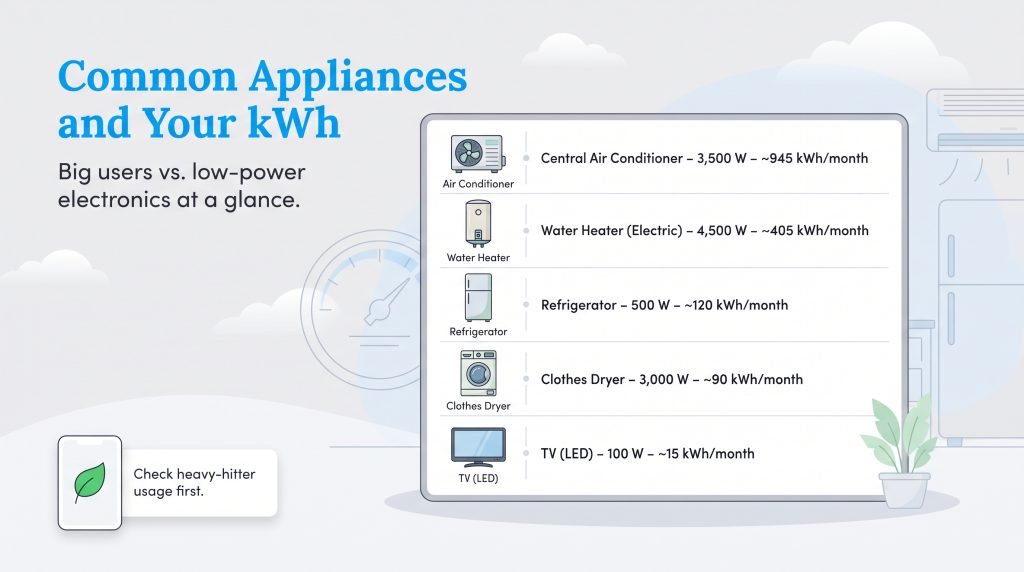
Understanding how individual appliances contribute to the numbers ticking upward on your meter display can drastically shift how you manage your home. Appliances that regulate temperature — such as those responsible for heating water, chilling food, or cooling the air — require massive amounts of wattage. Conversely, smaller electronics sip power slowly but can contribute to stealthy phantom loads if left plugged in 24/7.
To give your monthly kWh readings practical context, we have broken down the average power consumption of common household mainstays. Keep in mind that older, non-ENERGY STAR models will likely draw significantly more wattage than the modern estimates listed below.
| Appliance | Typical Wattage | Average Daily Use | Estimated Monthly kWh |
|---|---|---|---|
| Central Air Conditioner | 3,500 Watts | 9 Hours | 945 kWh |
| Water Heater (Electric) | 4,500 Watts | 3 Hours | 405 kWh |
| Refrigerator | 500 Watts | 8 Hours (active cooling) | 120 kWh |
| Clothes Dryer | 3,000 Watts | 1 Hour | 90 kWh |
| Television (LED) | 100 Watts | 5 Hours | 15 kWh |
When you spot an unexpected spike on your electric meter dials, reference the heavy-hitters on this list. Running your clothes dryer an extra three times a week or lowering your AC thermostat by just two degrees during a summer heatwave translates directly to noticeable surges in your monthly kWh calculations.
9. Submitting a Manual Reading to Avoid Estimated Bills
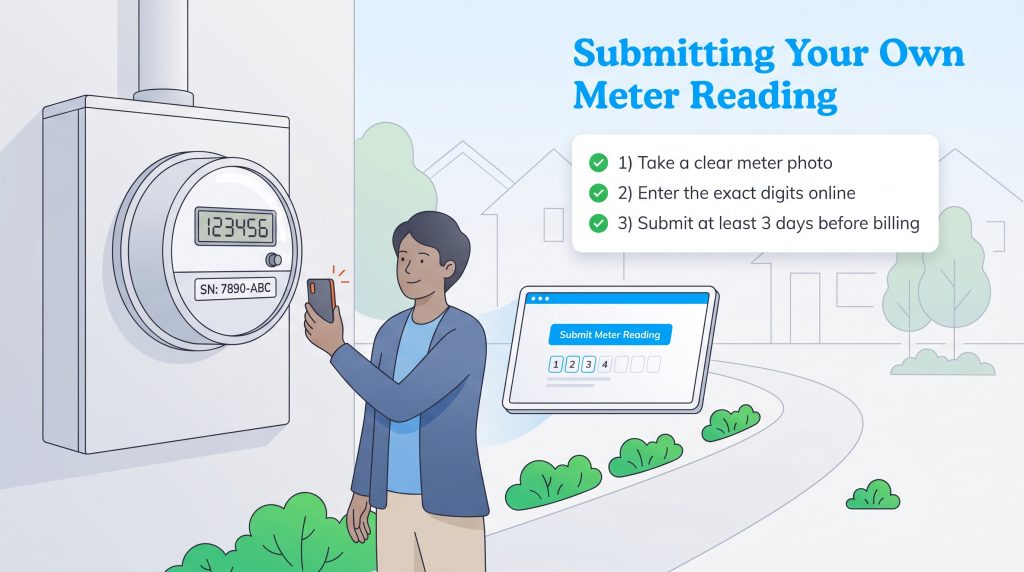
Occasionally, extreme weather, locked gates, or aggressive dogs prevent utility workers from reaching your property. When this happens, your provider will issue an “Estimated” bill based on your historical usage patterns from the previous year. Unfortunately, this automated estimate rarely accounts for recent energy-saving behaviors or extended vacations where you barely used power, leaving you with an unfairly high invoice.
If you receive a bill stamped with the word “Estimated,” you have the right to challenge it by submitting your own accurate data. Follow these exact steps to correct the record and keep your money in your pocket:
- Step 1: Capture the evidence. Step outside and take a clear, brightly lit smartphone photo of your meter display. Ensure the unique meter serial number (usually printed just below the screen or dials) is visible in the frame alongside your actual reading.
- Step 2: Log into your portal. Visit your utility provider’s online dashboard. Most modern providers feature a dedicated “Submit Meter Reading” button on the homepage or within the billing tab. If they lack an online portal, call their customer service hotline directly.
- Step 3: Submit the exact digits. Input the numbers exactly as they appear on your display, ensuring you follow the digital or analog rules outlined earlier in this guide.
🚩 Heads Up: Always submit your manual reading at least three days before your billing cycle officially closes. This window ensures the utility company has adequate time to process the updated data and adjust your invoice before drafting an automatic payment.
10. Troubleshooting Common Meter Issues
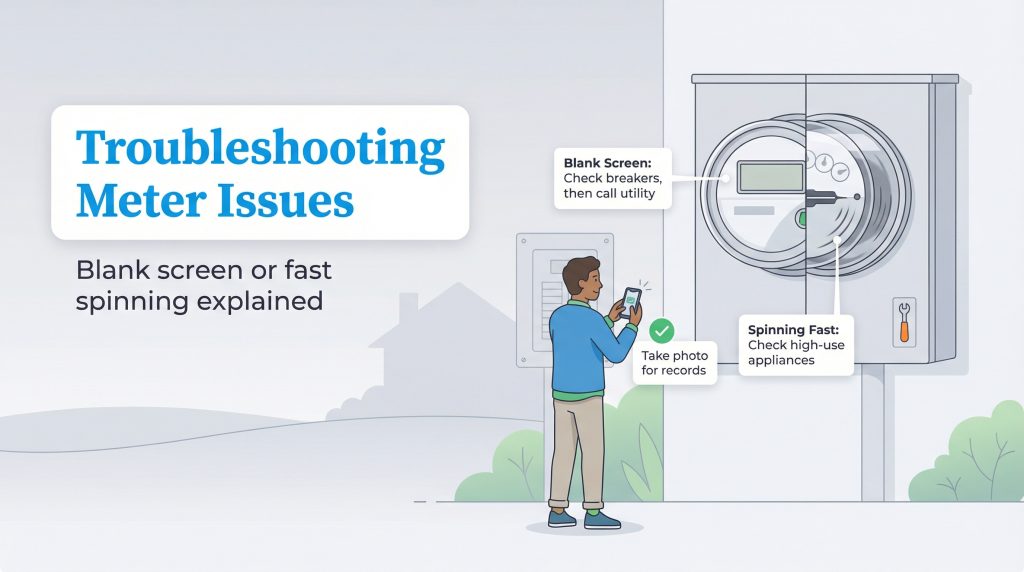
Sometimes you might encounter something unexpected when visually inspecting your equipment. For instance, if your digital screen is completely blank and unresponsive, check your home’s main breaker panel first to ensure you haven’t lost localized power. If the lights inside your house are on but the outdoor screen is entirely dark, there is likely a malfunction with the LCD display itself, and you should call for a replacement.
Conversely, if an analog disk is spinning rapidly — or a digital screen’s wattage indicator is climbing aggressively — when all major appliances are turned off, you might have a severe hidden power drain or a faulty meter block. You can isolate the problem by flipping off circuit breakers one at a time to see which room is pulling the phantom energy. If you shut off the main breaker entirely and the meter continues to record usage, contact your utility provider immediately for a professional inspection.
11. Preparing for Your Next Billing Cycle
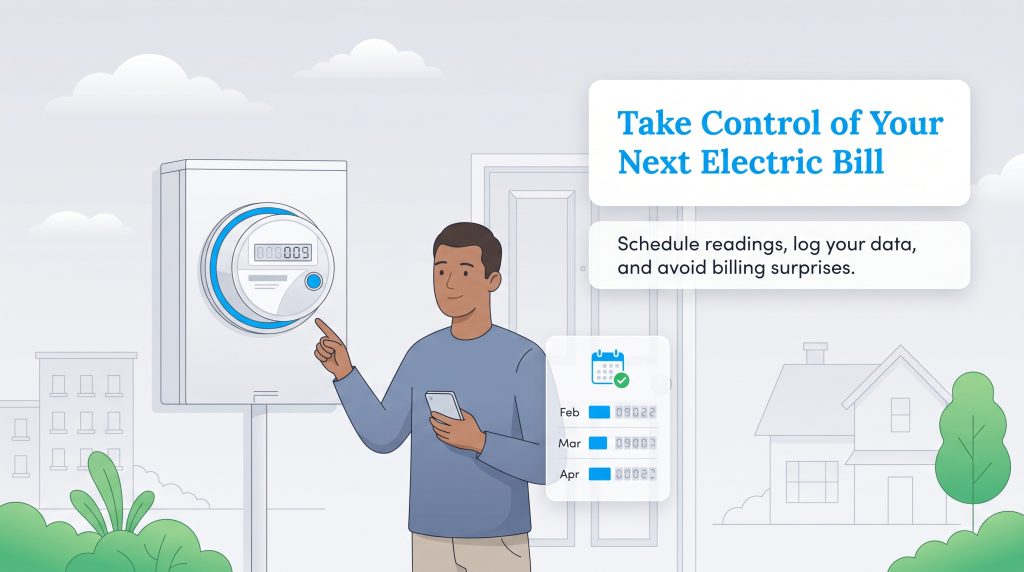
Demystifying the hardware attached to your house is a powerful step toward becoming a financially savvy and environmentally mindful consumer. Whether you rent a modest apartment or own a large single-family home, establishing a reliable routine for auditing your energy usage ensures you never pay a penny more than your fair share.
To set yourself up for long-term success, set a recurring calendar reminder on your smartphone that matches your utility company’s scheduled reading date. Next, create a physical or digital “Meter Reading Worksheet” to log your exact numbers month-over-month. Compiling this baseline data gives you total clarity on how seasonal weather changes, new appliance purchases, and your personal conservation habits directly impact your wallet. Taking charge of this information is the most effective way to eliminate billing surprises permanently. For extra peace of mind, you can research consumer rights and meter testing standards through authoritative organizations like the Department of Energy.
Frequently Asked Questions About Reading Electric Meters
How often should you read your electric meter?
What do the numbers on your electric meter mean?
What does the red dial on an electric meter mean?
How can I check electric meter accuracy?
What is an electric meter multiplier?
What is the formula to convert watts to kWh?
Do I need to report my own meter reading?
About the Author

LaLeesha has a Masters degree in English and enjoys writing whenever she has the chance. She is passionate about gardening, reducing her carbon footprint, and protecting the environment. She also recently served as President of the Board for City Sprouts (a community garden).

David has been an integral part of some of the biggest utility sites on the internet, including InMyArea.com, HighSpeedInternet.com, BroadbandNow.com, and U.S. News. He brings over 15 years of experience writing about, compiling and analyzing utility data.

Jared Evans is a licensed electrician and the owner of Full Circuit Electric in Omaha, Nebraska. As an expert reviewer for UtilitiesForMyHome.com, Jared uses his 10+ years of hands-on experience to ensure our electrical advice is safe, accurate, and easy to follow. Whether he's troubleshooting a complex wiring issue or sharing tips on green energy upgrades, Jared is dedicated to helping you power your home efficiently — and safely.