
Understanding Your Household’s Digital Habits Is The Key To Choosing The Right Internet Plan And Avoiding Costly Overage Fees
Key Takeaways
- 4K video streaming is a major data hog, often using up to 7 GB per hour.
- Smart home security cameras use more data than you think because they constantly upload footage to the cloud.
- Most internet service providers have a data cap around 1.2 TB, which is sufficient for the average family but tight for heavy gamers.
When you are setting up utilities for a new home, it is easy to get fixated on speed to ensure your movies don’t buffer and your video calls don’t freeze, but while most people focus on speed (Mbps), ignoring your data cap (GB) can lead to surprise bills or throttled service halfway through the month. If you have ever wondered, “How much internet data do I need?” you certainly aren’t alone. Taking the time to audit your digital life helps you pick the perfect plan so you never overpay for unlimited data you don’t use or get hit with overage fees for mindlessly exceeding your limits.
Internet Speed Vs Data: What’s The Difference?
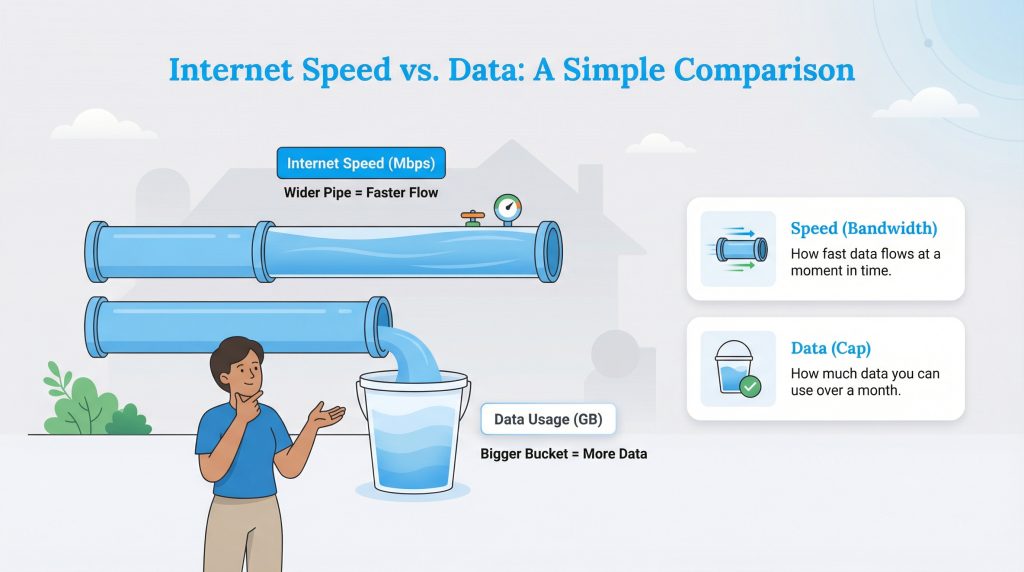
Before we dive into the numbers, we need to clear up the most common confusion for internet customers: the difference between internet bandwidth requirements and home internet data limits. Speed and capacity are two entirely different metrics, and confusing them is a quick way to sign up for the wrong internet service plan. The easiest way to visualize this relationship is by using a simple water pipe analogy.
Think of your internet connection like the plumbing in your house. Speed (Mbps) is the width of the pipe, which determines how fast the water can flow into your home at any given second. Data (GB) is the total amount of water that actually comes out of that pipe and fills your monthly bucket. You can have a very wide pipe — allowing water to rush in incredibly fast — but still be restricted to a relatively small bucket for the month. Once that bucket overflows, you start paying extra penalties.
Average Internet Data Usage By Activity
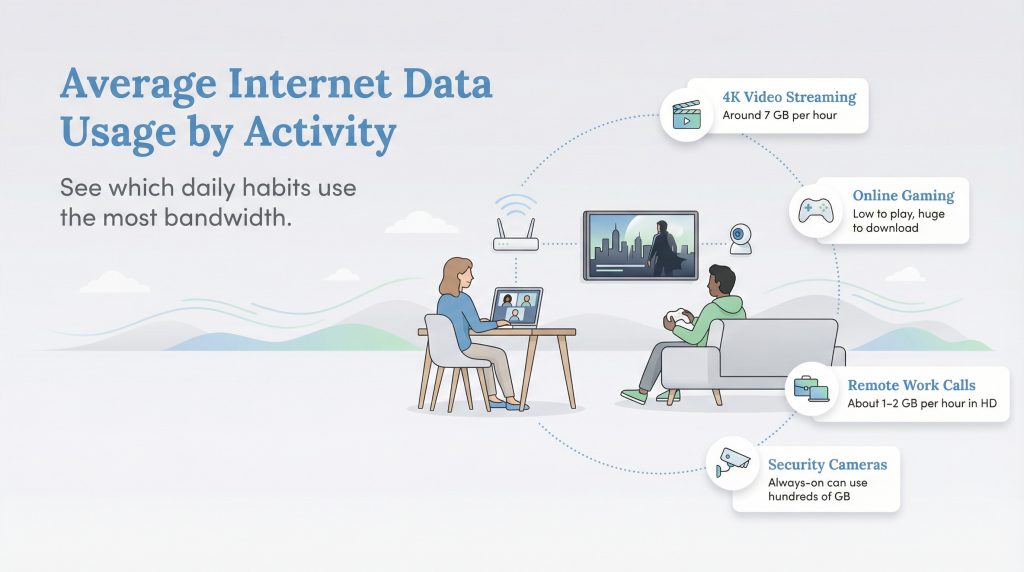
To figure out what plan you need, you have to look at what you actually do online on a daily basis. Different activities consume vastly different amounts of data. Sending a plain text email uses almost nothing, while downloading software or watching a movie in Ultra HD consumes a massive amount of bandwidth. If you are wondering, how much data does streaming use, the answer depends entirely on the resolution and the platform you prefer.
To help you put things into perspective, here is how some everyday activities drain your data bucket:
- Music Streaming: Listening to Spotify on normal quality uses roughly 40 MB to 50 MB per hour. In contrast, streaming lossless, high-fidelity tracks on Apple Music can burn through more than 150 MB per hour.
- Social Media Browsing: Scrolling through text-based platforms like Reddit or X uses a minimal 50 MB to 100 MB per hour. However, getting lost in auto-playing video feeds on TikTok or Instagram Reels can easily consume 800 MB to 1 GB per hour.
Here is a broader breakdown of estimated data usage per hour for common household activities:
| Activity | Estimated Data Consumed |
|---|---|
| Streaming Music | 50 MB – 150 MB per hour |
| Web Browsing & Social Media | 100 MB – 200 MB per hour |
| Zoom / Video Calls (Standard) | 1 GB – 2 GB per hour |
| Streaming Video (HD 1080p) | 3 GB per hour |
| Streaming Video (4K Ultra HD) | 7 GB per hour |
| Online Gaming (Playing) | 40 MB – 100 MB per hour |
Video Streaming
Streaming video is usually the biggest data user for almost every modern home. Services like Netflix, Hulu, and Disney+ automatically adjust their video quality based on your connection speed. If you have a fast, stable fiber connection, these platforms will default to crisp 4K resolution, which burns through roughly 7 GB of data every single hour. Watching just two long movies a week in 4K can add up to well over 100 GB a month for a single television.
From a sustainability perspective, this is also where your household can make a meaningful difference. Streaming in 1080p (HD) instead of 4K still looks incredibly sharp on most screens, but it saves you a ton of data and acts as an energy-saving option by significantly reducing electricity consumption at the massive data centers required to host and deliver those giant files.
Online Gaming And Downloading
There is a major misconception among gamers about data usage. Playing a competitive multiplayer game online actually uses very little data — usually less than scrolling through your social media feeds for an hour. The real data killer is downloading the actual games and installing their massive digital updates.
Many popular AAA titles today routinely exceed 50 GB to 100 GB per download. If you buy a few new digital games in a month and your console automatically downloads large seasonal patches for titles like Call of Duty in the background, you could easily use half of a standard 1 TB data cap without playing a single match.
Working From Home
If your household has two people working remotely, you need to treat your home office like a demanding small business. Video calls on platforms like Zoom, Microsoft Teams, or Google Meet are heavy, consistent data users. A high-definition group video call can use about 1 GB to 2 GB per hour.
If two people are on several hours of HD video calls each day, you might use 6 GB to 10 GB of data per workday. Factor in large file transfers, cloud backups syncing in the background, and general web research, and this can easily add up to roughly 150 GB to 250 GB per month solely dedicated to professional work.
Smart Home Devices
Many people worry about their smart bulbs, smart locks, or thermostats using up their bandwidth, but those helpful gadgets use tiny, almost unnoticeable amounts of data. The real culprit in the smart home ecosystem is the security camera. Always-on cameras, like older Nest Aware models or Ring cameras set to a high motion-detection sensitivity, constantly upload HD video footage to the cloud.
A single camera recording in high-definition around the clock can easily use dozens to hundreds of gigabytes per month, depending on its resolution and recording settings. If you have three or four cameras monitoring your property, you could inadvertently hit your data cap without ever watching a movie. To learn more about how smart devices impact your home’s overall efficiency, check out our guide to home electricity and energy management.
How To Calculate Your Own Internet Data Usage
Relying on a generic online tool doesn’t always paint an accurate picture of your unique digital life. Fortunately, building your own internet data usage calculator takes just a few minutes. By following a simple, step-by-step formula, you can confidently answer the ultimate question: how many GBs of internet do I need a month?
Here is how to calculate your personalized estimate:
- Tally Your Daily Hours: Estimate how many hours your household spends daily on high-usage activities (streaming video, video calls, heavy social media scrolling).
- Multiply by the Data Rate: Multiply your streaming hours by 3 GB (for 1080p HD) or 7 GB (for 4K UHD). Multiply your video call hours by 1.5 GB.
- Find Your Monthly Baseline: Take that daily total and multiply it by 30 days.
- Add the 20% Buffer: Add an extra 20% to your final number to account for smart home background usage, software updates, online gaming, and random web browsing.
Use this convenient fill-in-the-blank table to map out your household’s monthly habits and do the math yourself:
| Activity Type | Daily Hours | Multiplier | Daily Total (GB) |
|---|---|---|---|
| Streaming (HD) | ___ hrs | x 3 GB | = ___ GB |
| Streaming (4K) | ___ hrs | x 7 GB | = ___ GB |
| Video Calls / WFH | ___ hrs | x 1.5 GB | = ___ GB |
| Total Daily Usage | = ___ GB | ||
| Total Monthly Usage | (Daily Total x 30) | = ___ GB | |
| Final Estimate | (Monthly Total x 1.2) | = ___ GB |
Estimating Your Household’s Monthly Data Needs
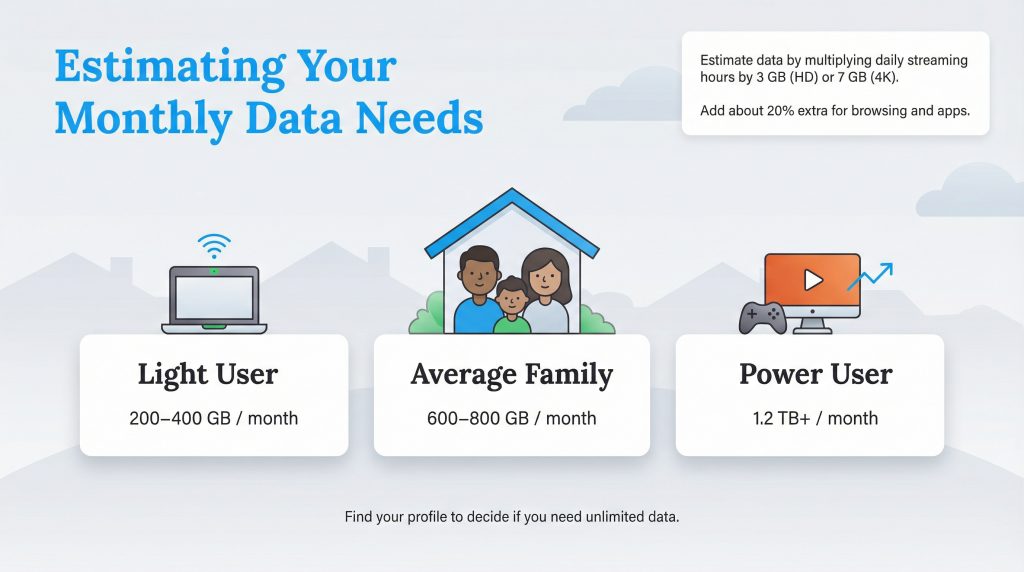
If you don’t want to run the exact math using our manual calculator, you can quickly find your place by looking at standard user profiles. Most modern homes easily slot into one of these three broad categories.
Finding yours will help you confidently decide if you need to pay for unlimited data or if you can safely stick with a more affordable basic plan.
The Light User
This profile fits smaller households with one to two people who use the internet primarily for light web browsing, answering emails, and casual social media scrolling. You might stream a few favorite television shows a week in standard HD, but you certainly aren’t glued to the screen or working remotely on video calls all day.
Estimated Need: 200–400 GB per month.
The Average Family
This demographic typically includes three to four people under one roof. You have daily television streaming habits, kids doing digital schoolwork or playing games occasionally, and a few smart home devices silently running in the background. Based on current industry standards, the average gigabytes per month for home internet for typical households currently falls right between 500 GB and 600 GB.
Estimated Need: 500–600 GB per month.
The Power User
This demanding profile is reserved for heavy gamers who download large digital files regularly, 4K home theater enthusiasts, or remote content creators who upload large video files for their daily work. If you have multiple security cameras uploading 24/7 and several people streaming simultaneously, you definitely fit here.
Estimated Need: 1.2 TB (1,200 GB) or more per month.
For more tips on optimizing your connection and router setup for these intensive activities, visit our internet utilities hub.
Is 1TB Or 1.2TB Of Internet Data Enough?
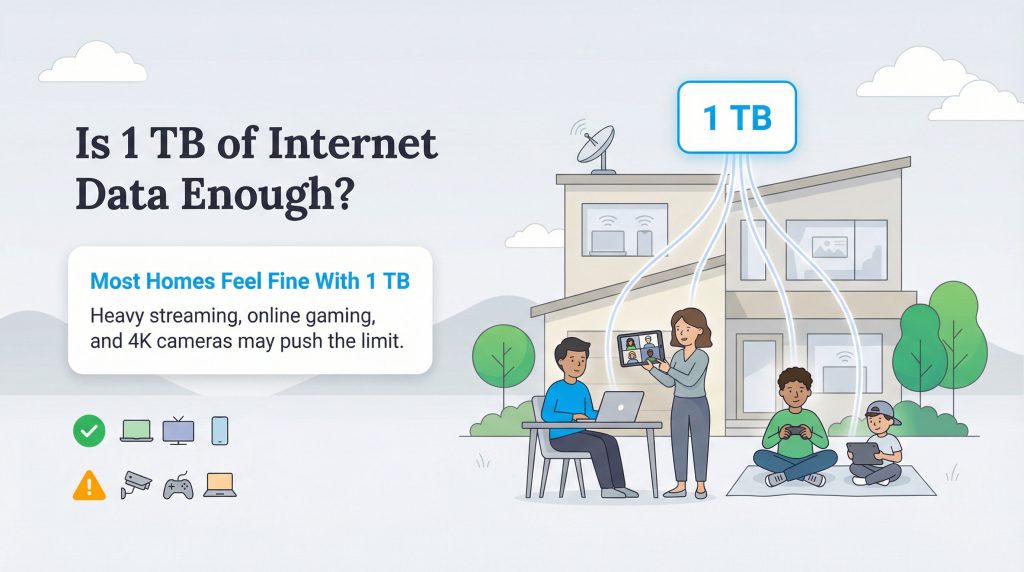
If you are asking, is 1.2TB of internet data enough, the answer is a resounding yes for the vast majority of households. A massive 1.2 Terabyte (1,228 GB) limit is currently the industry standard data cap used by major telecommunications providers like Xfinity, while providers like AT&T and Cox similarly utilize 1 TB or 1.2 TB thresholds on their standard plans.
To truly put that massive number into a practical context, you would have to stream Netflix in high definition for roughly 11 to 13 hours a day, every single day of the month, just to trigger a warning message near a 1.2 TB cap. For the average family consuming around 600 GB, you have ample breathing room to download games, work from home, and stream shows comfortably.
However, “most people” doesn’t mean absolutely “everyone.” If you live in a bustling household of four with continuous 4K security cameras pointing at the driveway, two adults working remotely full-time on video calls, and teenagers downloading huge new video games every weekend, a 1.2 TB cap might suddenly feel a bit claustrophobic. If you consistently find yourself hitting 90% of your cap by the third week of the month, the ongoing mental stress of aggressively monitoring your usage might eventually outweigh the cost of upgrading your plan.
Unlimited Data Vs Limited Data Plans
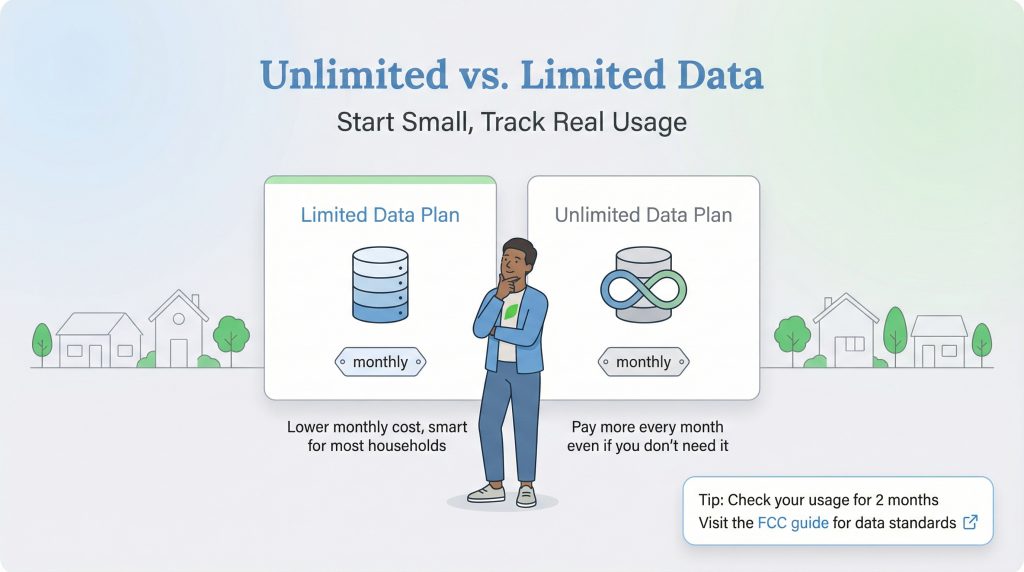
When you are shopping for plans during a move, you will inevitably see flashy sales pitches for unlimited internet data plans. These upgrades usually demand an extra $30 to $50 per month on top of your base bill unless they are specifically bundled into a top-tier gigabit speed plan. Is that extra peace of mind actually worth the premium price tag?
For most new movers who aren’t operating a home business or running a competitive gaming server, we highly recommend starting with the standard limited plan (usually 1.2 TB). It is financially smarter to track your usage carefully during the first two months in your new home before paying a recurring monthly premium. Let’s look at the simple math behind the break-even point to see why upgrading blindly is a bad idea:
- The Unlimited Premium: Upgrading to unlimited usually costs an extra $30 to $50 every single month.
- The Standard Overage Penalty: Most major internet service providers charge a standard penalty of $10 for every additional 50 GB block of data you use over your specific cap.
- The Break-Even Point: You would need to consistently blow past your 1.2 TB cap by 150 GB to 250 GB every month just to break even on a $30 to $50 unlimited data add-on. If you only go over your cap by 50 GB once a year, you are far better off paying the single $10 overage fee rather than handing the internet company $600 a year for an unnecessary upgrade.
You can verify current consumer broadband standards and data transparency rules by visiting the FCC’s consumer guide on household internet usage to ensure your provider is acting fairly.
How To Check Your Current Data Usage
You shouldn’t wait for a penalty email from your internet provider to figure out how much bandwidth you consume. Knowing how to check current data usage is an essential skill for managing your monthly household budget. Thankfully, finding your historical average internet data usage per month is easier than ever.
Here are the three easiest ways to track your digital footprint right now:
- Log Into Your ISP Web Portal: Navigate to your internet service provider’s main website (like Xfinity or AT&T) and log into your account dashboard. Look for a tab labeled “Usage,” “My Data,” or “Internet Dashboard.” This section usually displays a clear bar graph showing your exact usage over the last six months.
- Download the ISP Mobile App: Almost all major providers offer a free smartphone app designed for account management. Download it, sign in, and you can usually see your current billing cycle’s data progress displayed right on the home screen.
- Check Your Smart Router App: If you use a modern mesh network system like Amazon Eero, Google Nest Wifi, or Netgear Orbi, open their dedicated mobile application. These sophisticated routers actively monitor the traffic passing through them and can show you exactly which individual devices — from your teenager’s gaming console to your smart television — are consuming the most data in real time.
Managing Your Data For A Smarter Home
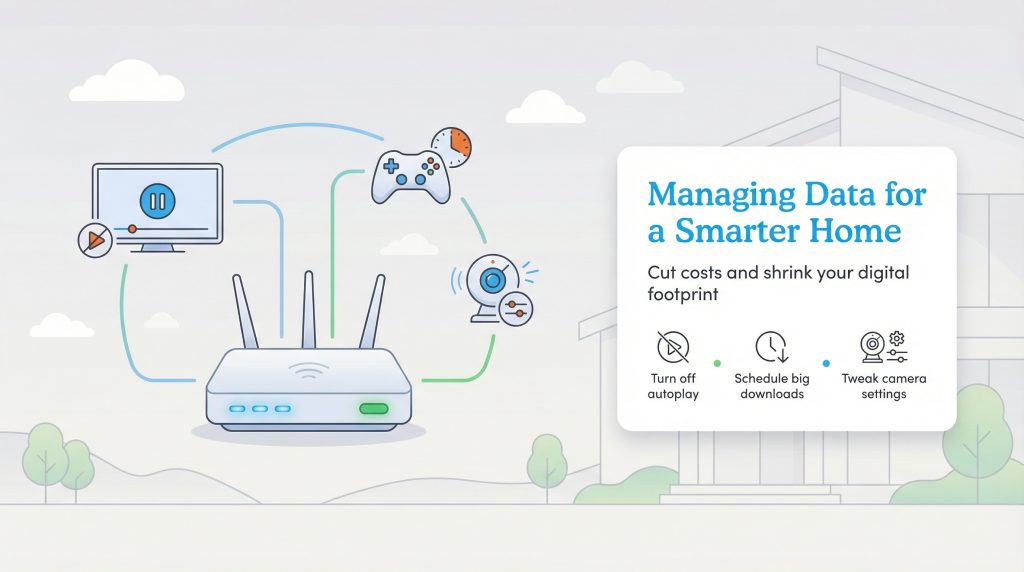
Knowing your data usage isn’t just about avoiding annoying financial fees; it is about running a more efficient and mindful home. Digital waste is very real, and reducing your household’s unnecessary data consumption directly reduces the massive electrical demand on the energy-hungry data centers that power the modern internet.
Simple habit changes can shrink your digital footprint while saving you hundreds of gigabytes a month. Try implementing these highly effective, environmentally mindful choices:
- Lower the Resolution on Smart Cameras: Dive into your security camera’s app settings and reduce the recording quality from 4K to 1080p. The video will still be perfectly clear for security purposes, but you will instantly cut the upload bandwidth requirement by more than half.
- Configure Streaming Apps to Default to 1080p: Log into the settings menus on Netflix, YouTube, and Amazon Prime Video to force the playback default to standard HD rather than auto-playing in 4K.
- Turn Off Autoplay Features: Stop your television from automatically playing the next episode of a show when you fall asleep on the couch.
- Schedule Massive Downloads: Set your video game consoles or computer software updates to download their massive patches during off-peak hours when network congestion is lower.
By keeping a close eye on what is running invisibly in the background, you easily keep your utility bills low and your digital footprint much smaller. It is a win-win scenario for your wallet and the planet.
Choosing The Perfect Internet Data Plan For Your New Home
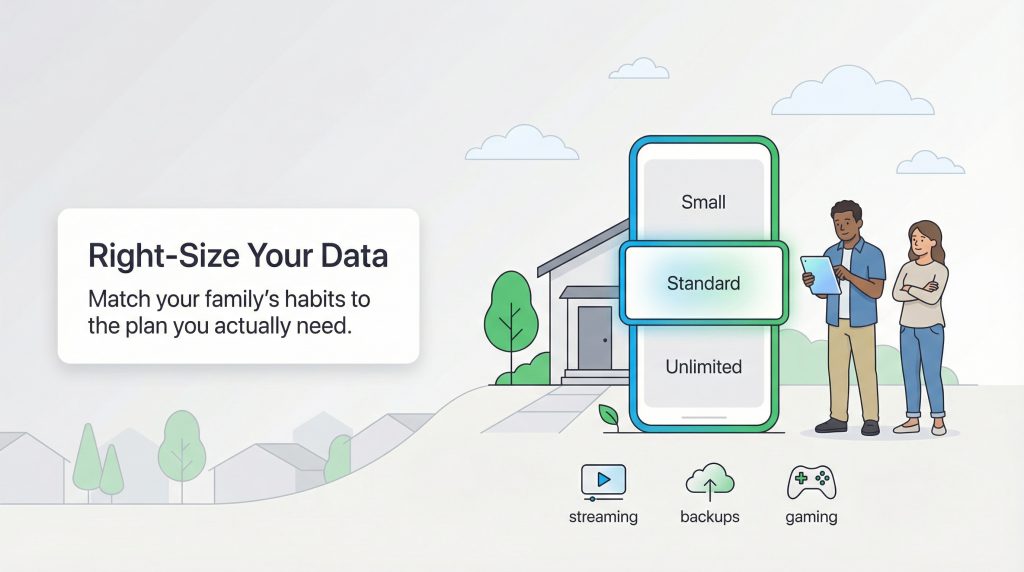
To pick the very best internet plan during your next move, start by honestly matching your family size and digital habits to one of our user profiles. By right-sizing your data plan from day one, you easily avoid paying a premium for unlimited data you simply don’t need while making a more sustainable choice for your digital footprint.
As you review your options, keep these three actionable recommendations in mind to guarantee a perfect fit:
- Start With the Standard 1.2 TB Cap: Unless you are running a heavy-duty home server or a 24/7 high-resolution streaming setup, the standard plan will provide plenty of bandwidth for everyday activities.
- Track Your First Two Months: Use your provider’s smartphone app or web dashboard to aggressively monitor your usage during your first 60 days in a new home before committing to any pricey upgrades.
- Optimize Your Smart Devices: Take five minutes to adjust the resolution settings on your streaming apps and outdoor security cameras to instantly curb background data hoarding.
Frequently Asked Questions About Internet Data Usage
What uses the most data on Wi-Fi?
How many GB of internet do I need for gaming?
Does Zoom use a lot of data?
What happens if I go over my data cap?
How many GBs does the average home use per month?
Is 50GB of internet data enough for a month?
Does using Wi-Fi on my phone count against my home internet data cap?
About the Author

David has been an integral part of some of the biggest utility sites on the internet, including InMyArea.com, HighSpeedInternet.com, BroadbandNow.com, and U.S. News. He brings over 15 years of experience writing about, compiling and analyzing utility data.