

Fiber Internet Delivers Unmatched Speed and Reliability While 5G Home Internet Offers Budget-Friendly Pricing and Effortless Setup for Your New Home
Key Takeaways
- Fiber provides the fastest, most reliable connection available, making it ideal for large households and heavy internet users.
- 5G home internet is easy to self-install, making it helpful for renters and movers who want service without a technician appointment.
- Choosing the right internet depends on your location and lifestyle, balancing your need for peak performance with your monthly budget and equipment preferences.
Moving into a new place brings an endless checklist of chores, and figuring out how to keep your household online shouldn’t add to your moving day headaches. When comparing Fiber vs. 5G Home Internet, you are essentially weighing the gold standard of wired performance against a highly convenient, plug-and-play wireless alternative. Whether you are managing automated smart home devices, streaming cinematic movie marathons, or battling through remote work meetings, picking the right connection significantly affects your daily digital experience. While fiber internet is the undisputed champion for sheer speed, low latency, and rock-solid reliability for demanding households, 5G home internet excels in budget predictability and an effortless setup that bypasses costly technician appointments. We are here to help you cut through the confusing technical jargon and compare home internet options to find exactly which service fits your lifestyle, ensuring you make the absolute best choice based on what is physically available at your new address.
What Is the Difference Between Fiber and 5G Home Internet?
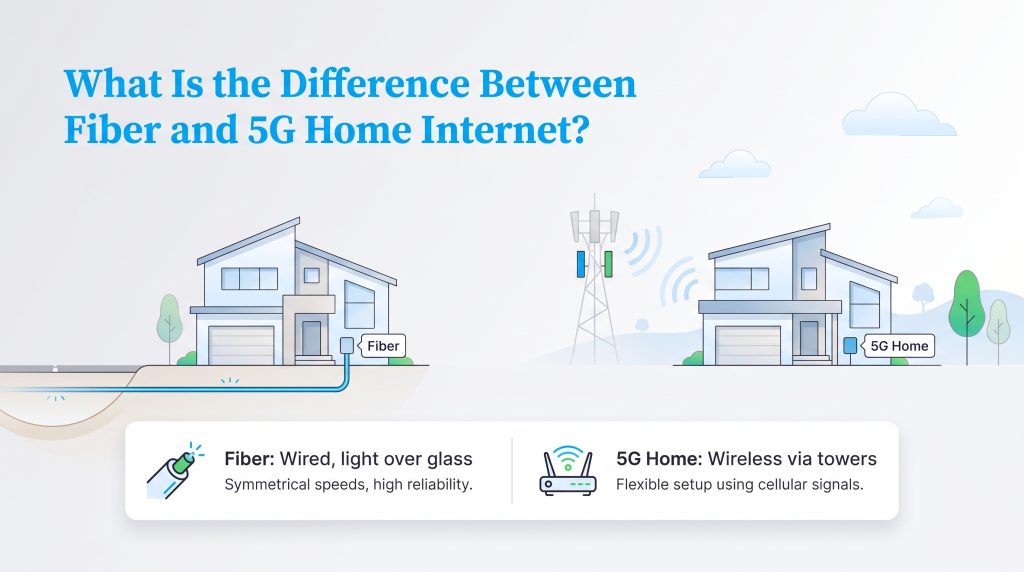
When exploring your connectivity options, it greatly helps to understand the underlying architecture powering these two distinct services. Fiber internet relies on physical infrastructure, transmitting data as pulses of light through dedicated underground pulses of light directly to your residence. This hardwired technology, often referred to as fiber-to-the-home, delivers unparalleled symmetrical bandwidth because it uses ultra-thin glass strands that remain entirely immune to standard electrical interference.
On the other hand, 5G home internet operates entirely as a fixed wireless access (FWA) service. Instead of a buried cable, it utilizes nearby cellular towers to broadcast high-speed radio frequencies — including advanced mid-band C-Band and ultra-fast mmWave spectrums — straight to a receiver sitting inside your house. While fiber physically anchors you to a dedicated neighborhood line, fixed wireless access transforms the same cutting-edge mobile networks that power your smartphone into a robust, whole-home Wi-Fi blanket.
Top Fiber and 5G Home Internet Providers


- 5 Gbps
- Fiber
- Unlimited
- $30.00/mo

- 498 Mbps
- 5G
- 1.2 TB
- $35.00/mo

- 8 Gbps
- Fiber
- Unlimited
- $30.00/mo

- 8 Gbps
- Fiber
- Unlimited
- $70.00/mo

- 2 Gbps
- Fiber
- Unlimited
- $24.99/mo
*Not all internet providers and speeds available in all areas.
Fiber vs 5G Home Internet Head-to-Head Comparison
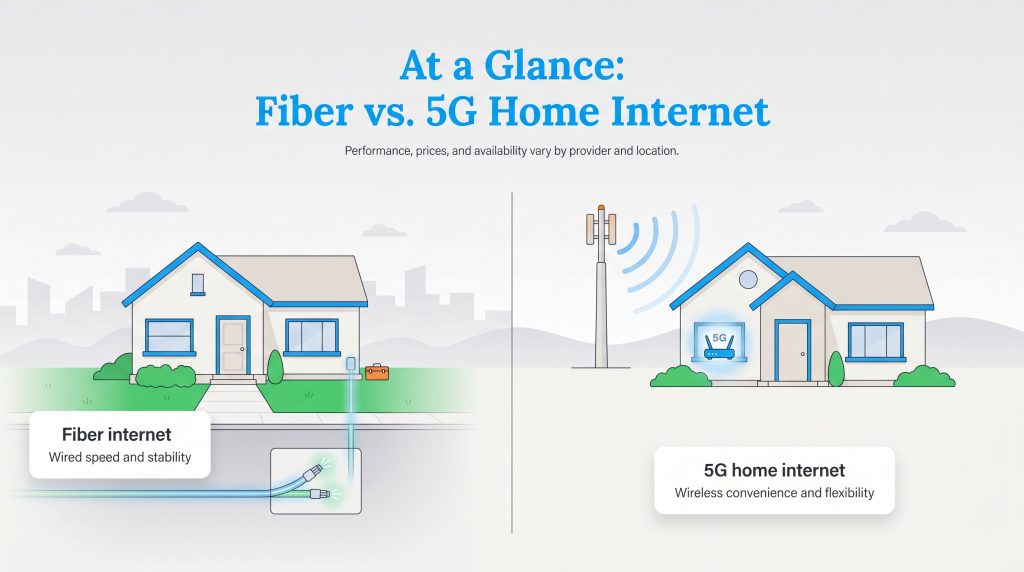
While both of these robust services offer high-speed access to the web, they rely on completely different physical infrastructures to bring that data into your living room. Examining the technologies alongside one another reveals distinct trade-offs between sheer internet horsepower and modern, everyday convenience.
| Feature | Fiber Internet | 5G Home Internet |
|---|---|---|
| Technology Type | Wired (Fiber-optic glass cables) | Fixed Wireless Access (FWA via cellular towers) |
| Speed Ranges | Typical plans offer 300 to 5,000 Mbps | Advertised speeds range from 75 to 1,000 Mbps |
| Latency (Ping) | Consistently low (5 to 20 ms) | Variable and higher (30 to 100+ ms) |
| Data Caps | Rarely enforced; truly unlimited bandwidth | Usually unlimited, but subject to deprioritization |
| Starting Price | $50 to $80 per month (promotional rates vary) | $40 to $60 per month (often includes taxes) |
| Setup Process | First-time installs require a technician | Plug-and-play self-installation |
| Best For | Large families, competitive gamers, remote workers | Renters, budget-conscious users, frequent movers |
Note: Prices and speeds vary by provider, address, equipment, promotion, and network conditions.
Speed and Reliability
Incredibly fast download rates are fantastic, but how that data actively reaches your devices makes a significant difference in your daily browsing experience. When evaluating the raw numbers, fiber optic connections typically deliver symmetrical speeds ranging from 1,000 to 5,000 Mbps. In contrast, most standard 5G home internet plans offer maximum download speeds fluctuating between 75 and 300 Mbps, depending heavily on your proximity to the nearest cellular tower.
Fiber consistently wins the raw speed race because its wired infrastructure offers ultra-fast, stable bandwidth that remains practically immune to outside interference, particularly when it comes to upload and download speeds. Cellular internet is inherently far more sensitive to external environmental factors, and you may experience noticeable 5G home internet throttling during peak evening hours when neighborhood network congestion spikes. If you are unsure what bandwidth you actually require, checking the FCC’s activity-based broadband speed guide can help you calculate the performance sweet spot for your household.
Latency and Gaming Performance
If you frequently ask the question, “Is 5G home internet good for gaming?” the honest answer revolves entirely around your ping. Latency measures exactly how long it takes for a signal to travel from your gaming console to the server and back. When evaluating 5G vs fiber latency, there is a massive architectural difference you will feel immediately during gameplay:
- Fiber Latency: Consistently low, typically between 5 ms and 20 ms.
- 5G Home Internet Latency: Highly variable, often spiking between 30 ms and 100+ ms.
Because 5G relies on wireless radio waves bouncing to local cell towers, the unpredictable jitter easily disrupts competitive matches with rubber-banding and missed inputs. Therefore, a physical fiber connection is absolutely required for competitive multiplayer gaming. While fixed wireless access is perfectly fine for downloading large patches or syncing cloud saves, a dedicated wire remains undisputed for active, split-second gameplay.
Cost and Hidden Fees
Balancing your household budget is a crucial step when settling into a new residence, and your monthly internet bill plays a major role in those financial calculations. When dissecting the cost of fiber vs 5G internet, you will quickly notice that both technologies cater to very different wallet strategies. Wireless 5G services typically feature straightforward, flat-rate pricing — often sitting comfortably between $40 and $60 per month. These plans usually bake applicable taxes right into the sticker price and rarely charge extra for the gateway equipment.
| Fee Type | Fiber Internet | 5G Home Internet |
|---|---|---|
| Average Monthly Cost | $50 to $80 (Promotional rates often expire) | $40 to $60 (Flat-rate pricing) |
| Setup & Installation Fee | $50 to $99 (Technician required) | $0 (Self-installation) |
| Equipment Rental Fee | $10 to $15 per month | $0 (Included in plan) |
Fiber, however, frequently pulls you in with attractive promotional rates that might inevitably bump up after your first 12 to 24 months. Despite those potential extra fees, a wired connection still delivers a substantially better cost-per-Mbps value. It is an essential factor to weigh when you are exploring how to save on internet and seeking predictable, long-term expenses.
Setup and Installation
Hauling cardboard boxes into a new space is exhausting enough without agonizing over complicated utility hookups. The actual process of getting your home network up and running varies wildly depending on which service architecture you select. A robust fiber setup typically demands an Optical Network Terminal (ONT) box mounted securely to your wall alongside a separate, standalone router. Conversely, wireless 5G relies on a single, unified gateway device that smartly operates as both your cellular modem and your Wi-Fi router. We want to help you minimize the technological downtime so you can jump straight into unpacking your life while streaming your favorite playlists, taking the hassle out of setting up a wireless router for your new home.
Fiber Setup Steps:
- Schedule a professional technician for a multi-hour service window.
- Secure landlord permission if you are renting the property.
- Allow the technician to drill through exterior walls to run the cables.
- Mount the ONT directly to your wall and connect a separate Wi-Fi router.
5G Home Internet Setup Steps:
- Order the sleek modem-router combination gateway online.
- Unbox the equipment and plug it into a standard wall outlet.
- Position the gateway near a window facing the nearest cell tower.
- Follow a brief smartphone app tutorial to activate your Wi-Fi instantly.
Your overall 5G network performance relies heavily on proper gateway placement, so try positioning your router on a high shelf near a window facing the nearest cell tower to lock in the strongest possible signal. 🌱 Eco Edge: Upgrading your home network? Always look for ENERGY STAR certified networking equipment that features smart standby modes to effortlessly reduce your daily electricity consumption.
Availability Urban Fiber vs Rural 5G Coverage
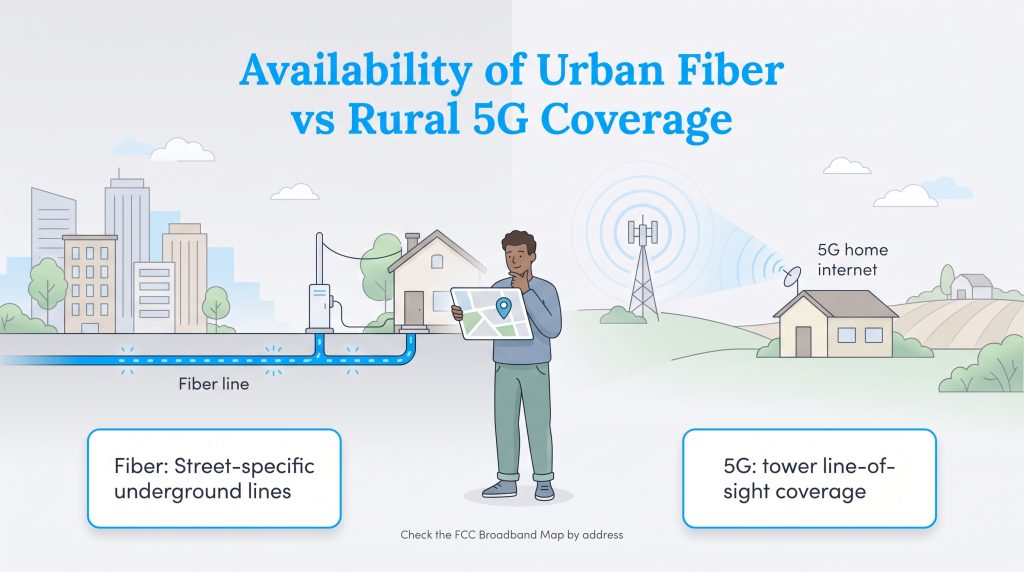
Before examining top speeds and promotional pricing, you must verify what infrastructure actually exists at your exact address. Internet options change drastically from one block to the next, largely due to the expensive logistics of expanding physical networks. Fiber internet requires buried infrastructure, which heavily limits its availability to specific urban and suburban streets where providers have actively laid new cables.
Conversely, 5G home internet requires line-of-sight to local cell towers and is actively bridging the digital gap in rural and suburban areas. Because it completely bypasses the need for underground wires, 5G is scaling rapidly. Depending on your address, you may see fiber options from providers such as AT&T Fiber, Frontier Fiber, or Verizon Fios, while 5G home internet may come from wireless carriers such as T-Mobile, Verizon, or AT&T. We encourage you to check the FCC National Broadband Map for exact address availability before committing to a plan.
Top Provider Matchups
When you sit down to finalize your internet plans, you will often find yourself comparing completely different services offered by the exact same telecom giants, or weighing a major cellular brand against a local utility provider. Understanding how these heavy hitters stack up against one another illuminates exactly where your monthly bill is going.
Verizon 5G Home Internet vs Fios
If you live in an urban or suburban market, you might have the luxury of choosing between two premium Verizon products. The Verizon Fios vs 5G home internet debate boils down to your need for sheer speed versus outright convenience. Verizon Fios is their legendary fiber optic service — offering incredible symmetrical speeds starting at 300 Mbps and soaring up to 2 Gbps. It is the vastly superior choice if you prioritize network stability and ultra-low latency.
Verizon 5G Home Internet leverages the carrier’s vast Ultra Wideband cellular network. It is drastically easier to set up because you simply plug in the wireless receiver. While the speeds are incredibly respectable, typically ranging from 85 to 300 Mbps, it will never outpace a physical Fios line. Choose Fios for elite home performance, and choose Verizon 5G if you want a discounted internet bundle layered on top of your existing mobile phone plan without the hassle of a technician visit.
T-Mobile 5G Home Internet vs Fiber Providers
Millions of households sit in frustrating physical dead zones where major providers have not buried fiber optic lines, leaving them stranded with outdated, overpriced cable options. This is exactly where the T-Mobile 5G home internet vs fiber conversation gets highly interesting. While T-Mobile is primarily a cellular carrier, their fixed wireless home service has aggressively expanded to cover millions of homes that lack proper fiber infrastructure.
When comparing fixed wireless vs fiber in these fringe neighborhoods, T-Mobile serves as an incredibly capable bridge. No, T-Mobile’s connection will not beat the lightning-fast upload speeds of a dedicated AT&T or Frontier fiber connection. However, with consistent pricing around $50 to $60, absolutely no data caps, and simple self-installation, T-Mobile offers a deeply compelling alternative for families tired of waiting for the local telecom company to dig up their streets.
Pros and Cons of Fiber Internet
Fiber optic networks represent the absolute pinnacle of residential internet performance, beaming data through insulated glass strands. While the technology is incredibly robust, it still comes with a few logistical drawbacks you need to consider before signing a new contract.
- Pro: Symmetrical Upload and Download Speeds. Fiber allows you to upload massive files just as quickly as you download them.
- Pro: Ultra-Low Latency. The dedicated wired infrastructure minimizes signal delays for competitive gamers and remote workers.
- Pro: Consistent Reliability. Heavily insulated cables are nearly immune to neighborhood network congestion and harsh weather conditions.
- Con: Limited Geographic Availability. Many older neighborhoods and rural areas still lack physical fiber access entirely.
- Con: Professional Installation Required. First-time setups generally require an invasive professional installation and landlord permissions.
- Con: Price Hikes After Promotions. Many providers lure you in with cheap introductory rates that significantly increase after 12 or 24 months.
Pros and Cons of 5G Home Internet
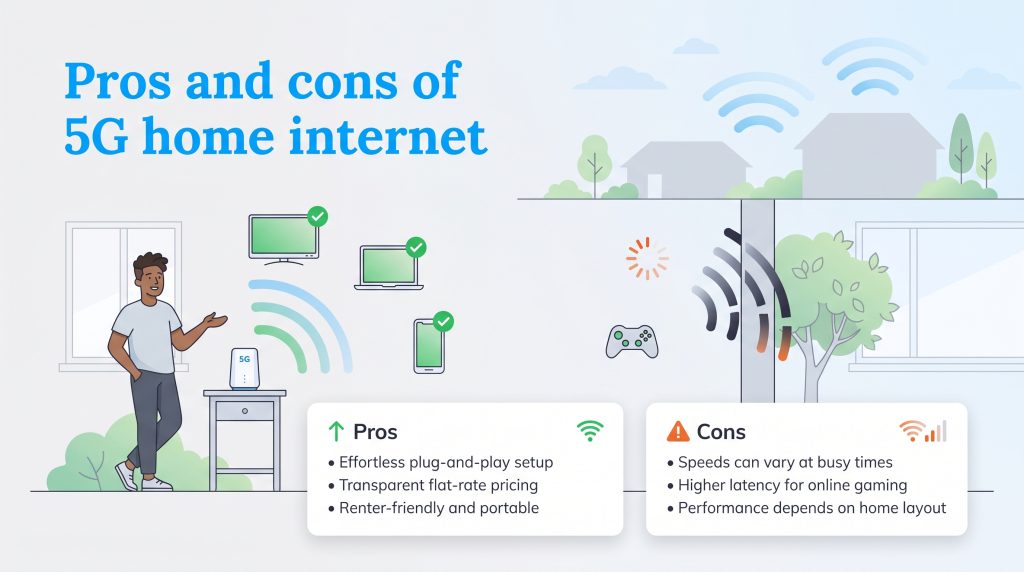
Fixed wireless internet takes the same cutting-edge cellular networks powering your smartphone and redirects them to supply your entire house with Wi-Fi. This modern approach delivers incredible convenience, though it sacrifices a bit of the raw stability found in a hardwired connection.
- Pro: Effortless Plug-and-Play Setup. You simply unbox the provided gateway, plug it into a standard wall outlet, and activate your Wi-Fi within minutes.
- Pro: Transparent, Flat-Rate Pricing. Wireless carriers advertise clean, predictable pricing that bakes taxes into the final monthly cost.
- Pro: Portability and Renter-Friendly. Because there are no drilled holes, you can freely move the gateway around your apartment to find the best signal.
- Con: Variable Speeds. Your download speeds may temporarily dip if your local cell tower experiences heavy traffic during peak evening hours.
- Con: Higher Latency and Jitter. Wireless signals inherently take longer to reach servers, introducing noticeable lag during fast-paced multiplayer video games.
- Con: Dependent on Home Layout. Thick concrete walls, metal roofs, and large trees can obstruct the signal, requiring careful gateway positioning near a window.
Choosing Your Next Internet Provider
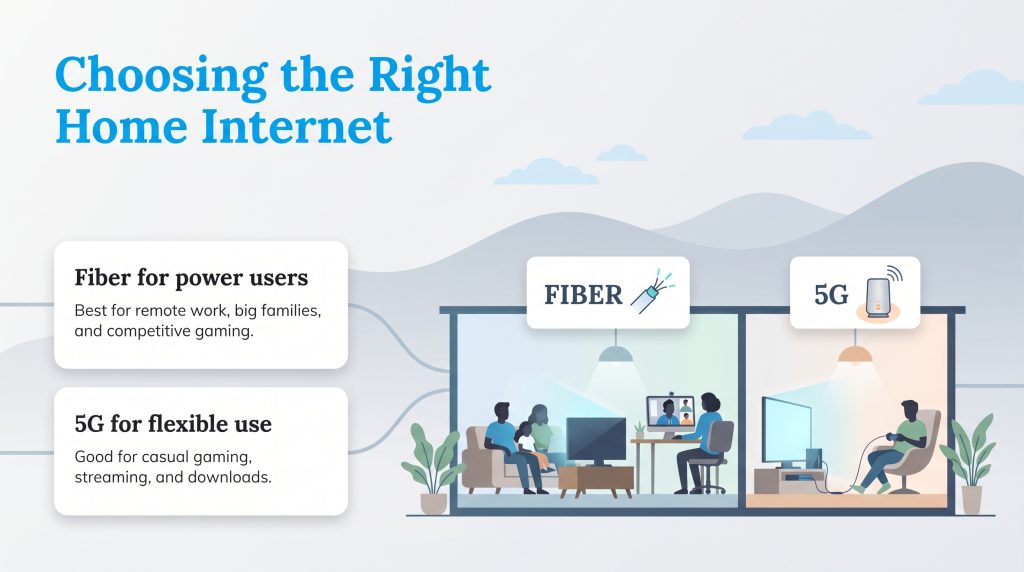
Finding your perfect online companion ultimately boils down to identifying exactly what you value most in a modern utility provider. Both technologies are impressive engineering marvels, but they cater to very different domestic lifestyles. Review these specific scenarios to pinpoint the exact category you fall into before making your final call.
Choose Fiber If:
- You have a large household with multiple family members streaming 4K video simultaneously.
- You play competitive multiplayer video games and require consistently low ping.
- You work from home full-time and need symmetrical upload speeds for seamless video conferences.
- You utilize a vast network of automated smart home devices that demand massive bandwidth capacity.
Choose 5G Home Internet If:
- You rent an apartment and want to avoid dealing with strict landlord permissions for installation.
- You frequently move and need a portable, plug-and-play gateway that easily travels with you.
- You are a budget-conscious consumer looking for flat-rate pricing without hidden equipment fees.
- You live in a rural or suburban area where underground fiber optic infrastructure is currently unavailable.
Whichever connectivity path you ultimately select, you are equipping your new residence with incredible digital capabilities. Take a brief moment to carefully assess the cellular signal strength near your windows and weigh that convenience against your appetite for competitive gaming or massive daily file uploads. Your ideal network is distinctly out there, perfectly ready to power your eco-conscious smart home and keep your entire family seamlessly connected from day one.
Frequently Asked Questions About Fiber and 5G Home Internet
Is 5G home internet as reliable as fiber?
No, 5G home internet is generally not as reliable as a dedicated fiber optic line. Because wireless signals travel through the air, they are highly susceptible to network congestion during peak hours and physical interference from thick walls or trees. A buried physical wire provides unmatched, consistent stability.
What is the average latency of 5G home internet vs fiber?
Fiber connections typically maintain an ultra-low latency between 5 ms and 20 ms. In comparison, 5G home internet experiences a much higher and more variable latency, often ranging from 30 ms to well over 100 ms, depending on your physical distance to the cell tower and current network traffic.
Does bad weather affect 5G home internet more than fiber?
Yes, extreme weather conditions like heavy rain or dense snow can occasionally interfere with the wireless radio waves broadcasting your 5G signal. Physical fiber cables are securely buried underground or strung heavily insulated on utility poles, making them remarkably resilient against atmospheric disruptions.
Does 5G home internet have data caps?
Most major wireless providers currently offer their 5G home internet plans with truly unlimited data, freeing you from annoying monthly overage charges. However, check your carrier’s fine print for deprioritization clauses, which means your provider might temporarily slow your speeds during periods of extreme local network congestion.
Can I easily switch from fiber to 5G home internet?
Yes, transitioning away from a wired connection is incredibly straightforward, largely thanks to the generous risk-free trial periods many 5G carriers now offer. We highly advise testing out the wireless gateway for a few days to ensure the local cell tower signal is robust enough before formally canceling your existing fiber plan.
Which connection is more energy-efficient?
A single 5G gateway reduces the total number of devices plugged into your wall, which slightly lowers your immediate household footprint. However, fiber networks are incredibly energy-efficient at transmitting large amounts of data over long distances without signal loss. Selecting ENERGY STAR certified equipment and utilizing sleep modes is your best strategy regardless of connection type.
Are the best 5G home internet providers available everywhere?
While major telecom carriers are rapidly expanding their wireless networks nationwide, home availability remains entirely dependent on your direct geographic proximity to recently upgraded cell towers. Unlike traditional satellite services that cover vast rural areas, true high-speed 5G home internet is still growing its physical footprint.
Can 5G home internet replace fiber?
Yes, 5G home internet can easily replace fiber if you have a smaller household with casual internet habits, such as basic web browsing and streaming a few shows. However, if you rely on low latency for competitive gaming, or need massive symmetrical bandwidth for working from home and heavy 4K streaming, fiber remains the undisputed superior choice.
Will 5G home internet slow down at night?
It is very possible that your 5G home internet will slow down at night due to network deprioritization. Because you share bandwidth with mobile smartphone users on the same cellular tower, providers often throttle home internet speeds during peak evening hours when local network congestion is at its absolute highest.
Is fixed wireless access the same as 5G home internet?
Yes, 5G home internet is a specific, modernized form of fixed wireless access (FWA). FWA is the broad technological term for any internet service that beams a signal from a tower to a stationary receiver in your home, and 5G simply indicates that the service is utilizing the latest generation of ultra-fast cellular networks.
About the Author

David has been an integral part of some of the biggest utility sites on the internet, including InMyArea.com, HighSpeedInternet.com, BroadbandNow.com, and U.S. News. He brings over 15 years of experience writing about, compiling and analyzing utility data.

LaLeesha has a Masters degree in English and enjoys writing whenever she has the chance. She is passionate about gardening, reducing her carbon footprint, and protecting the environment. She also recently served as President of the Board for City Sprouts (a community garden).