
Choosing Between Mint Mobile And T-Mobile 5G Internet Comes Down To Your Willingness To Pay Upfront Versus Month-To-Month Flexibility
Key Takeaways
- Mint Mobile requires an upfront annual payment to lock in its lowest rate, while T-Mobile offers a simple month-to-month billing structure.
- Both services typically use similar provider-supplied 5G gateway equipment, meaning your connection quality will be highly comparable on either plan.
- T-Mobile provides a slightly higher data prioritization limit at 1.2TB compared to Mint Mobile’s 1TB, making it the better option for heavy streaming households.
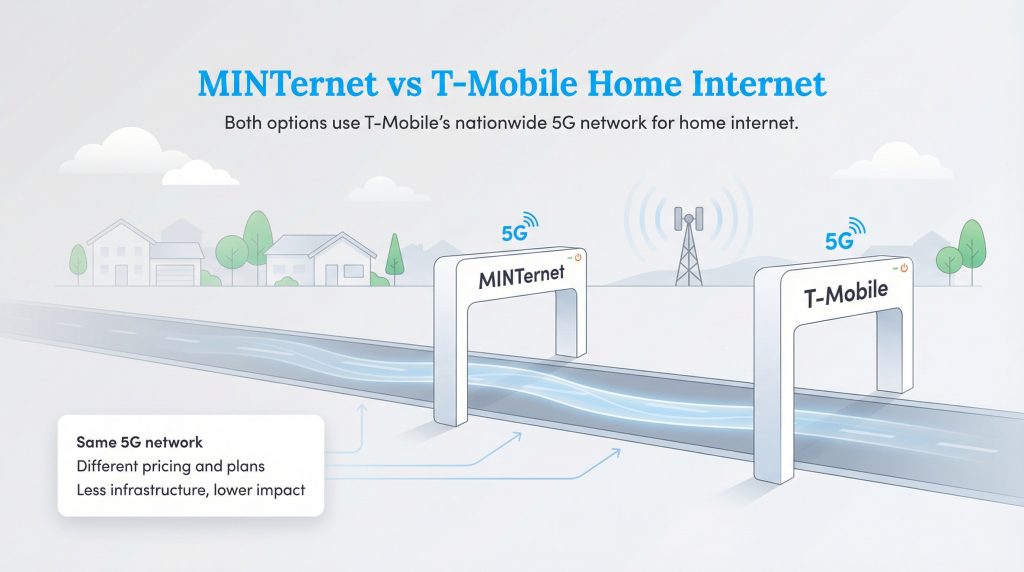
Setting up a new home means making dozens of financial decisions, and finding a reliable connection shouldn’t add to your moving stress. If you are a budget-conscious mover looking to slash utility costs, reading a Mint mobile internet review 2026 style is a fantastic place to start, as evaluating Mint Mobile 5G home internet vs T-Mobile reveals massive potential savings. Both providers operate entirely on the exact same nationwide 5G network, meaning you are essentially buying access to the exact same digital highway, just through different toll booths. We want to help you decide which service makes the most practical sense for your household, cutting through the confusing data limits and sales pitches. Bottom Line: The primary difference between T-Mobile Home Internet vs. Mint Mobile Home Internet is that T-Mobile provides a flexible, month-to-month postpaid service with premium perks, while Mint Mobile requires a large upfront annual payment to lock in the absolute lowest monthly rate.

- 498 Mbps
- 5G
- 1.2 TB
- $35.00/mo

- 415 Mbps
- 5G
- 1 TB
- $30.00/mo
*Not all internet providers and speeds available in all areas.
Quick Verdict: Which 5G Internet Should You Choose?
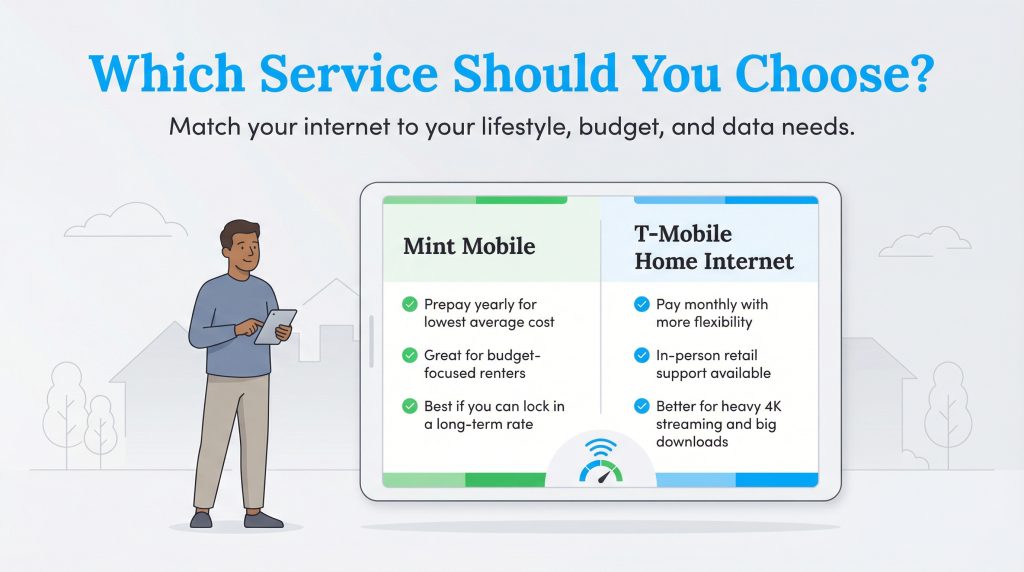
If you are rushing through your moving checklist and just need to know which service fits your lifestyle right now, the decision largely depends on your budget flexibility and data habits. While both of these wireless services stand out as incredible alternatives to traditional legacy cable companies when comparing cable vs. 5G home internet, they cater to very different types of consumers. Here is a quick breakdown to help you make an immediate choice.
Choose T-Mobile If You
- Prefer the flexibility of month-to-month billing without locking into a long-term commitment.
- Consume heavy amounts of data (over 1TB monthly) through constant 4K streaming or running a remote home business.
- Want the peace of mind of walking into a physical retail store for immediate tech support and equipment swaps.
- Already have a premium T-Mobile voice line, which unlocks massive home internet bundle discounts.
Choose Mint Mobile If You
- Have the extra cash on hand to pay for a full year of internet upfront.
- Are intensely focused on securing the absolute lowest average monthly cost possible over a 12-month period.
- Already use Mint Mobile for your cell phone service and want to bundle your utilities together.
- Are a moderate internet user who doesn’t regularly download massive game files or stream multiple screens simultaneously.
Pros And Cons Of T-Mobile Vs Mint Mobile Home Internet
To further simplify your evaluation, let’s look at the hard benefits and drawbacks of both providers. Evaluating MINTernet vs T-Mobile home internet requires looking past the clever marketing campaigns to see the raw value each brand brings to your living room.
T-Mobile Home Internet
- Pro: Zero upfront annual payment requirements; strictly month-to-month.
- Pro: Higher 1.2TB data prioritization limit before potential slowdowns occur.
- Pro: In-person retail support is available nationwide.
- Con: Standalone internet pricing is higher if you don’t bundle it with a premium mobile voice line.
Mint Mobile Home Internet
- Pro: Unbeatable average monthly price when bundled with a phone line and paid annually.
- Pro: Runs on the same reliable, nationwide 5G network infrastructure as T-Mobile.
- Con: You must shell out hundreds of dollars upfront to secure the best rates.
- Con: Lower priority on the network hierarchy means faster throttling during neighborhood congestion.
Comparing Internet Speeds And Network Deprioritization
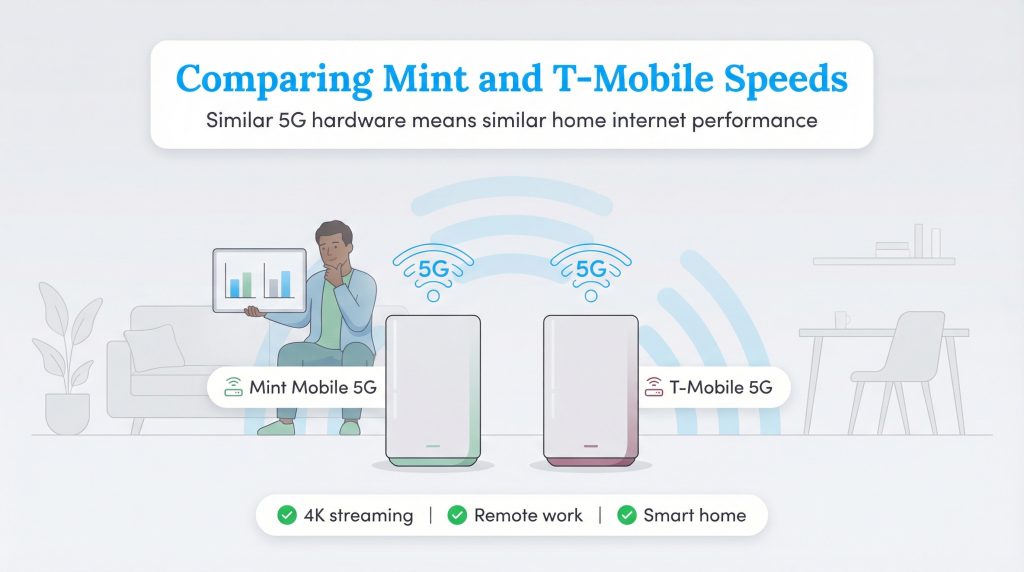
One of the biggest areas of confusion for shoppers is the hardware gap, or rather, the complete lack of one. If you are comparing these two services, you might be surprised to learn that both providers supply virtually identical 5G gateways on loan to their customers. Because the equipment standards are fundamentally similar, your baseline Mint mobile home internet speeds will closely mirror what you would experience as a direct T-Mobile customer under ideal conditions. According to standard FCC broadband labels, users can generally expect download speeds ranging from 133 to 415 Mbps, alongside upload speeds sitting comfortably between 12 and 55 Mbps. However, depending on your proximity to a tower, real-world speed tests frequently showcase peak download speeds hitting the 400-600 Mbps range for both services during off-peak hours.
If you need a refresher on what these numbers actually mean for your daily routine, exploring resources for understanding recommended internet speeds for households can clarify your exact bandwidth needs. For most modern homes, these 5G speeds easily handle typical daily demands, including streaming 4K video seamlessly on multiple televisions, powering demanding remote work applications, and managing smart home devices simultaneously.
Network Priority And Deprioritization Explained
There is a major catch hiding behind those identical cell towers: network deprioritization. Deprioritization is a network management tactic where a provider intentionally slows down the data speeds of certain users to free up bandwidth for preferred customers when a local cell tower gets congested. Because Mint Mobile operates as a Mobile Virtual Network Operator (MVNO) under the T-Mobile umbrella, direct T-Mobile Home Internet users naturally hold a higher priority on the network hierarchy.
Consider a real-world scenario like a 6:00 p.m. neighborhood streaming rush. When everyone on your street gets home from work, fires up their smart TVs, and starts scrolling through social media, your local 5G tower experiences massive congestion. T-Mobile 5G internet deprioritization usually only hits its direct customers after they burn through 1.2TB of data in a month. In contrast, Mint Mobile users are subjected to a slightly stricter 1TB threshold, and because they are MVNO customers, their data requests are automatically placed behind direct T-Mobile users in the digital queue. During peak hours, Mint users may experience temporary buffering or slightly slower download speeds until the neighborhood traffic clears up.
Neither provider imposes a harsh, traditional data cap that completely shuts off your connection or charges you expensive overage fees. Reaching that 1TB or 1.2TB mark simply means your speeds may slow down if the network is busy. For context, 1TB equals roughly 300 hours of standard high-definition streaming, which easily covers the vast majority of households.
Hardware Showdown: 5G Gateways And External Antennas
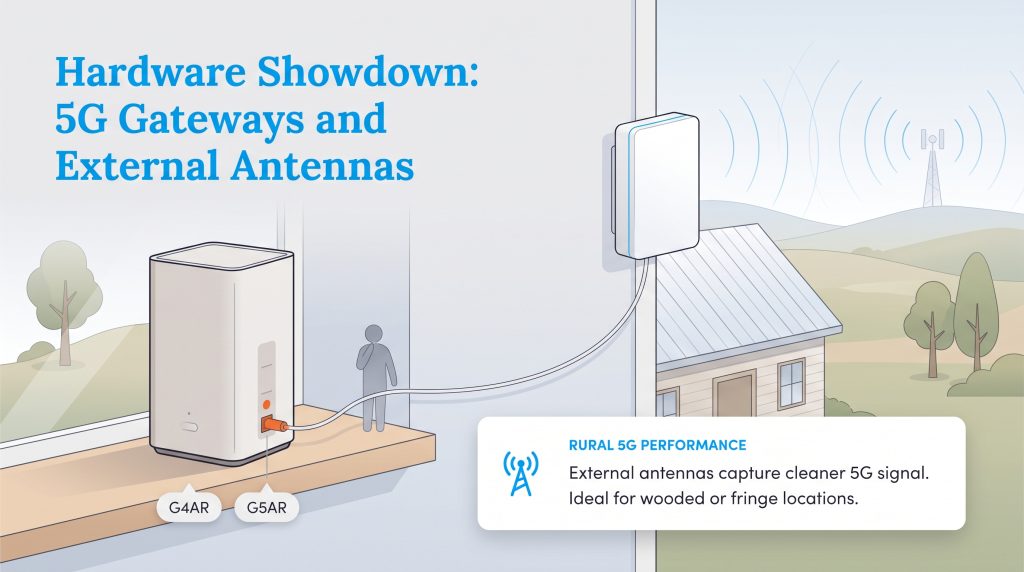
When you sign up for 5G home internet, the provider mails you a sleek gateway device that functions as both a modem and a Wi-Fi router. T-Mobile has recently modernized its hardware lineup, and comparing the T-Mobile G4AR vs G5AR gateway models shows a deep commitment to improving signal quality. Both of these newer, rectangular gateways are designed with advanced internal tech, but their most exciting feature is the inclusion of hidden external antenna ports on the back of the device.
Why does an external antenna matter? If you live on a heavily wooded lot, a suburban fringe neighborhood, or a farmhouse, structural barriers like brick walls and metal roofs can block delicate cellular signals. By plugging a specialized MIMO antenna into the back of a G4AR or G5AR gateway and mounting that antenna outside on your roof, you can capture a significantly stronger, cleaner 5G signal from the nearest tower. This singular hardware feature makes T-Mobile one of the best 5G home internet for rural areas available today. Mint Mobile, while offering similar base gateways, rarely guarantees you will receive a specific model with external antenna ports, making it slightly more of a gamble for rural users who desperately need signal-boosting capabilities.
Regardless of which gateway you receive, the connection basics are wonderfully simple and entirely DIY:
- Find a Window: Download the provider’s smartphone app and use the augmented reality placement tool to locate the nearest cell tower. Place your gateway in a window facing that direction.
- Power It Up: Plug the gateway directly into a standard wall outlet (avoid power strips if possible to ensure clean power delivery).
- Connect Your Devices: Follow the quick app prompts to customize your Wi-Fi network name and password, then connect your phones, laptops, and smart TVs just like you normally would.
🚩 Heads Up: To prevent messy network conflicts, if you plan to use your own expensive mesh Wi-Fi system to push a signal to your backyard, confirm that your gateway allows for proper passthrough or bridge mode before connecting it.
Gaming And Latency: Real-World Performance
For many households, download speeds are only half the equation. If you have teenagers or avid gamers in the house, you might be wondering about T-Mobile home internet gaming performance. The honest truth is that 5G cellular internet behaves very differently than a hardwired fiber-optic or cable connection when it comes to latency and ping.
Latency is the time it takes for data to travel from your gaming console to the server and back again. On a traditional fiber connection, latency often hovers around a lightning-fast 10–20 milliseconds (ms). On 5G home internet, including both Mint Mobile and T-Mobile, real-world latency typically sits between 40ms and 70ms. Furthermore, cellular connections are prone to “jitter,” which means your ping might occasionally spike during heavy network traffic.
For casual gamers playing titles like Minecraft, Stardew Valley, or slow-paced strategy games, 5G internet works phenomenally well. It is also fantastic for quickly downloading massive 100GB game updates. However, if you are a highly competitive multiplayer gamer playing split-second shooters like Call of Duty, Valorant, or Apex Legends, that 40–70ms delay and occasional jitter can cause frustrating lag spikes. While fully functional, competitive esports enthusiasts might find that a hardwired cable connection still reigns supreme for latency-sensitive gaming.
Breaking Down The Costs, Bundles, And Pricing Structures
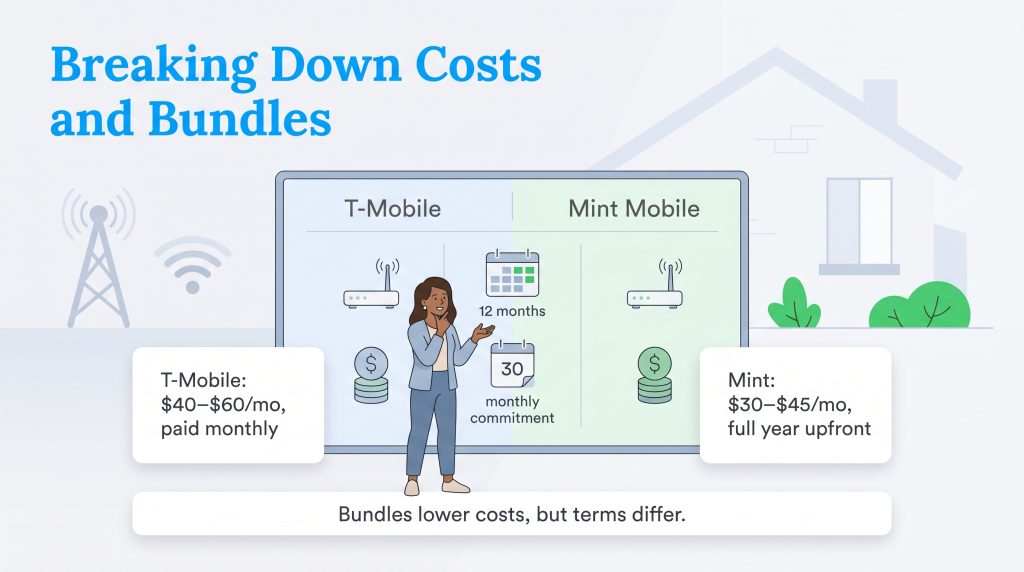
Diving into the financial specifics reveals the biggest operational difference between these two services. Mint Mobile aggressively relies on a prepaid model, requiring you to buy your internet service in 3-month, 6-month, or 12-month blocks. To snag their highly advertised lowest monthly rate, the Mint mobile upfront cost requires you to hand over a full year’s payment on day one. T-Mobile, conversely, sticks to a predictable month-to-month structure with absolutely no annual contracts required. For renters who might need to relocate before a year is up, that month-to-month flexibility is incredibly valuable.
Additionally, the widely advertised T-Mobile 5G home internet price lock guarantees that your base monthly internet rate won’t unexpectedly jump after your first year. This offers long-term financial peace of mind without forcing you into a massive initial investment. While T-Mobile’s entry price appears higher at first glance, the lack of an upfront annual commitment balances the scales for many households.
Is Mint Mobile home internet worth it if you already have Mint phone service? Absolutely, and understanding the T-Mobile home internet bundle discount versus Mint’s bundling rules is crucial before you check out. If you purchase MINTernet completely on its own for a 12-month stretch, it costs the equivalent of $45 per month (a hefty $540 upfront). But, if you bundle an active Mint Mobile phone line, they shave off $15 a month, bringing your internet cost down to an incredibly competitive $30 per month (or $360 billed annually). T-Mobile plays a similar game, offering massive discounts that drop your home internet bill to just $40 or $50 per month if you bundle it with a premium Go5G or Magenta voice line.
| Provider | Monthly Cost Equivalent | Upfront Cost Requirement | Cancellation Fees | Mobile Bundle Requirement |
| T-Mobile Home Internet | $40 – $60 (varies by voice plan) | First month only ($40 – $60) | $0 (Must return gateway) | None required (but lowers price to $40-$50 if active) |
| Mint Mobile Home Internet | $30 – $45 (depends on term) | Full year upfront ($360 or $540) | $0 (No refunds on prepaid terms) | Required to get lowest $30/mo rate |
💸 Money-Saver: If you are hesitant about dropping over $300 all at once, Mint Mobile includes a 14-day money-back guarantee, allowing you to test the connection quality in your home entirely risk-free before committing to the annual lock-in.
Perks And Extras: Netflix, Hotspots, And T-Mobile Tuesdays
When you start examining the finer details, it becomes obvious that you are paying for more than just raw bandwidth. T-Mobile positions itself as a premium provider that adds significant lifestyle value beyond a basic internet connection. Mint Mobile, backed by actor Ryan Reynolds, keeps things strictly barebones — you get humorous marketing emails, a low bill, and reliable service, but very few extras.
If you are leaning toward T-Mobile, it helps to factor in the robust ecosystem of perks that frequently come bundled with their higher-tier mobile and internet plans:
- Streaming Subscriptions: Many premium T-Mobile plans include complimentary access to Netflix or Apple TV+, effectively saving your household $10 to $20 every single month on entertainment.
- T-Mobile Tuesdays (T-Life): The famous weekly rewards app provides free food, concert ticket discounts, shell fuel savings, and exclusive retail offers just for being a customer.
- Hotspot Data: Direct T-Mobile mobile accounts often feature generous mobile hotspot allowances, acting as a great backup connection when traveling.
For families who already pay for Netflix and Apple TV+ out of pocket, shifting your utilities to T-Mobile can accidentally pay for itself by eliminating those standalone entertainment bills.
Customer Support And Network Availability
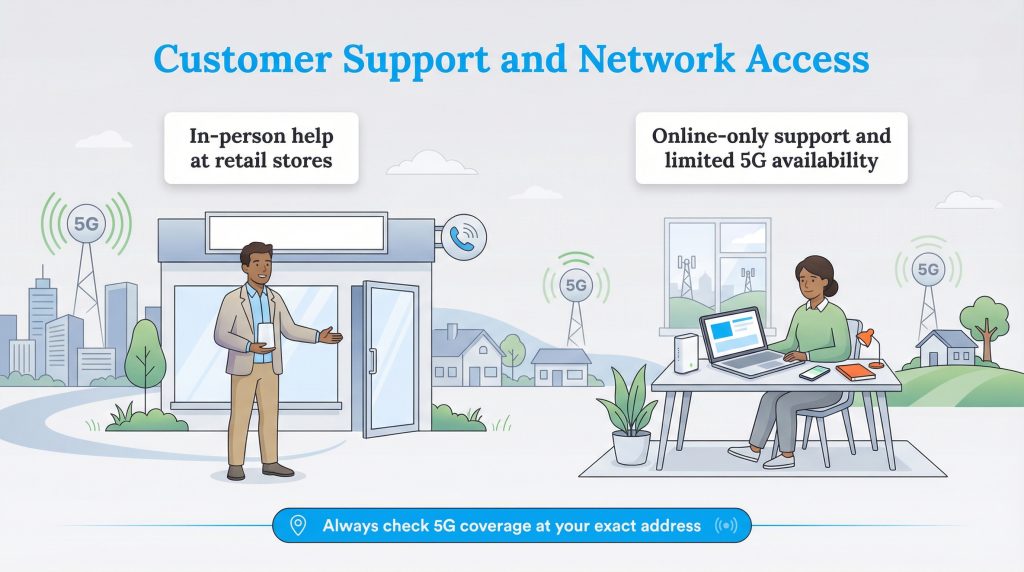
Even though these two brands share the exact same towers, their customer service structures live in entirely different worlds. T-Mobile maintains thousands of brick-and-mortar retail locations across the country. This physical presence gives you the distinct advantage of walking into a store, speaking directly to a human, and immediately swapping out a malfunctioning gateway on your lunch break. Mint Mobile, operating as a lean, digital-first entity, manages absolutely all support through their online portal, app, and phone lines. If your MINTernet router breaks, you must wait for a replacement to ship through the mail.
However, when looking beyond official corporate channels, T-Mobile holds a massive advantage in community support. The dedicated Reddit community r/TmobileISP boasts tens of thousands of members who constantly share gateway fan mods, antenna placement hacks, and advanced troubleshooting guides. Mint Mobile’s specific internet footprint is much smaller, meaning you won’t find nearly as many specialized community resources if you run into a highly technical issue.
When assessing availability, remember that being the most affordable 5G option doesn’t magically guarantee service at every address. Because 5G home internet relies strictly on tower proximity and available bandwidth capacity, you must verify your exact street address on their respective websites. Checking availability for a dense urban center like Houston yields vastly different eligibility results than searching for a suburban cul-de-sac. Providers purposely limit the number of active gateways in a specific neighborhood to prevent tower overload, meaning your neighbor across the street might qualify for service while you end up on a waitlist.
Making The Sustainable Switch To 5G Home Internet
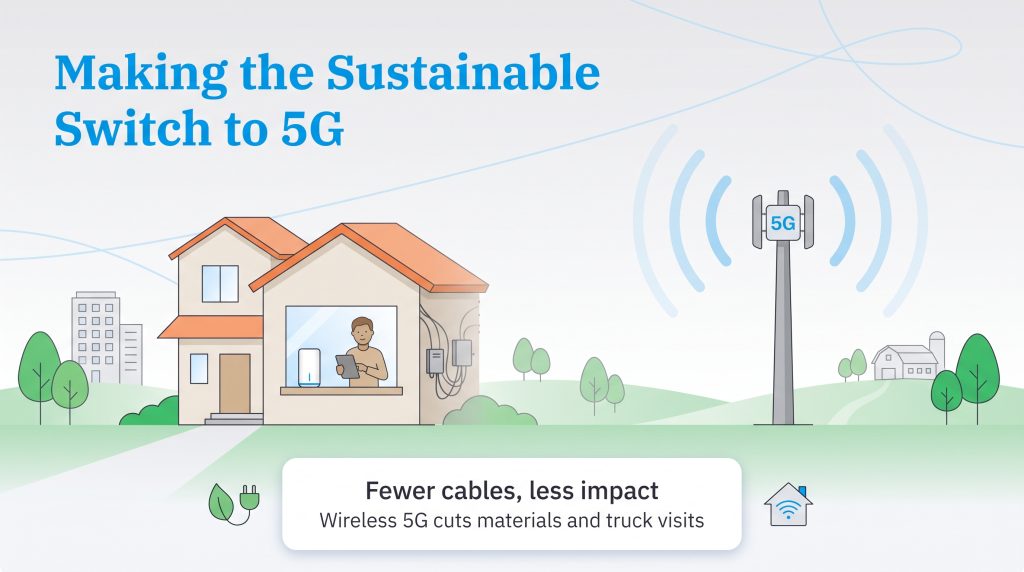
Opting for a 5G connection is an exceptionally environmentally mindful choice for your new place. Because 5G home internet relies on cellular signals broadcast from existing towers rather than requiring extensive underground wiring, it uses significantly less physical infrastructure in your immediate neighborhood than traditional fiber or broadband installations. Whether you are setting up home internet in a high-rise apartment or a remote farm, choosing a wireless gateway helps reduce the need for new in-home cabling and specialized technician visits. Fewer physical materials and eliminated truck rolls ultimately cut down on local transportation emissions and overall resource consumption.
Furthermore, managing heavy downloads requires some attention, but standard background tasks use surprisingly little bandwidth. Operating an ENERGY STAR smart home energy management system barely puts a dent in your monthly allowance, making it simple to keep your house green and efficient without ever worrying about accidental data throttling on either of these networks.
🌱 Eco Edge: Neither service requires a technician visit for installation, which eliminates the transportation emissions of a service truck coming to your driveway and saves you a frustrating afternoon of waiting around.
Deciding Your Provider: Preparing For 5G Installation
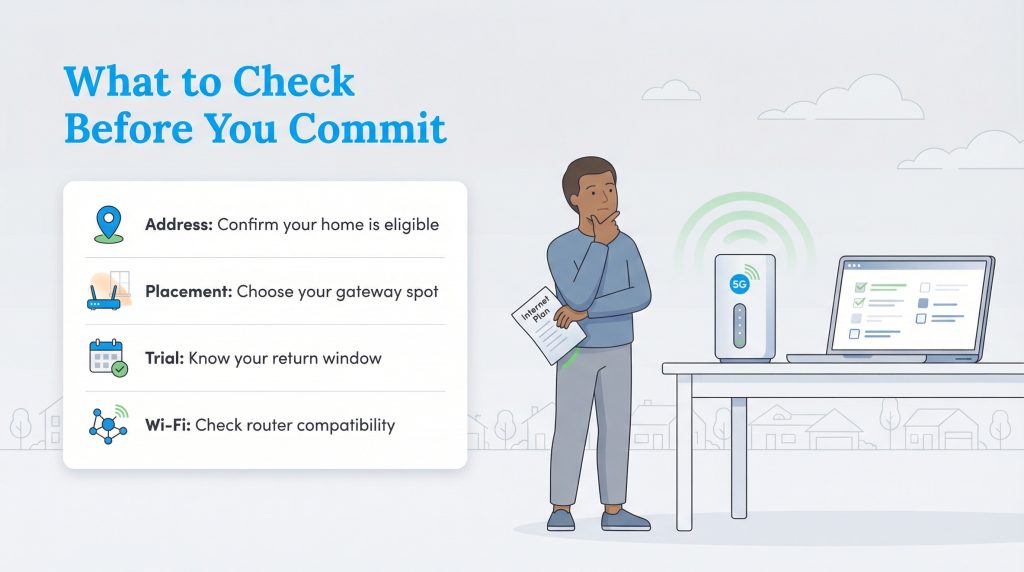
Before you enthusiastically cancel your current provider and make the leap to a 5G home internet connection, there are a few practical steps you should take to ensure a seamless transition. Taking just 10 minutes to verify these details can completely save you from a frustrating setup experience on moving day.
- Verify your address eligibility: Always check your specific street address on both providers’ websites immediately, as 5G capacity varies wildly from neighborhood to neighborhood.
- Plan your gateway placement: These modern routers perform brilliantly when placed near a window or on an upper floor, so confirm you have an available power outlet in an optimal, unblocked spot.
- Understand the return window: Mint offers a strict 14-day money-back guarantee, while T-Mobile provides a generous 15-day test drive. Take full advantage of these trial periods to ruthlessly test the signal strength in your home.
Just like methodically evaluating your electric and natural gas providers during a chaotic move, finding the right home internet plan requires carefully balancing your long-term budget with your daily digital needs. Deciding between T-Mobile and Mint Mobile ultimately boils down to your immediate cash flow, your willingness to bundle services, and how much data your family realistically consumes. Both of these fantastic options provide a modern, eco-conscious alternative to traditional cable internet, saving you money while keeping your entire household reliably connected to the things that matter most.
Frequently Asked Questions About T-Mobile Versus Mint Mobile Home Internet
Is MINTernet exactly the same as T-Mobile 5G home internet?
Do I need a Mint Mobile phone plan to get Mint home internet?
Does Mint Mobile home internet slow down during peak hours?
Does Mint Mobile have data caps on its 5G internet?
Can I use my own router with Mint Mobile or T-Mobile 5G internet?
Is it hard to switch my home internet provider?
Does T-Mobile home internet have a price lock guarantee?
Can I use an external antenna with Mint Mobile home internet?
Is T-Mobile home internet good for online gaming?
Do I have to return the 5G gateway if I cancel my Mint Mobile service?
About the Author

LaLeesha has a Masters degree in English and enjoys writing whenever she has the chance. She is passionate about gardening, reducing her carbon footprint, and protecting the environment. She also recently served as President of the Board for City Sprouts (a community garden).