

Find the Perfect Balance of Speed, Price Predictability, and Smart Home Reliability for Your Household
Key Takeaways
- T-Mobile Home Internet excels in price predictability with straightforward rates, while Spectrum offers higher top-tier speeds for heavy bandwidth users.
- Gamers and remote workers need to compare latency, as Spectrum’s wired cable connection generally provides a more stable ping than T-Mobile’s 5G network.
- Using a single gateway device can slightly reduce electronic clutter and could lower standby power compared to running a separate modem and router.
Moving into a new residence brings a long list of tasks, and we know securing a reliable internet connection usually tops the list. You are likely staring down the choice between Spectrum vs. T-Mobile Home Internet, wondering which one will keep your household running smoothly. Setting up utilities in an unfamiliar space is stressful enough without constantly dropping video calls or buffering your favorite shows. Choosing between these two providers ultimately comes down to understanding the core differences between cable vs. 5G home internet: the traditional, wired coaxial cable setup of Spectrum versus the modern 5G fixed wireless access (FWA) convenience of T-Mobile. Deciding which network works best for you depends on whether your priority is the steady, high-capacity performance of a physical connection or the upfront simplicity and transparent pricing of a wireless gateway.

- 7 Gbps
- Cable & Fiber
- Unlimited
- $30.00/mo

- 498 Mbps
- 5G
- 1.2 TB
- $35.00/mo
*Not all internet providers and speeds available in all areas.
At a Glance: Spectrum vs. T-Mobile Home Internet
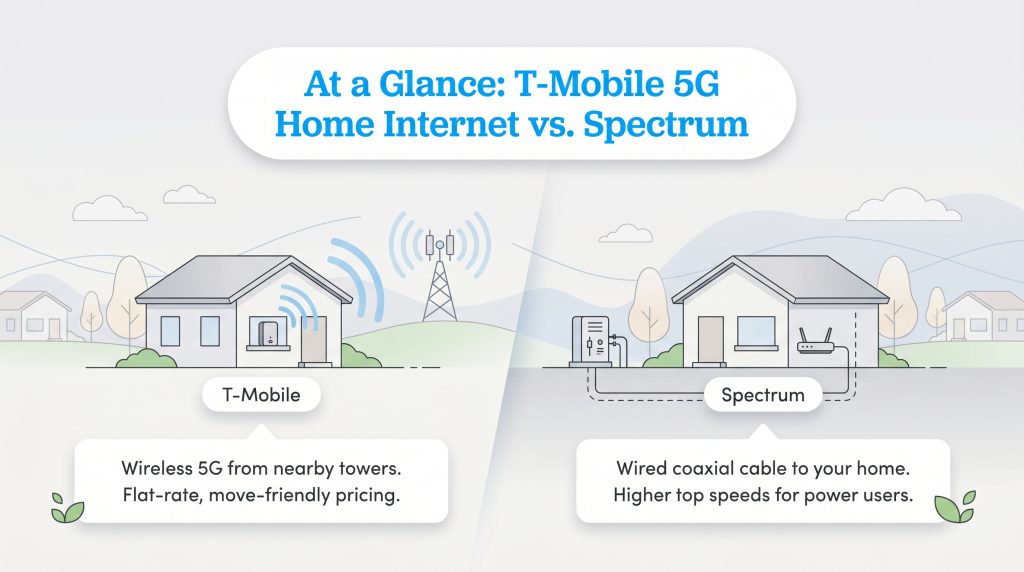
The biggest difference between these providers is how the connection reaches your home. T-Mobile utilizes wireless cell towers to beam data directly into a receiver plugged into a standard wall outlet, while Spectrum runs physical coaxial cables underground directly to your property.
Both ISPs avoid strict annual contracts and hard data limits, but they cater to fundamentally different home networking needs. T-Mobile relies on a simplified, flat-rate pricing model that appeals to budget-conscious movers, whereas Spectrum focuses on delivering the higher top speeds required by gigabit power users.
| Feature | Spectrum Internet | T-Mobile Home Internet |
|---|---|---|
| Starting Price | $50/mo (promotional, varies by market) | $50 – $60/mo (with AutoPay or voice line) |
| Max Speeds (Download) | Up to 1,000 Mbps | 72 – 245 Mbps (typical range) |
| Connection Type | Wired Coaxial Cable | 5G Fixed Wireless Access (FWA) |
| Data Caps | None | None (subject to deprioritization after 1.2TB) |
| Contract Requirements | No annual contract | No annual contract |
| Equipment Fees | Modem included; router usually $7/mo | Gateway included at no extra cost |
Speed and Performance: Cable vs. 5G FWA
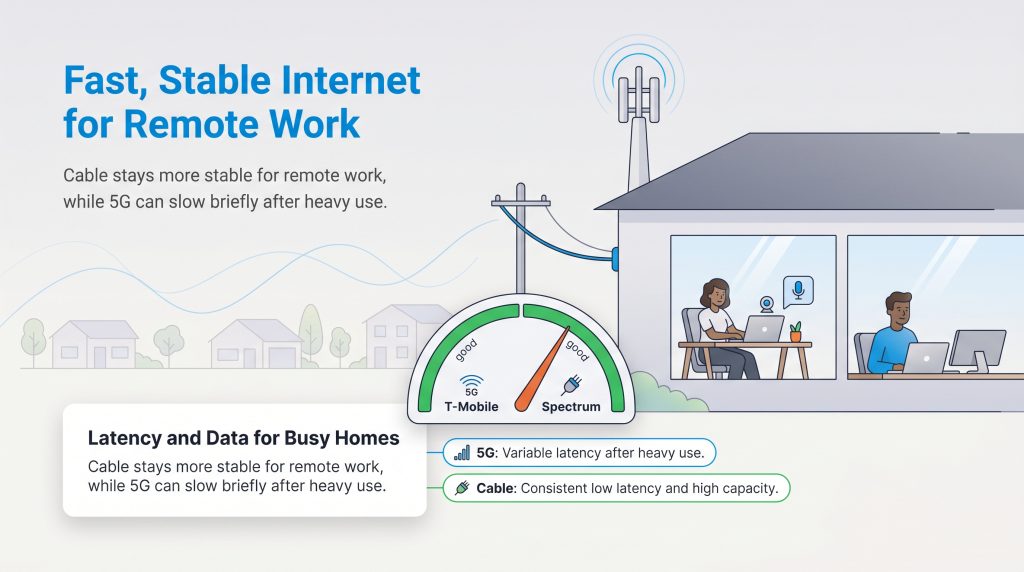
When comparing performance, you have to look beyond just advertised maximums and consider real-world output when determining what is a good internet speed for your home. Because Spectrum utilizes an established hardwired cable network, they can confidently offer dedicated download speeds ranging from 300 Mbps all the way up to a blazing 1,000 Mbps (1 Gbps) depending on your selected tier. Upload speeds on standard Spectrum plans generally hover between 10 and 35 Mbps, though some newer high-split markets offer symmetrical speeds.
In contrast, T-Mobile Home Internet runs on a 5G Fixed Wireless Access (FWA) network, meaning your home gateway receives the same cellular signal as your smartphone. Typical real-world download speeds range between 72 and 245 Mbps, with uploads landing around 15 to 31 Mbps. While this is more than enough for daily 4K streaming and general browsing, network congestion plays a massive role in performance. During peak evening hours, when your neighbors get home and start crowding the local cell towers, T-Mobile prioritizes mobile smartphone data over home internet traffic. This means your home speeds could unexpectedly throttle just as you sit down to stream a movie.
Pricing, Contracts, and Hidden Fees
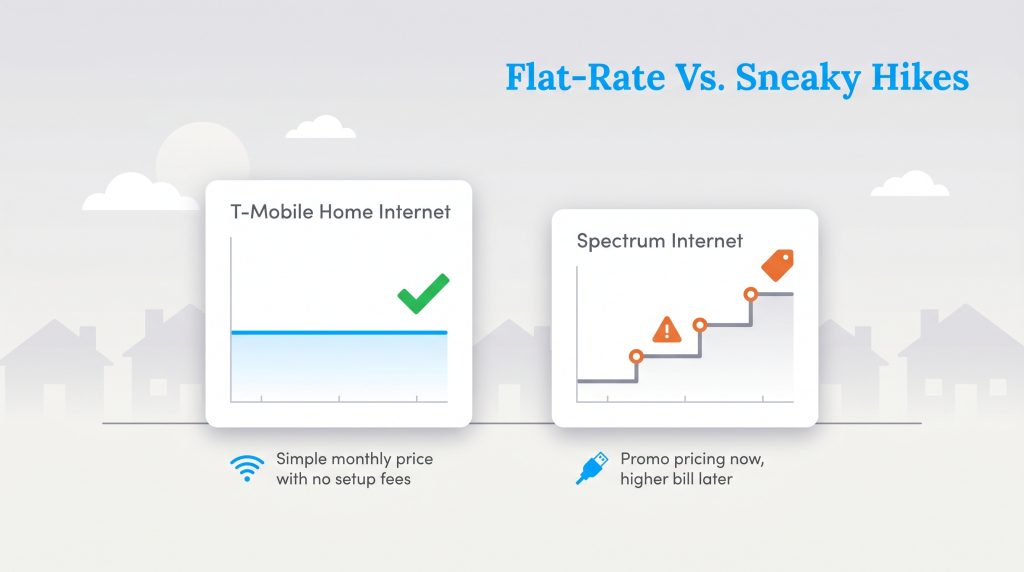
The biggest financial difference between T-Mobile Home Internet and Spectrum is long-term predictability. Budgeting for a new household requires predictable expenses, making T-Mobile’s straightforward flat-rate pricing incredibly attractive. You pay a set monthly fee that includes all taxes and fees, and they include the gateway equipment at no extra charge. Spectrum, on the other hand, relies heavily on a promotional pricing structure that looks fantastic on day one but inevitably leads to sticker shock.
After your first 12 to 24 months of service with Spectrum, those initial introductory discounts expire, causing your monthly rate to hike significantly. You must also watch out for hidden fees: while Spectrum provides a free modem, they typically charge a monthly rental fee for the Wi-Fi router. Activating a wired connection might also incur a one-time installation fee if the coaxial wiring at your new address requires a technician visit.
💸 Money-Saver: If you bundle your existing mobile phone plan with T-Mobile, you can often secure a steep monthly discount on your home internet service. For Spectrum users facing an expiring promotion, calling the retention department to politely negotiate can sometimes extend your introductory rate.
Spectrum Plans & Pricing
| Plan Name | Price | Download Speeds | Connection Type | |
|---|---|---|---|---|
| Spectrum Internet 100 | $30 /month | Up to 100 Mbps | Cable | Check Availability |
| Spectrum Internet 500 | $40 /month | Up to 500 Mbps | Cable | Check Availability |
| Spectrum Internet 1 Gig | $60 /month | Up to 1000 Mbps | Cable | Check Availability |
| Spectrum Internet 2 Gig | $80 /month | Up to 2 Gbps | Cable | Check Availability |
| Spectrum Internet 7 Gig fiber internet | $140 /month | Up to 7 Gbps | Fiber | Check Availability |
T-Mobile Home Internet Plans & Pricing
| Plan Name | Price | Download Speeds | Connection Type | |
|---|---|---|---|---|
| Home Internet Backup | $20 /month | Up to 318 Mbps | 5G | Check Availability |
| Rely Home Internet | $35 /month | Up to 354 Mbps | 5G | Check Availability |
| Amplified Home Internet | $45 /month | Up to 498 Mbps | 5G | Check Availability |
| All-In Home Internet | $55 /month | Up to 498 Mbps | 5G | Check Availability |
| Fiber 500 | $75 /month | Up to 500 Mbps | Fiber | Check Availability |
| Fiber 1 Gig | $85 /month | Up to 1000 Mbps | Fiber | Check Availability |
| Fiber 2 Gig | $80 /month | Up to 2 Gbps | Fiber | Check Availability |
Reliability and Gaming Performance
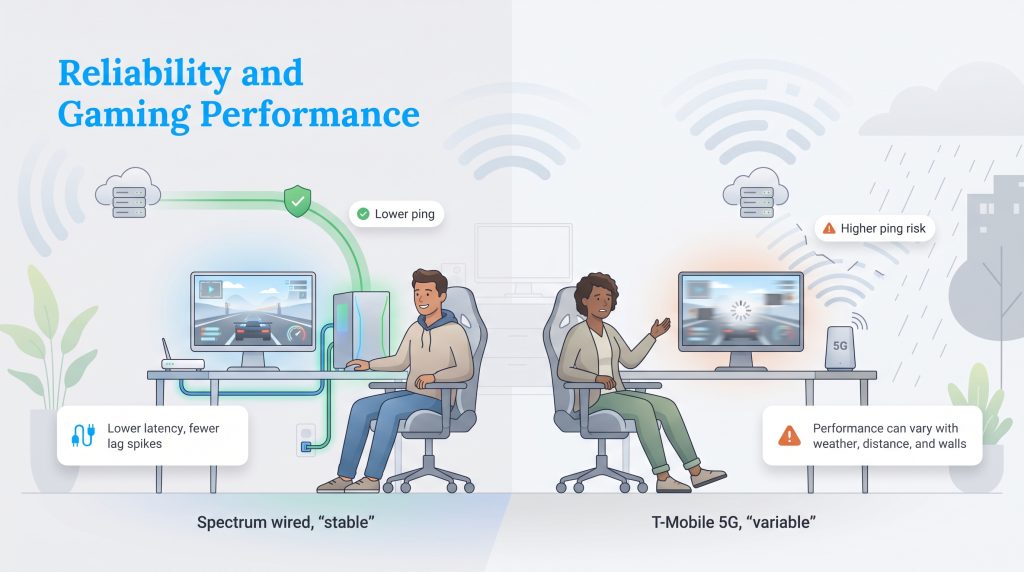
Heavy internet users naturally gravitate toward conversations about bandwidth capacity and ping. Ping, or latency, simply measures how fast a signal travels from your computer to a server and back. Lower latency means a more responsive connection, which is absolutely crucial for competitive online play, rapid stock trading, and seamless video conferencing for remote workers.
When it comes down to reliable performance, Spectrum is objectively superior for competitive gaming and heavy video calls. Because it runs on an isolated physical cable, it delivers a highly stable, low-latency pathway free from outside atmospheric interference. T-Mobile’s wireless cellular signal is far more volatile. Its performance is heavily influenced by your exact distance from the nearest cell tower, heavy rainstorms, and physical obstructions like dense tree canopies or thick concrete walls. This environmental vulnerability often translates into unexpected lag spikes, making 5G home internet frustrating for fast-paced gamers.
Installation and Equipment Options
When evaluating the physical hardware running your digital life, the debate between the standard Spectrum router vs T-Mobile 5G gateway highlights a stark contrast in user experience and household eco-impact. Spectrum typically requires a two-piece setup: a modem to translate the cable signal and a separate rented router to broadcast Wi-Fi to your smart thermostats, security cameras, and laptops. Setting this up often requires scheduling a multi-hour window for a technician to visit your home and physically test or run new wires.
T-Mobile revolutionizes this process with a simple 15-minute plug-and-play setup. They ship a unified gateway directly to your door; you simply plug it in near a window and follow a few prompts on an app. Beyond saving you a massive headache, this self-install process is an inherently eco-conscious choice. By completely eliminating the need for a technician’s home visit, you actively help reduce the carbon emissions associated with utility fleet vehicles idling in traffic. Additionally, condensing your hardware into a single gateway minimizes electronic clutter and could lower standby power waste compared to running a separate modem and router 24/7.
Availability and Coverage Areas
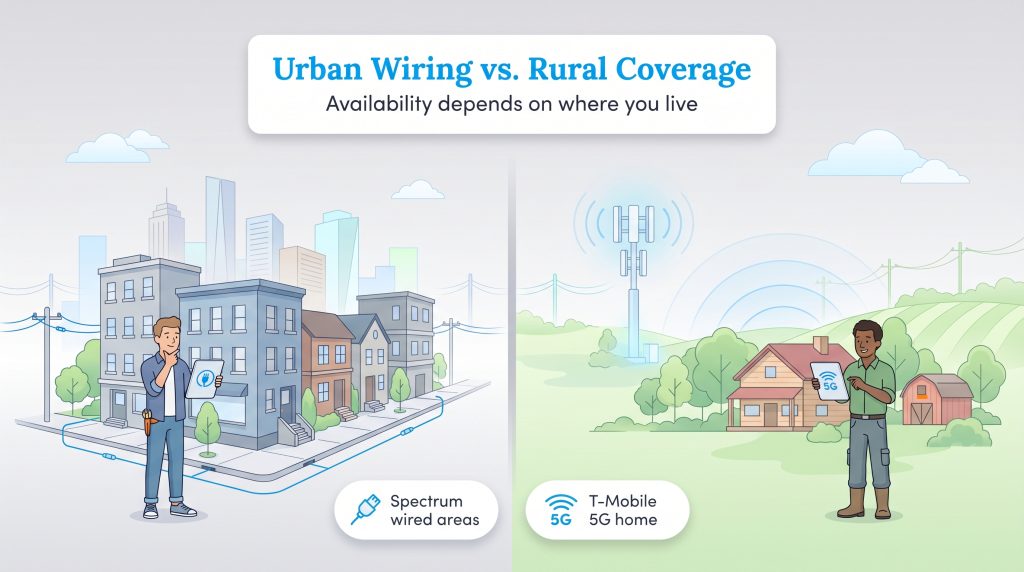
Finding the right internet provider is often entirely dictated by your zip code and neighborhood infrastructure.
Before committing to either service at a new address, you should always check official broadband availability in your area to verify exactly what networks reach your front door. Each provider has carved out a distinct geographic advantage:
- Spectrum Excels In: High-density urban grids, suburban subdivisions, and apartment complexes where deep underground hybrid fiber-coaxial (HFC) networks already exist. If your street was built with standard utility trenches, Spectrum likely has a node nearby.
- T-Mobile Excels In: Rural properties, farmhouses, and woodland cabins that traditional cable companies ignore. It is also perfect for renters who move frequently and want a flexible, portable connection they can pack up and plug in at their next lease.
📌 Quick Fact: The performance of 5G home internet relies heavily on your proximity to the nearest cell tower. Physical obstructions like dense tree canopies, hillsides, and thick concrete walls can significantly degrade your signal strength.
Securing the Best Connection for Your New Home
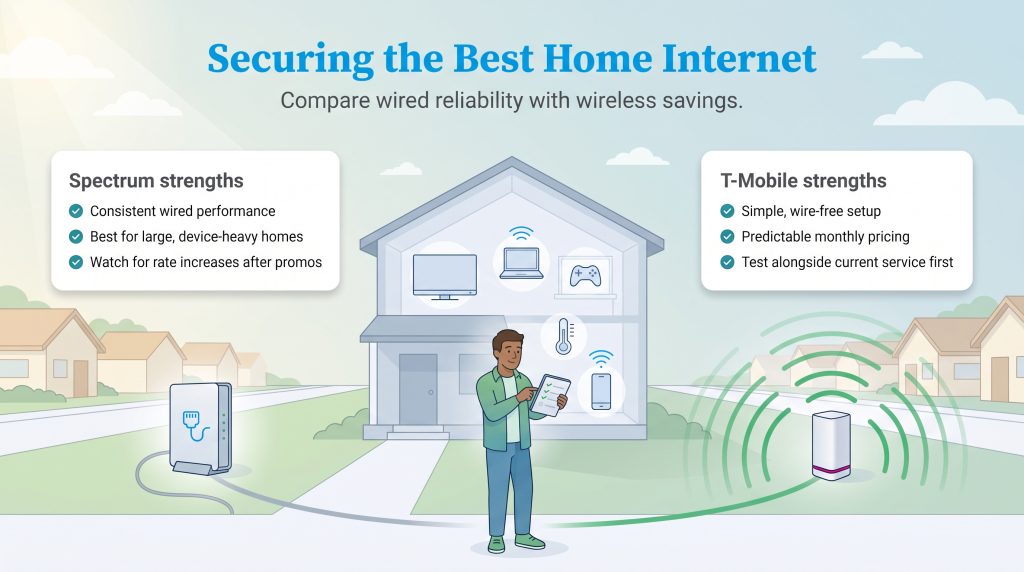
Establishing a reliable digital hub is a critical step in turning a new house into a functional, comfortable home. Spectrum delivers the hardwired consistency, superior gaming latency, and raw bandwidth required by expansive households juggling dozens of connected devices simultaneously. However, you must be prepared to monitor your bills for inevitable post-promotional rate hikes.
Conversely, T-Mobile offers incredible price predictability and an incredibly simple, wire-free setup that respects both your wallet and the environment. If you decide to switch from Spectrum to T-Mobile, the smartest strategy is to order the wireless gateway and test it alongside your active cable connection for a few days before canceling. Restructuring your utilities this way acts as a great catalyst for finding new ways to lower your monthly utility bills, granting you better control over your long-term budget. By carefully weighing your tolerance for variable speeds against your desire for transparent billing, you can confidently select the ISP that fits your household perfectly.
Frequently Asked Questions About Spectrum vs. T-Mobile Home Internet
Is T-Mobile 5G home internet faster than Spectrum?
Does Spectrum or T-Mobile have better internet for gaming?
Are there hidden fees when switching from Spectrum to T-Mobile?
Will T-Mobile home internet work well for working from home?
Does Spectrum raise prices after the first year?
Do I need to hire a technician to install T-Mobile home internet?
What happens if I go over my T-Mobile data allowance?
Can I use my own router with Spectrum or T-Mobile?
About the Author

David has been an integral part of some of the biggest utility sites on the internet, including InMyArea.com, HighSpeedInternet.com, BroadbandNow.com, and U.S. News. He brings over 15 years of experience writing about, compiling and analyzing utility data.

LaLeesha has a Masters degree in English and enjoys writing whenever she has the chance. She is passionate about gardening, reducing her carbon footprint, and protecting the environment. She also recently served as President of the Board for City Sprouts (a community garden).