

Make the Right Connection Choice for Your New Home by Comparing the Reliable Speeds of Optimum Cable Against the Straightforward Pricing of T-Mobile 5G

- 8 Gbps
- Cable & Fiber
- Unlimited
- $25.00/mo

- 498 Mbps
- 5G
- 1.2 TB
- $35.00/mo
*Not all internet providers and speeds available in all areas.
Key Takeaways
- T-Mobile 5G Home Internet offers predictable pricing with no annual contracts, making it ideal for budget-conscious movers looking to avoid second-year price hikes.
- Optimum provides superior wired speeds and lower latency for demanding households, offering a distinct advantage for competitive gamers and remote workers constantly on video calls.
- Switching to T-Mobile’s all-in-one wireless gateway can serve as an energy-saving, environmentally mindful choice compared to powering separate traditional modems and routers.
If you are comparing Optimum vs. T-Mobile Home Internet while setting up service at a new address, the choice usually comes down to hardwired speed versus fixed-price wireless simplicity. Unpacking boxes and organizing your life is overwhelming enough without the added headache of negotiating complicated utility setups. This guide helps you cut through the marketing jargon to decide whether the raw download power of a traditional Optimum connection or the straightforward, plug-and-play convenience of T-Mobile 5G is the smartest, most practical choice for your new household.
Quick Glance: Optimum Vs. T-Mobile Comparison
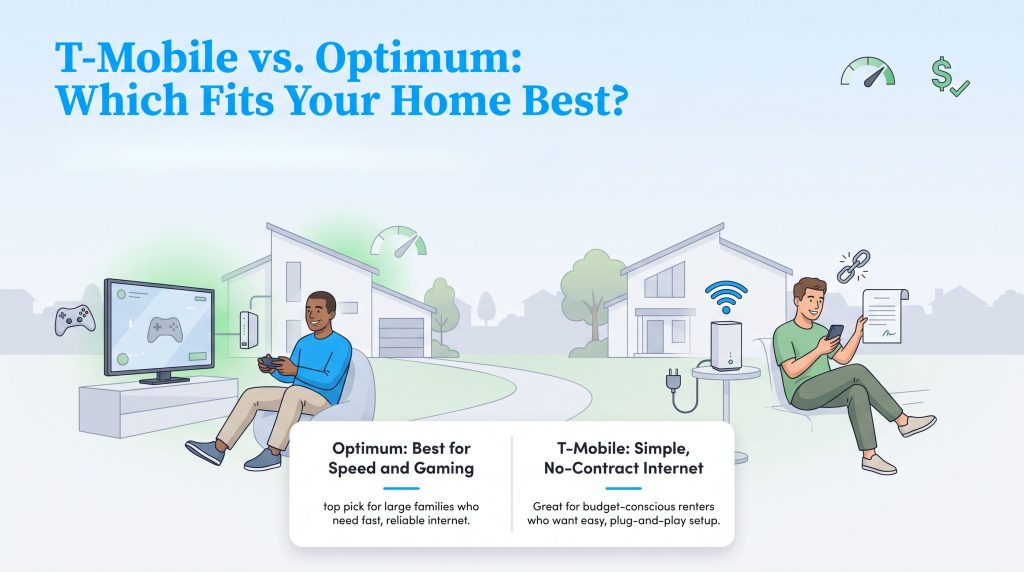
Before diving into a comprehensive Optimum vs T-Mobile 5G home internet deep dive, it helps to see the core differences mapped out side by side. When choosing between cable vs. 5G home internet, determining whether T-Mobile Home Internet is better than Optimum depends entirely on what your household prioritizes daily. Neither provider is automatically available everywhere, so checking exact service availability at your new address should always be your first step. Check this quick reference table to see which service naturally aligns with your household’s budget and technical requirements.
| Feature | Optimum | T-Mobile Home Internet |
|---|---|---|
| Starting Price | Promotional rates apply (increases typically follow after 12 months) | Flat monthly rate (Price Guarantee) |
| Top Speed | Up to 1,000 Mbps cable / 8,000 Mbps fiber | Varies (typically 72 to 245+ Mbps) |
| Connection Type | Wired (Coaxial Cable or Fiber-Optic) | Wireless (5G Cellular Network) |
| Equipment Fees | Rental fees may apply based on plan | Gateway included in the monthly price |
| Data Caps | Unlimited data on most tiers | Unlimited data (subject to network management) |
| Contracts | No annual contract required | No annual contract required |
Network Types: Fiber & Cable Vs. 5G Fixed Wireless
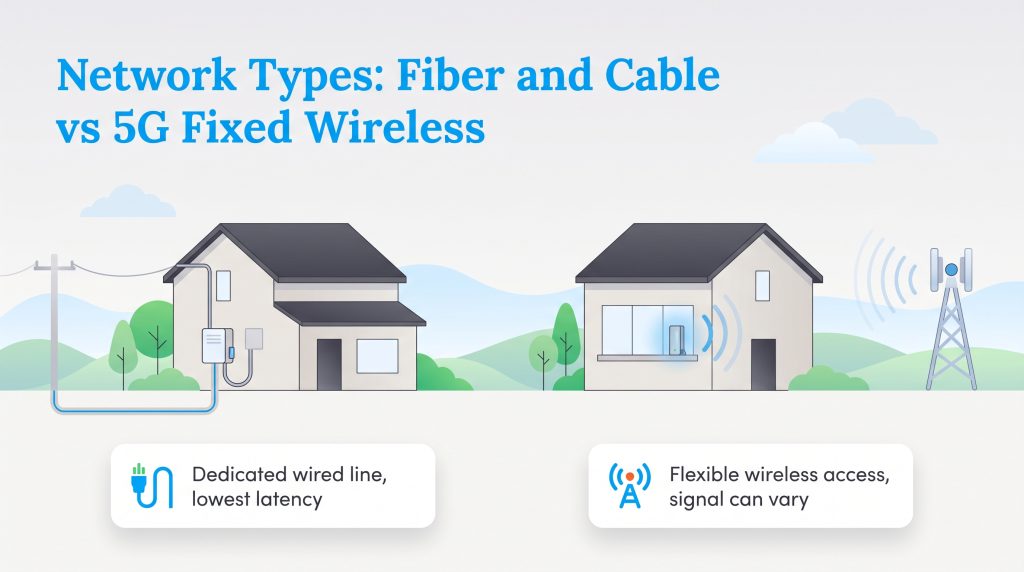
A crucial part of any honest T-Mobile vs Optimum internet review involves understanding the physical technology powering your connection. How the internet actually arrives at your living room dramatically impacts latency, uptime, and the overall reliability of your daily browsing experience.
Optimum Fiber and Cable Reliability
Optimum delivers internet via hardwired coaxial cables or, in upgraded service areas, true fiber-optic lines. These dedicated physical connections run straight into your building, giving you an isolated pathway for data. This physical barrier ensures that environmental factors like severe weather rarely interfere with your digital life. More importantly, hardwired setups deliver inherently low latency. Lower latency means faster response times — a non-negotiable requirement for competitive gaming or fast-paced financial trading from a home office.
T-Mobile 5G Fixed Wireless Simplicity
Rather than relying on underground cables, T-Mobile leverages 5G fixed wireless access (FWA). The provider beams the internet directly from nearby cellular towers straight to an unassumingly sleek gateway device sitting on your windowsill. While this technology provides incredible flexibility and cuts out the need for invasive home wiring, it introduces proximity variables. The quality of your connection heavily depends on how close you live to the nearest cell tower and how much interference exists between that tower and your home. During periods of heavy neighborhood cell phone use, you may experience minor network congestion.
Pricing, Contracts, and Hidden Fees
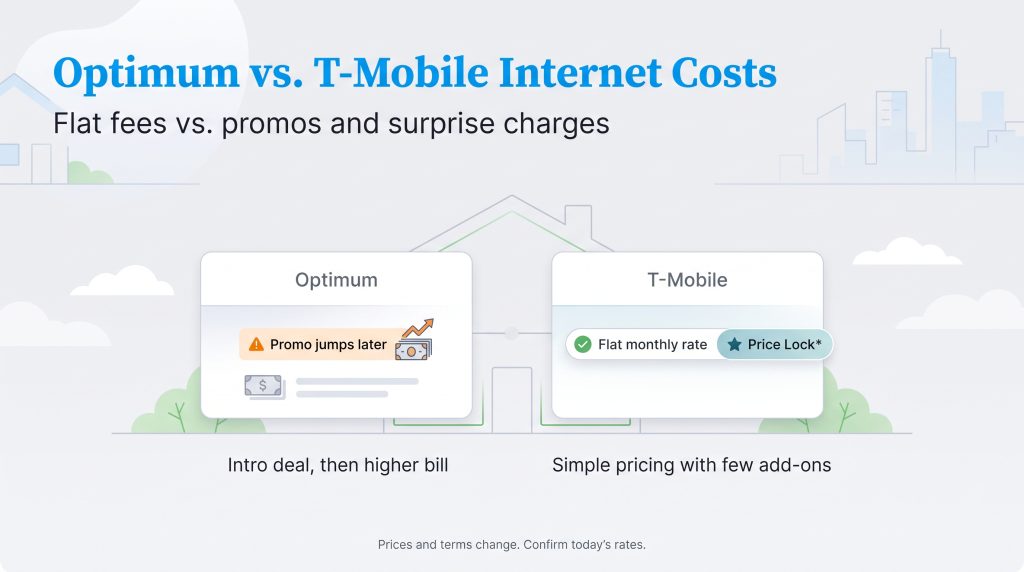
Understanding the true cost of connectivity requires looking past flashy billboard advertisements. When executing an Optimum vs T-Mobile price comparison for 2026, the long-term billing structure becomes a defining differentiator. T-Mobile champions a flat monthly fee that typically includes all taxes and equipment charges. Because they back their service with a long-term Price Lock guarantee, they frequently rank as the best home internet no contract option for budget-conscious families.
Optimum takes a far more traditional, promotional approach to monthly billing. You might score an incredibly low promotional rate during your first 12 months of service. However, once that honeymoon period ends, you are highly likely to face an Optimum internet rate increase. When evaluating the overall value, you must factor in how much that second-year pricing will impact your household budget. Depending on the plan and location, you may also see added costs such as installation charges or equipment-related fees. These extras add up fast, so it is always worth checking your final order summary when comparing top internet providers for your new address.
| Provider | First-Year Pricing Strategy | Long-Term Pricing Impact |
|---|---|---|
| Optimum | Highly discounted introductory rates to acquire new customers. | Subject to standard rate hikes and equipment fees after promo ends. |
| T-Mobile | Flat, transparent monthly rate including taxes and gateway. | Predictable long-term costs protected by a price guarantee. |
Optimum Plans & Pricing
| Plan Name | Price | Download Speeds | Connection Type | |
|---|---|---|---|---|
| Optimum FASTPASS | $25 /month | Up to 200 Mbps | Cable | Check Availability |
| Optimum 300 | $30 /month | Up to 300 Mbps | Cable | Check Availability |
| 300 Mbps Fiber | $30 /month | Up to 300 Mbps | Fiber | Check Availability |
| Optimum 500 | $40 /month | Up to 500 Mbps | Cable | Check Availability |
| Fiber 500 Mbps | $40 /month | Up to 500 Mbps | Fiber | Check Availability |
| Optimum 1 Gig | $25 /month | Up to 1000 Mbps | Cable | Check Availability |
| Fiber 1 Gig | $25 /month | Up to 1000 Mbps | Fiber | Check Availability |
| Fiber 2 Gig | $60 /month | Up to 2 Gbps | Fiber | Check Availability |
| Fiber 5 Gig | $75 /month | Up to 5 Gbps | Fiber | Check Availability |
| Fiber 8 Gig | $120 /month | Up to 8 Gbps | Fiber | Check Availability |
T-Mobile Home Internet Plans & Pricing
| Plan Name | Price | Download Speeds | Connection Type | |
|---|---|---|---|---|
| Home Internet Backup | $20 /month | Up to 318 Mbps | 5G | Check Availability |
| Rely Home Internet | $35 /month | Up to 354 Mbps | 5G | Check Availability |
| Amplified Home Internet | $45 /month | Up to 498 Mbps | 5G | Check Availability |
| All-In Home Internet | $55 /month | Up to 498 Mbps | 5G | Check Availability |
| Fiber 500 | $75 /month | Up to 500 Mbps | Fiber | Check Availability |
| Fiber 1 Gig | $85 /month | Up to 1000 Mbps | Fiber | Check Availability |
| Fiber 2 Gig | $80 /month | Up to 2 Gbps | Fiber | Check Availability |
Speed and Reliability Analysis
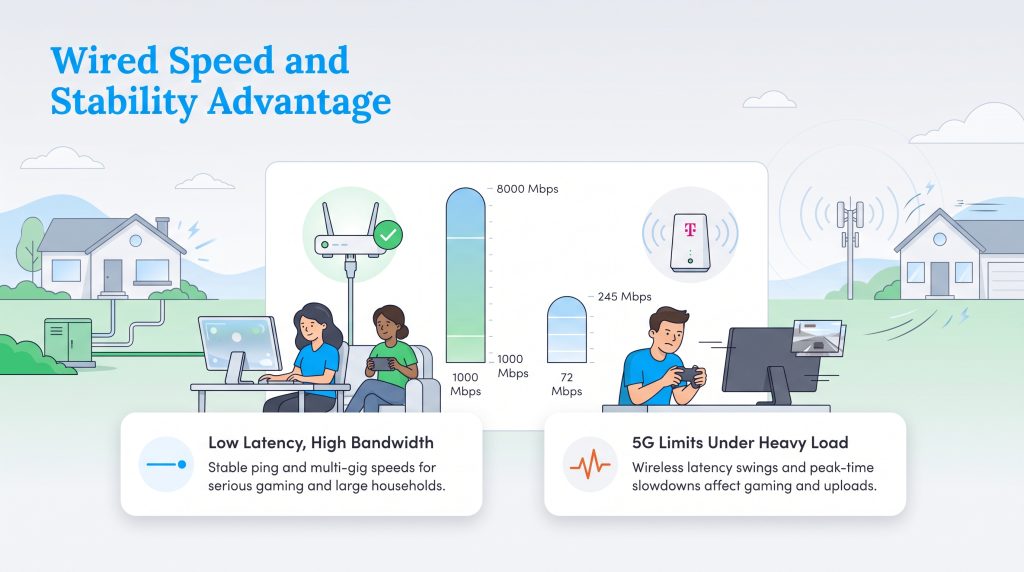
Raw download numbers look great on paper, but evaluating T-Mobile home internet speed vs Optimum requires analyzing how those connections hold up during a busy Friday night. Optimum’s traditional cable infrastructure effortlessly delivers up to 1,000 Mbps, while its rapidly expanding multi-gig fiber network can reach a staggering 8,000 Mbps in select areas. By contrast, T-Mobile’s 5G network generally provides between 72 and 245 Mbps. While 245 Mbps handles 4K streaming beautifully, it cannot compete with the sheer bandwidth volume that an Optimum hardwired connection provides for households downloading massive files.
This difference becomes remarkably apparent when exploring T-Mobile 5G home internet gaming limitations. Competitive online gaming requires perfectly stable latency (ping) to prevent rubberbanding and lag spikes. Because a wireless 5G connection travels through the air and bounces off physical obstructions, it is inherently more vulnerable to latency swings. An Optimum wired connection will routinely deliver lower, more stable ping for serious gamers.
Furthermore, when comparing Optimum fiber vs T-Mobile internet, you must account for upload speeds. Fiber-optic connections provide symmetrical speeds — meaning your upload speed matches your download speed. If you regularly upload huge video files to the cloud, run complex smart home security systems, or broadcast live video, Optimum fiber is the vastly superior choice over fixed wireless 5G.
Best for Large Households With Heavy Traffic
Managing internet traffic for a family with five active users and more than a dozen connected devices requires serious bandwidth. In these busy environments, Optimum effortlessly pulls ahead. Hardwired connections offering 1 Gig or more of bandwidth create a massive digital highway that prevents network congestion altogether.
During peak neighborhood usage hours — typically between 6 and 11 p.m. — T-Mobile’s wireless 5G speeds can sometimes dip as local cell towers manage the influx of mobile phone traffic alongside your home data. Optimum’s dedicated lines ensure your heavy-traffic household keeps running smoothly without unpredictable buffering during family movie night. If you want to check what your household actually requires, reviewing the minimum broadband speed requirements can help you align your expectations with reality.
Installation and Equipment Requirements
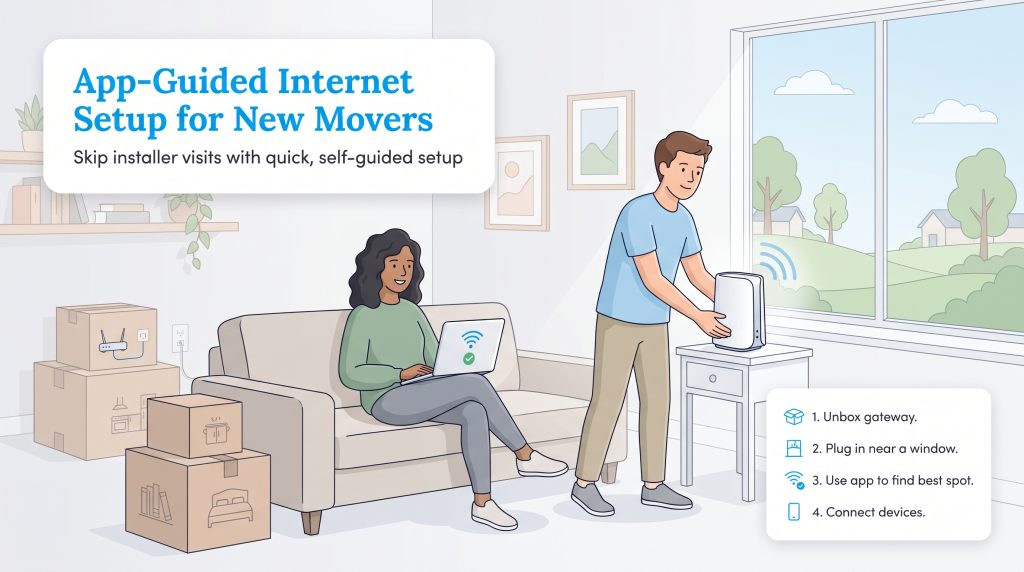
Moving day brings a mountain of logistical challenges, and waiting around during a four-hour window for an internet technician rarely fits into your tight schedule. A major competitive advantage for T-Mobile is its plug-and-play simplicity. You completely bypass the traditional professional installation process, allowing you to focus on simplifying your move-in checklist instead of coordinating utility appointments.
If your new home is already pre-wired for Optimum, you might qualify for a self-installation kit. However, if the home lacks recent wiring, you will need to schedule a professional technician appointment and potentially pay activation fees. Additionally, when reviewing your contract, keep an eye out for Optimum extra fees and data caps, as renting standard modems and routers directly from the provider can inflate your monthly bill over time.
Here is how fast the app-guided T-Mobile 5G gateway setup process works:
- Unbox the wireless gateway device.
- Plug the power cord into a central wall outlet, preferably near a window facing a cell tower.
- Download the T-Mobile Internet app to find the optimal signal placement in your home.
- Connect your phones, laptops, and smart TVs using the provided network credentials.
Smart Homes and Sustainability: The Eco-Edge
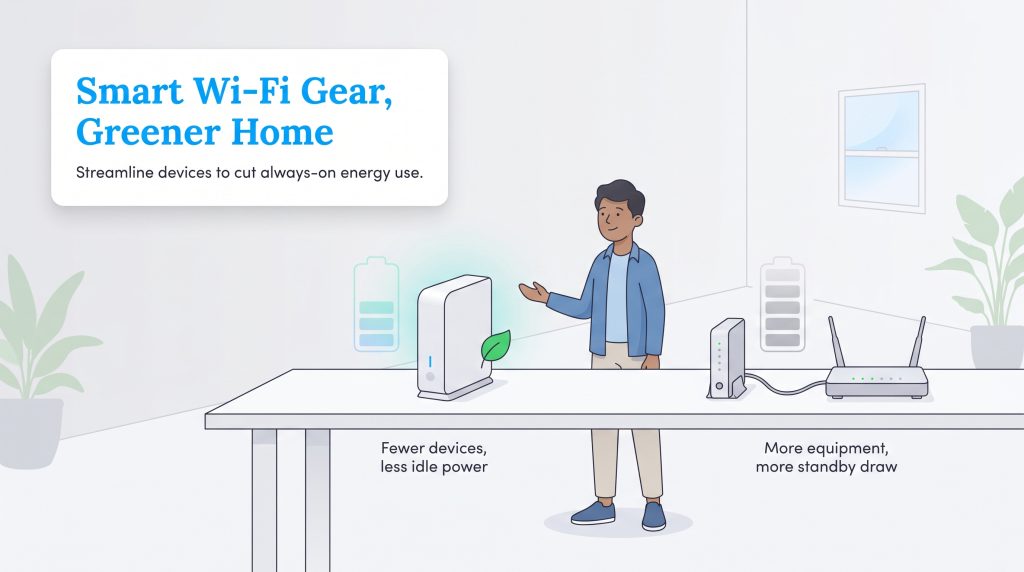
Building an efficient, connected house requires mindful choices about the hardware you continuously run. Every device you plug in impacts your overall home energy usage. An all-in-one piece of equipment like T-Mobile’s gateway may reduce the number of devices drawing power compared to a traditional separate modem and router setup. If you are actively focused on reducing your monthly electric bill, opting for an environmentally mindful, energy-saving option is a smart first step.
Customer Satisfaction and Support
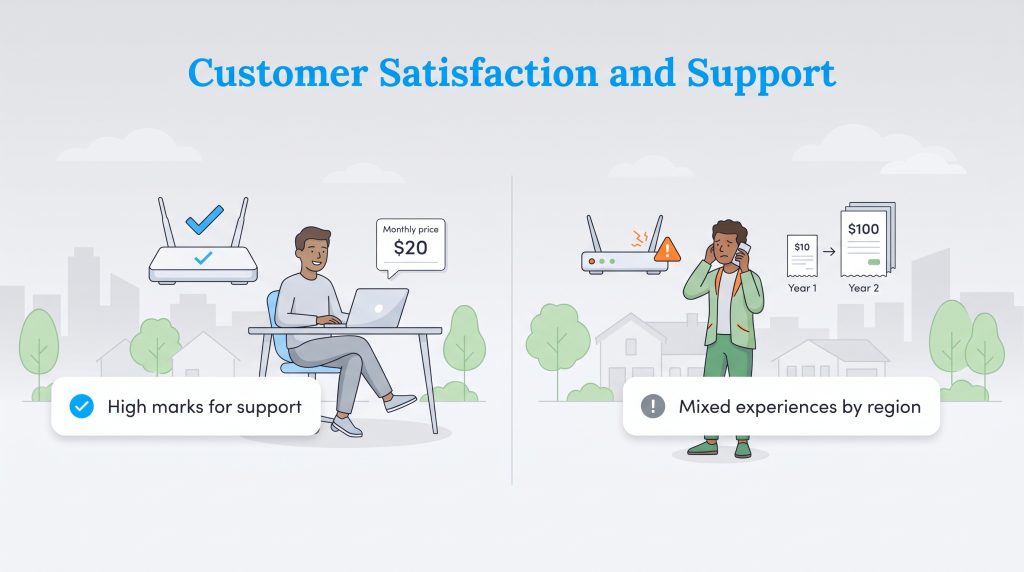
Comparing speeds and pricing is only half the battle; the quality of customer support heavily influences the long-term viability of your internet setup. Provider reputations vary drastically, and knowing what to expect can save you from future headaches.
- T-Mobile’s Reputation: T-Mobile consistently secures top-tier customer ratings in the home internet sector. Users frequently praise the company for its transparent, straightforward pricing structure and incredibly easy DIY setup process that eliminates the need to coordinate with technical support.
- Optimum’s Reputation: Optimum generally appeals to speed-focused households, but it historically receives lower overall customer satisfaction scores. Customers frequently express frustration regarding unexpected second-year billing changes, inconsistent customer service response times, and varying service reliability depending heavily on the specific regional market.
The Verdict: Selecting Your Ideal Internet Provider
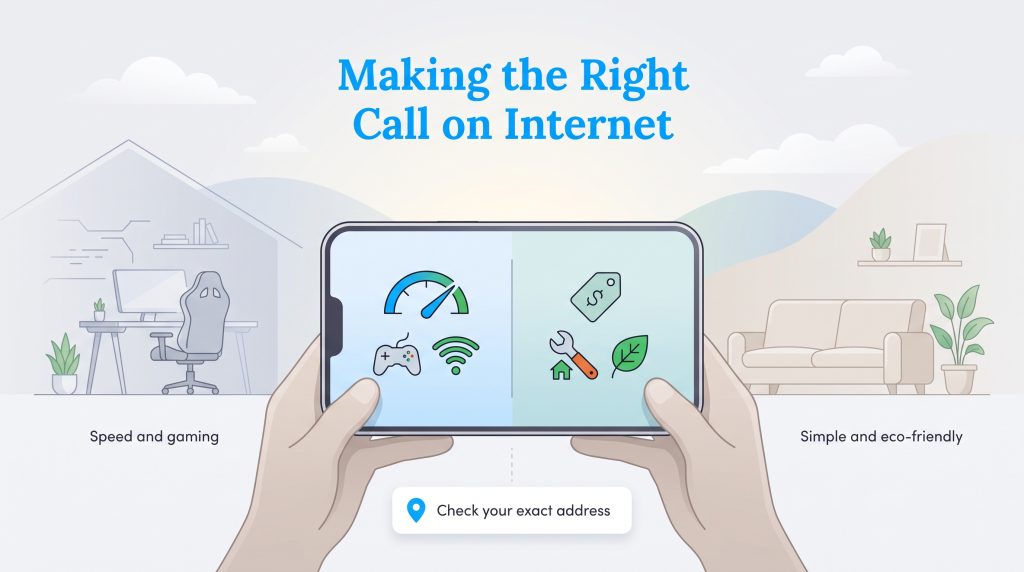
Choosing the ideal internet provider ultimately hinges on your daily digital habits and long-term financial preferences. Review these specific use-case scenarios to determine the definitive winner for your new address.
- Choose Optimum if you are a gamer or heavy downloader: If your daily routine demands flawless stability, competitive multiplayer gaming performance, and ultra-fast multi-gig speeds, Optimum clearly wins the matchup. The hardwired connection prevents lag and ensures heavy file transfers finish in seconds.
- Choose T-Mobile if you are a renter or budget-conscious user: If you crave straightforward pricing with no hidden fees and a reliable price guarantee, T-Mobile claims the victory. The easy DIY setup means you never have to drill holes in apartment walls or wait around for a technician.
- Choose Optimum Fiber if you require high upload capabilities: For content creators, remote workers hosting large virtual meetings, or tech enthusiasts running extensive smart home security networks, the symmetrical upload speeds of a true fiber-optic connection are unmatched.
Before you finalize any decisions, always remember to verify coverage at your exact street address. Neither exceptional speeds nor transparent pricing structures matter if a provider lacks the physical infrastructure to service your specific neighborhood.
Frequently Asked Questions About Optimum and T-Mobile Home Internet
These answers cover the most common questions people have when comparing Optimum and T-Mobile Home Internet for a new address. Always confirm plan details directly with the provider before signing up, since pricing, speed, and availability can vary significantly by location.
Does Optimum internet increase its prices after the first year?
Is T-Mobile 5G Home Internet good for gaming and streaming?
Do Optimum or T-Mobile Home Internet charge equipment rental fees?
Can I switch from Optimum to T-Mobile Home Internet easily?
Is T-Mobile Home Internet fast enough for working from home?
Does T-Mobile 5G Home Internet have data caps compared to Optimum?
Which internet provider is better for a smart home setup?
Is Optimum fiber better than T-Mobile Home Internet?
About the Author

David has been an integral part of some of the biggest utility sites on the internet, including InMyArea.com, HighSpeedInternet.com, BroadbandNow.com, and U.S. News. He brings over 15 years of experience writing about, compiling and analyzing utility data.

Claudio is a sustainability-focused writer with a background in Anthropology and Psychology from NC State University. He has spent over 15 years working in writing, interpretation, and translation, driven by a deep interest in how human culture shapes the environment. Today, he shares his curiosity with readers by writing about sustainable living solutions and the connection between everyday choices and environmental impact.