

Compare the Top Renter-Friendly Options and Learn How to Get Fast, Reliable Speeds Without Signing Long-Term Contracts
Key Takeaways
- Check your building’s wiring before signing a lease to ensure you aren’t locked into an outdated bulk internet agreement.
- Opt for no-contract internet options like 5G home internet if you move frequently and want to avoid early termination fees.
- Upgrade your router to handle heavy Wi-Fi interference from neighbors in densely populated apartment complexes.
Moving into a new apartment brings enough headaches without battling strict landlord rules, hidden installation fees, and terrible Wi-Fi interference from the neighbors sharing your walls. We know how frustrating it is to finally unpack, only to discover you’re stuck with an overpriced building agreement or a weak signal that buffers every time you stream a movie. To help you navigate complex lease terms and find the best internet providers for apartments, we’ll guide you through easy no-drill setups, flexible no-contract plans, and the smartest ways to bypass outdated prewiring so you can secure a fast, reliable connection that actually works for your space.
Why Apartment Internet Is Different: Landlords and Prewiring
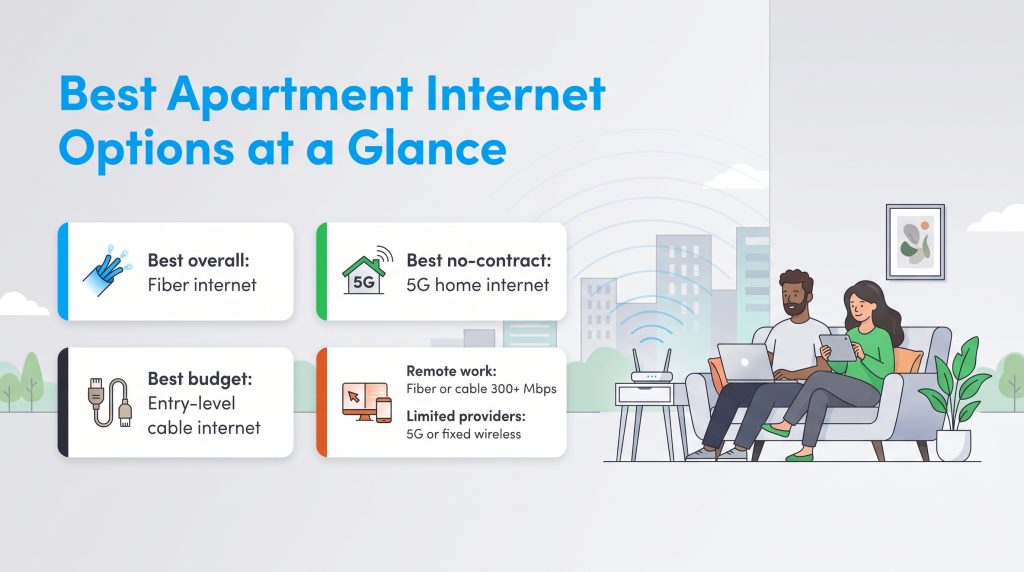
Figuring out how to get internet in an apartment isn’t always as simple as picking a provider and scheduling an installation. Renters face a unique set of infrastructural and contractual hurdles that homeowners usually don’t have to worry about. Before you start shopping for speeds, you need to understand the common roadblocks that dictate your available apartment internet options:
- Bulk HOA Agreements: Many landlords partner exclusively with one specific provider. While this can sometimes lower your bill by bundling the cost into your rent, it severely restricts your freedom to shop around for better speeds or cheaper rates.
- Prewired Buildings: Older multi-dwelling units frequently only support traditional cable because running new fiber-optic lines through existing walls requires major construction that property managers won’t approve.
- Strict “No Drilling” Clauses: Most standard leases explicitly ban technicians from drilling holes to run new coaxial or Ethernet cables, limiting you to the wall jacks that are already installed.
- Shared Wall Interference: Living in a dense complex means dozens of routers are competing on the exact same frequency channels, which can cause severe network congestion and slow down your apartment Wi-Fi during peak evening hours.
Top Internet Providers for Apartments
When you are ready to compare internet service providers, finding a company that accommodates the renter lifestyle is just as important as securing fast speeds. To help you narrow down your choices, here is a quick overview of the top internet options for renters, followed by a deeper dive into what makes each category shine.
| Provider Name | Connection Type | Est. Monthly Price | Renter Perk |
|---|---|---|---|
| T-Mobile 5G Home Internet | 5G Wireless | $50 to $60 | Plug-and-play self-install |
| Verizon 5G Home Internet | 5G Wireless | $35 to $50 | No annual contracts |
| AT&T Fiber | Fiber | $55 to $85 | Symmetrical speeds and no data caps |
| Quantum Fiber | Fiber | $50 to $75 | Price-for-life guarantee |
| Xfinity | Cable | $35 to $80 | Widely available self-install kits |
| Spectrum | Cable | $50 to $70 | No contracts and included modem |
1. T-Mobile and Verizon 5G (Best for Easy Setup and No Drilling)
5G home internet for apartments is quickly becoming the ultimate renter hack. Because these wireless gateways pull a cellular signal directly from nearby towers, they require zero landlord permission and involve absolutely no drilling. You simply plug the device into a standard wall outlet, follow a quick app setup, and start browsing. This hassle-free, plug-and-play flexibility also means you can easily pack up your gateway and take it to your next apartment when your lease ends.

- 300 Mbps
- 5G
- Unlimited
- $35.00/mo

- 498 Mbps
- 5G
- 1.2 TB
- $30.00/mo

- 300 Mbps
- 5G
- Unlimited
- $40.00/mo
*Not all internet providers and speeds available in all areas.
2. AT&T and Quantum Fiber (Best for Reliability and Gamers)
If your multi-dwelling unit has already been upgraded with the necessary prewiring, fiber is the undeniable gold standard. Providers like AT&T and Quantum Fiber offer lightning-fast, symmetrical upload and download speeds that keep competitive gamers and remote workers perfectly synced. Many of these top-tier fiber companies have also embraced renter-friendly terms by providing transparent month-to-month pricing without enforcing restrictive long-term contracts.
3. Xfinity and Spectrum (Best for Widespread Availability)
When fiber isn’t an option and cellular signals run weak in your complex, traditional cable providers like Xfinity and Spectrum step in with massive coverage areas. Cable internet relies on the coaxial wiring already built into the walls of most older apartments, making it an incredibly accessible choice. Both companies offer convenient self-install internet apartment kits, allowing you to bypass expensive technician fees and easily activate your service the day you move in.
Fiber vs. Cable vs. 5G: Which Connection Is Best for Renters?
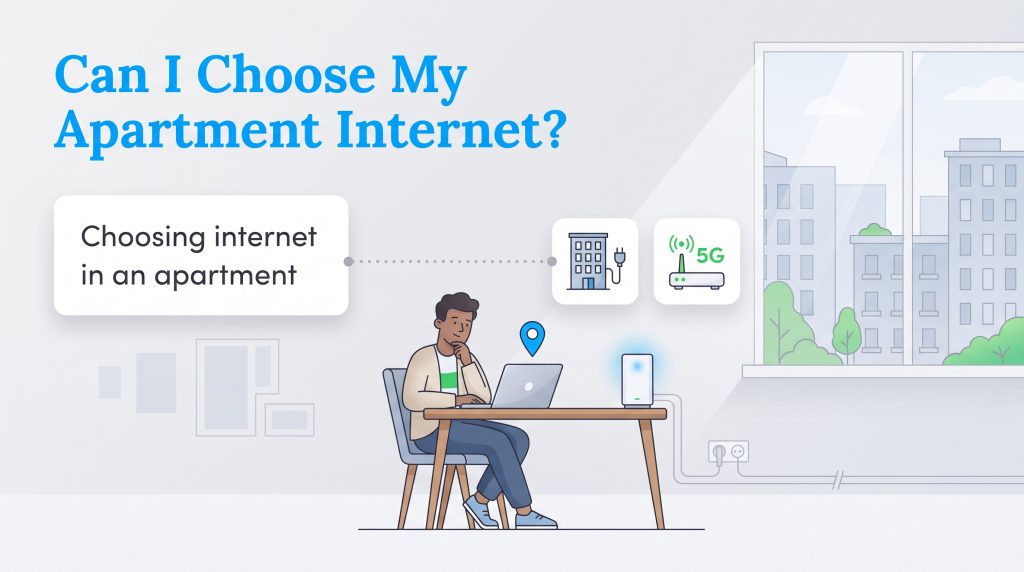
Choosing between cable vs. fiber internet relies heavily on your building’s physical infrastructure. Fiber-optic internet provides unmatched reliability and speed, but the strict physical installation requirements mean an Optical Network Terminal (ONT) jack must already be wired directly into your apartment walls. Cable internet is much more widely accessible because it utilizes standard coaxial ports, though it occasionally suffers from network congestion when the whole building logs on in the evening.
If you want to avoid dealing with physical wall jacks or building permissions entirely, 5G home internet serves as a brilliant, seamless workaround. To confirm exactly which connections and companies service your specific address, we highly recommend plugging your apartment number into the FCC Broadband Map. Doing this quick research is an essential step when setting up your utilities when moving, ensuring you aren’t blindsided by a digital dead zone.
📌 Quick Fact: 5G home internet is uniquely renter-friendly because it requires absolutely zero drilling and allows for instant, plug-and-play self-installation.
| Connection Type | Average Monthly Price | Best For | Pros/Cons |
|---|---|---|---|
| Fiber | $60 to $90 | Heavy remote workers and competitive gamers | Pros: Lightning-fast, symmetrical speeds. Cons: Extremely limited availability in older apartments. |
| Cable | $40 to $80 | Families and multi-device households | Pros: Widely available with great download speeds. Cons: Subject to neighborhood congestion and slower uploads. |
| 5G Home Internet | $50 to $60 | Frequent movers and budget-conscious renters | Pros: No wires, flat rates, and easy self-setup. Cons: Speeds fluctuate based on cell tower proximity. |
How Much Speed Do You Really Need for Your Apartment?
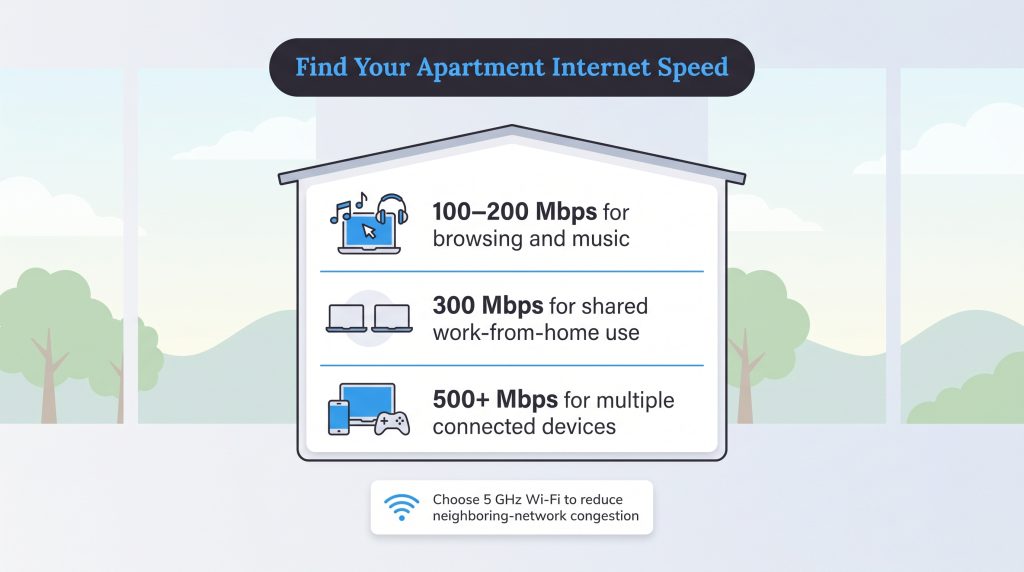
Determining what is a good internet speed for your apartment depends entirely on the size of your space and the number of roommates logging on. A solo renter in a small studio who casually browses the web and streams music can comfortably get by with 100 Mbps to 200 Mbps. However, if you share a two-bedroom apartment with a partner and you both frequently work from home, scaling up to 300 Mbps is a smart move to prevent frustrating video call bottlenecks.
For three to four roommates living in a larger unit, bandwidth requirements jump significantly. Juggling multiple smart TVs, gaming consoles, laptops, and a network of smart home gadgets demands serious capacity. In these crowded scenarios, securing speeds of 500 Mbps or higher is essential to maintain a smooth connection for everyone.
💡 Pro Tip: Apartment dwellers should prioritize connecting their devices to the 5 GHz Wi-Fi band instead of the 2.4 GHz band to avoid heavy network congestion from their neighbors’ routers.
5 Steps to Set Up Wi-Fi in a New Apartment
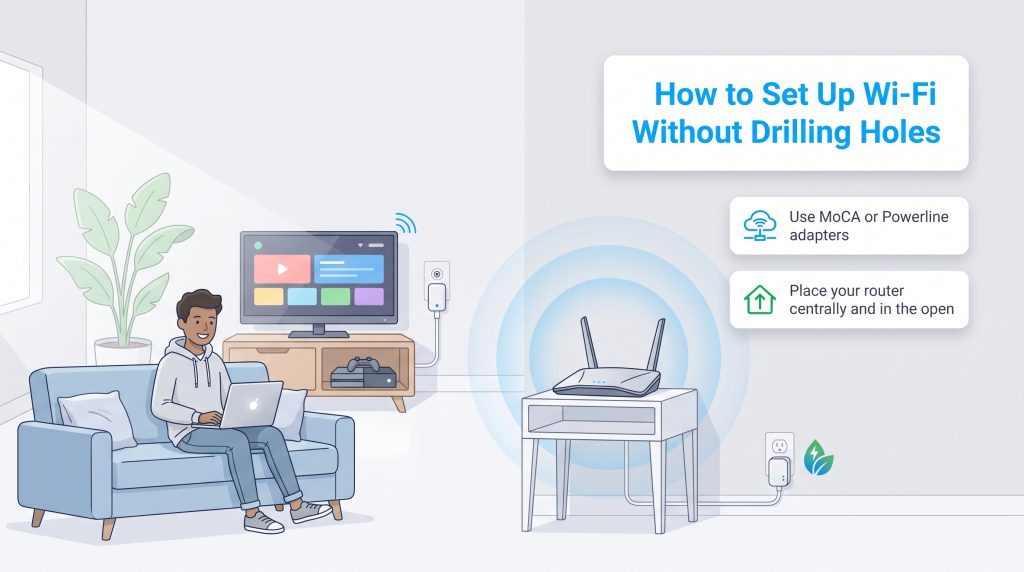
Setting up your network shouldn’t require a degree in IT or a stressful call to apartment maintenance. Follow this straightforward process to get your best Wi-Fi setup for apartments up and running quickly:
- Ask property management what is wired: Before ordering service, confirm with your landlord if the building has an exclusive provider agreement or if you are free to shop around.
- Check the walls for existing coax or fiber jacks: Survey your floor plan to see if you have an Optical Network Terminal (ONT) installed for fiber or a standard coaxial port ready for cable.
- Compare no-contract plans: Seek out flexible, month-to-month internet options that won’t penalize you with hefty early termination fees if you decide to move out next year.
- Order self-install kits to avoid technician fees: Save a significant amount of money by requesting a plug-and-play kit sent directly to your door instead of paying for a professional installation.
- Position the router centrally in the apartment: Keep your networking equipment elevated and out in the open to ensure the wireless signal can easily reach every corner of your living space.
Renting vs. Buying a Router: What’s Best for Renters?
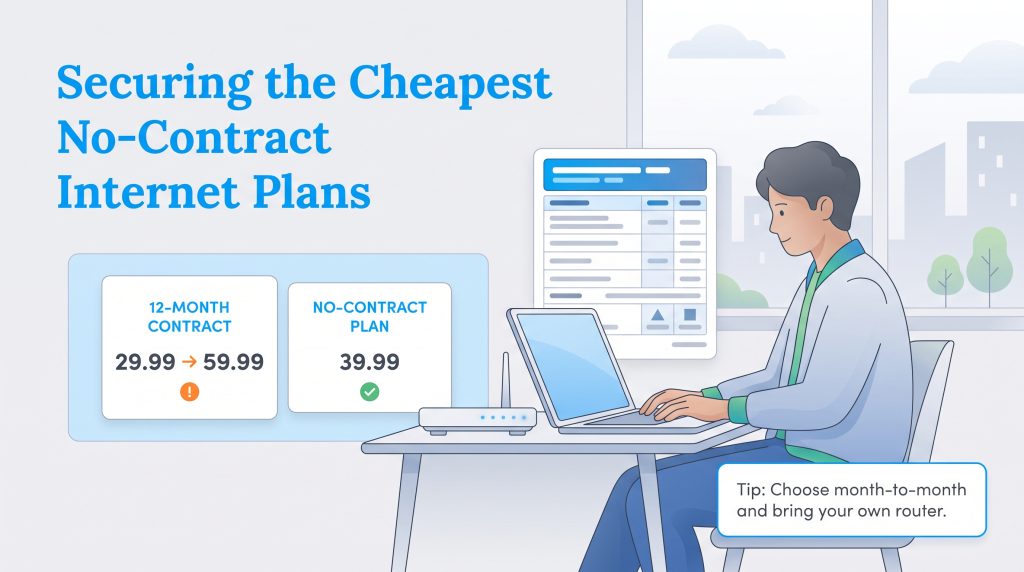
Searching for the cheapest internet for apartments requires vigilance, especially when evaluating hidden equipment costs. When you finalize your internet plan, you’ll face an important financial decision: renting the provider’s standard equipment or purchasing your own. For most renters, we highly recommend buying your own router. While it requires an upfront investment, it typically saves you $10 to $15 a month in continuous equipment rental fees. Over the course of a standard 12-month lease, buying your own hardware easily pays for itself.
Plus, standard personal routers can move with you to future apartments, giving you total, ongoing control over your local network security and performance. When shopping around, you can make an environmentally mindful choice by reviewing the ENERGY STAR Small Network Equipment page. Selecting an energy-efficient router trims a small amount from your electricity use, rounding out a smart overall setup.
Be sure to take your time comparing internet service providers to find carriers that offer transparent pricing without restrictive data caps. To help you verify costs, the FCC now requires major providers to display Broadband Consumer Labels at the point of sale, which clearly break down monthly prices and highlight if gateway fees are already included.
💸 Money-Saver: Requesting a self-installation kit can often save renters anywhere from $50 to $100 in completely unnecessary technician fees.
Mastering Your Apartment Wi-Fi Setup
Renting an apartment doesn’t mean you have to settle for digital dead zones in the bedroom or wildly expensive multi-year contracts. By identifying your building’s prewiring, asking your property manager the right questions upfront, and prioritizing flexible no-contract internet providers, you can confidently secure a setup that perfectly matches your lifestyle.
Whether you opt for the raw, symmetrical power of a hardwired fiber connection or the brilliant plug-and-play freedom of 5G home internet, taking control of your hardware and shopping smart ensures you stay reliably connected without breaking your budget.
Frequently Asked Questions About Apartment Internet
Apartment internet can get tricky because your options depend on your building’s infrastructure, your lease, and your provider’s service area. These answers cover the most common questions renters ask before choosing a plan.
Can I choose my own internet provider in an apartment?
How do I know if my apartment is prewired for fiber internet?
Does 5G home internet require landlord permission to install?
What is the cheapest internet for apartments?
Can I get internet for my apartment without a contract?
How do I get internet in an apartment for the first time?
Is 5G home internet reliable in high-rise buildings?
Why is my apartment Wi-Fi so slow at night?
About the Author

David has been an integral part of some of the biggest utility sites on the internet, including InMyArea.com, HighSpeedInternet.com, BroadbandNow.com, and U.S. News. He brings over 15 years of experience writing about, compiling and analyzing utility data.

LaLeesha has a Masters degree in English and enjoys writing whenever she has the chance. She is passionate about gardening, reducing her carbon footprint, and protecting the environment. She also recently served as President of the Board for City Sprouts (a community garden).