

Choosing between Kinetic and Xfinity comes down to whether your home needs the symmetrical upload speeds of fiber or the widespread availability of traditional cable.

- 2 Gbps
- Cable & Fiber
- Unlimited
- $30.00/mo

- 2 Gbps
- Fiber
- Unlimited
- $24.99/mo
*Not all internet providers and speeds available in all areas.
Key Takeaways
- Kinetic Fiber beats Xfinity Cable due to its symmetrical upload and download speeds alongside truly unlimited data with no monthly caps.
- Xfinity easily beats Kinetic DSL in rural areas where Windstream has not yet upgraded its aging copper telephone lines to fiber-optic infrastructure.
- Xfinity offers superior mobile and TV bundling value across a massive 40-state footprint, making it a convenient one-stop shop when moving.
Comparing Kinetic vs. Xfinity can be tricky because the better internet provider depends entirely on the physical wiring reaching your exact street address. While Kinetic fiber is a standout choice for symmetrical upload speeds, unlimited data, and smart homes, Xfinity is much easier to find nationwide and delivers strong mobile and TV bundling value. We’ll break down 2026 network technologies, total first-year costs, data caps, and hidden fees to help you choose.
Kinetic vs Xfinity: Side-by-Side Overview
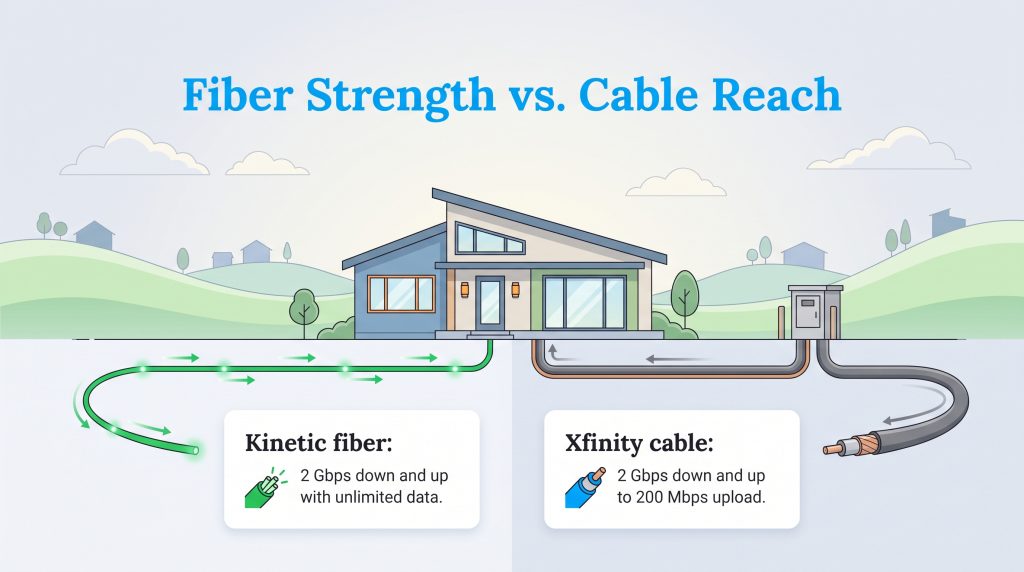
If you are trying to pick the better provider for an upcoming move, start with the exact network technology wired to your property. Kinetic is the superior pick only if your address qualifies for their modernized fiber-optic network, whereas Xfinity is the more practical option for widespread national availability and multi-service bundles. Choosing a reliable home internet provider means matching these core infrastructure strengths and monthly equipment costs to your household’s daily habits.
| Metric | Kinetic by Windstream | Xfinity by Comcast |
|---|---|---|
| Connection Type | FTTH (Fiber-to-the-Home) & Copper DSL | Cable HFC (Hybrid Fiber-Coaxial) & Limited Fiber |
| Max Download Speed | 2 Gbps (up to 8 Gbps in select pockets) | 2 Gbps |
| Max Upload Speed | 2 Gbps (symmetrical on fiber) | ~200 Mbps on cable (20 Mbps to 200 Mbps typical) |
| Starting Price | $24.99/mo | $30.00/mo |
| Data Cap | Unlimited | 1.2 TB (in most markets) |
| Equipment Fee | $5.99–$10.99/mo | $15.00/mo |
| Contract Requirement | None | Optional 1–5 Year Price Locks |
| States Served | 18 states | 40 states |
📌 Quick Fact: The core difference between these services lies in their infrastructure, as fiber-optic networks use light pulses to deliver symmetrical speeds while traditional cable relies on copper wires that typically feature much slower upload capabilities.
Network Technology & Speeds: Symmetrical Fiber vs Hybrid Cable
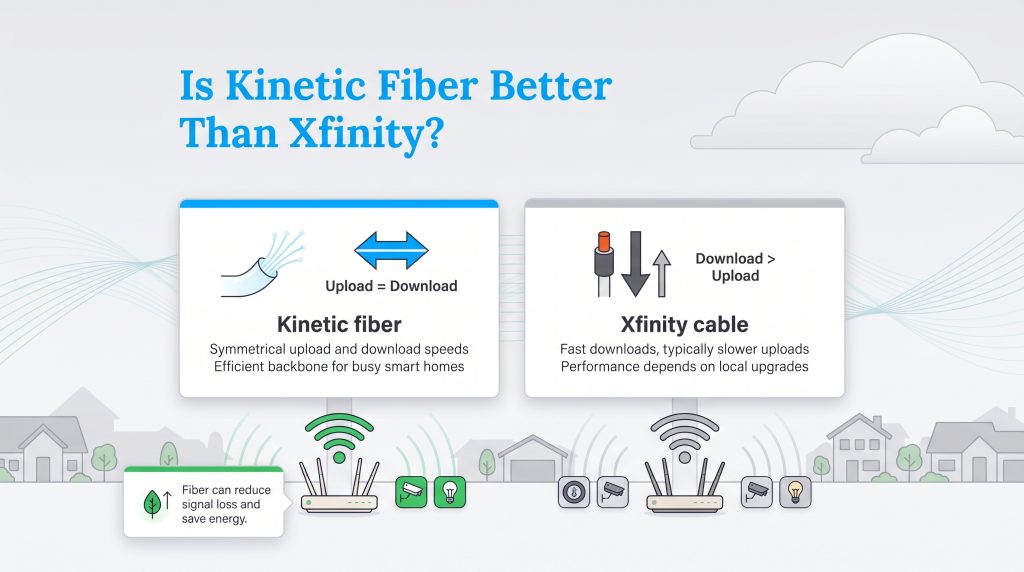
When you start shopping around, you might find yourself confused by the different corporate brand names popping up on your screen. Kinetic is Windstream’s residential internet brand, while Xfinity is Comcast’s consumer brand for internet, TV, and mobile services. Comparing Kinetic by Windstream vs Xfinity essentially pits a rapidly modernizing regional provider against a nationwide cable juggernaut. When evaluating Kinetic fiber vs Xfinity cable for everyday household use, the physical wiring inside your neighborhood determines how fast your connection actually feels.
Kinetic Fiber vs Kinetic DSL: Why Your Street Address Matters
Before you sign up with Windstream, you need to know that Kinetic operates two completely different networks under the exact same brand name. Over the past few years, the company has built a modernized 100% fiber-optic network reaching roughly 1.6 million locations across its footprint. However, millions of other homes in Kinetic territory are still wired exclusively with legacy copper DSL (Digital Subscriber Line) telephone wires. Because Windstream vs Xfinity comparisons look drastically different depending on which wire touches your house, you must verify whether your new street address qualifies for FTTH (Fiber-to-the-Home) before placing an order.
When you type your address into Kinetic’s website, look closely at the maximum speed tier offered. If the portal offers speeds of 300 Mbps, 500 Mbps, 1 Gbps, or 2 Gbps, your home is wired for true fiber. If the maximum plan available at your property tops out at 25 Mbps, 50 Mbps, or anything under 100 Mbps, that connection runs on aging copper DSL. We strongly command you to choose Xfinity if only Kinetic DSL is available at your property. Xfinity’s coaxial cable lines will easily outperform copper DSL in speed, daily stability, and multi-device bandwidth.
🚩 Heads Up: Never rely on a ZIP code search alone when shopping for Kinetic internet. Because fiber-optic lines are deployed block by block, one side of a residential street may enjoy 2 Gbps fiber while the houses across the road remain stuck on 50 Mbps copper DSL.
Upload Speeds & Latency for Remote Work and Gaming
Evaluating Xfinity vs Kinetic internet speeds requires looking past the flashy download numbers advertised on billboards and examining how data leaves your home. Both providers offer primary download tiers scaling up to 2 Gbps (with Kinetic advertising specialized 8 Gbps service in select pockets). However, download vs. upload speed plays a major role in your daily online experience: download bandwidth only governs how quickly you pull information from the web, such as loading a webpage or streaming a movie, while upload bandwidth controls how fast you send data back out, which dictates the quality of your Zoom calls, cloud backups, and online gaming sessions.
Kinetic’s fiber-optic network delivers symmetrical upload speeds up to 2 Gbps, meaning your upload speeds match your download speeds megabit for megabit. In contrast, Xfinity’s hybrid fiber-coaxial (HFC) cable network relies on copper coaxial lines for the final stretch into your living room, resulting in asymmetric cable upload speeds that typically range from just 20 Mbps to 200 Mbps. That massive gap matters tremendously if two adults are working from home on simultaneous HD video conferences while a cloud security camera uploads footage in the background. Furthermore, fiber-optic light signals experience significantly lower latency (ping delay) than electrical cable signals, giving Kinetic Fiber a decisive edge for competitive gaming and real-time smart home automation.
Plans and Pricing Comparison
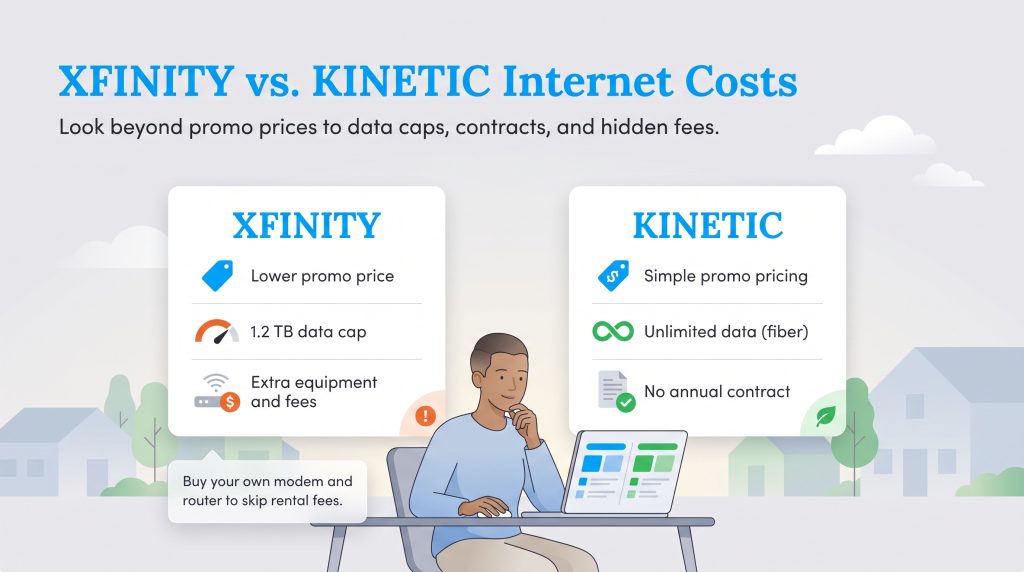
Nothing ruins a meticulously planned household budget faster than an unexpected utility bill spike twelve months after moving in. When you look closely at Kinetic vs. Xfinity pricing, the introductory numbers rarely tell the whole story. Both providers lure new customers in with attractive 12-month promotional rates, but the true cost of your internet service emerges once that introductory honeymoon phase expires and standard year-two rates kick in.
Kinetic by Windstream Internet Plans
| Plan Name | Price | Download Speeds | Connection Type | |
|---|---|---|---|---|
| Fiber 100 Mbps | $24.99 /month | Up to 100 Mbps | Fiber | Check Availability |
| 100 Mbps | $44.99 /month | Up to 100 Mbps | DSL | Check Availability |
| 100 Mbps | $24.99 /month | Up to 100 Mbps | Cable | Check Availability |
| Fiber 300 Mbps | $39.99 /month | Up to 300 Mbps | Fiber | Check Availability |
| Fiber 1 GB | $49.99 /month | Up to 1000 Mbps | Fiber | Check Availability |
| Fiber 2 GB | $69.99 /month | Up to 2 Gbps | Fiber | Check Availability |
| Fiber Max 2 GB | $89.99 /month | Up to 2 Gbps | Fiber | Check Availability |
In 2026, Kinetic Fiber plans start between $24.99 and $39.99 per month for entry-level fiber speeds (typically 100 Mbps to 300 Mbps, depending on local market promos) and scale up to $69.99 to $89.99 per month for 1 Gbps and 2 Gbps tiers. Keep in mind that these advertised figures represent 12-month promotional pricing that requires enrolling in paperless billing and autopay. Once your first year wraps up, Kinetic’s standard rates typically increase by $20 to $30 per month across all speed tiers. If your address only qualifies for Kinetic DSL, you will unfortunately pay roughly the same $39.99 to $49.99 introductory rate for a fraction of the speed, making fiber verification essential.
Xfinity Internet Plans
| Plan Name | Price | Download Speeds | Connection Type | |
|---|---|---|---|---|
| NOW Internet | $30 /month | Up to 100 Mbps | Cable | Check Availability |
| 300 Mbps | $40 /month | Up to 300 Mbps | Cable | Check Availability |
| 300 Mbps w/ 5 year price lock | $45 /month | Up to 300 Mbps | Cable | Check Availability |
| 500 Mbps | $50 /month | Up to 500 Mbps | Cable | Check Availability |
| 500 Mbps w/ 5 year price lock | $60 /month | Up to 500 Mbps | Cable | Check Availability |
| 1000 Mbps | $60 /month | Up to 1000 Mbps | Cable | Check Availability |
| 1000 Mbps w/ 5 year price lock | $70 /month | Up to 1000 Mbps | Cable | Check Availability |
| 2000 Mbps | $90 /month | Up to 2 Gbps | Fiber | Check Availability |
| 2000 Mbps w/ 5 year price lock | $100 /month | Up to 2 Gbps | Fiber | Check Availability |
Xfinity structures its 2026 internet lineup with promotional pricing starting around $30 per month for basic 150 Mbps to 300 Mbps plans and climbing up to $100 per month for its top 2 Gbps (Gigabit x2) tier. Like Windstream, Comcast relies heavily on introductory discounts that expire after 12 to 24 months. When your Xfinity promotional window closes, standard year-two rates frequently jump by $25 to $45 per month, easily pushing a mid-tier gigabit plan past $110 per month before equipment fees. However, Xfinity has recently introduced optional 1-year to 5-year price lock guarantees in many regions, allowing movers to trade a slightly higher starting rate for multi-year billing predictability.
Total First-Year Cost & Post-Promotional Rate Spikes
To protect your moving budget from sticker shock, you need to calculate the total first-year internet cost rather than focusing solely on the base monthly rate. Provider prices, fees, and promotions vary by address, autopay enrollment, and local network upgrades. Below is a side-by-side First-Year Cost Breakdown comparing a popular 1 Gig plan from both providers, factoring in 12 months of base promo cost, 12 months of gateway rental fees, and standard one-time installation fees (reviewed in 2026).
| 1 Gig Plan Cost Component | Kinetic Fiber (1 Gbps) | Xfinity Cable (1 Gbps) |
|---|---|---|
| Base Monthly Promo Rate | $69.99/mo | $65.00/mo |
| 12 Months of Base Service | $839.88 | $780.00 |
| Monthly Gateway Rental Fee | $10.99/mo ($131.88/yr) | $15.00/mo ($180.00/yr) |
| One-Time Installation / Activation Fee | $0 (typically waived online; $35–$50 standard) | $15.00 self-install ($100 pro install) |
| Estimated Total First-Year Cost | $971.76 | $975.00 |
| Estimated Year-Two Standard Cost (Annual) | ~$1,211.76 ($89.99/mo + gateway) | ~$1,380.00 ($100.00/mo + gateway) |
As the numbers show, Xfinity’s slightly lower $65 base promo rate is completely erased by its steeper $15 monthly gateway lease fee and $15 self-install charge, bringing both providers to roughly $975 for the first 12 months. Even more importantly, Xfinity’s aggressive year-two rate hike makes it significantly more expensive over a 24-month stay unless you actively negotiate.
💡 Pro Tip: When ordering service for a new move, ask Xfinity about their 5-year price lock options to avoid year-two rate spikes, or take advantage of Kinetic’s online sign-up promos, which frequently include $100 to $200 prepaid reward cards that effectively lower your first-year bill.
Data Caps, Contracts, and Hidden Fees
Beyond the base subscription rate, fine-print billing policies can quickly inflate your monthly statement. When comparing Kinetic vs Xfinity data caps, contract terms, and equipment surcharges, Kinetic takes a much more transparent, consumer-friendly approach across its footprint.
Unlimited Data vs Xfinity’s 1.2 TB Data Cap
The biggest hidden trap in the Xfinity 1.2 TB data cap vs Kinetic unlimited debate is how easily a modern household can blow past a monthly data ceiling. Kinetic provides truly unlimited data across all of its internet tiers — both fiber and DSL — meaning you never have to monitor your family’s usage or worry about surprise overage penalties at the end of the billing cycle.
In contrast, Xfinity enforces a strict 1.2 TB (1,229 GB) monthly data cap across the vast majority of its service states (excluding select Northeastern markets). While 1.2 TB sounds massive on paper, streaming 4K Ultra HD video consumes roughly 7 GB per hour, and a single modern video game download can exceed 150 GB. If your household crosses that 1.2 TB threshold, Xfinity automatically charges a $10 overage penalty for every additional 50 GB block of data you use, up to a painful $100 maximum overage fee per month. To remove the cap on Xfinity, you either have to pay $30 per month for a standalone Unlimited Data add-on or upgrade to their $25-per-month xFi Complete package (which bundles the gateway rental and unlimited data together). Neither provider requires a mandatory annual contract on standard plans today, though breaking an optional Xfinity term agreement early will trigger an early termination fee of up to $110.
Equipment Rental Fees & BYO-Router Sustainability
If you lease your Wi-Fi hardware directly from your internet provider, those monthly rental fees quietly drain your wallet year after year. Xfinity charges $15 per month ($180 per year) to rent its proprietary xFi Gateway, while Kinetic charges a gateway lease fee ranging from $5.99 to $10.99 per month ($72 to $132 per year) for its Kinetic Whole Home Wi-Fi equipment. Furthermore, Kinetic occasionally tacks on a small paper bill surcharge or regional cost recovery fee depending on your state.
Purchasing your own third-party, energy-efficient Wi-Fi 6E or Wi-Fi 7 router (along with a compatible DOCSIS 3.1 cable modem if you choose Xfinity) is a smart financial and environmentally mindful choice. Buying your own hardware upfront eliminates $120 to $180 per year in perpetual rental fees, paying for itself in less than 12 months. From a sustainability standpoint, keeping a high-quality personal router across multiple home moves dramatically reduces electronic waste (e-waste) caused by cycling through refurbished ISP rental boxes every time you relocate.
Additionally, the underlying network infrastructure outside your home carries an environmental footprint. Passive optical networks like Kinetic FTTH consume significantly less grid energy per gigabit transmitted than legacy coaxial cable networks, which require power-hungry electrical amplifiers spaced every few hundred feet along the street to boost signals. Pairing a low-impact fiber connection with your own ENERGY STAR Smart Home Energy Management Systems and networking gear is one of the easiest energy-saving choices for your home.
💸 Money-Saver: Purchasing your own high-quality modem and router upfront can easily save you $160 to $180 a year by eliminating the pesky monthly equipment rental fees tacked onto your internet bill.
Coverage Footprint & Address Availability
When examining Kinetic vs Xfinity availability, the two providers operate on vastly different geographic scales. Xfinity is the largest cable internet provider in the United States, maintaining an enormous footprint across 40 states and Washington, D.C. Comcast’s network heavily blankets major metropolitan areas, sprawling suburbs, and mid-sized cities from coast to coast, making it the default high-speed option for millions of American movers.
Kinetic by Windstream operates a much more targeted regional footprint across 18 states, primarily concentrated in the South, Midwest, and parts of the East Coast (with heavy presence in states like Georgia, Kentucky, North Carolina, Ohio, Pennsylvania, and Texas). While Windstream focuses heavily on rural and suburban communities that larger cable giants historically overlooked, its network is split between ~1.6 million fiber-ready locations and older DSL territories. Where the two providers overlap in suburban pockets of Georgia, Pennsylvania, or Kentucky, movers get the rare luxury of choosing between competing wireline networks. Before committing to either company, we strongly advise you to check official broadband coverage in your exact neighborhood to verify which physical lines reach your boundary.
Bundles and Smart Home Eco-Value
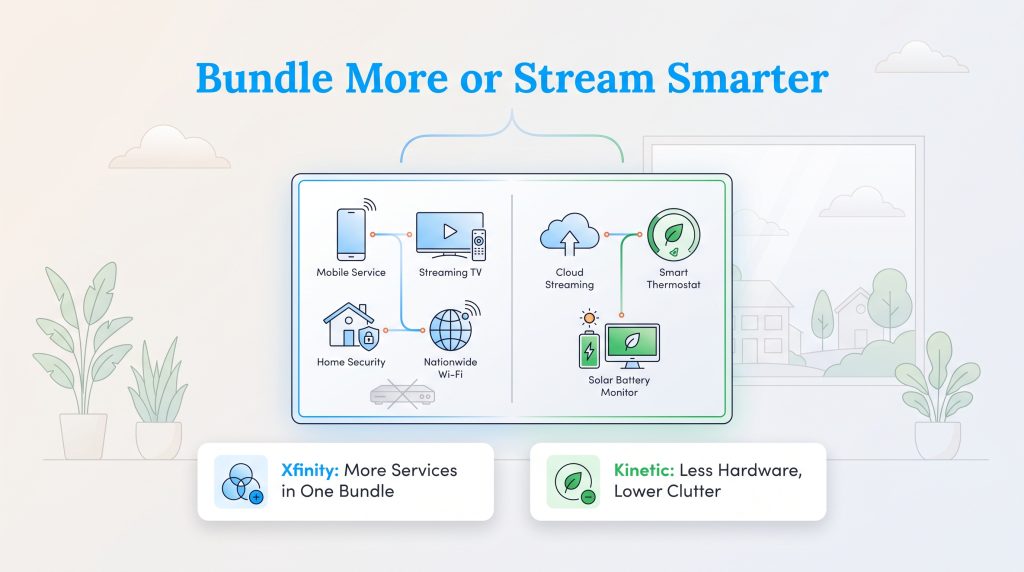
If consolidating your household bills into a single monthly dashboard is a top priority during your move, Xfinity holds a commanding lead in bundling versatility. Because Comcast operates Xfinity Mobile (an MVNO running on Verizon’s 5G cellular network), existing Xfinity internet customers can add unlimited mobile phone lines starting around $30 to $40 per month, or even score a free mobile line for 12 months during promotional windows. Xfinity also offers comprehensive X1 TV packages, StreamSaver streaming bundles, and professional smart home security monitoring. Plus, Xfinity subscribers gain free access to millions of nationwide Xfinity WiFi hotspots, keeping you connected while traveling or waiting for your moving truck to arrive.
Kinetic keeps its bundling menu much simpler, focusing primarily on pairing residential internet with unlimited digital home phone service and whole-home Wi-Fi security add-ons. While Kinetic lacks a proprietary cellular service like Xfinity Mobile, its unbundled, no-contract fiber approach is actually an eco-conscious alternative for minimalist households. Rather than paying for legacy cable TV set-top boxes that draw phantom standby power 24/7, Kinetic Fiber users can rely on low-latency symmetrical bandwidth to power cloud-based streaming apps, smart thermostats, and solar battery monitors without hardware clutter.
Customer Service and Reliability Ratings (ACSI Data)
An internet provider is only as good as its day-to-day stability and how quickly support agents resolve outages when a storm rolls through. Looking at Kinetic vs Xfinity customer service through the lens of the American Customer Satisfaction Index (ACSI) ISP benchmarks reveals how strongly network technology shapes customer happiness. In the 2026 ACSI Telecommunications Study, the overall fiber ISP segment achieved an average satisfaction score of 76 out of 100, outperforming the non-fiber cable and DSL segment average of 71.
Within those rankings, Xfinity scored a 71 out of 100 in the non-fiber segment (and a 77 in the limited areas where Xfinity Fiber is deployed), reflecting steady improvements in its automated app support alongside persistent customer frustration over year-two price hikes. Kinetic Fiber by Windstream earned a 71 out of 100 on the fiber leaderboard, while its legacy non-fiber DSL segment has historically trailed in the low 60s (scoring 62 in recent ACSI tracking) due to slower copper repair times and weather-related line degradation. Simply put, customers on buried Kinetic fiber lines report rock-solid reliability and zero evening node congestion, whereas rural DSL subscribers experience far more friction.
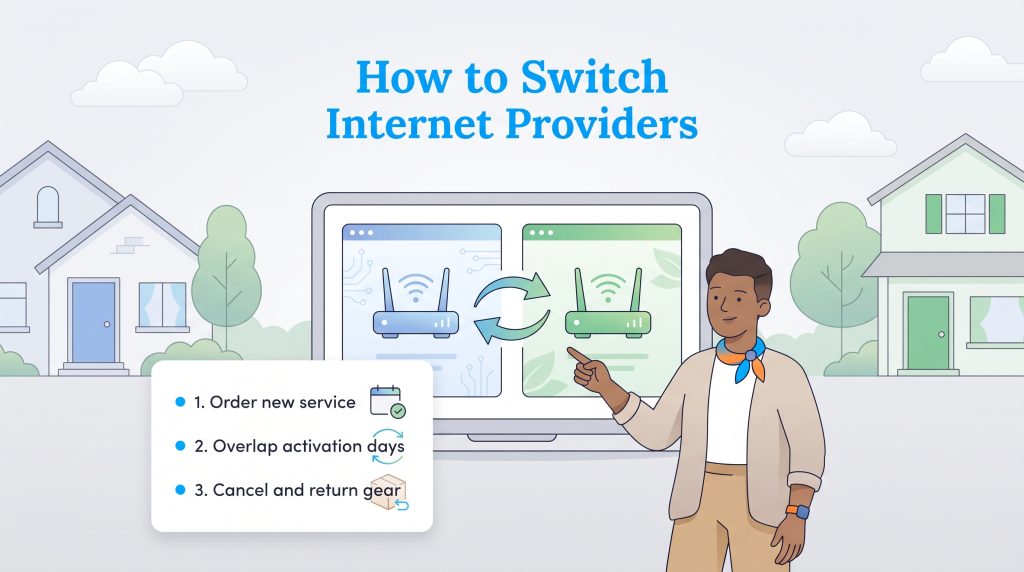
If poor customer service or rising rates have convinced you to switch from one provider to the other during your move, treat the transition with the same care as setting up utilities when you move. Order your new connection first, schedule activation a day or two before canceling your old account to prevent an internet blackout, and always save your equipment return receipts so you never get hit with unreturned hardware penalties.
The Verdict: Choosing Between Kinetic and Xfinity for Your New Home
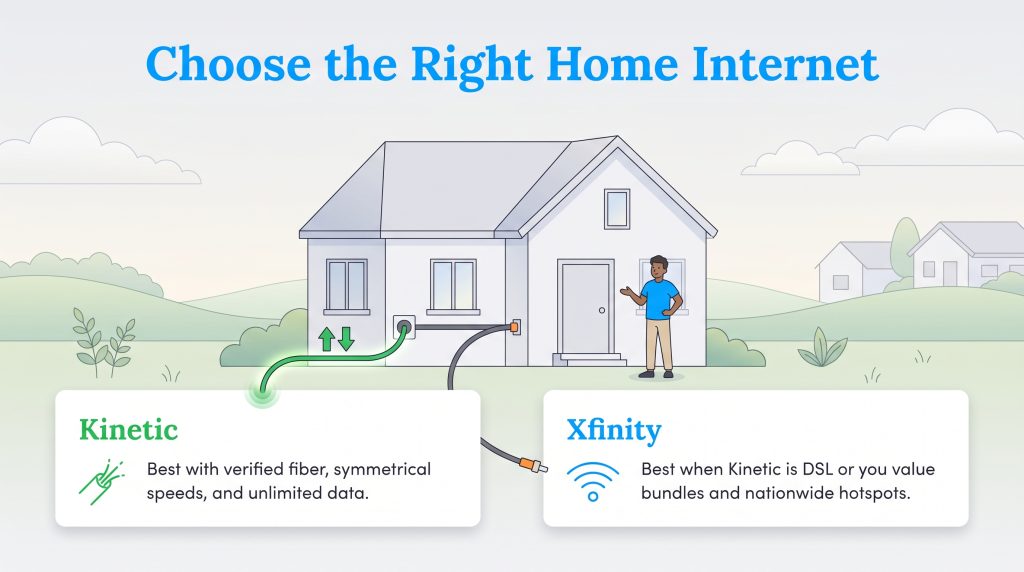
Securing a fast, budget-friendly internet connection for your new residence comes down to matching your household’s daily bandwidth demands with the exact wiring outside your home. Use these two scenario checklists to make your final call with confidence.
Choose Kinetic by Windstream If:
- You have verified FTTH availability at your address: Your property qualifies for Kinetic’s 100% fiber-optic network (speeds of 300 Mbps to 2 Gbps) rather than legacy copper lines.
- You work from home and require symmetrical upload speeds: You rely on crystal-clear video conferencing, fast cloud backups, or low-latency gaming that cable upload speeds cannot match.
- Your household streams 4K video heavily and wants to avoid 1.2 TB data caps: You want truly unlimited monthly data included in your base rate without paying $30 extra for data add-ons.
Choose Xfinity If:
- Your address only receives Kinetic DSL: Windstream has not upgraded your street to fiber, leaving Xfinity’s hybrid coaxial cable network as the undisputed speed and reliability winner.
- You want to bundle discounted mobile lines via Xfinity Mobile or X1 TV: Consolidating your home internet and Verizon-backed cellular plans saves your family serious money each month.
- You want access to nationwide Xfinity WiFi hotspots while moving: You value staying connected on the go across 40 states and appreciate the option to lock in multi-year price guarantees.
Frequently Asked Questions About Kinetic and Xfinity
Still weighing your options between Kinetic and Xfinity? Here are the answers to the most common questions movers ask about address availability, pricing, and equipment policies.
Can I get both Kinetic and Xfinity at my address?
How do I know if my new home gets Kinetic Fiber or Kinetic DSL?
Will Xfinity match Kinetic’s lower fiber internet pricing?
Does Kinetic or Xfinity charge early termination fees if I move?
Can I use my own modem and router with Kinetic and Xfinity to save money?
Does Kinetic by Windstream have data caps?
Is Kinetic fiber better than Xfinity for working from home?
About the Author

David has been an integral part of some of the biggest utility sites on the internet, including InMyArea.com, HighSpeedInternet.com, BroadbandNow.com, and U.S. News. He brings over 15 years of experience writing about, compiling and analyzing utility data.

LaLeesha has a Masters degree in English and enjoys writing whenever she has the chance. She is passionate about gardening, reducing her carbon footprint, and protecting the environment. She also recently served as President of the Board for City Sprouts (a community garden).