

Choosing between Kinetic and Spectrum comes down to understanding the real costs, your home’s bandwidth needs, and whether fiber or cable makes the most sense for you.

- 2 Gbps
- Fiber
- Unlimited
- $24.99/mo

- 7 Gbps
- Cable & Fiber
- Unlimited
- $30.00/mo
*Not all internet providers and speeds available in all areas.
Key Takeaways
- Kinetic’s fiber-optic network offers strong upload speeds, making it an ideal choice for smart homes, remote workers, and gamers.
- Spectrum provides wider availability across the country, delivering reliable cable internet without strict data caps or complicated long-term contracts.
- Switching providers can save you money in the long run, provided you review the installation and equipment fees carefully before signing up.
Moving into a new place or staring down a second-year price increase on your utility bill is frustrating, especially when it comes to locking down a solid Wi-Fi connection. We know you want a straightforward answer without wading through pages of marketing jargon, which is exactly why we created this guide comparing Kinetic vs Spectrum. Our goal is to help you cut through the promotional noise, break down the actual out-of-pocket costs, and figure out which network makes the most sense for your daily life so you can make a confident, cost-effective decision for your household. This guide reflects commonly advertised residential internet features and plan structures for 2026, but exact pricing and speeds vary by address.
Kinetic Fiber vs. Spectrum Cable: What Is the Difference?
When you compare Kinetic fiber with Spectrum cable internet, the underlying technology makes a massive difference in how your household experiences the internet. Spectrum relies on a hybrid fiber-coaxial network, meaning it uses traditional copper TV cables to deliver the final stretch of internet to your home. Think of this coaxial connection like a single-lane road that handles heavy traffic reasonably well but naturally gets congested during the evening rush hour.
Kinetic by Windstream, on the other hand, is rapidly expanding its pure fiber-optic footprint. Before you compare Kinetic with Spectrum, confirm whether the Kinetic plan at your address is fiber or DSL. Kinetic fiber can be highly competitive with Spectrum cable, but Kinetic DSL is usually a very different experience. Fiber connections usually provide more consistent speeds and stronger upload performance than traditional cable, especially during busy evening hours. That said, actual performance still depends on the provider’s local network, your plan, and your home equipment. Upload speeds are where this infrastructure difference becomes very clear. Cable internet artificially restricts upload bandwidth, which used to be fine when we only downloaded movies or scrolled social media. Today, video conferencing, cloud backups, and interactive gaming demand robust upload speeds.
📌 Quick Fact: Fiber-optic cables transmit data using pulses of light, which is not only drastically faster than traditional copper wiring but also a much more energy-efficient and environmentally mindful choice for modern infrastructure.
If you are unsure exactly what your household requires, it helps to check the federal recommendations for household broadband speeds to see how much bandwidth modern applications actually consume.
Comparing Internet Plans, Pricing, and Hidden Fees
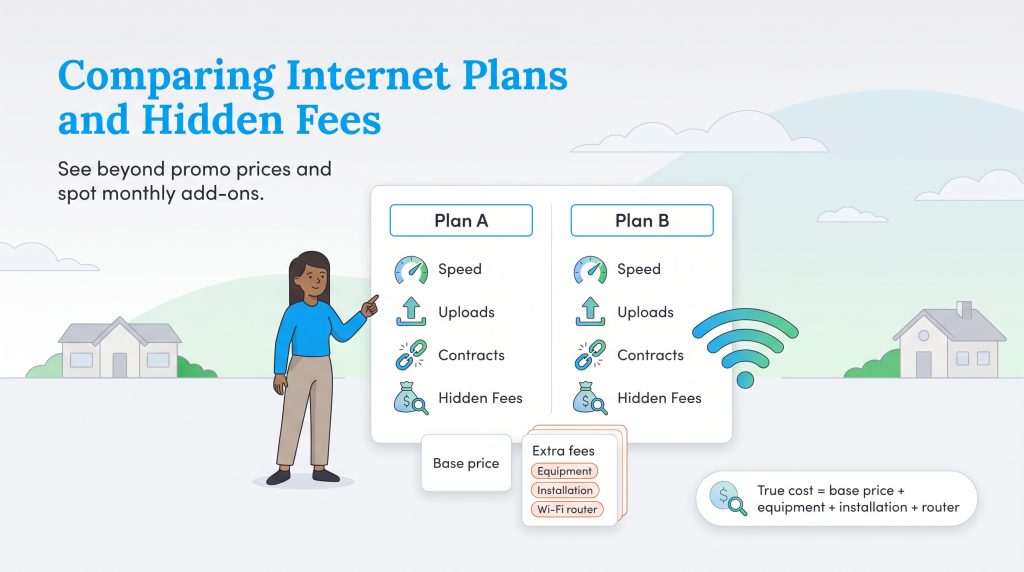
Figuring out whether Kinetic or Spectrum has the cheapest internet requires looking far beyond the glossy promotional mailers hitting your mailbox. Both companies often offer discounted first-year rates, but those introductory prices can jump after 12 months. When comparing top internet service providers, you must factor in equipment rentals, installation fees, and contract stipulations to calculate your true monthly rate.
Prices, speeds, fees, and promotions vary by address and can change without notice. Always confirm current offers directly with the provider before ordering service.
To help you visualize the baseline differences, we mapped out how these two telecom giants stack up across their standard offerings. Keep in mind that specific speeds and prices fluctuate based on your local market, but this gives you a realistic snapshot of what to expect when building your budget.
| Feature | Kinetic by Windstream | Spectrum |
|---|---|---|
| Starting Price | Varies by address and plan type | Varies by address and promotion |
| Fastest Residential Speeds | Fiber plans may offer multi-gig speeds in select areas | Gig service is widely available; symmetrical speeds may be available in upgraded markets |
| Upload Speeds | Fiber plans often offer symmetrical or near-symmetrical uploads | Cable upload speeds are usually lower than download speeds, though upgraded markets may differ |
| Data Caps | No standard hard data caps advertised for most residential plans | No standard hard data caps advertised for most residential plans |
| Contract Requirements | Often no annual contract | Often no annual contract |
Kinetic by Windstream Pricing
Kinetic stands out when you fall comfortably inside their fiber footprint. Their gigabit fiber plans deliver solid value, boasting symmetrical speeds that older cable providers simply struggle to match. Even better, Kinetic skips the restrictive data caps, meaning you will not face unexpected overage charges for downloading large files or streaming 4K movies all weekend.
However, you do need to keep an eye on the fine print regarding hardware. While the base price is incredibly competitive, equipment rental fees for their modems and routers add up quickly over the course of a year. Professional installation might also incur a one-time fee depending on current promotions, so always ask the customer service representative to waive that charge before handing over your payment details.
| Plan Name | Price | Download Speeds | Connection Type | |
|---|---|---|---|---|
| Fiber 100 Mbps | $24.99 /month | Up to 100 Mbps | Fiber | Check Availability |
| 100 Mbps | $44.99 /month | Up to 100 Mbps | DSL | Check Availability |
| 100 Mbps | $24.99 /month | Up to 100 Mbps | Cable | Check Availability |
| Fiber 300 Mbps | $39.99 /month | Up to 300 Mbps | Fiber | Check Availability |
| Fiber 1 GB | $49.99 /month | Up to 1000 Mbps | Fiber | Check Availability |
| Fiber 2 GB | $69.99 /month | Up to 2 Gbps | Fiber | Check Availability |
| Fiber Max 2 GB | $89.99 /month | Up to 2 Gbps | Fiber | Check Availability |
Spectrum Internet Packages
Spectrum takes a highly streamlined approach to their pricing, generally offering three primary tiers: Standard, Ultra, and Gig. One of their strongest selling points for new residents is the contract buyout program, which can offer up to $500 to pay off early termination fees from your previous provider (see Spectrum’s current contract buyout terms for exact details and eligibility). Spectrum also throws in a free modem with their packages, making the initial setup feel slightly more affordable.
The catch? While the modem is technically free, they charge a separate monthly fee just to activate and rent their Wi-Fi router. If you don’t notice that separate router fee, your monthly bill can end up higher than the advertised internet price.
| Plan Name | Price | Download Speeds | Connection Type | |
|---|---|---|---|---|
| Spectrum Internet 100 | $30 /month | Up to 100 Mbps | Cable | Check Availability |
| Spectrum Internet 500 | $40 /month | Up to 500 Mbps | Cable | Check Availability |
| Spectrum Internet 1 Gig | $60 /month | Up to 1000 Mbps | Cable | Check Availability |
| Spectrum Internet 2 Gig | $80 /month | Up to 2 Gbps | Cable | Check Availability |
| Spectrum Internet 7 Gig fiber internet | $140 /month | Up to 7 Gbps | Fiber | Check Availability |
💸 Money-Saver: You may be able to avoid Spectrum’s monthly Wi-Fi fee by using your own compatible router. Look for an efficient, appropriately sized model instead of the most powerful router on the shelf, since oversized networking gear can waste electricity.
Which Provider Is Better for Gaming and Smart Homes?
If you are setting up a highly connected property, the debate over Kinetic vs. Spectrum for gaming and smart home integration leans heavily in one direction. Online gaming requires extremely low latency, also known as ping, to prevent lag spikes during fast-paced, competitive matches. Kinetic fiber may give gamers an edge because fiber often supports lower latency and stronger upload speeds than traditional cable. Still, your actual ping depends on your router, Wi-Fi setup, distance to game servers, and local network conditions. For gaming, use a wired Ethernet connection whenever possible. Even a great fiber plan can feel laggy if your console or PC is fighting weak Wi-Fi from two rooms away.
Smart homes operate under a similar logic. When you connect a dozen smart bulbs, multiple security cameras, and voice assistants to the same network, they constantly ping your router with tiny packets of data. High-bandwidth fiber effortlessly handles this continuous background chatter without interrupting your primary internet activities or slowing down your laptop during an important Zoom call.
🌱 Eco Edge: Smart thermostats, plugs, and blinds don’t need gigabit speeds, but they do need a stable connection. Reliable Wi-Fi helps your energy-saving automations run consistently, which can support lower heating, cooling, and lighting costs over time.
How to Switch From Spectrum to Kinetic (or Vice Versa)
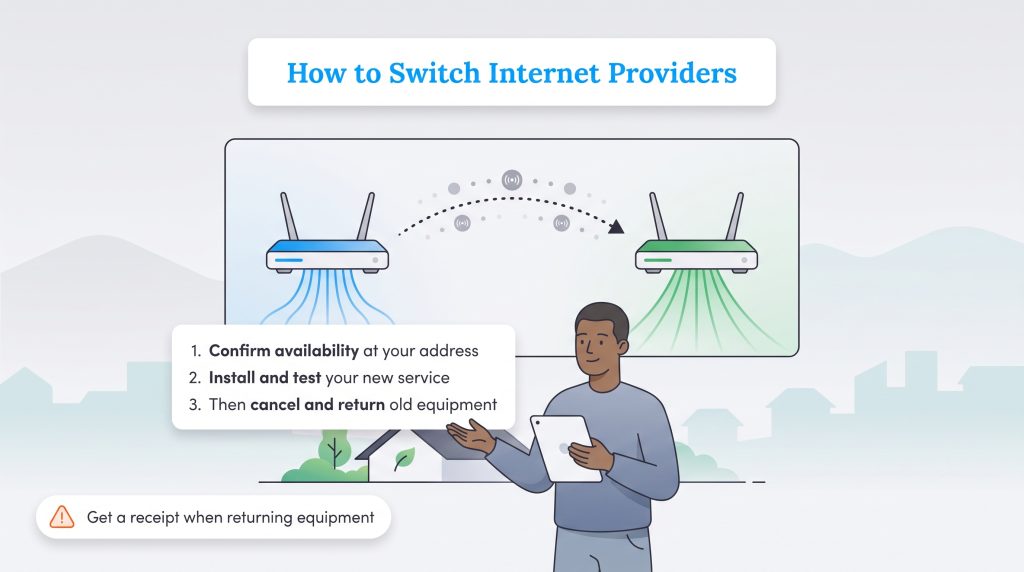
Deciding to switch from Spectrum to Kinetic — or the other way around — does not have to trigger a major headache if you coordinate the transition correctly. The biggest mistake you can make is canceling your current service before the new connection is physically active, which almost guarantees a stressful gap in your home internet access.
Because availability changes dramatically from one neighborhood to the next, your first move is verifying exactly what speeds each company offers at your specific address. Once you confirm the local infrastructure is ready, follow this straightforward process to swap providers smoothly:
- Check availability: Input your zip code and exact street address on the provider’s website to see if their best fiber or cable plans are currently active in your neighborhood.
- Schedule the installation: Book your new installation date at least a week in advance, opting for professional installation if fiber lines haven’t been run to your property yet.
- Test the new connection: Connect your primary devices to the new network to ensure the speeds match what you are paying for.
- Cancel the old service: Call your previous provider to officially terminate your account only after you verify the new network is stable.
- Review your billing cycle: Check your final billing dates so you don’t accidentally pay for a full extra month of service after switching.
- Return your equipment: Gather your old modems, routers, and power cords, and return them promptly to avoid costly unreturned equipment penalties.
🚩 Heads Up: Always demand a physical or emailed receipt when returning cable modems or routers in-store, as unreturned equipment fees remain one of the most common and expensive billing headaches for consumers.
What to Check Before You Order Internet
Before choosing Kinetic or Spectrum, confirm a few key details to avoid billing surprises:
- Whether Kinetic service at your address is fiber or DSL.
- Whether the advertised monthly rate includes equipment or Wi-Fi fees.
- How long the promotional price lasts.
- Whether installation is free, self-install, or professionally installed.
- Whether your current provider requires an equipment return receipt.
If you are swapping providers in the middle of a relocation, checking these utility boxes off early is absolutely crucial for organizing your upcoming move.
Which Internet Provider Makes More Sense for Your Home
| If You Care Most About… | Better Pick | Why |
|---|---|---|
| Upload speed | Kinetic fiber | Fiber plans may offer symmetrical speeds |
| Wide availability | Spectrum | Spectrum’s cable network reaches many markets |
| Gaming | Kinetic fiber | Fiber can offer lower latency and better upload performance |
| Rural availability | Depends | Kinetic DSL, Kinetic fiber, and Spectrum cable vary by address |
| Avoiding data caps | Either | Both generally advertise no standard hard data caps |
If Kinetic fiber is available at your address, it’s usually our stronger pick for upload-heavy households, gamers, remote workers, and smart-home users. If the only Kinetic option is DSL, Spectrum cable will often be the better fit.
Spectrum remains a rock-solid, highly reliable choice for households in rural or cable-only zones where pure fiber simply hasn’t arrived yet. Their fast download speeds, absence of strict data caps, and generous contract buyout program make them incredibly accessible for families on the move. Whichever route you choose, you can make an environmentally mindful choice by buying only the internet speed you actually need. Placing your router centrally can help you avoid purchasing extra extenders, and using a properly sized, energy-saving router keeps unnecessary power consumption low. Securing a great internet package is just one piece of the puzzle when setting up your home electricity and other essential utilities.
Frequently Asked Questions About Kinetic and Spectrum
Is Kinetic internet better than Spectrum?
Who has the cheapest internet, Kinetic or Spectrum?
Does Spectrum buy out contracts from Kinetic by Windstream?
Are Kinetic and Spectrum available in rural areas?
Do Kinetic or Spectrum internet plans have data caps?
Where can I find reliable Spectrum vs. Kinetic internet reviews?
About the Author

David has been an integral part of some of the biggest utility sites on the internet, including InMyArea.com, HighSpeedInternet.com, BroadbandNow.com, and U.S. News. He brings over 15 years of experience writing about, compiling and analyzing utility data.

LaLeesha has a Masters degree in English and enjoys writing whenever she has the chance. She is passionate about gardening, reducing her carbon footprint, and protecting the environment. She also recently served as President of the Board for City Sprouts (a community garden).