

Understanding the key differences in speed, reliability, and pricing between Brightspeed and Starlink can help you choose the best connection for your rural home.
Key Takeaways
- Starlink offers faster, more reliable speeds for rural households compared to legacy DSL connections, but it comes with a higher upfront equipment cost.
- Brightspeed fiber is highly affordable and fast if it is available in your neighborhood, though their network expansion into remote areas remains slow.
- Starlink needs a clear view of the sky, so tree cover, storms, and dish placement can affect reliability more than they would with fiber or DSL.

- 400 Mbps
- Satellite
- Unlimited
- $55.00/mo

- 2 Gbps
- Fiber
- 1 TB
- $29.00/mo
*Not all internet providers and speeds available in all areas.
Buffering videos, dropped work calls, and slow downloads get old fast, especially when you don’t have many provider choices. Our goal is to objectively compare Brightspeed’s traditional ground-based network — specifically their DSL and fiber offerings — against Starlink’s low Earth orbit satellite network so you can confidently pick the right provider for your property.
Bottom Line: Brightspeed vs. Starlink Side-by-Side
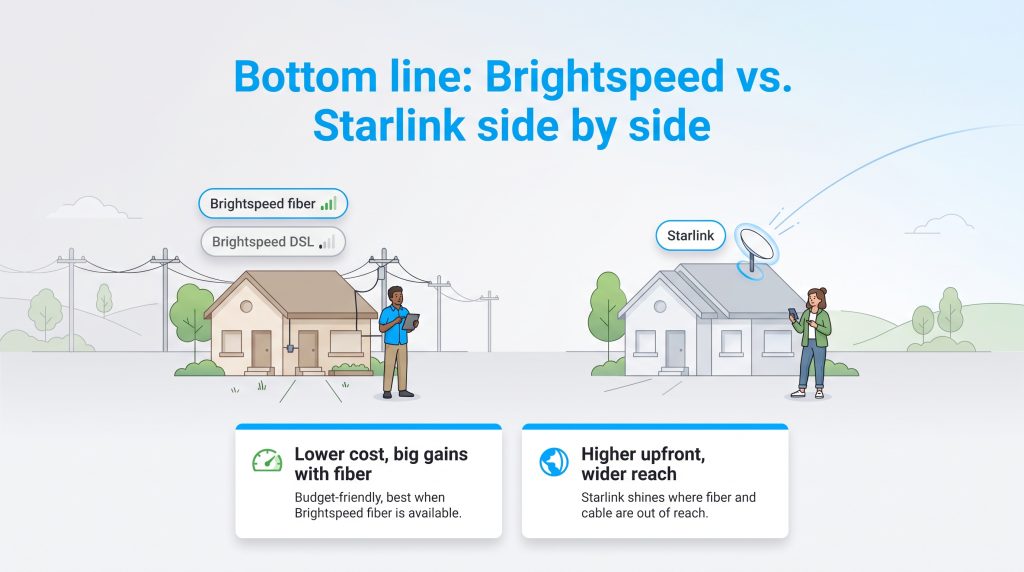
We compared Brightspeed and Starlink based on the factors that usually matter most in rural homes: speed, latency, availability, equipment cost, weather sensitivity, and long-term value. Prices, speeds, equipment fees, and plan terms vary by address and can change. Use this comparison as a starting point, then confirm current details directly with each provider before ordering.
| Metric | Brightspeed DSL | Brightspeed Fiber | Starlink |
| Average Monthly Price | $50 to $75 | $50 to $75 | $120 (Standard Residential) |
| Upfront Equipment Cost | $0 to $99 | $0 to $99 | Varies (often $349 or more) |
| Download Speeds | 10 to 25 Mbps | Up to 1,000 Mbps | 50 to 150+ Mbps |
| Upload Speeds | 1 to 3 Mbps | Up to 1,000 Mbps | 10 to 20 Mbps |
| Latency | 10 to 40 ms | Under 20 ms | 30 to 50 ms |
While Brightspeed offers a highly affordable entry point if you fall into their expanding fiber coverage map, those stuck with their legacy DSL will often find the connection lacking for modern web browsing. Starlink demands a much higher initial investment, but it seamlessly delivers modern broadband speeds almost anywhere the sky is visible.
Best Choice by Situation
Finding the right internet provider is rarely a one-size-fits-all scenario. We recommend looking at your specific household needs and local availability to make the smartest long-term decision.
| If Your Situation Is… | Start With… | Why |
| Brightspeed fiber is available | Brightspeed fiber | It usually offers the best mix of speed, latency, and price |
| Brightspeed only offers slow DSL | Starlink | It may deliver stronger everyday performance for remote areas |
| You have heavy tree cover | Brightspeed | Starlink needs a clear sky view to prevent constant drops |
| You need the lowest upfront cost | Brightspeed | Starlink hardware can add a major upfront expense |
| You work from home full time | Fiber first, then Starlink | Fiber is ideal, but Starlink may easily beat slow rural DSL |
How Do These Two Internet Providers Compare on Speed?
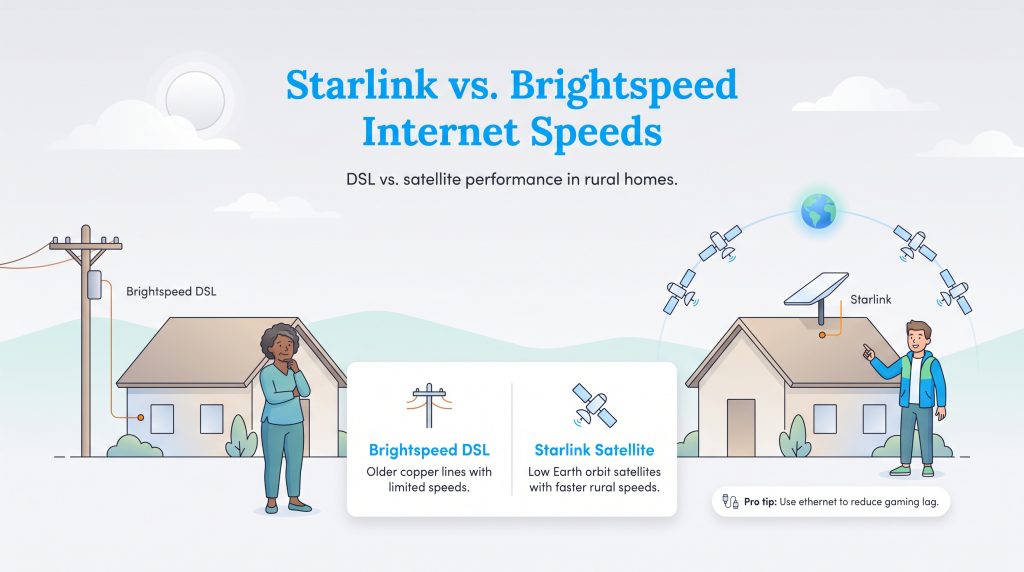
If you’re wondering whether Starlink is better than Brightspeed, the answer usually depends on which Brightspeed service is available at your address: DSL or fiber. The technical gap between these two networks is massive. If you’re comparing Brightspeed DSL to Starlink satellite, you’re essentially looking at older copper phone lines versus a low Earth orbit satellite network.
In some rural areas, Brightspeed DSL may deliver much lower speeds than modern fiber or satellite options, especially if your home is far from network equipment or served by older copper lines. Starlink, conversely, relies on thousands of low Earth orbit satellites sitting about 342 miles (550 kilometers) above the planet. This close proximity allows signals to bounce back and forth incredibly fast. Starlink can often deliver broadband-level speeds in rural areas, but actual performance varies by location, network capacity, weather, and whether your dish has a clear view of the sky.
Brightspeed Fiber and the Waiting Game
We must address a crucial caveat: if you’re lucky enough to have access to Brightspeed’s newly laid fiber-optic network, it shifts the entire conversation. If Brightspeed fiber is available at your address, it will usually be the better first choice. If only Brightspeed DSL is available, Starlink becomes much more competitive. The underlying issue is that rural availability remains incredibly limited.
Before writing off Brightspeed entirely, we suggest checking your exact address using the FCC National Broadband Map. Fiber availability is address-specific and may be present in some Brightspeed service areas but not others. If fiber happens to run past your driveway, you can quickly secure gigabit speeds for a fraction of the cost of heavy satellite hardware.
The Truth About Latency and Gaming
Ping rates, or latency, measure how quickly data travels from your device to a server and back. Low latency matters immensely for remote workers trying to hold seamless Zoom calls and gamers needing split-second reactions. Traditional DSL actually maintains surprisingly decent latency because the signal travels directly through physical ground wires, whereas older satellite internet was notoriously terrible for any type of live gaming.
Starlink completely changed the satellite gaming landscape. Because their hardware orbits so closely to Earth, Starlink latency versus DSL is a surprisingly tight match, with Starlink often hovering around 30 to 50 milliseconds. That can be responsive enough for many online games and video calls, although competitive gamers may still notice occasional spikes if the network is congested or the dish has obstructions.
💡 Pro Tip: If you are relying on a satellite connection for competitive gaming, hardwire your desktop computer directly to your router via an ethernet cable to minimize wireless interference and stabilize your ping.
Pricing Breakdown and Upfront Equipment Costs
When evaluating the monthly expenses, Brightspeed generally comes out ahead, but you have to look closely at the barrier to entry. Brightspeed usually features standard setup and installation fees that run you under a hundred dollars, making it a very accessible option for tight household budgets. Starlink, however, requires you to purchase the satellite dish and router outright, which can add several hundred dollars upfront, depending on current hardware pricing and promotions before you even pay your first monthly service bill.
We believe in being direct about these expenses: Starlink’s residential service commonly costs more per month than DSL, and the required hardware can add a significant upfront cost. Check Starlink’s current residential pricing for your address before ordering. However, the lack of data caps and simple, no-contract terms often make it entirely worthwhile for heavy internet users who burn through massive amounts of data every month downloading updates or streaming 4K movies.
Starlink Plans and Pricing
| Plan Name | Price | Download Speeds | Connection Type | |
|---|---|---|---|---|
| Residential 100 Mbps | $55 /month | Up to 100 Mbps | Satellite | Check Availability |
| Residential 200 Mbps | $85 /month | Up to 200 Mbps | Satellite | Check Availability |
| Roam 100 GB | $55 /month | Up to 300 Mbps | Satellite | Check Availability |
| Roam Unlimiited | $175 /month | Up to 300 Mbps | Satellite | Check Availability |
| Roam 300 GB | $80 /month | Up to 300 Mbps | Satellite | Check Availability |
| Residential Max | $130 /month | Up to 400 Mbps | Satellite | Check Availability |
Brightspeed Plans and Pricing
| Plan Name | Price | Download Speeds | Connection Type | |
|---|---|---|---|---|
| Up to 40 Mbps | $50 /month | Up to 40 Mbps | DSL | Check Availability |
| Fiber Internet 200 Mbps | $29.99 /month | Up to 200 Mbps | Fiber | Check Availability |
| Fiber Internet 500 Mbps | $39.99 /month | Up to 500 Mbps | Fiber | Check Availability |
| Fiber Internet 1 Gig | $49.99 /month | Up to 940 Mbps | Fiber | Check Availability |
| Fiber Internet 2 Gig | $69.99 /month | Up to 2 Gbps | Fiber | Check Availability |
| Fiber Internet 8 Gig | $89.99 /month | Up to 8 Gbps | Fiber | Check Availability |
If you want to explore other providers, take time to compare the best rural internet providers to see if fixed wireless or 5G home internet might be expanding into your county soon.
Network Reliability, Trees, and Outages
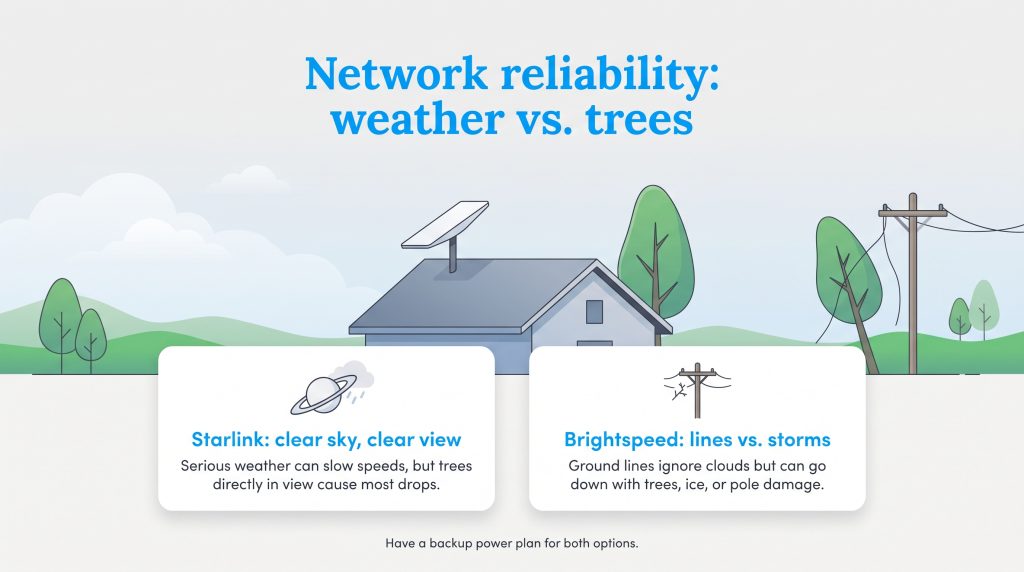
One of the biggest concerns we hear from rural homeowners is how their connection will hold up during a massive thunderstorm. Starlink weather reliability is generally impressive, but heavy rain, dense snow squalls, and thick cloud cover can cause micro-outages or temporary speed drops. The signal has to punch through the atmosphere, meaning severe weather directly overhead might briefly pause your movie stream.
For Starlink, tree cover can be just as important as weather. Even small obstructions can cause brief drops if they block the dish’s view of passing satellites, so use the Starlink app’s obstruction checker before choosing a mounting spot.
Brightspeed’s ground lines are completely immune to cloud cover, offering a completely different kind of stability. However, those same copper and fiber lines are highly susceptible to downed trees, ice storms snapping utility poles, and regional power outages taking down network nodes.
Starlink also needs household power to run the dish and router, so a backup battery or generator may matter if outages are common in your area. Brightspeed equipment also needs power inside your home, and local network equipment may depend on backup systems during wider outages.
If you opt for satellite internet, you can drastically improve your connection stability by taking a few proactive installation steps:
- Mount the dish on the highest peak of your roof to avoid immediate obstacles.
- Ensure the dish’s field of view is entirely clear of overhanging tree branches or chimney stacks.
- Secure the mounting hardware with heavy-duty lag bolts to prevent the dish from swaying during high winds.
Eco-Conscious Considerations for Your Home Network
Setting up a smart, eco-conscious home means looking at the constant power draw of your electronics. A standard DSL or fiber modem requires very little electricity to keep you connected to the web. In contrast, a Starlink satellite dish can use more electricity than a basic DSL or fiber modem, especially in cold weather if snow-melt features are active.
We encourage you to audit your home office setup using resources like the Department of Energy’s electronics guide to manage phantom power loads. Finding ways to lower your monthly electric bill can easily offset the extra wattage required to run a high-powered satellite array without expanding your carbon footprint.
🌱 Eco Edge: If your equipment and service settings allow it, scheduling downtime overnight can reduce unnecessary power use. Just make sure you don’t need overnight connectivity for security cameras, smart-home devices, or emergency alerts.
Making the Choice to Switch From Brightspeed to Starlink
Deciding to switch from Brightspeed to Starlink is an exciting step toward modernizing your rural property, but the transition requires a bit of logistical planning when setting up utilities. Order your new satellite equipment and wait patiently for the delivery. Starlink hardware is designed for straightforward DIY installation, but you’ll need time to find a safe mounting location, check for obstructions, and route the cable into your home. If the best location is on a steep roof or tall pole, consider hiring a professional installer.
Whatever you do, don’t call to cancel your current service right away. Keep your legacy connection active until the Starlink dish is permanently mounted, plugged in, and fully tested. It’s smart to compare all your rural internet options, including Brightspeed, before canceling your current service. If you work from home, test Starlink through at least one full workweek before canceling Brightspeed. That gives you time to check video calls, upload speeds, bad-weather performance, and evening congestion.
Choosing the Right Internet Fit for Your Rural Home
Navigating the complex landscape of rural connectivity doesn’t have to be a frustrating guessing game. If your property falls inside a modern expansion zone and you can get Brightspeed fiber, take it immediately for the absolute best mix of price and performance.
If Brightspeed fiber is available, it should usually be your first choice. If you’re limited to slow DSL and have a clear view of the sky, Starlink may be worth the higher upfront cost.
Frequently Asked Questions About Brightspeed and Starlink
Does Brightspeed offer satellite internet?
Is Starlink fast enough for remote work and Zoom?
Will snow or rain ruin my Starlink connection?
Does Brightspeed have data caps compared to Starlink?
Can I install Starlink myself, or do I need a professional?
Is Brightspeed fiber better than Starlink?
Should I cancel Brightspeed before installing Starlink?
Does Starlink work well in wooded areas?
About the Author

David has been an integral part of some of the biggest utility sites on the internet, including InMyArea.com, HighSpeedInternet.com, BroadbandNow.com, and U.S. News. He brings over 15 years of experience writing about, compiling and analyzing utility data.

LaLeesha has a Masters degree in English and enjoys writing whenever she has the chance. She is passionate about gardening, reducing her carbon footprint, and protecting the environment. She also recently served as President of the Board for City Sprouts (a community garden).