


Compare home battery backup systems by cost, capacity, solar compatibility, and outage protection so you can choose the right setup for your home.
Key Takeaways
- A single installed home battery often costs $10,000 to $20,000, while true whole-home backup may cost more if you need multiple batteries or panel upgrades.
- You don’t need solar panels to use a home battery, but solar pairing can recharge your battery during longer outages.
- Battery size should match your backup goal, since essentials-only backup may need one battery while HVAC or whole-home coverage often requires multiple units.
As severe storms roll through with increasing intensity, unexpected blackouts have transformed from rare inconveniences into seasonal guarantees. If you’re tired of throwing away spoiled groceries or sweating through humid summer nights without air conditioning, finding the best home battery backup systems can completely change how you weather the storm. Whether you’re researching the best home battery back up systems to pair with rooftop panels or simply need a standalone unit that charges straight from the utility grid, taking control of your electricity provides unmatched peace of mind. True grid independence means knowing your lights, internet, and essential appliances will keep running smoothly the second the neighborhood goes dark.
Our Top Picks for the Best Home Battery Backup Systems
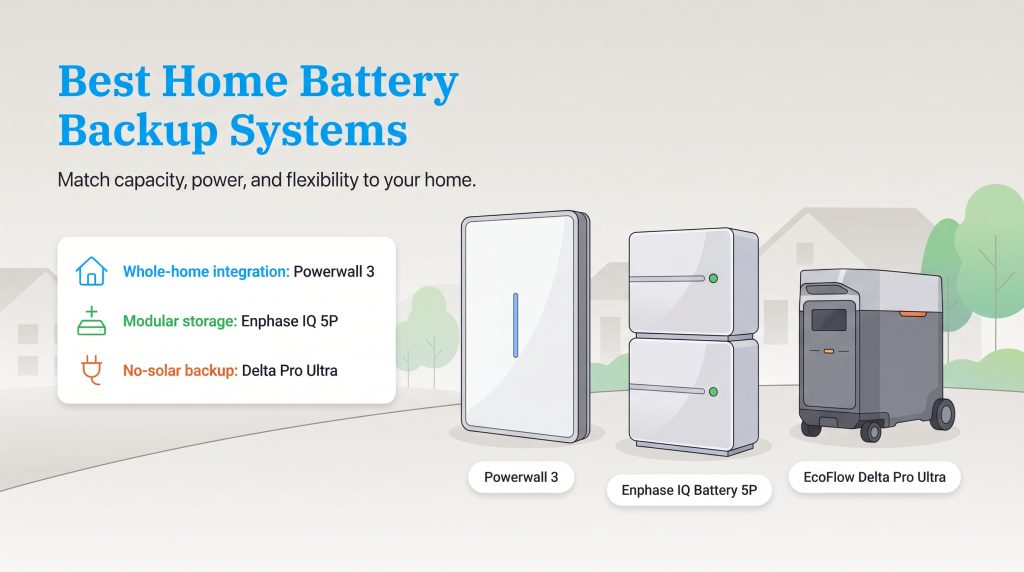
Finding the right fit for your property involves balancing capacity requirements, surge power capability, and your overall budget. To help you compare whole house battery backup systems and solar battery storage systems at a glance, we broke down our top five contenders based on their verified technical specs, inverter coupling, and installed value.
| Model | Best For | Usable Capacity (kWh) | Continuous / Peak Power (kW) | Roundtrip Efficiency | Chemistry | Coupling | Warranty | Estimated Cost / kWh |
|---|---|---|---|---|---|---|---|---|
| Tesla Powerwall 3 | Best Overall | 13.5 | 11.5 / 30.0 | 97.5% (solar-to-grid) / 89% (battery) | LFP (Lithium Iron Phosphate) | AC or DC | 10 years | ~$850–$1,150 installed |
| FranklinWH aPower 2 | Peak Power & Heavy Loads | 15.0 | 10.0 / 15.0 | 90% | LFP (Lithium Iron Phosphate) | AC | 15 years | ~$900–$1,250 installed |
| Enphase IQ Battery 5P | Modular Solar Integration | 5.0 | 3.84 / 7.68 | 90% | LFP (Lithium Iron Phosphate) | AC | Up to 15 years | ~$1,000–$1,400 installed |
| Anker SOLIX X1 | Modular Wall-Mount System | 5.0 (up to 180.0) | 3.0–6.0 / Up to 11.4 | 91% | LFP (Lithium Iron Phosphate) | AC or DC | 10 years | ~$900–$1,200 installed |
| EcoFlow Delta Pro Ultra | Home Battery Backup Without Solar | 6.0 (up to 90.0) | 7.2 / 10.8 (up to 21.6 stacked) | ~85%–90% | LFP (Lithium Iron Phosphate) | AC or DC | 5 years (extendable) | ~$800–$1,000 (hardware) |
Which Battery System Should You Choose?
Comparing raw specifications on a chart is helpful, but matching those numbers to your daily household habits is the secret to avoiding buyer’s remorse. Here is a quick breakdown to help you narrow down your final decision based on your property’s unique electrical demands.
- Choose the Tesla Powerwall 3 if you want seamless whole-home integration, a built-in hybrid solar inverter, and high continuous output to support heavy appliances.
- Choose the FranklinWH aPower 2 if you need massive 15 kWh single-unit capacity, heavy surge protection for central air conditioners or well pumps, and an industry-leading 15-year warranty.
- Choose the Enphase IQ Battery 5P if you already have rooftop microinverters and want to scale your storage incrementally in 5 kWh blocks over time.
- Choose the Anker SOLIX X1 if you want an ultra-thin, aesthetic wall-mounted battery that handles extreme cold and scales effortlessly from tiny critical-load setups to massive commercial-grade capacities.
- Choose the EcoFlow Delta Pro Ultra if you want a versatile, semi-permanent or portable backup option that doesn’t require rooftop solar panels or weeks of contractor permitting.
Best Overall: Tesla Powerwall 3
The Tesla Powerwall 3 remains the gold standard among whole house battery backup systems, combining sleek aesthetics with formidable everyday performance. Outfitted with a 13.5 kWh usable capacity and a powerful built-in hybrid inverter, this unit supports both AC and DC coupling right out of the box. Unlike earlier generations that relied on traditional nickel-based batteries, the Powerwall 3 utilizes safer Lithium Iron Phosphate (LFP) chemistry. It also achieves an impressive 97.5% solar-to-grid roundtrip efficiency, making it a top performer if you plan on connecting solar panels. The integrated inverter cuts down on installation complexity and eliminates extra hardware clutter on the side of your house.
What truly sets the Powerwall 3 apart from its predecessors is its ability to push out a massive 11.5 kW of continuous power and handle heavy 185-amp locked-rotor motor starts. That high continuous output gives it a strong advantage when starting central air conditioners, though your actual backup coverage still depends on your system size and installer-designed load plan. Built to survive harsh environments, the enclosure carries an IP67 weather resistance rating for its battery and power electronics, allowing it to operate reliably in heavy rain, dust, and sub-freezing temperatures. If a single unit isn’t enough for your estate, the system is stackable up to four main units (plus expansion packs) for 54 kWh or more of total storage capacity.
- Pros: Built-in hybrid inverter supports AC/DC coupling, safer LFP chemistry, exceptional 11.5 kW continuous power output, IP67 weather resistance, and an intuitive mobile app.
- Cons: Customer service response times can occasionally drag, and wait times for certified installation are sometimes lengthy.
Best for Peak Power & Heavy Loads: FranklinWH aPower 2
If your primary goal during a blackout is keeping a large central HVAC system, deep well pump, or electric water heater running without hiccups, the FranklinWH aPower 2 is built specifically for the job. Packing a generous 15 kWh of usable LFP capacity into a single sleek enclosure, it edges out the Tesla Powerwall 3 in standalone storage volume. During normal operation, it delivers a steady 10 kW of continuous power, backed by a massive 15 kW peak surge rating for 10 seconds to effortlessly absorb the initial electrical kick of heavy compressor motors.
Because the aPower 2 is an AC-coupled system with a solid 90% roundtrip efficiency, it is inverter-agnostic. That means it pairs smoothly with virtually any existing rooftop solar setup, whether you use string inverters or microinverters. Paired with the FranklinWH aGate smart energy management controller, the system automatically isolates your home from the grid during an outage and lets you manage individual high-draw circuits right from your smartphone. Better yet, FranklinWH backs the aPower 2 with an industry-leading 15-year warranty and a 60 MWh throughput guarantee, giving you five extra years of peace of mind over the standard 10-year coverage offered by most competitors.
- Pros: Massive 15 kWh single-unit LFP capacity, 15 kW peak surge power for heavy appliances, universal AC-coupled solar compatibility, and an industry-leading 15-year warranty.
- Cons: Slightly lower continuous power than the Powerwall 3 (10 kW vs. 11.5 kW), and requires the separate aGate controller box on your wall.
Best for Modular Solar Integration: Enphase IQ Battery 5P
If you want a highly customizable setup or already have Enphase microinverters on your roof, the Enphase IQ Battery 5P is a powerhouse contender. When weighing the Tesla Powerwall 3 vs Enphase, the biggest difference comes down to architecture and modularity. Like the newest Powerwall, the 5P utilizes stable Lithium Iron Phosphate (LFP) chemistry, which degrades slowly over time and resists thermal runaway. However, instead of relying on a single large inverter that could create a single point of failure, each 5 kWh Enphase unit contains six built-in microinverters. If one microinverter ever malfunctions, the rest of the battery keeps your lights on.
This modular unit also punches well above its weight class in raw output relative to its size. A single 5 kWh module pushes 3.84 kW of continuous power and 7.68 kW of peak surge power for three seconds. Stacking three units together yields 15 kWh of capacity with 11.52 kW of continuous power and over 23 kW of surge capability — more than enough to start demanding household appliances. Because the individual modules are smaller, you can dial in the exact storage size your home requires and add more blocks later as your budget allows.
- Pros: Redundant built-in microinverters prevent single points of failure, easily scalable 5 kWh modular design, double the power-to-capacity ratio of older Enphase models, and up to a 15-year warranty.
- Cons: Lower capacity per individual unit means you must buy multiple batteries for whole-home backup, resulting in a higher installed cost per kWh.
Best Modular Wall-Mount System: Anker SOLIX X1
For homeowners who want the customization of a modular system without sacrificing garage space or curb appeal, the Anker SOLIX X1 delivers a remarkably sleek, permanent wall-mounted alternative. Measuring just 5.8 inches deep, its ultra-thin profile looks more like a piece of modern tech art than heavy industrial equipment. The system uses 5 kWh modular LFP battery blocks that stack cleanly on top of one another. You can scale a single column from 5 kWh up to 30 kWh, or link up to six systems in parallel for a staggering 180 kWh of capacity and 3 kW to 36 kW of continuous power output.
Anker engineered the SOLIX X1 with individual battery pack energy optimizers, meaning you can add brand-new 5 kWh modules years down the road without old, slightly degraded batteries dragging down the performance of the new ones. It is also built to survive brutal climates, boasting an extreme operating temperature range of -4°F to 131°F thanks to internal thermal boosting. When severe weather approaches, its built-in Storm Guard feature automatically responds to National Weather Service alerts by charging the battery to 100% capacity before the grid fails. Backed by a 10-year warranty and capable of sub-20ms switchover times, it bridges the gap between consumer-friendly smart tech and heavy-duty residential storage.
- Pros: Ultra-thin 5.8-inch profile, independent pack optimizers allow painless future expansion up to 180 kWh, operates in extreme temperatures (-4°F to 131°F), and includes automatic Storm Guard weather prep.
- Cons: Individual 5 kWh blocks only provide 3 kW to 6 kW of continuous output unless you stack multiple power modules.
Best Home Battery Backup Without Solar: EcoFlow Delta Pro Ultra
Not everyone has the roof space, sun exposure, or budget for a permanent solar array, which is precisely where the EcoFlow Delta Pro Ultra shines. As our top pick for a home battery backup without solar, this hybrid system lets homeowners or renters rapidly scale their emergency reserves by stacking 6 kWh LFP battery modules onto a rolling inverter base. A single inverter unit delivers 7.2 kW of continuous output (and 10.8 kW peak surge for 10 seconds), while stacking three units together unlocks up to 90 kWh of storage and 21.6 kW of output.
To turn this rolling powerhouse into a true whole-home system, you can pair it with the EcoFlow Smart Home Panel 2. This dedicated smart transfer switch accessory wires directly into your main breaker box, enabling an automatic 20ms whole-home switchover the instant a blackout hits — fast enough that your desktop computers and Wi-Fi routers won’t even reboot. The Smart Home Panel 2 also unlocks app-based circuit prioritization for up to 12 household circuits, allowing you to shed heavy loads automatically and practice daily time-of-use rate arbitrage straight from the utility grid.
The greatest advantage of the EcoFlow setup is its unmatched flexibility. While it operates beautifully as a stationary grid-tied backup, you can unplug the battery stack from the wall panel and roll it onto a moving truck if you ever decide to move. Portable systems involve far less permanent construction than wall-mounted batteries, though wiring the Smart Home Panel 2 into your main breaker still requires a licensed electrician.
- Pros: No rooftop solar required, semi-portable wheeled design moves with you, expands up to 90 kWh, and pairs with the Smart Home Panel 2 for 20ms automatic switchover.
- Cons: The floor-standing footprint is bulky compared to sleek wall-mounted units, and the base 5-year warranty is shorter than permanent competitors.
How We Evaluated the Top Home Energy Storage Systems
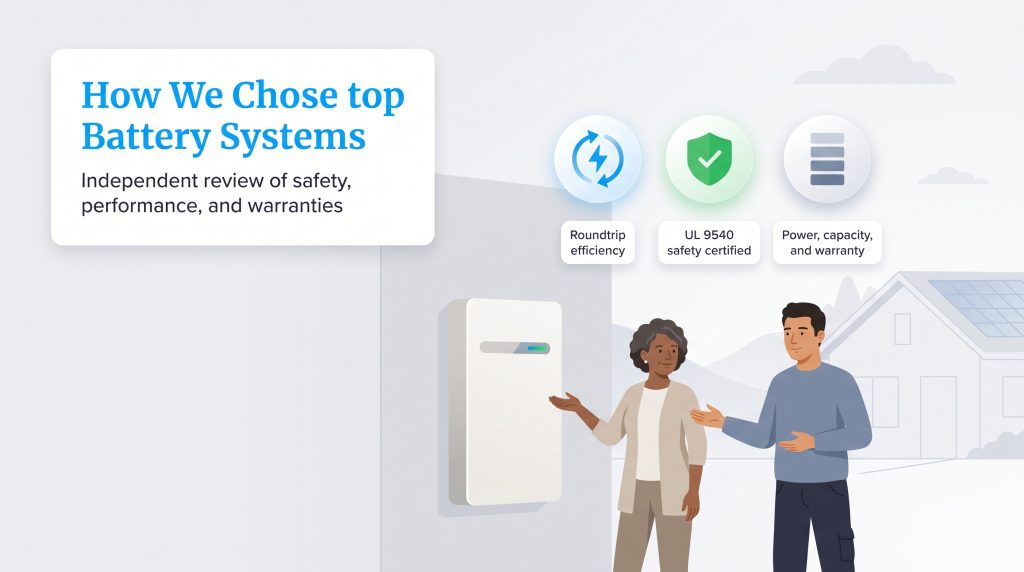
Deciding which energy solution deserves a spot in your garage or on your exterior wall requires more than just picking a familiar brand name. We didn’t rank these systems based on paid placement. Instead, we compared published manufacturer specifications, warranty terms, safety certifications, system expandability, internal chemistry, and common homeowner use cases. We evaluated these solar battery storage systems by looking closely at their roundtrip efficiency, which tells us how much usable electricity you actually get back after charging. High efficiency keeps your conversion losses to an absolute minimum.
A critical part of our evaluation focused on battery cell chemistry, specifically comparing modern LFP (Lithium Iron Phosphate) against traditional NMC (Nickel Manganese Cobalt). While older NMC lithium-ion batteries pack high energy into compact spaces, they are more vulnerable to overheating and degrade faster under daily cycling. Today, every top system on our list uses a Lithium Iron Phosphate (LFP) home battery architecture. LFP cells eliminate toxic cobalt, offer vastly superior thermal stability against fire risks, handle extreme temperatures better, and easily withstand 4,000 to 6,000+ charge cycles over their lifespan.
Finally, we scrutinized continuous power output alongside two vital longevity metrics: Depth of Discharge (DoD) and End-of-Warranty Capacity. Depth of Discharge measures the percentage of a battery’s total capacity that can be safely drained without damaging the internal cells; top-tier LFP systems allow a 95% to 100% DoD so you can use virtually every kilowatt-hour you pay for. End-of-Warranty Capacity guarantees how much storage the battery will hold after a decade of daily wear and tear. We strictly selected manufacturers that guarantee their units will maintain at least 70% to 80% of their original capacity after 10 to 15 years (or after hitting a high energy throughput threshold).
💡 Pro Tip: Before purchasing any energy storage equipment, verify that the battery carries a UL 9540 and UL 9540A certification, which are the most critical safety standards for reducing fire risks and ensuring thermal stability in residential garages.
AC-Coupled vs. DC-Coupled Battery Systems: Which Do You Need?
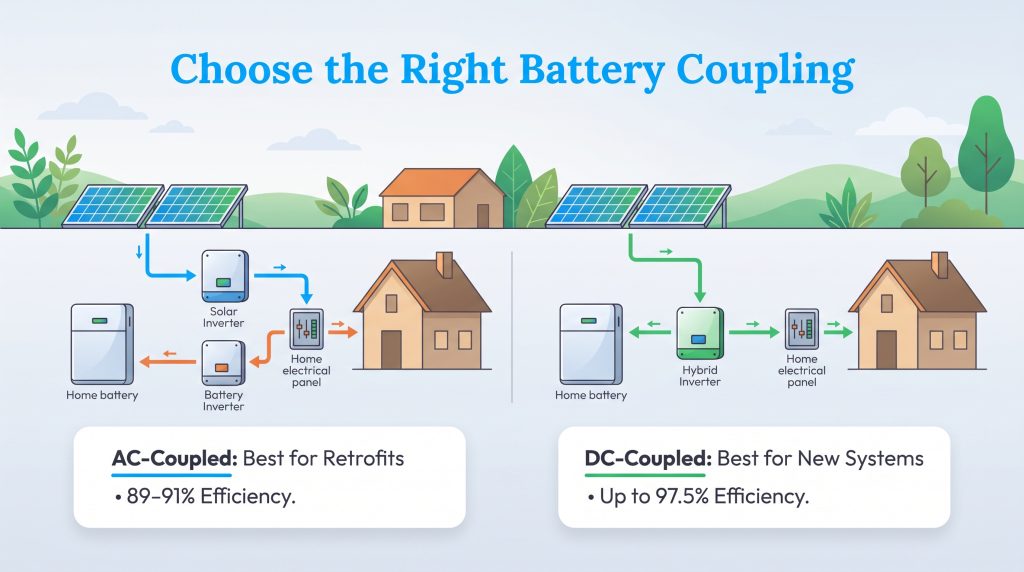
When shopping for a battery, you’ll constantly hear installers mention “AC-coupled” and “DC-coupled” configurations. Understanding the difference between an AC vs DC coupled battery is simple once you remember one rule of physics: solar panels generate Direct Current (DC) electricity, batteries store DC electricity, and your home’s appliances run on Alternating Current (AC) electricity. How your system bridges those currents directly impacts your installation costs and energy efficiency.
In an AC-coupled system, solar panels send DC power to a solar inverter (or rooftop microinverters), which converts it into AC power for your house. If that electricity flows into your battery for storage, a separate battery inverter must convert it back into DC, and then invert it a third time back to AC when you use it that night. Because electricity is inverted three separate times, AC-coupled batteries usually see slightly lower roundtrip efficiency (around 89% to 91%). However, AC coupling is by far the easiest, most cost-effective way to retrofit a battery onto an existing solar panel system without ripping out your current inverters.
In a DC-coupled system, DC electricity flows straight from your rooftop solar panels into the battery through a single hybrid inverter, only converting into AC power once when your household appliances actually demand it. Inverting the electricity just once pushes solar-to-grid roundtrip efficiency as high as 97.5% and allows you to capture “clipped” solar energy that a standard inverter might otherwise waste on peak sunny days. The catch is that DC coupling is more complex to wire into an existing solar setup, making it best suited for brand-new installations.
| Choose an AC-Coupled Battery If You… | Choose a DC-Coupled Battery If You… |
|---|---|
| Already have an existing rooftop solar array and want to add storage without replacing your current inverter. | Are installing brand-new solar panels and battery storage at the exact same time. |
| Have a roof with complex shading or multiple angles that uses microinverters (such as Enphase). | Want the highest possible roundtrip efficiency (up to 97.5%) with minimal energy lost during conversion. |
| Plan to install a standalone battery charged strictly from the utility grid without any solar panels. | Want to reduce wall clutter by using a single hybrid inverter (like the Tesla Powerwall 3) instead of multiple boxes. |
| Want flexible compatibility to mix and match different solar and battery brands (like the FranklinWH aPower 2). | Have an oversized solar array and want to capture excess DC solar power before inverter clipping occurs. |
Comparing Portable Power Stations vs. Permanent Home Battery Backup
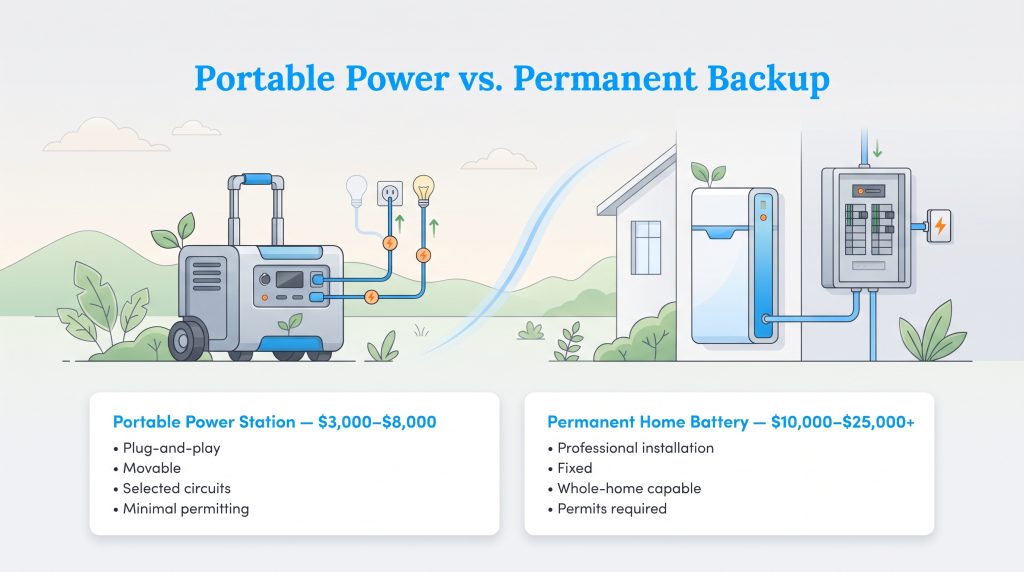
When deciding how to protect your property from blackouts, you typically choose between a permanent wall-mounted battery or a heavy-duty portable power station. Both options provide clean, silent energy without toxic exhaust fumes, but they serve very different use cases depending on whether you rent, own, or plan to relocate in the near future.
| Feature | Portable Power Station | Permanent Home Battery |
|---|---|---|
| Installation | Plug-and-play or simple transfer panel connection | Requires professional wiring and wall/floor mounting |
| Cost | Generally lower upfront ($3,000–$8,000) | Higher initial investment ($10,000–$25,000+) |
| Portability | Easy to roll into a moving truck or take on RV trips | Fixed permanently to the property |
| Whole-Home Capability | Limited to specific circuits unless stacked with a smart panel | Designed to power large subpanels or the entire house |
| Permitting | Often minimal or none (unless hardwiring a transfer switch) | Requires city building permits and utility interconnection |
Home Battery Backup vs. Standby Gas Generators
For decades, noisy fossil-fuel generators were the only realistic way to keep a whole house running through a multi-day storm. Today, weighing a backup battery vs standby generator involves looking beyond the initial sticker price to consider daily utility bill savings, noise ordinances, and ongoing generator maintenance headaches.
| Feature | Home Battery Backup | Standby Gas Generator |
|---|---|---|
| Upfront Cost (Installed) | $10,000–$25,000+ | $3,000–$15,000+ (portable to whole-home standby) |
| Runtime | 8–24+ hours per charge (indefinite if recharged daily by solar) | Unlimited as long as natural gas pipeline or propane tank flows |
| Fuel Requirements | Utility grid electricity or free rooftop solar energy | Natural gas line, liquid propane tank, or gasoline/diesel |
| Noise Level | Silent or whisper-quiet fan hum (<40 dB) | Loud engine roar (60–80 dB, similar to a vacuum or lawnmower) |
| Emissions | Zero on-site emissions; safe for indoor garage mounting | Carbon monoxide, nitrogen oxides, and exhaust; must sit outdoors |
| Maintenance | Virtually zero (occasional over-the-air software updates) | Annual oil changes, spark plugs, air filters, and bi-weekly test runs |
| Financial ROI | Lowers electric bills daily via TOU rate arbitrage and VPP payouts | Zero financial return; sits idle 99% of the year until an outage hits |
While a standby generator can brute-force its way through a weeklong winter blizzard as long as your municipal gas line stays pressurized, it is strictly a sunken emergency expense that burns money every hour it runs. A home battery is an eco-conscious alternative that works for you 365 days a year. Instead of sitting dormant in the yard collecting rust and requiring annual oil changes, a battery silently cycles clean energy every evening to lower your utility bills, qualifies for federal tax incentives, and keeps your neighborhood free of loud engine noise and hazardous carbon monoxide exhaust.
Breaking Down Whole House Battery Backup Costs
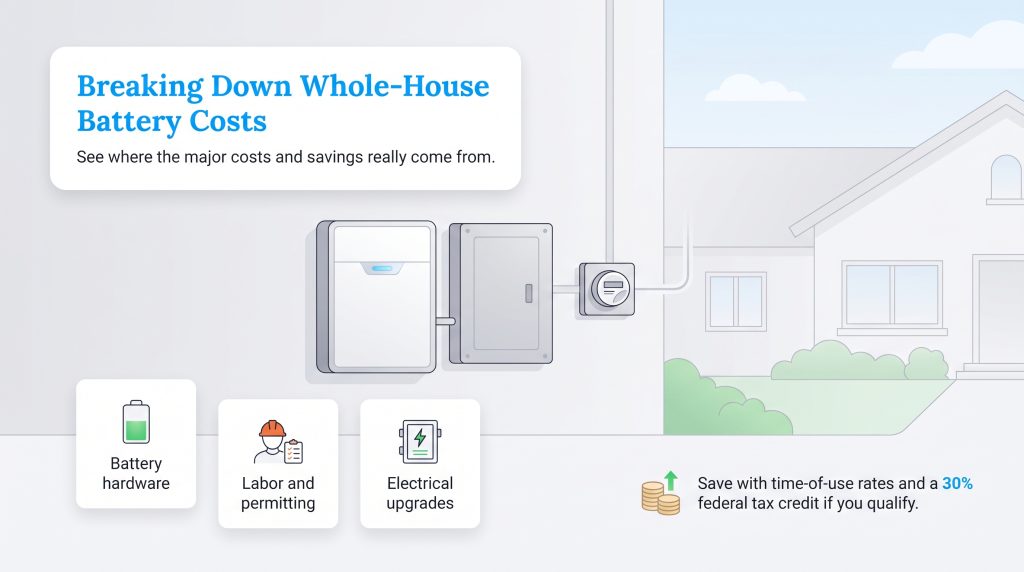
Pricing out a storage system can feel overwhelming because standalone hardware prices advertised online rarely reflect the turnkey invoice. A single professionally installed home battery often costs about $10,000 to $20,000 before incentives, which translates to an average home battery backup cost per kWh of roughly $850 to $1,400 fully installed. A true whole-home system that covers central air conditioning can cost $22,000 to $35,000+, especially if you need two or three batteries, a smart gateway controller, or main electrical panel upgrades.
| Expense Category | What It Covers |
|---|---|
| Battery Hardware | The physical LFP storage unit and internal management components ($5,000–$11,000). |
| Inverter & Gateway | Converts stored DC power into usable AC power and isolates your home from the grid during outages. |
| Critical-Load Panel | A separate subpanel to isolate and manage essential circuits during an emergency. |
| Labor and Permitting | Licensed electrician fees, engineering plans, city building permits, and utility inspections ($2,500–$6,000). |
| Electrical Upgrades | Upgrading an older 100-amp main electrical panel to a 200-amp service if required by code. |
While that initial price tag looks steep, these systems offer a distinct financial return on investment (ROI) that gas generators simply can’t match. By charging your battery during off-peak hours when electricity is cheap (or free from your solar panels) and discharging it during peak evening hours when utility rates skyrocket, you can actively shave dollars off your monthly bill. This strategy, known as time-of-use (TOU) arbitrage, helps your battery slowly pay for itself even when the grid is functioning perfectly.
Beyond daily bill savings, homeowners in many states can now accelerate their payback period by enrolling in Virtual Power Plants (VPPs). A VPP is a utility-sponsored program that links thousands of residential batteries together through cloud software to act like a single, massive clean power plant during extreme heatwaves or winter freezes:
- How VPP Events Work: When the regional electric grid is pushed to the brink on a scorching summer evening, your utility sends an automated signal to your battery to discharge a portion of its stored energy back to your neighborhood.
- Direct Cash and Bill Credits: Utilities pay you handsomely for this emergency grid support, offering either upfront enrollment rebates (sometimes $1,000 to $3,000+) or performance payouts ranging from $200 to over $1,000 per year in direct checks or electric bill credits.
- You Stay in Control: Joining a VPP doesn’t mean sacrificing your family’s safety; you can set a strict minimum reserve limit (such as 20% or 30%) in your app, and most programs automatically suspend grid exports if a severe weather warning is issued for your zip code.
💸 Money-Saver: You may be able to lower your upfront cost with the 30% Residential Clean Energy Credit for battery storage, which can apply to qualified standalone battery storage systems with at least 3 kWh of capacity. Be sure to confirm your current eligibility and placement-in-service deadlines with a tax professional.
Sizing Guide: How Many kWh to Backup a House?
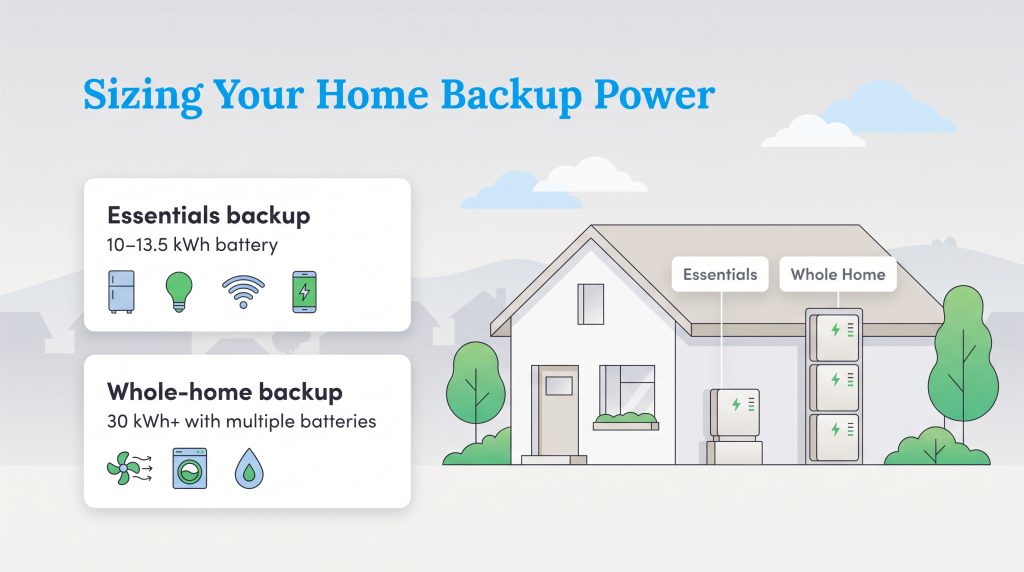
Figuring out exactly how many kWh to backup a house comes down to understanding the difference between essential loads and a true whole-home backup. Essential loads include the absolute necessities: your refrigerator, some LED lighting, a few outlets to charge phones, and your Wi-Fi router. A 10 kWh to 13.5 kWh battery can often run essentials like a refrigerator, lights, Wi-Fi, and device charging for roughly 12 to 24 hours, depending on your usage. Conversely, a whole-home backup requires running power-hungry 240-volt equipment like your central HVAC system, an electric dryer, or a deep well pump, which normally requires stacking two or three large batteries together.
To put those technical “kWh” numbers into practical terms, think about your daily habits. The average American household consumes roughly 28 to 30 kWh of electricity per day, though you can easily trim that number in half during an emergency by turning off non-essential electronics. If you want to calculate your specific baseline by measuring electric usage across your home, look at the wattage rating on your appliances. Here are a few real-world examples to help you gauge your needs:
- Standard Refrigerator: Uses roughly 1 to 2 kWh per day.
- Central Air Conditioning (3-Ton): Uses about 3 to 4 kWh per hour of active cooling.
- Well Pump (1/2 to 1 HP): Uses roughly 1 to 2 kWh per day, but demands a high 3 kW to 5 kW instant startup surge.
- LED Lights (5 bulbs): Uses less than 0.05 kWh per hour.
- Wi-Fi Router and Modem: Often around 0.2 to 0.5 kWh per day, depending on equipment.
| Backup Goal | Typical Battery Size | What It May Run |
|---|---|---|
| Essentials only | 5 to 10 kWh | Fridge, lights, Wi-Fi, select 120V outlets |
| Extended essentials | 10 to 20 kWh | Essentials plus limited microwave, TV, ceiling fans, sump pump |
| Partial-home backup | 20 to 30 kWh | Essentials plus a mini-split heat pump or well pump |
| Whole-home backup | 30 kWh+ | Larger 240V appliances, central HVAC, well pump (depending on design) |
When estimating your capacity, remember that if your main concern is preventing food spoilage and keeping your Wi-Fi active during short outages, one battery is usually enough. However, if you live in a hot climate and want to run central AC overnight, talk to your installer about adding an inexpensive “soft starter” device to your AC compressor; this cuts the initial motor startup surge by up to 70% so your battery doesn’t trip offline.
Choosing a Home Battery Backup Without Solar vs. Solar-Paired Systems
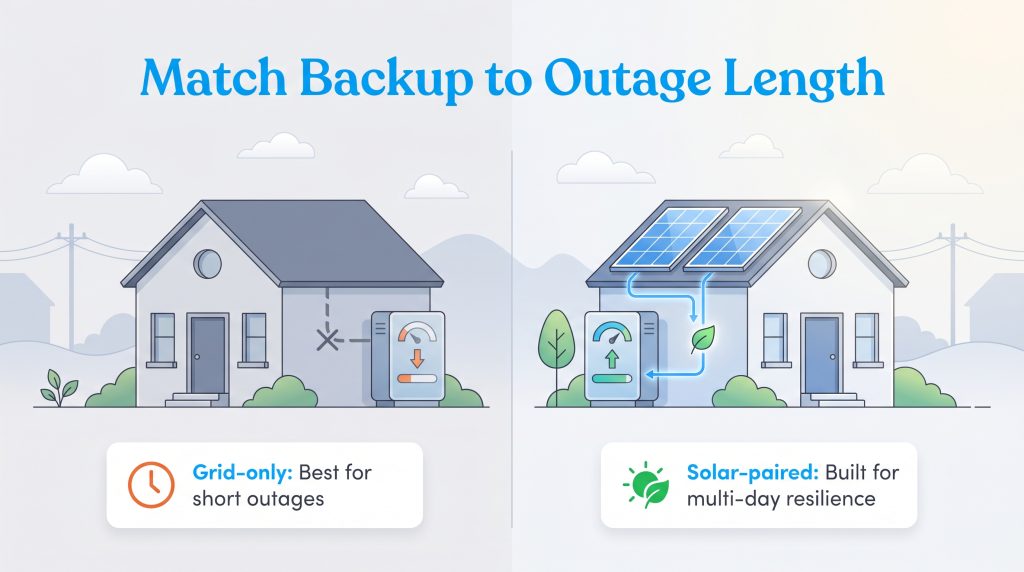
The main difference between a standalone grid-tied home battery backup and a solar-plus-storage setup boils down to multi-day endurance. Grid-only batteries are fantastic for surviving short blackouts lasting a few hours or capitalizing on daily time-of-use rate arbitrage. You fill the battery up using city power during cheap off-peak hours, and when the grid goes down, you have a fixed bucket of energy to ration until utility workers restore the lines. Once that bucket is empty, however, a standalone battery cannot recharge itself until grid power returns.
By contrast, pairing your storage unit with rooftop solar panels creates a self-sustaining microgrid on your property. With a properly configured solar battery storage system, your panels power your house during the day while simultaneously pouring fresh DC energy back into your depleted battery. As long as the sun shines and you manage your overnight air conditioning loads carefully, a solar-paired system can keep your critical circuits alive indefinitely through weeklong hurricane or ice storm blackouts.
🌱 Eco Edge: Combining battery storage with a rooftop solar array is the most environmentally mindful choice you can make, as it directly reduces your reliance on fossil-fuel peaker plants and shrinks your home’s overall carbon footprint.
As extreme weather power outages continue to stress aging utility infrastructure, choosing between solar-paired or grid-only setups ultimately depends on how long blackouts typically last in your neighborhood.
Questions to Ask an Installer Before Buying
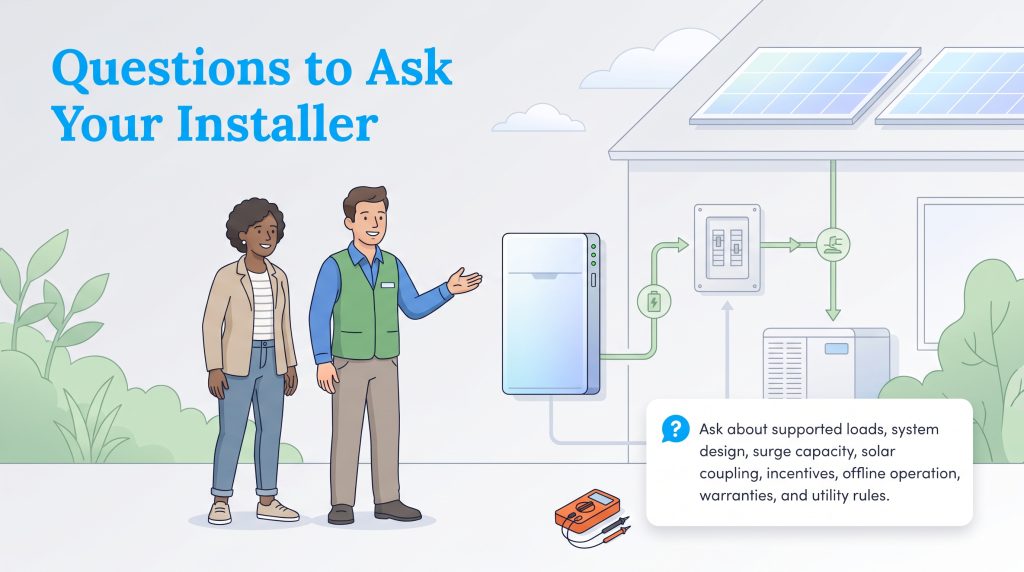
Purchasing a permanent storage system is a major home improvement project, and working with a transparent, certified electrician guarantees your equipment performs safely when an emergency strikes. Asking these specific questions during your site assessment helps you avoid surprise change-order fees and unrealistic runtime expectations.
- Which specific 120V and 240V electrical loads will this battery actually support at the same time?
- Do I need a separate critical-load subpanel, or will you install a whole-home smart gateway controller?
- Can this particular system handle the locked-rotor startup surge of my central HVAC or well pump, or should we install a soft starter?
- Will this battery be AC-coupled or DC-coupled with my existing or planned solar panels?
- Is this specific battery model eligible for federal or state clean energy incentives and local utility rebates?
- What happens to my backup power and system monitoring if my home loses cellular and Wi-Fi internet connectivity during a storm?
- What specific warranty applies to the battery hardware versus your installation labor, and is the warranty transferable if I sell the house?
- Does my local utility allow grid-charging, time-of-use battery discharge, or Virtual Power Plant (VPP) participation?
Securing Grid Independence With Your New Home Battery
Investing in a modern LFP home battery provides a profound sense of security when dark storm clouds begin to gather on the horizon. Upgrading your property’s electrical resilience not only keeps your family safe and comfortable during blackouts, but it also unlocks smart new ways to save on your electric bill year-round through peak shaving and Virtual Power Plant rewards. Whether you opt for the all-in-one muscle of the Tesla Powerwall 3, the heavy-surge reliability of the FranklinWH aPower 2, or the plug-and-play versatility of the EcoFlow Delta Pro Ultra, taking the leap toward decentralized energy storage ensures you’re ready to weather the next outage with total confidence.
Frequently Asked Questions About Home Battery Backup Systems
Do I need solar panels for a home battery backup system?
How long will a 10kWh battery run a house during an outage?
Can I install a home battery backup system myself?
Do home battery backup systems increase property value?
What is the lifespan of a lithium-ion home battery?
Will my home battery power my air conditioner?
Can an electric vehicle (EV) power my home during an outage instead of a home battery?
How much battery backup capacity do I need for a 2,000 sq. ft. home?
What is a Virtual Power Plant (VPP) and can my home battery earn me money?
About the Author

LaLeesha has a Masters degree in English and enjoys writing whenever she has the chance. She is passionate about gardening, reducing her carbon footprint, and protecting the environment. She also recently served as President of the Board for City Sprouts (a community garden).

Jared Evans is a licensed electrician and the owner of Full Circuit Electric in Omaha, Nebraska. As an expert reviewer for UtilitiesForMyHome.com, Jared uses his 10+ years of hands-on experience to ensure our electrical advice is safe, accurate, and easy to follow. Whether he's troubleshooting a complex wiring issue or sharing tips on green energy upgrades, Jared is dedicated to helping you power your home efficiently — and safely.

David has been an integral part of some of the biggest utility sites on the internet, including InMyArea.com, HighSpeedInternet.com, BroadbandNow.com, and U.S. News. He brings over 15 years of experience writing about, compiling and analyzing utility data.