

Choosing Between Xfinity and T-Mobile Home Internet Requires Balancing Flat-Rate Pricing, Reliable Gigabit Speeds, and Your Household’s Overall Energy Footprint
Key Takeaways
- T-Mobile is often better for predictable billing because many plans include equipment, no annual contract, and no typical data overage fees.
- Xfinity is usually stronger for speed and gaming because cable internet often delivers higher download speeds and lower latency.
- Your most efficient setup depends on the hardware, so compare T-Mobile’s single gateway with ENERGY STAR certified Xfinity-compatible equipment.

- 2 Gbps
- Cable & Fiber
- Unlimited
- $30.00/mo

- 498 Mbps
- 5G
- 1.2 TB
- $35.00/mo
*Not all internet providers and speeds available in all areas.
Moving into a new residence means juggling boxes, changing addresses, and facing the immediate stress of setting up your utilities. The choice between Xfinity vs T-Mobile Home Internet essentially boils down to comparing traditional coaxial cable internet against modern 5G fixed wireless technology. While Xfinity cable delivers data through physical underground wires and is the top choice for heavy household usage and reliable gigabit speeds, T-Mobile fixed wireless broadcasts a high-speed signal from nearby cellular towers directly into your living room and takes the crown for flat-rate pricing, unlimited data, and a seamless plug-and-play installation. We have analyzed the performance of both providers to help you settle in quickly without experiencing surprise fees on your first bill.
At a Glance: T-Mobile 5G vs Xfinity Cable
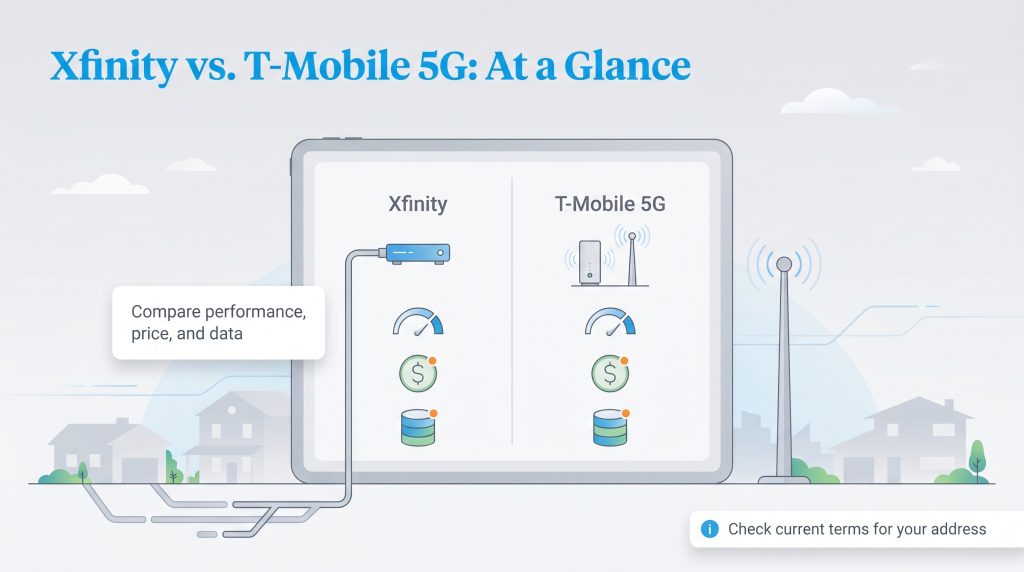
Directly comparing T-Mobile 5G home internet vs Xfinity requires looking past the flashy promotional numbers pasted on neighborhood billboards. While one provider relies on physical coaxial lines buried in your yard, the other receives a wireless cellular signal entirely over the air. To capture the essential differences in performance, policies, and pricing, we broke down their technical specifications in the comparison table below.
| Feature | T-Mobile 5G Home Internet | Xfinity Cable Internet |
|---|---|---|
| Connection Type | 5G Fixed Wireless | Coaxial Cable (Hybrid Fiber-Coaxial) |
| Starting Price | $40 – $60 per month | $20 – $35 per month (promotional) |
| Max Download Speed | 72 – 245 Mbps (typical) | Up to 1,200 Mbps (varies by market) |
| Data Caps | Unlimited | 1.2 TB (in most service areas) |
| Contract Requirements | None | 1- to 2-year term agreements often required |
| Equipment Fees | Gateway included at no extra cost | $15 per month (unless using owned hardware) |
Note: Prices, top speeds, data policies, and equipment fees vary by your exact address and selected plan. Always confirm the current terms on the provider’s official website before placing an order.
Plans, Pricing, and Hidden Fees
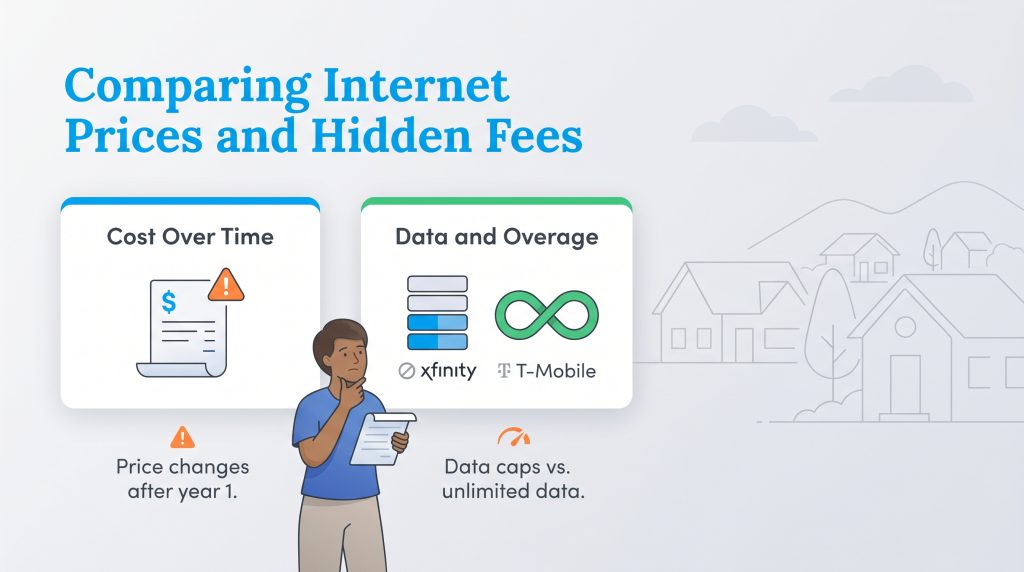
When you sit down to balance your utility budget after a move, predictable billing proves incredibly valuable. Evaluating T-Mobile internet vs Xfinity prices requires understanding how steep promotional contracts compare to flat-rate pricing models over a span of several years.
T-Mobile Home Internet Pricing
T-Mobile operates on a straightforward flat-rate pricing structure designed for maximum billing transparency. In most markets, the standard service costs $60 per month when you enable AutoPay. Because T-Mobile does not require annual contracts, you will not face a massive, unexpected price hike after your first year of service. Furthermore, the company includes the 5G gateway directly in the monthly cost, meaning you will completely avoid the standard $15 monthly equipment rental fees associated with most legacy cable providers. This predictable, all-inclusive pricing makes budgeting for your new home significantly easier.
| Plan Name | Price | Download Speeds | Connection Type | |
|---|---|---|---|---|
| Home Internet Backup | $20 /month | Up to 318 Mbps | 5G | Check Availability |
| Rely Home Internet | $35 /month | Up to 354 Mbps | 5G | Check Availability |
| Amplified Home Internet | $45 /month | Up to 498 Mbps | 5G | Check Availability |
| All-In Home Internet | $55 /month | Up to 498 Mbps | 5G | Check Availability |
| Fiber 500 | $75 /month | Up to 500 Mbps | Fiber | Check Availability |
| Fiber 1 Gig | $85 /month | Up to 1000 Mbps | Fiber | Check Availability |
| Fiber 2 Gig | $80 /month | Up to 2 Gbps | Fiber | Check Availability |
💸 Money-Saver: If you currently use T-Mobile for your cellular service, bundling your home internet with your existing mobile plan secures a steep discount. Qualifying cellular packages often drop the 5G internet cost down to as low as $40 a month, locking in solid utility savings without sacrificing your connection quality.
Xfinity Internet Pricing
Xfinity heavily utilizes a promotional pricing model, which can look incredibly attractive right out of the gate. Depending on your region, you might find introductory tiers starting as low as $20 or $35 per month. However, these steep discounts almost always require you to sign a one- or two-year term agreement. Once that promotional period ends, standard market rates apply, which can effectively double your monthly bill overnight. Additionally, you must factor in the extra $15 monthly charge to rent their xFi Gateway unless you purchase your own compatible networking equipment upfront.
| Plan Name | Price | Download Speeds | Connection Type | |
|---|---|---|---|---|
| NOW Internet | $30 /month | Up to 100 Mbps | Cable | Check Availability |
| 300 Mbps | $40 /month | Up to 300 Mbps | Cable | Check Availability |
| 300 Mbps w/ 5 year price lock | $45 /month | Up to 300 Mbps | Cable | Check Availability |
| 500 Mbps | $50 /month | Up to 500 Mbps | Cable | Check Availability |
| 500 Mbps w/ 5 year price lock | $60 /month | Up to 500 Mbps | Cable | Check Availability |
| 1000 Mbps | $60 /month | Up to 1000 Mbps | Cable | Check Availability |
| 1000 Mbps w/ 5 year price lock | $70 /month | Up to 1000 Mbps | Cable | Check Availability |
| 2000 Mbps | $90 /month | Up to 2 Gbps | Fiber | Check Availability |
| 2000 Mbps w/ 5 year price lock | $100 /month | Up to 2 Gbps | Fiber | Check Availability |
Speed, Reliability, and Data Caps
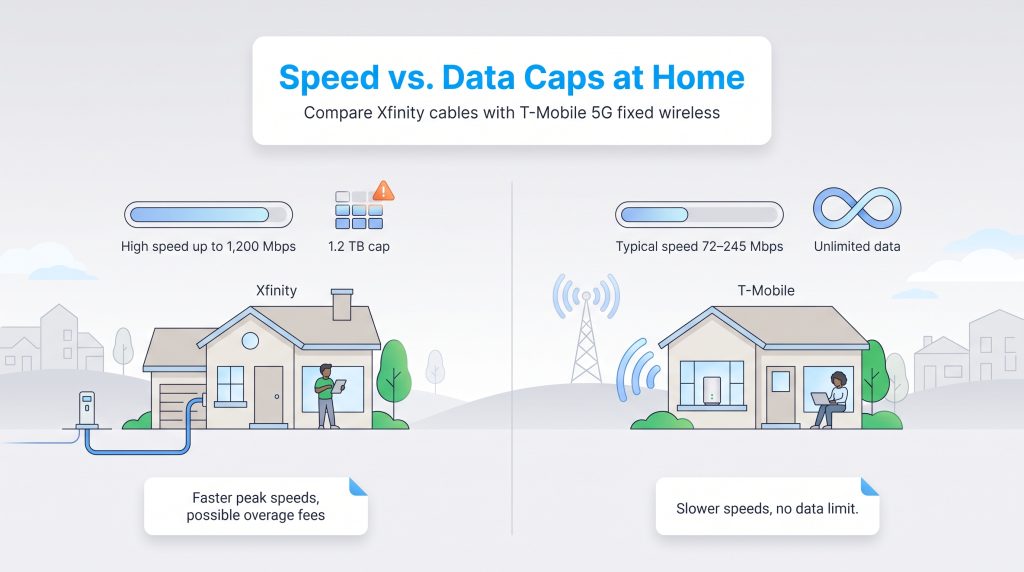
Analyzing T-Mobile home internet vs Xfinity speed requires contrasting a cellular network with dedicated physical infrastructure. Because Xfinity utilizes a hardwired coaxial connection directly to your residence, it can confidently offer tiered plans reaching up to 1,200 Mbps in many major markets. This massive bandwidth capacity makes Xfinity cable an incredibly reliable and robust option for large families who need to stream 4K movies on multiple televisions simultaneously without buffering.
In contrast, T-Mobile 5G fixed wireless typically delivers download speeds ranging between 72 and 245 Mbps. Because the signal travels wirelessly from a local cell tower, it remains naturally susceptible to indoor interference from thick walls or neighborhood network congestion. If many people in your area are heavily using their mobile phones during peak evening hours, you might experience temporary speed deprioritization.
However, T-Mobile completely flips the script regarding data limits. T-Mobile provides truly unlimited data, meaning you never have to track your monthly bandwidth usage. Conversely, Xfinity imposes a strict 1.2 TB data cap across most of its non-gigabit service areas. To put Xfinity’s limit into perspective, a household downloading a few massive modern video game files, working from home on daily video calls, and streaming 4K media every evening can easily brush up against this threshold by the third week of the month. If you exceed this cap, Xfinity charges $10 for every additional 50 GB of data used, up to a maximum penalty of $100 per month. T-Mobile’s unlimited structure offers immense peace of mind for heavy internet users who do not want to constantly monitor their network traffic.
Installation and Equipment: Setting Up Your New Home
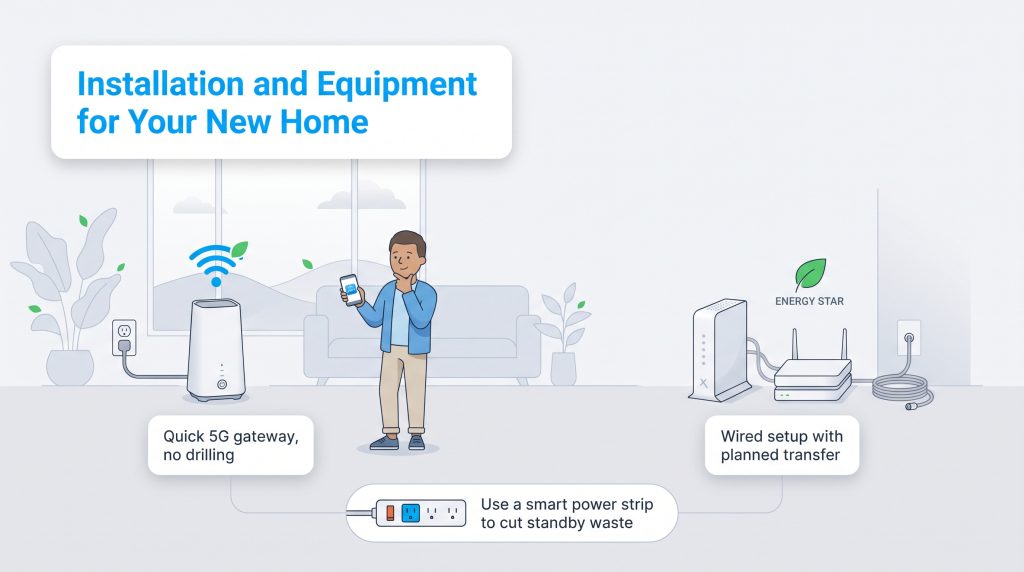
Setting up your new home provides the perfect opportunity to rethink your utility arrangements and make an environmentally mindful choice regarding your digital footprint. If you are switching ISPs or renting a temporary apartment, T-Mobile offers an incredibly stress-free installation process. They mail a sleek, single-device 5G gateway directly to your front door. You simply plug it into a standard wall outlet near a window, download their smartphone app, and get online within minutes. This eco-conscious alternative actively helps you reduce electricity use by consolidating the modem and router into one highly efficient unit, completely eliminating the need for a costly technician visit or drilling new holes through your walls.
Effectively managing your utility transfers during a move guarantees your new household stays online the exact moment you unpack your computer. If you decide to stick with Xfinity during your move, coordinating the transfer requires proactive planning. Xfinity relies on physical infrastructure, meaning your new residence must already have active coaxial lines running into the living space. You must log into your Xfinity account ahead of your moving date to schedule a service transfer. If the new home lacks an active connection or the existing wiring is degraded, a professional technician must physically run new lines into the property. This process can typically cost up to $100 and delay your access to the web. If you opt for Xfinity, sourcing ENERGY STAR certified networking equipment ensures your network operates efficiently without wasting unnecessary wattage.
🌱 Eco Edge: Regardless of which internet provider you ultimately select, plug your home networking hardware into an advanced smart power strip. This simple energy-saving option allows you to effortlessly manage your device’s continuous power draw and safely shut down peripheral equipment when you are away on vacation.
Customer Service and Satisfaction
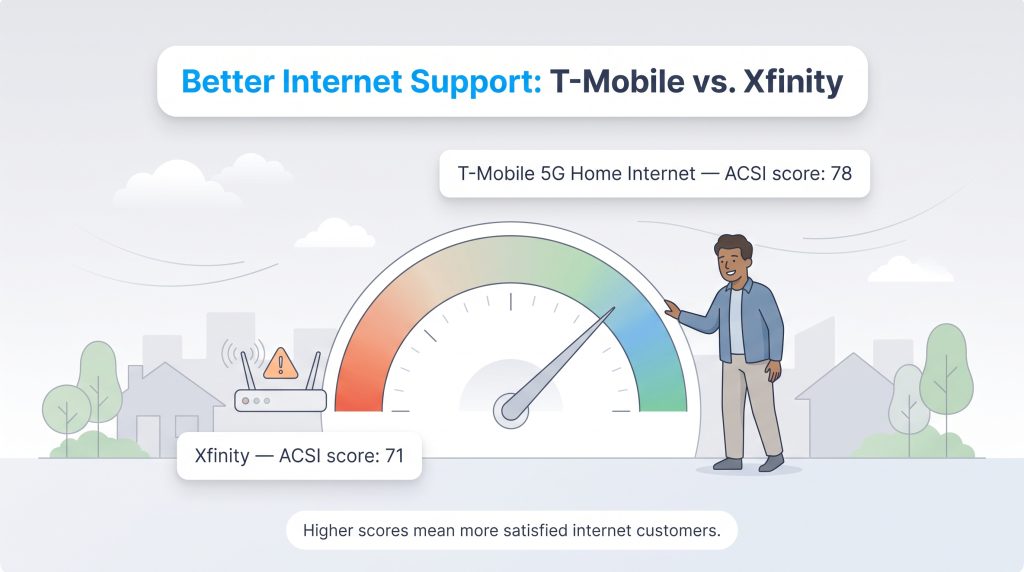
Dealing with confusing billing cycles, endless phone trees, and unhelpful support agents can quickly turn a great internet deal into a massive headache. When looking closely at T-Mobile home internet vs Xfinity customer service, independent metrics provide the clearest picture of what everyday users actually experience. According to the 2026 American Customer Satisfaction Index (ACSI) study for non-fiber internet service providers, T-Mobile 5G Home Internet achieved an industry-leading score of 78. This solid rating highlights that users heavily appreciate the absence of aggressive upselling and the straightforward, self-managed approach to their home network setup.
In contrast, Xfinity earned an ACSI score of 71 during the same 2026 reporting period. While Xfinity has heavily invested in digital chatbots and a robust knowledge base over the past few years, many legacy cable providers continue to struggle with consumer frustration. This lower score largely stems from rigid annual contracts, hidden promotional fees, and the sheer difficulty of reaching a helpful human representative during widespread neighborhood outages.
Best Choice for Gaming and Remote Work
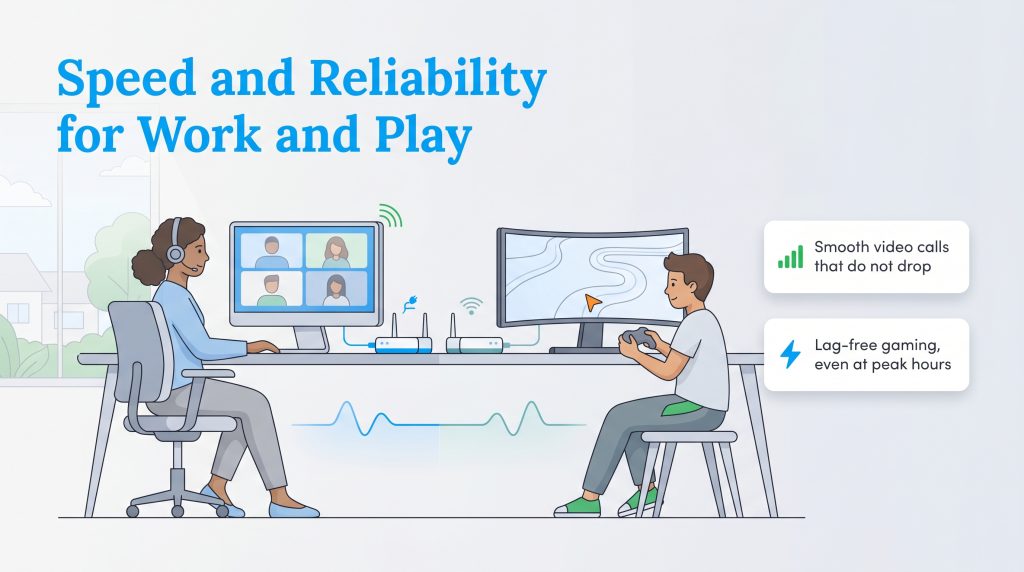
If your daily routine involves hopping into intense multiplayer lobbies or presenting on high-stakes video conference calls, sheer download speed represents only half of the performance equation. Network latency — commonly known as ping — measures exactly how quickly a data packet travels from your device to a remote server and back again. A lower ping translates directly to a faster, more stable reaction time on your screen. When analyzing Xfinity vs T-Mobile internet for gaming, the traditional cable provider holds a massive structural advantage because physical cables are simply more efficient at rapidly transmitting real-time data.
Xfinity’s hardwired coaxial connection typically delivers a consistently low latency hovering around 15 to 20 milliseconds. This near-instantaneous response time makes Xfinity the definitively better choice for competitive video games, ensuring you do not experience frustrating lag spikes during crucial in-game moments. Dedicated remote workers relying on uninterrupted Zoom, Slack huddles, or Microsoft Teams calls will also benefit immensely from this wired stability. If you need an objective benchmark for your household, reviewing the recommended broadband speeds for online gaming and remote work clarifies exactly how much bandwidth you genuinely require.
Conversely, T-Mobile’s wireless 5G network usually sees ping rates sitting between 40 and 60 milliseconds — and sometimes much higher during peak traffic hours. Because cellular network performance fluctuates wildly based on atmospheric conditions, thick household walls, and neighborhood tower congestion, serious gamers and heavy remote workers should proceed with caution before relying entirely on fixed wireless technology for mission-critical tasks.
Choosing the Best Home Internet for Your Move
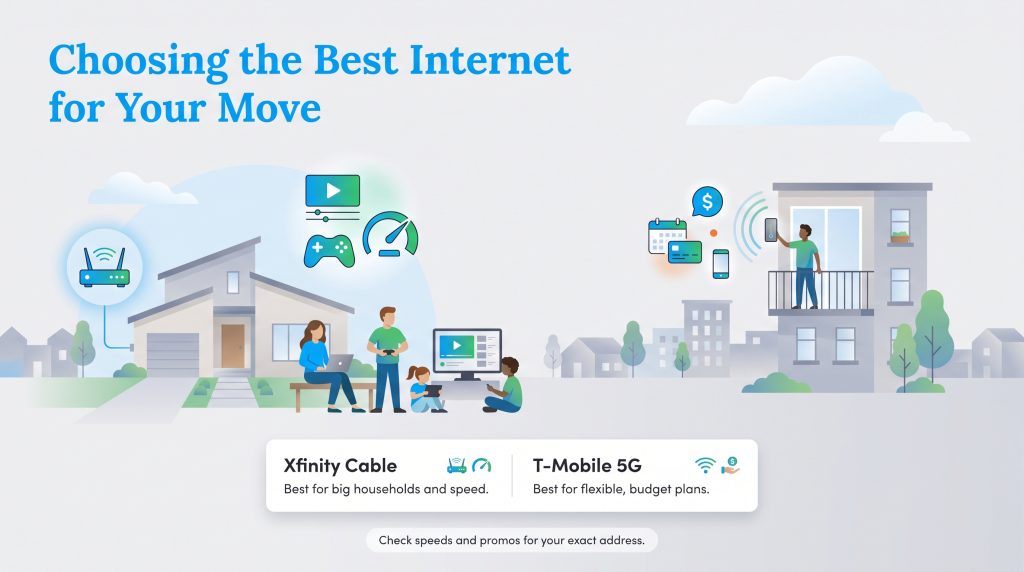
Deciding which service will power your digital life ultimately comes down to your household size, your daily usage habits, and your appetite for promotional contracts. Xfinity cable vs T-Mobile 5G fixed wireless is a classic battle of raw performance against budget-friendly convenience. To make your final utility selection as simple as possible before moving in, use the following guidelines:
Choose Xfinity If:
- You have a large family with multiple people streaming 4K video simultaneously.
- You need ultra-low latency for competitive online gaming and demanding remote work video calls.
- You want access to gigabit-level download speeds and do not mind signing a one- or two-year contract to secure a lower introductory price.
Choose T-Mobile If:
- You are renting an apartment and want an easy, self-installed connection without drilling holes or waiting on a technician.
- You are a budget-conscious user who prefers flat-rate, month-to-month pricing with zero hidden equipment fees.
- You are an existing T-Mobile wireless customer who can easily take advantage of steep mobile bundling discounts.
Before you commit to a specific plan, we always advise plugging your new address directly into both provider websites to confirm exactly what connection speeds and promotional offers are available in your specific neighborhood.
Frequently Asked Questions About Xfinity vs T-Mobile Home Internet
Is T-Mobile home internet better than Comcast Xfinity?
Determining if T-Mobile home internet is better than Comcast Xfinity depends entirely on your specific household needs. T-Mobile easily wins when it comes to transparent flat-rate pricing, overall setup simplicity, and avoiding data overage charges. However, Xfinity remains the dominant force for top-tier gigabit speeds and the ultra-low latency required by competitive gamers and remote workers.
Does T-Mobile home internet have a data cap compared to Xfinity?
No, T-Mobile provides truly unlimited data for its home internet customers, meaning you will never face unexpected overage fees. This stands in sharp contrast to Xfinity, which enforces a strict 1.2 TB monthly data cap in most of its service regions. Heavy streamers and gamers must monitor their usage closely on Xfinity to avoid costly monthly penalties.
Can I use my own router with T-Mobile and Xfinity?
Yes, you can use your own networking equipment with both providers. Xfinity allows you to purchase a compatible third-party modem and router, which successfully eliminates their standard $15 monthly rental fee. T-Mobile provides a free all-in-one gateway that acts as both a cellular modem and router, but you can still easily connect your own high-performance Wi-Fi router to it if you prefer a customized network setup.
Is switching from Xfinity to T-Mobile internet worth it for a new apartment?
Switching is highly recommended for apartment renters looking to cut costs and simplify their utility setup. Because T-Mobile uses a plug-and-play wireless gateway, you do not need to schedule a technician visit or drill into your landlord’s walls. As long as your unit receives a strong cellular signal, activating your service simply involves plugging the gateway device into a standard wall outlet.
Are T-Mobile home internet and Xfinity the same type of service?
No, these two providers utilize completely different infrastructure to get you online. Xfinity relies on a vast network of hardwired coaxial cables running physically directly into your residence. When evaluating T-Mobile Home Internet vs Xfinity, you are essentially comparing this traditional terrestrial cable setup against modern wireless 5G cellular network technology that pulls signals entirely from nearby mobile towers.
About the Author

David has been an integral part of some of the biggest utility sites on the internet, including InMyArea.com, HighSpeedInternet.com, BroadbandNow.com, and U.S. News. He brings over 15 years of experience writing about, compiling and analyzing utility data.

LaLeesha has a Masters degree in English and enjoys writing whenever she has the chance. She is passionate about gardening, reducing her carbon footprint, and protecting the environment. She also recently served as President of the Board for City Sprouts (a community garden).