
Whether You Need the Widespread Availability of Xfinity’s Cable Network or the Symmetrical Upload Speeds of Frontier’s Fiber Network, the Better Choice Depends on What’s Available at Your Exact Address
Key Takeaways
- Xfinity is widely available and offers easy self-installation via existing coaxial cables, making it highly convenient for renters or quick moves.
- Frontier Fiber delivers superior upload speeds and unlimited data without contracts, making it well suited for heavily connected smart home ecosystems and gamers.
- Avoid Frontier DSL if possible, as Xfinity’s basic cable internet plans will usually outperform it in both speed and day-to-day reliability.
When comparing internet providers like Xfinity vs Frontier for your new home, the biggest difference lies in the technology: Frontier’s robust fiber-optic network versus Xfinity’s widespread hybrid cable system. While you might be highly focused on moving logistics and setting up essential utilities, selecting the right internet connection type directly impacts your daily life — from streaming movies and competitive gaming to remote work and smart home automation. By understanding how these major providers actually perform in the real world, you can comfortably cut through the promotional marketing fluff to choose the provider that offers the most reliable speed and value for your household.

- 2 Gbps
- Cable & Fiber
- Unlimited
- $30.00/mo

- 7 Gbps
- Fiber
- Unlimited
- $29.99/mo
*Not all internet providers and speeds available in all areas.
At a Glance: Frontier vs Xfinity Internet
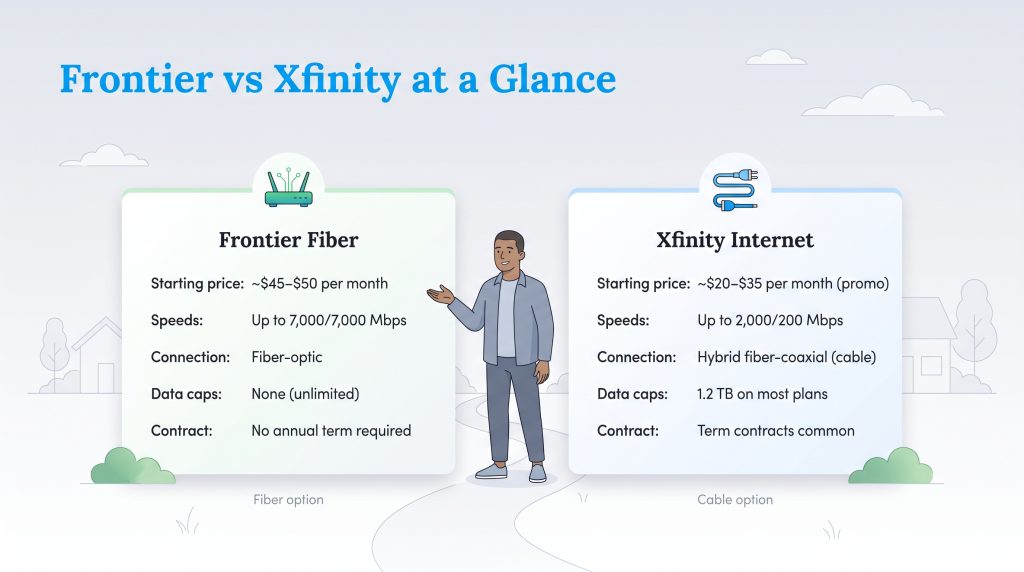
If you are trying to rapidly evaluate your options, having a side-by-side look at Frontier vs Xfinity internet can help narrow down the choice before you commit. Below is a quick breakdown of how these two major providers stack up across essential household needs, giving you a quick reference point for what to expect.
| Feature | Starting Price | Max Download / Upload Speeds | Connection Type | Data Caps | Contract Requirements |
|---|---|---|---|---|---|
| Frontier Fiber | ~$45 – $50 / mo. | Up to 7,000 Mbps / 7,000 Mbps | Fiber-Optic | Unlimited (No caps) | No annual contracts required |
| Xfinity | ~$20 – $35 / mo. (Promotional) | Up to 2,000 Mbps / 200 Mbps | Hybrid Fiber-Coaxial (Cable) | 1.2 TB on most standard plans | Term contracts common for best rates |
Xfinity vs Frontier: Pros and Cons
Before diving into the deep technical specifications, it helps to understand the fundamental strengths and weaknesses of each service. Here is what you should expect when signing up for either provider.
Xfinity Pros and Cons
- Pro: Widespread availability. Because it operates on existing coaxial television lines, Xfinity covers millions of neighborhoods nationwide.
- Pro: Easy self-installation. Many homes are already wired for cable, allowing you to plug in a gateway and get online in under twenty minutes.
- Pro: Excellent user experience. Xfinity offers a highly polished digital application for seamless account management and network troubleshooting.
- Con: Asymmetrical speeds. Your upload speeds will be significantly slower than your download speeds due to the physical limitations of copper wires.
- Con: Strict data caps. Most standard Xfinity plans heavily enforce a 1.2 TB data cap, leading to expensive overage fees for heavy users.
Frontier Pros and Cons
- Pro: Symmetrical fiber speeds. Frontier Fiber delivers upload speeds that perfectly match your download speeds, ideal for remote work and heavy streaming.
- Pro: Unlimited data. Frontier removes the stress of monitoring your household usage by excluding arbitrary data caps on its fiber plans.
- Pro: Transparent pricing. You won’t face the steep second-year price hikes commonly associated with major cable company promotions.
- Con: Limited fiber availability. Frontier’s advanced fiber network is still expanding and is not available in many rural or older suburban areas.
- Con: Poor DSL fallback. If you live outside the fiber footprint, Frontier’s copper DSL service is notoriously slow and unreliable.
Comparing Speeds and Technology: Frontier Fiber vs Xfinity Cable
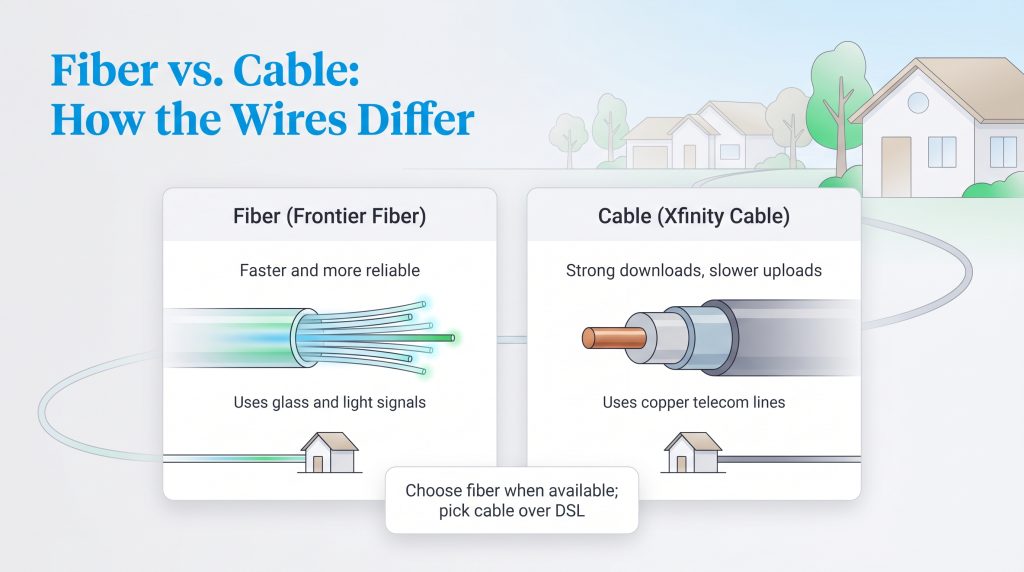
When comparing Frontier Fiber vs Xfinity Cable, the biggest differentiator lies right under your feet in the physical wires connecting your home to the broader internet. Frontier Fiber utilizes ultra-thin strands of glass to transmit data using light signals, which enables symmetrical speeds — meaning your upload speeds are exactly as fast as your download speeds. On the other hand, Xfinity operates on a hybrid fiber-coaxial network that relies heavily on the same copper wiring used for traditional cable television. This established infrastructure allows Xfinity to offer lightning-fast download speeds across millions of neighborhoods, but its upload capability is structurally limited by the natural bandwidth constraints of copper wire.
Because of these physical differences, deciding between Xfinity or Frontier for gaming and remote work often comes down to your upload bandwidth needs. Frontier’s symmetrical fiber is vastly superior for competitive gamers who require ultra-low latency, or remote workers who frequently upload massive files and lead high-definition video calls. However, a major caveat exists if your property isn’t properly wired for fiber yet. We explicitly advise against choosing Frontier DSL vs Xfinity internet. Frontier’s older DSL network relies on outdated telephone lines that notoriously suffer from slow speeds and frequent drops in connectivity. In almost every scenario, Xfinity’s basic cable internet will aggressively outperform Frontier DSL for speed and day-to-day reliability.
📌 Quick Fact: Fiber lines are significantly less vulnerable to signal degradation issues that plague copper wiring, though severe storms, power outages, and physically damaged lines can still interrupt your service.
Installation Day: Coaxial Jacks vs ONT Boxes
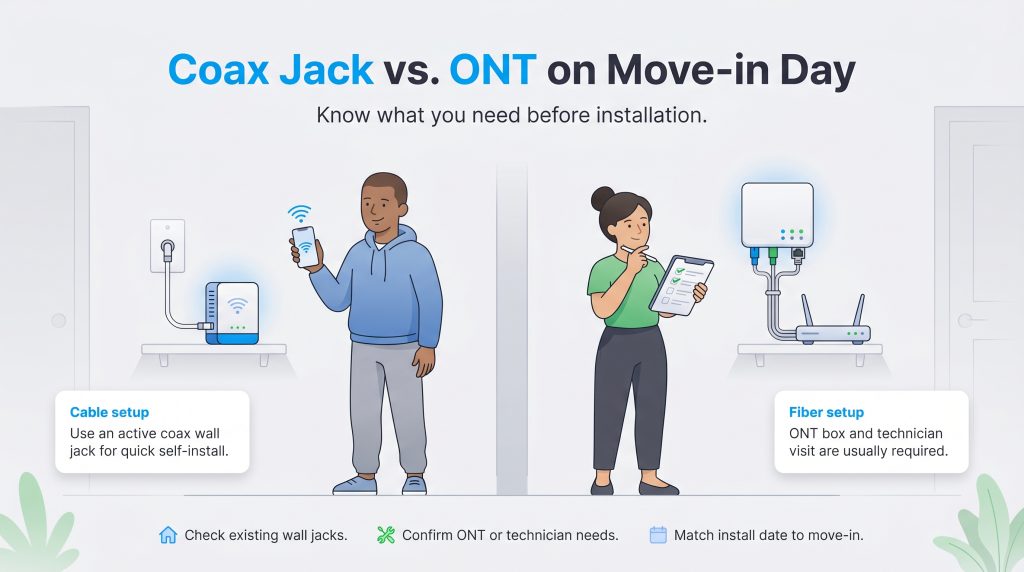
Getting your Wi-Fi active on move-in day is a major priority for most households, and your chosen provider heavily dictates how complicated that process will be. Because Xfinity utilizes standard coaxial cables, many homes already have the necessary wiring completely built into the walls. This widespread infrastructure often allows new customers to skip the technician visit entirely. You can usually pick up an equipment kit, plug the gateway into an active coax wall jack, and establish your connection in under twenty minutes.
Switching from Xfinity to Frontier at a new address requires a bit more physical preparation. If your new house has never had fiber service before, a technician must visit to install an Optical Network Terminal (ONT) box. This equipment translates the light signals from the fiber cables into an electrical signal your router can understand. A fresh fiber installation takes time, physical modifications to the property, and requires an adult to be present during the appointment window.
Frontier Internet Pricing vs Xfinity Costs
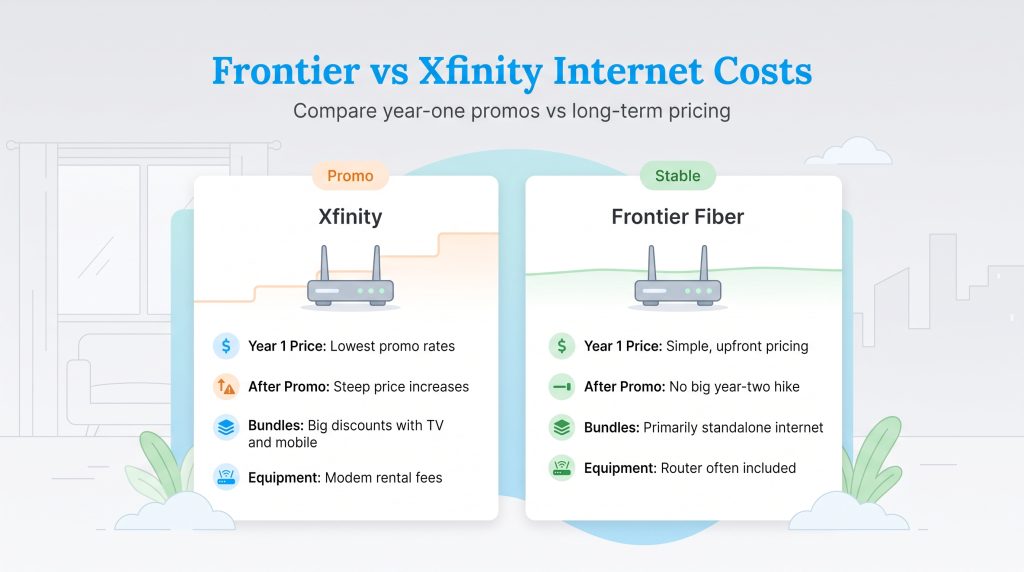
Analyzing Frontier internet pricing against Xfinity requires looking far past the flashy introductory offers to understand what you will actually pay twelve months down the line. Internet pricing changes frequently and varies based on your address, autopay enrollment, equipment choices, and promotional terms. Always compare the final checkout price, including equipment fees and post-promotion rates, before you finalize your order.
| Plan Name | Price | Download Speeds | Connection Type | |
|---|---|---|---|---|
| NOW Internet | $30 /month | Up to 100 Mbps | Cable | Check Availability |
| 300 Mbps | $40 /month | Up to 300 Mbps | Cable | Check Availability |
| 300 Mbps w/ 5 year price lock | $45 /month | Up to 300 Mbps | Cable | Check Availability |
| 500 Mbps | $50 /month | Up to 500 Mbps | Cable | Check Availability |
| 500 Mbps w/ 5 year price lock | $60 /month | Up to 500 Mbps | Cable | Check Availability |
| 1000 Mbps | $60 /month | Up to 1000 Mbps | Cable | Check Availability |
| 1000 Mbps w/ 5 year price lock | $70 /month | Up to 1000 Mbps | Cable | Check Availability |
| 2000 Mbps | $90 /month | Up to 2 Gbps | Fiber | Check Availability |
| 2000 Mbps w/ 5 year price lock | $100 /month | Up to 2 Gbps | Fiber | Check Availability |
If you are wondering whether you can find the cheapest internet Xfinity or Frontier, Xfinity usually wins on day one with deeply discounted introductory rates. However, Xfinity heavily utilizes promotional pricing structures, which means your affordable monthly rate during year one will inevitably jump once the promotional period expires. You should also consider Xfinity vs Frontier bundles; Xfinity offers robust discounts if you bundle mobile phone service or cable TV, making them highly attractive to families looking to consolidate bills.
| Plan Name | Price | Download Speeds | Connection Type | |
|---|---|---|---|---|
| Frontier Internet | $64.99 /month | Up to 12 Mbps | DSL | Check Availability |
| Fiber 200 Mbps | $29.99 /month | Up to 200 Mbps | Fiber | Check Availability |
| Fiber 500 Mbps | $44.99 /month | Up to 500 Mbps | Fiber | Check Availability |
| Fiber 1 Gig | $64.99 /month | Up to 1000 Mbps | Fiber | Check Availability |
| Fiber 2 Gig | $79.99 /month | Up to 2 Gbps | Fiber | Check Availability |
| Fiber 5 Gig | $104.99 /month | Up to 5 Gbps | Fiber | Check Availability |
| Fiber 7 Gig | $124.99 /month | Up to 7 Gbps | Fiber | Check Availability |
Frontier focuses primarily on straightforward, standalone internet service. They feature transparent, contract-free pricing without the dramatic second-year price hikes commonly associated with major cable companies.
| Feature | Xfinity | Frontier Fiber |
|---|---|---|
| Monthly Cost (Year 1) | Highly aggressive promotional pricing, often starting lower | Stable, straightforward pricing out of the gate |
| Promotional Period | Rates usually increase steeply after 12–24 months | Fewer hidden hikes; standard pricing applies consistently |
| Equipment Rental Fees | Monthly gateway rental fee applies (unless you use your own) | Router is often included in the base promotional price |
💸 Money-Saver: Purchasing your own compatible modem and router rather than leasing equipment can save you roughly $10 to $15 a month in rental fees with Xfinity.
Data Caps: Xfinity Data Caps vs Frontier
One of the most critical factors for modern households is data usage, making the comparison of Xfinity data caps vs Frontier essential for heavy streamers and connected homes. Frontier explicitly enforces no data caps on its fiber internet plans. You receive unlimited data by default, allowing you to stream 4K movies, download massive video game updates, and run cloud-connected energy-efficient smart home setups and security cameras 24/7 without ever worrying about surprise overage charges.
In stark contrast, Xfinity strictly enforces a 1.2 Terabyte (TB) monthly data cap across many of its service areas unless you pay an additional premium fee for an unlimited data add-on. If the data plan applies in your market, exceeding this 1.2 TB threshold will trigger automatic penalty fees. Xfinity typically charges $10 for every additional 50 GB of data you consume over the limit, up to a maximum penalty of $100 per month. For heavily connected smart homes, these penalties can quickly erase the savings of a cheap promotional rate.
🌱 Eco Edge: A stable, high-speed internet connection allows smart thermostats and motorized smart blinds to seamlessly communicate with weather data platforms, helping optimize your home’s HVAC efficiency in real time without being bottlenecked by data limits.
Xfinity vs Frontier Customer Service and Reliability
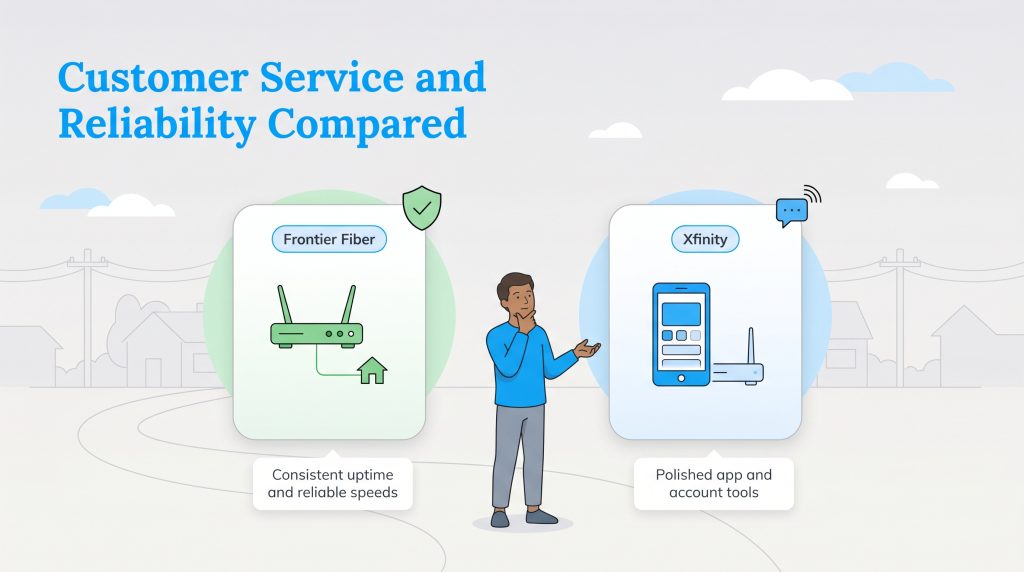
Customer service is notoriously challenging to evaluate because large telecommunications providers often receive mixed anecdotal reviews. Billing errors, long hold times, and missed technician appointments plague nearly every major service provider across the country. Rather than relying on individual frustrations, we look to objective metrics to measure actual provider performance.
According to recent American Customer Satisfaction Index telecommunications data, fiber-optic providers consistently outpace traditional cable networks in overall user satisfaction. Frontier Fiber generally scores highly for network reliability, uptime, and consistent speeds. Xfinity, while operating on an older cable infrastructure, remains highly competitive and frequently outshines Frontier regarding the digital user experience, offering a highly polished mobile app and responsive account management tools.
When analyzing Xfinity vs Frontier customer service, understanding the most common customer complaints is crucial. Xfinity customers most frequently complain about steep, unexpected bill increases once their initial 12-month promotional contract expires. Frontier customers, conversely, tend to report frustrations with the initial installation process. If your home hasn’t had fiber service before, Frontier requires a specialized technician to drill through exterior walls and install the optical equipment. This process can incur varying installation fees and requires careful scheduling, whereas Xfinity often provides free self-installation kits that you can activate effortlessly.
Frontier Availability vs Xfinity Coverage Areas
The ultimate deciding factor in this provider comparison is sheer location. Frontier availability vs Xfinity coverage heavily depends on regional network infrastructure. Xfinity is one of the largest cable internet providers in the United States, boasting widespread availability across dozens of states. Because it leverages existing coaxial television lines, Xfinity is accessible in most urban and suburban neighborhoods nationwide.
Frontier operates a growing, high-quality fiber-optic footprint primarily across states like California, Texas, Florida, and portions of the Midwest. However, its high-speed coverage map is significantly smaller than Xfinity’s massive national footprint. If you are moving to a rural community or an older development, you might find that Frontier only offers its severely limited DSL service in your neighborhood.
Ready to Check Availability?
Enter your ZIP code to find out if Frontier Fiber or Xfinity cable is available at your exact address.
Selecting Your Provider for Move-In Day
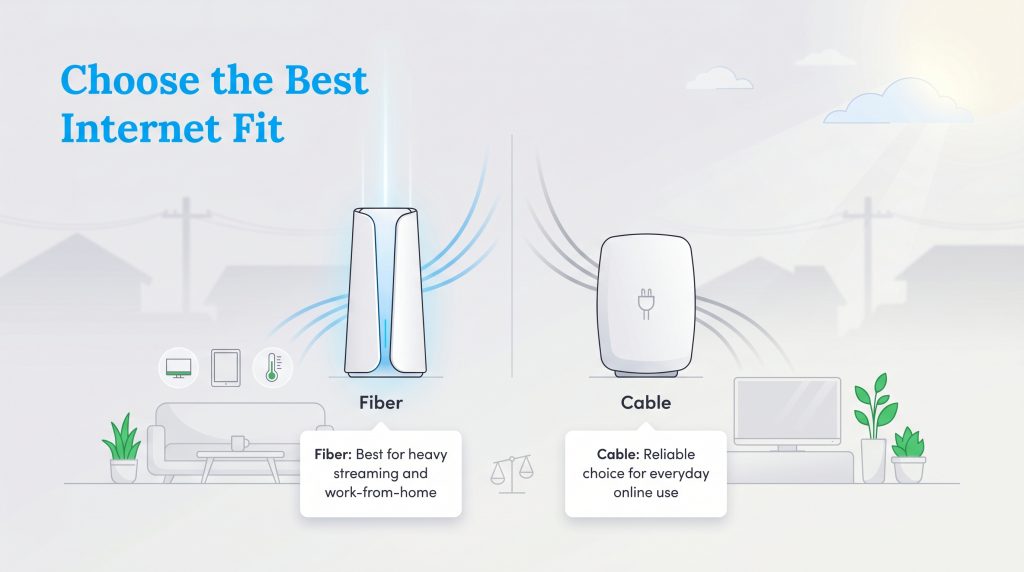
Deciding how to settle the Xfinity vs Frontier debate ultimately depends entirely on what physical wires run to your specific property. So, is Frontier better than Xfinity? Yes, but only if you have access to their advanced fiber-optic network. Before making a firm commitment, you must use tools like the FCC’s National Broadband Map to verify exact provider availability at your newly acquired street address.
- Choose Xfinity if you need instant, self-installed connectivity, you mostly consume media rather than upload large files, or the only Frontier service available at your address is outdated DSL.
- Choose Frontier if you have access to their fiber network, you require symmetrical upload speeds for a robust smart home setup, you want to avoid arbitrary data caps, or you frequently play competitive online games.
Traditional cable internet from Xfinity stands as a highly reliable, capable fallback that supports the vast majority of standard household streaming and browsing needs. However, the fundamental truth of modern networking remains consistent: fiber optics offer the superior technological foundation. By matching your daily digital habits with the physical infrastructure available at your specific street address, you can confidently secure a plan that supports your lifestyle without draining your wallet. If neither of these companies serves your neighborhood, you can easily explore other residential internet options to find the perfect technological fit.
Frequently Asked Questions About Xfinity vs Frontier
Is Frontier fiber better than Xfinity cable?
Does Xfinity or Frontier offer the cheapest internet?
Do I need a contract for Xfinity or Frontier internet?
Which provider has better upload speeds for gaming and video calls?
Is Frontier DSL worse than Xfinity cable?
Does Frontier use the same cables as Xfinity?
Can I use my Xfinity router if I switch to Frontier?
Why are Frontier upload speeds faster than Xfinity?
Does Xfinity or Frontier have stricter data caps?
How long does it take to install Frontier Fiber in a new home?
About the Author

David has been an integral part of some of the biggest utility sites on the internet, including InMyArea.com, HighSpeedInternet.com, BroadbandNow.com, and U.S. News. He brings over 15 years of experience writing about, compiling and analyzing utility data.