
Understanding the difference between how fast you pull data in and how fast you push it out is the key to choosing the right internet plan for your home.
Key Takeaways
- Download speed determines how fast you consume content like streaming movies, while upload speed handles sending data for video calls and gaming.
- Most cable plans offer asymmetrical speeds where download is significantly faster than upload, whereas fiber internet often provides symmetrical speeds.
- A “good” internet speed depends on your usage, but most modern households aim for at least 100 Mbps download and 20 Mbps upload.
Ever stared at an internet plan wondering what “300/10 Mbps” actually means for your daily life? You aren’t alone, navigating the technical jargon of service providers can feel like learning a new language, especially when you are setting up services in a new home and just want to watch Netflix without buffering or join a video call without freezing. We’re here to decode the difference between download and upload speeds so you don’t overpay for bandwidth you’ll never use or find yourself stuck with a connection that can’t keep up with your work demands.
Download vs. Upload Speed Meaning: The “Bits and Bytes” Explained
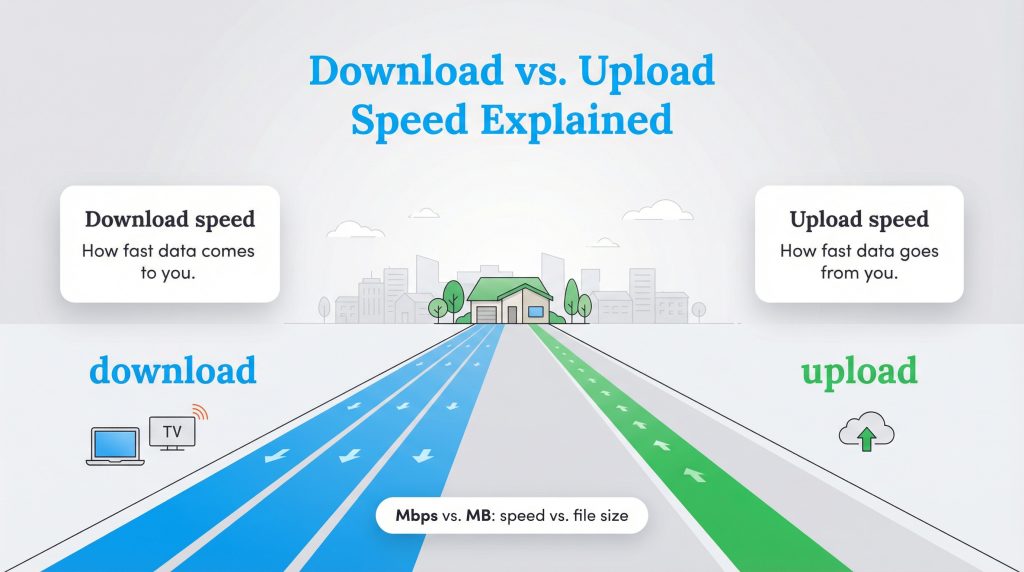
To pick the right plan for your new place, you first need to distinguish between the two main types of data transfer and understand the difference between upload and download speed. Download speed refers to how quickly your internet connection can retrieve data from the web. You use download bandwidth whenever you load a webpage, stream music on Spotify, or watch a movie on Disney+. It is the speed at which the internet delivers content to your device.
Upload speed is the opposite; it measures how fast your device can send data out to the internet. You rely on upload speed when you post a photo to Instagram, back up files to the cloud, or send your video feed during a Zoom meeting. While most people focus on download numbers, upload speed is the unsung hero of the work-from-home era.
Think of your internet connection like a highway leading to your house. The lanes bringing traffic into the city are your download speed, while the lanes leading out of the city are your upload speed. If you have five lanes coming in but only one narrow lane going out, traffic will jam up whenever you try to leave town.
It is also important to understand the measurement units. Internet speeds are measured in Mbps (Megabits per second), while file sizes are usually measured in MB (Megabytes). This difference can be confusing when you are trying to calculate how long a file will take to transfer.
Why is Upload Speed Slower Than Download Speed?
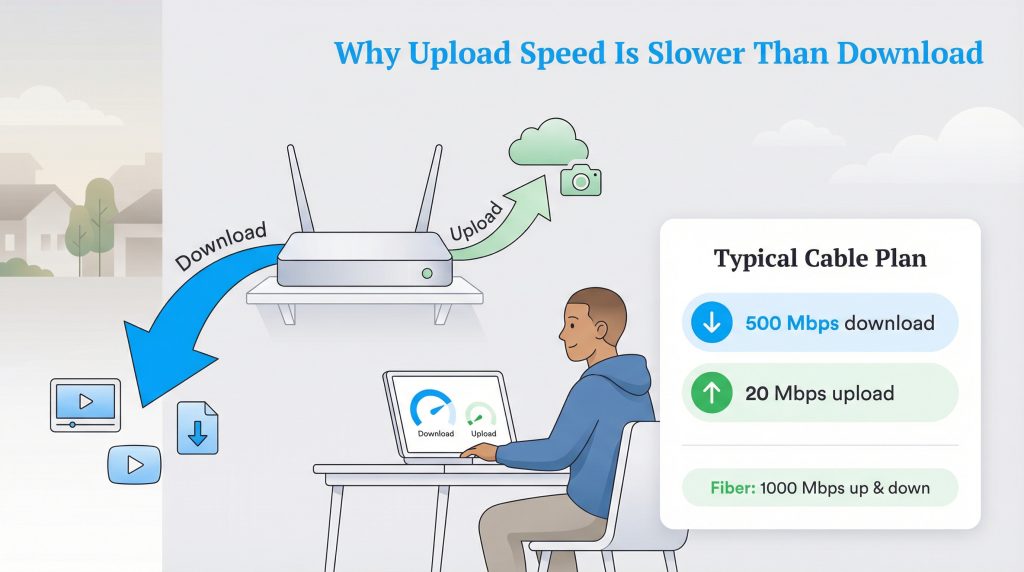
If you look at a typical cable internet plan, you might notice a huge gap between the two numbers, such as 500 Mbps download and only 20 Mbps upload. Why is upload speed slower than download speed? Historically, internet usage was passive. People spent most of their time consuming content, reading, watching, and listening, rather than creating it. Consequently, copper and cable networks were engineered to prioritize the “download lanes” to accommodate this traffic flow.
Symmetrical vs. Asymmetrical Speeds (Fiber vs. Cable)
Most traditional connections, like cable and DSL, are asymmetrical internet. Infrastructure limits how much data can be sent back up the line, creating that disparity between download and upload capabilities. However, the rise of fiber optic technology has changed the game. Fiber networks often provide symmetrical internet, meaning your upload speed is just as fast as your download speed. If you have a 1 Gig fiber plan, you likely get 1,000 Mbps for both downloading and uploading.
If you are comparing provider types, you can learn more about the differences in our internet utilities guide.
What is a Good Upload and Download Speed for Your Needs?
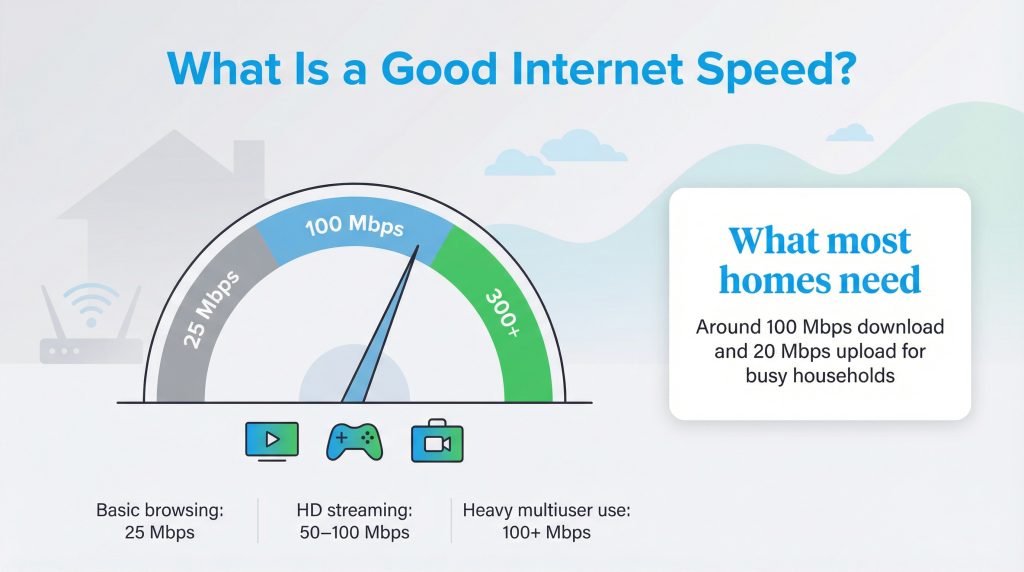
A “good” speed is entirely relative to what you do online. High numbers look impressive on paper, but you may not need top-tier performance for basic browsing. However, specific activities place heavy demands on your connection.
Streaming video is download-intensive. Watching a show in High Definition (HD) usually requires about 5 Mbps, while 4K Ultra HD streaming demands around 25 Mbps per stream. If three people in your house are watching 4K movies at the same time, you need at least 75 Mbps just to keep up.
Online gaming is a unique beast. Surprisingly, it doesn’t require massive download or upload speeds—often 3–5 Mbps is enough to function. The critical factor for gaming is latency (ping), which we will discuss later. However, games do require frequent updates and patches, so having a higher download speed is still beneficial for the overall experience. If you live stream your gameplay to Twitch or YouTube, you will need a robust upload speed of at least 10–15 Mbps.
Working from home has made upload speed critical. If your video freezes during conference calls or your voice sounds robotic, low upload speed is usually the culprit. For a smooth HD video call, you generally need at least 5–10 Mbps of dedicated upload speed per person.
Here is a quick breakdown of minimum requirements:
| Activity | Min Download | Min Upload |
|---|---|---|
| Email & Basic Browsing | 1–5 Mbps | 1 Mbps |
| HD Streaming (1080p) | 5–10 Mbps | 2 Mbps |
| 4K Streaming (UHD) | 25 Mbps | 5 Mbps |
| Zoom / Video Calls | 10 Mbps | 5–10 Mbps |
| Online Gaming | 25 Mbps | 3–5 Mbps |
The Federal Communications Commission (FCC) currently defines broadband as at least 100 Mbps download and 20 Mbps upload. Many modern households with multiple devices will find they need these higher speeds to run everything smoothly.
How Much Speed Does Your Household Actually Need?
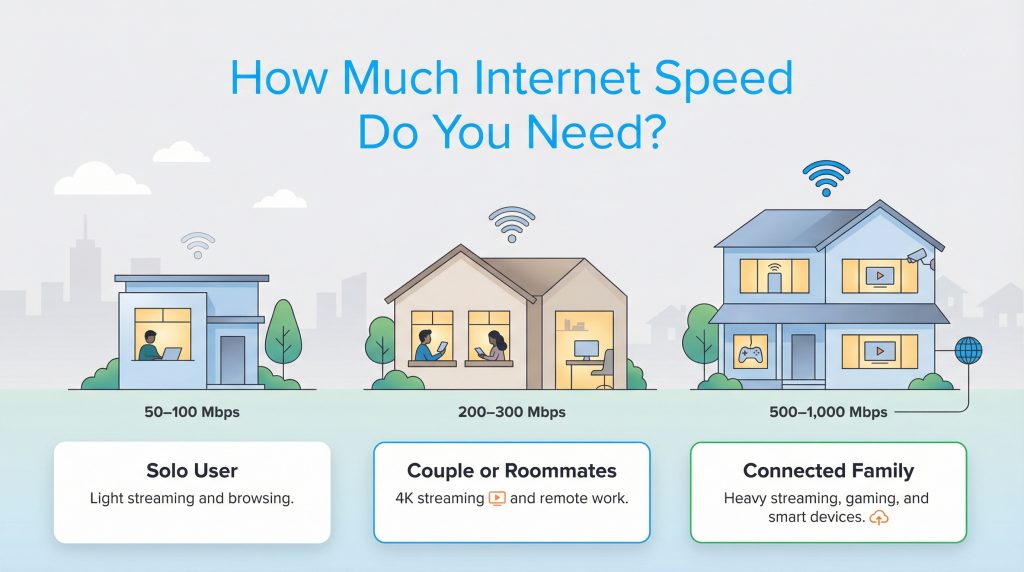
To avoid overpaying, match your plan to your household size and habits. You don’t always need the most expensive gigabit package the salesperson suggests.
The Solo User: Living alone with mostly light use means you don’t need a massive pipe. If you mostly browse the web, stream music, and watch Netflix, a plan with 50–100 Mbps download is plenty. You likely won’t notice the difference with a faster plan unless you download huge files regularly.
The Power Couple or Roommates: Couples or roommates who stream 4K content simultaneously or work from home at the same time need more headroom. Aim for 200–300 Mbps download and at least 20 Mbps upload. This ensures that one person’s video call doesn’t lag just because the other started downloading a game update.
The Connected Family: In a larger household with four or more users, smart home cameras, gaming consoles, and constant streaming, your bandwidth disappears quickly. A plan with 500 Mbps to 1 Gig (1,000 Mbps) is ideal. For this group, fiber internet is highly recommended to handle the heavy upload demands of multiple video calls and cloud backups.
| Household Type | Recommended Download | Recommended Upload | Notes |
|---|---|---|---|
| Solo User | 50–100 Mbps | 5–10 Mbps | Best for browsing and HD streaming. |
| Power Couple / Roommates | 200–300 Mbps | 20+ Mbps | Supports simultaneous WFH calls and 4K streaming. |
| Connected Family (4+ Users) | 500 Mbps – 1 Gig | 50+ Mbps (Symmetrical preferred) | Essential for multiple devices, gaming, and smart home tech. |
Latency vs. Speed: The Hidden Factor
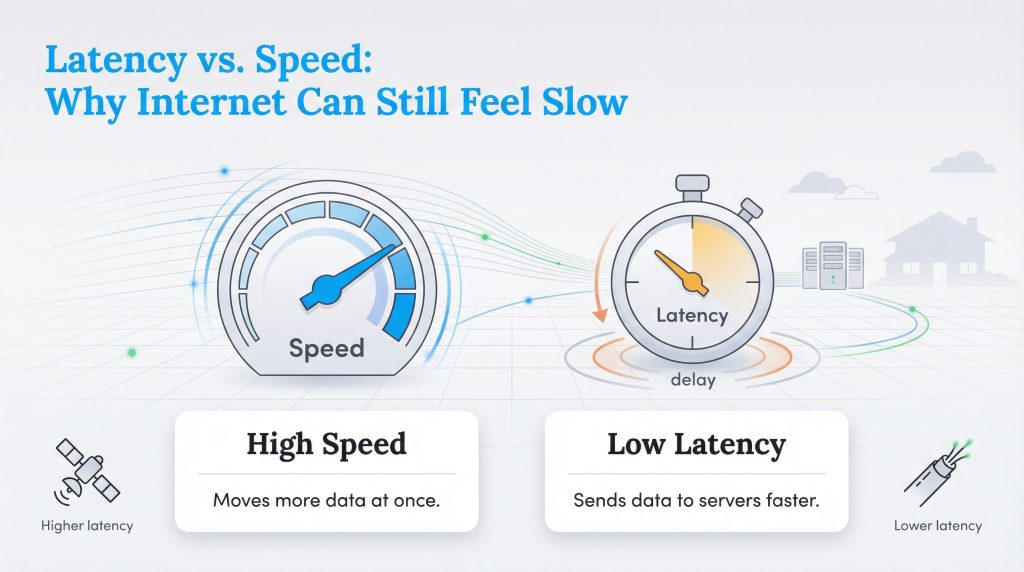
Sometimes you might have a fast plan, but your internet still feels “slow.” This is often due to latency, also known as ping. While download speed measures how much data moves at once, latency measures how fast a single piece of data travels to the server and back.
High latency causes that annoying delay in video calls where people accidentally talk over each other. In gaming, it results in “lag,” where your character reacts a split second after you press the button. Satellite internet typically has high latency because the signal travels to space and back. Fiber internet generally offers the lowest latency, making it the best choice for real-time activities like gaming and conferencing.
How to Check and Improve Your Internet Speeds
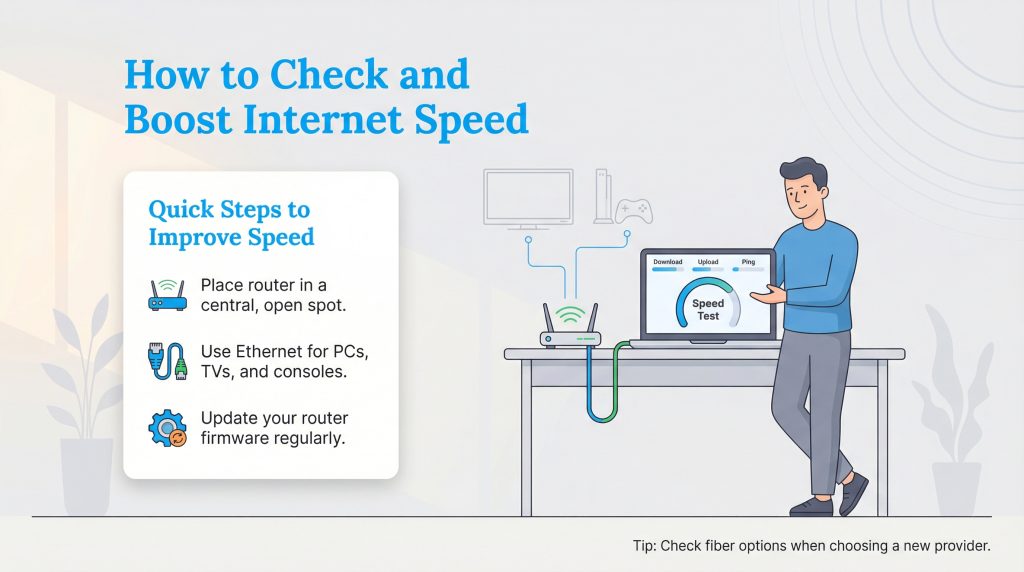
If you are experiencing buffering, run a speed test using a reputable website. For the most accurate result, plug your computer directly into the router with an Ethernet cable. Wi-Fi signals fluctuate based on distance and interference, so a wired test shows you the true speed reaching your home.
If your speeds are lower than what you pay for, try these troubleshooting tips:
- Move your router: Place it in a central, open location away from thick walls or metal appliances.
- Use Ethernet: Wire stationary devices like PCs, TVs, and gaming consoles to free up Wi-Fi bandwidth for phones and tablets.
- Update firmware: Log into your router’s admin panel and ensure it is running the latest software version.
If you are moving to a new area, like Houston, check which providers offer fiber connections early in your search. This ensures you get the best possible infrastructure for your home office and entertainment needs.
Finding the Right Balance for Your Home Connection
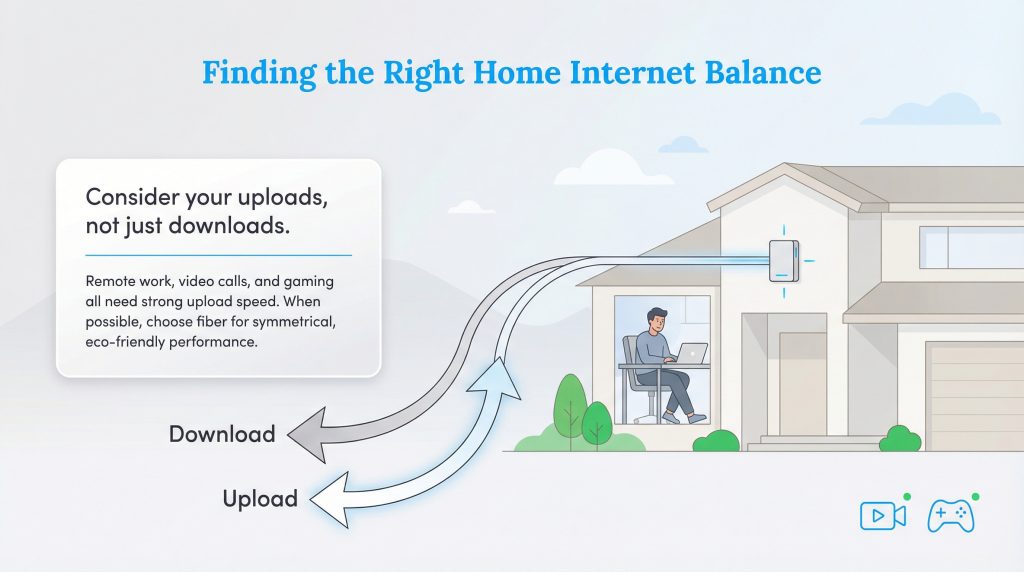
While download speed grabs the headlines in advertisements, upload speed is the unsung hero of the modern digital home. Before you sign a contract, take a realistic inventory of your devices and how you use them. If you work from home or have gamers in the house, prioritize a plan with strong upload capabilities. Whenever available, fiber internet is the gold standard, offering symmetrical speeds that keep your connection fast, reliable, and an environmentally mindful choice.
FAQs About Internet Speeds
What’s the difference between upload and download speed?
Is upload or download speed more important?
Why is my upload speed so much slower than my download speed?
What is a good upload speed for gaming?
Does internet speed affect Wi-Fi range?
What is a good internet speed for working from home?
Do I need symmetrical internet speeds for working from home?
About the Author

David has been an integral part of some of the biggest utility sites on the internet, including InMyArea.com, HighSpeedInternet.com, BroadbandNow.com, and U.S. News. He brings over 15 years of experience writing about, compiling and analyzing utility data.