

Evaluating Xfinity and CenturyLink can help you secure the most reliable and efficient network for your new home setup

- 2 Gbps
- Cable & Fiber
- Unlimited
- $30.00/mo

- 940 Mbps
- DSL & Fiber
- 1 TB
- $50.00/mo
*Not all internet providers and speeds available in all areas.
Key Takeaways
- CenturyLink’s fiber internet is generally more energy-efficient and provides better upload speeds than standard cable connections.
- Xfinity offers a much wider variety of budget and speed tiers, making it highly customizable for different household sizes and needs.
- Always check local availability first, as internet speeds and infrastructure types for both providers vary drastically by zip code.
Moving into a new place means navigating a maze of utility choices, and figuring out whether Xfinity vs CenturyLink makes sense for your network is often right at the top of the list. We know setting up a seamless, sustainable home requires picking an internet service provider that actually supports all your smart devices without draining your wallet or the power grid. If you are looking to stream movies, work from home reliably, and keep your energy monitors running smoothly, we are here to break down the real differences between these two heavyweights. This guide compares their download speeds, pricing structures, and eco-impact so you can choose the best connection for your new space.
Xfinity vs. CenturyLink: At a Glance
When comparing top internet providers like these two giants, understanding the underlying network technology is crucial. A direct Comcast vs CenturyLink comparison — keeping in mind that Comcast operates under the Xfinity brand — reveals two very different approaches to home networking. Xfinity relies primarily on a vast coaxial cable infrastructure, offering impressive download speeds and widespread national availability. CenturyLink splits its services between traditional DSL for rural or older neighborhoods and highly efficient fiber-optic connections in growing urban markets. Because branding varies by address, check your exact address before comparing plans. The details below show how they stack up side by side.
| Provider | Best For |
|---|---|
| Xfinity | Homes that need wide availability, flexible speed tiers, and strong download speeds. |
| CenturyLink Fiber | Homes with fiber access that want fast uploads, unlimited data, and simpler pricing. |
| Xfinity over CenturyLink DSL | Addresses where CenturyLink only offers slower DSL service. |
| Feature | Xfinity | CenturyLink |
|---|---|---|
| Starting Price | Varies by market; entry plans may start around $20–$35/mo with promotions | Varies by market; DSL and Fiber prices differ |
| Connection Types | Cable, limited Fiber | Fiber, DSL |
| Data Caps | 1.2 TB (on most plans) | Fiber often unlimited; DSL policies may include usage thresholds |
| Contracts | Promotional rates and term agreements vary by plan and market | No annual contract |
Prices, speeds, taxes, equipment fees, and data policies change by address and promotion. Use this table as a planning guide, then confirm the exact offer at your new home before ordering service.
Xfinity Pros and Cons:
- Pro: Massive national availability and high top-end download speeds.
- Pro: Frequent promotional deals for new customers looking to save upfront.
- Con: Data caps apply to most standard plans, limiting heavy users.
- Con: Promotional pricing can be confusing, and monthly bills often jump significantly after the initial contract period ends.
- Con: Upload speeds are often much lower than download speeds on cable plans.
CenturyLink Pros and Cons:
- Pro: Simple, no-contract pricing on many plans limits unexpected rate hikes.
- Pro: Fiber plans feature unlimited data and symmetrical upload/download speeds.
- Con: The faster fiber network is still limited in availability across the country.
- Con: Branding between CenturyLink and Quantum Fiber can be confusing, and traditional DSL speeds are often too slow for modern households.
Comparing Internet Speeds and Network Reliability
Speed and reliability serve as the backbone of a modern, energy-efficient smart home. When you look closely at Xfinity vs CenturyLink fiber, the upload speeds present the most striking difference. Fiber-optic connections provide symmetrical speeds, meaning your uploads are just as fast as your downloads. This proves vital if you run smart security cameras that constantly upload high-definition video to the cloud, or if you regularly participate in back-to-back video calls while someone else games in the next room. Xfinity’s cable network offers incredibly fast downloads — often reaching up to 1,200 Mbps — but upload speeds usually cap out much lower, which can occasionally cause latency when multiple smart devices compete for bandwidth at the same time.
The dynamic changes entirely if you are moving to an area where fiber hasn’t rolled out yet. Pitting CenturyLink DSL vs Xfinity cable tells a different story, as Xfinity’s coaxial infrastructure vastly outperforms older DSL lines. DSL relies on traditional copper phone lines, meaning the farther you live from the provider’s neighborhood hub, the weaker your signal becomes. If your new home heavily utilizes smart thermostats, live energy monitors, and automated lighting systems, a sluggish DSL connection might struggle to keep everything synced seamlessly.
To get a clear picture of network dependability, checking out the American Customer Satisfaction Index (ACSI) telecommunications report is a smart move before signing a contract. Fiber networks are often considered more reliable because fiber-optic lines are less susceptible to electrical interference than copper-based networks. Actual outage performance still depends on local infrastructure, maintenance, and storm damage. Reliable internet ensures your energy-saving smart routines — like automatically adjusting the HVAC when you leave for work — fire off exactly when they should, keeping your carbon footprint small and your home comfortable.
💡 Pro Tip: Match your speed plan to your actual household usage rather than overpaying for unnecessary gigabit speeds. A standard 300 Mbps connection easily supports 4K streaming, remote work, and a dozen smart home devices simultaneously without breaking a sweat.
Plans, Pricing, and Hidden Costs
Budgeting for a new home means locking in utility costs you can actually predict. The Xfinity vs CenturyLink price structure is a perfect study in contrasts. CenturyLink Fiber plans are often marketed with simple, no-contract pricing, but price guarantees vary by location and promotion. Before you sign up, check the current offer details for your address and confirm whether taxes, fees, equipment, or future rate changes apply. Plus, CenturyLink’s fiber plans typically ditch data caps entirely, giving you unrestricted access for streaming, downloading, and running a fully automated smart home.
Xfinity takes a distinctly different route by focusing on aggressive promotional pricing to get you in the door. You might score blazing-fast internet for an incredibly low rate during your first 12 to 24 months. However, once that promotional period expires, your monthly bill can jump significantly. You also need to keep an eye on Xfinity’s 1.2 TB monthly data cap applied to most standard plans. While 1.2 TB provides plenty of data for the average family, a household full of heavy gamers and 4K streamers could easily hit that ceiling and face unexpected overage charges.
Factoring in equipment rental fees is another crucial step when comparing long-term costs. Equipment fees vary; Xfinity commonly charges a gateway rental fee around $14 to $15 a month, while CenturyLink Fiber equipment policies depend on your specific plan and market. Over the course of a two-year contract, that adds up to nearly $360 — money that could easily go toward other ways to lower your monthly utility bills.
Xfinity Plans and Pricing
| Plan Name | Price | Download Speeds | Connection Type | |
|---|---|---|---|---|
| NOW Internet | $30 /month | Up to 100 Mbps | Cable | Check Availability |
| 300 Mbps | $40 /month | Up to 300 Mbps | Cable | Check Availability |
| 300 Mbps w/ 5 year price lock | $45 /month | Up to 300 Mbps | Cable | Check Availability |
| 500 Mbps | $50 /month | Up to 500 Mbps | Cable | Check Availability |
| 500 Mbps w/ 5 year price lock | $60 /month | Up to 500 Mbps | Cable | Check Availability |
| 1000 Mbps | $60 /month | Up to 1000 Mbps | Cable | Check Availability |
| 1000 Mbps w/ 5 year price lock | $70 /month | Up to 1000 Mbps | Cable | Check Availability |
| 2000 Mbps | $90 /month | Up to 2 Gbps | Fiber | Check Availability |
| 2000 Mbps w/ 5 year price lock | $100 /month | Up to 2 Gbps | Fiber | Check Availability |
CenturyLink Plans and Pricing
| Plan Name | Price | Download Speeds | Connection Type | |
|---|---|---|---|---|
| 100 Mbps | $55 /month | Up to 100 Mbps | DSL | Check Availability |
| 500 Mbps | $50 /month | Up to 500 Mbps | Fiber | Check Availability |
| Fiber Gigabit | $75 /month | Up to 940 Mbps | Fiber | Check Availability |
Total Cost Checklist
Readers moving into a new home care about the real monthly bill, not just advertised pricing. Use this checklist to uncover the true cost of your internet connection:
- Monthly base price
- Equipment rental fees
- Installation or activation fees
- Autopay discounts
- Data-cap fees or unlimited-data add-ons
- Post-promotion price
- Contract or early termination terms
- Taxes and local fees
💸 Money-Saver: Purchasing your own compatible modem and router eliminates monthly equipment rental fees. Just ensure the hardware you buy is explicitly approved by your provider to avoid frustrating connection issues down the line.
The Sustainability Angle: Which ISP Uses Less Energy?
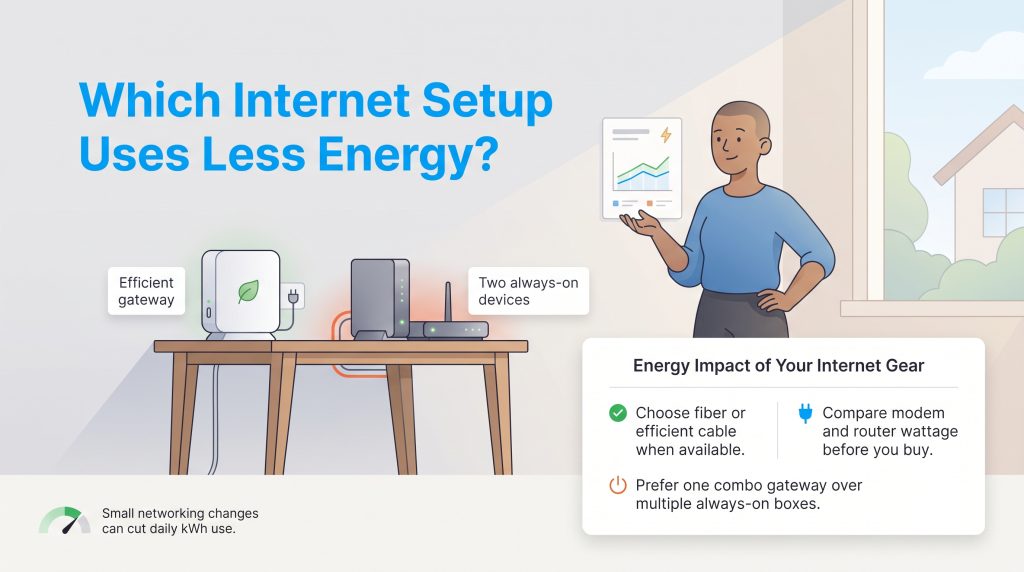
When we think about greening our homes, internet service rarely comes to mind — but the infrastructure powering your connection carries a real environmental footprint. Fiber is generally the more energy-conscious internet technology because it can move large amounts of data with less signal loss than copper-based cable or DSL networks. That doesn’t automatically make every fiber plan “green,” but it does make fiber an environmentally mindful choice when it’s available, affordable, and paired with efficient home networking equipment.
Closer to home, the networking hardware sitting on your desk also dictates your internet’s daily energy consumption. Modems and routers are notorious for their vampire draw, pulling constant standby power 24 hours a day, seven days a week. For your home setup, compare the wattage listed on modem and router power adapters, choose only the coverage you need, and look for features like automatic sleep modes, Wi-Fi scheduling, and efficient mesh-node management. Small choices matter when networking gear stays plugged in all day.
Upgrading to energy-saving equipment reduces your daily kilowatt-hour usage and cuts down on long-term electronic waste. Whether you opt for an energy-efficient coaxial setup or a low-impact fiber connection, being mindful of your home network’s hardware is a simple, effective step toward running a more sustainable household.
🌱 Eco Edge: Opting for a single combination modem-router gateway rather than running two separate devices can noticeably lower your home’s continuous power consumption over the course of a year. Additionally, oversized mesh systems can waste electricity if your home doesn’t actually need the extended range.
Installation, Availability, and Customer Service
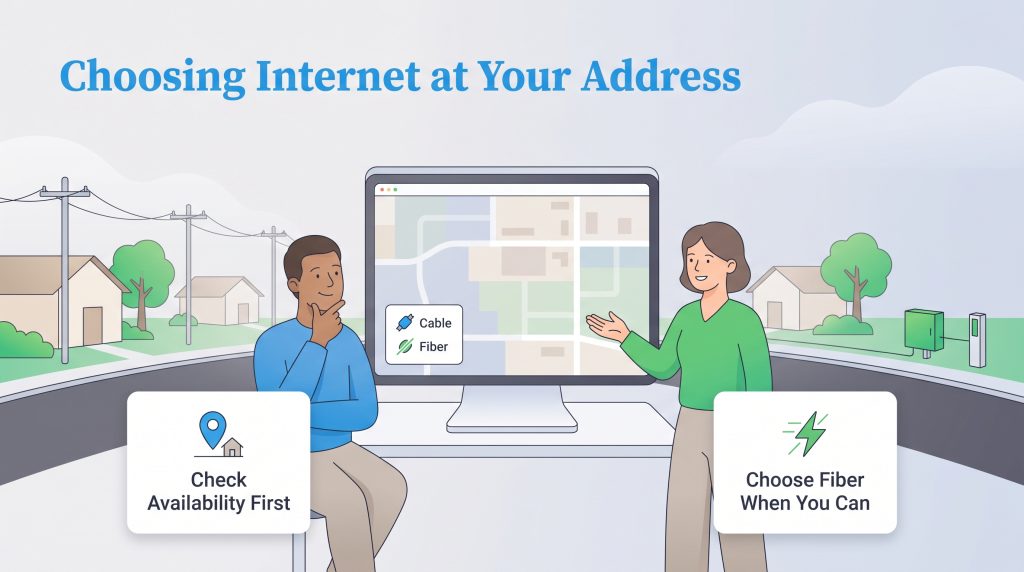
Finding the perfect internet plan means very little if the provider hasn’t actually laid cables in your neighborhood yet. When looking at Xfinity vs CenturyLink availability, Xfinity boasts a massive national footprint, servicing millions of homes across dozens of states with high-speed cable internet. CenturyLink operates much more regionally and is currently navigating a massive transition phase. They are actively upgrading their older DSL network to high-speed fiber lines. Because infrastructure can literally change from one side of the street to the other, we highly recommend checking the FCC National Broadband Map to verify exactly what speeds and connection types reach your specific address.
Navigating Xfinity vs CenturyLink customer service often brings up similar frustrations common across the entire telecommunications industry. Xfinity provides extensive support through its mobile app, physical retail stores, and online chat, though customers frequently report long wait times to reach a human representative. CenturyLink offers a more streamlined digital support system, especially for its newer fiber customers, but getting a technician dispatched for legacy DSL repairs can sometimes require patience. Ultimately, user satisfaction typically spikes for both providers when customers operate on the faster, more reliable fiber networks.
How to Choose Between Xfinity and CenturyLink at Your Address
- Check the FCC National Broadband Map for your address.
- Check both provider websites for actual available plans.
- Confirm whether CenturyLink is offering DSL or CenturyLink Fiber.
- Compare total monthly cost after promotions, including router rental, data fees, installation, and taxes.
- Choose fiber if available and reasonably priced; choose Xfinity over CenturyLink DSL for most high-speed households.
How to Pick the Better Internet Provider for Your Home
Deciding between CenturyLink vs Xfinity internet ultimately comes down to the specific infrastructure wired into your neighborhood and your personal budget preferences. Choose CenturyLink if you have access to their cutting-edge fiber network, want symmetrical upload speeds to support your smart home devices, and prefer the predictability of flat-rate pricing without data caps. It operates as the strongest choice for an eco-conscious household demanding heavy bandwidth.
Choose Xfinity if CenturyLink only offers traditional DSL at your address, or if you need highly customizable budget tiers. Xfinity’s vast cable network delivers phenomenal download speeds that will keep any modern family streaming and working without a hitch, provided you don’t mind navigating promotional contracts and standard data caps. Evaluate your real-world usage, check your local availability, and lock in the connection that keeps your home running efficiently.
Frequently Asked Questions About Xfinity and CenturyLink
Here are a few common questions we hear from homeowners and renters trying to decide between these two internet service providers.
Is CenturyLink better than Xfinity?
Does Xfinity or CenturyLink have better customer service?
Which provider is better for a smart home setup?
Can I use my own modem with Xfinity and CenturyLink?
Does CenturyLink fiber use less electricity than Xfinity cable?
Are there data caps with CenturyLink or Xfinity?
How hard is switching from Xfinity to CenturyLink?
About the Author

David has been an integral part of some of the biggest utility sites on the internet, including InMyArea.com, HighSpeedInternet.com, BroadbandNow.com, and U.S. News. He brings over 15 years of experience writing about, compiling and analyzing utility data.

LaLeesha has a Masters degree in English and enjoys writing whenever she has the chance. She is passionate about gardening, reducing her carbon footprint, and protecting the environment. She also recently served as President of the Board for City Sprouts (a community garden).