


A home energy monitor can show where your electricity goes, helping you spot waste, compare appliances, and make smarter energy-saving choices.
Key Takeaways
- Real-time electricity tracking helps you spot unusual usage patterns before they turn into surprise bills.
- Whole-house monitors are best for homeowners, while plug-in energy monitors are safer, simpler options for renters.
- Solar compatibility, app alerts, and privacy controls are key features to compare before choosing a monitor.
Opening an unusually high electric bill often triggers a frustrating game of household detective work, leaving you wondering whether the air conditioner, the water heater, or the kids leaving the lights on is to blame. Rising electricity rates certainly don’t help the situation, but modern technology can give you the data required to better manage unpredictable utility costs. We’ve rounded up some of the best tools to help you track your usage, catch hidden power drains, and make more informed energy-saving decisions without sacrificing comfort.
We selected these home energy monitors based on published manufacturer specifications, installation requirements, app features, solar compatibility, privacy options, typical retail pricing, and usefulness for homeowners or renters. Pricing and availability can change, so confirm details before buying.
Quick Comparison: Top Home Energy Monitors at a Glance
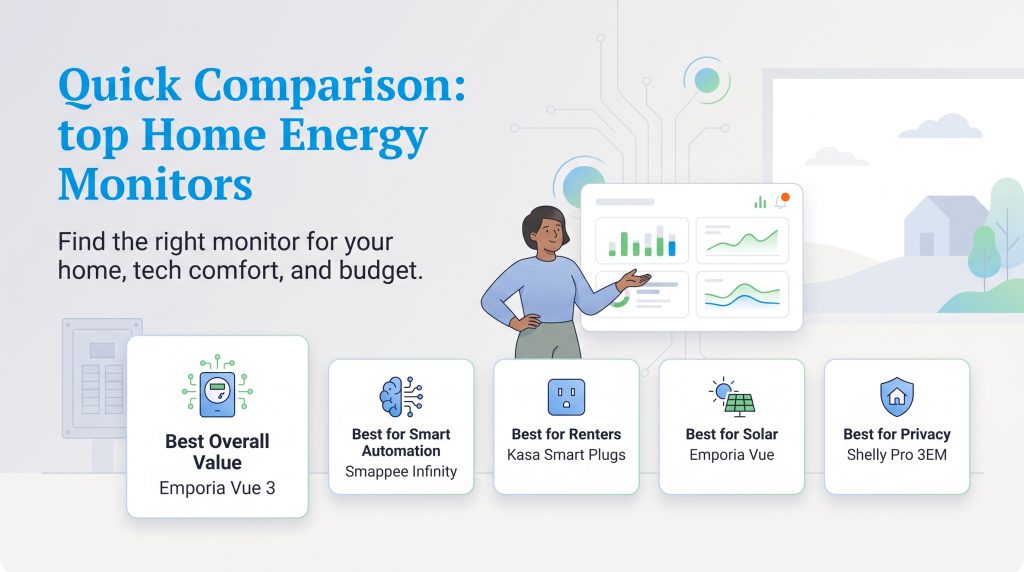
Finding the right energy tracker ultimately depends on your living situation, technical comfort level, and budget. The marketplace offers an environmentally mindful choice for everyone, from hardcore data nerds modifying their smart homes to renters simply trying to lower their monthly expenses.
| Category | Top Model Suggestion | Estimated Price Range | Best For | Main Trade-off |
|---|---|---|---|---|
| Best Overall Value | Emporia Vue 3 | $100 to $160 | Granular, circuit-level tracking | Cluttered electrical panel wiring |
| Best for Smart Automation & AI Detection | Smappee Infinity | $600 to $1800 | True Machine-Learning | Takes time to learn appliances |
| Best for Renters | Kasa Smart Plug (Select Models) | $15 to $40 (Multi-packs) | Tracking single appliances | Cannot measure whole-home usage |
| Best for Solar | Emporia Vue | $160 to $350 | Bi-directional power tracking | Requires extra hardware clamps |
| Best for Privacy | Shelly Pro 3EM | $70 to $150 | Local network control | Requires networking and electrical knowledge |
If you want the most detailed circuit-level data, Emporia Vue is likely the better fit. If you want simpler hardware and appliance detection powered by software, Sense may be more appealing. If you rent, start with energy-monitoring smart plugs instead of panel-mounted hardware.
Whether you choose an advanced whole-home system or a simple smart plug, keeping tabs on your electrical draw provides valuable peace of mind. Using a reliable real-time electricity monitor naturally shifts your awareness, ensuring you’re never caught off guard when the utility company calculates your monthly totals.
Why You Need a Smart Electricity Monitor
Understanding exactly how to monitor home electricity usage is one of the most effective ways to lower your carbon footprint and keep cash in your wallet. The U.S. Energy Information Administration notes that numerous factors impact residential electricity prices, including generation costs, transmission upgrades, and unpredictable weather events. Because we can’t control the baseline cost of electricity, our best defense is controlling how much we consume.
Energy trackers demystify your usage by displaying exactly where your power goes in visual, easy-to-read charts. If you’re setting up a home electric service, instead of guessing which appliance caused a spike, you get hard data pointing you directly to the culprit.
💸 Money-Saver: Identifying and unplugging idle electronics that draw “vampire” power can immediately eliminate unnecessary waste. Taking a few moments to address these phantom drains is a crucial step when figuring out how to save on your electric bill.
Top Whole-House Power Monitors for Homeowners
If you own your property and want a comprehensive overview of your consumption, installing the best whole house power monitor is an excellent solution. These robust systems utilize current transformer (CT) clamps that physically clip around the main power mains inside your electrical breaker box. As electricity flows through the wires, the clamps safely measure the magnetic field to estimate electrical current, giving the monitor the data it needs to calculate your energy use.
Emporia Vue: The Best Budget-Friendly Deep Dive
When it comes to balancing affordability and granular data, the Emporia Vue 3 smart home energy monitor is a standout choice. Unlike monitors that rely entirely on algorithms to guess what is running, the Emporia system includes multiple smaller sensors that clip directly onto individual circuit breakers. While the base unit starts at a lower price point, upgrading to a kit with 16 circuit sensors provides the most value. This hardwired approach means you can clearly see exactly what the kitchen outlets or the HVAC system draw at any given moment. The companion app provides historical graphs and circuit-level usage views, which can help you spot patterns over time.
- Good fit if: You want circuit-level tracking and don’t mind a more involved installation.
- Skip it if: Your electrical panel is crowded or you want a very simple setup.
Best for Smart Automation & AI Detection: Smappee Infinity
Replacing our previous “Best AI Detection” pick, the discontinued Sense Home Energy Monitor.
For years, the Sense Home Energy Monitor occupied this slot because of its algorithmic approach: clamping two sensors onto your main power lines and letting machine learning identify individual appliances by their electrical signatures. However, Sense has retired its direct-to-consumer electrical panel monitors to focus on software embedded directly into utility smart meters.
If you are looking for an intelligent system that still uses automated load recognition — while offering the advanced automations Sense never quite mastered — the Smappee Infinity is the premier choice.
Smappee is one of the few platforms on the market with patented Non-Intrusive Load Monitoring (NILM) technology. Crucially, Smappee avoids the accuracy traps that often frustrated Sense users by deploying a hybrid architecture. Rather than forcing AI algorithms to guess every complex variable-speed heat pump or inverter motor in your home, Smappee uses direct CT clamps for heavy, fluctuating circuits, smart plugs for targeted plug loads, and its machine-learning engine to identify baseline appliances across the remaining electrical footprint.
Why We Recommend Smappee Infinity
- True Machine-Learning Recognition (With a Safety Net): Like Sense, Smappee can analyze your total current waveform to estimate and pick out appliance cycles. Because pure NILM can struggle with modern variable-speed appliances, Smappee lets you clamp dedicated sensors onto heavy loads (like heat pumps or EV chargers) while letting its AI track the rest.
- Active Energy Orchestration, Not Just Monitoring: Most home energy monitors only display historical graphs. Smappee functions as an active Energy Management System (EMS). It features dynamic load balancing that automatically throttles EV charging rates if your home’s total demand approaches your service limit, and it can automatically trigger hot water heaters or home batteries when your solar panels are producing surplus power.
- Modular and Expandable Architecture: The system uses compact, DIN-rail modules—including the Power Box (voltage sensing), CT Hubs (each taking up to 4 CTs), and the Genius gateway. You can daisy-chain up to seven CT Hubs to monitor up to 28 individual circuits across single-phase or three-phase panels.
- Open Smart Home Integration: Smappee provides local MQTT, REST APIs, and native Home Assistant compatibility, making it popular among tech-forward homeowners who want to trigger automated scenes based on live electrical production and grid rates.
Where It Falls Short
- High Cost of Entry: Smappee Infinity is an enterprise-grade platform adapted for prosumers. Basic residential starter kits start around $600, and fully equipped kits with EV load balancing can reach $1,850.
- Complex DIN-Rail Installation: Unlike traditional monitors that tuck loosely inside standard North American NEMA electrical panels, Smappee components mount to a DIN rail. This typically requires an external sub-enclosure or a panel with dedicated DIN rails, making professional electrician installation mandatory.
What Happened to Sense? (Check Your Smart Meter First)
Before shopping for a standalone monitor, check whether your electric utility has already given you Sense for free. Sense has partnered with major power providers (including National Grid, Rhode Island Energy, and Portland General Electric) to build its software directly into next-generation “AMI 2.0” digital smart meters.
If your utility has installed an eligible smart meter, you can download the Sense Home app, link your account, and access real-time device detection over Wi-Fi without buying any hardware or opening your electrical panel. Check your utility’s website or Sense’s meter eligibility tool to see if your home qualifies.
A Word of Caution: The Schneider Energy Monitor (Square D)
You might encounter the Schneider Energy Monitor (formerly Square D Wiser Energy) during your research, which was built using licensed Sense hardware and machine learning. Schneider has severed its integration with the original Sense app and migrated users to the proprietary Schneider Home platform. Following the transition, the platform has suffered severe user ratings due to recurring cloud disconnections, dropped device syncs, and the removal of live, second-by-second data streams. We do not recommend purchasing it as a Sense substitute.
Best Plug-In Energy Monitors for Renters and Small Spaces
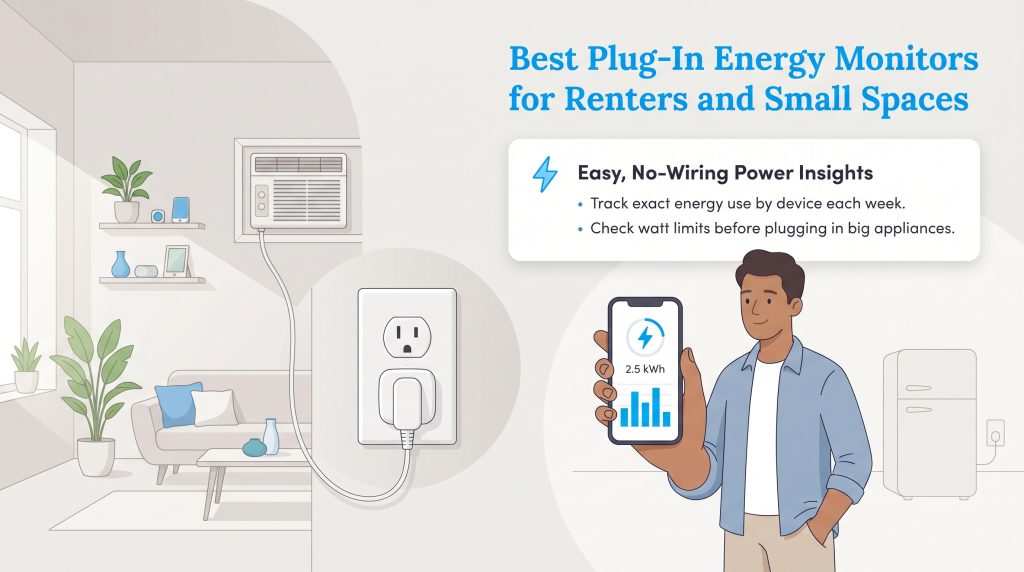
Not everyone has the legal right or the technical desire to open a high-voltage electrical panel. If you lease an apartment or rent a house, a plug-in energy monitor serves as the perfect eco-conscious alternative. Smart plugs from brands like Kasa by TP-Link simply plug into your existing wall outlets, allowing you to connect a single device and monitor its specific power consumption via a smartphone app. Just be sure to use a model that specifically lists energy monitoring, such as select Kasa or Tapo models, as not every smart plug tracks electricity use.
These compact trackers are highly effective for pinpointing the cost of high-draw seasonal equipment. You can easily calculate exactly how much money your window air conditioning unit costs during a July heatwave, or find out if that old basement refrigerator is quietly eating up your utility budget. Because they require zero wiring, you can unplug them and move them around the house to audit different devices week by week.
💡 Pro Tip: Always verify the maximum wattage rating on a smart plug before connecting heavy-duty appliances. Avoid using smart plugs with space heaters unless the manufacturer explicitly says the model is rated for that use.
Advanced Tracking: Solar Power and Smart Home Integration
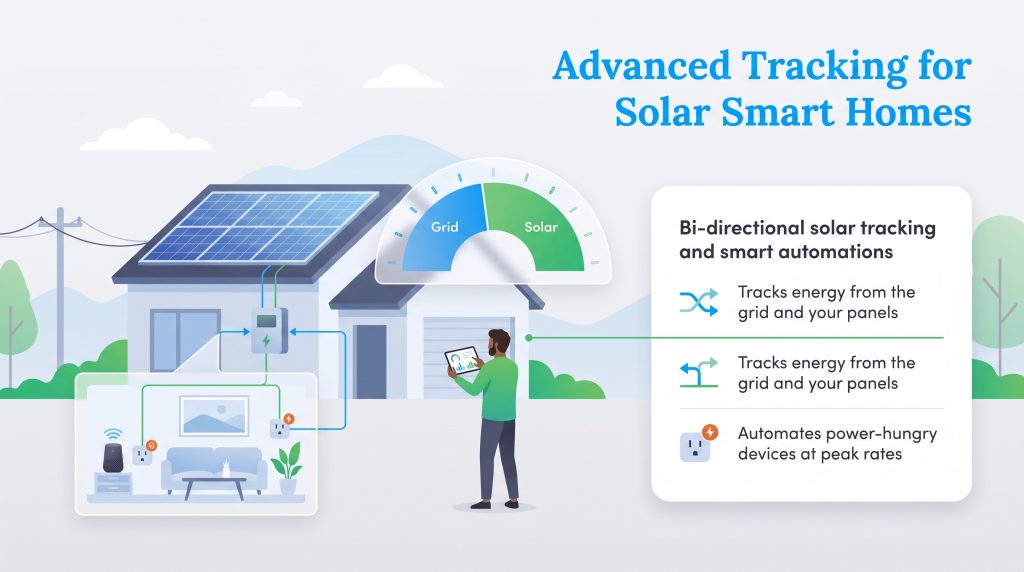
As home infrastructure becomes increasingly modernized, energy trackers are adapting to support complex electrical setups. If you’ve recently invested in home solar options, you need a solar power energy monitor capable of bi-directional tracking. These specialized models feature extra sensors that measure the electricity you pull from the utility grid alongside the clean energy your panels generate, giving you a complete picture of your home’s net consumption.
Tech-savvy early adopters who run automated routines will want to seek out the best home energy monitor for home assistant platforms. Open-source compatibility allows you to trigger clever automations based on real-time data. For instance, you could program your system to automatically turn off power-hungry smart plugs whenever energy rates hit peak pricing hours, ensuring your home actively works to conserve resources.
How to Choose the Right Home Energy Monitor for Your Home
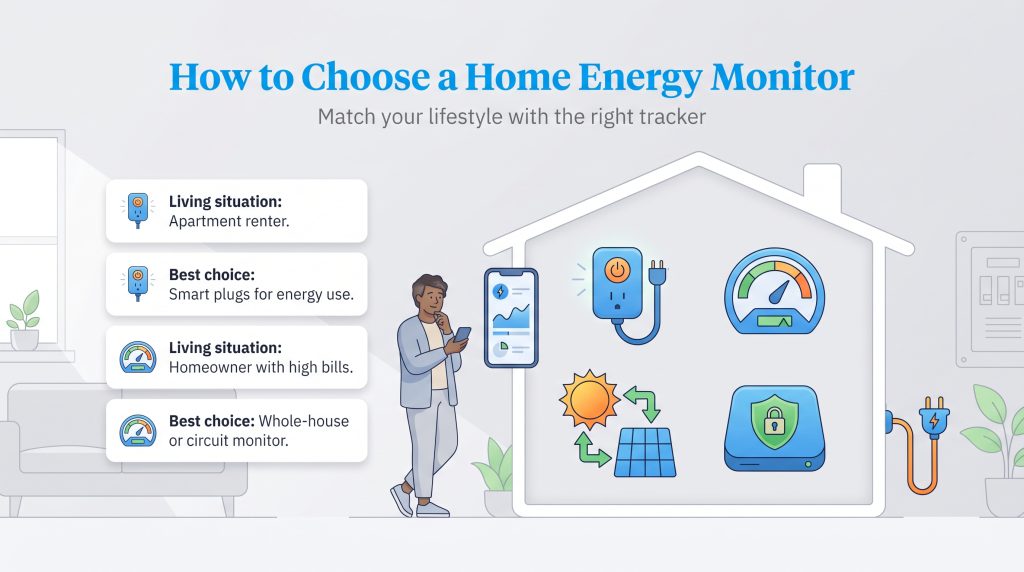
Finding the ideal energy tracker involves evaluating whether you rent or own, your comfort level with DIY electrical work, and your specific smart home goals. Here is a quick guide to matching your situation with the right technology.
| Living Situation | Best Monitor Type | Why |
|---|---|---|
| Apartment renter | Energy-monitoring smart plug | No panel access or wiring changes |
| Homeowner with high bills | Whole-house monitor | Tracks total usage and major circuits |
| Solar homeowner | Bi-directional solar monitor | Compares grid use and solar production |
| Privacy-focused smart home user | Local-control monitor | Reduces cloud dependency |
| EV owner | Circuit-level monitor | Tracks charging costs more accurately |
What to Consider Before Buying an Energy Monitor
Purchasing the right hardware involves more than just picking the most popular brand off the shelf. You need a device that matches your living situation, your technical expertise, and your privacy preferences.
Installation Safety: DIY vs. Hiring an Electrician
While smart plugs install in seconds, whole-home units require you to remove the metal cover of your breaker box to attach sensors around the main power lines. Even if you consider yourself handy, opening a live electrical panel is inherently dangerous. If you do not have experience working around high voltage, we strongly advocate hiring a licensed, professional electrician to handle the installation.
🚩 Heads Up: Working inside an electrical breaker panel carries a severe risk of lethal shock or arc flashes. Prioritizing your personal safety is always more important than saving a few dollars on installation fees.
The App Experience and Real-Time Alerts
Hardware is only half of the equation; the software dictates how useful the data actually is. Choosing a home energy monitor with app notifications can prevent daily mishaps from turning into expensive disasters. The best applications allow you to set custom alerts, pinging your phone if a dangerous appliance — like an electric oven or space heater — is left running longer than usual.
Data Privacy and Cloud Dependency
Many modern trackers require a constant internet connection to beam your consumption habits to manufacturer-owned cloud servers. While this enables remote viewing when you’re away from home, it presents a significant data privacy concern for some users. Shelly devices, like the DIN-rail mounted Shelly Pro 3EM, are popular with advanced users because they can support local network control and smart home integrations, though setup requires more electrical and networking knowledge. If keeping your information strictly on your local network matters to you, look for devices that offer local control or API access that operates independently of third-party cloud requirements.
How to Turn Energy Data Into Lower Bills
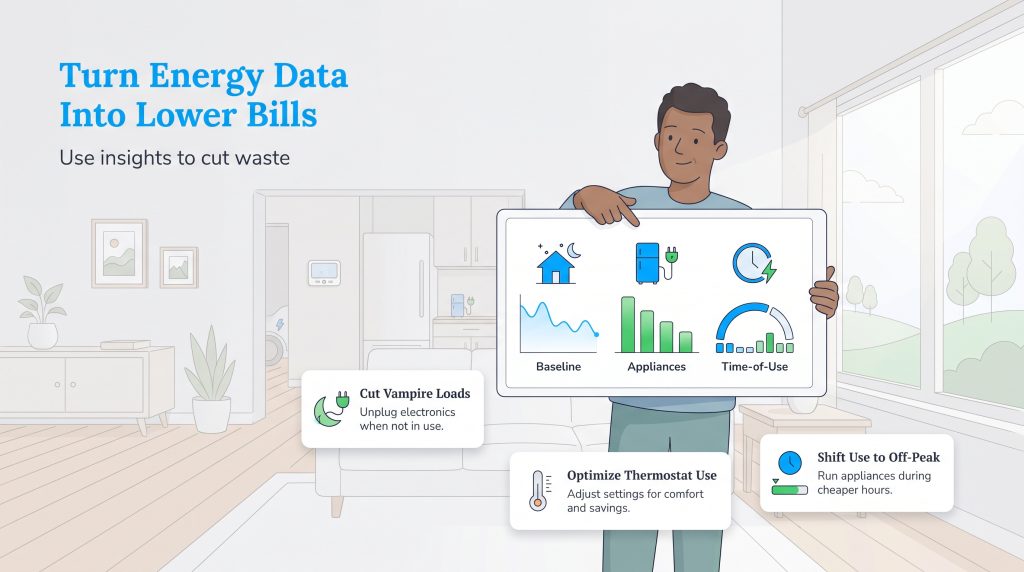
Once your device is installed, the real work begins. You can use your new insights to actively reduce waste and cut costs. Here are a few ways to take action:
- Check overnight baseline usage to identify standby power waste and vampire loads.
- Compare HVAC usage during different thermostat settings or extreme weather.
- Shift dishwasher, laundry, or EV charging to off-peak hours if your utility uses time-of-use rates.
- Use plug-in monitors to test older refrigerators, dehumidifiers, or entertainment centers.
- Replace highly inefficient appliances with ENERGY STAR-certified models when the data shows unusually high energy consumption.
Taking Control of Your Home’s Energy Future
Understanding exactly how your household consumes electricity is the foundational step toward creating a more sustainable, cost-effective lifestyle, especially when setting up utilities when you move. Whether you install a comprehensive sensor array in your basement panel or deploy a few smart plugs around your apartment, having access to hard data gives you actionable insights into your relationship with the power grid. By monitoring your usage today, you gain the confidence to make smarter environmental choices and take control of your utility bills for years to come.
Frequently Asked Questions About Home Energy Monitors
These quick answers cover the most common questions about installation, savings, solar compatibility, and renter-friendly options. Use them to narrow your choice before buying hardware or scheduling an electrician.
Do Home Energy Monitors Actually Save You Money?
Can I Install a Whole-House Energy Monitor Myself?
What Is the Difference Between a Smart Meter and a Home Energy Monitor?
Will an Energy Monitor Work With My Solar Panels?
How Do I Track My Electricity Usage If I Rent My Apartment?
Are Home Energy Monitors Accurate?
About the Author

David has been an integral part of some of the biggest utility sites on the internet, including InMyArea.com, HighSpeedInternet.com, BroadbandNow.com, and U.S. News. He brings over 15 years of experience writing about, compiling and analyzing utility data.

LaLeesha has a Masters degree in English and enjoys writing whenever she has the chance. She is passionate about gardening, reducing her carbon footprint, and protecting the environment. She also recently served as President of the Board for City Sprouts (a community garden).

Jared Evans is a licensed electrician and the owner of Full Circuit Electric in Omaha, Nebraska. As an expert reviewer for UtilitiesForMyHome.com, Jared uses his 10+ years of hands-on experience to ensure our electrical advice is safe, accurate, and easy to follow. Whether he's troubleshooting a complex wiring issue or sharing tips on green energy upgrades, Jared is dedicated to helping you power your home efficiently — and safely.