
Discover how to manage your PECO energy services, find the best electric rates, and easily navigate power outages.
Key Takeaways
- Compare electric rates against PECO’s default Price to Compare to potentially lower your monthly utility bill.
- Report a power outage quickly using the digital PECO outage map, their mobile app, or the emergency phone line.
- Explore assistance programs like LIHEAP and CAP to make your energy costs more manageable year-round.
Managing your home’s utility services shouldn’t feel like a chore, which is why understanding your options with PECO energy can help you save both time and money. As a subsidiary of Exelon Corporation, PECO serves approximately 1.7 million electric customers and over 548,000 natural gas customers across its 1,900-square-mile southeastern Pennsylvania footprint. Whether you’re moving into a new residence and need to start service or simply looking to cut down your monthly expenses, navigating your delivery options, supply rates, and emergency tools is much easier than you might think.
What Is PECO Energy?
Established in 1881 and headquartered in Philadelphia, PECO (formerly the Philadelphia Electric Company) is your local electric and gas distribution utility. Uniquely positioned to manage comprehensive household utility needs, the company proudly provides both natural gas and electricity to local residents. They are primarily responsible for maintaining the physical grid, fixing downed power lines, monitoring gas pressure, and delivering energy to your home safely day or night.
Because Pennsylvania operates a deregulated energy market, you have the power to choose who supplies the actual electricity or natural gas to your home. While you shop around for a competitive supply rate, PECO gas and electric crews continue to handle the physical delivery and any emergency response, ensuring your home stays comfortable without interruption. Navigating your service options is simple once you know who to call and how the local grid works.
PECO Service Territory and Major Cities
The comprehensive PECO service territory encompasses a diverse range of communities, bustling urban centers, and quiet suburban neighborhoods across southeastern Pennsylvania. It is important to differentiate between their delivery boundaries based on the specific utility type you need. While PECO electric service covers a broad region, the natural gas footprint is restricted to the suburban counties outside the city limits. The primary coverage area includes the following key counties:
- Philadelphia County: The entire city of Philadelphia relies on the utility for robust electric distribution (while Philadelphia Gas Works handles city gas service).
- Bucks County: Providing comprehensive electric and gas services to growing towns like Doylestown and Levittown.
- Chester County: Covering expansive areas and dynamic communities such as West Chester and Coatesville.
- Delaware County: Serving critical infrastructure and residential neighborhoods in Media and Upper Darby.
- Montgomery County: Delivering reliable power and heating fuel to populous suburbs including Norristown and Pottstown.
- York and Lancaster Counties: Extending into select regional pockets primarily for electric distribution services.
PECO Energy Plans and Electric Rates
Understanding your PECO electric rates requires knowing the fundamental difference between supply and delivery charges. Whenever you review your monthly billing statement, you’ll see your costs split into these two primary categories. PECO applies a standard regulated delivery fee to cover essential grid maintenance, infrastructure upgrades, and customer support. Meanwhile, the energy supply charge is based on either their default variable rate or the contract rate you lock in with an independent supplier.
When looking at the specific charges that make up your PECO energy plans, keep these three core components in mind:
- Customer Charge (Delivery): A fixed monthly fee that covers the administrative costs of maintaining your active account, processing bills, and reading your smart meter.
- Distribution Charge (Delivery): A variable fee calculated per kilowatt-hour (kWh) that funds the physical transportation of electricity across power lines to your specific address.
- Generation and Transmission Charge (Supply): The actual cost of the electricity you consume. This is the portion of your bill you can actively control by shopping around.
Understanding the PECO Price to Compare (PTC)
If you don’t actively select a third-party retail electric provider, you are automatically placed on the utility’s default supply rate, known as the PECO price to compare (PTC). This benchmark rate reflects the direct cost PECO pays to procure electricity on your behalf, passed down to you without any markup. Because energy markets change constantly, the PTC isn’t locked in — it adjusts quarterly on March 1, June 1, Sept. 1, and Dec. 1 to reflect seasonal demand and wholesale fuel fluctuations.
In 2026, PECO’s residential Price to Compare benchmarks around 9.72¢ to 11.76¢ per kWh depending on the seasonal quarter. You can find your exact current PTC on the first page of your monthly billing statement under the “Message Center” or “Supply Charges” section. Here is a quick look at how a typical household using 1,000 kWh per month can save money by locking in a lower fixed rate with a competitive supplier during a peak season:
- PECO Default Seasonal PTC (11.50¢/kWh): 1,000 kWh x $0.1150 = $115.00 monthly supply cost.
- Competitive Fixed-Rate Plan (9.50¢/kWh): 1,000 kWh x $0.0950 = $95.00 monthly supply cost.
- Total Estimated Savings: $20.00 per month, or $240.00 over a 12-month contract period.
PA Power Switch: Comparing Retail Electric Providers
Under Pennsylvania’s Electricity Choice Program, you can pick who supplies your electricity while PECO still delivers it and responds to outages. By exploring the official PA power switch PECO marketplace, you can compare rates, contract lengths, and green energy options from dozens of retail electric providers (REP). Switching to a new supplier won’t interrupt your power, and PECO continues to send your unified monthly bill.
Here is a look at several competitive REPs available in the PECO service area alongside the default utility option:
| Provider | Sample Fixed Rates (¢/kWh) | Renewable Options | Contract Lengths | Notable Features |
|---|---|---|---|---|
| PECO (Default PTC) | 9.72¢ – 11.76¢ (Variable) | Mixed (6% Green) | Varies (Changes Quarterly) | No contract, $0 early cancellation fee |
| Constellation | 9.5¢ – 11.2¢ | Yes | 12–36 months | Fixed-rate plans, $150 early cancellation fee |
| Direct Energy | 9.8¢ – 11.9¢ | Yes | 12–24 months | Rewards programs, $0 to $100 cancellation fee |
| Frontier Utilities | 9.6¢ – 11.5¢ | Yes | 6–24 months | Competitive rates, $10/month remaining cancellation fee |
| CleanChoice Energy | 11.5¢ – 13.5¢ | 100% Renewable | 12 months or Month-to-month | Regional solar/wind, $0 cancellation fee |
PECO Service Fees, Deposits, and Billing Policies
When reviewing your statement or budgeting for a move, it helps to know the standard utility fees and policies baked into PECO’s tariff rules. Beyond your per-kilowatt-hour energy usage, keep an eye out for these standard billing charges and deposit guidelines:
- Standard Customer Charge: You’ll pay a fixed baseline fee of $6.00 or more (typically around $10.50 for standard residential electric accounts and $14.25 for gas) just to keep your meter active, even if you use zero energy that month.
- Late Payment Penalty: If you miss your due date, PECO assesses a 1.5% monthly late fee on the unpaid overdue balance.
- Credit and Debit Card Processing Fees: Because PECO uses a third-party processor (Paymentus) for card transactions and digital wallets, you’ll pay a flat convenience fee (around $2.35) each time you pay by card.
- Security Deposits: When you apply for new service, PECO runs a soft credit check. If your credit score doesn’t meet their threshold, they may require a deposit equal to roughly two months of average usage for that address.
- Universal Service Fund Charge (USFC): This small, state-mandated adjustment on your delivery bill helps fund low-income customer assistance programs across the utility territory.
If you’re asked to pay a security deposit, you don’t necessarily have to pay it all upfront — PECO typically lets you split the amount across your first three billing cycles. You can get a security deposit waived entirely if your household qualifies for low-income assistance (like LIHEAP or CAP) or if you provide a formal credit reference letter from a previous electric utility showing 12 consecutive months of on-time payments. Otherwise, PECO automatically refunds your deposit (plus accrued interest) as a bill credit once you pay your bill on time for 12 straight months.
How to Start, Stop, or Move Your PECO Service
Whether you’re moving into your very first apartment in Center City or buying a home in the suburbs, setting up your electricity and gas ahead of time keeps moving day stress-free. We recommend submitting your PECO start service request at least three to five business days before your scheduled move-in date, though the online system lets you schedule activations up to 60 days in advance.
Follow this step-by-step checklist to start, stop, or transfer your utility account through the online “Start, Stop, Move” portal:
- Navigate to the Moving Center: Visit PECO’s website and select “Start, Stop or Move Service” from the main navigation menu. Choose whether you are a brand-new customer, an existing customer transferring service to a new Pennsylvania address, or stopping service entirely.
- Enter Your Address and Dates: Input your full new service address (including apartment or unit numbers) and select your desired activation date. Because nearly all local homes have connected smart meters, PECO can usually activate your service remotely without sending a technician to your property.
- Verify Your Identity: Provide your personal identification details, including your date of birth, a valid driver’s license or state ID number, and your Social Security Number (SSN) or Tax Identification Number (TIN). PECO uses this information to run a soft credit inquiry that won’t impact your credit score.
- Submit Property Details: Indicate whether you own or rent the home. If you’re renting, be prepared to provide your landlord’s name and phone number, as some municipalities require lease verification before switching an account out of a previous tenant’s name.
- Confirm Your Setup: Review your order summary, choose whether you want paperless billing, and save your confirmation number. You’ll pay a standard one-time connection fee (typically $6.00 to $10.00) on your very first monthly statement.

- Calculate Your Moving Costs
- Compare Moving Companies
- Get Multiple Quotes
- Move with Confidence
PECO Bill Pay Options and Account Login
Keeping track of your monthly statements and setting up convenient payment methods will help you avoid the dreaded 1.5% late payment penalty. PECO offers a wide range of digital and traditional payment channels so you can settle your balance whichever way works best for your household budget.
How to Access Your PECO Login
Managing your household energy profile is much easier when you use the digital web portal. Creating an online profile gives you instant access to your billing history, daily usage graphs, and personalized usage alerts. Follow these three simple steps to register and access your PECO login dashboard:
- Step 1: Visit the official PECO website and navigate to the “My Account” registration page. Make sure you have your first bill or account confirmation email handy.
- Step 2: Enter your unique 10-digit account number, the primary phone number associated with your service address, and the last four digits of your SSN to verify your identity.
- Step 3: Create a secure username and password, then set up your communication preferences for paperless billing, payment reminders, and severe weather alerts.
Once you register on the web portal, your login credentials automatically work on the PECO mobile app, giving you convenient account access from anywhere.
5 Ways to Pay Your PECO Bill
Whether you prefer automated bank transfers or paying with cash while picking up groceries, you have five official options for handling your PECO bill pay each month:
| Payment Method | Accepted Tenders | Processing Fee | How It Works |
|---|---|---|---|
| My Account Portal / Mobile App | Bank ACH, Credit/Debit, PayPal, Venmo, Apple/Google Pay | Free for Bank ACH; ~$2.35 fee for cards/digital wallets | Log into your account to make a one-time payment or enroll in automatic monthly AutoPay via your checking account. |
| One-Time Guest Pay | Bank ACH, Credit/Debit | Free for Bank ACH; ~$2.35 fee for cards | Pay online without logging in by entering your 10-digit account number (or phone number) plus the last four digits of your SSN or TIN. |
| Pay by Phone | Bank ACH, Credit/Debit | Free for Bank ACH; ~$2.35 fee for cards | Call the automated Paymentus system at 1-877-432-9384 available 24/7 to pay your balance over the phone. |
| In-Person Cash Payments | Cash only | $1.50 to $2.00 (varies by retail vendor) | Pay in cash at hundreds of authorized CheckFreePay or Western Union counters inside Walmart, ACME, Giant, CVS, and local pharmacies using the website’s “Find a Payment Location” map. |
| Payment by Mail | Personal Check or Money Order | Free (Cost of postage) | Write your 10-digit account number on your check and mail it with your bill stub to: PECO — Payment Processing, P.O. Box 37629, Philadelphia, PA 19101. |
PECO Customer Service Contact Guide
Whether you need to ask a complex billing question, set up a payment arrangement, or report an urgent safety hazard, reaching the right department quickly is crucial. While the emergency dispatch line operates 24/7, standard billing representatives are available Monday through Friday from 7:00 a.m. to 7:00 p.m. Use our PECO customer service directory below to skip the phone tree headaches and find the exact PECO phone number you need:
| Department / Need | Phone Number / Contact Channel |
|---|---|
| General Customer Service & Billing | 1-800-494-4000 |
| Electric Emergency & Power Outage | 1-800-841-4141 (24/7) |
| Gas Leak Emergency Hotline | 1-800-841-4141 (24/7) |
| Automated Pay-by-Phone | 1-877-432-9384 (24/7) |
| Payment Arrangements (Collections) | 1-888-480-1533 |
| Business Customer Support | 1-800-220-7326 |
| Website Live Chat (“Chat with Watts”) | Available at PECO.com (Virtual assistant 24/7; live agents M–F, 7:00 a.m. – 7:00 p.m.) |
🚩 Heads Up: If you smell natural gas (often described as a sulfur or rotten egg odor) or suspect a dangerous gas leak, evacuate the premises immediately. Leave the door open, do not flip any light switches, and call the emergency gas leak hotline at 1-800-841-4141 or dial 911 once you are safely outside.
How to Use the PECO Power Outage Map
When a severe summer thunderstorm or winter nor’easter rolls through Pennsylvania, getting real-time restoration data is critical. The interactive PECO outage map is your best tool for tracking local disruptions. By visiting the official outage center online, you can type your zip code into the search bar to zoom directly into your neighborhood. The map uses color-coded icons to show the severity and scale of each incident: a green icon marks a minor localized disruption affecting one to 50 customers, while a red icon highlights a major grid event impacting 2,500 or more households.
Before you report a blackout to PECO, run through a quick troubleshooting checklist inside your home. First, inspect your main circuit breaker panel or fuse box to make sure a tripped breaker didn’t cut power to your house. Second, peek outside to see if your streetlights are on or check if your immediate neighbors still have electricity. If the problem is isolated to your internal wiring, you’ll need to call a licensed electrician; if the whole block is dark or you spot a downed line, alert PECO right away using one of these methods:
- By Phone: Call the dedicated emergency line at 1-800-841-4141 to report outages, sparking transformers, or downed power lines.
- Two-Way Text Messaging: First, text “ADDOUTAGE” to 697326 (MYPECO) to register your mobile phone number with your utility account. Once enrolled, simply text “OUT” to report a blackout at your address or text “STAT” anytime to get real-time restoration status updates.
- Mobile App: Open your smartphone app and use the one-tap reporting button to log the service disruption instantly.
💡 Pro Tip: PECO is upgrading grid infrastructure in select suburbs from June through October 2026. Planned temporary outages may occur to safely facilitate these upgrades, so ensure your contact info is updated in the portal to receive advance warning texts!
PECO Mobile App Features
Managing your account is effortless with the utility’s free mobile app, available for download in both the iOS App Store and Google Play Store. Think of the application as your digital command center for all home energy needs, letting you skip the customer service phone queues completely.
- PECO Bill Pay: Securely view your current and past statements, make immediate one-time payments via bank transfer, or enroll in AutoPay so you never miss a due date or incur a late penalty.
- Usage Tracking: Monitor your daily and hourly energy consumption. Spotting unusual usage spikes early allows you to quickly adjust your thermostat settings and reduce your overall carbon footprint.
- Outage Notifications: Check the repair and restoration status for your specific home address instantly, helping you plan whether to stay put or temporarily relocate during a prolonged outage.
💸 Money-Saver: Use the app’s built-in “bill forecast” feature to estimate your upcoming monthly charges based on current weather trends. This proactive tool helps you adjust your budget to avoid end-of-the-month financial surprises!
Financial Assistance, Rebates, and Ways to Save
Keeping utility costs low is a top priority for many households across Pennsylvania. PECO offers a wide variety of financial incentives designed to lower your overall energy burden. This includes cash rebates on ENERGY STAR® certified appliances, high-efficiency HVAC upgrades, and instant discounts on modern smart thermostats that learn your daily schedule to optimize heating and cooling. Keep in mind that if you want to submit an appliance rebate claim or schedule an in-home Home Energy Assessment, you’ll need to create a separate login on the dedicated PECO Energy Efficiency Portal, which operates independently from your standard My Account billing login.
Along with utility-sponsored rebates, taking a proactive approach with simple DIY home improvements can significantly reduce your monthly consumption:
- Upgrade to LED Lighting: Swapping out traditional incandescent bulbs for highly efficient LED alternatives dramatically cuts down on lighting energy use and reduces the heat generated in your home.
- Install Weatherstripping: Applying inexpensive weatherstripping around doors and older windows keeps warm air inside during harsh winters and blocks the summer heat from overworking your air conditioner.
- Adjust Your Water Heater: Lowering your home’s water heater thermostat to a standard 120 degrees Fahrenheit minimizes standby heat loss without noticeably sacrificing shower comfort.
If your household is struggling to keep up with monthly statements, PECO administers several state, federal, and utility-funded PECO payment assistance programs to keep your home safe and comfortable year-round:
- Customer Assistance Program (CAP): This flagship income-based program calculates a Fixed Credit Option (FCO) to keep your monthly energy costs capped at an affordable percentage of your total household income.
- Low Income Home Energy Assistance Program (LIHEAP): A federally funded initiative providing cash and crisis grants to help income-eligible families pay their winter heating bills. Importantly, these grants never need to be repaid.
- Low Income Usage Reduction Program (LIURP): If your household meets income guidelines and has high historical energy usage, LIURP provides free professional home weatherization, insulation upgrades, and appliance replacements to permanently lower your bills.
- Matching Energy Assistance Fund (MEAF): Funded by voluntary customer donations and matched dollar-for-dollar by PECO, this hardship fund provides emergency grants of up to $500 per commodity (electric or gas) to help moderate-to-low-income residents clear past-due balances and prevent shutoffs.
- CARES Program: Designed for customers experiencing a temporary personal crisis — such as a sudden medical emergency, job loss, or death in the family — CARES connects you with dedicated caseworkers who arrange special payment protections and community referrals.
- Budget Billing: A great option for anyone on a fixed income. This free tool evens out seasonal consumption spikes by averaging your historical usage into predictable, flat monthly payments throughout the year.
Sustainability and Renewable Energy Options
It is a common misconception that utilities generate all the electricity they provide. In reality, PECO doesn’t generate the power it distributes; instead, your electricity is pulled from the massive PJM Interconnection regional grid, which spans 13 states and the District of Columbia. If you stick with the default supply rate, you are supporting this aggregate regional energy mix. According to recent grid data, the baseline energy portfolio looks roughly like this:
- Natural Gas: 45%
- Nuclear: 30%
- Coal: 15%
- Renewables: 6% (wind, hydro, solar)
If you want a more environmentally mindful choice today, we encourage you to explore a third-party 100% renewable plan through the PA Power Switch portal. Switching to an eco-conscious alternative powers your home with clean wind or solar energy while PECO continues to handle your unified monthly billing.
PECO’s 25 MW Solar Project
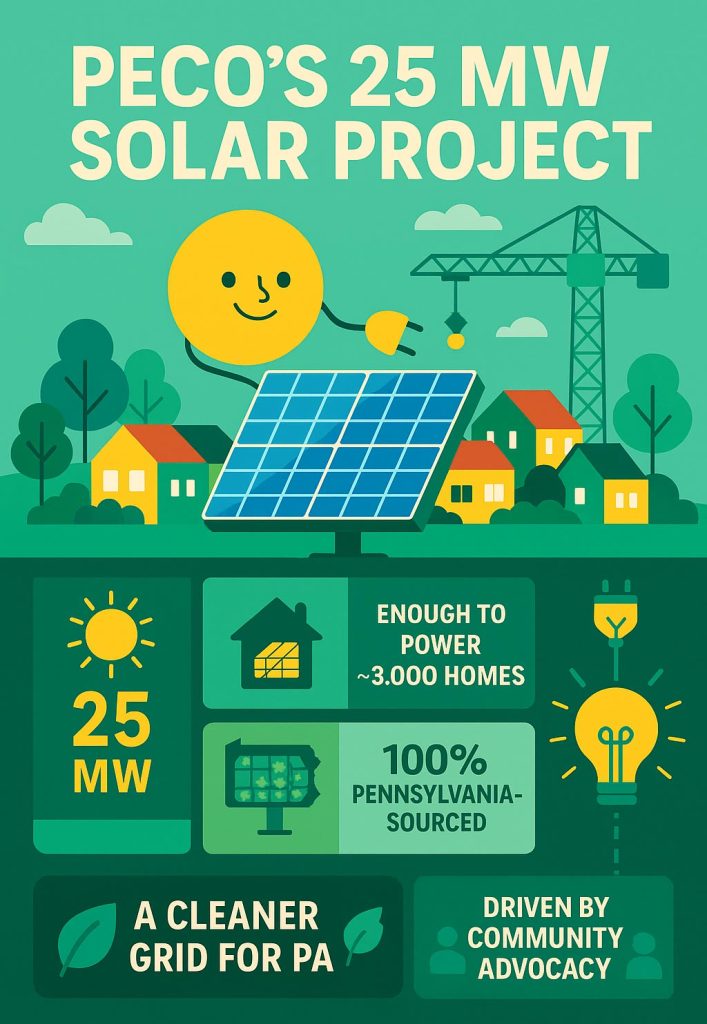
In Nov. 2024, the Pennsylvania Public Utility Commission (PUC) approved PECO’s plan to procure 25 MW of solar energy, marking a major milestone for default service customers in the state. Expected to be operational by May 31, 2029, this project will generate enough electricity to power approximately 3,000 homes and sets a strong precedent for sustainable infrastructure in Pennsylvania.
What Is My Green Power Connection?
My Green Power Connection is PECO’s dedicated platform designed for residential customers interested in generating their own renewable energy. By connecting your private rooftop solar system directly to the local grid, you can take full advantage of Pennsylvania’s net metering rules. This beneficial arrangement credits you at the full retail rate for the excess electricity your solar panels generate and feed back into the local grid, delivering solid, long-term cost savings on your utility bills.
Why Choose PECO? Pros, Cons, and Who It’s Best For
If you live inside PECO’s southeastern Pennsylvania footprint, PECO is your mandatory electric and gas delivery utility — you can’t change who owns the power lines on your street. However, keeping PECO as your electricity or natural gas supplier is completely optional. Weighing the pros and cons of staying on PECO’s default Price to Compare versus signing a contract with a Retail Electric Provider (REP) can help you make the smartest move for your wallet:
| Pros of Staying on PECO Default Supply | Cons of Staying on PECO Default Supply |
|---|---|
| Zero contract commitments: You are never locked into a long-term agreement and never have to worry about early cancellation fees. | Quarterly rate volatility: Because the PTC resets four times a year, your supply rate can spike during extreme summer heat or winter cold snaps. |
| No teaser-rate traps: Unlike some third-party suppliers that auto-renew you into expensive variable rates when a promo ends, PECO charges direct wholesale procurement costs with zero markup. | Limited renewable energy: PECO’s default supply relies heavily on natural gas and nuclear power, offering only 6% renewable energy compared to 100% green REP plans. |
| Hands-off convenience: You don’t have to set calendar reminders to shop for new plans or renegotiate contracts every 12 months. | Missed fixed-rate savings: When competitive suppliers offer promotional fixed rates below the PTC, staying on default service leaves easy monthly savings on the table. |
So, which option makes the most sense for your household? Here is our breakdown of who benefits most from each path:
- PECO Default Supply Is Best For: Short-term renters, college students, and busy households who value simplicity and don’t want the hassle of tracking contract expiration dates or worrying about early termination penalties if they move unexpectedly.
- Third-Party REPs Are Best For: Long-term homeowners with high monthly electricity usage who want the budget certainty of a 12- to 24-month fixed rate, as well as eco-conscious consumers who want to power their homes with 100% wind or solar energy.
What People Are Saying: PECO Reviews and Ratings
Before deciding how to manage your utility account, it helps to see what other local residents experience on a day-to-day basis. When looking at organizational trust, PECO holds an A+ rating with the Better Business Bureau (BBB), reflecting a reliable track record of responding to and resolving formal consumer complaints. Across community forums like Reddit and local neighborhood groups, PECO reviews highlight a mix of strong grid reliability and frustration over rising delivery rates.
- Recurring Praises: Long-time customers frequently praise PECO’s grid reliability and rapid storm response. With 99.98% of customers now equipped with two-way smart meters, the utility can pinpoint blackouts automatically, keeping the average annual outage duration under 60 minutes per customer (excluding major catastrophic storms). Their mobile app also earns high marks for its clean design, making it easy to track daily usage trends and manage AutoPay.
- Common Complaints: Most customer frustrations center on overall bill affordability — specifically the Pennsylvania Public Utility Commission (PUC) approved base rate filings that have pushed fixed electric and gas delivery charges higher to fund grid modernization. Residents also voice complaints about sudden seasonal jumps in the Price to Compare and aggressive door-to-door third-party energy salespeople who falsely claim to work directly for PECO.
Making the Right Choice for Your Pennsylvania Home
Getting settled into your new Pennsylvania home is much smoother once your utilities are running on autopilot. After you submit your start-service request, take ten minutes to register your online My Account login, download the PECO mobile app, and text “ADDOUTAGE” to 697326 so you aren’t scrambling in the dark during your first thunderstorm. Enrolling in free bank ACH AutoPay right away is another smart move that guarantees you’ll never pay a credit card processing fee or a 1.5% late penalty.
Once your first monthly bill arrives, check your baseline Price to Compare and head over to the state’s PA Power Switch marketplace. Whether you decide to stick with PECO’s no-strings-attached default supply or lock in a 100% renewable fixed-rate plan with a competitive provider, taking a proactive approach to your energy setup will keep your home comfortable and your monthly budget right on track.
Frequently Asked Questions About PECO
How can I pay my PECO bill without logging in?
You can use PECO’s online One-Time Guest Pay portal or call the automated pay-by-phone line at 1-877-432-9384. You will simply need to enter your 10-digit account number (or primary phone number) along with the last four digits of your Social Security Number or Tax ID Number to verify the account.
Where can I pay my PECO bill in person with cash?
PECO does not operate walk-in customer service payment centers at its corporate offices, but you can pay with cash at hundreds of authorized CheckFreePay and Western Union retail locations across southeastern Pennsylvania. These include customer service desks inside Walmart, ACME, Giant, CVS, and local neighborhood pharmacies. Bring your paper bill stub and expect to pay a small $1.50 to $2.00 vendor convenience fee.
Why did my PECO delivery charge go up?
Your total delivery charge can increase for two reasons: either you consumed more kilowatt-hours of energy during extreme weather (since distribution charges are billed per kWh), or the Pennsylvania Public Utility Commission (PUC) approved a periodic base rate increase allowing PECO to recover the costs of storm-hardening the grid and replacing aging gas mains. While you cannot shop around to change your delivery rate, you can offset higher delivery costs by lowering your usage or shopping for a cheaper electricity supply rate.
How do I get my PECO security deposit waived or refunded?
You can have a new security deposit waived if you enroll in an income-eligible assistance program like CAP or LIHEAP, or if you submit a credit reference letter from a prior utility proving 12 consecutive months of on-time payments. If you already paid a deposit, PECO will automatically refund the full amount plus interest as a bill credit after you pay your monthly bill on time for 12 consecutive months.
Does PECO supply both gas and electricity?
Yes, PECO serves as both an electric and natural gas utility for over half a million customers in suburban southeastern Pennsylvania. However, its natural gas footprint only covers the surrounding suburban counties — inside the city limits of Philadelphia, PECO provides electricity while Philadelphia Gas Works (PGW) handles natural gas service.
What is the PECO Price to Compare (PTC) and how often does it change?
The Price to Compare (PTC) is the default rate PECO charges per kilowatt-hour (kWh) for electricity supply if you don’t actively choose a retail provider. This rate adjusts quarterly (four times a year on March 1, June 1, Sept. 1, and Dec. 1) based on wholesale energy market conditions.
How do I check the status of a PECO power outage?
You can quickly check the status by visiting the official PECO power outage map online, texting the word “STAT” to 697326 (MYPECO) once registered, or logging directly into the mobile application to receive real-time estimated restoration timelines for your address.
About the Author

David has been an integral part of some of the biggest utility sites on the internet, including InMyArea.com, HighSpeedInternet.com, BroadbandNow.com, and U.S. News. He brings over 15 years of experience writing about, compiling and analyzing utility data.