
Find Out If Trading Your Traditional Cable Connection for 5G Home Internet Is the Right Move for Your Budget and Household Needs

- 2 Gbps
- Cable & Fiber
- Unlimited
- $30.00/mo

- 415 Mbps
- 5G
- 1 TB
- $30.00/mo
*Not all internet providers and speeds available in all areas.
Key Takeaways
- Mint Mobile Home Internet uses T-Mobile’s 5G network to offer a flat-rate, budget-friendly alternative to traditional cable.
- Xfinity provides faster, more reliable speeds for many users, making it the better choice for competitive gamers and large households.
- Switching from Xfinity to Mint could save you money annually on equipment fees and expiring promotional contracts.
If your internet bill has mysteriously crept up due to Xfinity’s notorious pricing fluctuations after a promotional period ends, Mint Mobile Home Internet — with its flat rate and generous 1TB data cap — might look like a tempting escape route. Choosing between traditional cable and a newer wireless setup is no small decision, especially when your household depends on reliable bandwidth for remote work, streaming, and everyday browsing. This guide compares Xfinity vs Mint Mobile Home Internet on price, real-world speeds, and data policies so you can confidently decide if trading your cable connection for 5G home internet actually saves you money.
Head-to-Head Comparison: Mint Mobile vs Xfinity
Before diving into the complex nuances of network infrastructure and data policies, let’s look at the basic facts. This quick reference table breaks down the most critical features you need to evaluate when deciding between these two popular internet providers. Whether you prioritize cutting your monthly bill or securing the absolute fastest speeds available, comparing these essential metrics side-by-side reveals exactly what you get for your hard-earned money.
| Feature | Mint Mobile Home Internet | Xfinity | Advantage |
|---|---|---|---|
| Starting Price | $40/mo (or $30/mo with bundle) | Varies significantly by region & promo | Mint Mobile |
| Equipment Fees | Gateway included in plan cost | Often ~$14 to $15/mo rental fee | Mint Mobile |
| Data Caps | 1TB soft limit (speeds slow down) | 1.2TB regional cap (overage fees apply) | Tie (Depends on usage) |
| Network Type | 5G Wireless | Coaxial Cable | Xfinity (For stability) |
| Mobile Bundle Discount | $10/mo savings on internet | Required to avoid mobile line fees | Mint Mobile |
Network Types Explained: 5G Wireless vs Cable
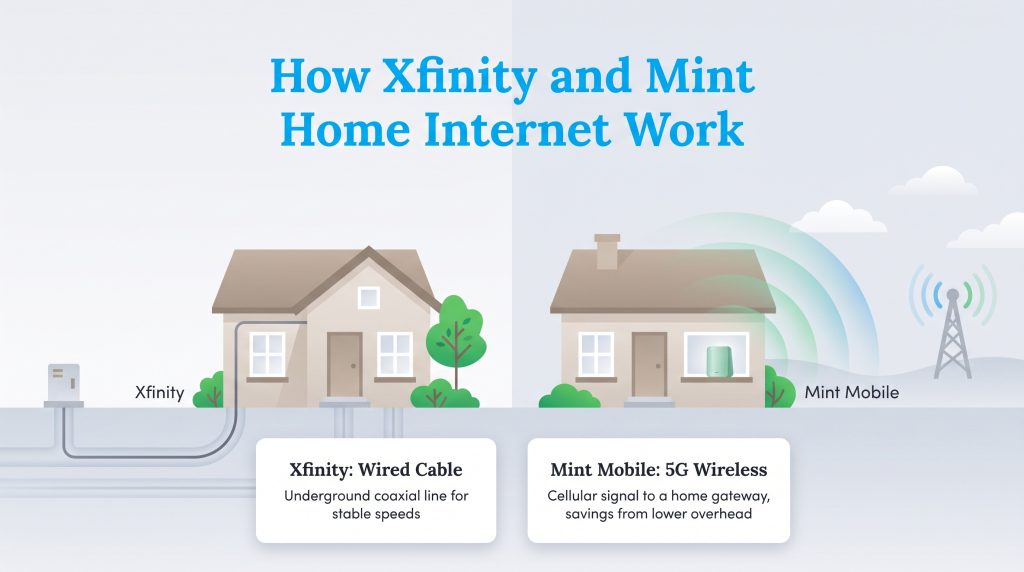
When analyzing 5G home internet vs cable, the most significant difference lies in how the internet connection physically reaches your living room. Traditional cable internet providers like Xfinity rely on an extensive network of underground coaxial cables physically wired directly into your residence. This infrastructure delivers highly consistent bandwidth but costs a fortune to maintain, which often trickles down into your monthly bill.
In contrast, Mint Mobile completely ditches the physical wires. Mint Mobile — playfully branded as MINTernet — piggybacks on T-Mobile’s existing cellular towers to beam an internet connection straight through the air to a receiver in your house. It uses the exact same cellular network infrastructure as your smartphone but relies on a dedicated home gateway designed for household WiFi. The performance of this wireless setup depends heavily on your proximity to the nearest cell tower rather than a buried cable. If you have excellent T-Mobile network 5G coverage in your neighborhood, Mint operates seamlessly. However, if you live far from a tower or have thick tree coverage blocking the signal, your daily speeds will fluctuate much more than a traditional wired connection.
📌 Quick Fact: Because 5G home internet relies on your proximity to the nearest cell tower, your local geography, surrounding buildings, and even heavy tree cover can significantly impact your overall signal strength and daily speeds.
Instead of dispatching a technician to run a new cable line into your living room, 5G home internet allows for immediate setup. Your home gateway simply receives the wireless cellular signal and broadcasts it as WiFi for your laptops, smart TVs, and phones. This makes installation faster and cheaper, though performance remains vulnerable to local signal strength and neighborhood congestion during peak evening hours. If you want to dive deeper into how this technology stacks up against traditional wired connections, you can easily compare cable vs. 5G home internet to see what fits your lifestyle best.
Price, Bundling, and Equipment Fees
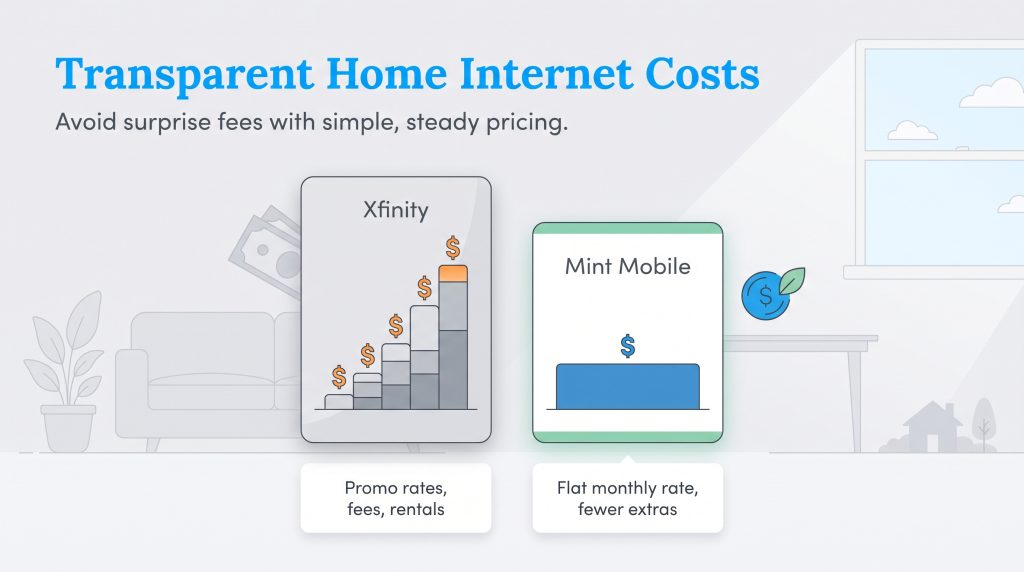
The starkest contrast between Xfinity and Mint Mobile Home Internet involves how they calculate your monthly bill. Traditional cable providers are infamous for luring customers in with attractive promotional rates that dramatically expire after 12 to 24 months. Once that initial contract period ends, Xfinity internet plans and pricing often inflate significantly, leaving you scrambling to renegotiate with customer service or downgrade your speed tier just to keep your household budget intact.
Mint Mobile Home Internet takes a radically different, transparent approach to billing. As of publication, Mint Mobile advertises MINTernet at a flat $40 per month. You skip the unexpected rate hikes and confusing promotional tiers entirely. Knowing exactly what you owe each month empowers you to manage your utility budget effectively without fearing hidden fees on your next statement. When you want predictable, long-term savings without the annual hassle of haggling over your bill, this straightforward pricing model is incredibly appealing.
| Feature | Mint Mobile Home Internet | Xfinity | Advantage |
|---|---|---|---|
| Price | Advertised around $40/month (or $30 with bundle) | Varies by location, speed tier, and promo | Mint Mobile |
| Setup Time | Self-install, often plug-and-play | Self-install or professional install | Mint Mobile |
| Latency | Often higher and more variable than cable | Typically lower and more consistent | Xfinity |
| Data Caps | 1TB soft limit (speeds throttled) | 1.2TB limit in most regions | Tie |
Xfinity Plans and Pricing
| Plan Name | Price | Download Speeds | Connection Type | |
|---|---|---|---|---|
| NOW Internet | $30 /month | Up to 100 Mbps | Cable | Check Availability |
| 300 Mbps | $40 /month | Up to 300 Mbps | Cable | Check Availability |
| 300 Mbps w/ 5 year price lock | $45 /month | Up to 300 Mbps | Cable | Check Availability |
| 500 Mbps | $50 /month | Up to 500 Mbps | Cable | Check Availability |
| 500 Mbps w/ 5 year price lock | $60 /month | Up to 500 Mbps | Cable | Check Availability |
| 1000 Mbps | $60 /month | Up to 1000 Mbps | Cable | Check Availability |
| 1000 Mbps w/ 5 year price lock | $70 /month | Up to 1000 Mbps | Cable | Check Availability |
| 2000 Mbps | $90 /month | Up to 2 Gbps | Fiber | Check Availability |
| 2000 Mbps w/ 5 year price lock | $100 /month | Up to 2 Gbps | Fiber | Check Availability |
Bundling Discounts and Mobile Savings
Pairing your home internet with your cell phone service is one of the easiest ways to lower your monthly utility costs, but Xfinity and Mint handle this very differently. Mint Mobile rewards users who bundle a premium phone plan with an instant $10 per month discount on their internet service, dropping the home internet cost to just $30 per month. On the other hand, Xfinity Mobile actually requires you to maintain an active Xfinity residential internet connection to qualify for their mobile service. If you cancel your Xfinity home internet but try to keep your Xfinity Mobile phone plan, the company imposes line fees that eliminate your savings. Switching to Mint allows you to secure a solid discount on internet without being permanently locked into a single provider’s ecosystem.
Avoiding Hidden Fees and Equipment Costs
Evaluating Xfinity equipment fees versus Mint Mobile reveals another frustrating layer of traditional cable pricing. Xfinity typically charges a monthly gateway rental fee — often hovering around $14 to $15 every billing cycle — which easily adds nearly $180 to your annual household expenses. Conversely, Mint Mobile eliminates recurring rental charges from your bill by including the required 5G gateway device in your plan cost. This lean structure heavily benefits budget-focused consumers eager to cut unnecessary expenses and keep long-term home ownership costs refreshingly low.
💸 Money-Saver: With Xfinity, buying a compatible third-party modem and router can help you avoid monthly equipment rental fees. With Mint Mobile Home Internet, the required 5G gateway is included in your monthly price, making it simpler to forecast your total out-of-pocket costs.
Speeds, Data Caps, and Deprioritization
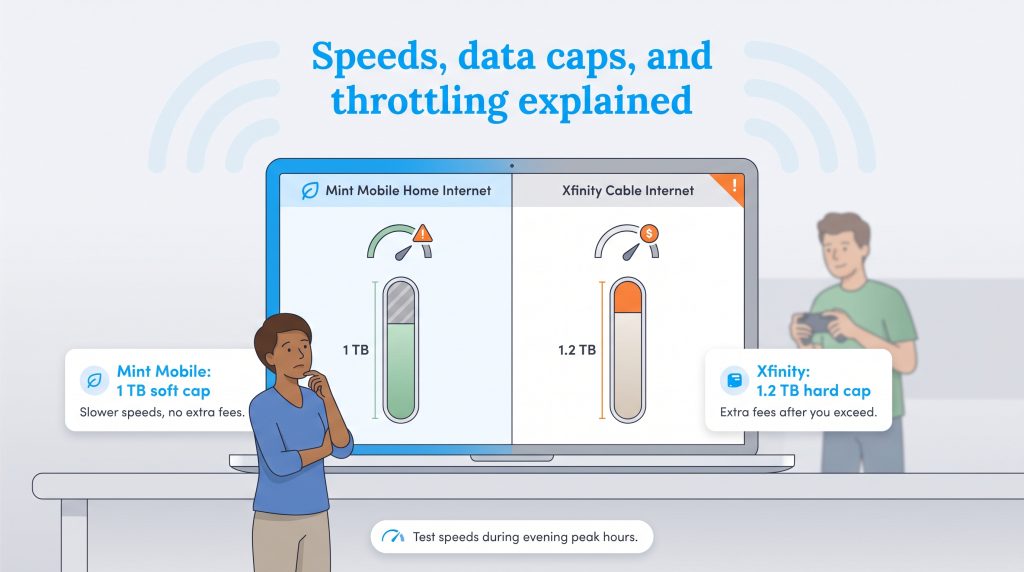
Understanding data caps and network deprioritization is vital when choosing between these two services. If you have an active household downloading massive video game updates or streaming 4K movies every evening, you will hit data limits much faster than you think. While both companies impose restrictions on how much data you can consume, they enforce these boundaries in completely different ways.
Mint Mobile Home Internet operates with a 1TB soft data limit per month. While 1TB of data is plenty for average households, heavy users need to know exactly what happens if they cross that threshold. When Mint Mobile data throttling kicks in, the results are immediately noticeable:
- Your download speeds are drastically reduced for the remainder of the billing cycle.
- High-definition video streaming may buffer or automatically downgrade to standard definition.
- Large file downloads and software updates will take considerably longer to complete.
- You are not charged financial overage fees, meaning your bill stays exactly the same.
Conversely, the notorious Xfinity data cap operates as a hard limit in most regions. Xfinity enforces a 1.2TB regional cap across many of its service areas. If you exceed this generous but strict threshold, Xfinity automatically charges you $10 for every additional 50GB of data you use, up to a maximum of $100 per month. To avoid these costly overage fees, heavy users must proactively purchase an unlimited data add-on, which typically adds around $30 to their monthly bill.
When assessing real-world performance, running a Minternet speed test during peak evening hours (between 6:00 p.m. and 10:00 p.m.) provides the most accurate reflection of your service. Because Mint shares T-Mobile’s cellular towers, your connection can suffer from network deprioritization when nearby mobile users flood the tower with traffic. Xfinity’s wired infrastructure is significantly less prone to these drastic evening slowdowns, making it a more consistent choice if absolute stability is your priority. We highly recommend you check official broadband data to verify the reliable internet speeds available at your specific address.
Gaming, Streaming, and Smart Home Performance
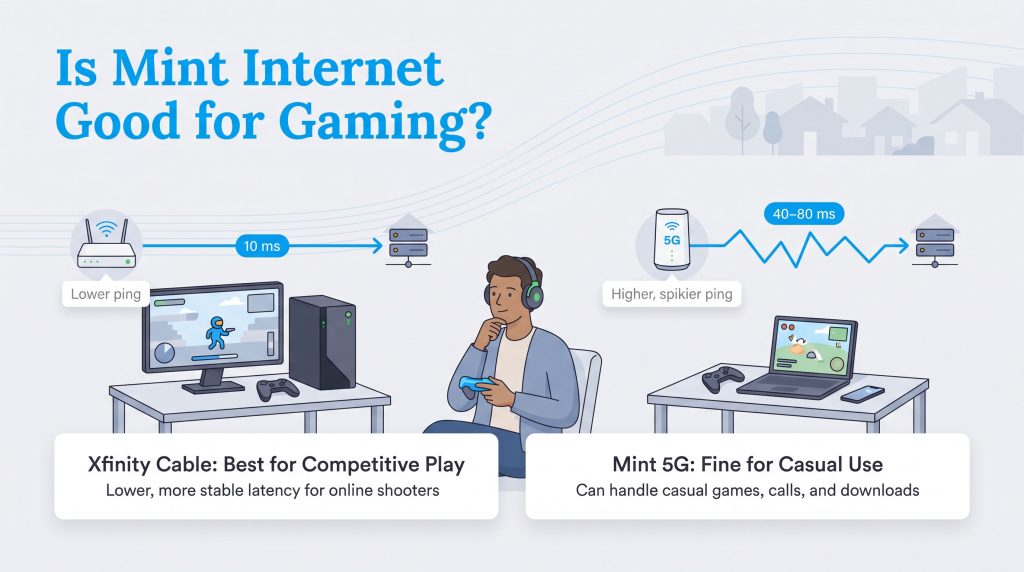
A common question we hear is: Is Mint Mobile internet good for gaming? The answer boils down to understanding latency, which measures the milliseconds it takes for a signal to travel from your gaming console to the game server and back. Cable internet like Xfinity consistently delivers lower and far more stable latency than 5G home internet, making it the superior choice for competitive online gaming. If you play fast-paced shooters or rely on split-second reactions for esports, Xfinity ensures you won’t suffer from frustrating lag spikes that ruin your match.
However, Mint Mobile home internet gaming is perfectly acceptable for casual gamers playing turn-based strategy games, downloading updates, or exploring single-player adventures. When it comes to streaming HD movies or supporting smart home ecosystems, both providers excel. Smart thermostats, security cameras, and smart locks consume relatively minimal bandwidth and function beautifully on Mint’s 5G connection. The deciding factor usually involves how many people are using the internet simultaneously; a busy family of five streaming multiple 4K movies while downloading large files will overwhelm a 5G connection much faster than a robust cable plan.
How to Switch From Xfinity to Mint Mobile
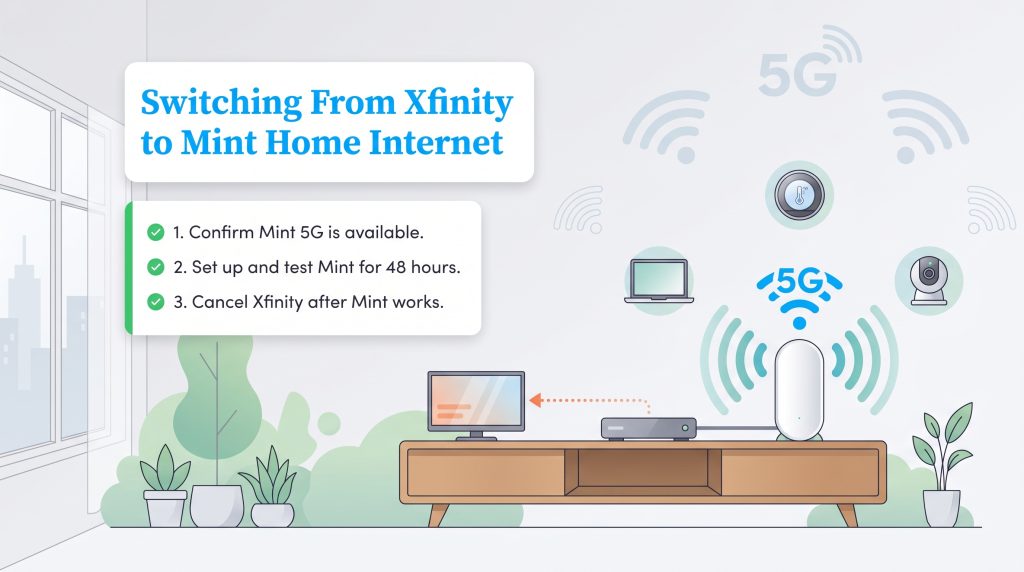
Ready to embrace a new billing cycle and leave traditional cable behind? Deciding to switch from Xfinity to Mint is surprisingly straightforward, provided you plan the transition carefully to avoid any sudden disruptions to your daily connectivity. The absolute most crucial rule when changing internet service providers is to overlap your services briefly. Never cancel your current cable connection until you have your new 5G network up and running smoothly. Transitioning effectively guarantees that your smart thermostats, security cameras, and remote work setups remain securely online. Follow this exact checklist to ensure a flawless internet migration for your household:
- Verify Mint Mobile 5G Home Internet availability at your address.
- Review Mint’s equipment cost, return policy, and trial/cancellation terms.
- Order and set up the gateway before canceling Xfinity.
- Test speed, video calls, streaming, and gaming for at least 48 hours.
- Confirm whether canceling Xfinity affects any bundled phone or TV services.
- Cancel Xfinity and return their rental equipment promptly to avoid unreturned equipment fees.
- Save the return receipt or tracking confirmation number for your records.
Taking a few extra days to test your new 5G connection ensures that dead zones in your house or unexpected network congestion don’t ruin your workflow. If the T-Mobile network struggles to penetrate the walls of your home, you can easily box the gateway back up, return it to Mint under their trial terms, and simply keep your existing Xfinity cable connection without suffering a lengthy outage.
🌱 Eco Edge: Returning your Xfinity equipment promptly helps the provider refurbish or recycle usable hardware. If you replace any networking gear, look for energy-efficient equipment and recycle old electronics through a certified e-waste program instead of putting them in the trash.
Selecting the Best Provider for Your Household Needs
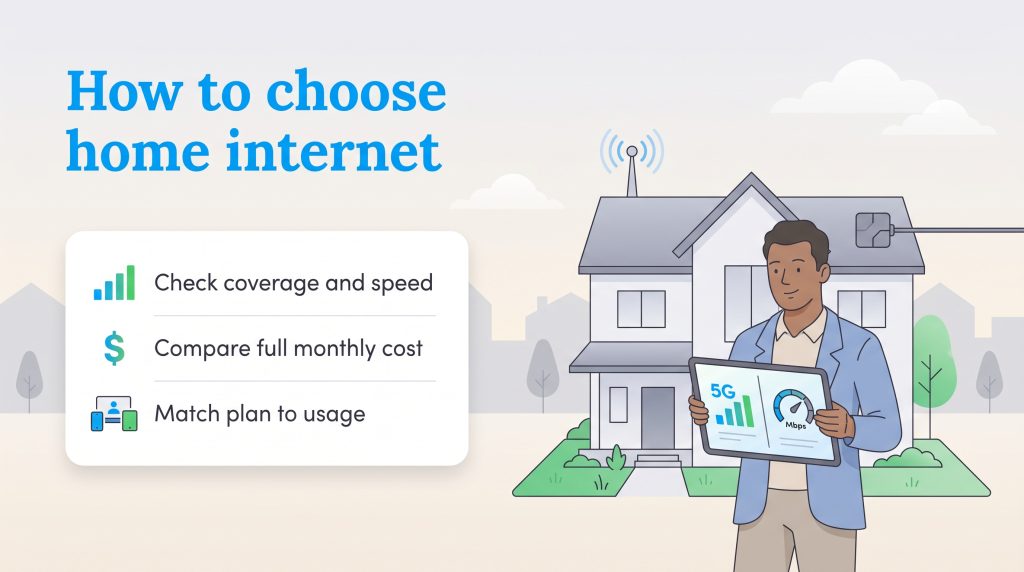
Choosing between Xfinity and Mint Mobile Home Internet ultimately comes down to balancing your monthly budget against your demand for raw, uninterrupted bandwidth. While Mint Mobile offers a refreshingly simple, flat-rate pricing model that eliminates hidden fees and annoying promotional expiration dates, it relies heavily on local cellular infrastructure. Conversely, Xfinity leverages an established physical cable network that generally guarantees superior stability and faster peak speeds, albeit wrapped in a much more complex pricing structure. Before you pull the plug on your current provider, review these final recommendations to see where you fit best.
- Choose Mint Mobile if: You want predictable monthly pricing without long-term contracts, have a smaller household (one to three people) that primarily streams and browses, and live in an area with excellent T-Mobile 5G tower proximity.
- Choose Xfinity if: You have a bustling household full of heavy internet users, regularly engage in competitive online gaming requiring low latency, or frequently upload and download massive files for remote work.
- Consider a hybrid approach: If you are nervous about committing entirely to wireless, take advantage of Mint Mobile’s lack of contracts to test their 5G gateway for a few days while keeping Xfinity active, ensuring you make the smartest choice for your home’s unique layout.
Whether you are actively hunting for utility savings or simply setting up essential services in a brand-new home, prioritizing your specific daily internet habits guarantees you enjoy a fast, frustration-free connection every time you log on.
Frequently Asked Questions About Xfinity vs Mint Mobile Home Internet
Does Mint Mobile Home Internet throttle your speed?
Yes, Mint Mobile employs a soft data limit of 1TB per month. If your household consumes more than 1TB of data within a single billing cycle, Mint Mobile will heavily throttle (reduce) your internet speeds for the remainder of that month. However, unlike traditional cable providers, Mint will not charge you financial overage fees.
Is Xfinity Mobile cheaper than Mint Mobile?
The total cost depends on your internet bundling status. Xfinity Mobile offers competitive pricing, but it requires you to maintain an active Xfinity home internet connection; if you cancel your Xfinity internet, you are hit with a per-line fee on your phone plan. Mint Mobile operates independently and is often cheaper for users who want affordable phone service without being forced to bundle a specific cable internet package.
Can I use my own router with Mint Mobile 5G?
Yes, but with a slight caveat. Mint Mobile provides a proprietary 5G gateway device that you absolutely must use to receive the wireless cellular signal from the tower. However, you can plug your own high-performance router or a multi-node mesh WiFi system directly into the Ethernet port on the back of Mint’s gateway to manage the WiFi distribution throughout your home.
Does Mint Mobile use the same network as T-Mobile?
Yes, Mint Mobile operates as a Mobile Virtual Network Operator (MVNO) directly on the expansive T-Mobile 5G network. This strategic partnership means users generally receive comparable speeds and reliable coverage to those using the standard T-Mobile Home Internet service, depending on local tower congestion. This makes the choice between T-Mobile Home Internet vs. Mint Mobile Home Internet largely about pricing structure and data caps rather than underlying coverage.
What are the cheapest 5G home internet alternatives to Xfinity?
If you are searching for the most affordable 5G home internet alternatives to traditional cable, your top choices include Mint Mobile, T-Mobile Home Internet, and Verizon 5G Home Internet. These three prominent providers act as the primary flat-rate contenders currently disrupting the traditional market with appealing, no-contract pricing tiers.
Will my Xfinity WiFi hotspots still work if I switch to Mint?
When comparing the benefits of Xfinity WiFi hotspots vs Mint Mobile data, remember that canceling your Xfinity home internet completely revokes your complimentary access to their massive nationwide public WiFi hotspot network. You will need to rely solely on your standard cellular data plan when browsing away from home or traveling.
Do I have to sign a contract with Mint Mobile Home Internet?
No, you are not locked into a long-term agreement. Mint Mobile operates strictly on a prepaid, contract-free model. This refreshing approach gives users helpful flexibility to test the service extensively or cancel at any time without facing any punitive early termination fees.
Is Mint Mobile Home Internet better than Xfinity for apartments?
When evaluating the best internet for apartments, Mint Mobile Home Internet is incredibly convenient because it requires no drilling, no technician visits, and no messy coax cables. It is essentially plug-and-play. However, apartment buildings built with thick concrete walls or those suffering from significant network congestion may experience weaker 5G signals, making Xfinity’s wired connection a more stable alternative in those specific units.
Can I try Mint Mobile Home Internet before canceling Xfinity?
Yes, and we highly recommend doing so. Since Mint Mobile operates on a prepaid, no-contract basis, you can order their 5G gateway, plug it into your wall, and test the connection for a few days while keeping your Xfinity service fully active. Overlapping your providers ensures you never suffer an unexpected outage if the 5G signal isn’t strong enough for your daily routines.
Does Xfinity have better upload speeds than Mint Mobile Home Internet?
Typically, yes. While 5G networks provide excellent download speeds for streaming and standard browsing, comparing download vs. upload speed shows that wireless upload bandwidth can be far more limited and prone to annoying fluctuation. Xfinity’s higher-tier cable plans often deliver stronger, more consistent upload bandwidth, which is absolutely essential if you frequently back up large files to the cloud, stream on platforms like Twitch, or participate in heavy video conferencing for work.
About the Author

David has been an integral part of some of the biggest utility sites on the internet, including InMyArea.com, HighSpeedInternet.com, BroadbandNow.com, and U.S. News. He brings over 15 years of experience writing about, compiling and analyzing utility data.