
Understanding megabits per second helps you pick the perfect internet plan for your new home without overpaying for speed you don’t need.
Key Takeaways
- Mbps stands for megabits per second, which measures the speed at which data travels to and from your devices.
- Don’t confuse Mbps with MBps; internet speeds are measured in bits (b), while file sizes are often measured in bytes (B).
- Most households do well with roughly 25 to 40 Mbps per person, depending on how many devices are streaming or gaming at the same time.
Moving into a new home involves a seemingly endless to-do list, from packing boxes to setting up utilities. When you finally sit down to choose an internet plan, you are often greeted by a confusing array of acronyms, tiered pricing, and technical jargon that makes the entire process feel overwhelming. It can be tempting to just pick the most expensive option to ensure you have “enough” speed, but that often leads to wasted money on bandwidth you simply do not use. Understanding what Mbps means is the key to avoiding the dreaded buffering wheel during your favorite shows while keeping your monthly bills in check. We are here to break down exactly what you need to know about internet speeds, from simple definitions to practical advice, so you can get your new home connected with confidence.
What Does Mbps Mean?
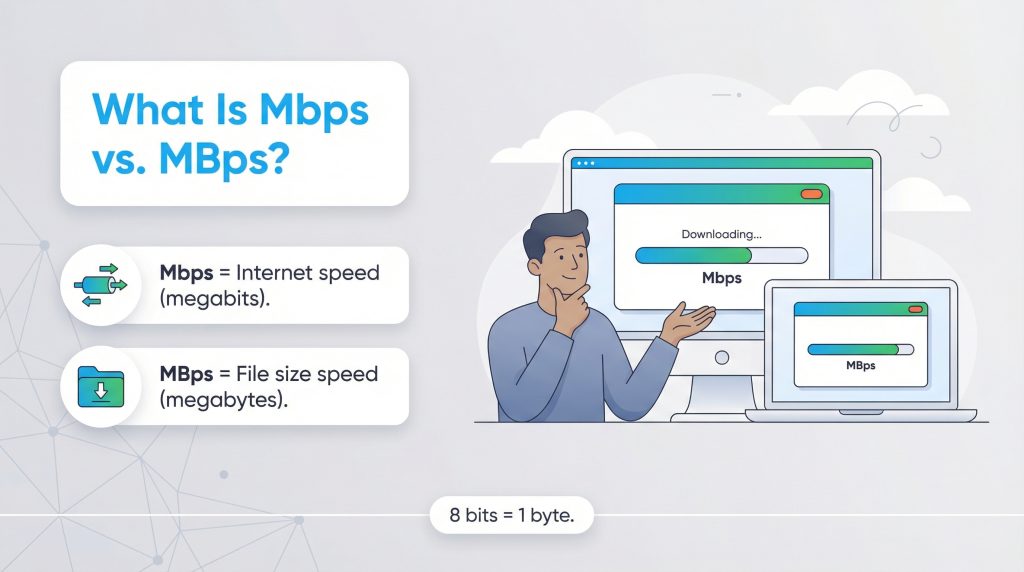
Mbps stands for megabits per second. It is the standard unit of measurement for internet bandwidth, representing the speed at which data travels between the web and your personal devices. To break this down further, the prefix “mega” means one million. A “bit” is the smallest digital unit of data in computing, represented as a single binary value of either a zero or a one. So, when you see a number like “300 Mbps” on an internet flyer, it means your connection can transfer up to 300 million bits of data every single second.
Think of your home internet connection like water flowing through a pipe. The bandwidth is the physical width of the pipe, and the Mbps represents the rate at which the water flows. A higher Mbps number means a wider pipe, allowing a larger volume of data to flow through all at once. If you have a low Mbps plan, it is like trying to fill a swimming pool with a standard garden hose — it takes a long time. A plan with high Mbps is like using a powerful fire hose, allowing you to instantly download large files, stream 4K video, and browse the web on multiple smart devices simultaneously without a hitch.
The Technical Breakdown: Bits vs. Bytes
While it is easy to assume all digital data is measured the exact same way, there is an important distinction between how we measure network transfer rates and how we measure storage capacity. As we established, a bit is a single binary unit of data. A byte, on the other hand, is a larger string that consists of eight individual bits grouped together.
Internet service providers almost exclusively use bits to measure the rate at which data transfers over their network. This makes the advertised numbers look larger and emphasizes the speed of the data flow. Conversely, hardware manufacturers and software developers use bytes to measure the overall capacity of a file, a hard drive, or a smartphone. When you check how much storage is left on your laptop, or how large a new video game file is, you are looking at a measurement in bytes. Understanding this foundational difference helps clarify why downloading a file often feels like it takes longer than your internet speed implies.
Mbps vs. MBps: Understanding the Difference
One of the most common sources of confusion when shopping for internet service is the difference between Mbps and MBps. While the two abbreviations look nearly identical, that single capitalized letter makes a massive difference in how you experience your network’s speed.
Here is the golden capitalization rule you need to remember: a lowercase “b” stands for bits, and an uppercase “B” stands for bytes.
Because your internet provider advertises speeds in megabits (Mb), but your computer displays file sizes in megabytes (MB), the advertised speed isn’t a one-to-one match for your download time. Since eight bits equal one byte, the download speed advertised by your ISP is actually one-eighth of what you might expect if you were matching it directly to a file size. Grasping this distinction is crucial so you aren’t disappointed when a massive software update takes longer than you initially calculated.
How to Convert Between Mbps and MBps
Fortunately, you do not need a degree in computer science to figure out your actual download speeds. Converting Mbps to MBps is a straightforward mathematical process once you know the rule. Since eight bits make up one byte, you simply divide your advertised Mbps by eight to find out how many megabytes you can download in one second.
The basic formula is: Mbps ÷ 8 = MBps
If you want to reverse the math to figure out how much internet speed you need to download a specific megabyte per second, you simply multiply the MBps by eight. To save you some time on the calculator, here is a quick reference list of common home internet plan speeds converted into their actual megabyte-per-second download rates:
- 50 Mbps = 6.25 MBps
- 100 Mbps = 12.5 MBps
- 300 Mbps = 37.5 MBps
- 500 Mbps = 62.5 MBps
- 1,000 Mbps (1 Gbps) = 125 MBps
Real-World Speeds: What Can You Do With Your Mbps?
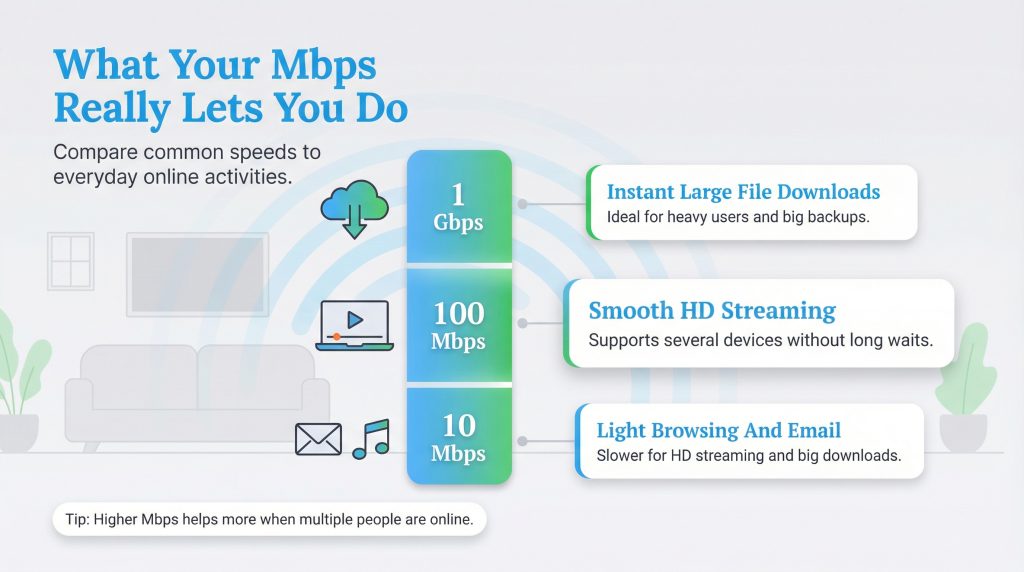
Knowing the definition of Mbps is helpful, but applying it to your daily life is what really matters. Different online activities require vastly different amounts of bandwidth to function properly. Sending a plain text email requires very little flow from your digital pipe, while streaming a cinematic movie in ultra-high definition (4K) demands a significant, constant stream of data. If you are wondering how many Mbps you need, the answer depends entirely on your specific habits and the number of people sharing your network.
To help you visualize the difference speed makes, we have broken down a few common activities, the minimum speed required to perform them smoothly, and how long it takes to download corresponding files at different speed tiers.
| File Type | Minimum Required Mbps | File Size (Approx.) | Time at 10 Mbps | Time at 100 Mbps | Time at 1 Gbps |
|---|---|---|---|---|---|
| 4-Minute Song | 1 to 3 Mbps | 5 MB | 4 seconds | ~1 second | < 1 second |
| TV Episode (HD) | 5 to 10 Mbps | 500 MB | 6.5 minutes | 40 seconds | 4 seconds |
| HD Movie | 15 to 25 Mbps | 4 GB | 53 minutes | 5 minutes | 32 seconds |
| Console Game | 25 to 50 Mbps | 50 GB | 11 hours | 1 hour | 6 minutes |
As you can see from the breakdown, the jump from 10 Mbps to 100 Mbps is an absolute game-changer for daily entertainment. Meanwhile, the jump to 1 Gbps is a premium luxury that drastically reduces wait times for massive files, but it might not be strictly necessary if you only occasionally stream a show or download music.
Mbps vs. Gbps vs. Kbps Explained
As technology advances, internet speeds continue to climb, bringing a whole new set of acronyms into the mix. You might see older terms like Kbps alongside modern advertisements for Gbps. Understanding this hierarchy helps you evaluate exactly where your plan sits on the speed spectrum.
The data measurement hierarchy scales up by thousands. It starts with Kbps (kilobits per second). A kilobit is one thousand bits. In the early days of dial-up internet, speeds were measured in Kbps, which is incredibly slow by modern standards and completely insufficient for contemporary web browsing or video streaming.
Moving up the ladder, we reach Mbps (megabits per second). As we have learned, one megabit equals one thousand kilobits (or one million bits). This is the standard measurement for almost all modern residential broadband connections.
Finally, at the top of the consumer market, we have Gbps (gigabits per second). One gigabit equals one thousand megabits (or one billion bits). When an internet service provider advertises “Gigabit Internet” or “1 Gbps,” they are offering an incredibly fast 1,000 Mbps connection — fast enough to download a full-length HD movie in roughly 30 seconds.
While Gigabit speeds are undeniably impressive, they are often overkill for the average user. Unless you are a professional content creator, a serious competitive gamer, or running a household with five or more heavy internet users, you likely will not notice a significant difference between a standard 500 Mbps plan and a 1 Gbps plan in day-to-day browsing. Treating Gigabit internet as a luxury rather than a necessity is a great way to keep your utility costs reasonable.
Download Speed vs. Upload Speed vs. Latency
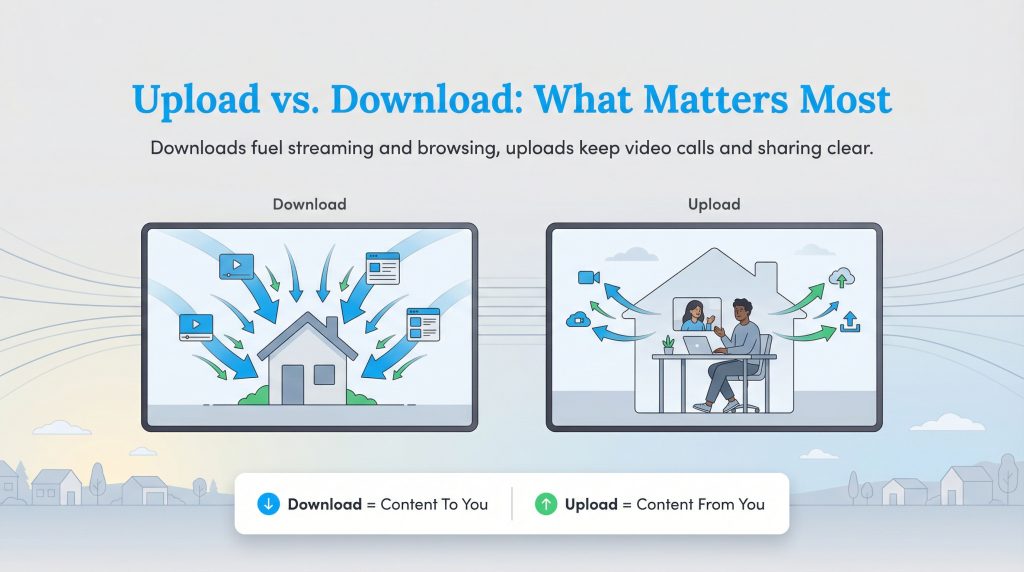
When you look at plan details, you will often see two numbers paired together, such as “300/10 Mbps.” The first number represents your download speed, and the second represents your upload speed. Most residential internet plans are asymmetrical, meaning they heavily prioritize download speeds because that is what the average person uses the majority of the time.
Download speed determines how fast you consume content from the web. You use this bandwidth when loading web pages, streaming Netflix, or scrolling through your social media feeds. Upload speed determines how fast you send data out from your device to the internet. You rely heavily on upload speed when you are on a Zoom video call, posting a large video file to Instagram, or backing up important documents to cloud storage.
However, speed volume isn’t the only metric that matters. Latency, often referred to as “ping,” is the missing piece of the puzzle. Measured in milliseconds (ms), latency is the reaction time of your data transfer — how quickly a signal travels from your device to a server and back again. If Mbps is the volume of water flowing through the pipe, latency is how fast that water starts flowing once you turn the faucet on. High latency causes lag, which is especially noticeable during fast-paced online gaming or live video conferences, even if your Mbps is incredibly high.
How Many Mbps Do I Need by Activity?
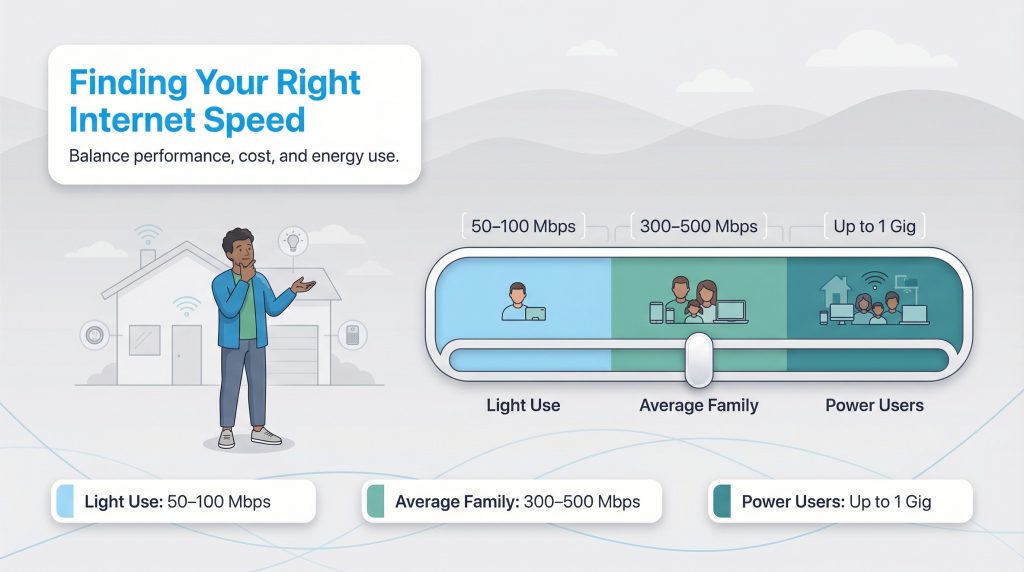
Choosing the right plan is entirely about finding the sweet spot between network performance and your monthly budget. You want enough speed to seamlessly handle your household’s peak usage times — like right after dinner when everyone is streaming and scrolling — without paying for excess capacity you never use. “Right-sizing” your internet plan is a smart financial move that also aligns with a more environmentally mindful choice, as lower-tier equipment often consumes slightly less power than heavy-duty, enterprise-grade hardware running at maximum capacity around the clock.
Instead of guessing based on household size, it is often easier to calculate your needs based on the specific activities you engage in every day. Here is a breakdown of the exact Mbps recommendations for common daily habits:
- Checking Email and Basic Web Browsing: You only need roughly 1 to 5 Mbps for these low-impact activities. Almost any modern internet plan will handle basic browsing with ease.
- Working From Home: If your job requires frequent video conferencing, large file sharing, and remote server access, you should aim for at least 50 to 100 Mbps per remote worker in the home. Crucially, ensure your upload speed is at least 10 to 20 Mbps to keep your camera feed clear during important meetings.
- Streaming 4K Video: To watch your favorite shows in crisp, ultra-high definition without constant buffering, streaming services recommend a stable connection of at least 15 to 25 Mbps per stream. If three people are watching different 4K shows at once, you need at least 75 Mbps dedicated just to the televisions.
- Online Gaming: Competitive multiplayer gaming requires roughly 15 to 25 Mbps of download speed, but more importantly, it requires low latency. Having a baseline of 100 Mbps or higher ensures that other household members won’t clog the network and spike your ping while you play.
- Smart Home Management: For households utilizing dozens of connected devices like smart thermostats, security cameras, and voice assistants, you want a comfortable buffer. An overall plan of 300 to 500 Mbps provides plenty of headroom for automated devices running quietly in the background.
For more specific guidelines on bandwidth needs per activity, you can reference the Broadband Speed Guide provided by the FCC or learn more about How Much Speed Do You Need.
Factors That Impact Your Actual Wi-Fi Speed
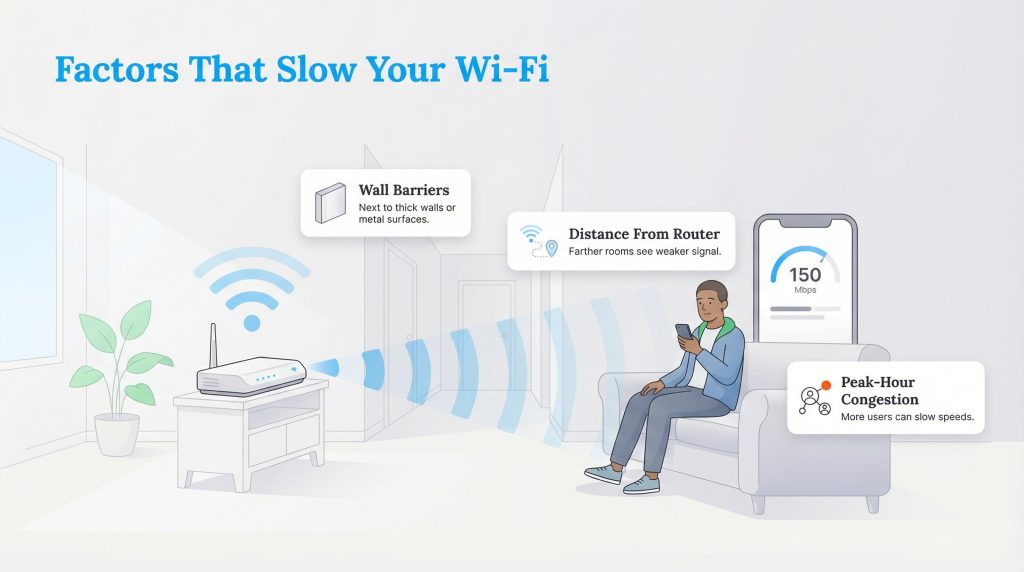
It is important to remember that the Mbps listed on your monthly internet bill is a “maximum” theoretical speed, not a guaranteed baseline. You might pay for 300 Mbps but find that a speed test on your smartphone only shows 150 Mbps. Several common factors can cause this significant drop in network performance.
Distance is usually the most common culprit. Wi-Fi signals naturally weaken as you move further away from your router. Physical obstacles like thick concrete walls, heavy metal appliances, and even large mirrors can bounce or block the signal, creating frustrating dead zones in your home. Additionally, using an outdated router or a modem that cannot support high bandwidth can act as a bottleneck, preventing you from accessing the full speeds you are paying for every month. Network congestion can also play a major role; during neighborhood “peak hours” in the evening, internet speeds on shared connections can dip dramatically as everyone logs on to stream movies or play games simultaneously.
To get the best possible wireless performance, place your Wi-Fi router in a central, open location in your home, ideally elevated off the floor and away from dense obstructions.
Selecting Your Home Internet Setup
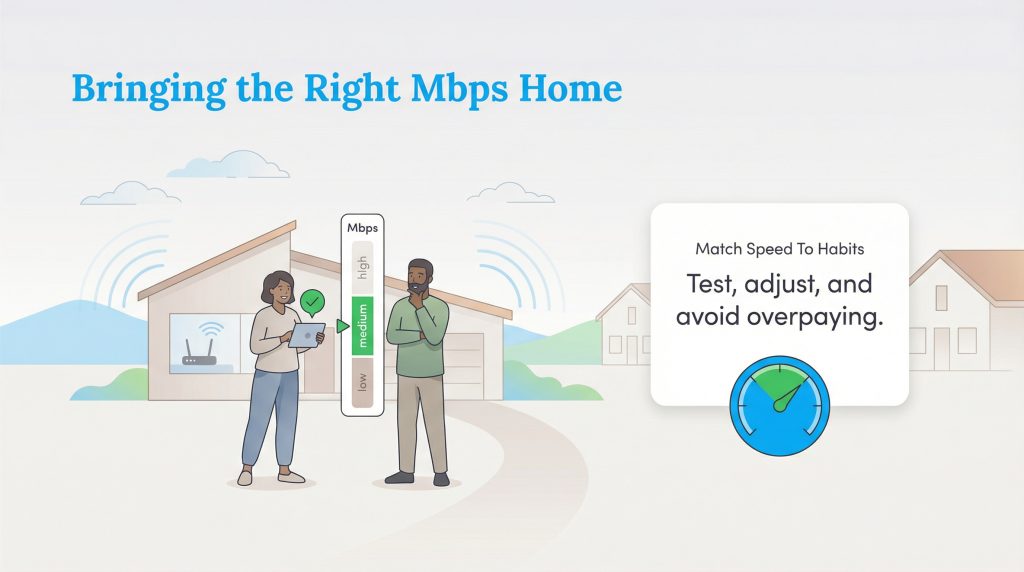
Ultimately, Mbps is simply the digital fuel that powers your connected life. The overarching goal is not to have the most fuel possible, but to have exactly enough to get where you need to go without stalling out. Now that you understand the difference between bits and bytes, how latency impacts your experience, and the precise speeds required for your favorite online activities, you are equipped to make an informed, cost-effective choice for your home.
Take a moment to audit your current internet bill. Run a quick speed test during your peak usage hours, and compare those results against what you are currently paying for. If you are consistently hitting the limit and experiencing lag during video calls or gaming sessions, it might be time to upgrade. Conversely, if your speed test shows you are paying for Gigabit internet but you only use the web to check email and watch occasional videos, downgrading could save you hundreds of dollars a year. If you are moving or simply ready to compare better options in your area, you can easily browse internet providers to see exactly what technology and speed tiers are available at your new address.
Frequently Asked Questions About Internet Speed
Is 100 Mbps fast enough for Netflix?
How do I check my current Mbps?
Learn more about Understanding a Speed Test
What is a good upload speed?
Does 5G home internet have good Mbps?
Why is my internet slower than the advertised Mbps?
What is a good Mbps for working from home?
How many Mbps do you need for gaming?
Is 1000 Mbps the same as 1 Gbps?
About the Author

David has been an integral part of some of the biggest utility sites on the internet, including InMyArea.com, HighSpeedInternet.com, BroadbandNow.com, and U.S. News. He brings over 15 years of experience writing about, compiling and analyzing utility data.