

Find the right high-speed internet provider based on your location, budget, and lifestyle needs.
Key Takeaways
- With multi-month prepay options, Mint Mobile’s MINTernet is often the most affordable plug-and-play internet for homes within 5G coverage.
- Starlink remains a strong candidate for fully off-grid or remote homes where cellular towers don’t reach.
- 5G gateways consume drastically less electricity than satellite dishes, making them an excellent choice for eco-conscious homeowners and small backup batteries.

- 400 Mbps
- Satellite
- Unlimited
- $55.00/mo

- 415 Mbps
- 5G
- 1 TB
- $30.00/mo
*Not all internet providers and speeds available in all areas.
Choosing the ideal internet connection for your new house can feel overwhelming, especially when trying to balance long-term costs with daily performance. Whether you are leaning toward the widely available Starlink satellite internet or eyeing the prepaid 5G Home MINTernet from Mint Mobile, finding the right fit depends on your location, budget, and coverage. Our goal is to give you the straightforward facts — focusing on availability, total cost, and reliability — so you can choose a service that keeps your devices humming. If you have solid T-Mobile coverage, Mint is usually the better value and easier setup; if you don’t, Starlink is the practical choice.
Quick Glance Comparison: Starlink vs. Mint Mobile
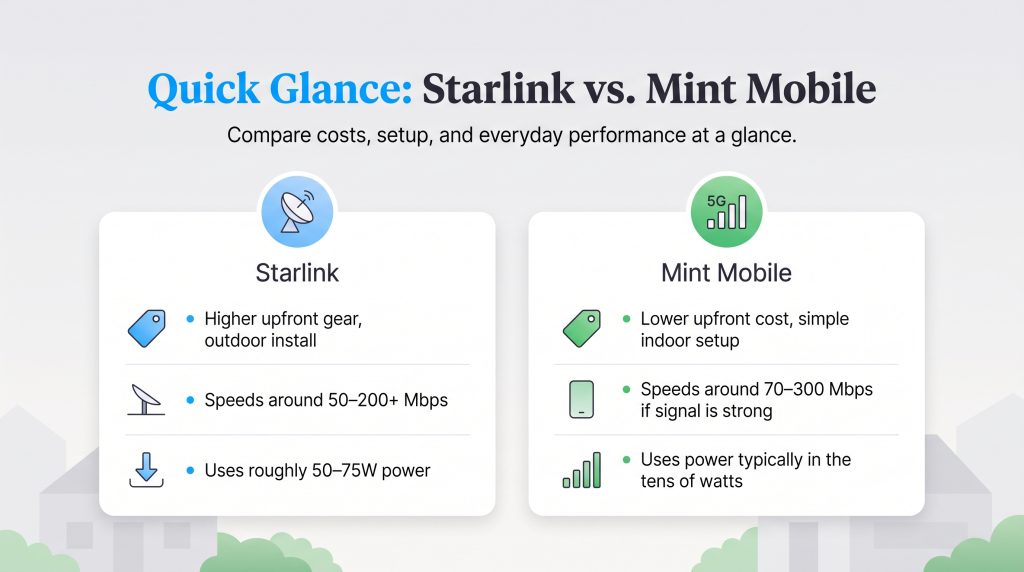
Making a confident decision ultimately comes down to comparing your upfront costs, monthly fees, and essential equipment requirements. Here is a side-by-side look at what to expect from both popular providers before signing a service agreement.
| Provider | Monthly Price | Upfront Equipment Cost | Installation Type | Typical Speeds | Data Caps | Power Consumption |
| Starlink | Varies by location and plan | Varies (often $149 — $349, or rental options) | Rooftop or ground mount (Requires clear sky view) | Commonly reported 50 — 200+ Mbps | Unlimited (Network management policies may apply) | 50W — 75W |
| Mint Mobile | Often $30 — $40/mo (with multi-month prepay) | $0 | Plug-and-play gateway (Works best near a window) | Commonly reported 70 — 300 Mbps (depends on signal) | Unlimited (Speeds may slow after 1TB during congestion) | Often in the tens of watts |
Understanding the Tech: Satellite vs. 5G Networks
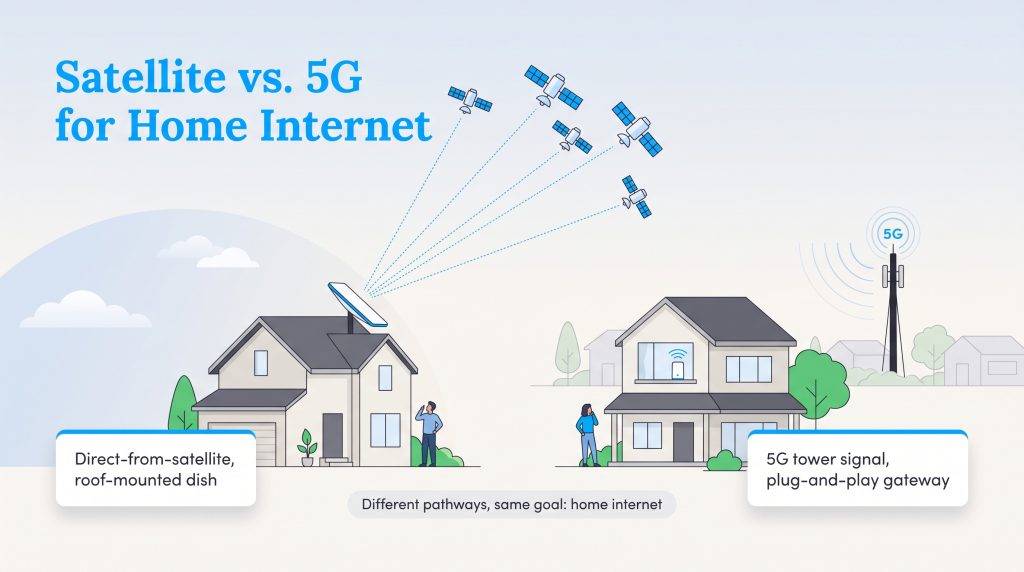
Before committing to a brand new service, you need to know exactly how these two technologies fundamentally differ. Starlink utilizes a massive constellation of low Earth orbit (LEO) satellites to beam high-speed internet directly down to a satellite dish installed on your property. This innovative approach allows them to deliver impressive connectivity practically anywhere on the globe. Mint Mobile’s service relies entirely on T-Mobile’s extensive 5G cellular network instead. Rather than looking to the sky for a signal, it pulls cellular data from a nearby terrestrial tower into a wireless gateway router sitting quietly in your living room. If you’re currently comparing various options for your property, exploring our comprehensive internet hub can give you a better sense of how modern satellite and cellular plans stack up against traditional cable.
Availability and Setup Process
Getting online with Starlink requires a completely unobstructed view of the sky overhead. If you live surrounded by towering pines or unusually tall neighboring buildings, you might seriously struggle to catch a reliable signal. Setting up the necessary hardware may mean hiring a professional to securely mount the heavy satellite dish directly onto your roof or committing to costly tree removal.
Mint Mobile’s 5G gateway takes a radically different approach with its true plug-and-play device. You simply unbox the router and plug it right into a standard wall outlet — preferably near a window facing the closest cell tower. This zero-installation method is incredibly appealing for renters or new homeowners who prefer to avoid drilling holes in their walls or spending hours wrestling with a heavy ladder.
New Home Setup Checklist
When setting up utilities in a new space, taking a few preparatory steps can save you significant time and frustration:
- Scout your locations: For Starlink, use the mobile app to scan the sky for obstructions before securely mounting the dish. For Mint, identify a top-floor window facing the nearest cell tower.
- Understand the trial window: Mint offers a 14-day money-back guarantee, allowing you to test speeds during peak evening hours before committing. Starlink typically offers a 30-day return window on hardware.
- Plan for peripherals: Consider investing in a mesh Wi-Fi system if your house is large, or a small uninterruptible power supply (UPS) to keep your gateway running during brief power flickers.
Quick Fact: Mint Mobile’s home internet runs on the exact same nationwide 5G cellular network as T-Mobile, meaning if you have a strong T-Mobile cell phone signal at your house, you will likely get great internet speeds!
Pricing, Fees, and Value Comparison
Mint Mobile emerges as a strong candidate for budget-conscious consumers seeking reliable connectivity. Mint often prices its home internet lower than major carriers, especially with multi-month prepay or when bundled with a phone plan — though you should always check current availability and pricing at checkout. Because it operates on a prepaid model, you can lock in a highly attractive rate while largely bypassing equipment leasing fees and unexpected rate hikes, keeping your monthly household expenses incredibly predictable.
Starlink typically has a higher monthly cost than 5G home internet, plus an upfront equipment purchase. Pricing varies by location and plan, meaning your initial equipment cost and monthly service fees could fluctuate based on regional demand and promotional offers. While it might not hold the title of the cheapest rural internet available today, Starlink reliably remains a premium investment for folks who need raw connectivity power in isolated locations.
| Plan Name | Price | Download Speeds | Connection Type | |
|---|---|---|---|---|
| Residential 100 Mbps | $55 /month | Up to 100 Mbps | Satellite | Check Availability |
| Residential 200 Mbps | $85 /month | Up to 200 Mbps | Satellite | Check Availability |
| Roam 100 GB | $55 /month | Up to 300 Mbps | Satellite | Check Availability |
| Roam Unlimiited | $175 /month | Up to 300 Mbps | Satellite | Check Availability |
| Roam 300 GB | $80 /month | Up to 300 Mbps | Satellite | Check Availability |
| Residential Max | $130 /month | Up to 400 Mbps | Satellite | Check Availability |
Money-Saver: You can often lower your Mint Mobile Home Internet bill down to just $30 a month if you bundle it with an active Mint Mobile cellular phone plan.
Eco-Friendly Edge: Power Consumption Matters
When setting up a brand new home, we highly encourage our readers to consider the daily energy consumption of their chosen electronic devices. A 5G gateway uses less wattage than a traditional satellite setup, as many 5G gateways draw roughly router-level power (often in the tens of watts). In stark contrast, a standard Starlink dish requires significant energy to continuously track satellites overhead and melt winter snow, averaging an active draw of 50W to 75W according to official Starlink specifications.
For homes running entirely on solar power systems or relying heavily on small battery backups during frequent grid outages, the 5G gateway stands out as an environmentally mindful choice. Opting for essential networking equipment with a genuinely lower energy demand directly reduces your household carbon footprint and safely eases the strain on your electrical system during peak usage hours.
Eco Edge: During a power outage, a low-wattage 5G gateway can easily be supported by an uninterruptible power supply (UPS) or small battery bank, keeping you connected to vital emergency updates while using minimal electricity.
Performance: Speed and Latency Demystified
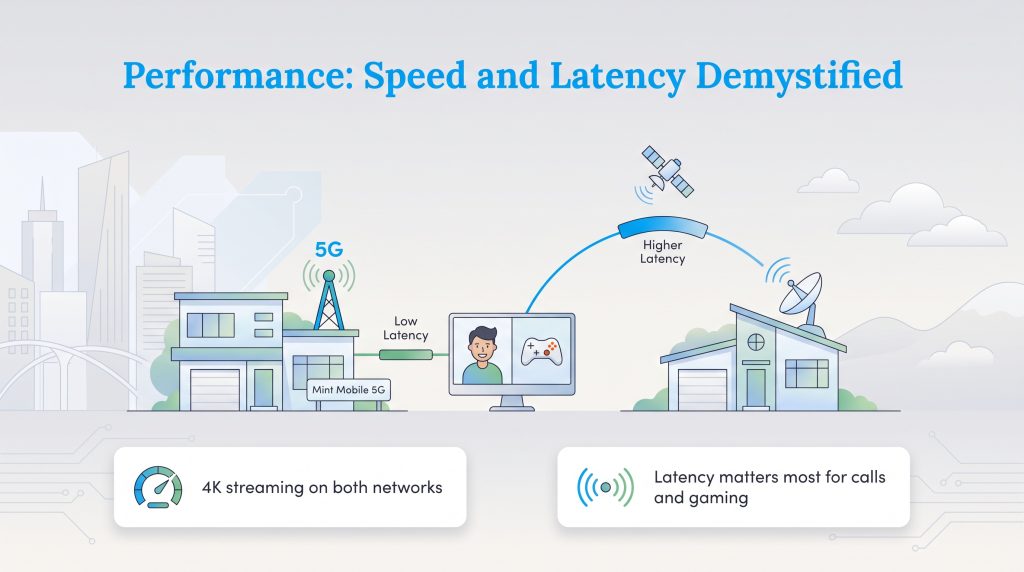
Both providers offer download capabilities that can handle streaming crisp 4K video while simultaneously supporting your various smart home utility monitors. Whether you’re actively managing an automated thermostat or checking your daily solar panel output, you’ll generally find enough bandwidth to keep your household running smoothly. However, pure download speed only tells half the story when properly evaluating your daily online experience.
The frequent debate surrounding 5G home internet vs Starlink often boils down to one crucial metric: latency, or ping. Because a 5G signal travels horizontally to a local, terrestrial cell tower, it generally registers much lower ping times than a satellite signal that has to physically travel out into outer space and back down again. This rapid response time makes Mint Mobile the stronger candidate for remote workers leading important video calls or competitive online gamers who critically need instantaneous reactions.
Who Wins? Making the Right Call for Your Home
Choosing the ideal connection entirely depends on your unique property location and your monthly utility budget constraints. If you are struggling to make a final choice, reviewing your specific household priorities can quickly narrow things down:
- Pick Mint Mobile if: You have strong T-Mobile cellular coverage at your new address.
- Pick Mint Mobile if: You want a low-cost prepaid plan to keep monthly expenses predictable.
- Pick Mint Mobile if: You are a renter who cannot permanently mount equipment on the roof.
- Pick Mint Mobile if: You prefer a simple, DIY plug-and-play setup that takes under 15 minutes.
- Pick Starlink if: You live in a rural area or off-grid cabin with poor cellular service.
- Pick Starlink if: You need reliable broadband capable of supporting multiple heavy users at once.
- Pick Starlink if: You own your home and have a clear, unobstructed view of the sky to mount a dish.
- Pick Starlink if: You want the flexibility of dedicated roaming plans for travel or RV living.
Final Verdict: Balancing Coverage, Cost, and Convenience
Securing a robust, reliable broadband connection firmly sets the foundation for a smoothly functioning, modern household. While Starlink undeniably remains a brilliant technological marvel for remote and rural areas severely lacking traditional infrastructure, a 5G gateway often serves as the smarter, eco-conscious alternative for anyone wanting an incredibly easy, low-cost connection. Take a quick moment to evaluate your current cell reception, honestly review your monthly budget, and select the service that perfectly aligns with your lifestyle. Staying effortlessly connected to the people and daily entertainment you love has truly never been more straightforward.
Frequently Asked Questions About Starlink and Mint Mobile Home Internet
Navigating the specific details of home networking can be tricky. We have compiled answers to some of the most common questions about these two modern internet solutions to help you finalize your decision.
Can I use Mint Mobile Home Internet if I live in an RV?
Does Mint Mobile require a professional installation?
Are there data caps with Mint Mobile or Starlink?
Is Mint Mobile good for home internet gaming?
What makes 5G internet an energy-saving option?
About the Author

David has been an integral part of some of the biggest utility sites on the internet, including InMyArea.com, HighSpeedInternet.com, BroadbandNow.com, and U.S. News. He brings over 15 years of experience writing about, compiling and analyzing utility data.

Claudio is a sustainability-focused writer with a background in Anthropology and Psychology from NC State University. He has spent over 15 years working in writing, interpretation, and translation, driven by a deep interest in how human culture shapes the environment. Today, he shares his curiosity with readers by writing about sustainable living solutions and the connection between everyday choices and environmental impact.